
18550 Mirror Prosmart - Air conditioner Arçelik - Free user manual and instructions
Find the device manual for free 18550 Mirror Prosmart Arçelik in PDF.


Pick your language and provide your email: we'll send you a specifically translated version.
| Product Type | Split air conditioner |
| Model | 18550 Mirror Prosmart |
| Brand | Arçelik |
| Cooling Capacity | 12000 BTU/h |
| Heating Capacity | 13000 BTU/h (heat pump) |
| Energy Efficiency (SEER) | 6.5 |
| Energy Class | A++ |
| Power Supply | 220-240 V ~ 50 Hz |
| Indoor Unit Dimensions (WxHxD) | 850 x 290 x 200 mm |
| Outdoor Unit Dimensions (WxHxD) | 700 x 500 x 250 mm |
| Indoor Unit Weight | 10 kg |
| Outdoor Unit Weight | 25 kg |
| Refrigerant | R32 |
| Noise Level (Indoor) | 22-45 dB(A) |
| Noise Level (Outdoor) | 55 dB(A) |
| Air Flow | Up to 600 m³/h |
| Filter Type | Washable antibacterial filter |
| Control Type | Remote control + Smartphone app (Wi-Fi) |
| Special Features | Mirror design, Prosmart inverter compressor |
| Operating Temperature Range (Cooling) | 16°C - 43°C |
Frequently Asked Questions - 18550 Mirror Prosmart Arçelik
How do I install the Arçelik 18550 Mirror Prosmart air conditioner?
Installation should be carried out by a qualified professional. Ensure the indoor unit is mounted on a sturdy wall, away from direct sunlight and heat sources. The outdoor unit should be placed on a flat, ventilated surface. Follow the detailed instructions in the user manual for proper refrigerant line connections and electrical wiring.
How often should I clean the air filter?
Clean the antibacterial filter every 2-4 weeks during normal use. Open the front panel, remove the filter, and wash it with lukewarm water and mild detergent. Let it dry completely before reinstalling. A dirty filter reduces efficiency and air quality.
What does the 'Mirror' design mean?
The indoor unit features a sleek, mirror-like front panel that reflects the room, adding a modern aesthetic. It is made of high-gloss acrylic material that is easy to clean.
Can I control the air conditioner with my smartphone?
Yes, the Prosmart feature allows Wi-Fi connectivity. Download the Arçelik Home app, create an account, and pair the device. You can then control temperature, mode, fan speed, and schedule from anywhere.
What should I do if the air conditioner is not cooling properly?
First, check if the filter is dirty and clean it. Ensure the set temperature is lower than room temperature. Verify that the outdoor unit is not obstructed. If the issue persists, check for error codes on the display or remote, and contact a service technician.
What is the recommended temperature setting for energy saving?
For optimal energy efficiency, set the cooling temperature to 24-26°C (75-79°F) and use the 'Eco' or 'Sleep' mode. Keep windows and doors closed. Using a fan can help circulate air more evenly.
How long is the warranty on the Arçelik 18550 Mirror Prosmart?
The standard warranty is 2 years for the entire unit and 5 years for the compressor. Warranty terms may vary by region. Register your product online to extend warranty benefits.
Can I use the air conditioner in winter for heating?
Yes, it is a heat pump model that can provide heating down to -15°C (5°F). Switch to 'Heat' mode using the remote or app. The unit will automatically defrost when needed.
What does error code E5 mean?
Error code E5 indicates a communication error between the indoor and outdoor units. Turn off the power, wait 5 minutes, and restart. If the error persists, inspect the wiring connections or call a technician.
How do I reset the air conditioner to factory settings?
Press and hold the 'Reset' button on the indoor unit (located behind the front panel) for 10 seconds using a pointed object. Alternatively, turn off the power for 1 minute. This will clear all custom settings.
User questions about 18550 Mirror Prosmart Arçelik
0 question about this device. Answer the ones you know or ask your own.
Ask a new question about this device
No questions yet. Be the first to ask one.
Download the instructions for your Air conditioner in PDF format for free! Find your manual 18550 Mirror Prosmart - Arçelik and take your electronic device back in hand. On this page are published all the documents necessary for the use of your device. 18550 Mirror Prosmart by Arçelik.
USER MANUAL 18550 Mirror Prosmart Arçelik
natural_image
Abstract white curved shape on red background (no text or symbols)arcelik
Klimə
Kullanma Kılavuzu
09550
12550
18550
24550
natural_image
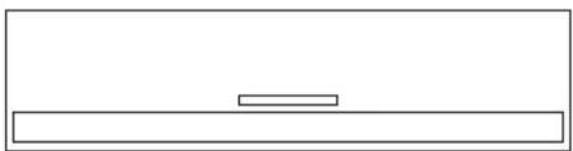
Simple line drawing of a rectangular frame with a small horizontal bar at the center (no text or symbols)natural_image
Technical line drawing of a mechanical clamp or lever mechanism (no text or symbols)natural_image
Line drawing of a mobile phone with keypad and control buttons (no text or symbols)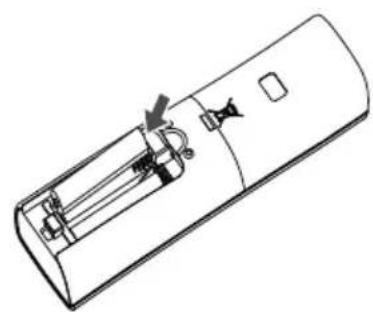
natural_image
Line drawing of a remote control casing with internal components and a handle (no text or symbols)natural_image
Line drawing of a wall-mounted air conditioner with a remote control unit and wireless signal icon (no text or symbols)natural_image
Diagram of a wall-mounted air conditioner unit with a magnified inset showing the internal structure (no text or symbols)natural_image
Technical illustration of a wall-mounted air conditioner unit with a magnified inset showing the internal structure (no text or symbols)natural_image
Simple line drawing of a rectangular appliance with two upward arrows indicating airflow or movement (no text or symbols)natural_image
Line drawing of a car air conditioner unit with two arrows indicating airflow direction (no text or symbols)natural_image
Line drawing of a car air conditioner unit with airflow arrows (no text or symbols)natural_image
Line drawing of a car air conditioner unit with airflow arrow indicating direction (no text or symbols)


Table of contents
Click a title to access it
Manual assistant
Powered by Anthropic
Waiting for your message
Product information
Brand : Arçelik
Model : 18550 Mirror Prosmart
Category : Air conditioner