
SL20-B - Lens COLBOR - Free user manual and instructions
Find the device manual for free SL20-B COLBOR in PDF.


| Brand | COLBOR |
| Model | SL20-B |
| Product Type | Lens |
| Lens Type | Standard Prime |
| Focal Length | 20 mm |
| Maximum Aperture | f/2.8 |
| Minimum Aperture | f/22 |
| Focus Type | Manual Focus |
| Optical Construction | 10 elements in 8 groups |
| Diaphragm Blades | 7 (rounded) |
| Minimum Focus Distance | 0.25 m |
| Filter Thread Size | 67 mm |
| Weight | 220 g |
| Dimensions (D x L) | 65 mm x 70 mm |
| Image Stabilization | No |
| Autofocus | No |
| Weather Sealing | Not specified |
| Compatible Sensor | Full frame & APS-C |
| Lens Hood Included | Yes (petal type) |
| Coating | Multi-coated |
Frequently Asked Questions - SL20-B COLBOR
User questions about SL20-B COLBOR
0 question about this device. Answer the ones you know or ask your own.
Ask a new question about this device
Download the instructions for your Lens in PDF format for free! Find your manual SL20-B - COLBOR and take your electronic device back in hand. On this page are published all the documents necessary for the use of your device. SL20-B by COLBOR.
USER MANUAL SL20-B COLBOR
Thank you for choosing COLBOR product. Please read this manual carefully before use and follow all instructions mentioned herein.
Caring For Your COLBOR Product
- Keep corrosive chemicals, liquids, and heat sources away from the product to prevent mechanical damage.
• The product is not waterproof. - Do not leave the product unattended while in use. Keep out of reach of children.
- Do not handle it with wet hands.
- Please do not block the ventilation and do not look at the light directly when it is on.
- Do not attempt to disassemble or modify the product. Doing so voids the warranty.
- Please have the product checked or repaired by authorized technicians if any malfunctions happen.
- Disconnect from the power supply when it is not in use.
- Malfunction may be caused by dropping, the impact of external force.
- Failure to follow all the instructions may result in mechanical damage.
• Warranty does not apply to human errors.
Operation Instructions
Installation and Removal of SL20-B Spotlight
- Check the glass and shutter blade for good condition.
- Loosen the screws of the 7-shaped handle and adjust the bracket to be 90^ with the spotlight. Then tighten the handle screws.

- Mount the spotlight on the stable light stand, secure it with weights, and tighten screws.
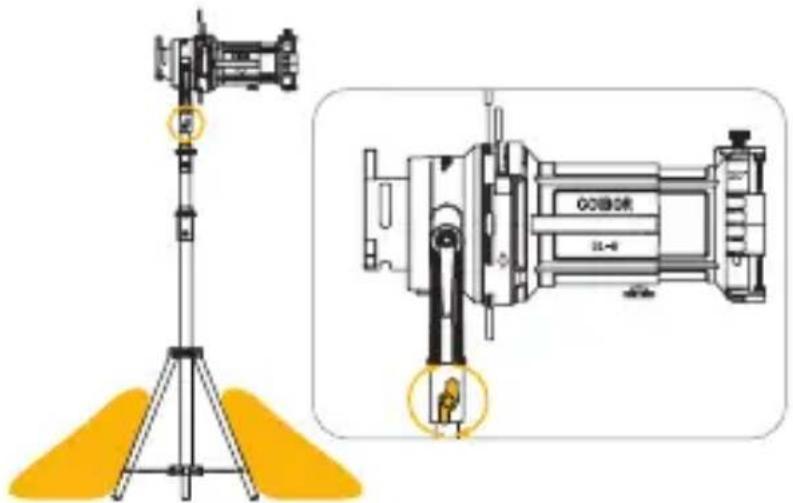
- Pull all the shutter blades to outer edge.
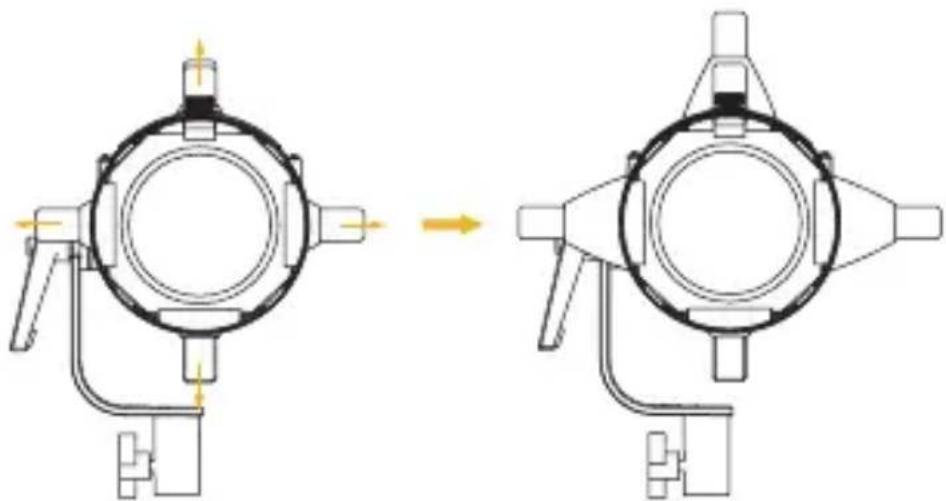
natural_image
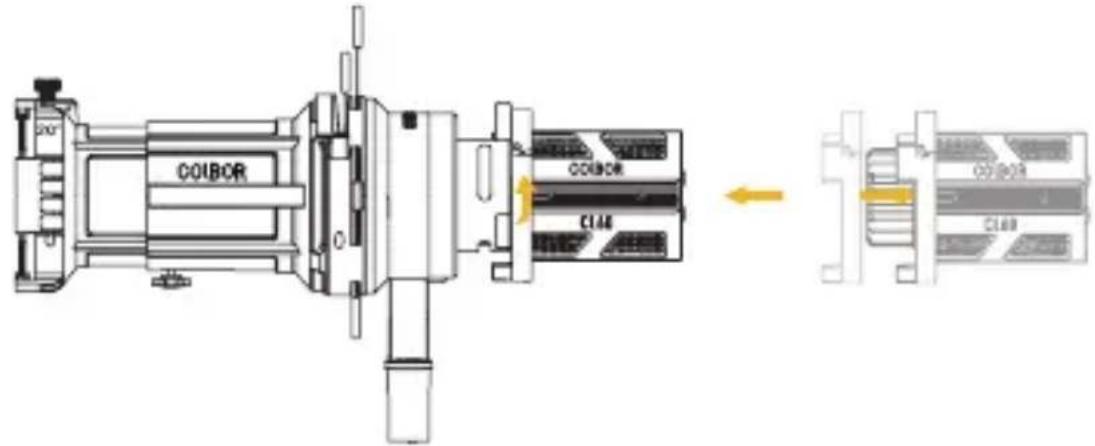
Mechanical assembly diagram showing two stages of a circular component with directional arrows indicating motion (no text or symbols)- Align the spotlight with the groove around the lamp head and clip it in, turn the spotlight in the direction of the arrow, and the installation will be completed after the top rod rebounds.
* Removal of spotlight: Please follow the instructions below.

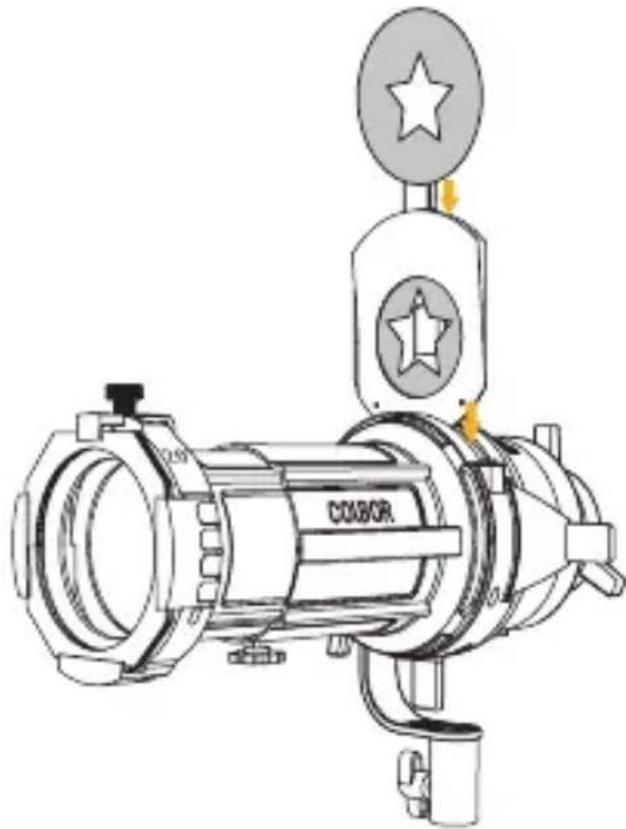
Attaching the Gobos
- Mount the gobo on the gobo holder in place.
- Insert the holder into the slot of the spotlight attachment, then slide the holder lock bar to lock the holder.
natural_image
Technical line drawing of a COX80R air intake device with no visible text or symbolsAttaching the Colored Gel Filter
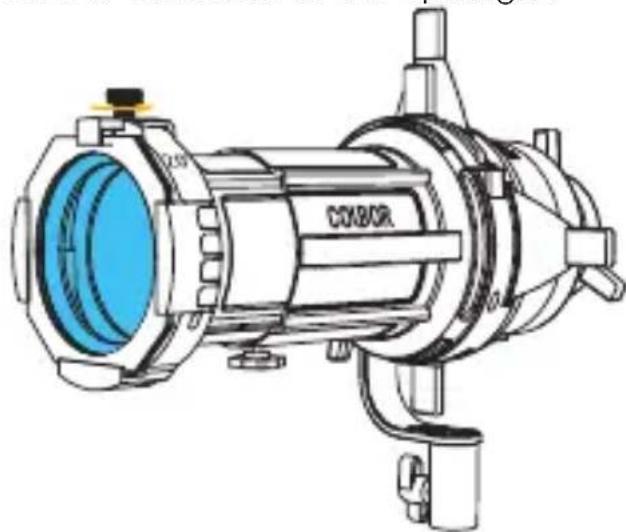
- Place the colored gel filter into the colored gel filter holder, then mount the holder on the frontside of the spotlight.
natural_image
Technical line drawing of a mechanical device with blue internal component and mounting flanges (no text or symbols)Focus Adjustment
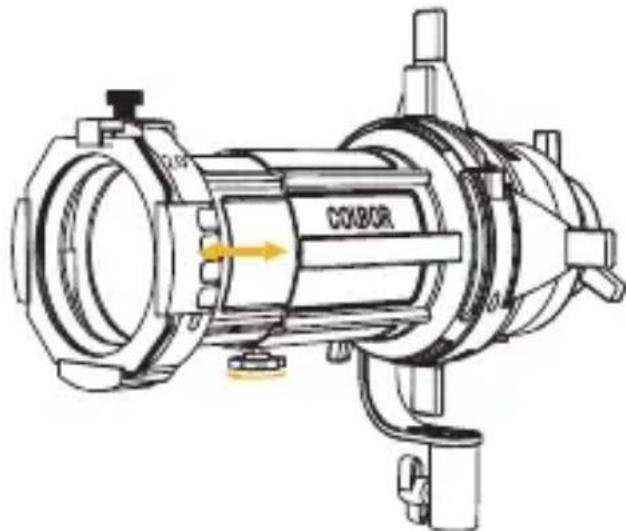
- Loosen the locking focus knob on the bottom and push the lens forward to adjust the focus. Tighten the knob to lock.
natural_image
Technical line drawing of a mechanical device with no visible text or symbolsSpecifications
| Product | SL20-B Bowen Mount Spotlight |
| Size | Fold: 363*175*177mm Unfold: 353*234*269mm |
| Weigh | 2.11kg |
| Compatibility | CL60 Series (Expect for CL60R); CL100X Series |
Packing List
natural_image
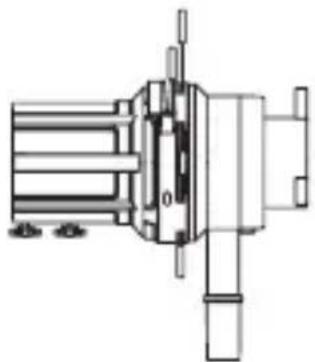
Technical line drawing of a mechanical assembly with no visible text or symbolsSL Spotlight x1
natural_image
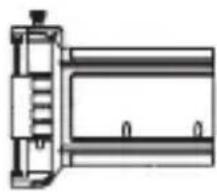
Technical line drawing of a mechanical component or bracket (no text or symbols)20^ Lens x1
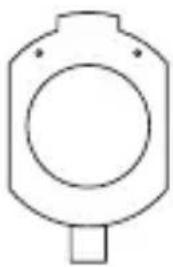
natural_image
Simple line drawing of a cylindrical object with a circular hole and a small protrusion at the bottom (no text or symbols)GOBO Holder x1

Colored Gel
Filter Holder x1

GOBO ×30

Warranty Card x1
Illumination
CL60M+SL20 (LUX)
| CCT | 1m | 3m | 5m |
| 5600K | 52100 | 3990 | 1560 |
CL60+SL20 (LUX)
| CCT | 1m | 3m | 5m |
| 2700K | 32,000 | 2,560 | 989 |
| 3200K | 33,900 | 2,720 | 1,050 |
| 4300K | 37,100 | 2,960 | 1,140 |
| 5600K | 40,000 | 3,180 | 1,220 |
| 6500K | 41,800 | 3,320 | 1,270 |
CL100X+SL20 (LUX)
| CCT | 1m | 3m | 5m |
| 2700K | 44,400 | 3,530 | 1,350 |
| 3200K | 47,300 | 3,760 | 1,430 |
| 4300K | 51,400 | 4,090 | 1,560 |
| 5600K | 54,800 | 4,350 | 1,650 |
| 6500K | 56,200 | 4,460 | 1,690 |
★ The data is given from testing in a laboratory.
WARRANTY
Warranty Period
Thank you for purchasing COLBOR products.
- Customers are entitled to free replacement or repair service in case of quality defect(s) found in the product under normal use within 30 days upon receipt of the product.
- Original COLBOR products are entitled to 12-month limited warranty service. The warranty period begins on the date of purchase of brand new, unused products by the first end-user.
Within the warranty period, if product defect or failure is attributable to material defection or technological problem, the defective product or defective part will be repaired or replaced without charge (service and materials fee).
Warranty Exclusions and Limitations
- Faults resulted from inappropriate use of a product without following its operation specification
- Artificial damage, e.g. crash, squeeze, scratch, soaking, exposing to rain or damp
- Modifications to a product by its user or a third party without prior written consent of COLBOR, e.g. replacement of element or circuit, label alteration
- The code on product is inconsistent with that of warranty certificate, or the code on the product or warranty certificate is altered or torn off
- All consumable accessory attached to a product, like cable, cover
- Faults as a result of force majeure, such as fire, flood, lightning, etc.
Warranty Claim Procedure
-
If failure or any problem occurs to your product after purchase, please contact a local agent for assistance, or you can always contact COLBOR's customer service through email.
-
Please retain your sales receipt and warranty certificate as proof of purchase. If any of these documents is missing, only sales return or chargeable service will be provided.
-
If the COLBOR product is out of the warranty coverage, the service and the parts cost will be charged.
Guangzhou Zhiying Technology Co., Ltd
Room 2401, 24 / F, South Tower, Lisheng Plaza, No. 68 Huadi Avenue, Liwan District, Guangzhou, China, 510000
support@colborlight.com
www.colborlight.com
- Caring For Your COLBOR Product
- Operation Instructions
- Installation and Removal of SL20-B Spotlight
- Attaching the Gobos
- Attaching the Colored Gel Filter
- Focus Adjustment
- Specifications
- Packing List
- Illumination
- WARRANTY
- Warranty Period
- Warranty Exclusions and Limitations
- Warranty Claim Procedure
- Guangzhou Zhiying Technology Co., Ltd
Brand : COLBOR
Model : SL20-B
Category : Lens