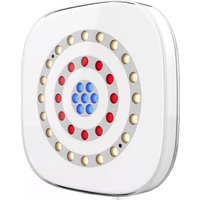
Freedom Centerpiece - Effects machine Chauvet - Free user manual and instructions
Find the device manual for free Freedom Centerpiece Chauvet in PDF.


| Product Type | Fog Machine (Effect Machine) |
| Brand | Chauvet |
| Model | Freedom Centerpiece |
| Dimensions (approximate) | 15 x 10 x 8 inches (38 x 25 x 20 cm) |
| Weight (approximate) | 10 lb (4.5 kg) |
| Power Consumption | 400 W |
| Operating Voltage | 120 V / 60 Hz (US) or 230 V / 50 Hz (EU) |
| Fluid Type | Water-based fog fluid (Chauvet recommended) |
| Fluid Tank Capacity | 0.5 L (17 oz) |
| Warm-up Time | Approximately 2-3 minutes |
| Fog Output | Adjustable; up to 1000 cubic feet per minute |
| Controls | Manual, wired remote, and wireless remote (optional) |
| Timer Function | Adjustable interval and duration settings |
| Heater Type | Single-stage heat exchanger |
| Fluid Consumption | Approximately 1.5 L/hour at full output |
| Cleaning | Run distilled water through system after fluid use to prevent clogging |
| Automatic Shut-Off | Yes (safety feature when fluid level is low or overheating) |
| Safety Features | Thermal fuse, overheat protection, low fluid sensor |
| Spare Parts | Replacement fuses, heating element, pump, and remote control |
| Repairability | Serviceable by authorized technicians; replaceable components |
Frequently Asked Questions - Freedom Centerpiece Chauvet
User questions about Freedom Centerpiece Chauvet
0 question about this device. Answer the ones you know or ask your own.
Ask a new question about this device
Download the instructions for your Effects machine in PDF format for free! Find your manual Freedom Centerpiece - Chauvet and take your electronic device back in hand. On this page are published all the documents necessary for the use of your device. Freedom Centerpiece by Chauvet.
USER MANUAL Freedom Centerpiece Chauvet
TABLE OF CONTENTS
1. Before You Begin .... 1
What Is Included 1
Unpacking Instructions.... 1 Claims .... 1
Text Conventions 1
Symbols 1
Disclaimer 1
Intellectual Property 1
Safety Notes.... 2
2. Introduction ...... 3
Product Overview.... 3
Product Dimensions 4
3. Setup 5
AC Power 5
Battery Power.... 5 Charging the Battery .... 5 Battery Life Indicator .... 5
4. Operation 6
Control Panel Operation.... 6
Menu Map 6
DMX Linking....8 DMX Personality and Starting Address....8
DMX Values 8 Zones for DMX Control 8
DMX Channel Assignments and Values 9
16-Channel....9 12-Channel (2)....11 12-Channel (1)....12 8-Channel....13
Configuration (Standalone) 13
Automatic Programs and Speed 13
Sound-Active Mode 13
Preset Color Mode 13
Custom Color Mixing 14
IRC-6 Infrared Remote Control 14 IRC-6 Operation 14
5. Maintenance.... 15
Product Maintenance 15
6. Technical Specifications ...... 16
-
Returns.... 17
-
Contact Us 18
1. Before You Begin
What Is Included
• 4x Freedom Centerpiece
• 4x Black Housing Covers
- Multi-Charger
- Power Cord
• I R C - 6 R e m o t e
• C a r r y i n g B a g
- Quick Reference Guide
Unpacking Instructions
Carefully unpack the product immediately and check the container to make sure all the parts are in the package and are in good condition.
Claims
If the box or the contents (the product and included accessories) appear damaged from shipping, or show signs of mishandling, notify the carrier immediately, not Chauvet. Failure to report damage to the carrier immediately may invalidate your claim. In addition, keep the box and contents for inspection.
For other issues, such as missing components or parts, damage not related to shipping, or concealed damage, file a claim with Chauvet within 7 days of delivery.
Text Conventions
| Convention Meaning | |
| 1–512 A range of values | |
| 50/60 A set of values of which only one can be chosen | |
| Settings A menu option not to be modified | |
| Menu > Settings A sequence of menu options to be followed | |
| A button to be pressed on the product's control panel | |
| ON A value to be entered or selected | |
Symbols
| Symbol Meaning | |
 | Electrical warning. Not following these instructions may cause electrical damage to the product, accessories, or the user. |
 | Critical installation, configuration, or operation information. Not following these instructions may make the product not work, cause damage to the product, or cause harm to the operator. |
 | Important installation or configuration information. The product may not function correctly if this information is not used. |
 | Useful information. |
Disclaimer
Chauvet believes that the information contained in this manual is accurate in all respects. However, Chauvet assumes no responsibility and specifically disclaims any and all liability to any party for any loss, damage or disruption caused by any errors or omissions in this document, whether such errors or omissions result from negligence, accident or any other cause. Chauvet reserves the right to revise the content of this document without any obligation to notify any person or company of such revision, however, Chauvet has no obligation to make, and does not commit to make, any such revisions. Download the latest version from www.chauvetdj.com.
Intellectual Property
The works of authorship contained in this manual, including, but not limited to, all design, text and images are owned by Chauvet.
© Copyright 2019 Chauvet & Sons, LLC. All rights reserved.
Electronically published by Chauvet in the United States of America.
CHAUVET, the Chauvet logo, and Freedom Centerpiece are registered trademarks or trademarks of Chauvet & Sons LLC (d/b/a Chauvet and Chauvet Lighting) in the United States and other countries. Other company and product names and logos referred to herein may be trademarks of their respective companies.
Safety Notes

- Always connect the product to a grounded circuit to avoid the risk of electrocution.
• Always disconnect the product from the power source before cleaning or replacing the fuse. - Avoid direct eye exposure to the light source while the product is on.
- Make sure the power cord is not crimped or damaged.
- Never disconnect the product from power by pulling or tugging on the cord.
- Make sure there are no flammable materials close to the product when operating.
- Do not touch the product's housing when operating because it may be very hot.
-
Do not charge the battery of the product in a closed case or container.
-
The product is not intended for permanent installation.
- The voltage of the outlet to which you are connecting this product must be within the range stated on the decal or rear panel of the product.
- This product is for indoor or temporary outdoor use (IP54). Do not expose to harsh or excessively corrosive environmental conditions (whether indoors or outdoors), including, but not limited to, extreme temperatures, humidity, atmospheric conditions (including salinity or pressure), radiation (UV, infrared or nuclear), shock and conditions which exceed the product's Ingress Protection (IP) rating.
- Never connect the product to a dimmer or rheostat.
- Make sure to replace the fuse with another of the same type and rating.
- Never carry the product from the power cord or any moving part. Always use the hanging/mounting bracket.
- The maximum ambient temperature is 104 °F (40 °C). Do not operate this product at higher temperatures.
• In the event of a serious operating problem, stop using the product immediately. - Never attempt to repair the product. Repairs carried out by unskilled people can lead to damage or malfunction. Please contact the nearest authorized technical assistance center.
- To eliminate unnecessary wear and improve its lifespan, during periods of non-use completely disconnect the product from power via breaker or by unplugging it.


Keep this User Manual for future use. If the product is sold to someone else, be sure that they also receive this document.
2. Introduction
Product Overview
Back Panel View

Product Dimensions
Front View

Side View

3. Setup
AC Power
The Freedom Centerpiece has an auto-ranging power supply and it can work with an input voltage range of 100 to 240 VAC, 50/60 Hz.
To determine the product's power requirements (circuit breaker, power outlet, and wiring), use the current value listed on the label affixed to the product's back panel, or refer to the product's specifications chart. The listed current rating indicates the product's average current draw under normal conditions.

• Always connect the product to a protected circuit (a circuit breaker or fuse). Make sure the product has an appropriate electrical ground to avoid the risk of electrocution or fire.
• To eliminate unnecessary wear and improve its lifespan, during periods of non-use completely disconnect the product from power via breaker or by unplugging it.

Never connect the product to a rheostat (variable resistor) or dimmer circuit, even if the rheostat or dimmer channel serves only as a 0 to 100% switch.
Battery Power
The Freedom Centerpiece comes with a rechargeable lithium battery for cable free operation.
Charging the Battery
The battery charges whenever the Freedom Centerpiece is plugged into the external multi-charger and the charger is plugged into a power source. If the product is plugged in and not in operation, make sure the product is turned off.

- When using the multi-charger, the Freedom Centerpiece must be powered OFF. The units will NOT charge if powered on.
- The LED indicator light will flash if you overpower your units.

Do not close the lid of the case while Freedom Centerpiece batteries are charging.
Battery Life Indicator
The indicators on the LED Menu Display show how much battery life remains available. The drawing below provides a key to reading the battery life indicators.
![graph TD A["100%"] --> B["80% 60% 20%40%"] A --> C[" "] A --> D[" "]](/content/2026/05/1108348/images/731e5bf28b5adceb8b6480fa3f5d7e4064384b642673ea0abe203c6ae75661d9.jpg)
Battery Run Time
Maximum Run Time (all colors on) Recharge Time
Up to 8 hours 6.5 hours
4. Operation
Control Panel Operation
To access the control panel functions, use the four buttons located underneath the display. Please refer to the Product Overview to see the button locations on the control panel.
| Button Function | |
| Press to find an operation mode or to back out of the current menu option | |
| Press to scroll up the list of options or to increase the numeric value in a function | |
| Press to scroll down the list of options or to decrease the numeric value in a function | |
| Press to activate a menu option or set the selected value in a function | |
Menu Map
| Mode Programming Levels Description | ||||
| DMX Address 001-505 Sets DMX starting address | ||||
| DMX Channel | 8Ch | Sets DMX personality | ||
| 12Ch1 | ||||
| 12Ch2 | ||||
| 16Ch | ||||
| Static | Fixed Color | Ring1 | R Red | |
| G Green | ||||
| B Blue | ||||
| W White | ||||
| GB | Green + Blue | |||
| RB | Red + Blue | |||
| RG | Red + Green | |||
| RGB | Red + Green + Blue | |||
| RW | Red + White | |||
| GW | Green + White | |||
| BW | Blue + White | |||
| RGW | Red + Green + White | |||
| RBW | Red + Blue + White | |||
| GBW | Green + Blue + White | |||
| RGBW | Red + Green + Blue + White | |||
| Ring2 | R Red | |||
| G Green | ||||
| B Blue | ||||
| W White | ||||
| GB | Green + Blue | |||
| RB | Red + Blue | |||
| RG | Red + Green | |||
| RGB | Red + Green + Blue | |||
| RW | Red + White | |||
| GW | Green + White. | |||
| BW | Blue + White | |||
| RGW | Red + Green + White | |||
| RBW | Red + Blue + White | |||
| GBW | Green + Blue + White | |||
| RGBW | Red + Green + Blue + White | |||
| Mode | Programming Levels | Description | |||
| Static (cont'd) | Fixed Color (cont'd) | Ring3 | CW Cool White | ||
| WW Warm White | |||||
| CW+WW Cool White + Warm White | |||||
| Manual Color | Ring1 | R 0-255 | Adjust the levels of red, green, blue, and white to create custom colors for Ring 1 | ||
| G 0-255 | |||||
| B 0-255 | |||||
| W 0-255 | |||||
| Ring2 | R 0-255 | Adjust the levels of red, green, blue, and white to create custom colors for Ring 2 | |||
| G 0-255 | |||||
| B 0-255 | |||||
| W 0-255 | |||||
| Ring3 | CW 0-255 | Adjust the levels of cool white and warm white to create custom colors for Ring 3 | |||
| WW 0-255 | |||||
| Auto Show Auto 1-15 Speed 1-100 | Sets automatic programs and automatic speed | ||||
| Sound Show Sound Sense 000-100 Sets sound-active program | |||||
| Wireless Setting | Wireless On/Off | On | Turns wireless capability on or off | ||
| Off | |||||
| Wireless Mode | Transmit | Set to transmitter or receiver channel | |||
| Receive | |||||
| Wireless Channel CH01-CH16 Select the wireless channel | |||||
| IR Setting | On | Turns infrared on or off | |||
| Off | |||||
| White Balance | Off | Turn off the white balance | |||
| Manual | R | 125-255 | Select red, green, blue, and white to set the white balance | ||
| G | |||||
| B | |||||
| W | |||||
| Dimmer Mode | Off | No dimming effect | |||
| Dimmer 1 | Sets the dimming speed, fast to slow | ||||
| Dimmer 2 | |||||
| Dimmer 3 | |||||
| Back Light | 10S | Turns off after 10 seconds | |||
| 30S | Turns off after 30 seconds | ||||
| 2Mins | Turns off after 2 minutes | ||||
| On | Does not turn off | ||||
| Information | Fixture Hours | 9999H | Displays the total operating hours of the device | ||
| Version | V0.2 Shows installed software version | ||||
| Factory Reset | No | Resets to factory settings | |||
| Yes | |||||
DMX Linking
The Freedom Centerpiece does not have a DMX input or output, but can be controlled using a D-Fi Hub or FlareCON Air products.
DMX Personality and Starting Address
When selecting a starting DMX address, always consider the number of DMX channels the selected DMX mode uses. If the starting address is set too high, access to some of the product's channels could be restricted.
To ensure full access to all channels available in each DMX mode, the highest recommended DMX address is 497.
For information about the DMX protocol, download the DMX Primer from www.chauvetdj.com.
To select the starting address, do the following:
- Press
- Press
- Use
or to select 8Ch, 12Ch1, 12Ch2, or 16Ch. - Press
- Press
- Press
and 001 will show on the display. - Use
or to select the starting address. - Press
.
DMX Values
Zones for DMX Control

DMX Channel Assignments and Values
16-Channel
| Channel Function Value Percent/Setting | |||
| 1 Dimmer 000 | ⇔ 255 0–100% | ||
| 2 Red, Ring 1 000 | ⇔ 255 0–100% | ||
| 3 Green, Ring 1 000 | ⇔ 255 0–100% | ||
| 4 Blue, Ring 1 000 | ⇔ 255 0–100% | ||
| 5 White, Ring 1 000 | ⇔ 255 0–100% | ||
| 6 Red, Ring 2 000 | ⇔ 255 0–100% | ||
| 7 Green, Ring 2 000 | ⇔ 255 0–100% | ||
| 8 Blue, Ring 2 000 | ⇔ 255 0–100% | ||
| 9 White, Ring 2 000 | ⇔ 255 0–100% | ||
| 10 Warm White, Ring 3 000 | ⇔ 255 0–100% | ||
| 11 Cool White, Ring 3 000 | ⇔ 255 0–100% | ||
| 12 Strobe | 000 ⇔ 010 No function | ||
| 011 ⇔ 255 Strobe, slow to fast | |||
| 13 Color Macro | 000 ⇔ 010 No function | ||
| 011 ⇔ 030 R: 100% G: 0–100% B: 0% | |||
| 031 ⇔ 050 R: 100–0% G: 100% B: 0% | |||
| 051 ⇔ 070 R: 0% G: 100% B: 0–100% | |||
| 071 ⇔ 090 R: 0% G: 100–0% B: 100% | |||
| 091 ⇔ 110 R: 0–100% G: 0% B: 100% | |||
| 111 ⇔ 130 R: 100% G: 0% B: 100–0% | |||
| 131 ⇔ 150 R: 100% G: 0–100% B: 0–100% | |||
| 151 ⇔ 170 R: 100–0% G: 100–0% B: 100% | |||
| 171 ⇔ 200 R: 100% G: 100% B: 100% W: 100% | |||
| 201 ⇔ 205 Color 1 | |||
| 206 ⇔ 210 Color 2 | |||
| 211 ⇔ 215 Color 3 | |||
| 216 ⇔ 220 Color 4 | |||
| 221 ⇔ 225 Color 5 | |||
| 226 ⇔ 230 Color 6 | |||
| 231 ⇔ 235 Color 7 | |||
| 236 ⇔ 240 Color 8 | |||
| 241 ⇔ 245 Color 9 | |||
| 246 ⇔ 250 Color 10 | |||
| 251 ⇔ 255 Color 11 | |||
| 14 | Auto/Sound-Active Programs | 000 ⇔ 010 No function | |
| 011 ⇔ 026 Auto program 1 | |||
| 027 ⇔ 042 Auto program 2 | |||
| 043 ⇔ 058 Auto program 3 | |||
| 059 ⇔ 074 Auto program 4 | |||
| 075 ⇔ 089 Auto program 5 | |||
| 090 ⇔ 104 Auto program 6 | |||
| 105 ⇔ 120 Auto program 7 | |||
| 121 ⇔ 135 Auto program 8 | |||
| 136 ⇔ 150 Auto program 9 | |||
| 151 ⇔ 165 Auto program 10 | |||
| 166 ⇔ 180 Auto program 11 | |||
| 181 ⇔ 195 Auto program 12 | |||
| 196 ⇔ 210 Auto program 13 | |||
| 211 ⇔ 225 Auto program 14 | |||
| 226 ⇔ 240 Auto program 15 | |||
| 241 ⇔ 255 Sound-active Program | |||
| 15 | Auto Speed 000 | ⇔ 255 Auto program speed, slow to fast | |
| Sound Sensitivity | 000 ⇔ 010 Sound-sensitivity off | ||
| 011 ⇔ 255 Sound sensitivity, low to high | |||
| 16 Dimmer Speed Mode | 000 ⇔ 051 Preset dimmer speed from display menu | ||
| 052 ⇔ 101 Dimmer speed mode off | |||
| 102 ⇔ 152 Dimmer speed mode 1 (fast) | |||
| 153 ⇔ 203 Dimmer speed mode 2 (medium) | |||
| 204 ⇔ 255 Dimmer speed mode 3 (slow) | |||
12-Channel (2)
| Channel Function Value Percent/Setting | ||||||
| 1 Dimmer 000 | ⇔ 255 0-100% | |||||
| 2 Red 000 | ⇔ 255 0-100% | |||||
| 3 Green 000 | ⇔ 255 0-100% | |||||
| 4 Blue 000 | ⇔ 255 0-100% | |||||
| 5 White 000 | ⇔ 255 0-100% | |||||
| 6 Warm White 000 | ⇔ 255 0-100% | |||||
| 7 Cool White 000 | ⇔ 255 0-100% | |||||
| 8 | S t r o | 000 ⇔ 010 No functionb | ||||
| 011 ⇔ 255 Strobe, slow to fast | ||||||
| 9 Color Macro | 000 ⇔ 010 No function | |||||
| 011 ⇔ 030 | R: 100% G: 0-100% B: 0% | |||||
| 031 ⇔ 050 | R: 100-0% G: 100% B: 0% | |||||
| 051 ⇔ 070 | R: 0% G: 100% B: 0-100% | |||||
| 071 ⇔ 090 | R: 0% G: 100-0% B: 100% | |||||
| 091 ⇔ 110 | R: 0-100% G: 0% B: 100% | |||||
| 111 ⇔ 130 | R: 100% G: 0% B: 100-0% | |||||
| 131 ⇔ 150 | R: 100% G: 0-100% B: 0-100% | |||||
| 151 ⇔ 170 | R: 100-0% G: 100-0% B: 100% | |||||
| 171 ⇔ 200 | R: 100% G: 100% B: 100% W: 100% | |||||
| 201 ⇔ 205 Color 1 | ||||||
| 206 ⇔ 210 Color 2 | ||||||
| 211 ⇔ 215 Color 3 | ||||||
| 216 ⇔ 220 Color 4 | ||||||
| 221 ⇔ 225 Color 5 | ||||||
| 226 ⇔ 230 Color 6 | ||||||
| 231 ⇔ 235 Color 7 | ||||||
| 236 ⇔ 240 Color 8 | ||||||
| 241 ⇔ 245 Color 9 | ||||||
| 246 ⇔ 250 Color 10 | ||||||
| 251 ⇔ 255 Color 11 | ||||||
| Channel | Function | Value | Percent/Setting | |||
| 10 | Auto/Sound-Active Programs | 000 ⇔ 010 No function | ||||
| 011 ⇔ 026 Auto program 1 | ||||||
| 027 ⇔ 042 Auto program 2 | ||||||
| 043 ⇔ 058 Auto program 3 | ||||||
| 059 ⇔ 074 Auto program 4 | ||||||
| 075 ⇔ 089 Auto program 5 | ||||||
| 090 ⇔ 104 Auto program 6 | ||||||
| 105 ⇔ 120 Auto program 7 | ||||||
| 121 ⇔ 135 Auto program 8 | ||||||
| 136 ⇔ 150 Auto program 9 | ||||||
| 151 ⇔ 165 Auto program 10 | ||||||
| 166 ⇔ 180 Auto program 11 | ||||||
| 181 ⇔ 195 Auto program 12 | ||||||
| 196 ⇔ 210 Auto program 13 | ||||||
| 211 ⇔ 225 Auto program 14 | ||||||
| 226 ⇔ 240 Auto program 15 | ||||||
| 241 ⇔ 255 Sound-active program | ||||||
| 11 | Auto Speed 000 | ⇔ 255 | Auto program speed, slow to fast | |||
| Sound Sensitivity | 000 ⇔ 010 Sound-sensitivity off | |||||
| 011 ⇔ 255 Sound sensitivity, low to high | ||||||
| 12 Dimmer Speed Mode | 000 ⇔ 051 Preset dimmer speed from display menu | |||||
| 052 ⇔ 101 Dimmer speed mode off | ||||||
| 102 ⇔ 152 Dimmer speed mode 1 (fast) | ||||||
| 153 ⇔ 203 Dimmer speed mode 2 (medium) | ||||||
| 204 ⇔ 255 Dimmer speed mode 3 (slow) | ||||||
12-Channel (1)
| Channel Function Value Percent/Setting | ||
| 1 Dimmer 000 | ⇔ 255 0–100% | |
| 2 Red, Ring 1 000 | ⇔ 255 0–100% | |
| 3 Green, Ring 1 000 | ⇔ 255 0–100% | |
| 4 Blue, Ring 1 000 | ⇔ 255 0–100% | |
| 5 White, Ring 1 000 | ⇔ 255 0–100% | |
| 6 Red, Ring 2 000 | ⇔ 255 0–100% | |
| 7 Green, Ring 2 000 | ⇔ 255 0–100% | |
| 8 Blue, Ring 2 000 | ⇔ 255 0–100% | |
| 9 White, Ring 2 000 | ⇔ 255 0–100% | |
| 10 Warm White, Ring 3 | 000 ⇔ 255 0–100% | |
| 11 Cool White, Ring 3 | 000 ⇔ 255 0–100% | |
| 12 Strobe | 000 ⇔ 010 No function | |
| 011 ⇔ 255 Strobe, slow to fast | ||
8-Channel
| Channel Function Value Percent/Setting | |||
| 1 Dimmer 000 | ⇔ 255 0–100% | ||
| 2 Red 000 | ⇔ 255 0–100% | ||
| 3 Green 000 | ⇔ 255 0–100% | ||
| 4 Blue | 000 | ⇔ 255 0–100% | |
| 5 White | 000 | ⇔ 255 0–100% | |
| 6 Warm White | 000 | ⇔ 255 0–100% | |
| 7 Cool White | 000 | ⇔ 255 0–100% | |
| 8 | Strobe | 000 ⇔ 010 No function | |
| 011 ⇔ 255 Strobe, slow to fast | |||
Configuration (Standalone)
Set the product in one of the standalone modes to control without a DMX controller..

Never connect a product that is operating in any standalone mode to a DMX string connected to a DMX controller. Products in standalone mode may transmit DMX signals that could interfere with the DMX signals from the controller.
Automatic Programs and Speed
To run the Freedom Centerpiece in Automatic mode, follow the instructions below:
- Press
- Press
. - Use
or to select from Auto 1-15. - Press
. - Use
or to increase or decrease the speed (Speed 1–100). - Press
.
Sound-Active Mode
To run the Freedom Centerpiece in sound-active mode, do the following:
- Press
- Press
. - Use
or to increase or decrease the sound sensitivity (Sound Sense 000–100). - Press
.
Preset Color Mode
To run the Freedom Centerpiece on a preset static color, do the following:
- Press
- Press
. - Use
or until Fixed Color displays on the menu. - Press
. - Use
or to select Ring 1-3. - Press
. - Use
or to the desired static color for each ring.

Ring 1 and Ring 2 can display any combination of red, green, blue, and white. Ring 3 can only display cool white and warm white.
Custom Color Mixing
To mix a custom static color on the Freedom Centerpiece, do the following:
- Press
- Press
. - Use
or until Manual Color displays on the menu. - Press
. - Use
or to select Ring 1-3. - Press
to cycle through the following options:
• R(red)
• G (green)
• B (blue)
• W (white)
• CW (cool white) -
WW (warm white)
-
Press
to select an option. -
Use
or to increase or decrease the selected value, from 0–255 (for Ring 1 & 2: red, green, blue, or white; for Ring 3: cool white or warm white). -
Repeat steps 6–8 for each ring until the colors are set as desired.
IRC-6 Infrared Remote Control
The Freedom Centerpiece is compatible with the IRC-6 infrared remote control from Chauvet.
IRC-6 Operation

Automatic Mode
Automatic mode will enable you to run the automatic programs on the product.
To turn on Automatic mode (snap) with the IRC-6:
- Press
on the IRC-6. - Press ↔ or ← to choose between the different auto programs.
To adjust the speed of the automatic program:
- Press
on the IRC-6. - Press ↔ or ← to increase or decrease the speed of the program.
Sound-Active Mode
To turn on Sound-Active mode with the IRC-6:
- Press
on the IRC-6. - Press <+> or <--> to select a sound-active program.
To adjust the sound sensitivity:
- Press
on the IRC-6. - Press ↔ or ← to increase or decrease the sensitivity.
Manual Color Control
To select a preset static color with the IRC-6:
- Press
on the IRC-6. - Press any number between 0–9 to choose your color.
To manually control the RGBW percentage with the IRC-6:
- Press
on the IRC-6. -
Repeat steps 2 and 3 until the product outputs as desired.
-
Select the color to be edited, from
(red), (green), (blue), (white), (warm white), or (cool white). -
Press ↔ or ← to increase or decrease the intensity of the selected color.
Strobe
To adjust the strobe rate with the IRC-6:
- Press
on the IRC-6. - Press ↔ or ↔ to increase or decrease the strobe rate.
- Set to 0 to turn off the strobe.
Black Out
To black out the lights with the IRC-6:
- Press
on the IRC-6.
This will turn off all the lights until the button is pressed again.
5. Maintenance
Product Maintenance
Dust build-up reduces light output performance and can cause overheating. This can lead to reduction of the light source's life and/or mechanical wear. To maintain optimum performance and minimize wear, clean your lighting products at least twice a month. However, be aware that usage and environmental conditions could be contributing factors to increase the cleaning frequency.
To clean the product, follow the instructions below:
- Unplug the product from power.
- Wait until the product is at room temperature.
- Use a vacuum (or dry compressed air) and a soft brush to remove dust collected on the external surface/vents.
- Clean all transparent surfaces with a mild soap solution, ammonia-free glass cleaner, or isopropyl alcohol.
- Apply the solution directly to a soft, lint free cotton cloth or a lens cleaning tissue.
- Softly drag any dirt or grime to the outside of the transparent surface.
- Gently polish the transparent surfaces until they are free of haze and lint.

Always dry the transparent surfaces carefully after cleaning them.
6. Technical Specifications
Dimensions and Weight
| Length Width Height Weight | ||||||
| 9.4 in (237.9 mm) 9.4 in (237.9 mm) 1.3 in (32.5 mm) 3 lb (1.3 kg) | ||||||
| Note: Dimensions in inches rounded to the nearest decimal digit. Power | ||||||
| Power Supply Type Range Voltage Selection | ||||||
| Switching (internal) 100 to 240 VAC, 50/60 Hz Auto-ranging | ||||||
| Parameter 120 V, 60 Hz 230 V, 50 Hz | ||||||
| Consumption | 23 W | 22 W | ||||
| Operating Current | 337 mA | 185 mA | ||||
| Fuse | 1.6 A, 250 V | 1.6 A, 250 V | ||||
| Power I/O | U.S./Worldwide | UK/Europe | ||||
| Power input connector | IEC | IEC | ||||
| Power Cord plug | Edison (U.S.) Local Plug | |||||
| Light Source | ||||||
| Source | Type | Color | Quantity | Power | Current | Lifespan |
| Ring 1 | LED | RGBW | 7 | 0.2 W | 0.018 mA | 50,000 hours |
| Ring 2 | LED | RGBW | 12 | 0.2 W | 0.018 mA | 50,000 hours |
| Ring 3 | LED | CW/WW | 20 | 0.1 W | 0.018 mA | 50,000 hours |
| Photometrics | ||||||
| Strobe Rate Beam Angle | Field Angle | |||||
| 0 to 24 Hz | 23° | 36° | ||||
| Thermal | ||||||
| Maximum External Temperature | Cooling System | |||||
| 104 °F (40 °C) | Convection | |||||
| DMX | ||||||
| Channel Range | Optional Controllers | |||||
| 8, 12, or 16 | IRC-6 | |||||
| Ordering | ||||||
| Product Name | Item Code | UPC Number | ||||
| Freedom Centerpiece | 03031575 | 781462219239 | ||||


Returns
In case you need to get support or return a product:
- If you are located in the US, contact Chauvet World Headquarters.
- If you are located in the UK or Ireland, contact Chauvet Europe Ltd.
- If you are located in Benelux, contact Chauvet Europe BVBA.
- If you are located in France, contact Chauvet France.
- If you are located in Germany, contact Chauvet Germany.
- If you are located in Mexico, contact Chauvet Mexico.
- If you are located in any other country, DO NOT contact Chauvet. Instead, contact your local distributor. See www.chauvetdj.com for distributors outside the US, UK, Ireland, Benelux, France, Germany, or Mexico.

If you are located outside the US, UK, Ireland, Benelux, France, Germany, or Mexico, contact your distributor of record and follow their instructions on how to return Chauvet products to them. Visit our website www.chauvetdj.com for contact details.
Call the corresponding Chauvet Technical Support office and request a Return Merchandise Authorization (RMA) number before shipping the product. Be prepared to provide the model number, serial number, and a brief description of the cause for the return.
To submit a service request online, go to www.chauvetdj.com/service-request.
Send the merchandise prepaid, in its original box, and with its original packing and accessories. Chauvet will not issue call tags.
Clearly label the package with the RMA number. Chauvet will refuse any product returned without an RMA number.

Write the RMA number on a properly affixed label. DO NOT write the RMA number directly on the box.
Before sending the product, clearly write the following information on a piece of paper and place it inside the box:
- Your name
- Your address
- Your phone number
• R M A n u m b e r
• A brief description of the problem
Be sure to pack the product properly. Any shipping damage resulting from inadequate packaging will be your responsibility. FedEx packing or double-boxing are recommended.

Chauvet reserves the right to use its own discretion to repair or replace returned product(s).
Contact Us
General Information Technical Support
Chauvet World Headquarters
Address: 5200 NW 108th Ave. Voice: (844) 393-7575
Sunrise, FL 33351 Fax: (954) 756-8015
Voice: (954) 577-4455 Email: chauvetcs@chauvetlighting.com
Fax: (954) 929-5560
Toll Free: (800) 762-1084 Website: www.chauvetdj.com
Chauvet Europe Ltd
Address: Unit 1C Email: UKtech@chauvetlighting.eu
Brookhill Road Industrial Estate
Pinxton, Nottingham, UK Website: www.chauvetdj.eu
NG16 6NT
Voice: +44 (0) 1773 511115
Fax: +44 (0) 1773 511110
Chauvet Europe BVBA
Address: Stokstraat 18 Email: BNLtech@chauvetlighting.eu
9770 Kruishoutem
Belgium Website: www.chauvetdj.eu
Voice: +32 9 388 93 97
Chauvet France
Address: 3, Rue Ampère Email: FRtech@chauvetlighting.fr
91380 Chilly-Mazarin
France Website: www.chauvetdj.eu
Voice: +33 1 78 85 33 59
Chauvet Germany
Address: Bruno-Bürgel-Str. 11 Email: DEtech@chauvetlighting.de
28759 Bremen
Germany Website: www.chauvetdj.eu
Voice: +49 421 62 60 20
Chauvet Mexico
(Entrance by Calle 2)
Zona Industrial Lerma Website: www.chauvetdj.mx
Visit the applicable website above to verify our contact information and instructions to request support. Outside the US, United Kingdom, Ireland, Mexico, France, Germany, or Benelux, contact the dealer of record.
- TABLE OF CONTENTS
- BEFORE YOU BEGIN .... 1
- INTRODUCTION ...... 3
- SETUP 5
- OPERATION 6
- MAINTENANCE.... 15
- TECHNICAL SPECIFICATIONS ...... 16
- BEFORE YOU BEGIN
- WHAT IS INCLUDED
- UNPACKING INSTRUCTIONS
- CLAIMS
- TEXT CONVENTIONS
- SYMBOLS
- DISCLAIMER
- INTELLECTUAL PROPERTY
- SAFETY NOTES
- INTRODUCTION
- PRODUCT OVERVIEW
- PRODUCT DIMENSIONS
- SETUP
- AC POWER
- BATTERY POWER
- CHARGING THE BATTERY
- BATTERY LIFE INDICATOR
- BATTERY RUN TIME
- OPERATION
- CONTROL PANEL OPERATION
- DMX LINKING
- DMX PERSONALITY AND STARTING ADDRESS
- DMX VALUES
- ZONES FOR DMX CONTROL
- CONFIGURATION (STANDALONE)
- AUTOMATIC PROGRAMS AND SPEED
- SOUND-ACTIVE MODE
- PRESET COLOR MODE
- CUSTOM COLOR MIXING
- IRC-6 INFRARED REMOTE CONTROL
- IRC-6 OPERATION
- AUTOMATIC MODE
- MANUAL COLOR CONTROL
- STROBE
- BLACK OUT
- MAINTENANCE
- PRODUCT MAINTENANCE
- TECHNICAL SPECIFICATIONS
- RETURNS
- CONTACT US
- GENERAL INFORMATION TECHNICAL SUPPORT
- CHAUVET WORLD HEADQUARTERS
- CHAUVET EUROPE LTD
- CHAUVET EUROPE BVBA
- CHAUVET FRANCE
- CHAUVET GERMANY
- CHAUVET MEXICO
Brand : Chauvet
Model : Freedom Centerpiece
Category : Effects machine