
PND100 - Table Box Atlona - Free user manual and instructions
Find the device manual for free PND100 Atlona in PDF.


| Type | Table Top Box (Cable Nook) |
| Brand | Atlona |
| Model | PND100 |
| Included Parts | Table Top Box, Plate, 4 Plate Mounting Screws, 2 Mini-Com Faceplates, 2 NetKey Faceplates, 4 Faceplate Mounting Brackets, 4 Faceplate Mounting Screws, 8 Bracket Screws, 4 Table Mounting Brackets w/ Screws, 2 Cable Clamps & Screws, Fastener Tool |
| Accessories (Optional) | Cord Pass-Through Faceplate, HDMI Retractor Cable Box, Mounting Bracket & Screws |
| Power | None (passive device) |
| Installation Environment | Dry area away from dust and moisture, no direct sunlight, no heat sources, no liquids |
| Cleaning | Dry cloth only; avoid strong detergents, solvents, alcohol, or water |
| Door Operation | Opens to 90°, slides into unit, remains open until cables connected; close with cables routed through curved opening |
| Safety | Keep fingers away from openings and bezel edges due to sharp edges; do not expose to water or moisture; close door when not in use to prevent liquid/debris entry |
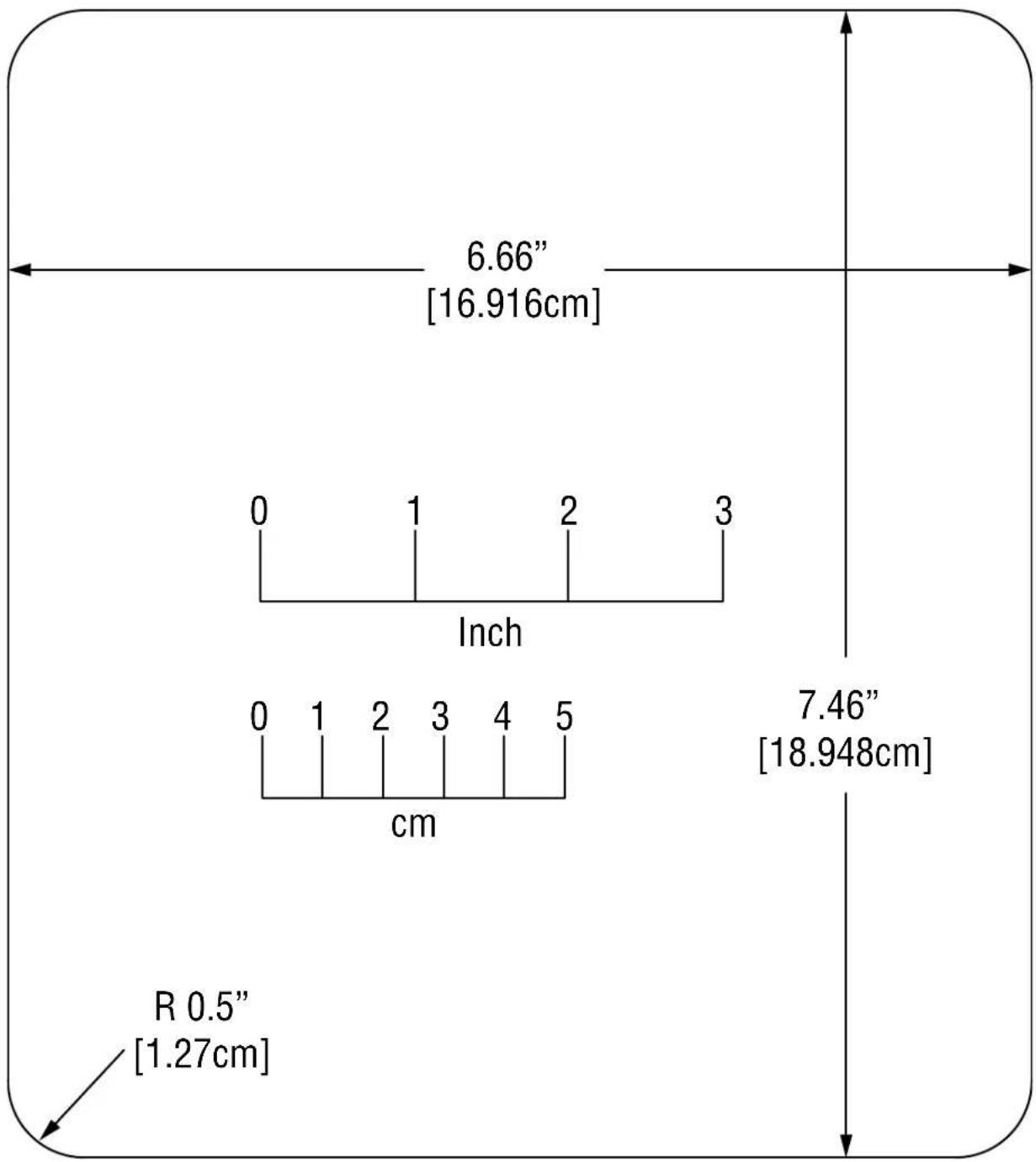
| Cut-Out Template | Provided in manual; various segment heights (e.g., 6.66 cm, 16.916 cm) and radii (0.5–5 cm) |
| Material | Not specified; likely metal/plastic |
| Compatibility | Accepts Mini-Com and NetKey faceplates; optional HDMI retractor accessory |
Frequently Asked Questions - PND100 Atlona
User questions about PND100 Atlona
0 question about this device. Answer the ones you know or ask your own.
Ask a new question about this device
Download the instructions for your Table Box in PDF format for free! Find your manual PND100 - Atlona and take your electronic device back in hand. On this page are published all the documents necessary for the use of your device. PND100 by Atlona.
USER MANUAL PND100 Atlona
natural_image
Technical line drawing of a mechanical device with mounting bracket and internal components (no text or symbols)Parts Included:
(1) Table Top Box
(1) Plate
(4) Plate Mounting Screws
(2) Mini-Com Faceplate
(2) NetKey Faceplate
(4) Faceplate Mounting Brackets
(4) Faceplate Mounting Screws
(8) Bracket Screws
(4) Table Mounting Brackets w/ Screws
(2) Cable Clamps & Screws
(1) Fastener Tool
Installation precautions
- For best results, place the Table Top Box, Cable Nook in a dry area away from dust and moisture.
- To prevent fire or shock, do not expose this unit to water or moisture. Do not place the Table Top Box, Cable Nook in direct sunlight, near heaters or heat-radiating appliances, or near any liquid. Exposure to direct sunlight, smoke, or steam can harm internal components.
- Handle carefully and never lay the Table Top Box on the thin bezel. Dropping, jarring or striking may damage the bezel.
- Never place fingers inside the openings in the sides of the unit or along the bezel edges. The sharp edges may cause serious injury.
Cleaning
- Surfaces should be cleaned with a dry cloth. Never use strong detergents or solvents, like alcohol or thinner. Do not use a wet cloth or water to clean the unit.
Operation
- The access door opens to a 90-degree angle and then slides into the unit. The door remains open until all the cables are connected. The access door should be closed with the cables routed through the curved opening to prevent damage to the unit and to prevent liquids from entering the opening.
- Additionally, the cover should be closed when not in use to prevent liquids or other debris from damaging the unit.

For Technical Support: www.panduit.com/resources/install_maintain.asp
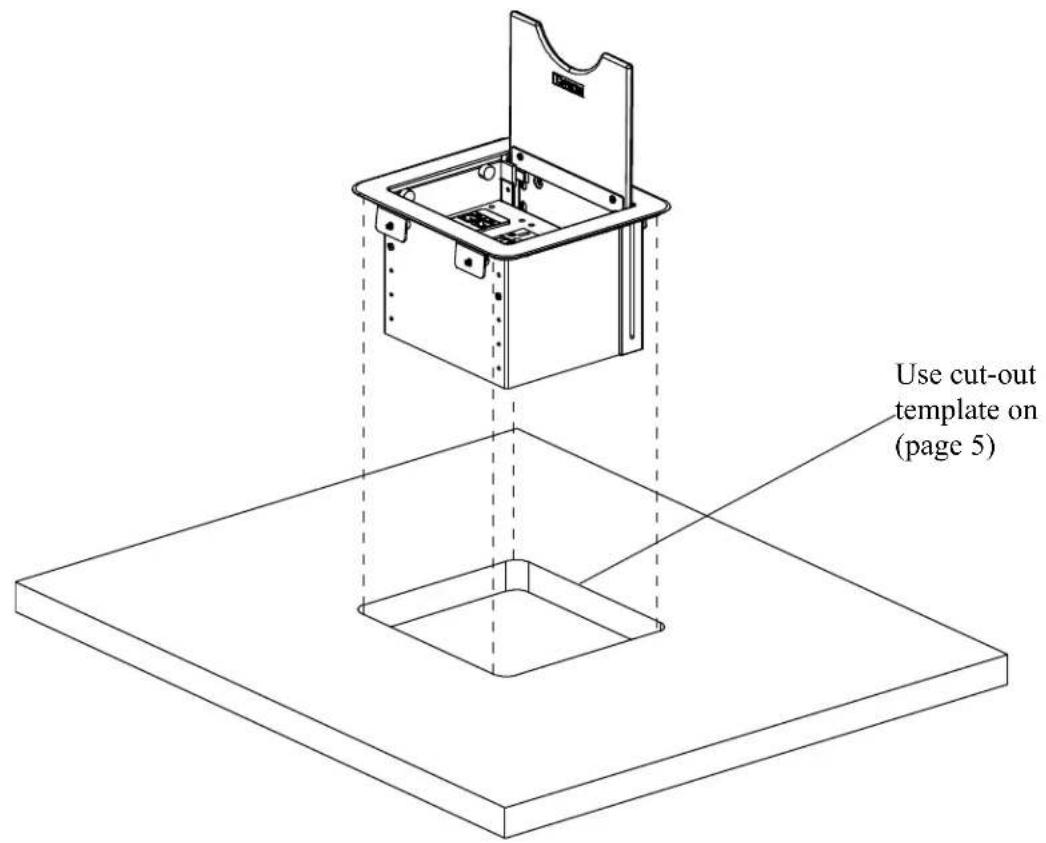
![Housing Mounting Brackets and screws (4) Tabletop Min. thickness 0.5" [1.27cm] Max. thickness 3.5" [8.89cm]](/content/2026/05/1091234/images/b7ef531aa80409f2050958932448149fdfda479e307687d5e05d86c70958abe8.jpg)
Accessories
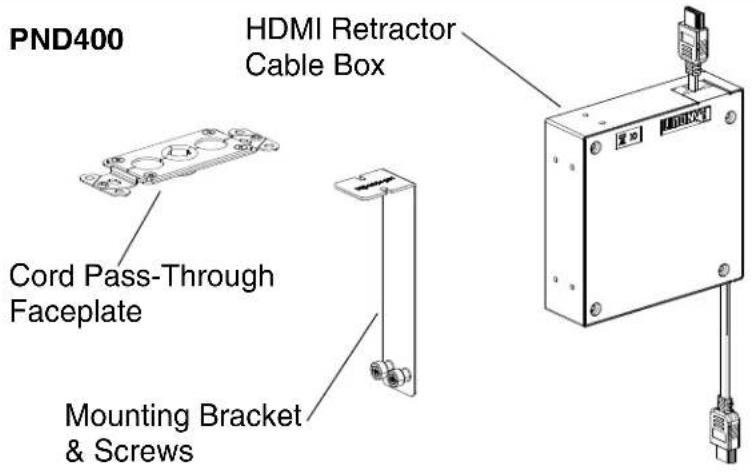
Parts Included:
(1) Cord Pass-Through Faceplate
(1) HDMI Retractor Cable Box
(1) Mounting Bracket & Screws

natural_image
Technical line drawing of a mechanical assembly with mounting brackets and a central component (no text or symbols)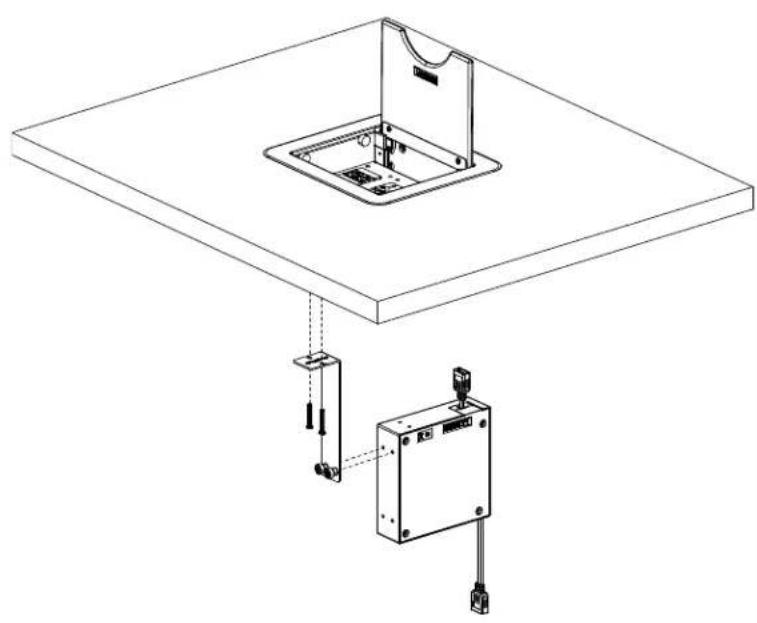
natural_image
Technical line drawing of a mechanical assembly with a square base and connected electrical components (no text or symbols)Table Top Box, Cable Nook cut-out template
other
| Segment | Height (cm) | | ------- | ----------- | | 0 | 6.66 | | 1 | 16.916 | | 2 | 2 | | 3 | 3 | | 4 | 4 | | 5 | 5 | | R0.5 | 0.5 | | R1 | 1 | | R2 | 2 | | R3 | 3 | | R4 | 4 | | R5 | 5 |Brand : Atlona
Model : PND100
Category : Table Box