
AUD-226 - Headphones Steren - Free user manual and instructions
Find the device manual for free AUD-226 Steren in PDF.


| Product Type | Over-ear headphones |
| Brand | Steren |
| Model | AUD-226 |
| Driver Size | 40 mm |
| Frequency Response | 20 Hz - 16 kHz |
| Impedance | 32 Ohms |
| Sensitivity | 79 dB |
| Connector | 3.5 mm stereo plug |
| Cable Length | 1.2 m |
| Microphone | Yes, built-in |
| Controls | Inline remote with play/pause, track skip, voice assistant |
| Features | Hands-free calling, music playback control |
| Color | Blue |
| Weight | 150 g |
| Warranty | 1 year |
| Package Contents | Headphones, user manual |
Frequently Asked Questions - AUD-226 Steren
User questions about AUD-226 Steren
0 question about this device. Answer the ones you know or ask your own.
Ask a new question about this device
Download the instructions for your Headphones in PDF format for free! Find your manual AUD-226 - Steren and take your electronic device back in hand. On this page are published all the documents necessary for the use of your device. AUD-226 by Steren.
USER MANUAL AUD-226 Steren
natural_image
Blue hardcover headphones with earbuds and cable (no text or symbols visible)健康生活
IMPORTANTE
HANDS FREE HEADPHONE
A.15-725

natural_image
Blue hardcover headphones with earbuds and cable (no text or symbols visible)健康生命
IMPORTANT
Before using the product, read this instruction manual carefully to avoid any collection.
the information presented serves only as a reference for the product. Due to updates there may be differences.
See our website www.steren.com for the latest version of this manual.
CAUTIONS

Children should be supervised to ensure they do not use the device as a law.
Adjust the volume to a level that allows you to hear external sounds.
Avoid using hearing aids if you drive a car or perform any activity that requires your attention.
Any unauthorized repair may cause malfunction and will void the warranty.
This device is not intended for use by persons (including children), whose physical, sensory or mental abilities are different or reduced, or lack experience or knowledge.
BEFORE BEGIN TO USE THE HEADPHONES
1 Connect the 3.5 mm table to the headphones and to a music playback device with 3.5 mm input.
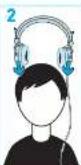
2 Put on your headphones. Remember to lower the volume of the music player before starting playback.
3 Adjust the headset of the headphones according to your needs.


To disconnect the headphones from the music player, pull on the connector. Never pull on the rules it could damage the internal conductors.
PLAYBACK MUSIC
These functions may vary depending on the model and version of your mobile device

- Press the button once to start or stop playback.
- Press the button twice in succession to go to the next track.
- After 2 seconds of playback, press three times in a row to restart the track. To go to the previous track, press the button three times in a row before 2 seconds of playback.
- During music playback, press and hold the button to access to the voice command. Use the microphone to talk
HANDS FREE

SPECIFICATIONS
Spacifatien my vany mabai panaanak
Herphone:
Mkoshone:
1.000
Sovating - 41 - M
Cres unit 40 nm
Frequency response: 20 Hz - 16 kHz
In accordance: 32 Unnrs
Impede: ≦ 2.5 mm
S###: 79±2180.1KB
Brand : Steren
Model : AUD-226
Category : Headphones