
GT100 - Gps BLAUPUNKT - Free user manual and instructions
Find the device manual for free GT100 BLAUPUNKT in PDF.


| Brand | Blaupunkt |
| Model | GT100 |
| Category | GPS Tracker |
| Operating Voltage | DC 9V-36V |
| Current Consumption | 10 mA |
| Navigation System | GPS |
| Location Accuracy | Up to 10 meters |
| GSM Frequency | 850/900/1800/1900 MHz |
| Internet Protocol | TCP |
| Working Temperature | -25°C to +75°C |
| Storage Temperature | -40°C to +85°C |
| Standby Battery Life | 0.5 hours |
| Dimensions (LxWxH) | 78.5 x 23 x 12 mm |
| SIM Card Slot | Yes |
| Indicator Lights | GSM (red) and GPS (yellow) |
| Functions | Vehicle status detection, alarm notifications, geo-fencing, speed alerts, remote fuel cut-off |
| Installation | Inside dashboard or car trunk |
| Wiring Requirements | 12V/24V vehicle system; optional remote fuel cut-off wiring |
| Mobile Application | Tracking, playback, dynamic view, fence setting, mileage & velocity analysis |
| Safety Notes | Keep away from children and flammable areas; store in dry place |
Frequently Asked Questions - GT100 BLAUPUNKT
User questions about GT100 BLAUPUNKT
0 question about this device. Answer the ones you know or ask your own.
Ask a new question about this device
Download the instructions for your Gps in PDF format for free! Find your manual GT100 - BLAUPUNKT and take your electronic device back in hand. On this page are published all the documents necessary for the use of your device. GT100 by BLAUPUNKT.
USER MANUAL GT100 BLAUPUNKT
natural_image
Black handheld electronic device with a cable, no visible text or symbolsEnjoy it.
Safety Notes
This device has been manufactured according to established safety guidelines. However, dangers may still occur if the safety notes in this manual is not observed. This manual is intended to familiarize the user with the device's important functions. Read this carefully, prior to using the device. Keep this manual in an easily accessible location. In addition, do observe the instructions of the devices used in conjunction with this device.
Attentions
- This device is intended for installation and operation in a vehicle with 12V and 24V vehicle system voltage.
- Keep the device away from children.
- Keep the device away from flammable areas or liquids.
- The device should be stored in dry and low humidity place.
- Ensure the car battery is fully charged.
- Weak signal or signal interference of device can arise from obstacle locations such as underground parking.
- For abnormalities, please refer to the "Troubleshooting" section. Consult with Blaupunkt dealer for further assistance, in case if the problem cannot be resolved.
This manual may be updated from time to time without any notice. Visit www.blaupunkt.com/ase for latest info.
Disclaimer
In no event shall Blaupunkt be liable for any direct, indirect, punitive, incidental, special consequential damages to property or life and whatsoever arising out of or connected with the use or misuse of our products.
USA & CANADA: This product is not intended for sale in the United States and Canada. If purchased in the U.S. or Canada, this product is purchased on as-is basis. No warranty, whether expressed or implied is provided in the U.S. or Canada.
Blaupunkt does not warrant the performance of the local telecommunication network used with our product. It is recommended to test for network compatibility prior to purchase.
natural_image
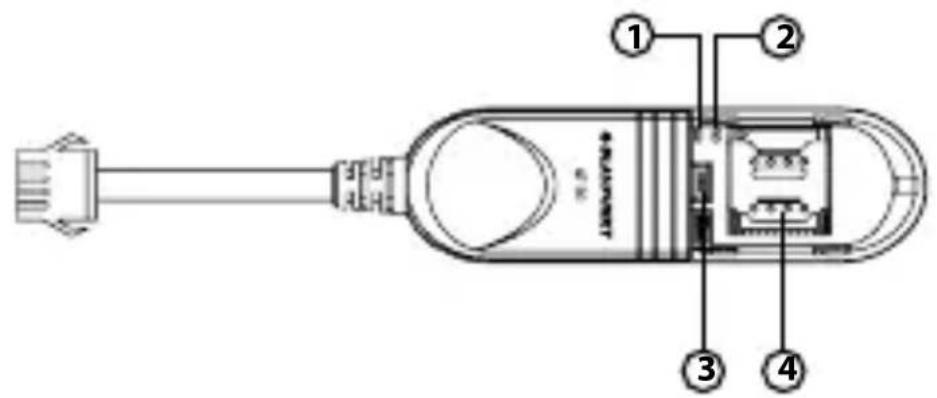
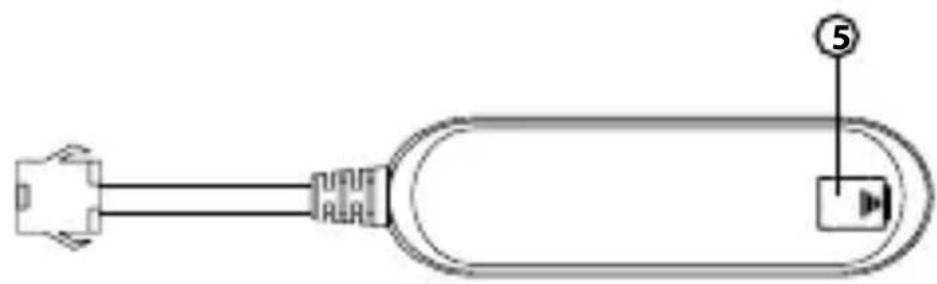
Diagram of a USB cable connector with labeled pin (no text or symbols beyond basic labels)Functions
- Indicator light of GSM
- Indicator light of GPS
- Switch (On/Off)
- SIM card slot
- Light sensor
SPECIFICATIONS
• Operating Voltage : DC 9V-36V
- Current: 10 ~mA
• Navigation System : GPS
- Location Accuracy: Up to 10 meters
• GSM Frequency : 850/900/1800/1900MHz
- Internet Protocol : TCP
• Working Temperature: -25^ +75^
• Storage Temperature : -40°C \~ +85°C
• Standby Battery : 0.5 Hours
• Dimension (LxWxH) : 78.5x23x12mm
FUNCTION LIST OF THE DEVICE
| Functions | Details | Descriptions |
| Vehicle Status Detection | Acc On/ Off | Uploaded data include the Acc On/Off status each time in dynamic view. |
| Alarm Notification | External Power Disconnection | When the vehicle voltage is <5V,vehicle battery consumption is stopped. When the backup battery of device is depleted, the tracking function will be disconnected. |
| Low External Battery | Vehicle battery voltage is between 5V to 10V. It is an indicate that the vehicle battery is low. | |
| External Power Supply | Power is supplied to the device. | |
| External Power Disconnection | Power supply has been disconnected from the device. | |
| Enter Fence | The vehicle enters the defined area set by user. | |
| Leave Fence | The vehicle leaves the defined area set by user. | |
| Speeding Start | Vehicle speed exceeds value set.Default is 120km/hr for 10 seconds. | |
| Speeding End | Vehicle speed is below value set after speeding is detected. |

flowchart
graph TD
    A["86 30 87a 85"] -->|GREEN| B["PUMP"]
    B --> C["WHITE (Positive)"]
    B --> D["ORANGE (ON ACC)"]
    D --> E["BLUE (Pump Wire)"]
    E --> F["Black (Negative)"]
    E --> G["RED (Positive)"]
    G --> H["12V BATTERY"]
    H --> I["2A FUSE"]
    J["Note: This wiring is only required for remote fuel cut-off function."] --> K["YELLOW (Fuel cut-off)"]
    K --> L["ORANGE (ON ACC)"]
    L --> M["BLUE (Pump Wire)"]
    M --> N["BLACK (Negative)"]
    N --> O["RED (Positive)"]
    O --> P["12V BATTERY"]
TROUBLESHOOTING
If any of the following problem occur, please resort to Troubleshooting for the possible solutions. Consult Blaupunkt authorized dealer if problem persist.
| Problems | Possible Causes | Solutions |
| Weak or no GPS signal | GPS tracking device is not positioned properly. | Check the installation location of the device. |
| Ensure it is not being shielded by metal. | ||
| The device is not responding to SMS commands | SIM card has run out of credit. | Top up the SIM card. |
| Improper installation of SIM card. | Check whether the SIM card has been slotted correctly. | |
| Check that the SMS command is correct. |
- Remove device cover and insert the SIM card into the SIM card slot and close back the device.
(Ensure the SIM card has Internet access)

- Tear off the 3M tape on the back of device and paste it inside the dashboard or car trunk.

Inside Dashboard Car Trunk
Indicator of GSM and GPS
| System | Indicator Light | Status | Meaning |
| GSM | Red | Fast Flash | GSM initialising |
| Slow Flash | Normal GSM signal | ||
| Long Bright | GPRS online | ||
| No Light | No GSM signal/ No SIM card | ||
| GPS | Yellow | Fast Flash | Searching for GPS Signal |
| Long Bright | Normal GPS signal | ||
| No Light | No GPS signal/ GPS not working |
SOFTWARE OPERATION
Mobile Application

Home Page
1.0 Click on the menu button
2.0 Click to enter tracking interface.

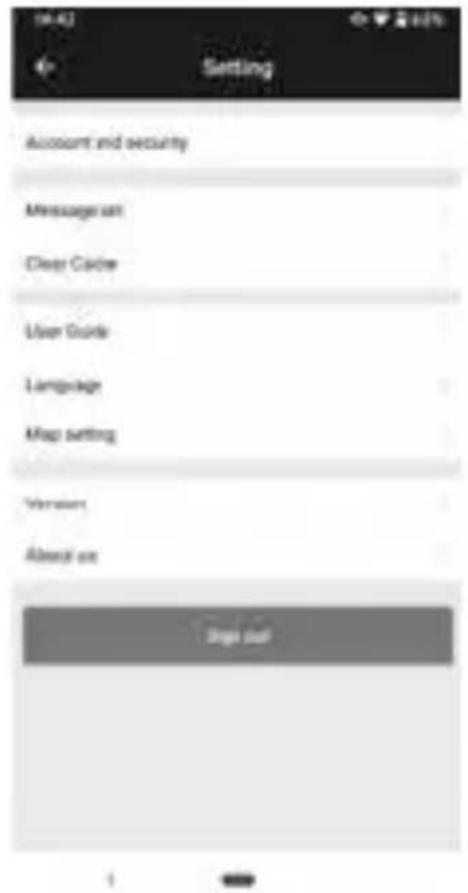
1.0 Menu

1.1 Setting
2.0 Tracking
- Click to enter tracking details interface.

2.1 Tracking Details 2.1.1 Playback


2.1.2 Dynamic

2.1.3 Fence

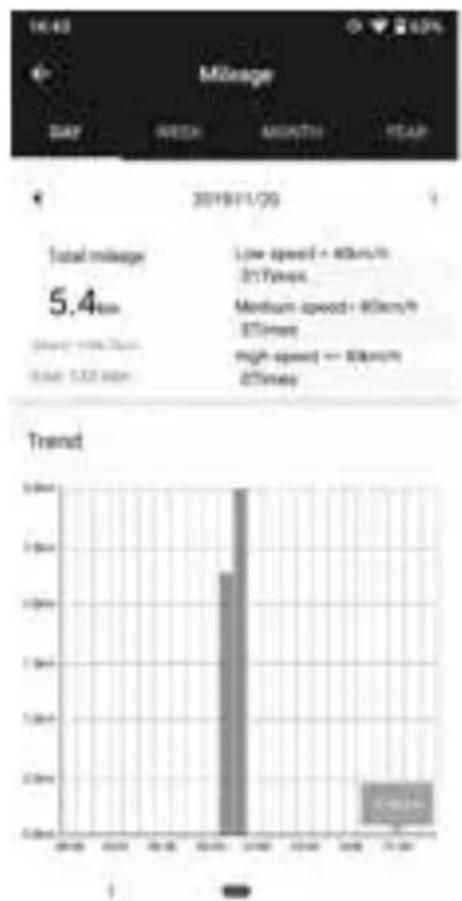
2.1.4 Mileage Analysis & Report
bar
| Category | Value | |---|---| | Total mileage | 5.4km | | Low speed + 80km/h @17min | High speed - 80km/h @17min | | Medium speed + 80km/h @17min | High speed - 80km/h @17min | | Trend | 2.0km (High speed) + 0.5km (Low speed) |2.1.5 Velocity Analysis & Report

pie
| Category | Value | |---|---| | Sedan | 14.62 | | SUV | 8.3% | | Truck | 7.0% | | Bus | 5.0% |
Designed and engineered by Blaupunkt Competence Centre
1 351 19 001 18 01



Brand : BLAUPUNKT
Model : GT100
Category : Gps