
DVD-F85P - DVD player PANASONIC - Free user manual and instructions
Find the device manual for free DVD-F85P PANASONIC in PDF.
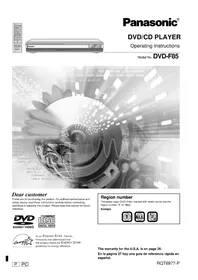


| Product Type | DVD Player |
| Brand | Panasonic |
| Model | DVD-F85P |
| Dimensions (W x H x D) | 430 x 45 x 249 mm |
| Weight | 2.1 kg |
| Power Supply | AC 120V, 60Hz |
| Power Consumption | 12 W (standby: 0.8 W) |
| Disc Compatibility | DVD-Video, DVD-R/RW, CD, CD-R/RW, MP3, JPEG |
| Video Outputs | Composite, S-Video, Component (Y, Pb, Pr) |
| Audio Outputs | Stereo (RCA), Digital Coaxial, Digital Optical |
| Playback Functions | Play, Pause, Stop, Skip, Repeat, A-B Repeat, Slow, Zoom |
| Progressive Scan | Yes |
| Remote Control | Included |
| Child Lock | Yes |
| Parental Control | Yes (DVD region and rating) |
| Region Code | Region 1 (USA/Canada) |
| Audio Decoders | Dolby Digital, DTS |
| Video Format | NTSC |
| Cleaning | Use a soft, dry cloth for exterior; lens cleaning disc for pickup |
| Accessories | Remote control, batteries, audio/video cables, user manual |
Frequently Asked Questions - DVD-F85P PANASONIC
User questions about DVD-F85P PANASONIC
0 question about this device. Answer the ones you know or ask your own.
Ask a new question about this device
Download the instructions for your DVD player in PDF format for free! Find your manual DVD-F85P - PANASONIC and take your electronic device back in hand. On this page are published all the documents necessary for the use of your device. DVD-F85P by PANASONIC.
USER MANUAL DVD-F85P PANASONIC
Panasonic®
DVD/CD PLAYER
Operating Instructions
Model No. DVD-F85

Dear customer
Thank you for purchasing this product. For optimum performance and safety, please read these instructions carefully before connecting, operating or adjusting this product. Please keep this manual for future reference.


As an ENERGY STAR® Partner, Panasonic has determined that this product meets the ENERGY STAR® guidelines for energy efficiency.
Region number
The player plays DVD-Video marked with labels containing the region number "1" or "ALL".
Example


The warranty for the U.S.A. is on page 26.
Please check and identify the supplied accessories. Use numbers indicated in parentheses when asking for replacement parts.
(Only for U.S.A.) To order accessories contact 1-800-332-5368 or web site (http://www.panasonic.com).
(For Canada) To order accessories, call the dealer from whom you have made your purchase.
□ 1 Remote control (N2QAJB000070)

□ 2 Remote control batteries

☐ 1 AC power supply cord (RJA0065-A)

□ 1 Audio/video cable (K2KA6CA00001)

[Note]
The included AC power supply cord is for use with this unit only. Do not use it with other equipment.
User memo:
DATE OF PURCHASE ____ DEALER NAME ____ DEALER ADDRESS ____
TELEPHONE NUMBER
The model number and serial number of this product can be found on either the back or the bottom of the unit. Please note them in the space provided below and keep for future reference.
MODEL NUMBER DVD-F85 SERIAL NUMBER
Table of contents
Getting started
Accessories....2
IMPORTANT SAFETY INSTRUCTIONS .... 4
Maintenance 4
Control reference guide .... 5
Connection 6
Connection to a television 6 Home Theater – Enjoying more powerful sound 7
Disc information 8
The remote control....9
Quick setup 9
Basic operations
Basic play 10
Disc type screen. 11 Changing the main unit display. 11 Sequential play. 11 Changing the disc in the play position. 11 Changing other discs during play. 11 Starting play from a selected item. 11 Selecting groups to play. 11 Position Memory function. 11 Replaying a scene—QUICK REPLAY. 11
Navigation menus....12
Playing WMA/MP3/JPEG and CD text.... 12 Playing HighMAT discs.... 13 Playing the programs on DVD-RAM.... 13
Advanced operations
Convenient features 14
Changing soundtracks, subtitles and angles....14 Selecting still pictures—Page Skip....15 Variable Zoom function....15 To enjoy even higher quality sound—AUDIO ONLY....15 Double re-master—Enjoying more natural sound....15 Setting the unit to turn off—SLEEP timer....15
Changing play sequence 16
Random play 16 Program play 16
Using On-Screen Menu Icons 17
Common procedures 17 Disc information 17 Unit information 18 Progress indicator 19
Changing settings....20
Common procedures 21 Entering a password (Ratings) 21 Digital output 21 Speaker setting 22
Reference
Glossary....23
Specifications 23
Troubleshooting guide....24
Limited Warranty (ONLY FOR U.S.A.) 26
Product Service....26
(Spanish Quick Reference)
CAUTION!
THIS PRODUCT UTILIZES A LASER. USE OF CONTROLS OR ADJUSTMENTS OR PERFORMANCE OF PROCEDURES OTHER THAN THOSE SPECIFIED HEREIN MAY RESULT IN HAZARDOUS RADIATION EXPOSURE. DO NOT OPEN COVERS AND DO NOT REPAIR YOURSELF. REFER SERVICING TO QUALIFIED PERSONNEL.
WARNING:
TO REDUCE THE RISK OF FIRE, ELECTRIC SHOCK OR PRODUCT DAMAGE, DO NOT EXPOSE THIS APPARATUS TO RAIN, MOISTURE, DRIPPING OR SPLASHING AND DO NOT PLACE OBJECTS FILLED WITH LIQUIDS, SUCH AS VASES, ON THE APPARATUS.
| CAUTION | - LASER RADIATION WHEN OPEN,DO NOT STARE INTO BEAM. FDA 21 CFR / Class II |
| CAUTION | - VISIBLE AND INVISIBLE LASER RADIATION WHEN OPEN.AVOID EXPOSURE TO BEAM. IDC00825 1 / Class 30 |
| VARNING | - SYNLIG OCH OSYNLIG LASERSTRALNING NÄR DENNA DEL ARÖPPNAD. BETRAKTA EJ STRÄLEN. |
| ADVARSEL | - SYNLIG OCH OSYNLIG LASERSTRALNING VED ASNING.UNOGA UDSATTELESE FOR STRALING. |
| ADVARSEL | - SYNLIG OCH OSYNLIG LASERSTRALNING NÄR DEKSEL APINES.UNOGA EKSPOENERING FOR STRÄLEN. |
| VARO! | - AVATTASSA OLET ALTITNA NAKVYAA JA NAKYMATOMLASERSATEILYLE. ALA KATSO SATESEEN. |
| VORSICHT | - SICITSARE UND UNSCHTRAPRE LASERSTRALHLING, WENNEABDECKUNG GEÖFHNET. NICHT DEM STRAHL AUSSETZEN. |
| ATTENTION | - RAYONNEMENT LASER VISIBLE ET INVISIBLE EN CASD'OUVERTURE. EXPOSITION DANGEREUSE AU FAISCEAU. |
| 注意 | - 打开时有可见及不可见悉为辐射。避免患无害则密封。 |
| 注意 | - ここを聞くと可視及び不可視レーザー光が出ます。ピームを見たり、触れたりしないで下さい。 ROLX50054 |
(Inside of product)
THE FOLLOWING APPLIES ONLY IN THE U.S.A.
CAUTION:
This equipment has been tested and found to comply with the limits for a Class B digital device, pursuant to Part 15 of the FCC Rules. These limits are designed to provide reasonable protection against harmful interference in a residential installation. This equipment generates, uses and can radiate radio frequency energy and, if not installed and used in accordance with the instructions, may cause harmful interference to radio communications. However, there is no guarantee that interference will not occur in a particular installation. If this equipment does cause harmful interference to radio or television reception, which can be determined by turning the equipment off and on, the user is encouraged to try to correct the interference by one or more of the following measures:
● Reorient or relocate the receiving antenna. - Increase the separation between the equipment and receiver. - Connect the equipment into an outlet on a circuit different from that to which the receiver is connected. - Consult the dealer or an experienced radio/TV technician for help.
Any unauthorized changes or modifications to this equipment would void the user's authority to operate this device.
This device complies with Part 15 of the FCC Rules. Operation is subject to the following two conditions: (1) This device may not cause harmful interference, and (2) this device must accept any interference received, including interference that may cause undesired operation.

CAUTION
RISK OF ELECTRIC SHOCK DO NOT OPEN

CAUTION: TO REDUCE THE RISK OF ELECTRIC SHOCK, DO NOT REMOVE SCREWS. NO USER-SERVICEABLE PARTS INSIDE. REFER SERVICING TO QUALIFIED SERVICE PERSONNEL.

The lightning flash with arrowhead symbol, within an equilateral triangle, is intended to alert the user to the presence of uninsulated “dangerous voltage” within the product’s enclosure that may be of sufficient magnitude to constitute a risk of electric shock to persons.

The exclamation point within an equilateral triangle is intended to alert the user to the presence of important operating and maintenance (servicing) instructions in the literature accompanying the appliance.
CAUTION:
TO PREVENT ELECTRIC SHOCK MATCH WIDE BLADE OF PLUG TO WIDE SLOT, FULLY INSERT.
Before moving the unit, ensure the disc trays are empty.
Failure to do so will risk severely damaging the discs and the unit.
IMPORTANT SAFETY INSTRUCTIONS
Read these operating instructions carefully before using the unit. Follow the safety instructions on the unit and the applicable safety instructions listed below. Keep these operating instructions handy for future reference.
1) Read these instructions. 2) Keep these instructions. 3) Heed all warnings. 4) Follow all instructions. 5) Do not use this apparatus near water. 6) Clean only with dry cloth. 7) Do not block any ventilation openings. Install in accordance with the manufacturer's instructions. 8) Do not install near any heat sources such as radiators, heat registers, stoves, or other apparatus (including amplifiers) that produce heat. 9) Do not defeat the safety purpose of the polarized or grounding-type plug. A polarized plug has two blades with one wider than the other. A grounding-type plug has two blades and a third grounding prong. The wide blade or the third prong are provided for your safety. If the provided plug does not fit into your outlet, consult an electrician for replacement of the obsolete outlet.
10) Protect the power cord from being walked on or pinched particularly at plugs, convenience receptacles, and the point where they exit from the apparatus. 11) Only use attachments/accessories specified by the manufacturer. 12) Use only with the cart, stand, tripod, bracket, or table specified by the manufacturer, or sold with the apparatus. When a cart is used, use caution when moving the cart/apparatus combination to avoid injury from tip-over. 13) Unplug this apparatus during lightning storms or when unused for long periods of time. 14) Refer all servicing to qualified service personnel. Servicing is required when the apparatus has been damaged in any way, such as power-supply cord or plug is damaged, liquid has been spilled or objects have fallen into the apparatus, the apparatus has been exposed to rain or moisture, does not operate normally, or has been dropped.
Maintenance
Clean this unit with a soft, dry cloth.
- Never use alcohol, paint thinner or benzine to clean this unit.

Buttons such as 8 function the same as those on the remote control.
Page
① Standby/on button (⏻)....9
② Disc select button (DISC), Disc buttons (DISC 1-DISC 5) ..... 11
③ Sequential button (SEQUENTIAL)....11
④ FL select button (FL SELECT)....11
⑤ Group button (GROUP) 11
⑥ Cancel button (CANCEL)....16
⑰ Setup button (SETUP) 9, 21
⑱ Drawer open/close button (▲ OPEN/CLOSE) 10
⑲ Numbered buttons (1–9, 0, ≥10)....11
⑳ Slow/Search buttons (◀◀, ▶▶ SLOW/SEARCH) ..... 10
②1 Play button (▶ PLAY).... 10
②2 Pause button (II PAUSE)....10
②3 Menu, Play list button (MENU, PLAY LIST) 10, 13
⑳ Return button (RETURN)....9
⑲ Angle/page button (ANGLE/PAGE)....14, 15
②6 Quick replay button (QUICK REPLAY) 11
⑳ Position memory button (POSITION MEMORY)....11
⑳ Double re-master button (DOUBLE RE-MASTER)....15
⑲ 29 Drawer....10
FL Display....11
Standby/on switch (POWER ⏻/I) 9 Press to switch the unit from on to standby mode or vice versa. In standby mode, the unit still consumes a small amount of power.
Audio only button (AUDIO ONLY) 15
Disc indicators (DISC 1–5) ..... 10
Skip, Search buttons (I◄◄/◄◄, ►►/►►I). 10
Disc exchange button (DISC EXCHANGE)....11
Disc skip button (DISC SKIP) 10
Remote control signal sensor 5
Connection
Before connection
- Disconnect the AC power supply cord.
- Turn off all equipment and read the appropriate operating instructions.
The equipment connections described are examples. Peripheral equipment and optional cables sold separately unless otherwise indicated.
Connection to a television
This page explains how to connect the unit to a television and set it up so you hear the audio through the television's speakers. To get the full benefit from the powerful multi-channel audio found on DVDs, you should connect an amplifier and speakers.
Do not place the unit on amplifiers or equipment that may become hot.
The heat can damage the unit.

Connect your unit directly to your television.
Do not connect the unit through your video cassette recorder when setting up your home entertainment system, because the picture may not be played correctly due to the copy guard.
Basic connection to a television
You can connect the audio cable to the 2-channel audio input terminals of an analog amplifier or system component to enjoy stereo or Dolby Pro Logic.

For better pictures


COMPONENT VIDEO OUT terminal
These terminals can be used for either interlace or progressive output (→ page 9) and provide a purer picture than the S VIDEO OUT terminal. Connection using these terminals outputs the color difference signals (PB/PR) and luminance signal (Y) separately in order to achieve high fidelity in reproducing colors. The description of the component video input terminals depends on the television or monitor (e.g. Y/PB/PR, Y/B-Y/R-Y, Y/CB/CR). Connect to terminals of the same color.
● After making this connection, change the black level for a better picture. (→ page 20, Video—Black Level Control)

S VIDEO OUT terminal
The S video terminal achieves a more vivid picture than the VIDEO OUT terminal by separating the chrominance (C) and luminance (Y) signals. (Actual results depend on the television.)
When making this connection, ensure you connect the audio cables to the corresponding audio input terminals on the television.
■ Power connection
Conserving power
This unit consumes a small amount of power, even when it is turned off (approx. 0.6 W).
To save power when the unit is not to be used for a long time, unplug it from the household AC outlet.

Home Theater – Enjoying more powerful sound
Enjoy the powerful movie theater and hall-like sound available with multiple channel audio found on DVDs by connecting an amplifier and speakers. There are two types of connection, digital and analog.
A Digital
Connect an amplifier with Dolby Digital and DTS decoders to enjoy surround sound.
You can also enjoy high-quality stereo sound with sampling frequencies such as 96 and 192 kHz if the material isn't copy-protected and the equipment you connect is compatible with these signals.
[Note]
If you don't connect a subwoofer, it is advisable to connect front speakers (L/R) capable of producing bass of less than 100 Hz.
B Analog
Connect an amplifier with multi-channel audio input terminals to enjoy surround sound.
This unit can decode Dolby Digital and DTS and there are no limitations on sampling frequency with this kind of connection.
To obtain maximum performance of DVD-Audio multi-channel linear PCM sound, the connections B below are recommended.
A Digital connection![graph TD A["Digital Audio Out (PCM/BITSTREAM)"] --> B["Optical"] B --> C["Optical digital audio cable"] C --> D["Optical"] E["Insert fully, with this side facing up."] --> A style A fill:#f9f,stroke:#333 style B fill:#ccf,stroke:#333 style C fill:#cfc,stroke:#333 style D fill:#fcc,stroke:#333](/content/2026/05/1088709/images/b5bb3a34a1e8c028b6b4a1901ad8cec6bd178f6b5ce4b5d79408b845a4796e13.jpg)
- You can connect to a digital amplifier or system component to enjoy stereo or Dolby Pro Logic.

B Analog connection
![graph TD A["Speaker Setting"] --> B["5.1 ch"] B --> C["Audio OUT"] C --> D["Center"] C --> E["SUB-WOOFER"] C --> F["SURROUND"] C --> G["FRONT"] D --> H["Switch"] E --> I["Switch"] F --> J["Switch"] G --> K["Switch"] H --> L["Switch"] I --> M["Switch"] J --> N["Switch"] K --> O["Switch"] style A fill…](/content/2026/05/1088709/images/eed8c321ac83a788b752fe8d459dc24495d47a128bc2d50dbe92e4468c1b15cc.jpg)
Amplifier
Speakers (example) Connect three or more speakers for surround sound. - Switch the attenuator on if sound is distorted with this connection (→ page 19).
■ Recording Output
Digital recording
Connection [A] to digital recording equipment
- With DVD, the following conditions must be met: (a) the disc doesn't have protection preventing digital recording, and (b) the recording equipment can handle signals with a sampling frequency of 48 kHz.
- You cannot record WMA/MP3.
When recording, make the following settings.
-Advanced surround: OFF (→ page 19)
-PCM Digital Output: Up to 48 kHz (→ page 21)
-Dolby Digital/DTS Digital Surround: PCM (→ page 21)
Analog recording
There are no limitations on recording analog signals as there are with digital signals.
- Connect the equipment to the unit's 2-channel AUDIO OUT (L/R) terminals. or
Select "2-channel" in "Speaker Setting" (→ page 20) when connecting the equipment to the unit's FRONT (L/R) 5.1-channel AUDIO OUT terminals.
■ Discs that can be played
| DVD-RAM DVD-Audio DVD-Video DVD-R SVCD | Video CD | CD CD-R/RW | |||||
 RAM RAM S" S" th th |  AUDIO AUDIO |   VIDEO VIDEO |   |  [SUPER VIDEO]CIE [SUPER VIDEO]CIE |  [DIGITAL VIDEO] [DIGITAL VIDEO] |  DIGITAL AUDIO DIGITAL AUDIO UUSG DIGITAL AUDIO UUSG DIGITAL AUDIO | |
 |  |  |  | [3H7S] |  | ||
Use discs with the above logos and that conform to specifications. The unit cannot play other discs correctly. Do not use irregularly shaped discs (e.g., heart-shaped), as these can damage the unit.
It may not be possible to play CD-R, CD-RW, DVD-R, and DVD-RAM in all cases due to the type of disc or condition of the recording.
■ Discs that cannot be played
DVD-ROM, CD-ROM, CDV, CD-G, +RW, DVD-RW, CVD, SACD, DivX Video Discs, Photo CD, DVD-RAM that cannot be removed from their cartridge, 2.6-GB and 5.2-GB DVD-RAM, and "Chaoji VCD" available on the market including CVD, DVCD, and SVCD that do not conform to IEC62107.
■ Built-in decoders
You can play discs with these symbols.

SURROUND
■ Video systems
NTSC is used. This unit converts still pictures on PAL system DVD-Audio discs for play on NTSC video systems. The picture is compressed to show it in its entirety, but this may cause it to be stretched vertically.
■ Playing DVDs and Video CDs
The producer of these discs can control how they are played, so you may not always be able to control play as described in these operating instructions (for example, if the play time is not displayed or if a Video CD has menus). Read the disc's instructions carefully.
DVD-RAM discs
The DVD-RAM you can play on this unit are those recorded with DVD video recorders, DVD video cameras, personal computers, etc., using Version 1.1 of the Video Recording Format (a unified video recording standard).
- Remove discs from their cartridges before use and return them when you are finished, making sure that the labels of the disc and cartridge face the same way.
- Some parts of the disc, for example where one program ends and another begins, may not play smoothly.
DVD-R discs
Panasonic DVD-R recorded and finalized on a Panasonic DVD video recorder or DVD video camera are played as DVD-Video on this unit.
■ CD-R and CD-RW discs
This unit can play CD-R/RW (audio recording disc) recorded with CD-DA, video CD, SVCD (conforming to IEC62107), WMA, MP3, or JPEG. Close the session or finalize after recording.
See page 13 for more information about WMA, MP3, and JPEG.
■ HighMAT discs
This unit is compatible with HighMAT discs containing WMA, MP3, and/or JPEG files.
■ Disc structure
Disc structure and the labels given to the items on discs depend on the disc type.
Track: the smallest division on DVD-Audio, CDs, and Video CDs, or a single WMA/MP3 file.
Chapter: the smallest division on DVD-Video.
Group: collections of tracks on DVD-Audio and equivalent to folders or albums on data discs.
Title: the largest division on DVD-Video, usually an entire movie.
Program: the division on DVD-RAM equivalent to a single recording.
Picture: a single JPEG file.
Play list: the largest grouping on a HighMAT disc, or a group of scenes on DVD-RAM.
Scene: DVD-RAM program sections specified and grouped into play lists on a DVD video recorder.
Content: covers tracks and pictures on HighMAT discs.
■ To clean discs
DVD-Audio, DVD-Video, Video CD, CD
Wipe with a damp cloth and then wipe dry.

DVD-RAM, DVD-R
- Clean only with an optional DVD-RAM/PD disc cleaner (LF-K200DCA1, where available).
- Never use cloths or cleaners for CDs etc.
■ Handling precautions
- Do not write on the label side with a ball-point pen or other writing instrument.
- Do not use record cleaning sprays, benzine, thinner, static electricity prevention liquids or any other solvent.
- Do not attach labels or stickers to discs. (Do not use discs with exposed adhesive from tape or left over peeled-off stickers.)
- Do not use scratch-proof protectors or covers.
- Do not use discs printed with label printers available on the market.
The remote control
Batteries

- Insert so the poles (+ and -) match those in the remote control.
- Do not use rechargeable type batteries.
Do not:
- mix old and new batteries.
- use different types at the same time.
- heat or expose to flame. •take apart or short circuit.
- attempt to recharge alkaline or manganese batteries.
- use batteries if the covering has been peeled off.
Mishandling of batteries can cause electrolyte leakage which can damage items the fluid contacts and may cause a fire.
Remove if the remote control is not going to be used for a long period of time. Store in a cool, dark place.
Use
Aim at the sensor (→ page 5, Control reference guide), avoiding obstacles, at a maximum range of 7 m (23 feet) directly in front of the unit.
Quick setup
![[1] SLEEP SETUP CREN CLOSE [2] • [6] DISC—DISC1 DISC2 DISC3— 1 2 3 SEQUENTIAL DISC4 DISC5 4 5 6 FL SELECT 7 8 9 GROUP CANCEL 0 10 SKIP SLOW SEARCH STOP PAUSE PLAY DIRECT NAVICATOR PLAY LIST TOP MENU MENU ENTER DISPLAY RETURN [3] • [4] [5] • [6] RETURN Panasonic [1]](/content/2026/05/1088709/images/2589dc11a9ef30af5b5a3b7fc5d2a7e8a0897c336679c54440d4c29c07ab8513.jpg)
The QUICK SETUP screen appears when you press [SETUP] the first time after purchase and assists you to make necessary settings.
Preparation
Turn on the television and select the appropriate video input on the television to suit the connections for the player.
[1] Press [⏻] to turn on the unit. [2] Press [SETUP] to show the QUICK SETUP screen.

[3] Press [▲, ▼] to select the menu language and press [ENTER]. [4] Press [▲, ▼] to select "Yes" to continue and press [ENTER]. [5] Press [▲, ▼] to select the item and press [ENTER].
●Audio Language (→ page 20) - Subtitle Language (→ page 20) • TV Type (→ page 20) • TV Aspect (→ below) ●Progressive Out (→ page 20) - Speaker Setting (→ page 20) • PCM Digital Output (→ page 21)
[6] Press [ENTER] and then [SETUP] to end the settings.
To return to the previous screen
Press [RETURN].
To access this screen again later
→ page 20, Others—QUICK SETUP
TV Aspect
Select "4:3" (regular) or "16:9" (widescreen) to suit your television. If you have a regular 4:3 television, you can also select how video on some discs is shown (→ page 20, Video—TV Aspect).
●4:3 Pan&Scan (Factory preset)
Widescreen software is expanded to fill the screen of a 4:3 aspect television (unless prohibited by the producer of the disc).
•4:3 Letterbox
Widescreen software is shown in the letterbox style on a 4:3 aspect television.


■ To enjoy progressive video
- Connect to the component video input terminals on a 480P compatible television. (Video will not be displayed correctly if connected to an incompatible television.)
- In QUICK SETUP, set "Progressive Out" to "Enable".
- Change Video output mode to "480P" (→ page 18).
- All televisions manufactured by Panasonic and that have 480P input connectors are compatible. Consult the manufacturer if you have another brand of television.
- If the unit is connected to the television through VIDEO OUT or S VIDEO OUT, output will be interlace, irrespective of the settings.
![[1] DISC SEQUENTIAL FL SELECT GROUP [2] • [3] DISC1-DISC5 Numbered buttons STOP PAUSE PLAY [4] TOP MENU DIRECT NAVIGATOR PLAY LIST MENU ▲,▼,◀,▶ ENTER ENTER RETURN DISPLAY RETURN SUBTITLE AUDIO ANGLEPAGE QUICK REPLAY DOUBLE POSITION RE-MASTER MEMORY QUICK REPLAY POSITION MEMORY DISC SKIP [2] Panasoni…](/content/2026/05/1088709/images/acb62b39ba54230d7f78435aaef737f32c0a0d0c4bf335dc2bb26f763edaddec.jpg)
Preparation
Turn on the television and select the appropriate video input on the television to suit the connections for the player.
[1] Press [⏻] to turn on the unit. [2] Press [▲] to open the drawer and place the disc(s) label-up on the disc tray(s).
To load discs on the other trays, press [DISC SKIP] on the main unit.
- If the disc contains both audio data (WMA and MP3) and JPEG, check the "Mixed Disc—Audio & Stills" setting in the SETUP menu (→ page 20). Select "Stills (JPEG)" or "Audio (MP3/WMA)".
- Load double-sided discs so the label for the side you want to play is facing up.

Play starts from the disc in the front-left position.
[3] Press [▲] to close the drawer.
A disc indicator lights to show a disc is on the tray.
[4] Press [▶] (PLAY).
Play begins. It is normal for sound and pictures to take time to start.

[CD] (CD text only) [WMA] [MP3]
Track information appears on the television. Press [SUBTITLE] to turn the display on or off.
When the disc finishes playing
If the next disc doesn't start playing, select the disc using the disc type screen (→ page 11).
| Stop | Press [■].“▷” flashes on the display. Press [▶] (PLAY) to restart from this position or [■] to clear it.DVD-Video: Press [▶] (PLAY) again to review chapters (→ page 11). |
| Pause | Press [■■].Press [▶] (PLAY) to restart. |
| Skip | Press [◀◀] (backward) or [▶▶] (forward).Group skip [JPEG]Press [▼] (backward) or [▲] (forward).Disc skipPress [DISC SKIP] on the main unit. |
| Search | Press [◀◀] (backward) or [▶▶] (forward).Press [▶] (PLAY) to restart. |
| Slow-motion | While paused, press [◀◀] (backward) or [▶▶](forward).Press [▶] (PLAY) to restart. |
| Frame-by-frame | While paused, press [◀] (backward) or [▶] (forward).Press and hold to change in succession.Or, press [■■] repeatedly for forward frame-by-frame. |
| Menus | Press [▲, ▼, ◀, ▶] to select an item and [ENTER] to confirm.Or, press the numbered buttons.Press [TOP MENU] to show the top menu.Press [MENU] to show a menu.Press [RETURN] to show a menu. [VCD] |
Notes
- On the main unit, press [I◄◄/◄◄] or [►►/►►I] to perform skip, and press and hold to perform search and slow-motion. ●The speed of search and slow-motion increases up to 5 steps.
- Slow-motion and frame-by-frame only work on moving pictures.
- You can turn off the sound during search (→ page 20, Audio—Audio during Search).
When playing Video CDs
- You cannot move backwards during slow-motion and frame-by-frame.
- Pressing buttons to perform skip, search or slow-motion may take you to a menu screen.
- If “⊗” appears on the television
The operation is prohibited by the unit or disc.
- Discs continue to rotate while menus are displayed even after playing an item. Press [■] when you finish to preserve the unit's motor and your television screen. • To prevent damage
Do not;
—load more than one disc per tray. -touch the drawer or the carousel while they are in motion -rotate the carousel by hand. -close the drawer by hand.
Disc type screen
Check the discs loaded and select a disc to play.
1 Press [DISC].
Disc type screen

2 Press the disc button ([DISC 1] - [DISC 5]).
To clear the screen
Press [DISC].
Changing the main unit display
Press [FL SELECT].
Each time you press the button:
Program/Play list/Group/Title/
Chapter/Track/Picture/Content
number display
Time display

Sequential play
[VCD] [CD] [WMA] [MP3]
The unit usually plays the disc in the play position and then stops. Turn sequential play on to play all loaded discs, except for DVDs and JPEG discs.
Press [SEQUENTIAL].
Each time you press the button:
SEQ on ↔ SEQ off

- On the main unit, press [CD SEQUENTIAL]. ●HighMAT menus and Video CD playback control are disabled.
- You cannot change the mode during program or random play.
- Sequential Mode turns off when you switch the unit to standby.
Changing the disc in the play position
Main unit only
1 Press [DISC EXCHANGE].
The drawer opens and the disc in the play position comes to the front-left position.
2 Change the disc in the front-left position. 3 Press [DISC EXCHANGE].
Changing other discs during play
You can change the other discs without interrupting play.
Main unit only
1 Press [▲] to open the drawer. 2 Press [DISC SKIP] to rotate the carousel. The carousel moves one tray clockwise and each subsequent press moves it two trays in alternate directions. 3 Change the disc and press [▲].
Starting play from a selected item
[RAM] [DVD-A] [DVD-V] [VCD] [CD]
Press the numbered buttons.
To select a 2-digit number
e.g. 23: [≥10] → [2] → [3]
[WMA] [MP3] [JPEG]
Press the numbered buttons then press [ENTER].
e.g. 123: [1] → [2] → [3] → [ENTER]
●This works only when stopped with some discs. - When playing DVD-Audio and you want to start play from a track in a different group, select the group first (→ right).
Selecting groups to play
[DVD-A] [WMA] [MP3] [JPEG]
1 Press [GROUP]. 2 Press [▲, ▼] to select the group number and press [ENTER]. 3 Press [▲, ▼] to select the track/picture number and press [ENTER].
- You can also select the group and track/picture number with the numbered buttons.
- Playing bonus groups
Some discs contain bonus groups. If a password screen appears after selecting a group, enter the password with the numbered buttons. Refer also to the disc's jacket.
Position Memory function
[RAM] [DVD-A] [DVD-V] [VCD] [CD] [WMA] [MP3]
(When the elapsed play time is displayed)
[JPEG]
Memorize positions on up to five discs to restart play after switching the unit to standby or changing discs.
During play
1 Press [POSITION MEMORY].

2 Press [⏻] to switch the unit to standby, or change the disc. 3 When you are ready to play the disc again, press [▶] (PLAY) to restart from the position.
- When you memorize the sixth position, the earliest position is replaced.
- This function does not work while playing some DVDs or playlists on DVD-RAM.
- You cannot recall the position in Sequential Mode.
Chapter Review [DVD-V]
This message appears.
Press PLAY to Preview Chapters
Press [▶] (PLAY) again to review the first few seconds of the chapters up to the one where you memorized the position. Play then resumes from the memorized position.
Do not press [▶] (PLAY) if you do not want to review chapters.
Replaying a scene—QUICK REPLAY
[RAM] [DVD-A] [DVD-V] [VCD] [CD] [WMA] [MP3]
Skip back a few seconds within the current item (program, track, or title). [JPEG]
Skip back a few pictures.
During play
Press [QUICK REPLAY].
- This feature may not work while playing some parts of a disc or at all with some discs.

Playing WMA/MP3/JPEG and CD text
If the disc contains both audio data (WMA and MP3) and JPEG, check the "Mixed Disc—Audio & Stills" setting in the SETUP menu (→ page 20). Select "Stills (JPEG)" or "Audio (MP3/WMA)".
These menus help you find items to play. [CD] (CD text only) [WMA] [MP3] [JPEG]
1 Press [TOP MENU].
WMA/MP3 Audio navigation menu
JPEG Album display


"☐" indicates the track currently playing.
2 Press [▲, ▼] to select the track or [▲, ▼, ◀, ▶] to select the picture, and press [ENTER].
To show other pages, press [▲, ▼, ◀, ▶] to select "Prev" or "Next" and press [ENTER].
- After listing all the tracks or pictures in one group, the list for the next group appears.
To exit the menu
Press [TOP MENU].
To use the contents screen to find a track[CD] (CD text only)
You can use the text information recorded on these discs to find a track to play. While the menu is displayed
1 Press [▶] while a track is highlighted to display the contents screen.

2 Press [◀, ▶] to move through the tracks and press [ENTER].
Track title search [CD] (CD text only) [WMA] [MP3]
Example: finding a track including the word "LOVE".
While the menu is displayed
1 Press [▲, ▼] to select "Find" and press [ENTER].

2 Press [▲, ▼] to select "L" and press [ENTER].
Only uppercase appear but the search also includes lower case. Characters change in alphanumeric order each time you press [▲].
- Press [|◀◀, ▶▶▶] to skip between A, E, I, O and U.
- Press [◀] to erase a character.
- You can erase the asterisk (×) to search for the first word in a title.
- You can enter numbers with the numbered buttons.
Repeat this step to enter "O", "V", and "E".
3 Press [▶] to select "Find" and press [ENTER].
The search results screen appears.
4 Press [▲, ▼] to select the track and press [ENTER].
To return to the menu
Press [RETURN].
To use the tree screen to find a group [WMA] [MP3] [JPEG]
While the menu is displayed
1 [WMA] [MP3]
Press [▶] while a track is highlighted to display a tree screen.
[JPEG]
Press [▲, ▼, ◀, ▶] to select "Tree" and press [ENTER].

You cannot select groups that contain no compatible files.
2 Press [▲, ▼, ◀, ▶] to select a group and press [ENTER].
The audio navigation menu/album display for the group appears.
To return to the menu
Press [RETURN].
MPEG Layer-3 audio decoding technology licensed from Fraunhofer IIS and Thomson multimedia.
Windows Media, and the Windows logo are trademarks, or registered trademarks of Microsoft Corporation in the United States and/or other countries.
WMA is a compression format developed by Microsoft Corporation. It achieves the same sound quality as MP3 with a file size that is smaller than that of MP3.
![PANASONIC DVD-F85P - Press [▲, ▼, ◀, ▶] to select a group and press [ENTER]. - 1](/content/2026/05/1088709/images/24b7f15cc5cc26b3696ed180213472023c4557aff99c980423987fe17e6996b4.jpg)
[Note]
[WMA]
- You cannot play WMA files that are copy protected.
- WMA files must have the extension ".WMA" or ".wma".
[MP3]
- This unit is not compatible with ID3 tags.
- If you play an MP3 track that includes still picture data, it will take some time before the music itself starts playing and the elapsed time will not be displayed during this time. Even after the track starts, the correct play time will not be displayed.
- MP3 files must have the extension ".MP3" or ".mp3".
[JPEG]
- To view JPEG files on this unit:
- Take them on a digital camera that meets the DCF (Design rule for Camera File system) standard.
- Do not alter the files in any way or save them under a different name.
- Ensure they have the extension ".JPG", ".jpg", ".JPEG", or ".jpeg".
- This unit cannot display moving pictures, MOTION JPEG and other such formats, still pictures other than JPEG (i.e. TIFF) or play associated sound. [WMA] [MP3] [JPEG]
- Discs must conform to ISO9660 level 1 or 2 (except for extended formats).
- This unit is compatible with multi-session but if there are a lot of sessions it takes more time for play to start. Keep the number of sessions to a minimum to avoid this.
Naming folders and files
At the time of recording, prefix folder and file names with 3-digit numbers in the order you want to play them (this may not work at times).
![graph TD A["root"] --> B["001 group"] A --> C["002 group"] A --> D["003 group"] B --> E["001 track.mp3"] B --> F["002 track.mp3"] B --> G["003 track.mp3"] B --> H["002 group"] C --> I["001 track.mp3"] C --> J["002 track.mp3"] C --> K["003 track.mp3"] C --> L["004 track.mp3"] D --> M["001 track.mp3"]…](/content/2026/05/1088709/images/ae63f516526ee3f965a8fa7c63d3497c857cbd4f99629173b811ac6efbe5e7e1.jpg)
Playing HighMAT discs
A menu appears when you select the disc.
Press [▲, ▼, ◀, ▶] to select then press [ENTER].
When you press [ENTER]:
![PANASONIC DVD-F85P - Press [▲, ▼, ◀, ▶] to select then press [ENTER]. - 1](/content/2026/05/1088709/images/8b90a3adb1f74f0befc620396d3c9bed417ef991fae8a5fc5918040d97212f9f.jpg)
Menu: Takes you to the next menu which shows play lists or another menu
![PANASONIC DVD-F85P - Press [▲, ▼, ◀, ▶] to select then press [ENTER]. - 2](/content/2026/05/1088709/images/d89ab6bc890cdbf9390103107c7e373edea15a5fbbd06c7350c666d1c311d3ab.jpg)
Play list: play starts
• To return to the menu screen
Press [TOP MENU].
- To return to the menu above the current one Press [RETURN].
- To change the menu background, press [DISPLAY].
The background changes to the one recorded on the disc.
■ Selecting from the lists
While playing
1. Press [MENU].

2. Press [◀] then [▲, ▼] to switch between the play list, group, and content lists.
3. Press [▶] then [▲, ▼] to select an item and press [ENTER].
• To exit the list screen
Press [MENU].

HighMAT and the HighMAT logo are either trademarks or registered trademarks of Microsoft Corporation in the United States and/or other countries.
Playing the programs on DVD-RAM
[RAM]
Use the program list to find programs to play.
1. Press [DIRECT NAVIGATOR].

- Titles appear only if you have entered them.
- You cannot change program and disc titles.
2 Press [▲, ▼] to select the program.
The selected program plays in the background.
- You can select programs with the numbered buttons.
To select a 2-digit number
e.g. 23: [≥10] → [2] → [3]
3 Press [ENTER].
The program being played in the background continues.
To clear the program list
Press [DIRECT NAVIGATOR].
To play a play list
You can play a play list created on other equipment such as a DVD video recorder.
1 Press [PLAY LIST].

2 Press [▲, ▼] to select the play list.
- You can select play lists with the numbered buttons. To select a 2-digit number e.g. 23: [≥10] → [2] → [3]
3 Press [ENTER] to start play.
- To skip scenes, press [◀◀] or [▶▶].
To clear the play list screen
Press [PLAY LIST].

Changing soundtracks, subtitles and angles
Some discs have multiple soundtracks, subtitle languages and camera angles, and you can change them during play.
- “-” or “--” is displayed instead of the language number in circumstances such as when no language is recorded on the disc. [VCD] (SVCD only)
Soundtrack and subtitle numbers may change even if corresponding soundtracks are not recorded.
Soundtracks
[RAM] [DVD-A] [DVD-V] [VCD]
During play
Press [AUDIO].
[RAM] [VCD]
Each time you press the button:
LR→L→R

[DVD-A]
Soundtrack playing

Soundtrack selected
[DVD-V]
The number changes each time you press the button.

- "D.MIX" indicates that a multi-channel soundtrack can be down-mixed to two channels.

- Play restarts from the beginning of the soundtrack when playing DVD-Audio and DVD-RAM soundtracks that are accompanied by still pictures.
- Even if a second soundtrack isn't recorded on a DVD-Audio, two soundtrack numbers will normally be shown when you press [AUDIO]. The soundtrack currently playing is number 1.
- You can also use this button to turn the vocals on and off on karaoke discs. Read the disc's instructions for details.
- Refer to [B] (→ page 17) for audio signal type details.
Subtitles
[DVD-A] (Moving picture part) [DVD-V] [VCD] (SVCD only)
You can change the subtitle language and turn the subtitles on or off. [RAM]
You can turn the subtitles on or off.
During play
Press [SUBTITLE].
The number changes each time you press the button.
e.g. [DVD-V]

- In some cases, the subtitle language is not changed to the selected one immediately.
- If the subtitles overlap closed captions recorded on discs, turn the subtitles off.
To clear/display the subtitles
- Press [SUBTITLE].
- Press [▶]. ([DVD-A] [DVD-V] [VCD])
- Press [▲, ▼] to select "OFF" or "ON".
■ Changing the position and brightness of the subtitles
- While the subtitle icon is on the screen, press [◀, ▶] to highlight "Subtitle Position" or "Subtitle Brightness".
- Press [▲, ▼] to adjust.
- Adjust position between 0 and -60 in 2 unit steps.
- For brightness, select "Auto" so the brightness adjusts automatically against the background, or a level between 0 and -9.
Angles
[DVD-A] [DVD-V]
During play
Press [ANGLE/PAGE].
The angle changes each time you press the button.

[JPEG]
You can rotate pictures ninety degrees.
While a picture is displayed
1 Press [ANGLE/PAGE]. 2 Press [▲, ▼] to select "Rotate right" or "Rotate left" and press [ENTER]. • To clear the popup screen
Press [ANGLE/PAGE].
Selecting still pictures—Page Skip
[DVD-A]
During play
Press [ANGLE/PAGE].
The page changes each time you press the button.
Variable Zoom function
[RAM] [DVD-A] (Moving picture part) [DVD-V] [VCD]
Change the zoom ratio so the picture expands to the optimum size to fill the screen.
During play
Press [ZOOM] to select the preset aspect ratio.
![PANASONIC DVD-F85P - Press [ZOOM] to select the preset aspect ratio. - 1](/content/2026/05/1088709/images/d3f748bd553095f9612c7d650c86bdc1446103287b4667d9e270555390eb01e5.jpg)
The zoom ratio changes each time you press the button.
The popup shows the video format suited to the ratio.
4:3 Standard→European Vista→16:9 Standard
↑ Cinemascope2←Cinemascope1←American Vista
Refer to the disc's instructions and "Screen size" below for the aspect ratio of the picture.
■ Making fine adjustments to the zoom ratio
While the ZOOM icon is displayed:
Press [▲, ▼].
The ratio changes in 0.01 units between 1.00 and 1.60, and in 0.02 units between 1.60 and 2.00.
To restore the original ratio
Press [ZOOM] until the ratio returns to 1.00.
The ratio also returns to 1.00 when you change the disc or switch the unit to standby. The ratio may return to 1.00 when a menu is displayed.
Screen size
Movies are made using a variety of screen sizes.

To enjoy even higher quality sound—AUDIO ONLY
[RAM] [DVD-A] [DVD-V] [VCD] [CD] [WMA] [MP3]
You can enjoy higher quality audio by stopping the video signal.
Main unit only
During play
Press [AUDIO ONLY].
- AUDIO ONLY is canceled if you press the button again or turn the unit off.
[Note]
- Video is output when you stop the disc and during operations such as search.
- The television screen can appear unusual while video signals are not being output.
Double re-master—Enjoying more natural sound
[RAM] [DVD-A] [DVD-V] [CD]
Discs recorded with 2-channel LPCM at 44.1 kHz or 48 kHz
This feature gives you a more natural sound by adding the higher frequency signals not recorded on the disc.
[WMA] [MP3]
Discs recorded at 44.1 kHz or 48 kHz
This feature reproduces the frequencies lost during recording to give you a sound closer to the original.
During play
Press [DOUBLE RE-MASTER].
Output sampling frequency![PANASONIC DVD-F85P - Press [DOUBLE RE-MASTER]. - 1](/content/2026/05/1088709/images/2e8ccce30c0e5663f57ba3c5c73533b57adceefae3880777f17b119745163d30.jpg)
Each time you press the button:
| Setting | [RAM] [DVD-A] [DVD-V] [CD]Type of music | [WMA] [MP3]Effect level |
| 1 High tempo (e.g., pops and rock) Light | ||
| 2 Various tempos (e.g., jazz) | Medium | |
| 3 Low tempo (e.g., classical) | Strong | |
| OFF | Off | Off |
[Note]
The actual output sampling frequency depends on the PCM Digital Output setting when using a digital connection (see page 21).
Setting the unit to turn off—SLEEP timer
Press [SLEEP] to select the setting.
Each time you press the button:
![graph TD A["OFF: cancel"] --> B["AUTO: turns the unit off 5 minutes after play finishes"] B --> C["60 min: turns the unit off after 60 minutes"] C --> D["90 min: turns the unit off after 90 minutes"] D --> E["120 min: turns the unit off after 120 minutes"]](/content/2026/05/1088709/images/b78ffd8a4af8900024bef5841978fbc99dd1a85b1154e6a5d5f33c83d834432e.jpg)
- AUTO also works with DVDs that show a menu after play finishes.
- AUTO does not work if you press [■], [MENU] or [TOP MENU]. It is activated again when you restart play.
- AUTO does not work correctly with some discs (e.g., if menus appear after playing Video CDs).
To confirm the remaining time
Press [SLEEP].
■ Auto standby
The unit switches to standby mode after about 30 minutes in the stop mode, irrespective of the SLEEP setting.

While stopped Press [PLAY MODE]. The display changes each time you press the button. Program→Random→Off (normal)
Random play
When Sequential Mode is on
[VCD] [CD] [WMA] [MP3]
You can play all the items on all the discs in random order.
When Sequential Mode is off
[RAM] [VCD] [CD] [WMA] [MP3]
You can play all the items on a disc in the play position in random order. [DVD-A] [DVD-V]
You can play selected item(s) on a disc in the play position in random order.
1 [When Sequential Mode is off]
[DVD-A] [DVD-V]
Press the numbered buttons to select a group or a title.
[DVD-V]
- Some items cannot be selected. [DVD-A]
- You can select more than one group. To enter all groups, select "All" using [◀, ▶] and press [ENTER].
- To deselect a group, press the numbered buttons corresponding to the group you want to clear.
2 Press [▶] (PLAY).
e.g. [DVD-V]


Program play
You can select up to 32 items to play in the order you choose.
When Sequential Mode is on
[VCD] [CD] [WMA] [MP3]
You can program all the items on discs.
When Sequential Mode is off
[RAM] [DVD-A] [DVD-V] [VCD] [CD] [WMA] [MP3]
You can program all the items on a disc in the play position.
1 [When Sequential Mode is on]
Press the numbered buttons to select a disc.

Disc No. Track No. Group No.
2 [DVD-A] [DVD-V] [WMA] [MP3]
Press the numbered buttons to select a group or title.
[DVD-V]
- Some items cannot be selected.
3 Press the numbered buttons to select a program, track or chapter.
(Press [ENTER] if the number continues to flash.)
- Repeat steps 1–3 to program other items.
4 Press [▶] (PLAY).
Some items will not be played, even if you can enter them in the program.
To select using the cursor buttons
Press [ENTER] and [▲, ▼] to select an item, then press [ENTER] again to register. Select "ALL" to enter all items (on the disc or in the title or group).
Changing the program
Press [▲, ▼] to select an item. -To change an item, repeat steps 1-3. -To clear an item, press [CANCEL] (or select "Clear" and press [ENTER]). - Press [ANGLE/PAGE] to skip items.
To clear the whole program
Select "Clear all" with [▲, ▼, ◀, ▶] and press [ENTER]. The whole program is also cleared when the disc is moved out of the play position while the sequential mode is off or the unit is turned off.
To exit the program/random mode
Press [PLAY MODE] while stopped.
If you select a bonus group on a DVD-Audio
Enter the password with the numbered buttons. Refer also to the disc's jacket.
[Note]
Disable HighMAT disc play to use random and program play.
In the SETUP menu, set "HighMAT" to "Disable" (→ page 20) and perform the necessary operations (→ above).

On-Screen Menu Icons are menus that contain information about the disc or unit and allow you to perform operations by changing this information.
Common procedures
1 Press [DISPLAY].
Each time you press the button:
Disc information (→ right) → Progress indicator (→ page 19)
Original display ← Unit Information (→ page 18–19)
2 [Unit information only]
While the leftmost icon is highlighted
Press [▲, ▼] to select the menu.
Each time you press the button:
Play Menu ←→ Picture Menu ←→ Audio Menu ←→ Display Menu
3 Press [◀, ▶] to select the item.
4 Press [▲, ▼] to select the setting.
- Change items with “▲” or “▼” above and below with [▲, ▼] (press [ENTER] if the setting doesn’t change).
- Change numbered items with the numbered buttons and press [ENTER].
- Depending on the condition of the unit (playing, stopped, etc.) and the type of software, there are some items that you cannot select or change.
- Read the following explanations for other items.
To clear the menus
Press [RETURN] until the menus disappear.
■ To change the position of the icons
- Press [◀, ▶] to select the Bar Position icon.
- Press [▲, ▼] to move the icons. (There are 5 positions.)

[A] Audio/Subtitle language
ENG: English SVE: Swedish CHI: Chinese
FRA: French NOR: Norwegian KOR: Korean
DEU: German DAN: Danish MAL: Malay
ITA: Italian POR: Portuguese VIE: Vietnamese
ESP: Spanish RUS: Russian THA: Thai
NLD: Dutch JPN: Japanese *: Others
Disc information
e.g.[DVD-V]  | [RAM]PG: Program number PL: Play list number[DVD-V]T: Title number C: Chapter number[VCD] [CD]T: Track number[DVD-A] [WMA] [MP3]G: Group number T: Track number in group[JPEG]G: Group number P: Picture number in group |
 | Time [RAM] [DVD-A] [DVD-V]•Press [▲, ▼] to show the elapsed play time or remaining time for the program, play list, group, track or title (or chapter during program and random play).•Select a position to start play by specifying a time with the numbered buttons and press [ENTER].Changing the time display [VCD] [CD]Press [▲, ▼] to show the elapsed play time, remaining time for the track, or remaining time for the disc.Elapsed play time [VCD] (SVCD only) [WMA] [MP3]For display only, cannot be changed. |
 | Audio mode (→ page 14, Soundtracks)Soundtrack language(See [A] below for language abbreviations.)Audio signal type(See [B] below for details.)Karaoke vocal on/off (Karaoke DVD only) [DVD-V]Solo: OFF or ONDuet: OFF, V1 + V2, V1 or V2Current bitrate [WMA] [MP3]Current sampling frequency [WMA] [MP3] |
 | Subtitle language (→ page 14)(See [A] below for language abbreviations.)Subtitles on/offON←→OFFTrack information on/off [CD] (CD text only) [WMA] [MP3]ON←→OFFPicture information [JPEG]Full: Group title, picture title, picture size, file size, date of shooting, and camera model used*.Date: Date of shooting only.OFF: No display.* Actual displays depend on the camera and data. |
 | Angle number (→ page 14) |
 | [WMA] [MP3]Track number in disc/total number of tracks on disc [JPEG]Picture number in disc/total number of pictures on disc |
 | Menu play [VCD]Indicates whether menu play (playback control) is on or off. |
 | Still picture number [DVD-A]Selected picture is shown during play.Slideshow setting [JPEG]ON←→OFFSlideshow timing [JPEG]0-30 sec |
[B] Signal type/data
LPCM/PPCM/□□ Digital/DTS/MPEG: Signal type
k (kHz): Sampling frequency
b (bit): Number of bits
ch (channel): Number of channels
Example: 3/2.1ch
L.1: Low frequency effect
(not displayed if there is no signal)
- 0: No surround
1: Mono surround 2: Stereo surround (left/right) 1: Center 2: Front left+Front right 3: Front left+Front right+Center
Unit information

Play Menu Picture Menu
| A-B repeat [RAM] [DVD-A] [DVD-V] [VCD] [CD] [WMA] [MP3](When the elapsed play time is displayed)Repeat a section between points A and B within an item.[ENTER] (start point) → [ENTER] (finish point)To cancel: [ENTER]●Subtitles recorded around A and B may fail to appear.●The end of an item becomes point B when it is reached.●A-B repeat is canceled when you press [QUICK REPLAY]. | |
| Repeat mode[RAM] [DVD-A] [DVD-V] [VCD] [CD] [WMA] [MP3](When the elapsed play time is displayed)[JPEG][RAM] [DVD-A] [DVD-V]PG: Program *1 S: Scene *3 T: Track *1 C: Chapter *1D: Disc *2 PL: Playlist *3 G: Group *2 T: Title *2OFF OFF OFF[VCD] [CD] [WMA] [MP3] [JPEG]T: Track *1 G: GroupD: Disc *2 *4 OFFS: Sequential *5OFF*1 "1 (1 Step)" during program play: repeats the current program item.*2 "A (All)" during program and random play."S (Sequential)" appears instead of "A" if Sequential mode is on to repeat play of all loaded discs (except DVDs).*3 During play list play*4 "G (Group)" when Sequential mode is off [WMA] [MP3]*5 Appears only when Sequential mode is on.●You can also repeat play of content ("C") and group ("G") on HighMAT discs.●If the Video CD has playback control1. Press [■] to clear "PBC" from the display.2. Press the numbered buttons to select a track to start play.3. Select an item to repeat.●To repeat only your favorite programs/tracks/chaptersStart program play (→ page 16) and display "A". | |
| Play mode display[RAM] [DVD-A] [DVD-V] [VCD] [CD] [WMA] [MP3]---: Normal play PGM: Program playRND: Random play | |
| Marker[RAM]: 999 positions[DVD-A] [DVD-V] [VCD] [CD] [WMA] [MP3] [JPEG]: 5 positions [ENTER] (The unit is now ready to accept markers.)To mark a position: [ENTER] (at the desired point)To mark another position: [◀, ▶] → [ENTER]To recall a marker: [◀, ▶] → [ENTER]To erase a marker: [◀, ▶] → [CANCEL][RAM]To mark the eleventh point and beyond1. Press [◀, ▶] to select the marker pin icon2. Press [▲, ▼] to select "11-20"●You can select the next group when the current group is full.3. Press [▶].●The markers are ordered by time. This means that the marker numbers can change when you add and erase markers.●If places have been marked (e.g., with a DVD video recorder), they are displayed.●You can clear existing markers, but they are restored when you change the disc or switch the unit to standby.●This feature doesn't work while using a play list.[Note]●This feature doesn't work during program and random play.●Markers you add clear when you change the disc or switch the unit to standby. |

 | Picture modeN: Normal modeS: Soft mode (Soft picture with fewer video artifacts)F: Fine mode (Details are sharper)C1 (Cinema1): Mellows images andenhances detail in darkscenesC2 (Cinema2): Sharpens images andenhances detail in darkscenesU1/U2/U3: User mode (→ below) |
 | Video output mode480I: Interlace video480P: Progressive videoYou can change the video output mode only when“Progressive Out (Component)” in the SETUP menu is setto “Enable” (→ page 20).When progressive output is on, closed captions will not bedisplayed. |
 | Transfer modeSelect the method of conversion for progressive output tosuit the type of material being played (→ page 23,Glossary—Film and video).Auto1 (normal): For viewing film materialAuto2: For viewing film material (the same as Auto1, butable to convert 30-frame-per-second progressivevideo)Video: For video material |
■ User mode
Press [▶] while "U1" is highlighted and then press [▲, ▼] to select "1", "2" or "3".
U1: MPEG D.N.R. (Digital Noise Reduction)
 | Depth Enhancer (0 to +4)Reduces the rough noise in the background to give a greater feeling of depth. |
 | 3D-NR (0 to +4)/Dot NR (On)Reduces overall noise/Reduces the dot noise that occurs at the borders between colors. |
 | Block NR (0 to +3)Smoothes block noise. |
| [8xG3] | Mosquito NR (0 to +3)Reduces the smudging that appears around contrasting sections of the picture. |
U2: Picture Control
 | Contrast (-7 to +7)Adjusts the contrast between light and dark parts of the picture. |
 | Brightness (0 to +15)Adjusts the picture brightness. |
 | Sharpness (-7 to +7)Adjusts the sharpness of the edges of the horizontal lines. |
 | Color (-7 to +7)Adjusts the shade of the picture's color. |
 | Gamma (0 to +5)Adjusts the brightness of dark parts of the picture. |
U3 (Video output mode → above)

Audio Menu Display Menu
 | Advanced surround (VSS)[RAM] [DVD-V] [VCD] (2-channel or greater)Enjoy a surround-like effect when using 2 front speakers(SP) or headphones (HP) (connect the unit to equipment that has a headphone jack). The effect broadens when playing discs with surround effects and sound seems to come from speakers on either side of you.●VSS mode: SP←→HP●SP/HP level1: Natural effect  2: Emphasized effectOFF: Cancel (Factory preset)To change SP/HP level: [▶] → [▲, ▼]Optimum seating positionGA56] 2: Emphasized effectOFF: Cancel (Factory preset)To change SP/HP level: [▶] → [▲, ▼]Optimum seating positionGA56] |
| ●This does not work or has less effect with some discs.●Turn off if it causes distortion.●Do not use in combination with surround effects on other equipment. | |
 | Double re-master (→ page 15) |
 | Dialogue enhancer[DVD-V](Dolby Digital, DTS, 3-channel or over, where the dialogue is recorded in the center channel)This makes the dialogue in movies easier to hear.ON ←→ OFF (Factory preset)●This does not work or has less effect with some discs. |
 | Attenuator (For analog connection)Switch on if sound is distorted.ON ←→ OFF (Factory preset) |
Progress indicator
Indicates how far you have played through an item.
e.g. [DVD-V]
Current position

Condition – play, pause, or slow/search
Changing the time display [RAM] [DVD-A] [DVD-V] [VCD] [CD]
Press [▲, ▼] to show the elapsed play time or remaining time for the program, play list, track or title (or chapter during program and random play).
Elapsed play time [VCD] (SVCD only) [WMA] [MP3]
For display only, cannot be changed.


4:3 Aspect Select how to show images made for 4:3 aspect screens on a 16:9 aspect television. Normal: Laterally stretches images made for a 4:3 screen. Auto: Expands suitable 4:3 letterbox images to fill more of the screen. Other images appear in full in the center of the screen. Shrink: Images appear in the center of the screen. Zoom: Expands all images to fill the screen. If your television has a similar feature, use it instead for a better effect.
Zoom (→ page 15) To select preset aspect ratio Press [ENTER] and then [◀, ▶] to select. Press [ENTER] to finish.
Subtitle Position/Subtitle Brightness (→ page 14)
Bitrate Display on/off [RAM] [DVD-A] (Moving picture part) [DVD-V] [VCD] When you select "ON": During play: shows the average bitrate of the video being played While paused: shows the data volume of the frame and type of picture (→ page 23, Glossary—I/P/B)
To change the bitrate display: 9.438 Mbps ▶ [◀, ▶] Bitrate Cur. 7.507 Mbps Ave. 6.730 Mbps 5.0 Mbps Current bitrate Average bitrate A record of bitrates for a sampling period

OSD Brightness (-3 to +3) Adjust the brightness of the on-screen displays.
■ Changing play speed [DVD-A] (Moving picture part) [DVD-V] (Dolby Digital only)
Press [◀] (slower) or [▶] (faster).
There are five speeds:
×0.8 ↔ ×0.9 ↔ ×1.0 (normal speed) ↔ ×1.2 ↔ ×1.4
●After you change the speed:
-Output is in stereo, -Advanced surround does not work, -Digital output switches to PCM.
- Sound is stereo as long as "×1.0" is orange.
To return to normal play
Press [▶] (PLAY).
![PANASONIC DVD-F85P - ■ Changing play speed [DVD-A] (Moving picture part) [DVD-V] (Dolby Digital only) - 1](/content/2026/05/1088709/images/3c51eda8e06d91515429e021183eedb1886d5ba829c68dee856b4b9d036c3ccd.jpg)
This chart shows the settings for this unit. Change the settings to suit your preferences and to suit the unit to the environment in which it is being used. The changes remain intact even if you switch the unit to standby. See page 21 for operation.
| Menus Items Options (Underlined items are the factory preset.) | ||
Disc Audio ![PANASONIC DVD-F85P - ■ Changing play speed [DVD-A] (Moving picture part) [DVD-V] (Dolby Digital only) - 2](/content/2026/05/1088709/images/9a9763222af2409f3f4748b4c4086f3de62726234d88bfe0f9281f348527a05e.jpg) | Choose the audio language. | English French Spanish Original*1 Other * * * * * *2 |
| Subtitle Choose the subtitle language. | Automatic*3 English French Spanish Other * * * * * *2 | |
| Menus Choose the language for disc menus. | English French Spanish Other * * * * * *2 | |
| Ratings (→ page 21)● Set a ratings level to limit DVD-Video play.● The password screen is shown if you choose levels 0 to 7 or if you choose "Ratings" when levels 0 to 7 have been selected.● Select "Level 0" to prevent play of discs that do not have ratings levels recorded on them. | Setting ratings (When level 8 is selected)8 No Limit 1 to 7*4 0 Lock AllChanging ratings (When level 0–7 is selected)Unlock Player Change PasswordChange Level Temporary Unlock | |
Video ![PANASONIC DVD-F85P - ■ Changing play speed [DVD-A] (Moving picture part) [DVD-V] (Dolby Digital only) - 3](/content/2026/05/1088709/images/9df1d60be3c909929294178981514b678b10c1ab3727b42c74de0dca0c9e8f38.jpg) | TV Aspect (→ page 9)Choose the setting to suit your television and preference. | 4:3 Pan&Scan 4:3 Letterbox 16:9 |
| Progressive Out (Component)Choose "Enable" to enable progressive output. | Disable Enable | |
| TV TypeSelect to suit the type of television. | Standard (Direct View TV) CRT Projector LCD TV/Projector Projection TV Plasma TV | |
| Still ModeSpecify the type of picture shown when paused. | Automatic Field Frame | |
| Black Level ControlChange the black level of the picture if you connected a television through the COMPONENT VIDEO OUT terminals. | Lighter: When connected through VIDEO OUT or S VIDEO OUT.Darker: When connected through COMPONENT VIDEO OUT (Y/Pb/Pr). | |
Audio ![PANASONIC DVD-F85P - ■ Changing play speed [DVD-A] (Moving picture part) [DVD-V] (Dolby Digital only) - 4](/content/2026/05/1088709/images/48fed0b2e0ba85e1be2298c5505683a17d0059f8df002de480583a4a01fcd3bb.jpg) | Speaker Setting (→ page 22, Speaker setting)Choose the settings to suit your audio system and the listening environment. | Multi-channel:when 3 or more speakers are connected.●Speaker presence and size●Delay time ●Channel balance2-channel:when 2 speakers or an amplifier with a Dolby Pro Logic decoder is connected. |
| PCM Digital Output (→ page 21) | Off Up to 48 kHzUp to 96 kHz Up to 192 kHz | |
| Dolby Digital (→ page 21) | Bitstream PCM | |
| DTS Digital Surround (→ page 21) | PCM Bitstream | |
| Dynamic Range Compression (Dolby Digital only)Change the dynamic range for late night viewing. | Off On | |
| Audio during Search*5Choose whether to have sound during search. | On Off | |
Display ![PANASONIC DVD-F85P - ■ Changing play speed [DVD-A] (Moving picture part) [DVD-V] (Dolby Digital only) - 5](/content/2026/05/1088709/images/2ae7b52d91d38852467eb0473053ecd02c28586ca9409f8a28cd4e06ba81bf1f.jpg) | Menu LanguageChoose the language for these menus and the on-screen messages. | English Français Español |
| On-Screen MessagesChoose whether to show on-screen messages or not. | On Off | |
| FL DimmerChanges the brightness of the unit's display. | BrightDimAuto: The display is dimmed during play, but brightens when you perform operations such as slow-motion, search, and pause. | |
Others ![PANASONIC DVD-F85P - ■ Changing play speed [DVD-A] (Moving picture part) [DVD-V] (Dolby Digital only) - 6](/content/2026/05/1088709/images/a1446bab88f07d199e7f5cf42c645234d8b535e4f7719d8f4c667323e5da0480.jpg) | HighMATPlay HighMAT discs as HighMAT discs, or as regular WMA/MP3/JPEG discs. | Enable: Play HighMAT discs as HighMAT discs.Disable: Play HighMAT discs as regular WMA/MP3/JPEG discs. |
| Mixed Disc—Audio & StillsSelect which type of file the unit plays when playing a disc containing both JPEG and WMA/MP3. | Audio (MP3/WMA) Stills (JPEG) | |
| DVD-Video ModeSelect how to play pictures contained on some DVD-Audio.The setting returns to "Off" when you change the disc or turn the unit off. | Off: DVD-Audio are played as DVD-Audio.On: You can play DVD-Video content on DVD-Audio. | |
| Demo | OffOn: A demonstration of the on-screen displays starts. Press any button to stop it. | |
| QUICK SETUP (→ page 9)Answer questions to make basic settings. | YesNo — | |
21 The original language of each disc is selected.
2 Input a code number with the numbered buttons ( → page 21).
If the language selected for “Audio” is not available, subtitles of that language will automatically appear if available on that disc.
Prohibits play of DVD-Video with corresponding ratings recorded on them.
Audio will be heard when playing some DVD-Audio despite the settings you make here.
©
Speaker setting
For analog connection (see page 7)
Change speaker presence and size (a), delay time (b), and channel balance (c) to suit the speakers you have connected when you select "Multi-channel" (3 or more speakers are connected).

Speaker presence and size (a)
- Press [▲, ▼, ◀, ▶] to select the item and press [ENTER].
- Press [▲, ▼] to select the setting and press [ENTER].
Icon examples:
Surround speaker (LS)


No Large Small
• Large: When the speaker supports low-frequency (under 100 Hz) reproduction. - Small: Select when the speaker does not support low-frequency reproduction.
If the subwoofer is set to "No", the front speakers will automatically be set to "Large".
Delay time (b)
(Effective when playing multi-channel discs)
For optimum listening with 5.1-channel sound, all the speakers, except for the subwoofer, should be the same distance from the seating position. If you have to place the center or surround speakers closer to the seating position, adjust the delay time to make up for the difference.
![graph TD L["Left"] --> C["C"] C --> R["R"] R --> SW["Switch SW"] SW --> RS["Right"] RS --> LS["Left"] style SW fill:#f9f,stroke:#333 style RS fill:#ccf,stroke:#333 style LS fill:#cfc,stroke:#333 style C fill:#ffc,stroke:#333 style D fill:#cfc,stroke:#333 style e fill:#ffc,stroke:#333 style f fill:#c…](/content/2026/05/1088709/images/5e7f7df79f447eb430405bbf1589a718474ebd63f7c379735dec5364f551ee55.jpg)
(d) Center speaker
| Difference Setting | |
| Approx. 50 cm (1 1/2 feet) | 1.3 ms |
| Approx. 100 cm (3 feet) 2.6 ms | |
| Approx. 150 cm (5 feet) 3.9 ms | |
| Approx. 200 cm (6 feet) 5.3 ms | |
| 1 Surround speakers | |
| Difference Setting | |
| Approx. 200 cm (6 feet) 5.3 ms | |
| Approx. 400 cm (12 feet) 10.6 ms | |
| Approx. 600 cm (18 feet) 15.9 ms | |
If distances ① (from the center speaker) and ① (from the surround speakers) are the same as or greater than ② (from the front speakers), leave the delay time as "0", the factory preset. If either distance ③ or ④ is less than ⑤, find the difference in the relevant table and change to the recommended setting.
Changing the delay time
- Press [▲, ▼, ◀, ▶] to select the delay time box and press [ENTER].
- Press [▲, ▼] to adjust the delay time and press [ENTER].
Channel balance (©)
- Press [▲, ▼, ◀, ▶] to select "Test" and press [ENTER]. A test signal is output from one speaker at a time, starting with the front left speaker and proceeding clockwise.
Front (L) Center Front (R) Surround (LS) Surround (RS)
- While listening to the test signal, press [▲, ▼] to adjust the volume of the center and surround speakers so they are the same apparent volume as the front speakers (-6 to +6). (The front speakers cannot be adjusted here.)
3. Press [ENTER].
The test signal stops.
- No signal is output for the subwoofer. To adjust its volume, play something, then return to this screen to adjust to suit your taste.
To finish the speaker setting
Press [▲, ▼, ◀, ▶] to select "Exit" and press [ENTER].
[Note]
The unit may be unable to output as set here due to limitations imposed by the unit itself or the disc being played. (The display's "D.MIX" indicator goes out in these cases.)
Bitstream
The digital form of multi-channel data (e.g. 5.1 channel) before decoding.
Decoder
A decoder restores coded audio signals on DVDs to normal.
Dolby Digital
This is a method of coding digital signals developed by Dolby Laboratories. Apart from stereo (2-channel) audio, these signals can also be multi-channel audio. A large amount of audio information can be recorded on one disc using this method.
Dolby Pro Logic
A surround system where a 4-channel audio track is recorded as 2 channels and then is restored to 4 channels for play. The surround channel is monaural and can reproduce up to 7 kHz.
DTS (Digital Theater Systems)
This surround system is used in many movie theaters around the world. There is good separation between the channels, so realistic sound effects are possible.
Dynamic range
Dynamic range is the difference between the lowest level of sound that can be heard above the noise of the equipment and the highest level of sound before distortion occurs.
Film and video
DVD-Videos are recorded using either film or video. Usually, film is recorded at 24 frames per second, the rate movies are filmed at, while video is recorded at 30 frames per second.
Frame still and field still
Frames are the still pictures that make moving pictures. About thirty are shown each second. A frame still may appear blurred but overall quality is high.
Two fields appear alternately to make up one frame. A field still is not blurred but picture quality is lower.
Interlace and progressive output
NTSC, the video signal standard, has 480 interlaced (I) scan lines, whereas progressive scanning uses twice the number of scan lines. This is called 480P.
I/P/B
MPEG 2, the video compression standard adopted for use with DVD-Video, codes frames using these 3 picture types.
I: Intra coded picture
This picture has the best quality and is the best to use when adjusting the picture.
P: Predictive coded picture
This picture is calculated based on past I or P-pictures.
B: Bidirectionally-predictive coded picture
This picture is calculated by comparing past and future I and P-pictures so it has the lowest volume of information.
Linear PCM (pulse code modulation)
These are uncompressed digital signals, similar to those found on CDs.
Specifications
Signal system NTSC
Operating temperature range: +5 to +35 °C (+41 to +95 °F)
Operating humidity range: 5 to 90 % RH (no condensation)
Discs played [8 cm (3") or 12 cm (5")]:
(1) DVD-RAM (DVD-VR compatible) (2) DVD-Audio (3) DVD-Video (4) DVD-R (DVD-Video compatible) (5) CD-Audio (CD-DA) (6) Video CD (7) SVCD (Conforming to IEC62107) (9) MP3/WMA
(8) CD-R/CD-RW (CD-DA, Video-CD formatted discs)
●Maximum number of tracks and groups recognizable: 999 tracks and 99 groups
- Compatible compression rate: MP3: between 32 kbps and 320 kbps WMA: between 48 kbps and 192 kbps
(10) JPEG
- Exif Ver 2.1 JPEG Baseline files
●Maximum number of pictures and groups recognizable: 3000 pictures and 300 groups
●Picture resolution: between 320×240 and 6144×4096 pixels (Sub sampling is 4:2:2 or 4:2:0)
(11) HighMAT Level 2 (Audio and Image)
Video output:
Output level: 1 Vp-p (75 Ω)
Output terminal: Pin jack (1 system)
S-video output:
Y output level: 1 Vp-p (75 Ω)
C output level: 0.286 Vp-p (75 Ω)
Output terminal: S terminal (1 system)
Component video output (480P/480I)
Y output level: 1 Vp-p (75 Ω)
PB output level: 0.7 Vp-p (75 Ω)
PR output level: 0.7 Vp-p (75 Ω)
Output terminal: Pin jack
(1 system, Y: green, PB: blue, PR: red)
Audio output:
| Output level: | 2 Vrms (1 kHz, 0 dB) |
| Output terminal: | Pin jack |
| Number of terminals: |
2 channel: 1 system
5.1-channel discrete output (5.1-channel): 1 system
Audio performance:
(1) Frequency response: ●DVD (linear audio): 4 Hz–22 kHz (48 kHz sampling) 4 Hz–44 kHz (96 kHz sampling) ●DVD-Audio: 4 Hz–88 kHz (192 kHz sampling) - CD audio: 4 Hz–20 kHz
(2) S/N ratio
- CD audio: 115 dB
(3) Dynamic range:
●DVD (linear audio): 102 dB
- CD audio: 98 dB
(4) Total harmonic distortion:
- CD audio: 0.0025 %
Digital audio output:
Optical digital output: Optical terminal
Pickup:
Wavelength: 658 nm/790 nm
Laser power: CLASS IIa/CLASS I
Power supply:
AC 120 V, 60 Hz
Power consumption:
15 W
Dimensions: 430 (W) × 405 (D) × 59.7 (H) mm
[16 15/16" (W) × 15 31/32" (D) × 2 11/32" (H)]
Mass:
4.1 kg (9.02 lb.)
Power consumption in standby mode:
approx. 0.6 W
[Note]
Specifications are subject to change without notice. Mass and dimensions are approximate.
Troubleshooting guide
Before requesting service, make the following checks. If you are in doubt about some of the check points, or if the remedies indicated in the chart do not solve the problem:
In the U.S.A., contact the Panasonic Customer Call Center at 1-800-211-7262, or e-mail consumerproducts@panasonic.com, or web site (http://www.panasonic.com).
In Canada, contact Panasonic Canada Inc. Customer Care Centre at 1-800-561-5505, web site (www.panasonic.ca), or an authorized Servicentre closest to you.
Power Page
| No power. | ●Insert the AC power supply cord securely into the household AC outlet. | 6 |
| The unit is automatically switched to the standby mode. | ●The unit automatically switches to standby after approximately 30 minutes in the stop mode. Turn the power back to ON.●The SLEEP timer functioned. | -15 |
Operation
| No response when buttonspressed. | Some operations may be prohibited by the disc.The unit may not be operating properly due to lightning, static electricity or some other external factor.Reset procedure:Press [POWER ⏻/I] to switch the unit to the standby mode and then back to ON.Alternatively, press [POWER ⏻/I] to switch the unit to the standby mode, disconnect the AC power supply cord, and then reconnect it. | -- |
| No operations can be performed with the remote control. | Check that the batteries are installed correctly.The batteries are depleted: Replace them with new ones.Point the remote control at the remote control sensor and operate. | 995 |
| Play doesn't start (or stops immediately) when you press [▶] (P L A Y). | Condensation has formed: Wait 1 to 2 hours for it to evaporate.This unit cannot play discs other than the ones listed in these operating instructions.You can only play DVD-Video if their region number is “1”, “ALL” or multiple region number including “1”.The disc may be dirty and may require cleaning.Ensure that the disc is loaded with the label of the side to be played facing upwards.Check that the DVD-RAM has something recorded on it. | 8Cover810- |
| Cannot play DVDs. | Sequential Mode is on. Press [SEQUENTIAL] to turn Sequential Mode off. | 11 |
| Cannot select alternative languages. | This function depends on software availability.Try selecting from the disc's menu if one is available. | -10 |
| No menu play. | This function depends on software availability. | - |
| No subtitles. | This function depends on software availability.Subtitles are cleared from the television. Turn on the subtitles.Subtitle position is wrong. Adjust the position. | -1414 |
| Soundtrack and/or subtitle language is not the one selected with the SETUP menus. | This function depends on software availability. - | |
| Cannot change angle. | This function depends on software availability. Even if a disc has a number of angles recorded, these angles may be recorded for specific scenes only. | - |
| You have forgotten your ratings password.Reset all the settings to Factory Preset. | While stopped, press and hold [◀◀/◀◀] and [■■] on the unit and then also press and hold [▲] on the unit until “Initialized” disappears from the television. Turn the unit off and on again.All settings will return to the default values. | - |
| The drawer stops while opening. | There are more than 5 discs in the unit. Remove one or more discs and turn the unit off and on again. | - |
Picture
| Picture distorted. | ●Some distortion is normal during SEARCH. | - |
| Menu not displayed correctly. | ●Restore the zoom ratio to ×1.00.●Set the subtitle position to 0.●Set 4:3 Aspect to “Normal”. | 151419 |
| No picture. | ●Check the connection.●Make sure the television is on.●Ensure the television’s video input setting (e.g., VIDEO 1) is correct. | 6-- |
| The picture shown on the television is not normal.(The sides of the picture are cut off, the picture is stretched horizontally, or black bands appear at the top and bottom of the screen.) | ●Go to Video in the SETUP menus, and change “TV Aspect” to suit your television.●Use the television to change the aspect to the correct one.If your television cannot change the aspect when input is progressive, try changing 4:3 Aspect with the On-Screen Menu Icons.●Turn off the zooming feature of your television if you are using Variable Zoom.●Ensure that the unit is connected directly to the television, and is not connected through a video cassette recorder. | 9, 20-19156 |
| There is ghosting when progressive output is on. | ●Change Video output mode to “480I”. This problem is caused by the editing method or material used on DVD-Video, but should be corrected if you use interlace output. | 18 |
| Picture quality is poor. | ●Check the settings in the On-Screen Menu Icons’ Picture Menu. | 18 |
Sound Page
| No sound. | ●Check the connections. | 6, 7 |
| Distorted sound. | ●Check the volume on the equipment you have connected. | - |
| ●Ensure that the input settings on the other equipment are correct. | - | |
| ●Turn Advanced surround off if it causes distortion. | 19 | |
| ●Turn Attenuator on if it causes distortion with analog connection. | 19 | |
| ●Output from this unit will be in stereo (two channels) when Advanced surround is on. Turn Advanced surround off if you are using three or more speakers. | 19 | |
| ●If you have connected this unit to an amplifier through the AUDIO OUT terminals, go to the Audio menu in the SETUP menu, and change “Speaker Setting” to suit to your speakers. Select the large or small icon for all the speakers you have connected. | 22 | |
| ●Due to the specifications on some types of televisions, both video and audio may be cut off when you turn the AUDIO ONLY feature on. | - | |
| ●If the “D.MIX” indicator on the display goes out while playing a multi-channel DVD-Audio disc, sound will only be output from speakers specified by the disc. Read the disc’s instructions for details. | - | |
| ●Press [▶] (PLAY) to restore normal play after changing the speed. | 19 | |
| ●Noise may occur when playing WMA files. | - | |
| Piercing noise comes from the speakers. | ●If you have connected this unit to other equipment through the DIGITAL AUDIO OUT terminal, ensure you have selected the correct settings for “Dolby Digital” and “DTS Digital Surround” in the SETUP menus’ Audio menu. | 21 |
| Effects do not work. | ●Dialogue enhancer and Advanced surround do not work when the unit is outputting bitstream signals. | - |
| ●Advanced surround does not work if you have changed the play speed. | 19 |
Unit displays
| “NOPLAY” | ●You inserted a disc the unit cannot play; insert one it can.●You inserted a blank DVD-RAM. | 8- |
| “CHECK” | ●Disc is dirty: Wipe it clean. | 8 |
| “H□□”□□ stands for a number. | ●Trouble may have occurred. The number following “H” depends on the status of the unit.Reset procedure:Press [POWER ⏻/I] to switch the unit to the standby mode and then back to ON. Alternatively, press [POWER ⏻/I] to switch the unit to the standby mode, disconnect the AC power supply cord, and then reconnect it.●If the service numbers fail to clear, note the service number and contact a qualified service person. | -- |
Television displays
| “Cannot display group xx, picture xx.” | ●You are trying to display incompatible pictures. – | |
| “The progressive out is set to “Disable”” | ●Go to Video in the SETUP menus, and select “Enable” in “Progressive Out (Component)”. | 20 |
| No on-screen display or only partially displayed. | ●Go to Display in the SETUP menus, and select “On” for “On-Screen Messages”.●Press [DISPLAY], and press [◀, ▶] to highlight the Bar Position icon, then press [▲, ▼] to adjust the position. | 2017 |
| The disc’s menu is displayed in a different language. | ●Go to Disc in the SETUP menus, and select the preferred language for “Menus”. | 20 |
Manufactured under license from Dolby Laboratories. "Dolby", "Pro Logic" and the double-D symbol are trademarks of Dolby Laboratories.
Manufactured under license from Digital Theater Systems, Inc. US Pat. No. 5,451,942, 5,956,674, 5,974,380, 5,978,762 and other world-wide patents issued and pending. "DTS" and "DTS Digital Surround" are registered trademarks of Digital Theater Systems, Inc. © 1996, 2000 Digital Theater Systems, Inc. All rights reserved.
Apparatus Claims of U.S. Patent Nos. 4,631,603, 4,577,216, and 4,819,098, licensed for limited viewing uses only.
This product incorporates copyright protection technology that is protected by method claims of certain U.S. patents and other intellectual property rights owned by Macrovision Corporation and other rights owners. Use of this copyright protection technology must be authorized by Macrovision Corporation, and is intended for home and other limited viewing uses only unless otherwise authorized by Macrovision Corporation. Reverse engineering or disassembly is prohibited.
Panasonic Consumer Electronics Company, Division of Matsushita Electric Corporation of America One Panasonic Way Secaucus, New Jersey 07094
Panasonic DVD Player/Recorder Limited Warranty
Limited Warranty Coverage
If your product does not work properly because of a defect in materials or workmanship, Panasonic Consumer Electronics Company or Panasonic Sales Company (collectively referred to as "the warrantor") will, for the length of the period indicated on the chart below, which starts with the date of original purchase ("warranty period"), at its option either (a) repair your product with new or refurbished parts, or (b) replace it with a new or a refurbished product. The decision to repair or replace will be made by the warrantor.
| Product or Part Name Parts Labor | ||
| DVD Player One (1) Year | Ninety (90) Days | |
| DVD Recorder One (1) Year | Year One (1) Year | |
| Rechargeable Batteries, DVD-RAM Disc (in exchange for defective item) | Ten (10) Days Not Applicable | |
During the "Labor" warranty period there will be no charge for labor. During the "Parts" warranty period, there will be no charge for parts. You must carry-in or mail-in your product during the warranty period. If non-rechargeable batteries are included, they are not warranted. This warranty only applies to products purchased and serviced in the United States or Puerto Rico. This warranty is extended only to the original purchaser of a new product which was not sold "as is". A purchase receipt or other proof of the original purchase date is required for warranty service.
Carry-In or Mail-In Service
For Carry-In or Mail-In Service in the United States call 1-800-211-PANA(7262) or visit Panasonic Web Site: http://www.panasonic.com For assistance in Puerto Rico call Panasonic Sales Company (787)-750-4300 or fax (787)-768-2910.
Panasonic Sales Company, Division of Matsushita Electric of Puerto Rico, Inc.
San Gabriel Industrial Park, Carolina, Puerto Rico 00985
Limited Warranty Limits And Exclusions
This warranty ONLY COVERS failures due to defects in materials or workmanship, and DOES NOT COVER normal wear and tear or cosmetic damage. The warranty ALSO DOES NOT COVER damages which occurred in shipment, or failures which are caused by products not supplied by the warrantor, or failures which result from accidents, misuse, abuse, neglect, mishandling, misapplication, alteration, faulty installation, set-up adjustments, misadjustment of consumer controls, improper maintenance, power line surge, lightning damage, modification, or commercial use (such as in a hotel, office, restaurant, or other business), rental use of the product, service by anyone other than a Factory Servicenter or other Authorized Servicer, or damage that is attributable to acts of God.
THERE ARE NO EXPRESS WARRANTIES EXCEPT AS LISTED UNDER "LIMITED WARRANTY COVERAGE". THE WARRANTOR IS NOT LIABLE FOR INCIDENTAL OR CONSEQUENTIAL DAMAGES RESULTING FROM THE USE OF THIS PRODUCT, OR ARISING OUT OF ANY BREACH OF THIS WARRANTY. (As
examples, this excludes damages for lost time, travel to and from the servicer, loss of media or images, data or other recorded content. The items listed are not exclusive, but are for illustration only.) ALL EXPRESS AND IMPLIED WARRANTIES, INCLUDING THE WARRANTY OF MERCHANTABILITY, ARE LIMITED TO THE PERIOD OF THE LIMITED WARRANTY.
Some states do not allow the exclusion or limitation of incidental or consequential damages, or limitations on how long an implied warranty lasts, so the exclusions may not apply to you.
This warranty gives you specific legal rights and you may also have other rights which vary from state to state. If a problem with this product develops during or after the warranty period, you may contact your dealer or Servicenter. If the problem is not handled to your satisfaction, then write to the warrantor's Consumer Affairs Department at the addresses listed for the warrantor.
PARTS AND SERVICE WHICH ARE NOT COVERED BY THIS LIMITED WARRANTY ARE YOUR RESPONSIBILITY.
Customer Services Directory
For Product Information, Operating Assistance, Literature Request, Dealer Locations, and all Customer Service inquiries please contact: 1-800-211-PANA (7262), Monday–Friday 9 am–9 pm; Saturday–Sunday 9 am–7 pm, EST. or send e-mail: consumerproducts@panasonic.com For hearing or speech impaired TTY users, TTY: 1-877-833-8855
Web Site: http://www.panasonic.com You can purchase parts, accessories or locate your nearest servicenter by visiting our Web Site.
Accessory Purchases:
1-800-332-5368 (Customer Orders Only)
For hearing or speech impaired TTY users, TTY: 1-866-605-1277 Panasonic Services Company 20421 84th Avenue South, Kent, WA 98032
(6 am to 5 pm Monday–Friday; 6 am to 10:30 am Saturday; PST) (Visa, MasterCard, Discover Card, American Express, Check)
Service in Puerto Rico
Matsushita Electric of Puerto Rico, Inc. Panasonic Sales Company/Factory Servicenter: Ave. 65 de Infanteria, Km. 9.5, San Gabriel Industrial Park, Carolina, Puerto Rico 00985 Phone (787) 750-4300 Fax (787) 768-2910
F0102NY1082
Product Service
- Damage requiring service—The unit should be serviced by qualified service personnel if: (a) The AC power supply cord or AC adaptor has been damaged; or (b) Objects or liquids have gotten into the unit; or (c) The unit has been exposed to rain; or (d) The unit does not operate normally or exhibits a marked change in performance; or (e) The unit has been dropped or the cabinet damaged.
- Servicing—Do not attempt to service the unit beyond that described in these operating instructions. Refer all other servicing to authorized servicing personnel.
- Replacement parts—When parts need replacing ensure the servicer uses parts specified by the manufacturer or parts that have the same characteristics as the original parts. Unauthorized substitutes may result in fire, electric shock, or other hazards.
- Safety check—After repairs or service, ask the servicer to perform safety checks to confirm that the unit is in proper working condition.
Product information
For product information or assistance with product operation:
In the U.S.A., contact the Panasonic Customer Call Center at 1-800-211-7262, or e-mail consumerproducts@panasonic.com, or web site (http://www.panasonic.com).
In Canada, contact Panasonic Canada Inc. Customer Care Centre at 1-800-561-5505, web site (www.panasonic.ca), or an authorized Servicentre closest to you.
Panasonic Consumer Electronics Company, Division of Matsushita Electric Corporation of America
One Panasonic Way Secaucus,
New Jersey 07094
http://www.panasonic.com
Panasonic Sales Company, Division of Matsushita Electric of Puerto Rico, Inc. ("PSC")
San Gabriel Industrial Park, Carolina,
Puerto Rico 00985
Panasonic Canada Inc.
5770 Ambler Drive
Mississauga, Ontario
L4W 2T3
www.panasonic.ca



- PANASONIC®
- DVD/CD PLAYER
- OPERATING INSTRUCTIONS
- DEAR CUSTOMER
- REGION NUMBER
- USER MEMO
- TABLE OF CONTENTS
- GETTING STARTED
- BASIC OPERATIONS
- ADVANCED OPERATIONS
- REFERENCE
- CAUTION
- WARNING
- THE FOLLOWING APPLIES ONLY IN THE U.S.A
- RISK OF ELECTRIC SHOCK DO NOT OPEN
- IMPORTANT SAFETY INSTRUCTIONS
- MAINTENANCE
- CONNECTION
- BEFORE CONNECTION
- CONNECTION TO A TELEVISION
- CONNECT YOUR UNIT DIRECTLY TO YOUR TELEVISION
- FOR BETTER PICTURES
- COMPONENT VIDEO OUT TERMINAL
- S VIDEO OUT TERMINAL
- POWER CONNECTION
- CONSERVING POWER
- HOME THEATER – ENJOYING MORE POWERFUL SOUND
- A DIGITAL
- [NOTE]
- B ANALOG
- RECORDING OUTPUT
- DIGITAL RECORDING
- ANALOG RECORDING
- DISCS THAT CANNOT BE PLAYED
- BUILT-IN DECODERS
- VIDEO SYSTEMS
- PLAYING DVDS AND VIDEO CDS
- DVD-RAM DISCS
- DVD-R DISCS
- CD-R AND CD-RW DISCS
- HIGHMAT DISCS
- DISC STRUCTURE
- TO CLEAN DISCS
- DVD-RAM, DVD-R
- HANDLING PRECAUTIONS
- THE REMOTE CONTROL
- BATTERIES
- DO NOT
- USE
- QUICK SETUP
- PREPARATION
- TV ASPECT
- TO ENJOY PROGRESSIVE VIDEO
- NOTES
- DISC TYPE SCREEN
- CHANGING THE MAIN UNIT DISPLAY
- SEQUENTIAL PLAY
- CHANGING THE DISC IN THE PLAY POSITION
- CHANGING OTHER DISCS DURING PLAY
- STARTING PLAY FROM A SELECTED ITEM
- SELECTING GROUPS TO PLAY
- POSITION MEMORY FUNCTION
- CHAPTER REVIEW [DVD-V]
- REPLAYING A SCENE—QUICK REPLAY
- PLAYING WMA/MP3/JPEG AND CD TEXT
- PRESS [TOP MENU]
- PRESS [▲, ▼] TO SELECT THE TRACK OR [▲, ▼, ◀, ▶] TO SELECT THE PICTURE, AND PRESS [ENTER]
- PRESS [▲, ▼] TO SELECT "L" AND PRESS [ENTER]
- PRESS [▶] TO SELECT "FIND" AND PRESS [ENTER]
- PRESS [▲, ▼] TO SELECT THE TRACK AND PRESS [ENTER]
- WHILE THE MENU IS DISPLAYED
- PRESS [▲, ▼, ◀, ▶] TO SELECT A GROUP AND PRESS [ENTER]
- NAMING FOLDERS AND FILES
- PLAYING HIGHMAT DISCS
- PRESS [▲, ▼, ◀, ▶] TO SELECT THEN PRESS [ENTER]
- SELECTING FROM THE LISTS
- PLAYING THE PROGRAMS ON DVD-RAM
- PRESS [DIRECT NAVIGATOR]
- PRESS [▲, ▼] TO SELECT THE PROGRAM
- PRESS [ENTER]
- TO PLAY A PLAY LIST
- PRESS [PLAY LIST]
- PRESS [▲, ▼] TO SELECT THE PLAY LIST
- PRESS [ENTER] TO START PLAY
- CHANGING SOUNDTRACKS, SUBTITLES AND ANGLES
- SOUNDTRACKS
- SUBTITLES
- TO CLEAR/DISPLAY THE SUBTITLES
- CHANGING THE POSITION AND BRIGHTNESS OF THE SUBTITLES
- ANGLES
- SELECTING STILL PICTURES—PAGE SKIP
- PRESS [ANGLE/PAGE]
- VARIABLE ZOOM FUNCTION
- PRESS [ZOOM] TO SELECT THE PRESET ASPECT RATIO
- MAKING FINE ADJUSTMENTS TO THE ZOOM RATIO
- PRESS [ZOOM] UNTIL THE RATIO RETURNS TO
- SCREEN SIZE
- TO ENJOY EVEN HIGHER QUALITY SOUND—AUDIO ONLY
- PRESS [AUDIO ONLY]
- DOUBLE RE-MASTER—ENJOYING MORE NATURAL SOUND
- PRESS [DOUBLE RE-MASTER]
- SETTING THE UNIT TO TURN OFF—SLEEP TIMER
- PRESS [SLEEP] TO SELECT THE SETTING
- AUTO STANDBY
- RANDOM PLAY
- PROGRAM PLAY
- COMMON PROCEDURES
- PRESS [DISPLAY]
- [UNIT INFORMATION ONLY]
- PRESS [◀, ▶] TO SELECT THE ITEM
- PRESS [▲, ▼] TO SELECT THE SETTING
- TO CLEAR THE MENUS
- TO CHANGE THE POSITION OF THE ICONS
- [A] AUDIO/SUBTITLE LANGUAGE
- DISC INFORMATION
- [B] SIGNAL TYPE/DATA
- UNIT INFORMATION
- PLAY MENU PICTURE MENU
- USER MODE
- AUDIO MENU DISPLAY MENU
- PROGRESS INDICATOR
- CHANGING PLAY SPEED [DVD-A] (MOVING PICTURE PART) [DVD-V] (DOLBY DIGITAL ONLY)
- SPEAKER SETTING
- SPEAKER PRESENCE AND SIZE (A)
- DELAY TIME (B)
- (EFFECTIVE WHEN PLAYING MULTI-CHANNEL DISCS)
- CHANGING THE DELAY TIME
- CHANNEL BALANCE (©)
- TO FINISH THE SPEAKER SETTING
- BITSTREAM
- DECODER
- DOLBY DIGITAL
- DOLBY PRO LOGIC
- DTS (DIGITAL THEATER SYSTEMS)
- DYNAMIC RANGE
- FILM AND VIDEO
- FRAME STILL AND FIELD STILL
- INTERLACE AND PROGRESSIVE OUTPUT
- I/P/B
- LINEAR PCM (PULSE CODE MODULATION)
- SPECIFICATIONS
- VIDEO OUTPUT
- S-VIDEO OUTPUT
- COMPONENT VIDEO OUTPUT (480P/480I)
- AUDIO PERFORMANCE
- DIGITAL AUDIO OUTPUT
- PICKUP
- POWER SUPPLY
- POWER CONSUMPTION
- MASS
- POWER CONSUMPTION IN STANDBY MODE
- TROUBLESHOOTING GUIDE
- PANASONIC DVD PLAYER/RECORDER LIMITED WARRANTY
- LIMITED WARRANTY COVERAGE
- CARRY-IN OR MAIL-IN SERVICE
- LIMITED WARRANTY LIMITS AND EXCLUSIONS
- THERE ARE NO EXPRESS WARRANTIES EXCEPT AS LISTED UNDER "LIMITED WARRANTY COVERAGE". THE WARRANTOR IS NOT LIABLE FOR INCIDENTAL OR CONSEQUENTIAL DAMAGES RESULTING FROM THE USE OF THIS PRODUCT, OR ARISING OUT OF ANY BREACH OF THIS WARRANTY. (AS
- CUSTOMER SERVICES DIRECTORY
- ACCESSORY PURCHASES
- PRODUCT SERVICE
- PRODUCT INFORMATION
Brand : PANASONIC
Model : DVD-F85P
Category : DVD player