
CGC500 - Gaming chair Vorago - Free user manual and instructions
Find the device manual for free CGC500 Vorago in PDF.


| Product Type | Gaming Chair |
| Brand | Vorago |
| Model | CGC500 |
| Dimensions (W x D x H) | 55 cm x 55 cm x 120 cm |
| Net Weight | 15 kg |
| Maximum Weight Capacity | 120 kg |
| Materials | PU leather, high-density foam, plastic base |
| Armrests | 2D adjustable (height and rotation) |
| Recline Angle | 90° to 180°, with locking mechanism |
| Gas Lift Class | Class 3 |
| Base Material | Nylon |
| Caster Size | 60 mm |
| Lumbar Support | Yes, adjustable |
| Headrest | Yes, adjustable |
| Seat Height Range | 45 cm to 55 cm |
| Seat Dimensions (W x D) | 52 cm x 48 cm |
| Backrest Dimensions (W x H) | 50 cm x 80 cm |
| Maintenance | Wipe with a damp cloth; avoid direct sunlight |
| Safety Standards | BIFMA X5.1 compliant |
| Warranty | 2 years (limited) |
Frequently Asked Questions - CGC500 Vorago
User questions about CGC500 Vorago
0 question about this device. Answer the ones you know or ask your own.
Ask a new question about this device
Download the instructions for your Gaming chair in PDF format for free! Find your manual CGC500 - Vorago and take your electronic device back in hand. On this page are published all the documents necessary for the use of your device. CGC500 by Vorago.
USER MANUAL CGC500 Vorago
Francisco Villa No. 3
Col. San Agustín, C.P. 45645
Matilde Márquez No. 68
www.vorago live.com


Queremos escucharte
(33) 3044 6666
COMUNICATE CON NOSOTROS
We want to hear you
+52(33)30446666
CALL US



INSTRUCCIONES DE USO
natural_image
Line drawing of a helmet with a red arrow pointing to the top part of the head (no text or symbols)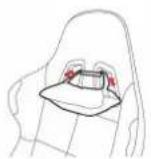
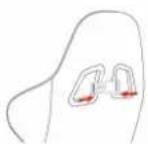
(L)
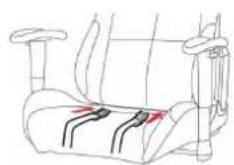
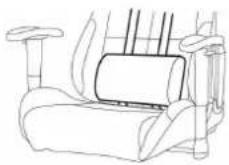

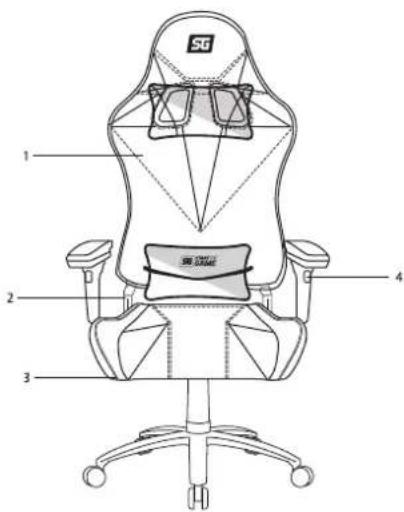
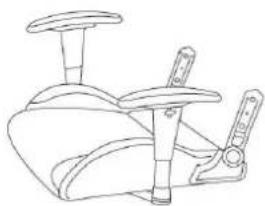
CONOCE TU DISPOSITIVO
natural_image
Line drawing of a stylized shoe or cushion with cutouts and side panels (no text or symbols)C) Respaldo
natural_image
Line drawing of a mechanical device with no visible text or symbolsB) Asiento
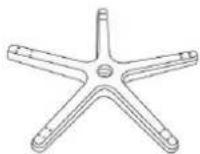
D) Base
natural_image
Line drawing of an office chair with front panel and six legs (no text or symbols)natural_image
Line drawing of a vertical support structure with four arms and a top cylindrical component (no text or symbols)natural_image
Line drawing of a car racing seat with front and rear seats (no text or symbols)
6
7


Brand : Vorago
Model : CGC500
Category : Gaming chair