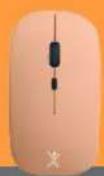
Perfect Choice PC-201250 - Keyboard

PC-201250 - Keyboard Perfect Choice - Free user manual and instructions

Find the device manual for free PC-201250 Perfect Choice in PDF.

📄 1 pages English EN Download 💬 AI Question 10 questions ⚙️ Specs
Notice Perfect Choice PC-201250 - page 1
Pick your language and provide your email: we'll send you a specifically translated version.
Brand Perfect Choice
Model PC-201250
Product Type Keyboard
Connectivity Wireless (2.4 GHz USB receiver)
Power Source Rechargeable lithium battery (USB-C charging)
Battery Life Approximately 6 months (typical usage)
Dimensions (L x W x H) 442 x 140 x 25 mm
Weight Approximately 510 g
Design Ergonomic, compact, low-profile keys
Layout QWERTY (US) with numeric keypad
Multimedia Keys Yes (volume, play/pause, mute)
Operating Range Up to 10 meters
Compatibility Windows, macOS, Linux, Chrome OS
Included Accessories USB receiver, USB-C charging cable, user manual
Maintenance Clean with a soft, dry cloth; avoid liquids
Safety Warnings Do not expose to extreme temperatures or moisture
Spare Parts Not user-serviceable; contact support for replacements
Repairability Low; no user-accessible components
Certifications CE, FCC, RoHS
Warranty 1 year limited warranty

Frequently Asked Questions - PC-201250 Perfect Choice

How do I connect the keyboard to my computer?
Insert the included USB receiver into an available USB port on your computer. The keyboard will automatically pair. If not, press the Connect button on the bottom of the keyboard.
How do I charge the keyboard?
Use the provided USB-C charging cable to connect the keyboard to a powered USB port or charger. The charging indicator will light up while charging and turn off when fully charged.
What is the battery life?
The rechargeable battery lasts up to 6 months under normal usage (approximately 2 hours per day). Battery life may vary based on usage and settings.
Is the keyboard compatible with Mac?
Yes, the keyboard works with macOS as well as Windows, Linux, and Chrome OS. Some multimedia keys may have different functions on Mac.
Can I use multiple keyboards with one receiver?
No, each keyboard requires its own dedicated USB receiver. However, you can pair multiple devices if you have a compatible multi-device setup.
What should I do if the keyboard stops working?
First, ensure the keyboard is charged and the USB receiver is properly connected. Try reconnecting by removing and reinserting the receiver. If the issue persists, restart your computer or check for driver updates.
How do I clean the keyboard?
Use a soft, dry cloth to gently wipe the surface. For deeper cleaning, you may use a slightly damp cloth (water only) and let it dry completely. Avoid liquids entering the keys.
Does the keyboard have a numeric keypad?
Yes, the PC-201250 features a full numeric keypad on the right side, suitable for data entry and calculations.
What does the 'Connect' button do?
The Connect button on the bottom of the keyboard is used to re-establish the wireless link with the USB receiver. Press it if the keyboard loses connection or when pairing for the first time.
Is the keyboard spill-resistant?
No, the keyboard is not spill-resistant. Avoid exposure to liquids to prevent damage. If spills occur, disconnect the keyboard and allow it to dry completely before use.

User questions about PC-201250 Perfect Choice

0 question about this device. Answer the ones you know or ask your own.

Ask a new question about this device

The email remains private: it is only used to notify you if someone responds to your question.

No questions yet. Be the first to ask one.

Download the instructions for your Keyboard in PDF format for free! Find your manual PC-201250 - Perfect Choice and take your electronic device back in hand. On this page are published all the documents necessary for the use of your device. PC-201250 by Perfect Choice.

USER MANUAL PC-201250 Perfect Choice

natural_image Front view of a modern keyboard with no visible text or symbols on the keys or background
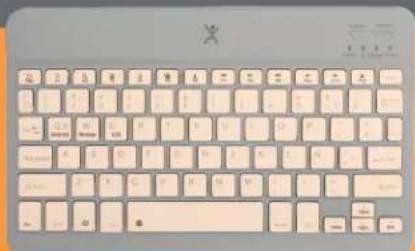
Perfect Choice PC-201250 - 1

Perfect Choice PC-201250 - 2

natural_image Front view of a classic computer keyboard with beige and blue panels (no visible text or symbols)
Perfect Choice PC-201250 - 3

Close-up of a standard computer keyboard with beige and pink color scheme, featuring the letter 'X' at the top.

Perfect Choice PC-201250 - 5

Perfect Choice PC-201250 - 6
Teclado recargable

Perfect Choice PC-201250 - 7
Ergonómico

Perfect Choice PC-201250 - 8
Diseño Compacto

Perfect Choice PC-201250 - 9
Inalámbrico

Manual assistant
Powered by Anthropic
Waiting for your message
Product information

Brand : Perfect Choice

Model : PC-201250

Category : Keyboard