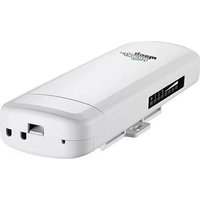
WL-CPE5G24-063 - Équipement réseau sans fil Mach Power - Free user manual and instructions
Find the device manual for free WL-CPE5G24-063 Mach Power in PDF.


Pick your language and provide your email: we'll send you a specifically translated version.
| Product Type | Wireless CPE (Customer Premises Equipment) |
| Model | WL-CPE5G24-063 |
| Brand | Mach Power |
| Wireless Standard | 802.11a/b/g/n/ac (Wi-Fi 5) |
| Frequency Band | 2.4 GHz & 5 GHz |
| Maximum Data Rate | 1200 Mbps (300 Mbps on 2.4 GHz + 867 Mbps on 5 GHz) |
| Ethernet Ports | 1 x Gigabit PoE LAN port |
| Antenna Type | Built-in directional panel antenna |
| Antenna Gain | 10 dBi |
| Power Supply | Passive PoE (Power over Ethernet) 24V 0.5A |
| Dimensions (W x H x D) | 200 x 200 x 60 mm |
| Weight | 0.5 kg |
| Ingress Protection | IP65 (weatherproof) |
| Operating Temperature | -30°C to 70°C |
| Mounting | Pole or wall mount (bracket included) |
| Management | Web interface, SNMP, and cloud management |
| Security | WPA2-PSK, WPA3, MAC filtering, VLAN support |
| Main Functions | Wireless access point, bridge, repeater modes |
| Maintenance & Cleaning | Wipe with dry cloth; avoid water ingress |
| Spare Parts & Repairability | Contact manufacturer for spare parts; no user-serviceable parts inside |
| General Information | Designed for outdoor wireless coverage and point-to-point links |
Frequently Asked Questions - WL-CPE5G24-063 Mach Power
How do I reset the Mach Power WL-CPE5G24-063 to factory defaults?
Press and hold the reset button on the back of the device for 10 seconds using a paper clip until the LEDs flash. The device will reboot with factory settings.
What is the default IP address and login credentials?
The default IP address is 192.168.1.2. Default username and password are both 'admin' (case-sensitive).
How do I configure the device as an access point?
Log into the web interface, go to 'Wireless Settings', select 'Access Point (AP)' mode, configure SSID and security, then apply.
Can this device be used outdoors?
Yes, the WL-CPE5G24-063 has an IP65 rating, making it weatherproof and suitable for outdoor installation.
What power supply is required?
It requires a passive PoE injector (not included) with 24V DC output. Ensure the injector is rated at least 0.5A.
How do I update the firmware?
Download the latest firmware from the Mach Power website, log into the web interface, go to 'System Tools' > 'Firmware Upgrade', upload the file, and wait for reboot.
What is the maximum range of this device?
With built-in directional antenna, it can cover up to 500 meters in open outdoor environments (line-of-sight).
Does it support WPA3 encryption?
Yes, the device supports WPA3 for enhanced wireless security.
Can I use it as a WiFi repeater?
Yes, the device supports repeater (range extender) mode. Configure it in the web interface under 'Wireless Settings'.
What should I do if the device overheats?
Ensure the device is installed in a well-ventilated area and away from direct sunlight. If overheating persists, reduce power output or contact support.
User questions about WL-CPE5G24-063 Mach Power
0 question about this device. Answer the ones you know or ask your own.
Ask a new question about this device
No questions yet. Be the first to ask one.
Download the instructions for your Équipement réseau sans fil in PDF format for free! Find your manual WL-CPE5G24-063 - Mach Power and take your electronic device back in hand. On this page are published all the documents necessary for the use of your device. WL-CPE5G24-063 by Mach Power.
USER MANUAL WL-CPE5G24-063 Mach Power
TESTING REPORT
| Distance | Direction | Band Width | Throughput picture Throughput data | |
| 0.5km | PC1 to PC2 | 20M |  | 60.992(Mbps) |
| 40M |  | 93.017(Mbps) | ||
| PC2 to PC1 | 20M |  | 50.535(Mbps) | |
| PC1 to PC2 | 20MWDS Disable |  | 72.670(Mbps) | |
| 20MWDS enable |  | 71.015(Mbps) | ||
| 40MWDS Disable | 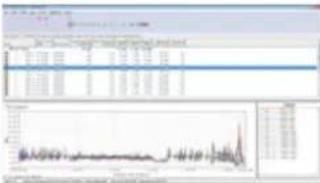 | 74.521(Mbps) | ||
| 40MWDS enable |  | 85.038(Mbps) | ||
| 1km | PC2 to PC1 | 20M WDS Disable |  | 85.154(Mbps) |
| 20M WDS enable | 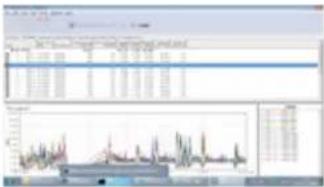 | 68.778(Mbps) | ||
| 40M WDS Disable |  | 75.587(Mbps) | ||
| 40M WDS enable | 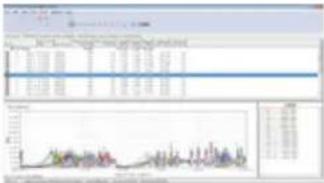 | 55.311(Mbps) | ||
| 2.5km | PC1 to PC2 | 40M | 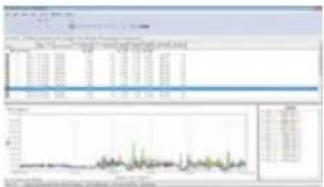 | 61.742(Mbps) |
| 20M WDS Disable | 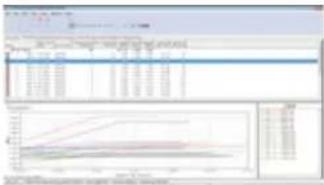 | 45.714(Mbps) | ||
| 20M WDS enable | 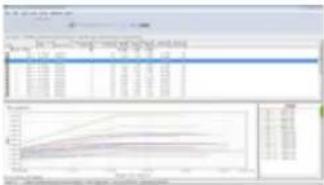 | 40.007(Mbps) | ||
| 3km | PC1 to PC2 | 40M WDS Disable |  | 52.313(Mbps) |
| 40M WDS enable | 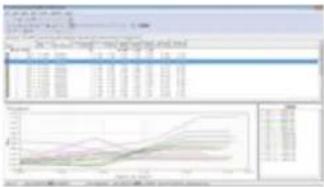 | 46.440(Mbps) | ||
| PC2 to PC1 | 20M WDS Disable |  | 45.714(Mbps) | |
| 20M WDS enable |  | 33.267(Mbps) | ||
| 40M |  | 56.157(Mbps) | ||
| 20M |  | 25.366(Mbps) | ||
| 2.5km | PC1 to PC2 | 40M |  | 38.448(Mbps) |
| 2.5km | PC2 to PC1 | 20M |  | 45.236(Mbps) |
| 40M |  | 60.743(Mbps) | ||
| 3km | PC1 to PC2 | 20M |  | 15.966(Mbps) |
| PC2 to PC1 | 20M | 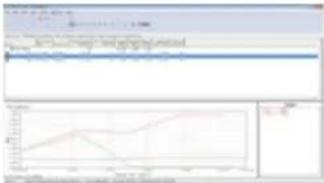 | 12.107(Mbps) | |
Manual assistant
Powered by Anthropic
Waiting for your message
Product information
Brand : Mach Power
Model : WL-CPE5G24-063
Category : Équipement réseau sans fil