
CSV-FD15 - Security Camera CRUX - Free user manual and instructions
Find the device manual for free CSV-FD15 CRUX in PDF.


| Product Type | Security Camera |
| Model | CSV-FD15 |
| Brand | CRUX |
| Image Sensor | 1/2.8" CMOS |
| Resolution | 1080p (1920 x 1080) |
| Lens | 2.8mm fixed lens |
| Viewing Angle | 90° (diagonal) |
| Night Vision | IR LEDs up to 30ft (10m) |
| Video Output | CVBS (BNC connector) |
| Power Supply | DC 12V, 500mA |
| Power Consumption | Max 6W |
| Weatherproof Rating | IP66 |
| Operating Temperature | -10°C to 50°C |
| Dimensions | Φ 100 x 80 mm |
| Weight | 0.35 kg |
| Mounting | Ceiling or wall mount (bracket included) |
| Motion Detection | Yes, via DVR |
| IR Cut Filter | Auto (ICR) |
| Maintenance | Clean lens with soft cloth; avoid solvents |
| Safety | Disconnect power before installation or cleaning |
| Spare Parts / Reparability | Use only manufacturer recommended accessories; no user-serviceable parts |
| General Information | Designed for indoor and outdoor use; ensure proper waterproofing of connections |
Frequently Asked Questions - CSV-FD15 CRUX
User questions about CSV-FD15 CRUX
0 question about this device. Answer the ones you know or ask your own.
Ask a new question about this device
Download the instructions for your Security Camera in PDF format for free! Find your manual CSV-FD15 - CRUX and take your electronic device back in hand. On this page are published all the documents necessary for the use of your device. CSV-FD15 by CRUX.
USER MANUAL CSV-FD15 CRUX
- OEM style camera pods for the left and right side mirrors.
- Includes adjustable angle cameras.
PARTS INCLUDED:

natural_image
Two black plastic contactors with circular top and side handles, shown against white background (no text or symbols)
natural_image
Two black and red cables with yellow connectors, no visible text or symbolsINSTALLATION PROCEDURE:

natural_image
Close-up of a hand inserting a small object into a car's door, no visible text or symbols
natural_image
Close-up of a hand using a tool to touch the side of a black car door (no visible text or symbols)
natural_image
Close-up of hands inserting a small object into a car's door panel (no visible text or symbols)
natural_image
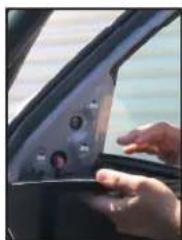
Interior view of a car showing a hand interacting with a touchscreen display (no visible text or symbols)- Remove the door pull and remove door panel the screws. 2. Remove the door unlock handle cover and remove the screw.
natural_image
Close-up of a hand pressing down the door panel of a car (no visible text or symbols)
natural_image
Interior view of a car showing the dashboard and air vent with a red circle highlighting a circular feature (no text or symbols visible)
natural_image
Interior view of a car showing a person seated at the door, no visible text or symbols
natural_image
Person wearing a helmet and holding a tool, seated in an industrial setting (no visible text or symbols)- Use a plastic pry bar to remove the window sail. Remove the trim panel clips.

natural_image
Close-up of a gray car seatrest with a black arrow pointing to the side panel (no text or symbols visible)
natural_image
Close-up of a hand inserting a red cable to a car door panel (no visible text or symbols)- Unhook the door panel by pulling it upward. Unplug the speaker and doorlock harness.

natural_image
Close-up of a hand inserting a black plastic component into a car wheel (no visible text or symbols)
natural_image
Close-up of a car's side mirror and vent, showing the lens and grille (no text or symbols visible)-
Use a hooked pick tool to remove the OEM side mirror cover. Fish the camera cable through the hole.
-
Tuck in the camera cable inside the cavity and snap in the CSV-FD15 side mirror cover with camera.
VEHICLE APPLICATIONS:
FORD
2016 – 2018 F150 (with removable OEM side mirror camera cover at the bottom)
Not compatible with telescopic type side mirrors.

1 of 1
rev.091720
Crux Interfacing Solutions • Chatsworth, CA 91311
phone: (818) 609-9299 • fax: (818) 996-8188 • www.cruxinterfacing.com
Brand : CRUX
Model : CSV-FD15
Category : Security Camera