
WDE 1080 - Washing machine ZANKER - Free user manual and instructions
Find the device manual for free WDE 1080 ZANKER in PDF.


| Product Type | Freestanding washing machine |
| Brand | Zanker |
| Model | WDE 1080 |
| Loading Type | Front-load |
| Capacity | 8 kg |
| Width | 60 cm |
| Depth | 50 cm |
| Height | 85 cm |
| Weight | 70 kg |
| Power Supply | 220-240 V, 50 Hz |
| Power Consumption | 2000 W (max) |
| Energy Class | A+++ |
| Spin Speed | 1000 rpm |
| Wash Programs | Cotton, Synthetics, Delicates, Quick Wash, Eco, Wool, Hand Wash, Rinse & Spin |
| Display | LED digital display |
| Controls | Electronic push buttons and rotary knob |
| Delay Start | Up to 24 hours |
| Child Lock | Yes |
| Drum Material | Stainless steel |
| Noise Level (Wash) | 55 dB |
| Noise Level (Spin) | 75 dB |
| Water Consumption | 50 L per cycle (approx.) |
| Safety Features | Overflow protection, unbalanced load detection, door lock |
| Maintenance | Clean detergent drawer regularly, clean lint filter after each cycle |
| Repairability Index | 7.5 / 10 (estimated) |
| Spare Parts Availability | Common parts available online |
Frequently Asked Questions - WDE 1080 ZANKER
User questions about WDE 1080 ZANKER
0 question about this device. Answer the ones you know or ask your own.
Ask a new question about this device
Download the instructions for your Washing machine in PDF format for free! Find your manual WDE 1080 - ZANKER and take your electronic device back in hand. On this page are published all the documents necessary for the use of your device. WDE 1080 by ZANKER.
USER MANUAL WDE 1080 ZANKER
natural_image
Cartoon illustration of a large character reacting to a crying document with steam, accompanied by a small inset showing a warning symbol (no text or labels present)natural_image
Cartoon illustration of a smiling book character with a small symbol on the right (no text or symbols present)natural_image
Cartoon illustration of a person reacting in shock to a computer monitor, with no visible text or symbols.natural_image
Cartoon illustration of a person screaming under falling rain and holding a large book (no text or symbols)natural_image
Cartoon illustration of a smiling character holding a coin next to a stopwatch (no text or symbols)natural_image
Cartoon illustration of a smiling document character holding a wrench and pointing (no text or symbols)natural_image
Cartoon illustration of a ringing phone emitting steam and lightning, with a plug plugged into (no text or symbols)natural_image
Cartoon illustration of a smiling character holding a bottle, with a faucet and droplet falling (no text or symbols)natural_image
Technical line drawing of a mechanical device with internal components (no text or symbols)Abb.1

natural_image
Technical line drawing of two views of a mechanical device with internal components and wiring (no text or symbols)Abb.2
natural_image
Diagram of an electrical switchgear box with arrows indicating direction of components (no text or labels)Abb.3

natural_image
Simple line drawing of a hand holding a small object near a window (no text or symbols)Abb.4

natural_image
Hand holding a plug inserted into an electrical socket, with a ground symbol below (no text or labels)Abb.5
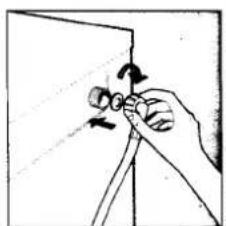
natural_image
Hand holding a pen or ruler with arrows indicating motion (no text or symbols)Abb.5

natural_image
Illustration of a hand holding a tool with a magnified view of the tool tip (no text or symbols)Abb.7
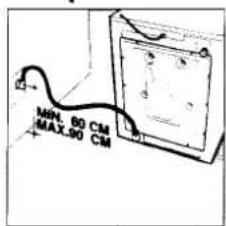
Abb.8
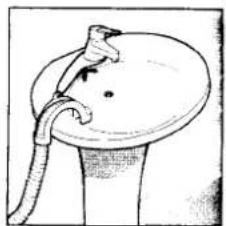
natural_image
Illustration of a medical or laboratory procedure showing a tube inserted into a circular device (no text or symbols present)Abb.9

natural_image
Grayscale image showing a textured surface with faint vertical streaks and dark horizontal lines, no visible text or symbols.natural_image
Grayscale abstract texture with no discernible text, symbols, or structured elementsANGABEN ZUM EINSATZ DES AUTOMATEN
natural_image
Hand holding a bulb-shaped object with a curved arrow indicating rotation (no text or symbols)Abb.10
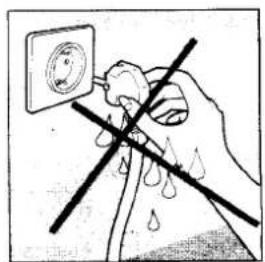
natural_image
Illustration of a hand using a power plug to clean water, with no text or symbols present.Abb.11

natural_image
Simple line drawing of a hand holding a rectangular object with directional arrows indicating rotation (no text or symbols)Abb.12

natural_image
Illustration of a hand pouring liquid into a mechanical device with rollers (no text or symbols)Abb.13
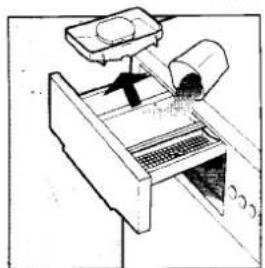
natural_image
Diagram of a mechanical device with a lever and base, showing internal components (no text or symbols)Abb.14
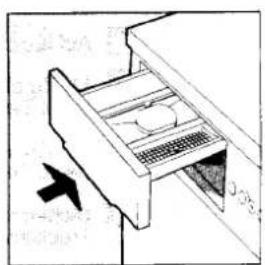
natural_image
Diagram of a refrigerator drawer with a door and drawer slot, showing an arrow indicating direction (no text or symbols present)Abb.16
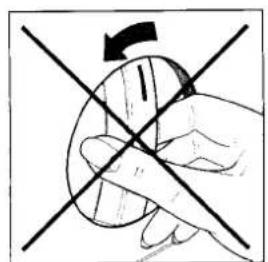
natural_image
Hand holding a circular object with intersecting lines and a curved arrow indicating rotation (no text or symbols)A06.15
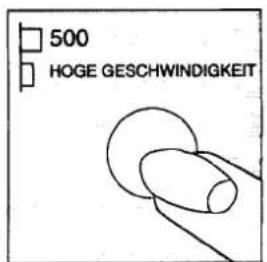
Fig 17


Trocknen

natural_image
Symbolic illustration of a sun with a crescent moon and a small figure, no text or labels present.
natural_image
Illustration of a hand holding a connector with a curved arrow indicating rotation (no text or symbols)
natural_image
Diagram of a mechanical device with a left-handled handle and internal components, showing no text or symbols.Abb.39

natural_image
Simple line drawing of a washing machine with a circular component and a base, no text or symbols present.Abb.40

natural_image
Diagram of a door mechanism with a knob inserted into a socket, showing no text or symbolsADO.41
natural_image
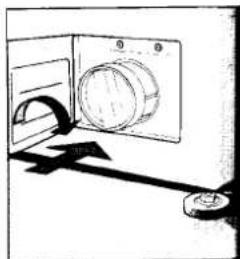
Simple line drawing of a mechanical device with a circular component and a lever (no text or symbols)Abb


Brand : ZANKER
Model : WDE 1080
Category : Washing machine