
Beogram CD 5500 - Hi-Fi System BANG & OLUFSEN - Free user manual and instructions
Find the device manual for free Beogram CD 5500 BANG & OLUFSEN in PDF.


| Product Type | Compact Disc Player |
| Brand | Bang & Olufsen |
| Model | Beogram CD 5500 |
| Category | Hi-Fi System Component |
| Dimensions (W x H x D) | 435 x 80 x 310 mm |
| Weight | 5.5 kg |
| Power Consumption | 15 W (Standby < 2 W) |
| Power Supply | 220-240 V AC, 50/60 Hz |
| Disc Compatibility | CD, CD-R, CD-RW |
| Audio Output | Analog RCA, Digital Optical (Toslink) |
| Frequency Response | 20 Hz – 20 kHz ±0.5 dB |
| Signal-to-Noise Ratio | > 95 dB |
| Dynamic Range | > 90 dB |
| Total Harmonic Distortion | < 0.005% |
| D/A Converter | 1-bit DAC |
| Playback Features | Repeat, Random, Program, Direct Track Access |
| Remote Control | Yes (Beolink compatible) |
| Special Features | Beolink integration, Motorized disc tray |
| Materials | Aluminum front, Steel chassis |
| Maintenance | Clean lens with CD lens cleaner; keep away from dust |
| Safety | Class 1 laser product; do not remove cover |
| Spare Parts & Repairability | Available through Bang & Olufsen service; designed for repair |
Frequently Asked Questions - Beogram CD 5500 BANG & OLUFSEN
User questions about Beogram CD 5500 BANG & OLUFSEN
0 question about this device. Answer the ones you know or ask your own.
Ask a new question about this device
Download the instructions for your Hi-Fi System in PDF format for free! Find your manual Beogram CD 5500 - BANG & OLUFSEN and take your electronic device back in hand. On this page are published all the documents necessary for the use of your device. Beogram CD 5500 by BANG & OLUFSEN.
USER MANUAL Beogram CD 5500 BANG & OLUFSEN
How to use the manuals
There are two manuals for the Beogram CD 5500 compact disc player:
● A Beogram CD 5500 manual which explains how to connect the compact disc player to the Beomaster 5500 and how to use the controls on the compact disc player itself.
If your Master Control Panel 5500 manual refers to a Beogram CD 50 in the compact disc section,
● A supplement to the Master Control Panel 5500 manual which explains how to operate the Beogram CD 5500 using the buttons on the Master Control Panel 5500.
ignore it and refer instead to the supplement to the Master Control Panel 5500 manual.
Setting up, 5
Loading and unloading a compact disc, 8
Playing a compact disc, 9
Switching off, 10
Displayed cues and symbols, 11
Using the Beogram CD 5500 in conjunction with the Beosystem 5000, 12
Maintenance, 14
Technical specifications, 15
The black and yellow label on the compact disc player serves as a warning that the apparatus contains a laser system and is classified as a class 1 laser product. In case of any trouble with the compact disc player, please contact your Bang & Olufsen dealer. The apparatus must be opened by qualified servicemen only.


natural_image
Illustration of a rectangular electronic device with a flat top and a flat base, showing internal components (no text or symbols)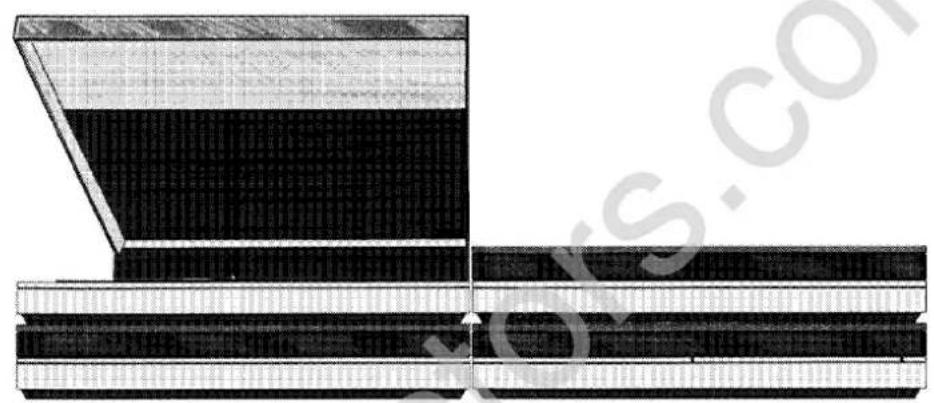
natural_image
Cross-sectional diagram of a layered structure with layered materials (no text or symbols)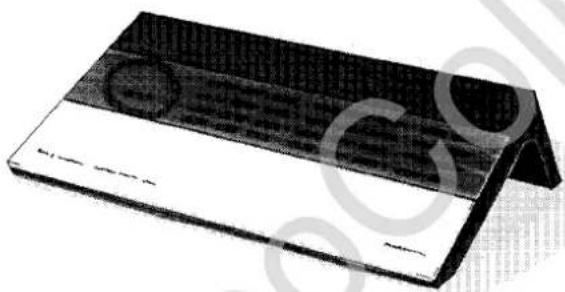
natural_image
3D rendering of a rectangular electronic device with a grid pattern and a curved base (no visible text or symbols)Beosystem 5500
The Beogram CD 5500 is a newly developed Bang & Olufsen compact disc player designed primarily to suit the Beosystem 5500. When connected to the Beomaster 5500, the Beogram CD 5500 can be remote controlled using the Master Control Panel 5500.
We suggest you read the manuals in order to acquaint yourself with all the functions and facilities offered by the Beogram CD 5500.
Table of contents
| Setting up | 5 |
| Adjustment to room temperature | 5 |
| Making the compact disc player ready for use | 5 |
| Where to put the compact disc player | 6 |
| Connection to Beomaster | 6 |
| Digital output | 7 |
| Stand-by mode | 7 |
| Loading and unloading a compact disc | 8 |
| Playing a compact disc | 9 |
| Switching off | 10 |
| Displayed cues and symbols | 11 |
| Using the Beogram CD 5500 in conjunction with the Beosystem 5000 | 12 |
| Maintenance | 14 |
| Technical specifications | 15 |
Setting up
Adjustment to room temperature
If the compact disc player is exposed to low temperatures, for instance during transport, and is then placed in a warm room, condensation can occur within the mechanism. If this happens, it will not play until the humidity falls to an acceptable level.
Therefore, allow the compact disc player to acclimatise to normal room temperature for at least an hour or two before use.
Making the compact disc player ready for use
Removing disc tray protection:
Press the left-hand side of the aluminium front panel to pop out the disc tray, then remove the cardboard. Keep the cardboard in a safe place for later use.
Removing transport screws:
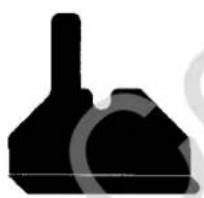
Carefully turn the compact disc player upside down. Loosen the two transport screws on the base and place them in their storage holes as indicated by the drawing on the base.
natural_image
Silhouette of a mechanical component or tool with a cylindrical top and flanged base (no text or symbols visible)
If you ever have to transport the compact disc player, we strongly recommend that you reinsert
both the cardboard protecting the disc tray and the two transport screws.
Where to put the compact disc player
The compact disc player must be placed horizontally on a stable surface. Make sure to put it in a
place where ventilation cannot be impeded.
Leave a space of approximately 15 cm in front of the compact disc player so that the disc compartment can open freely.

natural_image
Pure diagram of a rectangular object with a horizontal line and dimension arrow, no text or symbols present.Connection to Beomaster
Plug the 7 pin DIN cable into the CD socket on the Beomaster 5500.
For use with another receiver, e.g. one having a 5 pin DIN socket or phono sockets, do as follows:
Unscrew the two extra pins with grooves using a tiny screwdriver and plug the cable into the 5 pin DIN socket on the receiver.

Digital output

natural_image
Pure diagram of a rectangular block with a downward arrow, no text or symbols presentThe digital output on the rear panel is intended for possible future digital equipment.

Stand-by mode
Once connected to the mains, the compact disc player will be in the stand-by mode and ready for operation. The stand-by mode is indicated by a tiny red light on the front panel.
The compact disc player is designed to be left in stand-by mode when not in use.
Loading and unloading a compact disc
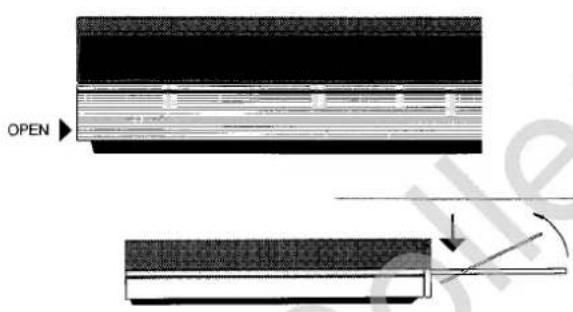
Press the left-hand side of the aluminium front panel to pop out the disc tray.
The compact disc must be placed in the circular recess with the printed side up.
Press the left-hand side of the aluminium front panel again to close the disc tray.
You can also close the compartment and start playing directly by gently pressing the front edge of the disc tray or the right-hand side of the aluminium front panel.
If left open for more than 3 minutes, the disc compartment will be closed automatically.

natural_image
Diagram of a CD or DVD disc mounted on a stand, showing internal components and a downward arrow (no text or symbols)Unloading a compact disc!
Playing a compact disc
Gently tap the right-hand side of the aluminium front panel.
The compact disc player will register all the tracks on the compact disc and playing will begin almost immediately.
Press a second, third etc. time to step to the next tracks, or to step through all the tracks and back to the first track.
Switching off
Keep the right-hand side of the front panel depressed for 2 seconds.
Playing will stop and the compact disc player will return to the stand-by mode.
At the end of a compact disc, playing will stop automatically and the compact disc player will then revert to the stand-by mode. If left unused, the entire Beosystem 5500 will revert to the stand-by mode within approximately 30 minutes.
natural_image
Abstract black-and-white graphic with horizontal lines and a curved shape, no readable text or symbolsDisplayed cues and symbols

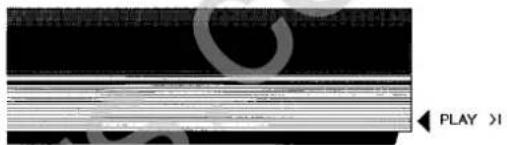
The display on the front of the Beogram CD 5500 will give you information about the operational status of the compact disc player.
The cues and symbols displayed will not all be visible at the same time.
Using the Beogram CD 5500 in conjunction with the Beosystem 5000
The Beogram CD 5500 can be used in conjunction with the Beosystem 5000 as well. This means that you will be using a Master Control Panel 5000 to operate it. The list below shows which buttons to use on the Master Control Panel 5000 to obtain the appropriate functions.
Start playing
Press AUX CD
Stop playing
Press STOP.
Before using any of the functions listed below, make sure that you have pressed AUX CD first.
Stepping through tracks
Press ADVANCE to step forwards and RETURN to step backwards.
Finding specific tracks
Press TRACK, key in the required number, then press AUX CD.
Finding specific passages of music
Press >> to search forwards and << to search backwards. Press STOP to stop searching or AUX CD to start playing.
Programming a sequence of tracks
Press TRACK, key in the required number, press STORE. Repeat this sequence for each track you want to include in a programmed sequence.
If you want to exclude a track from a programmed sequence, press CLEAR instead of STORE.
Press TRACK CLEAR to cancel a programmed sequence.
Scanning a compact disc
Press TRACK, 0, STORE to start scanning.
Press TRACK, STORE or TRACK, CLEAR to include or exclude tracks in a programmed sequence.
Prolonging the pauses between tracks (space function)
Press TRACK, 0, CLEAR. Repeat this sequence to cancel the space function.
Please note that the Master Control Panel 5000 display does not give you any information about track numbers and playing time. This means that you will have to rely on the Beogram CD
5500 display for track numbers, whereas information about playing time cannot be obtained. For this same reason the adding time function is not available.
Maintenance
Use a dry, soft cloth to wipe dust off the compact disc player. Any dust in the disc compartment should be carefully removed. Do not push down on the disc tray.
Do not use denatured alcohol to clean the compact disc player.
Technical specifications
Beogram CD 5500
| Type no. | 5131-5132-5134-5135 |
| Frequency range | 3-20,000 Hz ±0.3 dB |
| Signal-to-noise ratio | >100 dB/110 dB A-weighted |
| Dynamic range | >96 dB |
| Harmonic distortion incl. noise | <0.0025% at 0 dB |
| <0.025% at -20 dB | |
| Channel separation | >101 dB |
| Channel difference | <0.08 dB |
| Converter system | 2 x 16 bit, 4 x oversampling 176.4 kHz |
| Low pass filter | Digital + Bessel/elliptical analog |
| Damping >20.000 Hz | >50 dB |
| Phase error between L and R | 0 degree at 20-20,000 Hz |
| Output, analog | 1.3 V RMS at 0 dB |
| Output, digital | For digital equipment |
| Power supply | 5131: 220 (100-110-120-240) V |
| 5132/5135: 240 (100-110-120-220) V | |
| 5134: 100 V | |
| Power frequency | 50-60 Hz |
| Power consumption | 23 watts |
| Dimensions W x H x D | 42 x 7.5 x 32.5 cm |
| Weight | 6.3 kg |
Subject to change without notice

This Beogram fulfils the conditions stated in the EEC Directive 82/499 concerning radio frequency interference.
International guarantee
This Bang & Olufsen product carries a guarantee against defects in workmanship and materials. It is a national guarantee, extended by Bang & Olufsen to the country in which the product was bought. The terms of the guarantee apply principally to the country of purchase but will be met by authorized Bang & Olufsen dealers in other countries. The guarantee period applying to the country of purchase takes priority over guarantee periods applying in other countries, even where differences exist.
In order to obtain service under this guarantee from a dealer in a country other than that in which the product was bought, the guarantee form must be completed in full and presented to the dealer.
BANG & OLUFSEN
DK-7600 STRUER
DENMARK
3505518
08-88
- How to use the manuals
- Setting up
- Adjustment to room temperature
- Making the compact disc player ready for use
- Removing disc tray protection:
- Removing transport screws:
- Where to put the compact disc player
- Connection to Beomaster
- Stand-by mode
- Loading and unloading a compact disc
- Playing a compact disc
- Switching off
- Displayed cues and symbols
- Using the Beogram CD 5500 in conjunction with the Beosystem 5000
- Maintenance
- Technical specifications
- International guarantee
Brand : BANG & OLUFSEN
Model : Beogram CD 5500
Category : Hi-Fi System