Perfect Choice Genova PC-201274 - Wireless keyboard and mouse

Genova PC-201274 - Wireless keyboard and mouse Perfect Choice - Free user manual and instructions

Find the device manual for free Genova PC-201274 Perfect Choice in PDF.

📄 1 pages English EN Download 💬 AI Question 10 questions ⚙️ Specs
Notice Perfect Choice Genova PC-201274 - page 1
Pick your language and provide your email: we'll send you a specifically translated version.
Type Wireless Rechargeable Keyboard
Brand Perfect Choice
Model Genova PC-201274
Design Ergonomic, Compact
Connectivity Wireless (2.4 GHz)
Power Source Built-in rechargeable battery
Battery Capacity 500 mAh
Charging Port USB-C
Dimensions (L x W x H) 380 x 130 x 20 mm
Weight 500 g
Compatible Systems Windows, macOS, Linux
Keys 104 keys (US layout)
Special Features Ergonomic design, rechargeable, compact
Maintenance Clean with a soft, dry cloth
Safety Low voltage device
Spare Parts Not available

Frequently Asked Questions - Genova PC-201274 Perfect Choice

How do I charge the Genova PC-201274 keyboard?
Connect the included USB-C cable to the keyboard and a power source (computer or charger). The battery charges fully in about 2-3 hours.
What is the battery life of this keyboard?
The built-in 500 mAh battery lasts up to 30 days with normal usage, depending on backlight usage.
How do I pair the keyboard with my computer?
Turn on the keyboard using the power switch. Press the pairing button (usually on the bottom) and select 'Perfect Choice Genova' from your computer's Bluetooth settings. For 2.4 GHz, plug the included dongle into a USB port.
Can I use this keyboard with a tablet or smartphone?
Yes, it works with any device that supports USB HID via the 2.4 GHz dongle or Bluetooth.
How do I clean the keyboard?
Use a soft, dry cloth to wipe the surface. Avoid liquids and abrasive cleaners. For sticky keys, use a slightly damp cloth and dry immediately.
Is the keyboard spill-resistant?
No, the Genova PC-201274 is not spill-resistant. Keep liquids away from the keyboard.
What should I do if a key stops working?
First, try resetting the keyboard by turning it off and on. If the issue persists, check the battery level or replace the device under warranty.
Does this keyboard have backlighting?
Yes, it features adjustable backlighting for low-light environments.
What are the warranty terms?
Perfect Choice offers a 1-year limited warranty against manufacturing defects. Retain your proof of purchase.
How do I dispose of the keyboard properly?
Do not throw it in household waste. Recycle it at an e-waste recycling center according to local regulations.

User questions about Genova PC-201274 Perfect Choice

0 question about this device. Answer the ones you know or ask your own.

Ask a new question about this device

The email remains private: it is only used to notify you if someone responds to your question.

No questions yet. Be the first to ask one.

Download the instructions for your Wireless keyboard and mouse in PDF format for free! Find your manual Genova PC-201274 - Perfect Choice and take your electronic device back in hand. On this page are published all the documents necessary for the use of your device. Genova PC-201274 by Perfect Choice.

USER MANUAL Genova PC-201274 Perfect Choice

Perfect Choice Genova PC-201274 - 1

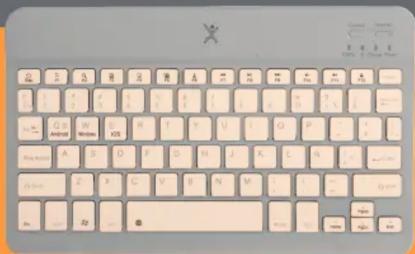
Screenshot of a computer keyboard with standard menu options and control buttons visible

Perfect Choice Genova PC-201274 - 3

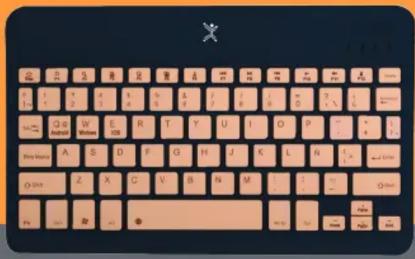
Close-up of a standard computer keyboard with beige and pink color scheme, featuring the letter 'X' at top left.

Perfect Choice Genova PC-201274 - 5

Perfect Choice Genova PC-201274 - 6
Teclado recargable

Perfect Choice Genova PC-201274 - 7
Ergonómico

Perfect Choice Genova PC-201274 - 8
Diseño Compacto

Perfect Choice Genova PC-201274 - 9
Inalámbrico

Manual assistant
Powered by Anthropic
Waiting for your message
Product information

Brand : Perfect Choice

Model : Genova PC-201274

Category : Wireless keyboard and mouse