
Motorcity EQualizer - Audio software Heritage Audio - Free user manual and instructions
Find the device manual for free Motorcity EQualizer Heritage Audio in PDF.


| Product Type | Audio Software (Equalizer Plugin) |
| Plugin Formats | VST 2.4, VST 3, AU, AAX (Native) |
| Operating Systems | Windows 7/8/10/11 (64-bit), macOS 10.12 or later |
| Processor | Intel Core i5 or equivalent (i7 recommended) |
| RAM | 4 GB minimum (8 GB recommended) |
| Free Disk Space | 200 MB |
| License Type | Perpetual license, single user |
| Version | 1.0.0 |
| Equalizer Bands | 4 bands (Low Shelf, 2 Parametric Mids, High Shelf) plus HPF and LPF |
| Emulation Model | Motorcity console channel strip EQ |
| Maximum Sample Rate | 192 kHz |
| Bit Depth | 64-bit floating point internal processing |
| GUI Resizable | Yes (draggable corner) |
| Presets | Factory presets included, user presets supported |
| Undo/Redo | Yes (full history) |
| CPU Optimization | Zero latency, low CPU usage |
| Installation Method | Download installer, requires iLok or online activation |
| Manual Language | English (PDF, 20 pages) |
| Technical Support | Email and forum support |
Frequently Asked Questions - Motorcity EQualizer Heritage Audio
User questions about Motorcity EQualizer Heritage Audio
0 question about this device. Answer the ones you know or ask your own.
Ask a new question about this device
Download the instructions for your Audio software in PDF format for free! Find your manual Motorcity EQualizer - Heritage Audio and take your electronic device back in hand. On this page are published all the documents necessary for the use of your device. Motorcity EQualizer by Heritage Audio.
USER MANUAL Motorcity EQualizer Heritage Audio
MOTORCITY EQualifier
7 BAND PASSIVE EQ
AMERICAN HERITAGE


USER MANUAL
Thank you for choosing the MOTORCITY EQualifier. Heritage Audio is dedicated to bringing you 'the sound of yesterday for tomorrow'. We specialize in capturing that unique, enticing sound that everybody has fallen in love with. For years engineers, producers and musicians have been yearning for that classic vibe. Usually the only option is to search for old, used original equipment that is almost always in a questionable state of operation. This brings with it a whole lot of other issues, making the experience less than desirable. Not to mention the very high prices asked for this equipment, which makes them virtually unobtainable for the great majority. Now it's possible to obtain that same sound with a brand new piece that will give you all the problem-free, heavy-duty use you'll need for years of music making history.
Peter Rodriguez
CEO
Heritage Audio - Madrid, Spain

© 2022 Heritage Audio S.L. is the sole owner of the copyright of all information and drawings contained in this manual which are not to be copied or reproduced by any means or disclosed in part or whole to any third party without written permission.
Heritage Audio reserves the right to alter specifications without notice. The information in this manual has been carefully checked and is believed to be accurate at the time of publication. However, no responsibility is taken by us for inaccuracies, errors or omissions nor any liability assumed for any loss or damage resulting either directly or indirectly from use of the information contained within it.
TABLE OF CONTENTS
| INTRODUCTION | 2 |
| CONTENTS | 2 |
| DESCRIPTION | 3 |
| COMPLETE FREQUENCY DESCRIPTIONS | 4 |
| INDIVIDUAL FREQUENCY DESCRIPTIONS | 5 |
| GETTING STARTED | 12 |
| APPLICATIONS | 13 |
| SPECIFICATIONS | 16 |
| SIGNAL FLOW | 16 |
| TROUBLE SHOOTING | 17 |
| WARRANTY STATEMENT | 18 |
| REGISTRATION | 18 |
| RECALL SHEETS | 19 |

Heritage Audio would like to congratulate you on being the lucky owner of our MOTORCITY EQualifier, the world's first reproduction of the "Holy Grail" of classic EQ's. With its introduction the MOTORCITY EQualifier is the first member of our 'American Heritage' line of products as it's a faithful reproduction of the actual EQs from Detroit's very own MOTOWN Studios. Originally designed by in-house engineers with the idea of producing the greatest possible impact on the music they were creating that dominated the charts for over a decade. This was their secret weapon. Until now we have mainly focused on designing and manufacturing equipment inspired by legendary vintage British console modules, using the same hand-wired, transformer-coupled Class A circuitry, but also making sure they are compatible with modern day studio environments. Now we wanted some of that American flavor.
After a long gruelling process of meticulously researching and engineering everything to the exact original specifications of this iconic 1960s Motown design, we did it. We actually achieved that huge, classic, punchy, warm signature sound that has blessed so many hit records all without a hint of harshness or distortion. It wasn't easy, but it was definitely worth it. Sadly, there were only about 2 dozens of these EQs produced so we were very lucky to get our hands on 2 original Motown units owned by eight-time Grammy winning producer, mixdown artist, and innovative engineering genius Michael Brauer. With these two we were able to make a spec-to-spec copy to ensure we capture that unmistakable sound. The unique passive equalization circuit we incorporated is identical to the original design. And with the 10-gauge hand brushed aluminum face plate, historically accurate control layout including custom molded bakelite knobs, the MOTORCITY EQualifier certainly looks the part.
The MOTORCITY EQualifier is a completely analog, passive EQ design with access to seven frequency points across the tonal spectrum. Each frequency has a stepped rotary switch capable of a flat response at '0' and a cut or boost of up to 8 db in 1 dB stepped increments. As these are stepped rotary switches it's very easy to make precise settings and quick recalls. Frequency points are at: 50 Hz, 130 Hz, 320 Hz, 800 Hz, 2000 Hz, 5000 Hz, and 12,500 Hz. It also features a master gain control (±8 dB), again in 1 dB stepped increments.
Reproducing a vintage design supposes many challenges, but one of the biggest is that it is no longer possible to obtain the original parts. Therefore, we at Heritage Audio had to have them custom built from scratch. We only used 100 % period-correct materials, values and tolerances. That means this MOTORCITY EQualizer is the real deal, not just something similar, a close copy or a 'new and improved' version of the original. You might ask why we went through so much trouble to recreate this all-time classic...Well, we couldn't say it any better than Michael Brauer himself when asked about the EQs - 'It simply got that sound!'.
The MOTORCITY EQualifier really is the genuine article made available to the general public for the first time ever. Something to be celebrated for sure. For the first time in history you can incorporate this one-of-a-kind equalizer into your own setup. Now we can't guarantee you the massive string of hits that Motown had over six decades ago, but we can provide you with a tool that'll pump up your tracks with the sound that did.
MOTORCITY EQualifier

50 Hz - Boost/Cut Curves


Usually felt more than heard - Adds weight & a solid foundation and hits in the chest.

Can increase Low-end rumble(noise).
SUB-BASS

130 Hz - Boost/Cut Curves


Add for warmth, deeper sound and more thump.

Too much makes things boomy, too little makes things too thin.
BASS

320 Hz - Boost/Cut Curves


Used to add bass presence, definition and fullness.

Too much makes things muffled and muddy, too little makes things hollow.
LOW MIDRANGE

800 Hz - Boost/Cut Curves


Helps to make things stand out in the mix.

Too much can produce honk and cause ear fatigue, so use carefully.
MIDRANGE

2 kHz - Boost/Cut Curves


Used to add presence and definition of attacks of drums & percussion and add crunch & whack.

Too much will cause ear fatigue, so use carefully.
UPPER MIDRANGE

5 kHz - Boost/Cut Curves


Used to add clarity to signals and give them an edge.

Too much will make things harsh and irritating while reducing will distance the sound.
PRESENCE

12.5 kHz - Boost/Cut


Used to make things sparkle and to add air.

Too much will accentuate hiss and cause ear fatigue.
BRILLIANCE


| 1 | 2 | 3 | 4 | 5 |
| STEPPED ROTARY SWITCH ±8 dB at 50 Hz | STEPPED ROTARY SWITCH ±8 dB at 130 Hz | STEPPED ROTARY SWITCH ±8 dB at 320 Hz | STEPPED ROTARY SWITCH ±8 dB at 800 Hz | STEPPED ROTARY SWITCH ±8 dB at 2000 Hz |
| 6 | 7 | 8 | 9 | 10 |
| STEPPED ROTARY SWITCH ±8 dB at 5000 Hz | STEPPED ROTARY SWITCH ±8 dB at 12500 Hz | LEVER SWITCH ON/OUT/IN | STEPPED ROTARY SWITCH ±8 dB of GAIN | RED JEWEL Indicator light |


| 1 | 2 | 3 |
| POWER INPUTTo Be Connected to the HA PSU04 Power Supply | LINE OUTPUTMale Gold Plated XLR Connector | LINE INPUTFemale Gold Plated XLR Connector |

![graph TD A["Electric Guitar"] -->|D.I. INPUT PREAMP TT-73| B["Heilage Audio"] B -->|OUTPUT PREAMP TT-73| C["Line Input Audio Interface"] C --> D["Monitor Speakers"] D --> E["THUNDERBOLT COMPUTER"] E --> F["Laptop"] B --> G["MotorCity Audio"] G --> H["Line Input Audio Interface"] H --> I["Line Input…](/content/2026/05/1083496/images/844c105d177916fbcbb4bd062f76e9ed292473d2bbad161d579cd99a9158b211.jpg)
![graph TD A["TRACK INSERT"] --> B["MOTORCity 800000"] B --> C["LINE OUTPUT AUDIO INTERFACE"] B --> D["LINE INPUT AUDIO INTERFACE"] C --> E["MONITOR SPEAKERS"] D --> E E --> F["THUNDERBOLT COMPUTER"] E --> G["INSERTED ONTO SNARE TRACK"] F --> H["Laptop"] G --> I["Lens"]](/content/2026/05/1083496/images/1e5e745041ec1fe62e49ce5c040c8b238d629c7ed76691b30e36a30099da1ca4.jpg)
MIX BUSS INSERT
![graph TD A["MOTORCity EQ LEFT & RIGHT LINE INPUTS"] --> B["STEREO MIX DAW LEFT & RIGHT LINE OUTPUTS"] B --> C["MONITOR SPEAKERS"] C --> D["AUDIO INTERFACE"] D --> E["THUNDERBOLT COMPUTER"] E --> F["Laptop"] G["MOTORCity EQ LEFT & RIGHT LINE OUTPUTS"] --> H["PROCESSED STEREO MIX LEFT & RIGHT LINE INP…](/content/2026/05/1083496/images/377d9e86ad70b14a2480e77a79b51878ea251f73a68d0f8e3326fb415aef5c86.jpg)
MASTERING
![graph TD A["COMPRESSOR"] -->|HA-609A LEFT & RIGHT LINE INPUTS| B["AUDIO INTERFACE"] A -->|MASTERED MIX LEFT & RIGHT LINE INPUTS| C["MONITOR SPEAKERS"] A -->|MOTORCity EQ LEFT & RIGHT LINE OUTPUTS| D["LIMITER"] A -->|THUNDERBOLT COMPUTER| E["Computer"] A -->|STEREO MIX DAW LEFT & RIGHT LINE OUTPUTS|…](/content/2026/05/1083496/images/4abbd82026a1244de6004c48adae471de09de7e9b5b9f7e42ec5138563f88389.jpg)

• Line input impedance: 2400 Ω bridging, transformer balanced and floating.
- Output impedance: Less than 75 Ω, transformer balanced and floating, to drive a load of 600 Ω.
• Maximum output: Greater than +26,5 dBu into 600 Ω (internally terminated).
- THD: Less than 0,025 % at 1 kHz, Less than 0,05 % at 100 Hz.
- Frequency response: 20 Hz (+0,3 dB) to 20 kHz (-0,2 dB).
- Self noise: Less than -100 dBu.
• Power consumption: Less than 90 mA @ 48 V DC.
- Dimensions (W x H x L): 482 mm x 116mm (2 Rack units) x 381 mm..
- Weight: 6,8 Kg.
SIGNAL FLOW
![graph LR A["LINE INPUT"] --> B["HA-A22 CUSTOM TRANSFORMER"] B --> C["TONE CONTROL GAIN MAKEUP"] C --> D["TONE CONTROL GAIN MAKEUP"] D --> E["OUTPUT AMP"] E --> F["LINE OUTPUT"] F --> G["CARNHILL"]](/content/2026/05/1083496/images/92dd4e744f17e22d7d76fe20e71ca7cfa315747d3cc491d96d1c0441825255b7.jpg)


| PROBLEMS | SOLUTIONS |
| Applying Cut and Boost to the frequencies doesn't have any affect on the signal. | Make sure the MOTORCITY EQualifier isn't in OUT mode. |
| There is a very distorted signal being outputted from the unit. | Check to see if you have left the OUTPUT GAIN knob in too high of a position. |
| There is almost no output signal at all. | Check to see if you have left the OUTPUT GAIN knob in too low of a position. |
| When I activate the equalizer there is just too much of an increase in the signals volume. | Adjust the OUTPUT GAIN knob to a lower position to compensate for any big equalizer adjustments of frequencies. |
| When I activate the equalizer there is just too much of a drop in the signals volume. | Adjust the OUTPUT GAIN knob to a higher position to compensate for any adjustments made to frequencies. |
| The MOTORCITY EQualifier just makes every track sound too good. | Be thankful you finally have the 'Holy Grail' of EQs at your fingertips. |
* For any further doubts or questions please get in contact with us at: support@heritageaudio.com
LIMITED 2 YEAR WARRANTY
Heritage Audio MOTORCITY EQualifier is warranted by Heritage Audio SL to be free from defects in materials and workmanship for the period of 2 years to the original purchaser. In the event of such defects, the product will be repaired without charge or, at our option, replaced with a new one if delivered to Heritage Audio prepaid, together with a copy of the sales slip or other proof of purchase date. The warranty excludes problems due to normal wear, abuse, shipping damage or failure to use the product in accordance with the specifications.
Heritage Audio shall not be liable for damages based upon inconvenience, loss of use of the product, loss of time, interrupted operation or commercial loss or any other damages, whether incidental, consequential or otherwise.
This warranty is not transferable.
Heritage Audio and the Heritage Audio "H" logos are registered Trademarks owned and/or licensed by Heritage Audio.

REGISTRATION
Please visit our website: https://heritageaudio.com/registration/

Session / Title:____ Track:____ Connected Equipment:____
Date: ____ Instrument: ____ Frequency: ____ Notes: ____

Session / Title: ____ Track: ____ Connected Equipment:
Date: Instrument: Frequency: Notes:


www.heritageaudio.com
HERITAGE AUDIO. C/ Alfonso Gómez, 38, 3C. 28037 Madrid – Spain. Tel: +34 917 266 189
info@heritageaudio.com
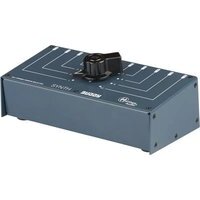
Brand : Heritage Audio
Model : Motorcity EQualizer
Category : Audio software