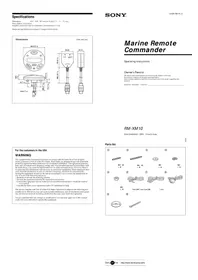
RM-X45RF - Remote control SONY - Free user manual and instructions

Find the device manual for free RM-X45RF SONY in PDF.
SONY RM-X45RF - Remote control
📄 3 pages English EN Download 💬 AI Question 10 questions ⚙️ Specs
Notice SONY RM-X45RF - page 1
Pick your language and provide your email: we'll send you a specifically translated version.
Product TypeRemote Control
BrandSony
ModelRM-X45RF
CompatibilitySony car audio systems with RM-X45RF support
CommunicationInfrared (IR)
Battery TypeCR2025 coin cell (estimated)
Battery LifeApproximately 1 year with normal use
Dimensions (Approx.)50 x 30 x 10 mm
Weight20 g (including battery)
RangeUp to 7 meters (line of sight)
Key FunctionsVolume +/-, Track +/-, Source, Mode, Preset, Mute
MaterialPlastic
ColorBlack (typical)
Operating Temperature0°C to 50°C
Storage Temperature-20°C to 60°C
MaintenanceClean with a soft, dry cloth; avoid liquids
SafetyKeep away from moisture and heat sources
RepairabilityNo user-serviceable parts; replace battery only
Spare PartsBattery type CR2025 widely available

Frequently Asked Questions - RM-X45RF SONY

How do I pair the RM-X45RF remote with my Sony car stereo?
No pairing is required. The remote uses infrared (IR) and should work directly if your stereo supports the RM-X45RF. Aim it directly at the sensor.
What battery does the RM-X45RF use?
It uses a CR2025 coin cell battery. Open the battery compartment on the back and insert with the correct polarity.
How do I replace the battery?
Slide the battery cover off, remove the old battery, and insert a new CR2025 with the + side up. Reattach the cover.
Why is my remote not working?
First, check the battery. If the battery is good, ensure nothing is blocking the IR emitter and that you are within range (up to 7 meters). Also, verify your stereo supports the RM-X45RF.
Can I use this remote with any Sony car stereo?
Not all Sony car stereos are compatible. It is specifically designed for models that support the RM-X45RF. Check your stereo's manual or look for the IR receiver symbol.
How do I clean the remote?
Use a soft, dry cloth to wipe the surface. Do not use any liquids, cleaners, or abrasives as they may damage the plastic.
What does the MODE button do?
The MODE button switches between audio sources, such as radio, CD, USB, or auxiliary input, depending on your stereo.
Can I program buttons for custom functions?
No, the RM-X45RF is a basic remote with fixed function buttons. It does not support programming.
Is the remote waterproof?
No, it is not waterproof. Keep it away from moisture to prevent damage.
Where can I find a replacement RM-X45RF?
You can check online retailers like Amazon, eBay, or local electronics stores. Also, you may find used ones from sellers.

User questions about RM-X45RF SONY

0 question about this device. Answer the ones you know or ask your own.

Ask a new question about this device

Your email remains private: it is only used to notify you if someone answers your question.

No questions yet. Be the first to ask one.

Download the instructions for your Remote control in PDF format for free! Find your manual RM-X45RF - SONY and take your electronic device back in hand. On this page are published all the documents necessary for the use of your device. RM-X45RF by SONY.

USER MANUAL RM-X45RF SONY

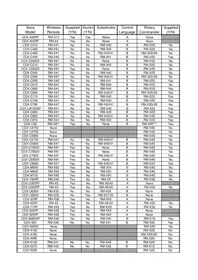
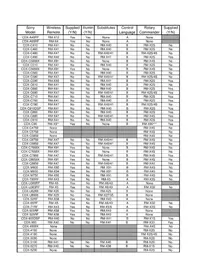
* Remote will not select a Minidisc changer such as a MDX-60/61/62/65. ** Remote is NOT the same as remote for the XR-7600 although model number is identical! *** This wired remote will ONLY work with the CDX-C90
Manual assistant
Powered by Anthropic
Waiting for your message
Product information

Brand : SONY

Model : RM-X45RF

Category : Remote control