
IR-135S - Radio DENVER - Free user manual and instructions
Find the device manual for free IR-135S DENVER in PDF.


| Product Type | Internet Radio with Bluetooth |
| Dimensions (L x D x H) | 180 x 110 x 105 mm |
| Display | 2.4" TFT color display |
| Power Input | 5V, 1.5A via USB-C (adapter included) |
| Battery | Built-in Lithium-ion, 3.7V, 2000 mAh |
| Wireless Network | IEEE 802.11b/g/n, 2.412-2.484 GHz |
| Wireless Security | WEP/WPA/WPA2 |
| Bluetooth Version | V4.2 BR/EDR compliant |
| Bluetooth Range | Up to 10 meters (line of sight) |
| Audio Output | 3.5 mm stereo earphone jack; Stereo line out |
| Speaker | Built-in speaker |
| Internet Radio Service | Skytune (thousands of stations worldwide) |
| Music Streaming | UPnP/DLNA from compatible servers |
| Alarm Clock | Dual alarm with snooze (9 min), wake to tone or favorite station |
| Preset Stations | Store favorites; 3 quick preset buttons |
| Operating Temperature | 0°C to 40°C |
| Standby Mode | Only when mains power connected |
| Package Contents | Internet radio, USB-C power adapter, user manual |
Frequently Asked Questions - IR-135S DENVER
User questions about IR-135S DENVER
0 question about this device. Answer the ones you know or ask your own.
Ask a new question about this device
Download the instructions for your Radio in PDF format for free! Find your manual IR-135S - DENVER and take your electronic device back in hand. On this page are published all the documents necessary for the use of your device. IR-135S by DENVER.
USER MANUAL IR-135S DENVER
Safety information
Please read the safety instructions carefully before using the product for the first time and keep the instructions for future reference.
- This product is not a toy. Keep it out of reach of children.
- Keep product out of the reach of children and pets to avoid chewing and swallowing.
- Product operating and storage temperature is from 0 degree Celsius to 40 degree Celsius. Under and over this temperature might affect the function.
- Never open the product. Touching the inside electrics can cause electric shock. Repairs or service should only be performed by qualified personnel.
- Do not expose to heat, water, moisture, direct sunlight!
- Please protect your ears against loud volume. Loud volume can damage your ears and risk in hearing loss.
- Bluetooth wireless technology operates within a range of about 10 m (30 feet). The maximum communication distance may vary depending on the presence of obstacles (people, metal objects, walls, etc.) or the electromagnetic environment.
- Microwaves emitting from a Bluetooth device may affect the operation of electronic medical devices.
- The unit is not waterproof. If water or foreign objects enter the unit, it may result in fire or electric shock. If water or a foreign object enters the unit, stop use immediately.
- Only charge with supplied Adaptor. The direct plug-in adapter is used as disconnect device, the disconnect device shall remain readily operable. So, make sure there is space around the power outlet for easy access.
- Do not use non original accessories together with the product as this can make the product functionality abnormal.
Location of Controls


1. ⏻
Press and hold to power the radio on/off.
Press to switch to standby mode / activate the radio (standby mode is enabled only when power is connected. It will be disabled when battery power is used).
2.
Back to previous menu/navigation left.
3.
Return to Home screen / Return to the playing screen.
4. ▶
Navigation right / Enter edit menu of the Favorite list / Display the big clock & radio info on the now playing display.
5. Dial / Select / Volume
Rotate to scroll up/down on the menu / Select menu options. Push to confirm / Push to stop / Resume playback of radio channel. Rotate to adjust the volume level.
6. ♥
Press and hold to preset a particular station.
Press to recall the Favorite list.
7. Preset button 1-3
Preset your top three favorite stations.
Press and hold to preset stations.
Press to recall stations.
8.2.4" TFT color display
9. Speaker
-
USB port to connect USB-C cable for charging built-in battery
-
3.5 mm line out jack
-
3.5 mm earphone jack
-
LED indicator for battery charging status
How to Enter the Password for Your Wireless Network
Using control buttons on the radio
Use the [Dial/Select] dial to scroll through the characters, highlight the desired character and press the [Dial/Select] dial to confirm, then enter the next character.
When it comes to the last character of the password, press and hold the [Dial/Select] dial to confirm and complete the entry.
Note: The password is case sensitive.
Getting started
The radio is powered by the built-in lithium battery. A power adapter with USB-C plug is included in the product package.
Press and hold the [ ⏻ ] button to power the radio on.
To power off the radio, press and hold the button again.
Standby mode is enabled only when mains power is connected and so to make use of the alarm clock function.
Connect the power supply to the radio, press and hold the [ ◊ ] button to turn it on. Pressing the [ ◊ ] button again will turn the radio to standby mode.
Internet Radio
On the Home screen, choose Internet Radio to find the options below:
| Tmill | 12:01 |
| Internet Radio | 1/3 |
| < Skytune | > |
| Search(Skytune) | > |
| History | > |
Skytune
Select Skytune to start enjoying thousands of radio stations from all over the world.
You can filter your search by region, genre and talks.
Local Radio lets you quickly access the stations available in your local area through internet connection.
| Till | 12:01 |
| Skytune | 1/5 |
| < Globe Most Popular > | |
| Local Radio | > |
| Globe All | > |
| Globe By Genre | > |
Music Streaming
- Once the UPnP/DLNA compatible server is configured to share media files with your radio, you can start music streaming.
- On the main menu, select Media Centre and choose UPnP.
- It may take a few seconds for the radio to complete the scan for available UPnP servers. If no UPnP servers are found, it will show Empty List.
• After a successful scan, select your UPnP server. - The radio will show the media categories available from the UPnP server, e.g. 'Music', 'Playlists', etc.
- Choose the media files that you wish to play.
You can set the playback mode under Configuration > Playback setup.
Bluetooth playback
- Push the Home button to display the selection menu for the different operating modes.
- Use the left/right/up/down button on the remote control or turn the dial to select the operating mode Bluetooth, then press the dial to confirm.
- Switch your Bluetooth device to which you want to connect the radio on and activate pairing mode. The device scans for Bluetooth devices in the reception range.
- When the radio is found, your Bluetooth device shows its name Denver IR-135-XXXX (the XXXX is an identification code for your radio).
- Select the radio as your Bluetooth device.
- Start playback on your Bluetooth device.
- Playback now takes place using the radio.
Alarm Setting
Important!
In order to use the alarm clock function, connect the radio with to mains power supply to enable standby mode.
When the radio is turned on, press the [ ⏻ ] button to turn the radio to standby mode. Standby mode is disabled when the radio is using internal battery.
- Choose Alarm from the main menu or press the [Alarm] button on the remote control.
- Select either Alarm 1 or Alarm 2, choose Turn on to activate the alarm.
- Follow the alarm wizard instructions to set the alarm.
- The wizard will guide you through the settings below:
| Time | - Set the time for the alarm. |
| Sound | - You can choose Wake to Tone, My Favorite as the alarm source. |
| Repeat | - You can schedule the alarm as everyday, once or multiple days. |
| Alarm Volume | - Adjust the volume of the alarm as you like by rotating the [Dial/Select] knob. |
| Alarm duration | - Set the duration of the alarm from 15 to 180 minutes. The radio will be turned to standby mode when the selected duration of time is due. |
• After the above settings are completed, press the [◀] button to exit and make sure the alarm is turned on. You will see the alarm icon on the display if it is activated.
Stopping the alarm / Activating the snooze function
When the alarm goes off, press the [ ⏻ ] button to stop the alarm or press the [Select] dial to activate the snooze feature.
When snooze is activated, the alarm is muted for 9 minutes and sounds again when the time is due.
You can repeat the process multiple times.
To stop the "Snooze" function, press the [ ⏻ ] button.

Technical Specification
| Model | IR-135B/IR-135S |
| Power input | 5V ≈ 1.5A |
| Voltage | 100-240V~50/60Hz |
| Wireless network | IEEE802.11b/g/n |
| Wireless network frequency | 2412 - 2484 MHZ |
| Wireless transmission power | Typical transmission power 14 dBm (72.2 Mbps); 20 dBm (11b mode) |
| Security Protocol | WEP/WPA/WPA2 |
| Bluetooth version | V4.2 BR/EDR compliant |
| Bluetooth frequency | 2.4 GHz |
| Bluetooth range | 10 meters (line of sight) |
| Built-in Lithium-ion battery | 3.7V, 2000 mAh |
| Audio output | 3.5 mm stereo earphone jack Stereo line out |
| Dimension | 180 x 110 x 105 mm (L x D x H) |
Notes: Specifications may vary without notice
In the box
* Internet Radio
* Power adapter with USB-C plug
* User manual
| Manufacturer's name or trade mark, commercial registration number and address | DONGGUAN OBELIEVE ELECTRONIC CO.,LTD91441900050747698UHuazhaoxin Industrial Park B-4/F,Golden Phoenix Industrial Zone,Fenggan Town,Dongguan ,GuangDong Province,People's Republic of China |
| Model identifier | OBL-0501500E |
| Input voltage | 100-240V |
| Input AC frequency | 50/60Hz |
| Output voltage | 5V |
| Output current | 1.5A |
| Output power | 7.5W |
| Average active efficiency | ≥77.24% |
| Efficiency at low load (10%) | N/A |
| No-load power consumption | ≤0.1W |
Warning: Lithium battery inside
WEEE and Recycling

The European laws do not allow the disposal of old or defective electric or electronic devices with the household waste. Return your product to a municipal collection point for recycling to dispose of it. This system is financed by the industry and ensures environmentally responsible disposal and the recycling of valuable raw materials.
Please notice - All products are subject to change without any notice. We take reservations for errors and omissions in the manual.
ALL RIGHTS RESERVED, COPYRIGHT DENVER A/S

denver.eu

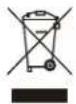
Electric and electronic equipment and included batteries contains materials, components and substances that can be hazardous to your health and the environment, if the waste material (discarded electric and electronic equipment and batteries) is not handled correctly.
Electric and electronic equipment and batteries is marked with the crossed out trash can symbol, seen above. This symbol signifies that electric and electronic equipment and batteries should not be disposed of with other household waste, but should be disposed of separately.
As the end user it is important that you submit your used batteries to the appropriate and designated facility. In this manner you make sure that the batteries are recycled in accordance with legislature and will not harm the environment.
All cities have established collection points, where electric and electronic equipment and batteries can either be submitted free of charge at recycling stations and other collection sites, or be collected from the households. Additional information is available at the technical department of your city.
Hereby, Denver A/S declares that the radio equipment type IR-135 is in compliance with Directive 2014/53/EU. The full text of the EU declaration of conformity is available at the following internet address: denver.eu and then click the search ICON on topline of website. Write model number: IR-135. Now enter product page, and RED directive is found under downloads/other downloads.
Operating Frequency Range: 2.412-2.484 GHz
Max Output Power: 30W / 3W RMS
Bluetooth operating frequency range: 2.400-2.485 GHz
DENVER A/S
Omega 5A, Soeften
DK-8382 Hinnerup
Denmark
www.facebook.com/denver.eu


- Safety information
- Location of Controls
- ⏻
- 2.
- 3.
- ▶
- Dial / Select / Volume
- ♥
- Preset button 1-3
- 8.2.4" TFT color display
- Speaker
- How to Enter the Password for Your Wireless Network
- Using control buttons on the radio
- Getting started
- Internet Radio
- Skytune
- Music Streaming
- Bluetooth playback
- Alarm Setting
- Important!
- Stopping the alarm / Activating the snooze function
- In the box
- Warning: Lithium battery inside
- WEEE and Recycling
Brand : DENVER
Model : IR-135S
Category : Radio