EI 4020 - Wall mount Ecron - Free user manual and instructions
Find the device manual for free EI 4020 Ecron in PDF.


| Product Type | Wall Mount for LCD/TFT/LED/Plasma Screens |
| Brand | Ecron |
| Model | EI 4020 |
| VESA Compatibility | 75x75mm to 400x400mm |
| Max Screen Size | 37" to 70" |
| Weight Capacity | 50 kg (110 lbs) |
| Material | Cold-rolled steel, powder-coated |
| Color | Black |
| Wall Plate Dimensions | 311 x 197 mm (12.2 x 7.8 in) |
| Depth from Wall | Adjustable, 45 to 145 mm (1.8 to 5.7 in) |
| Tilt Range | -5° to +15° |
| Swivel Range | ±30° |
| Rotation | ±90° (landscape to portrait) |
| Mounting Standards | VESA MIS-D, MIS-E, MIS-F |
| Cable Management | Yes, integrated clips |
| Level Adjustment | ±3° |
| Installation | Single stud or concrete wall (hardware included) |
| Cleaning Instructions | Wipe with a soft dry cloth; avoid abrasive cleaners |
| Safety Instructions | Only use on solid walls; check weight limit; install by two people |
| Included Parts | Wall plate, arms, screws, anchors, level, manual |
| Spare Parts Availability | Contact Ecron support for replacement screws and brackets |
| Warranty | 5 years against manufacturing defects |
Frequently Asked Questions - EI 4020 Ecron
User questions about EI 4020 Ecron
0 question about this device. Answer the ones you know or ask your own.
Ask a new question about this device
Download the instructions for your Wall mount in PDF format for free! Find your manual EI 4020 - Ecron and take your electronic device back in hand. On this page are published all the documents necessary for the use of your device. EI 4020 by Ecron.
USER MANUAL EI 4020 Ecron
(1) In effect of the following: 1. In effect of the commercial
IN CHINESE FEDERAL POWER OF CHINESE FOR THE YEAR OF CHINESE.
ECRON
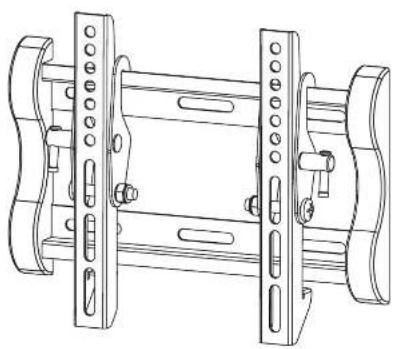
natural_image
Technical line drawing of a mechanical bracket assembly (no text or symbols)SOPORTE PARAPANTALLAS LCD/TFT/LEDIPLASMA
E14020
End-organised commercialization
- For the negatided
m = 311
1
w197min
m = 311
[NO TEXT]
6
w10"ammin
D
(1) 2014年1月1日
[Unreadable]
[Non-Text]
④
单位标注
The image is too blurry to recognize any text content.
[Non-Text] - 26
8.5.12 Tmnl - m = 311
145 30 Travel
10.25(12:4)
©
表 1.03
MORIANO
m = 311
(4)
(5) [a]
[Non-Text]
[Non-Text]
V: - 2017年1月1日至2017年12月31日(含)的公司股票交易均价为4.56元/股,与前一交易日收盘价相比,涨幅为-0.97%。
- 2017年1月1日至2017年12月31日(含)的公司股票交易均价为4.56元/股,与前一交易日收盘价相比,涨幅为-0.97%。
The Ground Truth image displays a single, solid horizontal line. According to Rule 2 (UNDERSCORE & LINE RULES), this is a stylistic or background line, not a placeholder underscore. Therefore, the OCR result must ignore it. The provided OCR content is "____", which consists of four underscores. This is an incorrect interpretation of the line as a placeholder, violating the rule that stylistic lines must be ignored. The OCR has hallucinated text (underscores) where none should exist, violating the rule to ignore such lines. Hence, the OCR result is inconsistent with the Ground Truth.
起
[Non-Text]
[Non-Text]
六、备查
[Non-Text]
[Non-Text]
C
。


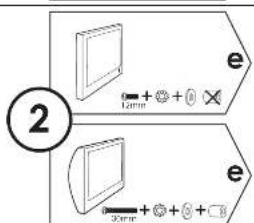
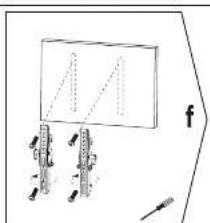
natural_image
Simple line drawing of a rectangular object with internal lines and a small mechanical component below (no text or symbols)
natural_image
Diagram showing a cylindrical object being processed by a rectangular device, with no visible text or symbols.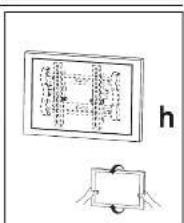

Brand : Ecron
Model : EI 4020
Category : Wall mount