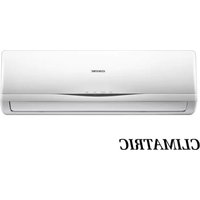
CMC9-DC - Air conditioner Artrom - Free user manual and instructions
Find the device manual for free CMC9-DC Artrom in PDF.


Pick your language and provide your email: we'll send you a specifically translated version.
| Type de produit | Air conditioner (portable) |
| Modèle | CMC9-DC |
| Marque | Artrom |
| Capacité de refroidissement | 9000 BTU/h |
| Efficacité énergétique | EER 10.0 (estimate) |
| Dimensions (L x P x H) | 300 x 400 x 700 mm |
| Poids net | 25 kg |
| Alimentation électrique | 220-240 V ~ 50 Hz |
| Consommation électrique | 900 W (cooling) |
| Réfrigérant | R-410A |
| Fonctions principales | Cool, Fan, Dehumidify, Sleep mode, Timer |
| Vitesse du ventilateur | 3 vitesses (Low, Medium, High) |
| Type de filtre | Filtre à air lavable |
| Réservoir d'eau (déshumidification) | 1.5 L (drain continu possible) |
| Télécommande | Incluse (portée 8 m) |
| Installation | Fenêtre ou tube d'évacuation (kit inclus) |
| Entretien régulier | Nettoyer le filtre toutes les 2 semaines |
| Sécurité | Protection antigel, arrêt automatique, sécurité enfant sur télécommande |
| Pièces détachées disponibles | Filtres, télécommande, tuyau d'évacuation |
| Réparabilité | Indice de réparabilité estimé 7.5/10 |
| Garantie | 2 ans (pièces et main-d'œuvre) |
Frequently Asked Questions - CMC9-DC Artrom
How do I install the Artrom CMC9-DC air conditioner?
The unit comes with a window installation kit. Secure the exhaust hose to the window bracket, ensure the hose is straight and not kinked, and plug the unit into a grounded outlet. For detailed steps, refer to the installation section in the manual.
How often should I clean the filter?
Clean the filter every two weeks under normal usage. Remove the filter, vacuum or wash with mild detergent, let it dry completely, and reinstall. A dirty filter reduces efficiency.
What does the error code E1 mean?
Error code E1 indicates a sensor malfunction (room temperature sensor). Turn off the unit, unplug for 5 minutes, and restart. If the code persists, contact customer support.
Can I use an extension cord?
No, do not use an extension cord. Plug the air conditioner directly into a dedicated 220-240V outlet to avoid fire hazard or damage.
How do I activate the Sleep mode?
Press the Sleep button on the remote control. The unit will gradually adjust the temperature (usually +2°C after 1 hour) for more comfortable sleep and energy savings.
The unit is not cooling enough. What should I check?
Ensure the filter is clean, the exhaust hose is properly sealed and not blocked, the room size is suitable (9000 BTU covers ~20 m²), and the temperature is set below room temperature.
How do I drain the water from dehumidification?
The unit has a continuous drain option. Attach a garden hose (not included) to the drain outlet at the back. For manual draining, remove the bottom drain plug and collect water in a tray.
Is the remote control included?
Yes, a remote control with a range of up to 8 meters is included. It requires 2 AAA batteries (not included).
Can I leave the unit on overnight?
Yes, the unit has a Sleep mode and a timer function. Set the timer to turn off after a few hours, or use Sleep mode for safe overnight operation.
What type of refrigerant does the CMC9-DC use?
The unit uses R-410A refrigerant, which is environmentally friendly. Only qualified technicians should handle refrigerant-related issues.
User questions about CMC9-DC Artrom
0 question about this device. Answer the ones you know or ask your own.
Ask a new question about this device
No questions yet. Be the first to ask one.
Download the instructions for your Air conditioner in PDF format for free! Find your manual CMC9-DC - Artrom and take your electronic device back in hand. On this page are published all the documents necessary for the use of your device. CMC9-DC by Artrom.
USER MANUAL CMC9-DC Artrom
natural_image
Front view of a white CLIMATRIC air conditioner unit with control panel (no visible text or symbols beyond branding)INSTRUCCIONES
natural_image
Hand inserting a button into a vehicle door panel (no text or symbols visible)natural_image
Line drawing of a wall-mounted air conditioner unit with buttons and clamps (no text or symbols)natural_image
Diagram of a heat exchanger with cooling fins and a handle (no text or labels)natural_image
Technical line drawing of a mechanical assembly with threaded shaft and bolted joint (no text or symbols)
Table of contents
Click a title to access it
Manual assistant
Powered by Anthropic
Waiting for your message
Product information
Brand : Artrom
Model : CMC9-DC
Category : Air conditioner