
VC-20-SE - Controller Magnus - Free user manual and instructions
Find the device manual for free VC-20-SE Magnus in PDF.


| Product Type | Zoom Controller |
| Brand | Magnus |
| Model | VC-20-SE |
| Compatibility | Canon and Fujinon ENG lenses |
| Cable Type | Built-in 8-pin ENG cable |
| Cable Length | 31" (78.7 cm) |
| Clamp Opening | 1.25" (31.75 mm) |
| Dimensions (W x D x H) | 3.58 x 2.22 x 3.28" (90.9 x 56.4 x 83.3 mm) |
| Weight | 4 oz (113.4 g) |
| Power Source | Powered by camera via ENG interface |
| Zoom Control | Pressure-sensitive rocker switch (variable speed) |
| Record Control | Red REC/RET button (press once to start, again to stop) |
| Return Function | Allows reviewing footage and returning to stop point; controlled by REC/RET slider and button |
| Selector Slider | Switches between Canon (C) and Fujinon (F) lens compatibility |
| Mounting | Clamp mounts to pan handle, jib, tube, or bar |
| Material | Plastic and metal construction |
| Warranty | One-year limited warranty |
| Included Accessories | VC-20-SE controller, built-in 8-pin ENG cable, user manual |
| Safety Precautions | Keep away from water and flammable gases; do not disassemble; avoid direct sunlight |
| Maintenance | Keep cable socket and mini jack clean; use compatible cables only |
Frequently Asked Questions - VC-20-SE Magnus
User questions about VC-20-SE Magnus
0 question about this device. Answer the ones you know or ask your own.
Ask a new question about this device
Download the instructions for your Controller in PDF format for free! Find your manual VC-20-SE - Magnus and take your electronic device back in hand. On this page are published all the documents necessary for the use of your device. VC-20-SE by Magnus.
USER MANUAL VC-20-SE Magnus
VC-20-SE
Owner's Manual
MAGNUS™
Zoom Controller
Thank you for choosing Magnus.
Thank you for choosing the Magnus VC-20-SE Zoom Controller. This lightweight, compact ENG device has a built-in 8-pin ENG cable that gives you control of Record and Zoom functions. The VC-20-SE is compatible with a variety of Canon and Fujinon lenses.
A built-in clamp allows you to mount the VC-20-SE to the pan handle of your tripod or to a jib, tube, pipe, or bar. A pressure-sensitive rocker switch easily regulates the zoom speed—this allows you to maintain control over your camcorder while zooming and panning at the same time without taking your hand off of the pan handle. If you press the zoom switch with more force, the lens will zoom faster. If you press the switch with less force, the lens will zoom more slowly.
A built-in Return switch allows you to review video footage in your camera and then return to the point at which you stopped recording. This can prevent a break in the time-code after reviewing your footage. The VC-20-SE will help you achieve a more polished, fluid look with your video productions.

.Image is for illustration purposes only
Includes:
• Magnus VC-20-SE Zoom Controller
• Built-in 8-pin ENG cable for use with Canon or Fujinon lenses
- User instruction manual
• One-year limited warranty
Mount the controller to the pan handle
1 If you’re using the built-in ENG cable, move the selector slider to the correct position—“C” for Canon or “F” for Fujinon.
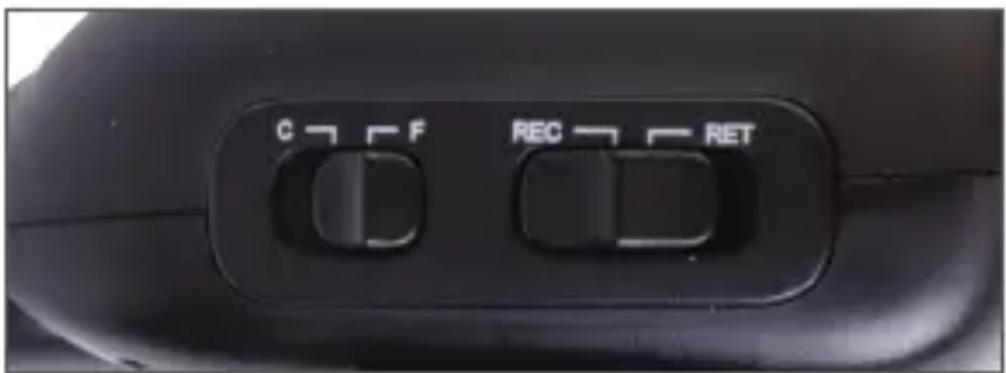
2 If you're using the optional Magnus Accessory Cable AC-ESX for ENG to Sony EX, carefully align the pins and slide the metallic end of the adapter cable firmly onto the ENG cable. Set the selector slider to the "C" position.
3 Loosen the clamp using the clamp knob.

4 Place the controller on the pan handle, with the handle centered in the clamp's V shape.

5 Hand-tighten the clamp securely.

Attach the ENG control to the lens
1 Be certain that the camcorder is turned off.
2 Move the REC/RET selector slider to REC.
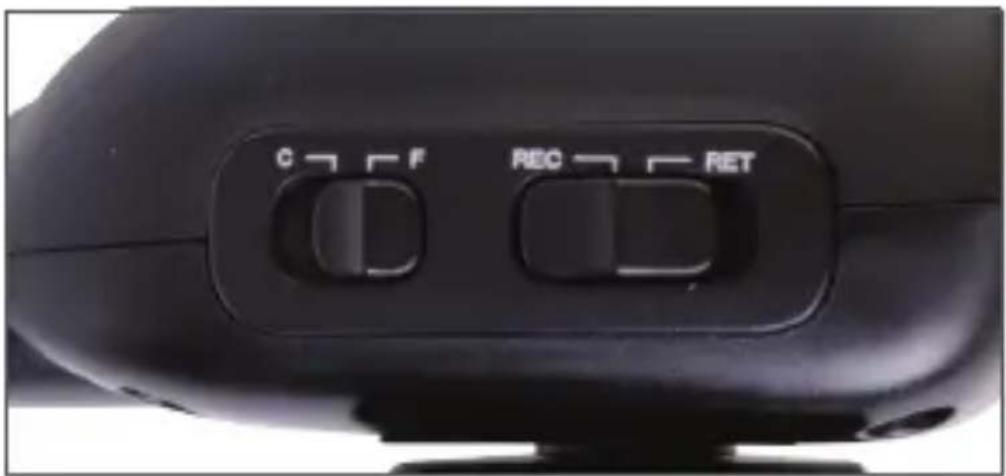
3 Carefully insert the control cable plug into the lens's ENG socket.

Note: When plugging or unplugging the control cable, always hold the plug firmly—don’t pull the cable.
Operation
1 Press the red REC/RET button to begin recording; to stop recording, press the red button again.

2 Use the variable-speed zoom rocker switch to control the zoom function.

3 Press the side of the switch marked “W” to zoom out to a more wide-angle view; press the “T” side to zoom into a more telephoto view.
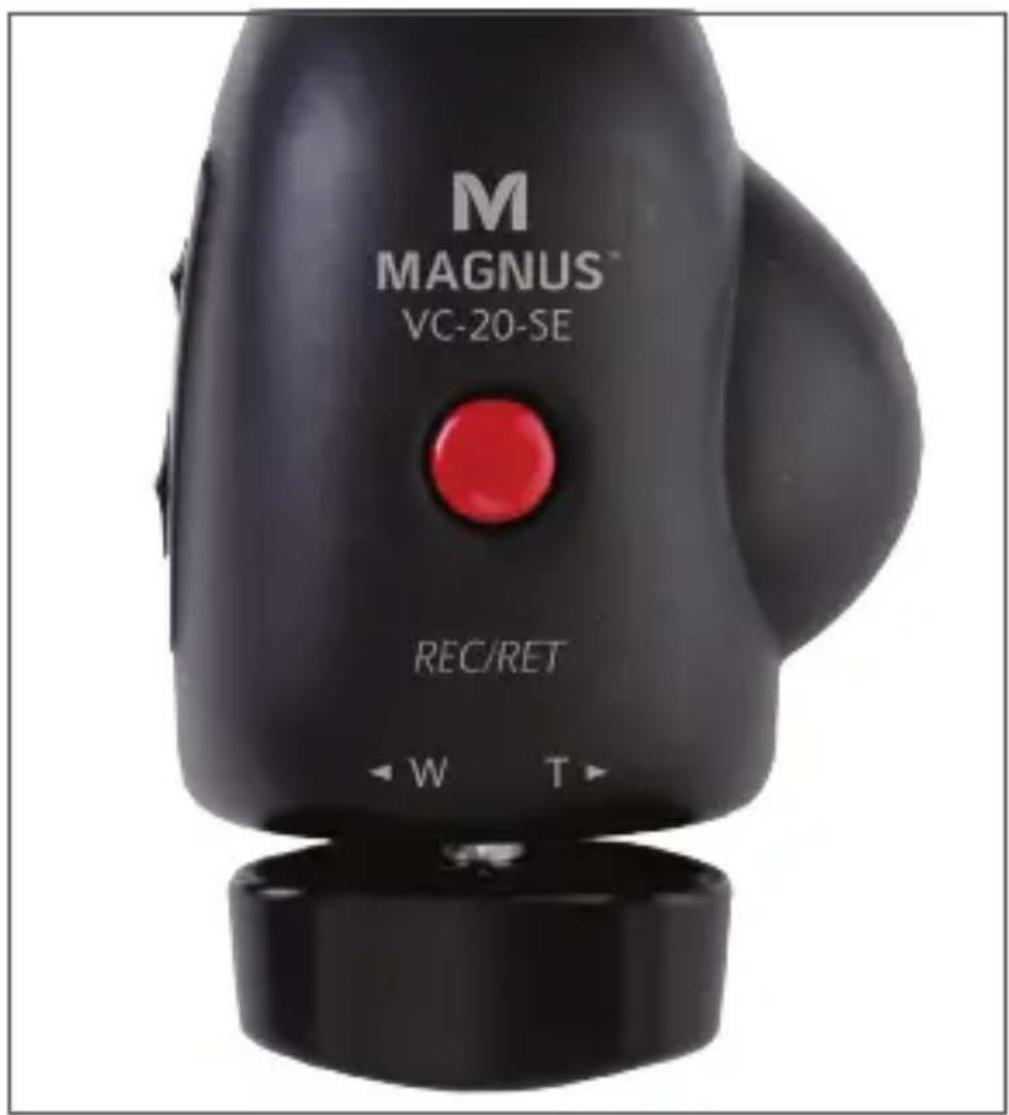
4 Pressing the switch with more force increases the speed of the zoom; pressing with less force decreases the speed of the zoom.
5 You can stop recording to check your footage. After reviewing your footage, move the REC/RET selector slider to RET. Push the red REC/RET button. This will return the tape to the point at which you stopped recording and prevent a break in the time code.
6 After the tape returns to the point at which you stopped recording, move the selector slider back to REC, and push the red REC/RET button to resume recording.
Specifications
- Cable length: Built-in ENG cable--31" (78.7 cm)
- Clamp size (open): 1.25" (31.75 mm)
- Dimensions: 3.58 × 2.22 × 3.28'' (90.9 × 56.4 × 83.3 mm)
• Weight: 4 oz. (113.4 g)
Warnings
- Please read and follow these instructions, and keep this manual in a safe place.
- Make sure the item is intact and that there are no missing parts.
- Keep this unit away from water and any flammable gases or liquids.
- Do not attempt to disassemble or repair the equipment—doing so will void the warranty, and Magnus will not be responsible for any damage.
- Handle the unit with care.
- Keep cable socket and mini jack clean.
- Keep unit away from children.
- Use only parts provided by the manufacturer.
- Do not store unit in direct sunlight or in hot environments.
- Use compatible cables only.
- Use care when inserting or removing a cable to avoid damage to the unit.
- Disconnect unit from lens when not in use.
- All photos are for illustrative purposes only.
ONE (1) yEAr IIMITEd WArrANTy
Magnus provides a limited warranty to the original purchaser that this product is free from defects in materials and workmanship under normal consumer use for a period of one (1) year from the original purchase date or thirty (30) days after replacement, whichever occurs later. Magnus's responsibility with respect to this limited warranty shall be limited solely to repair or replacement, at Magnus's discretion, of any product that fails during normal consumer use. Inoperability of the product or part(s) shall be determined by Magnus. If the product has been discontinued, we reserve the right to replace it with a model of equivalent quality and function. To obtain warranty coverage, contact Magnus to obtain a return merchandise authorization ("RMA") number, and return the defective product to Magnus, along with the RMA number and proof of purchase. Shipment of the defective product is at the purchaser's own risk. This warranty does not cover damage or defect caused by misuse, neglect, accident, alteration, abuse, improper installation or maintenance. EXCEPT AS PROVIDED HEREIN, MAGNUS MAKES NEITHER ANY EXPRESS WARRANTIES NOR ANY IMPLIED WARRANTIES, INCLUDING BUT NOT LIMITED TO ANY IMPLIED WARRANTY OF MERCHANTABILITY OR FITNESS FOR A PARTICULAR PURPOSE. This warranty provides you with specific legal rights, and you may also have additional rights that vary from state to state.

MAGNUS™ A Gradus Group Brand
www.MagnusTripods.com
© Copyright 2013 Gradus Group LLC
M MAGNUS TM
www.MagnusTripods.com
© Copyright 2013 Gradus Group LLC
Brand : Magnus
Model : VC-20-SE
Category : Controller