MS956GT - Mouse XD - Free user manual and instructions
Find the device manual for free MS956GT XD in PDF.


Pick your language and provide your email: we'll send you a specifically translated version.
| Brand | XD |
| Model | MS956GT |
| Product Type | Wireless Mouse |
| Connectivity | 2.4 GHz RF |
| Sensor Type | Optical |
| Resolution (DPI) | 800 / 1200 / 1600 (switchable) |
| Number of Buttons | 6 |
| Scroll Wheel | Yes, with middle button |
| Battery Type | 2 x AA (not included) |
| Battery Life | Up to 12 months (estimated) |
| Dimensions (L x W x H) | 125 x 75 x 40 mm |
| Weight (with batteries) | 120 g |
| Operating Distance | Up to 10 m |
| Compatible Operating Systems | Windows, macOS, Linux |
| Interface | USB receiver |
| Cleaning Instructions | Wipe with a dry soft cloth; avoid liquids |
| Safety Warnings | Do not disassemble; keep away from water |
| Spare Parts Availability | Batteries only |
| Repair Information | No user-serviceable parts; contact support |
| General Information | Ergonomic design for right-handed use |
Frequently Asked Questions - MS956GT XD
How do I pair the mouse with my computer?
Insert the USB receiver into an available USB port, then turn on the mouse using the power switch. The mouse will connect automatically. If not, press the pairing button on the bottom of the mouse.
What batteries does the MS956GT mouse require?
The mouse requires 2 AA batteries (not included). Please use alkaline or rechargeable NiMH batteries for best performance.
How do I change the DPI setting?
Press the DPI button on top of the mouse to cycle through DPI levels (800, 1200, 1600). The LED indicator will change color corresponding to each setting.
Why is my mouse cursor not moving?
Check that the mouse is turned on and the USB receiver is properly plugged in. Replace the batteries if low. Try moving the receiver to a different USB port or closer to the mouse.
Can I use this mouse with a gaming console?
The mouse is designed for computers with USB ports. Some gaming consoles may support USB mice, but compatibility is not guaranteed. Check your console's specifications.
How do I clean the mouse?
Turn off the mouse and remove batteries. Wipe the exterior with a soft, dry cloth. Do not use liquids or abrasive cleaners. Clean the sensor gently with a cotton swab if needed.
What is the operating range of the wireless connection?
The wireless range is up to 10 meters (33 feet) in open air. Obstacles like walls or metal objects may reduce the range.
Is the mouse compatible with macOS?
Yes, the mouse works with macOS. No additional drivers are required; it uses standard HID drivers.
How long does the battery last?
Battery life depends on usage. Under typical use, a set of alkaline batteries can last up to 12 months.
What should I do if the mouse stops working?
First, check batteries and receiver. Try restarting your computer. If the issue persists, contact XD support for assistance.
User questions about MS956GT XD
0 question about this device. Answer the ones you know or ask your own.
Ask a new question about this device
No questions yet. Be the first to ask one.
Download the instructions for your Mouse in PDF format for free! Find your manual MS956GT - XD and take your electronic device back in hand. On this page are published all the documents necessary for the use of your device. MS956GT by XD.
USER MANUAL MS956GT XD

1
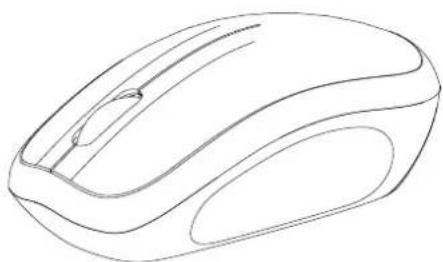
RF2.4GHz Optical Mouse

Manual assistant
Powered by Anthropic
Waiting for your message
Product information
Brand : XD
Model : MS956GT
Category : Mouse