HD10A-PLUS - Audio/video converter AJA - Free user manual and instructions
Find the device manual for free HD10A-PLUS AJA in PDF.


| Type | Audio/Video Converter |
| Brand | AJA |
| Model | HD10A-PLUS |
| Input | HD-SDI (BNC) |
| Output | Analog Composite/Component (BNC) |
| Video Standards | 1080i, 720p, 480i (NTSC/PAL) |
| Audio | Embedded SDI audio de-embedded to analog (2-channel) |
| Power | +5V DC via external adapter (included) |
| Dimensions | 4.6 x 2.75 x 1.0 inches (117 x 70 x 25 mm) |
| Weight | 0.5 lbs (227 g) |
| Operating Temperature | 0 to 40°C |
| Included Accessories | Power supply, user manual |
| Compliance | CE, FCC |
| Maintenance | Clean with dry cloth; do not use liquids |
| Safety | Use only supplied power adapter; avoid moisture and extreme temperatures |
| Spare Parts | Contact AJA support for replacement parts |
Frequently Asked Questions - HD10A-PLUS AJA
User questions about HD10A-PLUS AJA
0 question about this device. Answer the ones you know or ask your own.
Ask a new question about this device
Download the instructions for your Audio/video converter in PDF format for free! Find your manual HD10A-PLUS - AJA and take your electronic device back in hand. On this page are published all the documents necessary for the use of your device. HD10A-PLUS by AJA.
USER MANUAL HD10A-PLUS AJA
Installation & Operation Guide
Version 1.0r1
Published: April 1, 2014
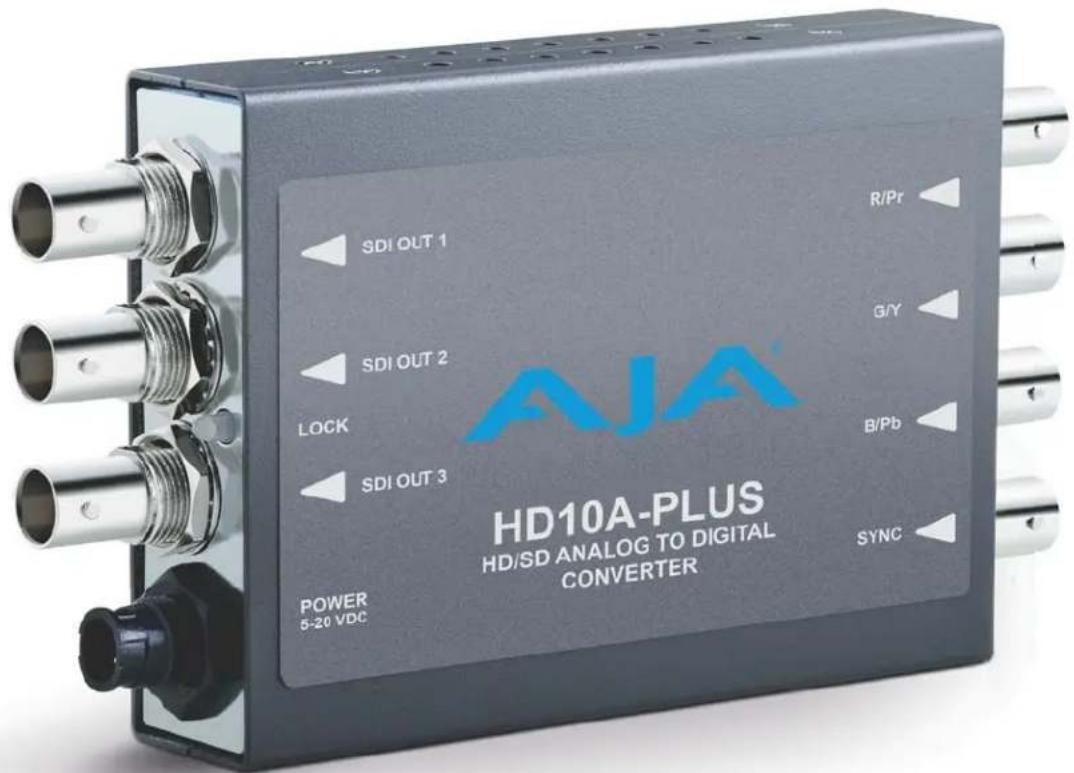
Table of Contents
Notices....3
Trademarks 3
Copyright 3
Contacting Support 3
HD10A-Plus HD/SD Analog to Digital Converter....4
Introduction 4
Features 4
Block Diagram.... 5
I/O Connections 5
User Controls.... 6
DIP Switches 6
DIP Switch Settings Summary 7
Installation....7
Specifications 8
Appendix A: Safety and Compliance....9
Federal Communications Commission (FCC) Compliance Notices 9
Class B Interference Statement 9
FCC Caution 9
Canadian ICES Statement.... 9
European Union and European Free Trade Association (EFTA)
Regulatory Compliance.... 10
Declaration of Conformity.... 10
Korea KCC Compliance Statement 11
Taiwan Compliance Statement 11
Japanese Compliance Statement 11
Translated Warning and Caution Messages.... 11
Before Operation Please Read These Instructions 12
Warranty Information....18
Limited Warranty.... 18
Notices
Trademarks
AJA^® , KONA®, Ki Pro®, KUMO® and XENA® are registered trademarks of AJA Video, Inc., TruZoom™, TruScale™, KiPro Mini™, Io Express™, Io HD™, Io™ and "Work. Flow." are trademarks of AJA Video, Inc. AirPort, Apple, the Apple logo, AppleShare, AppleTalk, FireWire, iPod, iPod Touch, Mac, and Macintosh are registered trademarks of Apple Computer, Inc. Final Cut Pro, QuickTime and the QuickTime Logo are trademarks of Apple Computer, Inc. Avid, Avid Media Composer and Avid DNxHD are trademarks of Avid Technology, Inc. All other trademarks are the property of their respective holders.
HDMI, the HDMI logo and High-Definition Multimedia Interface are trademarks or registered trademarks of HDMI Licensing LLC. DVI is a registered trademark of DDWG. All other trademarks are the property of their respective holders.
Copyright
Copyright © 2014 AJA Video, Inc. All rights reserved. All information in this manual is subject to change without notice. No part of the document may be reproduced or transmitted in any form, or by any means, electronic or mechanical, including photocopying or recording, without the express written permission of AJA Inc.
Contacting Support
When calling for support, have all information at hand prior to calling.
To contact AJA Video for sales or support, use any of the following methods:
Telephone: +1.530.271.3190
FAX:+1.530.271.3140
Web: http://www.aja.com
Support Email: support@aja.com
Sales Email: sales@aja.com
HD10A-Plus HD/SD Analog to Digital Converter

Introduction
The HD10A-Plus is a miniature, high-quality, 10-bit analog to digital converter for HD workflows. The HD10A-Plus can add an HD or SD SDI output to cameras, VTRs, or other analog-only equipment, even computers with HD RGB graphics. The HD10A-Plus accepts HD YPbPr or RGB analog and outputs three duplicate SDI signals, and works in 1080i, 1080psf, and 720p with internal or external sync. The HD10A-Plus also includes SD mode composite, S-Video, and component support for PAL and NTSC needs.
Features
• High-Quality 10-bit HDTV A/D Conversion
• Full Bandwidth Component HD RGB or YPbPr Input
• Three HD-SDI or SD-SDI Outputs
- Multi-Standard
- SD mode support
- Internal or External Sync
• DIP switch configuration
• Bi-level/tri-level sync capable
• DWP-U-R1 Power Supply (included)
- 5 year warranty
Figure 1. HD10A-Plus Analog Component to Serial Digital HD Converter

flowchart
graph LR
    A["Composite R Pr Y Y C"] --> B["Filter"]
    A --> C["Filter"]
    A --> D["Filter"]
    B --> E["Input Select"]
    C --> E
    D --> E
    E --> F["A/D Converter & Decoder"]
    F --> G["Color Space Converter"]
    G --> H["Serialize"]
    H --> I["HD/SD Serial Digital OUTPUTS"]
    J["RGB Sync Input"] --> K["Int Ext (Select Internal or External RGB Sync)"]
    K --> L["Sync Lock"]
    L --> F
    M["SDI Out 1"] --> F
    N["SDI Out 2"] --> F
    O["SDI Out 3"] --> F
I/O Connections
Figure 2. HD10A-Plus, Side View

The Lock LED indicates valid input video by color. Green is SD video, red is HD video, off is no input.
DIP Switches
The user interface for the HD10A-Plus is an 8-switch DIP accessible through a cut-out in the bottom of the unit. Use the DIP switches to configure the unit.
Figure 3. HD10A-Plus DIP Switches:

Table 1. HD10A-Plus DIP Switch Settings
| Switch FUNCTION LEFT RIGHT | |||
| 1 | SD Video | Selects Component input | Selects Composite input(use G/Y connector) |
| 2 | S-Video | Selects SD Composite input | Selects SD S-Video input |
| 3 Pedestal | Selects component with pedestal | Selects component SD input with no pedestal | Selects component SD input with no pedestal |
| 4 Format | Selects YPbPr component input | Selects RGB component input | Selects RGB component input |
| 5 | NTSC-J | Selects OFF | Selects ON |
| 6 | Sync | Selects Internal sync | Selects External RGB sync |
| 7 AUX 1 | (not used) | ||
| 8 AUX 2 | (not used) | ||
DIP Switch Settings Summary
Analog video input formats and the DIP switch settings for them are shown in Table 2.
Table 2. Analog Input Format DIP Switch Settings
| DIP Switch Settings | ||||||
| Input Std Input | Analog Format | 1 SD Video | 2 S-Video | 3 Pedestal | 4 Format | 5 NTSC-J |
| 525i59.94 | Composite NTSC | Right | Left | X | X | Left |
| 525i59.94 | NTSC S-Video | Right | Right | X | X | Left |
| 525i59.94 | Composite NTSC-J | Right | Left | X | X | Right |
| 525i59.94 | NTSC-J S-Video | Right | Right | X | X | Right |
| 525i59.94 | Component YPbPr SMPTE/EBU-N10 | Left | X | Right | Left | Left |
| 525i59.94 | Component YPbPr Betacam | Left | X | Left | Left | Left |
| 525i59.94 | Component YPbPr Betacam-J | Left | X | X | Left | Right |
| 625i50 | Composite PAL + S-Video | Right | Left | X | X | X |
| 625i50 | PAL S-Video | Right | Right | X | X | X |
| 625i50 | Component YPbPr SMPTE/EBU-N10 | Left | X | X | Left | X |
| 720p * | Component YPbPr SMPTE/EBU-N10 | X | X | X | Left | X |
| 720p * | Component RGB | X | X | X | Right | X |
| 1080i/psf * | Component YPbPr SMPTE/EBU-N10 | X | X | X | Left | X |
| 1080i/psf * | Component RGB | X | X | X | Right | X |
| * = all supported frame rates Note: X = don't care | ||||||
Installation
Typically, HD10A-Plus installation consists of the following:
- Configure the DIP switch for the desired equipment configuration and video formats. Power to the converter may be on or off when this is done (the converter will respond to DIP switch changes at the time they are made, so power cycling is not necessary)
- Ensure video equipment is properly connected to the converter. Check all converter BNC connections.
- Ensure the converter has a proper power supply source: +5 to +20VDC power. The AJA power supply model DWP is included.
Specifications
Formats · 525i/625i, 1080i 50/59.94/60 Hz
• 1080psf 23.98/24/25/29.97/30 Hz
• 720p 50/59.94/60 Hz
Inputs • HD component YPbPr, RGB (SMPTE-274, 296), BNC
- SD component (Betacam, SMPTE/EBU-N10)/composite/YC (S-Video), BNC
- External RGB Sync
Outputs HD/SD-SDI, SMPTE-259/292, 3 x BNC
Frequency Response · Y + 0, -.5 dB to 30 MHz
• C +/- .25 dB to 15 MHz
User Controls External DIP switch
- Component/Composite (SD Only)
• S-Video (off/on) (SD Only)
- Pedestal Present (on/off) (SD Only)
- Format (YPbPr/RGB) (HD Only)
• NTSC-J (off/on) (SD 525i Only)
• SYNC (INT/EXT)
Physical 5.8" x 3.1" x 1" (147 x 79 x 25 mm)
Power +5-20 VDC, 4 watts
Appendix A: Safety and Compliance
Federal Communications Commission (FCC) Compliance Notices
Class B Interference Statement
This equipment has been tested and found to comply with the limits for a Class B digital device, pursuant to Part 15, Subpart B of the FCC Rules. These limits are designed to provide reasonable protection against harmful interference in a residential installation. This equipment generates, uses, and can radiate radio frequency energy and, if not installed and used in accordance with the instructions, may cause harmful interference to radio communications. However, there is no guarantee that interference will not occur in a particular installation. If this equipment does cause harmful interference to radio or television reception, which can be determined by turning the equipment off and on, the user is encouraged to try to correct the interference by one or more of the following measures:
- Reorient or relocate the receiving antenna.
- Increase the separation between the equipment and receiver.
- Connect the equipment into an outlet on a circuit different from that to which the receiver is connected.
- Consult the dealer or an experienced radio/TV technician for help.
FCC Caution
This device complies with Part 15 of the FCC Rules. Operation is subject to the following two conditions: (1) This device may not cause harmful interference, and (2) this device must accept any interference received, including interference that may cause undesired operation.
Canadian ICES Statement
Canadian Department of Communications Radio Interference Regulations
This digital apparatus does not exceed the Class A limits for radio-noise emissions from a digital apparatus as set out in the Radio Interference Regulations of the Canadian Department of Communications. This Class A digital apparatus complies with Canadian ICES-003.
European Union and European Free Trade Association (EFTA) Regulatory Compliance
This equipment may be operated in the countries that comprise the member countries of the European Union and the European Free Trade Association. These countries, listed in the following paragraph, are referred to as The European Community throughout this document:
AUSTRIA, BELGIUM, BULGARIA, CYPRUS, CZECH REPUBLIC, DENMARK, ESTONIA, FINLAND, FRANCE, GERMANY, GREECE, HUNGARY, IRELAND, ITALY, LATVIA, LITHUANIA, LUXEMBOURG, MALTA, NETHERLANDS, POLAND, PORTUGAL, ROMANIA, SLOVAKIA, SLOVENIA, SPAIN, SWEDEN, UNITED KINGDOM, ICELAND, LICHTENSTEIN, NORWAY, SWITZERLAND
Declaration of Conformity
Marking by this symbol indicates compliance with the Essential Requirements of the EMC Directive of the European Union 2004/108/EC.

Safety: CB- IEC 60065:2001 + A1:2005
NRTL - UL 60065:2003 R11.06, CSA C22.2 NO. 60065:2003 + A1:06
GS - EN 60065:2002 + A1
Additional licenses issued for specific countries available on request.
Emissions: EN 55103-1: 1996
EN61000-3-2:2006, EN61000-3-3:1995 +A1:2001 +A2:2005
Immunity: EN 55103-2: 1996
EN61000-4-2:1995 + A1:1999 + A2:2001, EN61000-4-3:2006, EN61000-4-4:2004,
EN 61000-4-5: 2005, EN 610004-6:2007, EN61000-4-11:2004
The product is also licensed for additional country specific standards as required for the International Marketplace

Warning!
This is a Class B product. In a domestic environment, this product may cause radio interference, in which case, the user may be required to take appropriate measures.
Korea KCC Compliance Statement
Taiwan Compliance Statement
This is a Class B product based on the standard of the Bureau of Standards, Metrology and Inspection (BSMI) CNS 13438, Class B.
Japanese Compliance Statement
2. Class B ITE
This is a Class B product based on the standard of the VCCI Council. If this is used near a radio or television receiver in a domestic environment, it may cause radio interference. Install and use the equipment according to the instruction manual.
Translated Warning and Caution Messages
The following caution statements, warning conventions, and warning messages apply to this product and manual.

Warning Symbol

Caution Symbol

Warning!
Read and follow all warning notices and instructions marked on the product or included in the documentation.
Do not use this device near water and clean only with a dry cloth.
Do not block any ventilation openings. Install in accordance with the manufacturer's instructions.
Do not install near any heat sources such as radiators, heat registers, stoves, or other apparatus (including amplifiers) that produce heat.
Since the Mains plug is used as the disconnection for the device, it must remain readily accessible and operable.
Disconnect the external AC power supply line cord(s) from the mains power before moving the unit.
Do not defeat the safety purpose of the polarized or grounding-type plug. A polarized plug has two blades with one wider than the other. A grounding type plug has two blades and a third grounding prong. The wide blade or the third prong are provided for your safety. If the provided plug does not fit into your outlet, consult an electrician for replacement of the obsolete outlet.
Protect the power cord from being walked on or pinched particularly at plugs, convenience receptacles, and the point where they exit from the device.
Unplug this device during lightning storms or when unused for long periods of time.
Refer all servicing to qualified service personnel. Servicing is required when the device has been damaged in any way, such as power-supply cord or plug is damaged, liquid has been spilled or objects have fallen into the device, the device has been exposed to rain or moisture, does not operate normally, or has been dropped.
This device is a Class B product. Operation of this equipment in a residential area is likely to cause harmful interference, in which case users will be required to take whatever measures may be necessary to correct the interference at their own expense.
Do not open the chassis. There are no user-serviceable parts inside. Opening the chassis will void the warranty unless performed by an AJA service center or licensed facility.
Warranty Information
Limited Warranty
AJA Video warrants that this product will be free from defects in materials and workmanship for a period of five years from the date of purchase. If a product proves to be defective during this warranty period, AJA Video, at its option, will either repair the defective product without charge for parts and labor, or will provide a replacement in exchange for the defective product.
In order to obtain service under this warranty, you the Customer, must notify AJA Video of the defect before the expiration of the warranty period and make suitable arrangements for the performance of service. The Customer shall be responsible for packaging and shipping the defective product to a designated service center nominated by AJA Video, with shipping charges prepaid. AJA Video shall pay for the return of the product to the Customer if the shipment is to a location within the country in which the AJA Video service center is located. Customer shall be responsible for paying all shipping charges, insurance, duties, taxes, and any other charges for products returned to any other locations.
This warranty shall not apply to any defect, failure or damage caused by improper use or improper or inadequate maintenance and care. AJA Video shall not be obligated to furnish service under this warranty a) to repair damage resulting from attempts by personnel other than AJA Video representatives to install, repair or service the product, b) to repair damage resulting from improper use or connection to incompatible equipment, c) to repair any damage or malfunction caused by the use of non-AJA Video parts or supplies, or d) to service a product that has been modified or integrated with other products when the effect of such a modification or integration increases the time or difficulty of servicing the product.
THIS WARRANTY IS GIVEN BY AJA VIDEO IN LIEU OF ANY OTHER WARRANTIES, EXPRESS OR IMPLIED. AJA VIDEO AND ITS VENDORS DISCLAIM ANY IMPLIED WARRANTIES OF MERCHANTABILITY OR FITNESS FOR A PARTICULAR PURPOSE. AJA VIDEO'S RESPONSIBILITY TO REPAIR OR REPLACE DEFECTIVE PRODUCTS IS THE WHOLE AND EXCLUSIVE REMEDY PROVIDED TO THE CUSTOMER FOR ANY INDIRECT, SPECIAL, INCIDENTAL OR CONSEQUENTIAL DAMAGES IRRESPECTIVE OF WHETHER AJA VIDEO OR THE VENDOR HAS ADVANCE NOTICE OF THE POSSIBILITY OF SUCH DAMAGES.

- Installation & Operation Guide
- Table of Contents
- Notices....3
- HD10A-Plus HD/SD Analog to Digital Converter....4
- Appendix A: Safety and Compliance....9
- Warranty Information....18
- Notices
- Trademarks
- Copyright
- Contacting Support
- HD10A-Plus HD/SD Analog to Digital Converter
- Introduction
- Features
- I/O Connections
- DIP Switches
- DIP Switch Settings Summary
- Installation
- Specifications
- Appendix A: Safety and Compliance
- Federal Communications Commission (FCC) Compliance Notices
- Class B Interference Statement
- FCC Caution
- Canadian ICES Statement
- European Union and European Free Trade Association (EFTA) Regulatory Compliance
- Declaration of Conformity
- Warning!
- Korea KCC Compliance Statement
- Taiwan Compliance Statement
- Japanese Compliance Statement
- Class B ITE
- Translated Warning and Caution Messages
- Warranty Information
- Limited Warranty
Brand : AJA
Model : HD10A-PLUS
Category : Audio/video converter