
CTW285P DC - Walkie-talkie COBRA - Free user manual and instructions
Find the device manual for free CTW285P DC COBRA in PDF.


| Product Type | Two-Way Radio (Walkie-Talkie) |
| Brand | Cobra |
| Model | CTW285P DC |
| Dimensions (approx) | 5.7 x 2.3 x 1.5 inches |
| Weight (with batteries) | 8 oz (227 g) |
| Power Supply | 4 x AAA batteries (not included) |
| Maximum Range | Up to 5 miles (in ideal conditions) |
| Number of Channels | 22 |
| Privacy Codes | 121 (CTCSS/DCS) |
| Voice Activation (VOX) | Yes, hands-free operation |
| Keypad Lock | Yes, prevents accidental changes |
| Built-in Flashlight | Yes, for low-light visibility |
| Weather Alerts | NOAA Weather Scan & Alert |
| Battery Life (typical) | Up to 20 hours (depending on usage) |
| Frequency Band | FRS (Family Radio Service) |
| Channel Scan | Yes, for finding active channels |
| Monitor Button | Yes, to check channel activity |
| Call Alert | Yes, with selectable tones |
| Low Battery Indicator | Yes, LED and audible alert |
| Cleaning Instructions | Wipe with a soft, dry cloth; do not use harsh chemicals |
| Operating Temperature Range | 14°F to 122°F (-10°C to 50°C) |
| Spare Parts Availability | Contact Cobra customer service for replacement parts |
| Safety Notices | Use only specified batteries; avoid exposure to water; keep away from small children |
Frequently Asked Questions - CTW285P DC COBRA
User questions about CTW285P DC COBRA
0 question about this device. Answer the ones you know or ask your own.
Ask a new question about this device
Download the instructions for your Walkie-talkie in PDF format for free! Find your manual CTW285P DC - COBRA and take your electronic device back in hand. On this page are published all the documents necessary for the use of your device. CTW285P DC by COBRA.
USER MANUAL CTW285P DC COBRA
For more information or to order any of our products, please visit our website: www.cobra.com
TWO-WAY RADIO MODEL CTW285P DC
Printed in China Pat No. 480-515-7 English beton B
Nothing Comes Close to a Cobra®
Nothing Comes Close to a Cobra*
Making Life Easier and Safer
Staying in touch with your family and friends is convenient and easy when using your microTALK ^® radio. Some of the many uses you will discover include: Communicating with others while hiking, biking, and working; keeping track of family and friends at a crowded public event; checking with travel companions in another car; talking with neighbors; arranging meeting spots with others while shopping at the mall.

Secure your microTALK ^® radio while on the go. Carrying your microTALK ^® radio with you is easy when using the belt clip or optional wrist strap. The belt clip easily attaches to your belt, purse, or backpack.

Customer Assistance
In this user's manual, you should find all the information you need to operate your microTALK® radio. If you require further assistance after reading this manual, Cobra Electronics offers the following customer assistance services:
Automated Help Desk
English only. 24 hours a day, 7 days a week 773-889-3087 (phone).
Customer Assistance Operators
English and Spanish. 8:00 a.m. to 5:30 p.m. Central Time, Monday through Friday (except holidays) 773-889-3087 (phone).
Questions
English and Spanish. Faxes can be received at 773-622-2269 (fax).
Technical Assistance
English only. www.cobra.com (on-line: Frequently Asked Questions). English and Spanish. productinfo@cobra.com (e-mail).
For Assistance Outside the U.S.A.
Contact Your Local Dealer
©2013 Cobra Electronics Corporation €500 West Corland Street Chicago, Illinois 60707 USA www.cobra.com

Introduction

Product Features

- Antenna
- External Speaker/
Microphone/Charge Jack - Mode/Power Button
- Lock Button
- Channel Up/Down
Buttons -
Backlit LCD Display
-
Speaker/Microphone
-
Volume Up/Down Buttons
-
Light/Max Range Button
-
Talk Button
-
Call Button
-
Wrist Strap Connection
-
Bell Clip
-
Battery Compartment

[Non-Text]

Features
• 22 Channels
Seven shared
with FRS/GMRS,
seven FRS only,
eight GMRS only
• 10 Channel NOAA All Hazards Radio
- Weather Alert
• 121 Privacy Codes (38 CTCSS codes)
- Hands-Free Operation (VOX)
- Scan
Channels,
privacy codes
- Backlit LCD Display
- Call Alert
Five selectable tones
- Button Lock
• Speaker/Microphone/Charge Jack
• Roger Beep
Selectable On/Off
• Battery/Power Saver
- Keystroke Tones
- Battery Low Indicator
• Auto Squirrel
• Maximum Range Extender
• Belt Clip
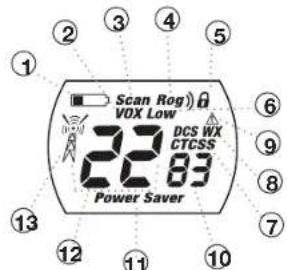
Backlit LCD Display
- Battery Low Indicator
- VOX Icon
- Scan Icon
- Roger Beep Icon
- Lock Icon
- Low Power Icon 7. REGISTERS
- DOS/ROSS ICONS
- Weather icon
- Weather Alert Icon
- DCS/CTCSS Privacy Code Numbers
- Power Saver Icon 10. Channel Numbers
- Channel Numbers
- Passive Transmit
- Receiver Transmit Icon

Important FCC Licensing Information
This radio operates on General Mobile Radio Service (GMRS) frequencies which require a Federal Communications Commission (FCC) license. See page 15 for licensing and other related information.

Maximum range may vary and is based on unobstructed line-of-sight communication under ideal conditions.
Warranty

Warranty and Trademark Acknowledgement
Limited One-Year Warranty on Radio(s) & Charger(s) For Products Purchased in the U.S.A.
Cobra Electronics Corporation warrants that its Cobra microTALK ^® radios and chargers, and the component parts thereof, will be free of defects in workmanship and materials for a period of one year from the date of first consumer purchase. This warranty may be enforced by the first consumer purchaser, provided that the product is utilized within the U.S.A.
Cobra will, without charge, repair or replace, at its option, defective microTALK ^® radios, chargers, products or component parts upon delivery to the Cobra Factory Service department, accompanied by proof of the date of first consumer purchase, such as a duplicated copy of a sales receipt.
You must pay any initial shipping charges required to ship the product for warranty service, but the return charges will be at Cobra's expense, if the product is repaired or replaced under warranty. This warranty gives you specific legal rights, and you may also have other rights which may vary from state to state.
Exclusions: This limited warranty does not apply: 1) To any product damaged by accident; 2) In the event of misuse or abuse of the product or as a result of unauthorized alterations or repairs; 3) If the serial number has been altered, defaced, or removed; 4) If the owner of the product resides outside the U.S.A.
All implied warranties, including warranties of merchantability and fitness for a particular purpose are limited in duration to the length of this warranty. Cobra shall not be liable for any incidental, consequential or other damages; including, without limitation, damages resulting from loss of use or cost of installation. Some states do not allow limitations on how long an implied warranty lasts and/or do not allow the exclusion or limitation of incidental or consequential damages, so the above limitations may not apply to you.
For Products Purchased Outside the U.S.A.
Please contact your local dealer for warranty information.
90-Day Warranty on Rechargeable Batteries
For products purchased in the U.S.A. and Canada.
Trademark Acknowledgement
Cobra ^® , microTALK ^® , Nothing Comes Close to a Cobra ^® , VibrAlert ^® and the snake design are registered trademarks of Cobra Electronics Corporation, USA. Cobra Electronics Corporation ^™ is a trademark of Cobra Electronics Corporation, USA.
Caring for your microTALK® Radio
Your microTALK® radio will give you years of trouble-free service if cared for properly. Handle the radio gently. Keep the radio away from dust. Never put the radio in water or in a damp place. Avoid exposure to extreme temperatures.
Installing Batteries

To install or replace batteries:
- Remove belt clip by releasing belt clip latch and sliding clip up.
- Pull up on the battery door latch to remove the battery compartment cover.
- Insert the supplied four AAA rechargeable batteries or non-rechargeable alkaline batteries. Position batteries according to polarity markings.
- Replace battery compartment cover and belt clip.
- Do not mix old and new batteries.
- Do not mix alkaline, standard (carbon-zinc), or rechargeable (Ni-Cd, Ni-MH, etc.) batteries.
To charge radios in desktop charger:
- Insert radio(s) into desktop charger as shown.
- Insert round connector of 120-volt adapter into jack on back of charger.
- Plug 120-volt adapter into electrical outlet.
If charging light is not on, check position of radio. Radio should be upright. The charge indicator light will stay on as long as the radio is in the charging well, even after the batteries are fully charged.
Note: Desktop charger will only charge two radios at a time.
To charge batteries in radio:
- Check to see that the batteries have been inserted properly.
- Insert the wall charger/adapter into the charge jack located at the top of the radio.
- Plug the wall charger/adapter into electrical outlet.
Nothing Comes Close to a Cobra®

Operation

Using Your Radio

Operation
Customer Assistance Warranty Introduction
Radio Charger Jack

To charge radios with the 12V DC charger:
-
Insert the small round connector of 12 Volt adapter into the charge jack located at the top of the radio.
-
Plug 12 Volt adapter into the cigarette lighter outlet.
If charging light is not on, check connections and ensure they are properly connected.
It normally takes about 15 hours to fully recharge batteries. Batteries will not be damaged if they stay in the charging well longer than that.
Use only the supplied rechargeable batteries and charger for recharging your Cobra microTALK radio.
Cobra recommends your radio is turned off while being charged.
Non-rechargeable alkaline batteries can also be used in your radio.

Quick Start
- Press and hold the Mode/Power button to turn on your radio.
- Press the Channel Up or Channel Down button to select a channel.

Both radios must be tuned to the same channel/privacy code to communicate.
- Press and hold the Talk button while speaking into the microphone.
- When finished talking, release the Talk button and listen for a response.
Turning on Your microTALK® Radio
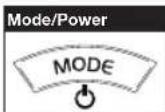
Press and hold the Mode/Power button until you hear a series of audible tones indicating the radio is on.
Your microTALK ^® radio is now in Standby mode, ready to receive transmissions. The radio is always in Standby mode except when the Talk, Call or Mode/Power buttons are pressed.
Battery Low
Battery Low
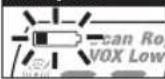
When battery power is low, the Battery Low icon will blink. Your batteries should be replaced or recharged, if using rechargeable batteries.
Auto Battery Save

If there are no transmissions within 10 seconds, the radio will automatically switch to Battery Save mode and the Power Saver icon will flash in the display. This will not affect the radio's ability to receive incoming transmissions.
Communicating with Another Person
Talk Button
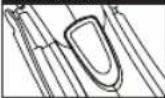
- Press and hold the Talk button.
- With the microphone about two inches (5 cm) from your mouth, speak in a normal voice.
- Release the Talk button when you are finished talking and listen for a response.
You cannot receive incoming calls while pressing the Talk button.
Two Inches (5 cm) from Mouth


Both radios must be tuned to the same channel to communicate.
To Select a Channel
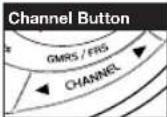
With the radio on, select any of the 22 channels by pressing the Channel Up or Channel Down button.

Channel Number
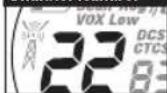
Channels 1 through 7 are shared with FRS/ GMRS. Channels 8 through 14 are FRS only. Channels 15 through 22 are GMRS only.

See page 14 for FRS/GMRS frequency allocations and compatibility charts.
Operation

Using Your Radio

Operation
Customer Assistance Warranty Introduction
Listening for a Response

Release the Talk button to receive incoming transmissions. Your microTALK ^® radio is always in Standby mode while the Talk or Call buttons are not pressed.
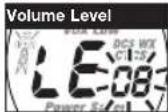
To Adjust Volume

Press the Volume Up or Volume Down button.
A double beep sound is used to indicate the minimum and maximum volume levels (1 through 8).
Call Button

Press and release the Call button.
The other person will hear a two second call tone. This tone is used only to establish voice communications.

See page 13 on how to select between five call tone settings.
To Illuminate Display

Press and release the Light/Max Range button to illuminate the display for 10 seconds.
Auto Squelch/Maximum Range
Your microTALK® radio will automatically shut off weak transmissions and unwanted noise due to terrain, conditions or if you've reached your Maximum Range limit.
You can temporarily turn off auto squelch or turn on maximum range extender, allowing all signals to be received and extending the maximum range of your radio.
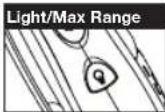
To turn maximum range extender on:
- Press and hold the Light/Max Range button for at least five seconds until you hear two beeps which indicates the maximum range extender is on.
To turn maximum range extender off:
- Press and release the Light/Max Range button or change channels.
Lock Function

The Lock function locks the Channel Up, Channel Down and Mode/Power buttons to prevent accidental operation.
To turn the lock on or off:
- Press and hold the Lock button for two seconds.
A double beep sound is used to confirm your lock on or off request. When in Lock mode, the Lock icon will be displayed.

microTALK® Range
Your range will vary depending on terrain and conditions.

In flat, open country your radio will operate at maximum range.
Buildings and foliage in the path of the signal can reduce the range of the radio.
Dense foliage and hilly terrain will further reduce the range of the radio.
On FRS Channels 8 through 14, your radio automatically switches to low power, which will limit the range the radio can communicate.


Remember, you can achieve maximum range by using maximum range extender. See page 4 for details.

Using Your Radio

Operation
Customer Assistance Warranty Introduction
Scrolling Through the Mode Function
By scrolling through the Mode function, you will be able to select or turn on preferred features of your microTALK® radio. When scrolling through the Mode function, your radio features will be displayed in the same predetermined order:
Mode/Power

Set CTCSS Privacy Codes
• Set DCS Privacy Codes
• Set NOAA All Hazards Radio Channel
Set NOAA Alert On/Off
- Set Vox On/Off
- Set Vox Sensitivity
Set Channel Scan
Set CTCSS Privacy Code Scan
• Set DCS Privacy Code Scan
Set Call Tones
Set Roger Beep On/Off
Privacy Codes
Your microTALK radio incorporates two advanced coded squelch systems that can help to reduce interference from other users on any given channel. CTCSS (Continuous Tone Coded Squelch System) provides 38 privacy codes and DCS (Digitally Coded Squelch) provides 83 privacy codes. This provides a total of 121 Privacy Codes. Either system can be used on all channels, but both systems cannot be used on the same channel at the same time.

To successfully communicate using a privacy code, both the sending and receiving radios must be tuned to the same channel and to the same privacy code system (CTCSS or DCS) and privacy code number. Each channel will remember the last privacy code system and number you select.

The privacy code 00 is not a privacy code, but allows all signals to be heard on a channel that is set to 00 on both the CTCSS and DCS systems.
Set CTCSS Privacy Codes
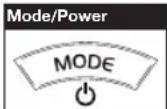
Mode/Power
Privacy Code

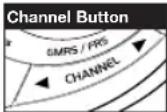
Channel Button
To select a CTCSS privacy code:
- After selecting a channel, press the Mode/Power button until the CTCSS icon appears and the small numbers next to the channel number flash on the display.

If DCS is turned on at the channel selected, the display will flash the CTCSS icon and "OFF." To switch from DCS to CTCSS, press the Channel Up or Channel Down button while the display is flashing "OFF." The display will then show the small numbers flashing and you will then be able to proceed to step 2.
- Press using the Channel Up or Channel Down button to select a privacy code. You can hold the Up or Down button for fast advance.
- When your desired CTCSS privacy code is displayed, choose one of the following:
a. Press the Mode/Power button to enter the new setting and proceed to other functions.
b. Press the Lock button to enter the new setting and return to Standby mode.
c. Do not press any buttons for 15 seconds to enter the new setting and return to Standby mode.

Mode Functions

OperationOperation
Customer Assistance Warranty Introduction
Set DCS Privacy Codes


To select a DCS privacy code:
- After selecting a channel, press the Mode/Power button until the DCS icon appears and the small numbers flash on the display (01 through 83).

If CTCSS is turned on at the channel selected, the display will flash the DCS icon and "OFF." To switch from CTCSS to DCS, press the Channel Up or Channel Down button while the display is flashing "OFF." The display will then show the small numbers flashing and you will then be able to proceed to step 2.
- Press using the Channel Up or Channel Down button to select a DCS privacy code. You can hold the Up or Down button for fast advance.
- When DCS privacy code is displayed, choose one of the following:
a. Press the Mode/Power button to enter the new setting and proceed to other functions.
b. Press the Lock button to enter the new setting and return to Standby mode.
c. Do not press any buttons for 15 seconds to enter the new setting and return to Standby mode.
NOAA\* All Hazards Radio Channels
You can use your microTALK radio to listen to NOAA All Hazards Radio channels transmitting in your area.


To listen to All Hazards Radio channels:
- Press the Mode button until the All Hazards Radio icon and the currently selected All Hazards Radio channel are displayed.
- Use the Channel Up or Channel Down button to change All Hazards Radio channels.
- The All Hazards Radio icon will continue to be displayed when All Hazards Radio is on. Choose one of the following:
a. Press Mode button to proceed to other functions.
b. Press the Lock button to exit All Hazards Radio channel mode and return to Standby mode.
*National Oceanographic and Atmospheric Administration
Weather (WX) Alert Mode
Turning On the Weather Alert function will allow your radio to automatically receive NOAA Hazard Alert radio signals and warnings from designated NOAA broadcast stations. If the radio is turned ON, it will alert to Weather and other emergency alerts broadcast by NOAA.

This feature is set to OFF by default.
Make sure the strongest weather channel is selected for your area using the NOAA All Hazards Radio Channels selection in the previous menu.

To turn Weather Alert On or Off:
- Press the Mode/Power button until the Weather Alert icon flashes on the display. The current On or Off setting is displayed.
- Press the Channel Up and Channel Down button to turn Weather Alert On or Off.
- Press the Lock button to save the new setting and exit the Weather Alert Mode and return to Standby mode.

Mode Functions

Operation
Customer Assistance Warranty Introduction
Voice Activated Transmit (VOX)
In VOX mode, your microTALK ^® radio can be used "hands-free," automatically transmitting when you speak. You can set the VOX sensitivity level to fit the volume of your voice and avoid transmissions triggered by background noise.



To turn VOX mode on or off:
- Press the Mode/Power button until the VOX icon flashes on the display. The current On or Off setting is displayed.
- Press the Channel Up or Channel Down button to turn VOX On or Off.
- Choose one of the following:
a. Press the Mode/Power button to enter the selected On or Off setting and proceed to other functions.
b. Press the Lock button to enter the selected On or Off setting and return to Standby mode.
To set VOX sensitivity:
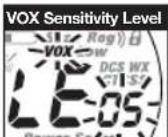
- Press the Mode/Power button until the VOX icon flashes and the current sensitivity level is displayed.

The current VOX sensitivity level is displayed with letters "LE" and a Number 1 through 5, with Number 5 being the most sensitive level and Number 1 being the least sensitive level.
- Press the Channel Up or Channel Down button to change the setting.
- Choose one of the following:
a. Press the Mode/Power button to enter the selected setting and proceed to other functions.
b. Press the Lock button to enter the selected setting and return to Standby mode.
Channel Scan
Your microTALK ^® radio can automatically scan channels.


To scan channels:
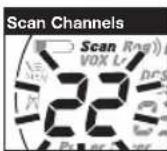
- Press the Mode/Power button until the Scan icon and the channel numbers appear on the display.
- Press the Channel Up or Channel Down button to begin scanning channels.

The radio ignores specific privacy codes while scanning channels.
The Scan icon will continue to be displayed when scan is on. Your radio will continue to scan all channels and stop if an incoming transmission is detected. Your radio will remain on that channel for 10 seconds.
During scanning (while receiving an incoming transmission), you can choose from the following:
a. Press and hold the Talk button to communicate on that channel. Your radio will remain on that channel and return to Standby mode.
b. Press the Channel Up or Channel Down button to resume scanning channels.
c. Press the Lock button to return to Standby.
The Scan icon will continue to be displayed when privacy code scan

Mode Functions

Operation
Customer Assistance Warranty Introduction
Operation
Privacy Code Scan
Your microTALK radio can automatically scan the Privacy Codes (either CTCSS 01 through 38 or DCS 01 through 83) within one channel. Only one set of privacy codes (CTCSS or DCS) can be scanned at a time.

To scan privacy codes:
- While in Standby mode, press the Channel Up or Channel Down button to choose the channel on which you wish to scan privacy codes.
- Press the Mode/Power button until either the CTCSS or the DCS icon appears on the display and the Scan icon and the privacy code numbers flash on the display.
- Press the Channel Up or Channel Down button to begin scanning privacy codes within the channel you selected.
is on. Your radio will continue to scan privacy codes and stop as an incoming transmission is detected. Your radio will remain on that channel/privacy code for 10 seconds.
During scanning (while receiving an incoming transmission), you can choose from the following:
a. Press and hold the Talk button to communicate on that channel/privacy code. Your radio will remain on that channel/privacy code and return to Standby mode.
b. Press the Channel Up or Channel Down button to resume scanning privacy codes. If you do not press any button within 10 seconds, your radio will automatically resume scanning privacy codes.
c. Press the Lock button to return to Standby.
Five Call Tone Settings
You can choose between five different Call Tone Settings to transmit a call alert.

To change a call tone setting:
- Press the Mode/Power button until the letter "C" and the current call tone number (01 through 05) is displayed. The current call tone will sound for one second.
- Press the Channel Up or Channel Down button to hear the other call tone settings.
- Choose one of the following:
a. Press the Mode/Power button to enter the new setting and proceed to other functions.
b. Press the Lock button to enter the new setting and return to Standby mode.
Roger Beep Confirmation Tone
Your listener will hear an audible tone when you release the Talk button. This alerts the other party that you are finished talking and it is OK for them to speak.
To turn roger beep on or off:
- Press the Mode/Power button until the Roger Beep icon flashes. The current on or off setting is displayed.
- Press the Channel Up or Channel Down button to select roger beep on or off.
- Choose one of the following:
a. Press the Mode/Power button to enter the new setting and return to Standby mode.
b. Press the Lock button to enter the new setting and return to Standby mode.


General Specifications
FRS/GMRS Frequency Allocation and Compatibility
Important: Please note that Cobra GMRS models with 15 Channels may designate different channel numbers for the same frequency. For example, a Cobra 15 Channel GMRS model would need to be tuned to Channel 11 in order to communicate with a 22 Channel GMRS tuned to Channel 15. Please refer to the chart below for channel/ frequency number compatibility.
A = Channel No. for 22 Channel FRS/GMRS Models
B = Channel No. for 15 Channel GMRS Models
C = Type of Radio Service
D = Frequency in MHz
E = Power Output
ABCDE
| 1 | 1 | FRS/GMRS | 462.5625 | High | ||
| 2 | 2 | FRS/GMRS | 462.5875 | High | ||
| 3 | 3 | FRS/GMRS | 462.6125 | High | ||
| 4 | 4 | FRS/GMRS | 462.6375 | High | ||
| 5 | 5 | FRS/GMRS | 462.6625 | High | ||
| 6 | 6 | FRS/GMRS | 462.6875 | High | ||
| 7 | 7 | FRS/GMRS | 462.7125 | High | ||
| 8 | FRS | 467.5625 | Low | |||
| 9 | FRS | 467.5875 | Low | |||
| 10 | FRS | 467.6125 | Low | |||
| 11 | FRS | 467.6375 | Low | |||
| 12 | FRS | 467.6625 | Low | |||
| 13 | FRS | 467.6875 | Low | |||
| 14 | FRS | 467.7125 | Low | |||
| 15 | 11 | GMRS | 462.5500 | High | ||
| 16 | 8 | GMRS | 462.5750 | High | ||
| 17 | 12 | GMRS | 462.6000 | High | ||
| 18 | 9 | GMRS | 462.6250 | High | ||
| 19 | 13 | GMRS | 462.6500 | High | ||
| 20 | 10 | GMRS | 462.6750 | High | ||
| 21 | 14 | GMRS | 462.7000 | High | ||
| 22 | 15 | GMRS | 462.7250 | High |
Introduction
Operation
IMPORTANT NOTICE: FCC LICENSE REQUIRED
This two-way radio operates on GMRS (General Mobile Radio Service) frequencies which require an FCC (Federal Communications Commission) license. A user must be licensed prior to operating on Channels 1 through 7 on high power or 15 through 22, which comprise the GMRS channels of this radio. Serious penalties could result for unlicensed use of GMRS channels, in violation of FCC rules. Operation of this radio is subject to additional rules specified in 47 C.F.R. Part 95.
Licensed users will be issued a call sign by the FCC, which should be used for station identification when operating this radio. GMRS users should also cooperate by engaging in permissible transmissions only, avoiding channel interference with other GMRS users, and being prudent with the length of their transmission time.
For licensing information and application forms, please call the FCC Hotline at 800-418-FORM. Request form #159 and form #605. Questions regarding the license application should be directed to the FCC at 888-CALL-FCC. Additional information is available on the FCC's website at www.fcc.gov.
Channel 1 through 7 on low power and channels 8 through 14 comprise the FRS (Family Radio Service). No license is required to operate on the FRS.
Safety Information for microTALK Radios
Your wireless handheld portable transceiver contains a low power transmitter. When the talk button is pushed, it sends out radio frequency (RF) signals. The device is authorized to operate at a duty factor not to exceed 50%. In August 1996, the Federal Communications Commissions (FCC) adopted RF exposure guidelines with safety levels for handheld wireless devices.
Important
FCC RF Exposure Requirements: For body-worn operation, this radio has been tested and meets the FCC RF exposure guidelines when used with Cobra accessories supplied or designated for this product. Use of other accessories may not ensure compliance with FCC RF exposure guidelines. Use only the supplied antenna. Unauthorized antennas, modifications or attachments could damage the transmitter and may violate FCC regulations.
Normal Position
Hold the transmitter approximately 2 inches from your face and speak in a normal voice, with the antenna pointed up and away.

The receiver for these two-way radios and the external power supply for charging comply with part 15 of the FCC Rules. Operation is subject to the following two conditions: 1) This device may not cause harmful interference, and 2) this device must accept any interference received, including interference that may cause undesired operation.
FCC Warnings: Replacement or substitution of transistors, regular diodes or other parts of a unique nature, with parts other than those recommended by Cobra may cause a violation of the technical regulations of part 95 of the FCC rules, or violation of type acceptance requirements of part 2 of the rules.
Product Service Questions
For any questions about operating or installing this new Cobra product, or if parts are missing...PLEASE CALL COBRA FIRST...do not return this product to the store. See customer assistance on page A1.
For Products Purchased in the U.S.A.
If your product should require factory service, please call Cobra first before sending your radio. This will ensure the fastest turn-around time on your repair. You may be asked to send your radio to the Cobra factory. It will be necessary to furnish the following to have the product serviced and returned.
1) For warranty repair include a copy of the original sales receipt. If you send the original receipt, it cannot be returned.
2) Send the entire product.
3) Enclose a detailed description of the problem along with the name and address of where the product is to be returned.
4) Pack radio securely to prevent damage in transit. If possible, use the original packing material.
5) Ship prepaid and insured by way of a traceable carrier such as United Parcel Service (UPS) or Priority Mail to avoid loss in transit to Cobra Factory Service:
Cobra Electronics Corporation
6500 West Cortland Street
Chicago, Illinois 60707 U.S.A.
6) If the radio is under warranty, it will be repaired or exchanged depending on the model.
Please allow approximately three to four weeks before contacting Cobra for status. If the radio is out of warranty, a letter will automatically be sent informing you of the repair charge or replacement charge. If you have any questions, please call 773-889-3087 for assistance.
For Products Purchased Outside the U.S.A.
Please contact your local dealer for product service information.


- TWO-WAY RADIO MODEL CTW285P DC
- Making Life Easier and Safer
- Automated Help Desk
- Customer Assistance Operators
- Questions
- Technical Assistance
- For Assistance Outside the U.S.A.
- Warranty and Trademark Acknowledgement
- Limited One-Year Warranty on Radio(s) & Charger(s) For Products Purchased in the U.S.A.
- For Products Purchased Outside the U.S.A.
- 90-Day Warranty on Rechargeable Batteries
- Trademark Acknowledgement
- Caring for your microTALK® Radio
- Installing Batteries
- To install or replace batteries:
- To charge radios in desktop charger:
- To charge batteries in radio:
- Using Your Radio
- Radio Charger Jack
- To charge radios with the 12V DC charger:
- Quick Start
- Turning on Your microTALK® Radio
- Battery Low
- Auto Battery Save
- Communicating with Another Person
- Talk Button
- Two Inches (5 cm) from Mouth
- To Select a Channel
- Channel Number
- Listening for a Response
- To Adjust Volume
- Call Button
- To Illuminate Display
- Auto Squelch/Maximum Range
- To turn maximum range extender on:
- To turn maximum range extender off:
- Lock Function
- To turn the lock on or off:
- microTALK® Range
- Scrolling Through the Mode Function
- Privacy Codes
- Set CTCSS Privacy Codes
- To select a CTCSS privacy code:
- Mode Functions
- Set DCS Privacy Codes
- To select a DCS privacy code:
- NOAA\* All Hazards Radio Channels
- To listen to All Hazards Radio channels:
- Weather (WX) Alert Mode
- To turn Weather Alert On or Off:
- Voice Activated Transmit (VOX)
- To turn VOX mode on or off:
- To set VOX sensitivity:
- Channel Scan
- To scan channels:
- During scanning (while receiving an incoming transmission), you can choose from the following:
- Privacy Code Scan
- To scan privacy codes:
- Five Call Tone Settings
- To change a call tone setting:
- Roger Beep Confirmation Tone
- To turn roger beep on or off:
- General Specifications
- FRS/GMRS Frequency Allocation and Compatibility
- IMPORTANT NOTICE: FCC LICENSE REQUIRED
- Safety Information for microTALK Radios
- Important
- Normal Position
- Product Service Questions
- For Products Purchased in the U.S.A.
Brand : COBRA
Model : CTW285P DC
Category : Walkie-talkie