
SHB1613 - Headphones PHILIPS - Free user manual and instructions
Find the device manual for free SHB1613 PHILIPS in PDF.


Pick your language and provide your email: we'll send you a specifically translated version.
| Product Type | Wireless On-Ear Headphones |
| Model | Philips SHB1613 |
| Connectivity | Bluetooth 5.0 |
| Driver Size | 32 mm |
| Frequency Response | 20 Hz - 20 kHz |
| Impedance | 32 Ω |
| Battery Type | Lithium-Ion |
| Battery Capacity | 150 mAh |
| Playback Time | 8 hours |
| Charging Time | 2 hours |
| Charging Port | Micro-USB |
| Weight | 150 g |
| Dimensions (W x H x D) | 160 x 180 x 70 mm |
| Microphone | Built-in with noise reduction |
| Control Buttons | Power, Volume, Multi-function |
| Foldable Design | Yes |
| Color Options | Black, White |
| Included Accessories | Micro-USB charging cable, User manual |
| Maintenance | Wipe with a soft, dry cloth |
| Safety Warnings | Keep away from water; do not expose to extreme temperatures |
| Spare Parts | Ear cushions, Charging cable |
| Repairability | Replacement ear cushions available; battery not user-replaceable |
Frequently Asked Questions - SHB1613 PHILIPS
How do I pair my Philips SHB1613 headphones with a device?
Press and hold the power button for 5 seconds until the LED flashes red and blue alternately. Enable Bluetooth on your device and select 'Philips SHB1613' from the list.
How long does the battery last on a full charge?
The Philips SHB1613 provides up to 8 hours of playback time on a full charge.
How do I charge the headphones?
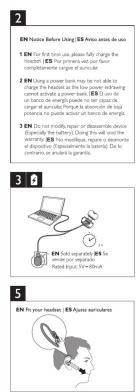
Connect the included Micro-USB cable to the charging port on the headphones and plug the other end into a USB power adapter. Charging takes approximately 2 hours.
Can I use the headphones while they are charging?
No, it is not recommended to use the headphones while charging. Please allow them to charge fully before use.
What should I do if the headphones are not connecting to my device?
Ensure the headphones are in pairing mode (LED flashing red/blue). Turn off Bluetooth on your device, then turn it back on. Also, check that the headphones are within range (10 meters) and have enough battery.
How do I clean the headphones?
Use a soft, dry cloth to wipe the exterior. Do not use harsh chemicals or immerse in water. For ear cushions, gently remove and hand wash with mild soap if necessary.
Are the ear cushions replaceable?
Yes, replacement ear cushions for the Philips SHB1613 are available separately. Simply pull off the old cushions and snap on the new ones.
What is the range of the Bluetooth connection?
The Bluetooth range is up to 10 meters (33 feet) in open space, but obstacles like walls may reduce the range.
How do I reset the headphones to factory settings?
To reset, turn off the headphones. Then press and hold the power button for 10 seconds. The LED will flash quickly, indicating the reset is complete.
Is the microphone suitable for calls?
Yes, the built-in microphone features noise reduction, allowing clear voice calls in moderate environments.
User questions about SHB1613 PHILIPS
0 question about this device. Answer the ones you know or ask your own.
Ask a new question about this device
No questions yet. Be the first to ask one.
Download the instructions for your Headphones in PDF format for free! Find your manual SHB1613 - PHILIPS and take your electronic device back in hand. On this page are published all the documents necessary for the use of your device. SHB1613 by PHILIPS.
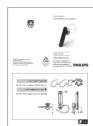
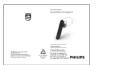
USER MANUAL SHB1613 PHILIPS
正面
折叠方式:

1
2
3

1


反面
虚线是成品折叠线
实线是裁切线
Manual assistant
Powered by Anthropic
Waiting for your message
Product information
Brand : PHILIPS
Model : SHB1613
Category : Headphones