
MC-G3DP - Virtual reality headset ModeCom - Free user manual and instructions
Find the device manual for free MC-G3DP ModeCom in PDF.


| Product Type | Virtual Reality Headset for Smartphones |
| Brand | ModeCom |
| Model | FreeHANDS MC-G3DP |
| Compatibility | Smartphones with screen size up to 163 x 83 mm |
| Lens Type | High-quality, individually adjustable lenses |
| Focal Length | 70–75 mm |
| Interpupillary Distance Adjustment | 58–72 mm |
| Field of View | 42° FOV (approx.) |
| Weight | 410 g |
| Material | Plastic, rubber, foam lining, textile headband |
| Box Contents | 3D/VR glasses, rubber phone separators, cleaning cloth |
| Adjustable Headband | Yes, for comfortable fit |
| Removable Front Panel | Yes, to access rear camera of smartphone |
| Safety Recommendations | Not for children under 5; take breaks every 30 minutes; avoid if epileptic |
| Cleaning | Use included cloth for lenses; avoid solvents |
Frequently Asked Questions - MC-G3DP ModeCom
User questions about MC-G3DP ModeCom
0 question about this device. Answer the ones you know or ask your own.
Ask a new question about this device
Download the instructions for your Virtual reality headset in PDF format for free! Find your manual MC-G3DP - ModeCom and take your electronic device back in hand. On this page are published all the documents necessary for the use of your device. MC-G3DP by ModeCom.
USER MANUAL MC-G3DP ModeCom
MODECOM
MODECOM FreeHANDS MC-G3DP
GB
SET CONTENT:
- Professional 3D/VR glasses
- Special rubber separators for easy installation of smartphone
- Cloth for cleaning lens
MAIN FEATURES:
- Simple way to the 3D technology and virtual reality
- Supported by a wide range of smartphones
- Easy to use
- High-quality lens with independent focus control for both lenses
- Comfortable internal lining and special headbands for improving user comfort
- A removable front panel to uncover rear camera in smartphone
Attention!
We recommend that before watching 3D content (and the flashing light sources or a rapidly changing sequence of images) people diagnosed with epilepsy or photosensitive seizures should consult a medical specialist.
We advise against use of 3D glasses for extended periods of time to avoid such symptoms as headaches or disorientation. If you experience any discomfort, stop using 3D glasses and avoid potentially hazardous activities until symptoms have disappeared.
You should take breaks after 30 minutes of watching 3D images.
You have to take a comfortable sitting position during using 3D glasses. Make sure that there will be no accidental contact with objects or persons nearby, which could cause body or head injury.
Before movement, take off 3D glasses to prevent against an accidental fall or injury.
When you are putting glasses on, please be wary of edges and corners of glasses construction, not to accidentally get injured.
2
Children should not use the 3D glasses for the above reasons without parental supervision who will ensure about their safety and wellbeing.
Do not let children under 5 years of age have access to 3D glasses. They could swallow and get choked on by small items which are in the product equipment.
Do not use the 3D glasses for any purpose other than watching 3D footages.
Please, carefully install your mobile phone in cardboard glasses to prevent it from accidental slipping out, falling and as a consequence damage to your mobile phone. MODECOM is not responsible for damage caused by improper handling.
Install devices.
Place your mobile phone in special handle frame
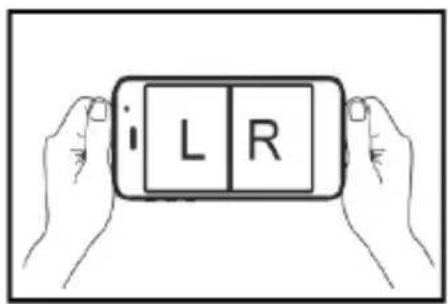

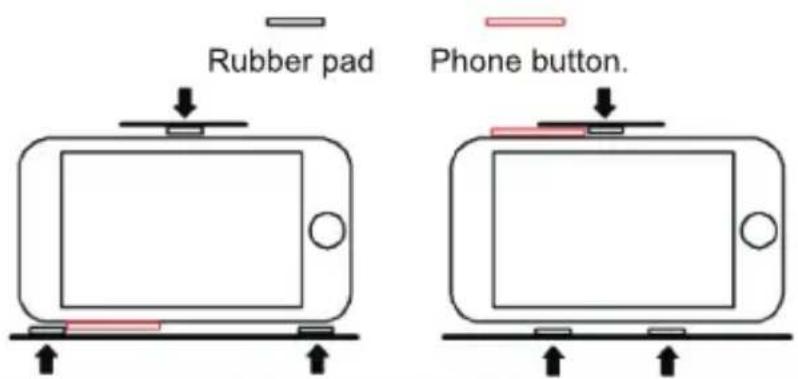
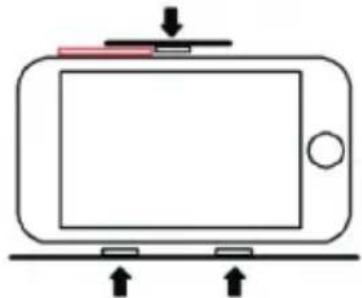
There are 3 pcs of rubber pads.
Please stick the rubber pads onto the phone holder according to the position of the phone buttons. Please refer to figures below.
Align the center line of mobile phone screen to product's midpoint mark.

Adjust focal distance till displayed picture is in best quality.

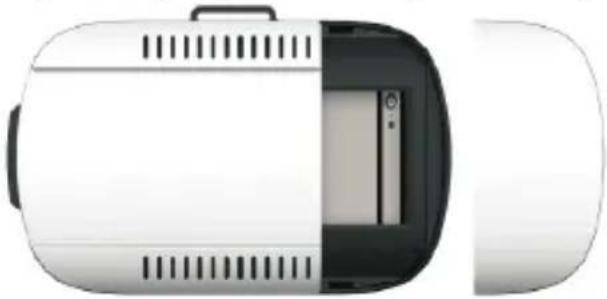
The front panel is removable. After removing the front panel, mobile phone camera is exposed.

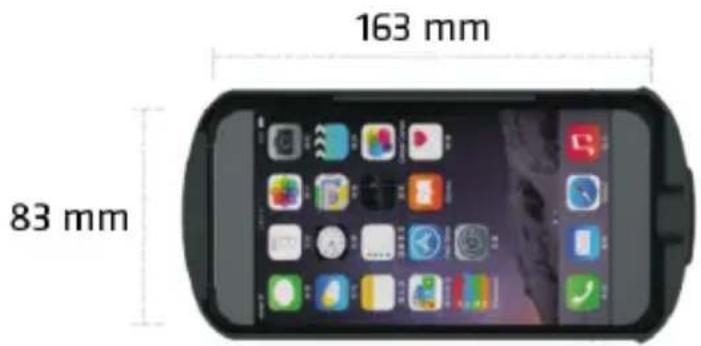
Mobile phone's size should not exceed: 163mm x 83mm.
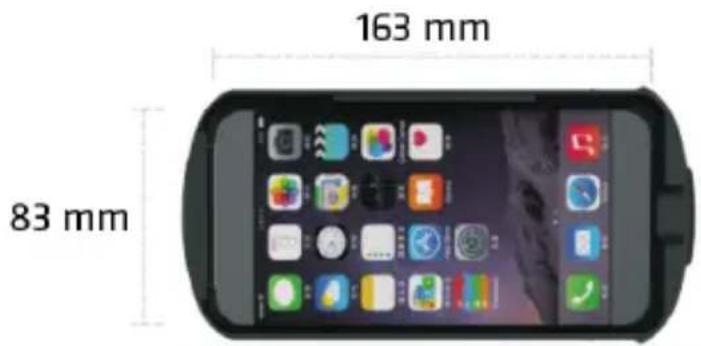
Please do not use the mobile phone while charging to avoid accident.

Focal lenght: 70-75 mm 42 F0V-70°
Adjustable range: 65-75 mm
Interpupillary distance: 58-72 mm
MODECOM FreeHANDS MC-G3DP
PL
I. ZAWARTOŚĆ ZESTAWU
8
www.modecom.eu
MODECOM FreeHANDS MC-G3DP
SK
OBSAH SÚPRAVY:


20
www.modecom.eu
Dimenzije pametnega telefona ne smejo biti večje kot: 163mm x 83mm
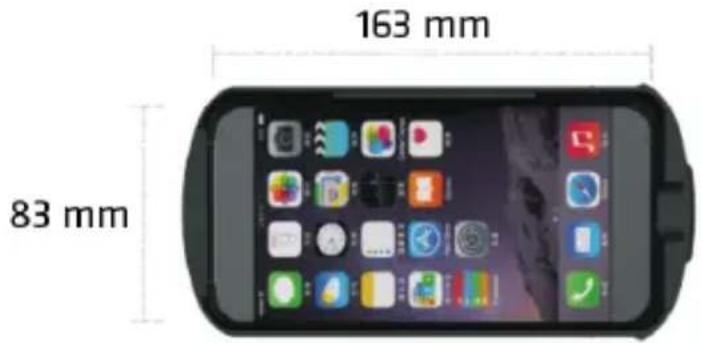
Goriščna razdalja:
70-75 mm φ42 F0V-70°
Fokal: 70-75 mm Φ42 F0V-70°
Focale: 70-75 mm Φ42 F0V-70°
Ajustement: 65-75 mm
Distances des pupilles: 58-72 mm
MODECOM FreeHANDS MC-G3DP
RO
CONTINUTUL SETULUI:

Кнопка смартфона

Кнопка смартфону
Prednji panel je uklonjiv. Omogućuje on otkrivanje kamere ugrađene u mobitel.
Veličina pametnih telefona ne smije prelaziti sljedeće dimenzije: 163mm x 83mm.
Molimo vas da ne koristite naočale sa pametnim telefonom koji je spojen na punjač, kako bi se izbjegle nesreće.

Žarišna duljina: 70-75 mm φ42 F0V-70°
Raspon podešavanja: 65-75 mm
Razmak između leća: 58-72 mm
Environment protection:
This symbol on our product nameplates proves its compatibility with the EU Directive 2002/96 concerning proper disposal of waste electric and electronic equipment (WEEE). By using the appropriate disposal systems you prevent the potential negative consequences of wrong product take-back that can pose risks to the environment and human health. The symbol indicates that this product must not be disposed of with your other waste. You must hand it over to a designated collection point for the recycling of electrical and electronic equipment waste. The disposal of the product should obey all the specific Community waste management legislations. Contact your local city office, your waste disposal service or the place of purchase for more information on the collection. Weight of the device: 410 g
Ochrona środowiska:
Brand : ModeCom
Model : MC-G3DP
Category : Virtual reality headset