
IPEARL Monopod Selfie Stick - Photo accessory Xiaomi - Free user manual and instructions
Find the device manual for free IPEARL Monopod Selfie Stick Xiaomi in PDF.


| Product Type | Selfie Stick / Monopod |
| Brand | Xiaomi |
| Model | IPEARL |
| Category | Photo Accessory |
| Material | Aluminum alloy and ABS plastic |
| Extended Length | Up to 120 cm |
| Folded Length | Approx. 20 cm |
| Weight | Approx. 150 g |
| Maximum Load | Up to 300 g |
| Phone Width Compatibility | 56 mm to 89 mm |
| Bluetooth Version | 4.2 |
| Remote Control Range | Up to 10 m |
| Remote Battery Type | CR1632 coin cell (replaceable) |
| Features | Anti-skid silicone pad, 360° head rotation, detachable remote |
| Cleaning Instructions | Wipe with a soft dry cloth; avoid liquids |
| Safety Precautions | Do not overload; keep away from children; avoid excessive force when extending |
| Spare Parts Availability | Remote and phone holder replacements available online |
Frequently Asked Questions - IPEARL Monopod Selfie Stick Xiaomi
User questions about IPEARL Monopod Selfie Stick Xiaomi
0 question about this device. Answer the ones you know or ask your own.
Ask a new question about this device
Download the instructions for your Photo accessory in PDF format for free! Find your manual IPEARL Monopod Selfie Stick - Xiaomi and take your electronic device back in hand. On this page are published all the documents necessary for the use of your device. IPEARL Monopod Selfie Stick by Xiaomi.
USER MANUAL IPEARL Monopod Selfie Stick Xiaomi
Thank you for your choice of a monopod from world-wide company, producer of accessories for the digital technique of iPearl.
Before to produce products from a plant, all devices pass careful control in accordance of standard of quality. For the protection of rights and interests of users, a company also gives a guarantee on the products, on the basis of corresponding state norms and resolutions.
The certificate of guarantee inures from the moment of acquisition of commodity. In case of origin of any problems with functioning of device, a consumer can appeal to distribution company to resolve ones after file of receipt and warranty coupon.

After purchasing the device, keep the receipt and warranty card that you were able to continue to use the warranty. In case of loss warranty card, you will not be able to recover it, so you will not be given to warranty service.

Open the function WeiXin «scanning», look for the icon «QuShaiShai», pictured on the QR-code, register and become a VIP user, send a warranty card, thus, provide the necessary information of WeiXin user, and you get a free warranty exclusive VIP services for 1 year and get even more interesting services and features.
Warranty
-
Within 7 days of purchase, in case of problems with the functioning of the device, you can choose a free replacement product, return or repair. If exchange or return the goods, you must provide intact packaging unit.
-
Within 15 days of purchase, in case of problems with the functioning of the device, you can choose a free replacement or repair of the goods. If exchange or return the goods, you must provide intact packaging unit.
-
In the course of one month from the date of purchase, in case of problems with the functioning of the device, you can choose a free repair. If exchange or return the goods, you must provide intact packaging unit
-
Within 3 months of purchase, in case of problems with the operation of the device and must be repaired, the consumer pays the transport costs.
-
During the validity period of warranty, the consumer must have and maintain in good form «device», «receipt» and «Warranty Certificate» (three things without which it is impossible to guarantee a service). All these three things: device, receipt and warranty card user must provide to a distribution company. If the customer prefers to send the device by courier or other means, in this case, he pays the transport costs.
-
Six points at which the warranty service is not provided (including, but not limited to):
1) failure to provide initial setup instructions and the installation and use of the device;
2) problems caused by unauthorized maintenance in service centers;
3) damage caused under force majeure circumstances;
4) damage arising from the use of an aggressive cleaning solvent, if the device was a long time on direct sunlight or in a cold room
(20C - + 50C); problems arising from getting wet or drop the device;
5) lack of warranty card or receipt.
- The final right of interpretation (the extent permitted by law) owned by iPearl.

Connection to Bluetooth
Shot button Bluetooth button

On/Off button
Power port
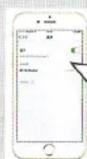
Switch on the monopod, by turning button to «ON» Switch on Bluetooth Connect to device


Installation of smartphone
Stretch out the clip for smartphone Put a smart phone there
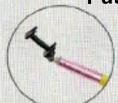


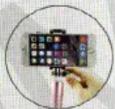
Firmly establish smartphone Fix the holder

Adjust the length of the monopod

Turn the clamp, hold both ends of the monopod, you can adjust its length.
Turn the clamp in the opposite direction to fix the length monopod.

Lets go shooting
Switch your smartphone to a camera interface, press the shutter button on a monopod and once you have taken a picture.

natural_image
Group of people taking a selfie with a selfie stick, no visible text or symbols(Recommendation: some of an Android smartphones must support the function of the shutter by volume control button, so open the camera settings and set it)
Look at our best «one step further» and you will find more information how to make a better and more successful pictures. (Scan QR code and send the keyword «another step forward»)

Change your angle of view and move constantly, as if you will have a great selection of images taken from different angles and with different postures, you will be able to choose the most successful pictures.

Brand : Xiaomi
Model : IPEARL Monopod Selfie Stick
Category : Photo accessory