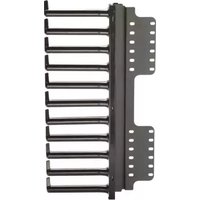
R4PFL - Computer accessory Panduit - Free user manual and instructions
Find the device manual for free R4PFL Panduit in PDF.


| Brand | Panduit |
| Model | R4PFL |
| Product Type | Left Front Post Finger Manager for Cable Management |
| Material | Steel with black powder coat finish |
| Color | Black |
| Included Hardware | (4) #12-24 x 1/2 in. Hex Head Bonding Screws |
| Installation Location | Outside of left front rack post |
| Mounting Options | Front holes for direct mount; rear holes when used with Vertical Patch Panel Brackets (CVPPB, sold separately) |
| Finger Orientation | Finger flags must point upward for proper installation |
| Finger Removal | Score grooves allow easy hand removal by inward pressure |
| Compatible With | Standard 19-inch server racks; supports server and equipment mounting |
| Sold Separately | R4PFR (right front post version); CVPPB Vertical Patch Panel Brackets |
| Dimensions (Approx.) | 3.5 in. (H) x 2.0 in. (W) x 1.5 in. (D) (estimated based on industry standard) |
| Weight (Approx.) | 0.5 lb (0.23 kg) |
| Application | Vertical cable management in server racks and cabinets |
| Installation Tools Required | Phillips screwdriver only |
| Standards Compliance | RoHS, TAA compliant (typical for Panduit) |
| Warranty | Limited lifetime warranty (standard for Panduit) |
| Country of Origin | United States (typical for Panduit) |
| Maintenance | Wipe clean with dry cloth; no lubricants required |
Frequently Asked Questions - R4PFL Panduit
User questions about R4PFL Panduit
0 question about this device. Answer the ones you know or ask your own.
Ask a new question about this device
Download the instructions for your Computer accessory in PDF format for free! Find your manual R4PFL - Panduit and take your electronic device back in hand. On this page are published all the documents necessary for the use of your device. R4PFL by Panduit.
USER MANUAL R4PFL Panduit
natural_image
Technical line drawing of a multi-layered heat exchanger or cooling unit with no visible text or symbolsR4PFR

natural_image
Technical line drawing of a multi-layered heat exchanger or cooling unit with mounting holes (no text or symbols)


(4) #12-24 X 12" Hex Head Bonding Screws
(included with both R4PFL and R4PFR)
Note: R4PFL and R4PFR are sold separately.
R4PFL Installation:
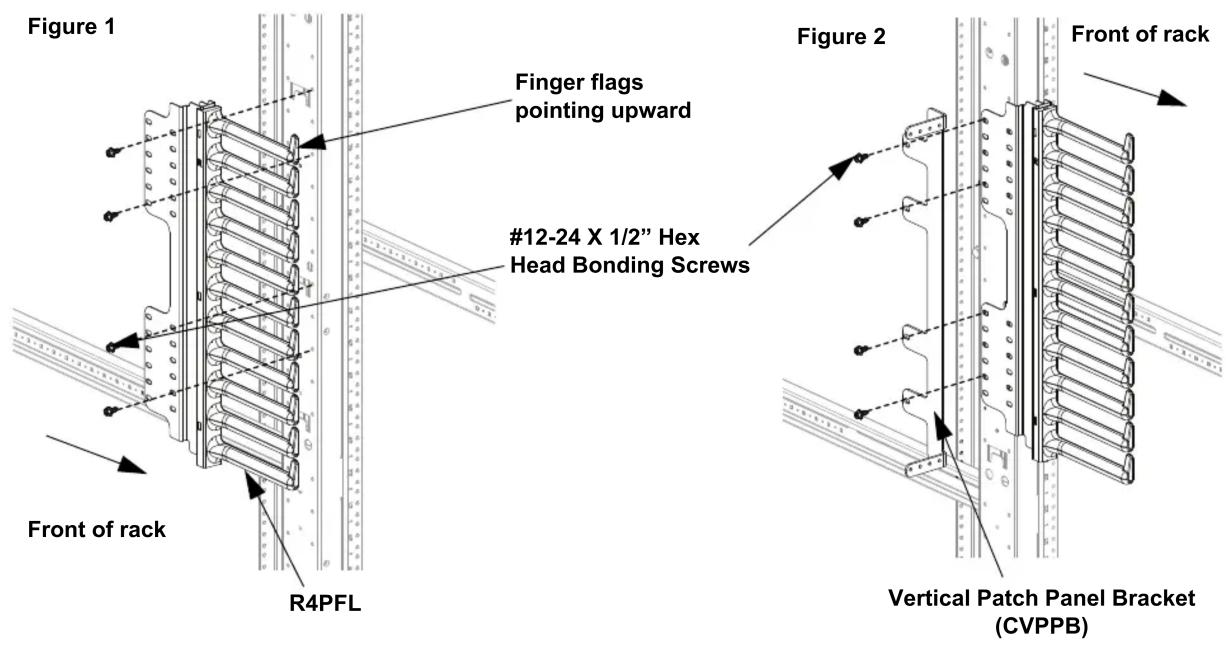
• The R4PFL may be installed anywhere on the outside of the left front post where a server or equipment will be installed.
- For maximum stability, install using front holes of rack post and finger manager and fasten using (4) #12-24 X 1/2" Hex Head Bonding Screws. Be sure that finger flags are pointing upward. See Figure 1.
- If Vertical Patch Panel Brackets (CVPPB, sold separately) are used, then use the rear holes of rack post and finger manager and fasten using (4) #12-24 X 1/2" Hex Head Bonding Screws. See Figure 2.
R4PFR Installation:
• The R4PFR may be installed anywhere on the outside of the right front post where a server or equipment will be installed.
- For maximum stability, install using front holes of rack post and finger manager and fasten using (4) #12-24 X 1/2" Hex Head Bonding Screws. Be sure that finger flags are pointing upward. See Figure 3.
- If Vertical Patch Panel Brackets (CVPPB, sold separately) are used, then use the rear holes of rack post and finger manager and fasten using (4) #12-24 X 1/2" Hex Head Bonding Screws. See Figure 4.
Figure 3
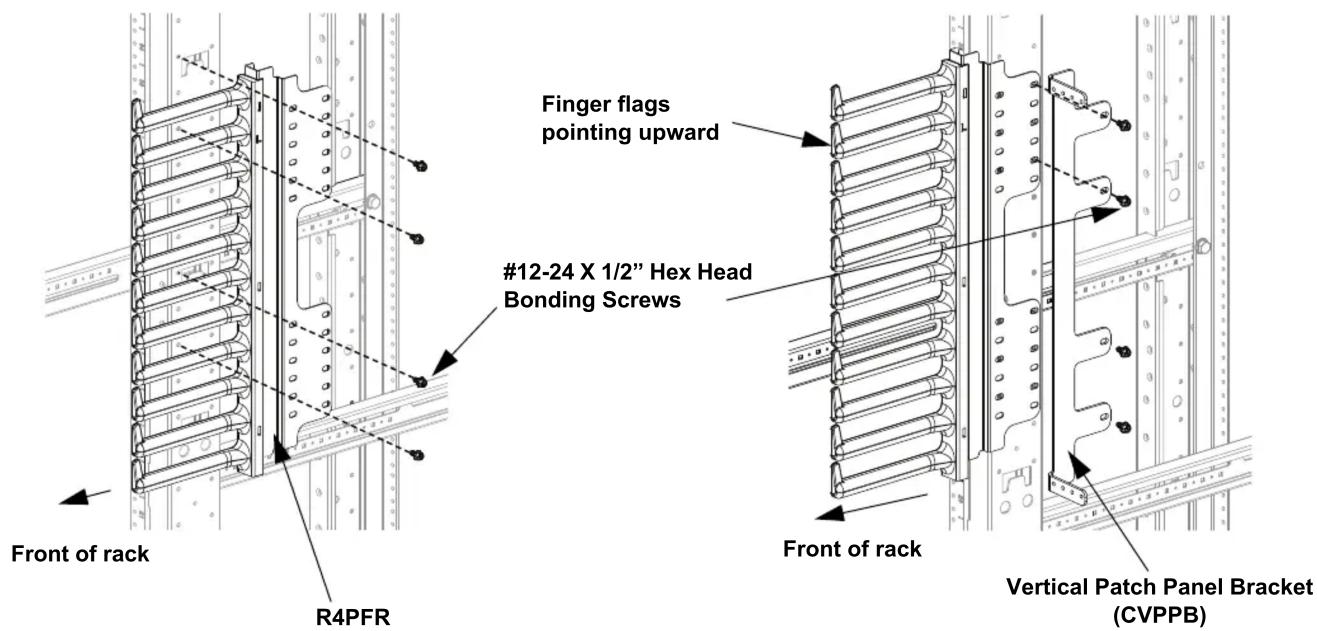
Figure 4
Figure 5

FINGER REMOVAL
Score grooves are designed into fingers to accommodate easy and clean finger removal.
To remove fingers, apply inward pressure to finger ends to snap off fingers at hte score groove. See Figure 5.
For Instructions in Local Languages
and Technical Support:
www.panduit.com/resources/install_maintain.asp
PANDUIT
www.panduit.com
E-mail:
cs@panduit.com
Fax:
(708) 444-6448
Brand : Panduit
Model : R4PFL
Category : Computer accessory