
ROTRS - Computer accessory Chief - Free user manual and instructions
Find the device manual for free ROTRS Chief in PDF.


| Product Type | Pull-Out and Rotating Rack Shelf |
| Brand | Chief |
| Model | ROTRS |
| Compatible Rack | Chief ROTR series (requires larger diameter holes in rack rails) |
| Material | Steel |
| Finish | Black powder coat |
| Maximum Rack Load Capacity | 250 lbs (113.4 kg) total combined weight in rack |
| Width | Standard 19-inch rack width |
| Rotation | Yes, pull-out and rotate for easy access to equipment |
| Pull-Out Mechanism | Sliding shelf with locking? Not specified |
| Included Hardware | 2 shelf brackets, 4 #4-40 pem studs, 4 #4-40 lock nuts, 4 1/4-20 lock nuts, 4 1/4-20 pem studs |
| Tools Required | Phillips screwdriver, open-ended wrench (7/16", 1/4" indicated) |
| Installation | Mount to rack rails using provided hardware; brackets can be positioned along shelf slots |
| Operating Temperature (Rack Internal) | Not to exceed 104°F (40°C) per ANSI/NFPA 70-2008 |
| Safety Compliance | WARNING: Ensure rack structure supports 5x combined weight; do not exceed rack load capacity |
| Manufacturer | Milestone AV Technologies (Chief brand) |
| Warranty | Not specified in manual |
| Manual Languages | English, Spanish, German, Portuguese, Italian, Dutch, French (from legend) |
| Application | IT and AV equipment in server racks |
| Rotating Feature | Allows rotation after pulling out for rear access |
Frequently Asked Questions - ROTRS Chief
User questions about ROTRS Chief
0 question about this device. Answer the ones you know or ask your own.
Ask a new question about this device
Download the instructions for your Computer accessory in PDF format for free! Find your manual ROTRS - Chief and take your electronic device back in hand. On this page are published all the documents necessary for the use of your device. ROTRS by Chief.
USER MANUAL ROTRS Chief
INSTALLATION INSTRUCTIONS
natural_image
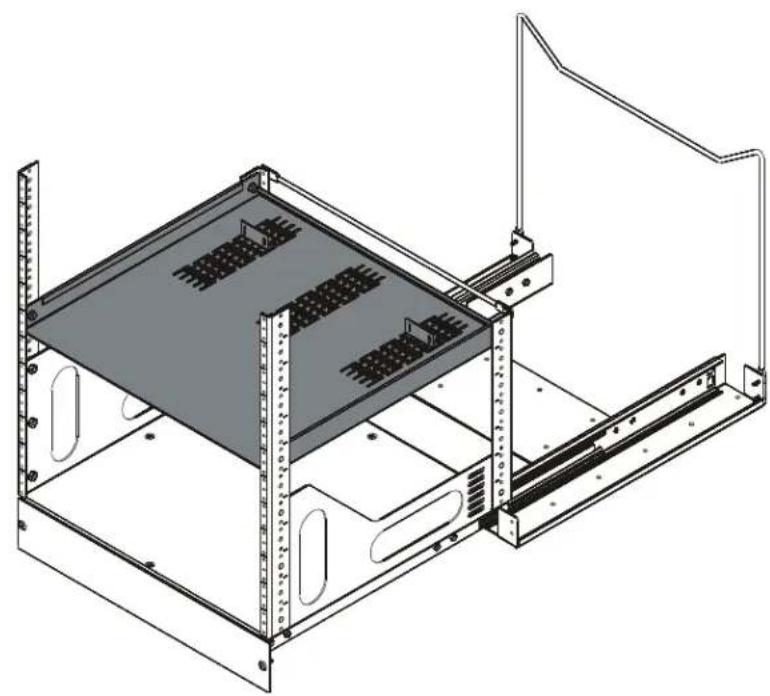
Technical line drawing of a server rack unit with mounting brackets and internal panel slots (no text or symbols)Pull Out and Rotating Rack Shelf
DISCLAIMER
Milestone AV Technologies and its affiliated corporations and subsidiaries (collectively "Milestone"), intend to make this manual accurate and complete. However, Milestone makes no claim that the information contained herein covers all details, conditions or variations, nor does it provide for every possible contingency in connection with the installation or use of this product. The information contained in this document is subject to change without notice or obligation of any kind. Milestone makes no representation of warranty, expressed or implied, regarding the information contained herein. Milestone assumes no responsibility for accuracy, completeness or sufficiency of the information contained in this document.
Chief® is a registered trademark of Milestone AV Technologies. All rights reserved.

IMPORTANT SAFETY INSTRUCTIONS
WARNING: A WARNING alerts you to the possibility of serious injury or death if you do not follow the instructions.

CAUTION: A CAUTION alerts you to the possibility of damage or destruction of equipment if you do not follow the corresponding instructions.

WARNING: Failure to read, thoroughly understand, and follow all instructions can result in serious personal injury, damage to equipment, or voiding of factory warranty! It is the installer's responsibility to make sure all components are properly assembled and installed using the instructions provided.

WARNING: Failure to provide adequate structural strength for this component can result in serious personal injury or damage to equipment! It is the installer's responsibility to make sure the structure to which this component is attached can support five times the combined weight of all equipment. Reinforce the structure as required before installing the component.

WARNING: Exceeding the weight capacity can result in serious personal injury or damage to equipment! It is the installer's responsibility to make sure the combined weight of all components located within the rack does not exceed 250 lbs (113.4 kg). Use with products heavier than the maximum weight indicated may result in instability or collapse of the rack causing possible injury.
IMPORTANT ! : Minimum spacings between the Accessories and components and the (ITC/AV) Rack Enclosure shall be maintained for safe operation of the equipment when installed in accordance with the National Electric Code, ANSI/NFPA 70-2008. Operating temperature inside rack shall not exceed 104°F.
--SAVE THESE INSTRUCTIONS--
DIMENSIONS
![17.88 [454.0] 17.58 [446.4] 9.37 [238.1] 0.50 [12.7] 18.88 [479.4] 1.50 [38.1]](/content/2026/05/1072974/images/799cbb1edb0aa63fbf6535d45baa72b50df2906bec52987c0002ae37611830a7.jpg)
LEGEND
 | Tighten Fastener |  | Phillips Screwdriver |
| Apretar elemento de fijación | Destornillador Phillips | ||
| Befestigungsteil festziehen | Kreuzschlitzschraubendreher | ||
| Apertar fixador | Chave de fendas Phillips | ||
| Serrare il fissaggio | Cacciavite a stella | ||
| Bevestiging vastdraaien | Kruiskopschroevendraaier | ||
| Serrez les fixations | Tournevis à pointe cruciforme | ||
 | Loosen Fastener |  | Open-Ended Wrench |
| Aflojar elemento de fijación | Llave de boca | ||
| Befestigungsteil lösen | Gabelschlüssel | ||
| Desapertar fixador | Chave de bocas | ||
| Allentare il fissaggio | Chiave a punte aperte | ||
| Bevestiging losdraaien | Steeksleutel | ||
| Desserrez les fixations | Clé à fourche |
TOOLS REQUIRED FOR INSTALLATION
| 19/3 |
| 7/16" 1/4" |
PARTS
 | ||
 | ||
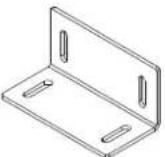 |  |  |
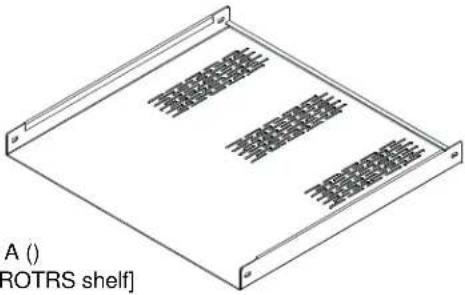
| B () [shelf bracket] | C (4) #4-40 | D (4) #4-40 x 1/4" |
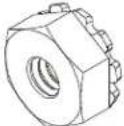 |  | |
| E (4) 1/4-20 | F (4) 1/4-20 x 1/2" | |
ASSEMBLY
- Attach shelf brackets (B) to ROTRS shelf (A) using four #4-40 x 1/4" pem studs (C) and four #4-40 lock nuts (D). (See Figure 1)
NOTE: Brackets may be installed anywhere on shelf where there are mounting slots based on user preference.

Figure 1
- Use four 1/4-20" lock nuts (E) and four 1/4-20 x 1/2" pem studs (F) to secure shelf to ROTR rack at desired mounting height. (See Figure 2)
IMPORTANT ! : Shelf can only be mounted using larger diameter holes in ROTR rack rails. Pem studs will not fit through the smaller holes.
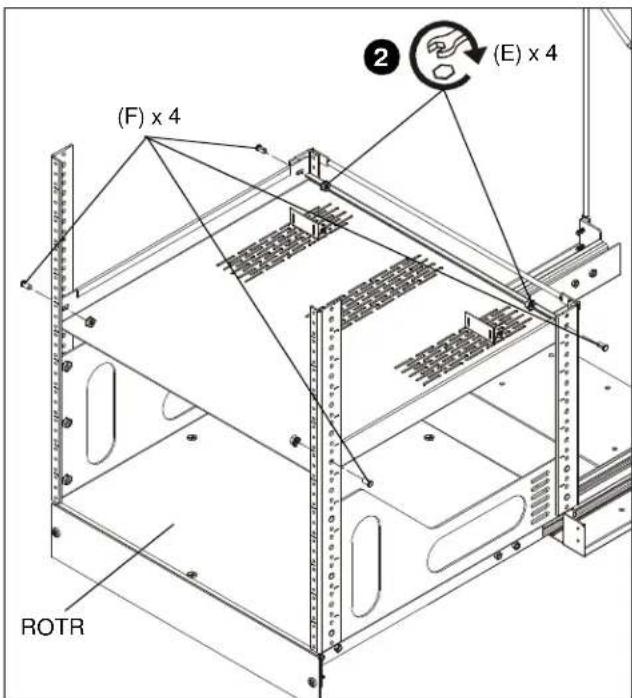
Figure 2

WARNING: Exceeding the weight capacity can result in serious personal injury or damage to equipment! It is the installer's responsibility to make sure the combined weight of all components located within the rack does not exceed 250 lbs (113.4 kg). Use with products heavier than the maximum weight indicated may result in instability or collapse of the rack causing possible injury.
- Install desired components to shelf.
Brand : Chief
Model : ROTRS
Category : Computer accessory