
DLP2103 - Power bank PHILIPS - Free user manual and instructions
Find the device manual for free DLP2103 PHILIPS in PDF.


| Product Type | USB Battery Pack (Power Bank) |
| Brand | Philips |
| Model | DLP2103 |
| Battery Type | Lithium Polymer |
| Charging Input | Micro USB |
| Charging Output | USB-A |
| Battery Level Indication | 4 LED indicators |
| Charging Cable Included | Micro USB cable |
| Usage | Charging smartphones, tablets, smartwatches and other mobile devices |
| Power Button | Press to check battery level and start charging |
| Safety Features | Do not expose to extreme temperatures, do not immerse in liquids, do not open |
| Warranty | Limited Lifetime Warranty |
| Customer Support | 1-844-816-0320 (7:00AM-8:00PM CST) |
| FCC Compliance | Part 15 Class B digital device |
| Disposal | Recycle at a battery recycling center; do not dispose in garbage |
| Package Contents | USB Battery Pack, Micro USB Charging Cable, Instruction Manual |
| Manufacturer | Gibson Innovations Limited |
| Distributor | Jasco Products Company LLC, 10 E. Memorial Rd., Oklahoma City, OK 73114 |
| Country of Origin | China |
Frequently Asked Questions - DLP2103 PHILIPS
User questions about DLP2103 PHILIPS
0 question about this device. Answer the ones you know or ask your own.
Ask a new question about this device
Download the instructions for your Power bank in PDF format for free! Find your manual DLP2103 - PHILIPS and take your electronic device back in hand. On this page are published all the documents necessary for the use of your device. DLP2103 by PHILIPS.
USER MANUAL DLP2103 PHILIPS
WARNING: RISK OF FIRE AND SHOCK
RISK OF FIRE
AVOID PLACING THE USB BATTERY PACK IN DIRECT SUNLIGHT, NEAR A HEATER, OR OTHER LOCATIONS OF EXTREME TEMPERATURES.
DO NOT CONTINUE USING OR ATTEMPT TO CHARGE THE USB BATTERY PACK IF IT HAS
SO-NET CONTINUE USING OR AFTERLY TO CHANGE THE USB DAILY, FOR IF IT THIS BEEN PUNCTURED, CRUSHED, DEFORMED, DAMAGED, OR IF IT EXHIBITS ANY ABNORMAL CHARACTERISTICS SUCH AS EXCESSIVE HEATING, SWELLING, OR IF IT EMITS AN ODOR. USE ONLY IN DRY LOCATIONS. NEVER IMMERSE THE UNIT IN LIQUIDS.
DO NOT OPERATE THE USB BATTERY PACK NEAR
FLAMMABLE MATERIALS, EUMES OR GASES
USE ONLY A USB POWER SUPPLY WITH A 5.0V OUTPUT OR
COMPUTER USB PORT TO CHARGE THE USB BATTERY BACK
COMPUTER USB PORT TO CHARGE THE USB BATTERY PACK. DO NOT OPEN THE USB BATTERY PACK, THERE ARE NO USED SERVICABLE PARTS
DO NOT OPEN THE USB BATTERY PACK. THERE ARE NO US TO AVOID AN EXPLOSION OR EXPOSURE TO TOXIC EUMES
TO AVOID AN EXPLOSION OR EXPOSURE TO TOXIC FUM
DO NOT DISPOSE OF THE USB BATTERY PACK IN A FIRE
USE A MILD SOAP AND WATER SHOULD THE BATTERY
CONTENTS COME INTO CONTACT WITH THE SKIN.
RINSE EYES WITH CLEAN RUNNING WATER SHOULD THE BATTERY CONTENTS
COME INTO CONTEACT WITH THE EYES AND SEEK MEDICAL ATTENTION
KEEP AWAY FROM CHILDREN. THE USB BATTERY PACK IS NOT A TOY
DO NOT DROP THE USB BATTERY PACK
Thank you for purchasing your new USB Battery Pack. Its convenience and practicality make it ideal for travel. No matter where you are or where you are going, take this battery pack on the go. Easily charge your smartphones, tablets, smartwatches and other mobile devices anytime and anywhere.
Package Contents
• USB Battery Pack
- Micro USB Charging Cable
• Instruction Manual

Fuel Gauge
Press the power button on the USB Battery Pack to see battery level.

Charging the USB Battery Pack
When the battery pack needs to be recharged, insert the provided Micro USB cable into the Micro USB charging port on the battery pack. Insert the opposite end of the USB cable into a USB power source. When the battery pack is fully charged, all 4 LEDs will illuminate.
Charging Your Device
Plug the USB-A end of your cable into the battery pack and the other end into your device. Once the device is connected, press the power button on the battery pack and charging will begin.

FCC Statement
This device complies with Part 15 of the FCC rules. Operation is subject to the following two conditions:
(1) this device may not cause harmful interference, and (2) this device must accept any interference received, including interference that may cause undesired operation.
FCC NOTE: The manufacturer is not responsible for any radio or TV interference caused by unauthorized modifications to this equipment. Such modifications could void the user's authority to operate the equipment.
NOTE: This equipment has been tested and found to comply with the limits for a Class B digital device, pursuant to Part 15 of the FCC Rules. These limits are designed to provide reasonable protection against harmful interference in a residential installation. This equipment generates, uses and can radiate radio frequency energy and, if not installed and used in accordance with the instructions, may cause harmful interference to radio communications. However, there is no guarantee that interference will not occur in a particular installation. If this equipment does cause harmful interference to radio or television reception, which can be determined by turning the equipment off and on, the user is encouraged to try to correct the interference by one or more of the following measures:
• Reorient or relocate the receiving antenna.
- Increase the separation between the equipment and receiver.
- Connect the equipment into an outlet on a circuit different from that to which the receiver is connected.
- Consult the dealer or an experienced radio/TV technician for help.
Battery Disposal
The USB Battery Pack contains a lithium polymer battery. Follow all applicable state and federal laws for battery disposal and recycling. Do not dispose of the USB Battery Pack in the garbage. Take it to your local battery recycling center.

MADE IN CHINA
The Philips trademark and the Philips Shield Emblem are registered trademarks of Koninklijke Philips N.V. used under license. This product has been manufactured by Gibson Innovations Limited. It is distributed and warranted by Jasco Products Compan LLC, 10 E. Memorial Rd., Oklahoma City, OK 73114. ©2018 Gibson Innovations, all rights reserved.
This product comes with a limited-lifetime warranty. Visit www.philips.com/support for warranty details.
Questions? Contact us at 1-844-816-0320 between 7:00AM–8:00PM CST.

DLP2103/37 v1 11/17


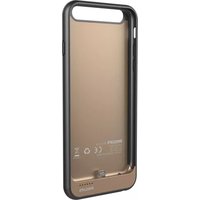


Brand : PHILIPS
Model : DLP2103
Category : Power bank