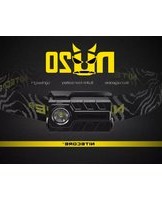
NU20 CRI - Flashlight Nitecore - Free user manual and instructions
Find the device manual for free NU20 CRI Nitecore in PDF.


| Product Type | Headlamp / Flashlight |
| Brand | Nitecore |
| Model | NU20 CRI |
| LED | Nichia 219B, CRI ≥ 90 |
| Dimensions | 2.18" × 1.29" × 0.82" (with bracket) |
| Weight | 1.66 oz (with battery and bracket) |
| Power Source | Built-in rechargeable Li-ion battery, 3.7V 600mAh |
| Charging | Micro-USB, full charge in approx. 2 hours |
| Brightness Levels | Ultralow (1 lumen), Mid (30 lumens), High (170 lumens), Turbo (270 lumens) |
| Special Modes | SOS, Location Beacon |
| Max Runtime | Up to 100 hours on Ultralow |
| Beam Distance | 69 m |
| Peak Beam Intensity | 1,200 cd |
| Impact Resistance | 1.5 m |
| Waterproof Rating | IPX7, submersible to 1 m |
| Switch Guard | Yes, prevents accidental activation |
| Adjustable Angle | 52° |
| Reflector | Textured |
| Housing Material | Durable PC (polycarbonate) |
| Patents | Built-in power indicator (Patent ZL201220057767.4) |
| Warranty | 12 months free repair, limited thereafter |
Frequently Asked Questions - NU20 CRI Nitecore
User questions about NU20 CRI Nitecore
0 question about this device. Answer the ones you know or ask your own.
Ask a new question about this device
Download the instructions for your Flashlight in PDF format for free! Find your manual NU20 CRI - Nitecore and take your electronic device back in hand. On this page are published all the documents necessary for the use of your device. NU20 CRI by Nitecore.
USER MANUAL NU20 CRI Nitecore
The All-Round Flashlight Expert
Features
• Highly portable headlamp
- Multiple colour temperature options available
• NU20: Fitted with a CREE XP-G2 S3 LED
- NU20 CRI: Fitted with a Nichia 219B LED, CRI≥90
• Built-in Li-ion battery provides runtime up to 100 hours
- Onboard USB charging circuit
- Single switch user interface design offers easy one-handed operation
• Built-in power indicator (Patent No. ZL201220057767.4)
• 4 brightness level and 2 special modes available
- Unique switch guard to prevent accidental activation
- Textured reflector
- 52^ adjustable illumination angle
• Made from durable PC materials
• Lightweight and compact dimensions
- Impact resistant to 1.5 metre
Dimensions
Size: 2.18"×1.29"×0.82"(with bracket)
Weight: 1.66oz(with battery and bracket)
Accessories
USB cord
Output & Runtime
NU20
| FL 1 STANDARD | TURBO | HIGH | MID | ULTRALOW |
| 360LUMENS | 220LUMENS | 40LUMENS | 1LUMEN | |
| *30min | 6h | 7h45min | 100h | |
| 80m(Beam Distance) | ||||
| 1,600cd(Peak Beam Intensity) | ||||
| 1.5m(Impact Resistant) | ||||
| IPX7, 1m(Waterproof AND Submersible) | ||||
NU20 CRI
| FL1 STANDARD | TURBO | HIGH | MID | ULTRALOW |
| 270LUMENS | 170LUMENS | 30LUMENS | 1LUMEN | |
| *30min | 6_h | 7_h 45min | 100_h | |
| 69m (Beam Distance) | ||||
| 1,200cd (Peak Beam Intensity) | ||||
| 1.5m (Impact Resistant) | ||||
| IPX7, 1m (Waterproof AND Submersible) | ||||
NOTICE: Stated data has been measured in accordance with the international flashlight testing standards ANSI/NEMA FL1 using an integrated and fully charged 3.7V 600mAh rechargeable Li-ion battery under laboratory conditions. End-user results may vary due to individual usage habits and environmental conditions.
*Runtime for turbo mode is calculated based on theoretical arithmetic.
Operating Instructions ON/OFF
Draw out the NU20/NU20 CRI to expose the switch from the switch guard as illustrated in the diagram below, press the switch to turn the light on, pressing the switch again after 3 second to turn the light off.

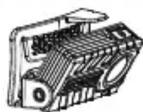
Note: Pressing the switch again within 3 second from when the light is turned on will switch output to the next available brightness.
Brightness Adjustment
Press the switch repeatedly within 3 second from the initial activation will switch output from ultralow-mid-high-off. Pressing the switch again after 3 second from initial activation turns the light off.
Access to Turbo
With the light turned on, hold down the switch for more than 1 second to enter turbo mode (360 lumens for NU20 and 270 lumens for NU20 CRI).
Note: The turbo mode will run for 30 second before stepping down to the next available output to prevent overheating.
NU20/NU20 CRI
User Manual
Special Modes (SOS/Location Beacon)
With the light turned off, hold down the switch for over 3 second to enter SOS, pressing the switch again within a 3 second interval to switch to location beacon. To exit special mode, press the switch in location beacon mode, alternatively, cease any operation for 3 second then press the switch again.
Power Tips
With the light turned off, hold down the switch for 1 second, the power indicator will blink to indicate remaining battery power upon the release of the switch: 3 blinks represent battery power above 50%, 2 blinks represent battery power below 50%, 1 blink represents battery power below 10%.
Note: Recharge the product when output appears to be dim and/or unresponsive.
Recharging
-
This product is USB rechargeable. Raise the micro-USB port cover to expose the charging port, connect the port to a power supply with a USB cord to initiate the charging process. Fully charges the battery take approximately 2 hours.
-
Charging Tip: A red light under the switch will be lit to indicate charging in progress, and it will turn green upon charging completion.

Warranty Details
All NITECORE products are warranted for quality. Any defective /malfunctioning NITECORE Tube can be repaired free of charge for a period of 12 months from the date of purchase. Beyond 12 months, a limited warranty applies, covering the cost of labor and maintenance, but not the cost of accessories or replacement parts. The warranty is nullified in either or both of the following situations:
-
The product(s) is/are broken down, reconstructed and/or modified by unauthorized parties.
-
The product(s) is/are damaged through improper use.
For the latest information on NITECORE® products and services, please contact a local NITECORE® distributor or send an email to service@nitecore.com.
※All images, text and statements specified herein this user manual are for reference purpose only. Should any discrepancy occurs between this manual and information specified on www.nitecore.com, information on our official website shall prevail. Sysmax Industry Co., Ltd. reserves the rights to interpret and amend the content of this document at any time without prior notice.
SYSMAX ind.
SYSMAX Industry Co., Ltd.
TEL: +86-20-83862000
FAX: +86-20-83882723
E-mail: info@nitecore.com
Web: www.nitecore.com
Address: Rm1401-03, Glorious Tower, 850 East Dongfeng Road, Guangzhou, China 510600
Please find us on facebook: NITECORE Flashlights

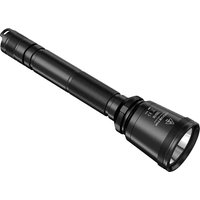


Brand : Nitecore
Model : NU20 CRI
Category : Flashlight