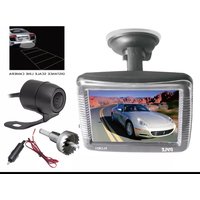
PLCM31 - Rear Camera Pyle - Free user manual and instructions
Find the device manual for free PLCM31 Pyle in PDF.


| Product Type | Rear View Camera System |
| Monitor Size | 3.5" TFT LCD |
| Monitor Mount | Window Suction Mount |
| Camera Type | Dual Mount Micro Video Camera |
| Camera Mount Options | Bracket Mount and Flush Mount |
| Viewing Angle | 170 Degrees |
| Night Vision | Yes, with CMD Sensor and Low Lux |
| Video Inputs | Two Video Inputs |
| Video System | NTSC/PAL Auto Switch |
| Monitor Brightness | 200 cd/m² |
| Monitor Contrast Ratio | 200:1 |
| Monitor Dimensions (W x H x D) | 3.7" x 3.3" x 0.67" |
| Camera Dimensions (Diameter x Length) | 0.59" x 0.82" |
| Power Supply | DC 12V |
| Auto Switch on Reverse | Yes |
| Included Accessories | Drill bit, mounting brackets, suction mount |
| Cleaning Instructions | Wipe with dry cloth; avoid harsh chemicals |
| Safety Note | Use only as directed; avoid water exposure |
Frequently Asked Questions - PLCM31 Pyle
User questions about PLCM31 Pyle
0 question about this device. Answer the ones you know or ask your own.
Ask a new question about this device
Download the instructions for your Rear Camera in PDF format for free! Find your manual PLCM31 - Pyle and take your electronic device back in hand. On this page are published all the documents necessary for the use of your device. PLCM31 by Pyle.
USER MANUAL PLCM31 Pyle
natural_image
Black-and-white photo of a car driving on a mountain road, enclosed in a transparent container (no visible text or symbols)
natural_image
Close-up of a metallic gear with toothed shaft and central hub against black background (no text or symbols)Drill bit included

natural_image
3D rendered mechanical component with mounting flanges and central hub (no text or symbols visible)3.5" Slim TFT LCD Window Suction Mount Monitor With
Dual Mount Rearview Camera w/ Night Vision
Owner's Manual
FEATURES:
Monitor:
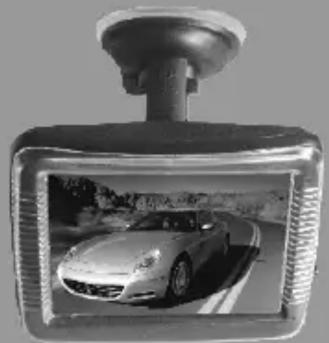
• 3.5" Window Suction Mount Monitor
• Automatically Switch When Reversing
- Two Video Inputs
• NTSC/PAL System Auto Switch
• Brightness: 200 cd/m2
- Contrast: 200:1
• Dimension: 3.7"W x 3.3"H x 0.67"D
natural_image
Black and white photo of a car on a tripod-mounted display, showing its front wheel and side profile (no text or symbols visible)Camera:
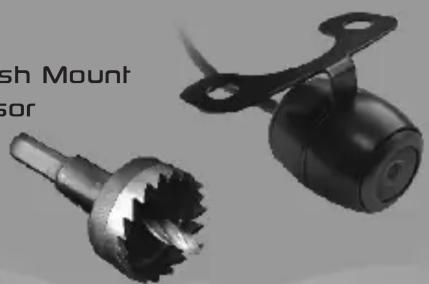
• Dual Mount Micro Sized Video Camera
• With Full Kit for Both Bracket Mount and Flush Mount
• Low Lux Night Vision Camera with CMD Sensor
• 170 Degree L/R Viewing Angle
• Power Supply: DC 12V
• Dimension: ∅0.59"x0.82"L
natural_image
Two mechanical components with gear-like shafts, one mounted on a bracket (no visible text or symbols)Drill bit included
Connection:
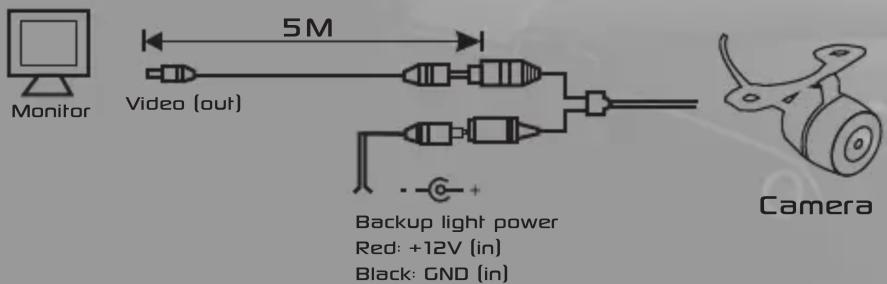
Our camera can be installed in the following ways:
A. Flush Mount

natural_image
Exploded view of mechanical components including a connector, bearing housing, and clamping device (no text or symbols visible)B. Bracket Mount
Visit us @ pyleaudio.com
IMPORTANT: Pack carefully in original package if possible. We are not responsible for damage incurred in returning items for repair. A letter stating your exact street address, daytime phone number, and the problem you are experiencing should be included. You must also enclose a copy of the original receipt a sproof of date of purchase
Brooklyn, NY 11204
1-800-444-5671
Monday Through Thursday. 9AM to 5PM
Friday 9AM to 1PM Eastern.
Brand : Pyle
Model : PLCM31
Category : Rear Camera