
DGWII-1053 - Computer accessory DREAMGEAR - Free user manual and instructions
Find the device manual for free DGWII-1053 DREAMGEAR in PDF.


| Product Type | Computer Accessory |
| Brand | dreamGEAR |
| Model | DGWII-1053 |
| Compatibility | PC, Laptop, and Gaming Consoles |
| Dimensions | Approximately 6 x 4 x 2 inches |
| Weight | Approximately 0.5 lbs |
| Power Source | USB powered (5V, 500mA) |
| Connectivity | USB Type-A |
| Main Function | Gaming controller charging and storage |
| Additional Features | LED indicator, overcharge protection |
| Material | ABS plastic |
| Color | Black |
| Cable Length | 3 feet |
| Operating Temperature | 32°F to 104°F (0°C to 40°C) |
| Storage Temperature | -4°F to 140°F (-20°C to 60°C) |
| Humidity | 10% to 90% non-condensing |
| Certifications | CE, FCC, RoHS |
| Cleaning | Wipe with a soft dry cloth |
| Safety | Keep away from water and extreme heat |
| Repairability | No user-serviceable parts; contact support |
| Warranty | 1-year limited warranty |
Frequently Asked Questions - DGWII-1053 DREAMGEAR
User questions about DGWII-1053 DREAMGEAR
0 question about this device. Answer the ones you know or ask your own.
Ask a new question about this device
Download the instructions for your Computer accessory in PDF format for free! Find your manual DGWII-1053 - DREAMGEAR and take your electronic device back in hand. On this page are published all the documents necessary for the use of your device. DGWII-1053 by DREAMGEAR.
USER MANUAL DGWII-1053 DREAMGEAR
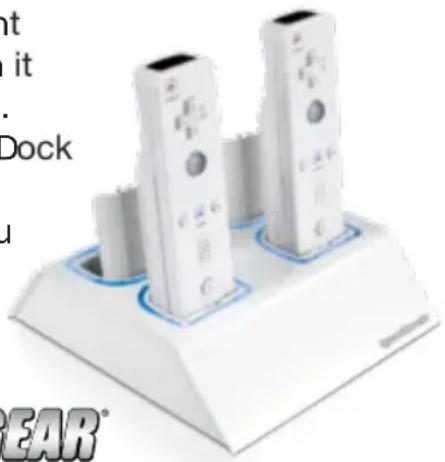
dreamGEAR's Quad Dock for the Wii, charges 4 separate Wii remotes or Rechargeable Battery Packs simultaneously. It has a built-in LED light which indicates when it has finished charging. dreamGEAR's Quad Dock saves you time and money and keeps you gaming!

dreamGEAR
www.dreamgear.net
Contents:
1 - Quad Dock
4 - Rechargeable Battery Packs
1 - Power Pass-through cable
Getting Started
1) Make sure that the Wii console is turned off.
2) Plug the Wii DC plug into the Quad Dock power adapter input.
3) Insert the Quad Dock DC plug into the Wii DC plug input.
4) Plug the secondary Wii DC plug into the Wii DC input connector.
5) Turn on the Wii and start gaming!
USING THE Wii REMOTE WITH THE QUAD DOCK
1) Insert a dreamGEAR Rechargeable Battery Pack into a Wii Remote. Insert the Wii Remote with Rechargeable Battery Pack into the Quad Dock and make contact with the charging terminal. The LED will light up red indicating the charge cycle has begun. When the charge cycle is complete, the LED will light up blue.
2) To release the Wii Remote, simply lift and remove the Wii Remote from the Quad Dock.
CHARGING THE DREAMGEAR RECHARGEABLE BATTERY USING THE QUAD DOCK
1) Insert a dreamGEAR Rechargeable Battery Pack into the Quad Dock and make contact with the charging terminal. The LED will light up red indicating the charge cycle has begun. When the charge cycle is complete, the LED will light up blue.
2) To release the dreamGEAR Rechargeable Battery Pack, simply lift and remove it from the Quad Dock.
Troubleshooting
Problem: My controller isn't charging.
Solution: 1) Make sure the power source on the Quad Dock is plugged in properly and securely. 2) Make sure the Wii Remote with the Rechargeable Battery Pack is making proper contact with the charging terminals on the Quad Dock. Make sure the Quad Dock is free of dirt and debris. Make sure that none of the contacts on BOTH the controller and the Quad Dock are not damaged or compromised.
NOTE: Be sure and keep your Wii Remotes and Quad Dock clean. Dirt and debris harm the battery contacts. Use a dry cloth to clean. DO NOT use water or any chemicals to clean.
Brand : DREAMGEAR
Model : DGWII-1053
Category : Computer accessory