
KB-1350D - Keyboard TRUST - Free user manual and instructions
Find the device manual for free KB-1350D TRUST in PDF.


Pick your language and provide your email: we'll send you a specifically translated version.
| Product Type | Keyboard |
| Brand | Trust |
| Model | KB-1350D |
| Connectivity | Wired USB |
| Layout | Full-size (104 keys) |
| Dimensions (L x W x H) | 440 x 140 x 30 mm |
| Weight | 500 g |
| Cable Length | 1.5 m |
| Power Source | USB bus powered |
| Compatibility | Windows, macOS, Linux |
| Special Features | Spill-resistant design, quiet keys |
| Warranty | 2 years |
| Maintenance | Clean with soft dry cloth |
| Safety | CE, RoHS certified |
| Spare Parts & Repairability | Contact Trust support for parts |
Frequently Asked Questions - KB-1350D TRUST
How do I connect the Trust KB-1350D keyboard to my computer?
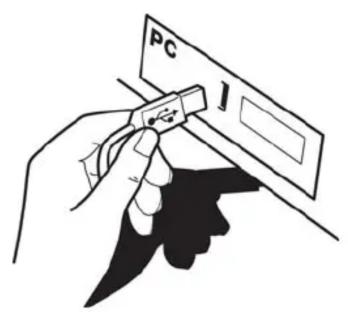
Plug the USB cable into an available USB port on your computer. The keyboard should be recognized automatically without needing additional drivers.
Is the Trust KB-1350D compatible with Mac?
Yes, the keyboard works with macOS. Some special keys may require remapping using system preferences.
How do I clean my Trust keyboard?
Unplug the keyboard, turn it upside down to shake out debris, and wipe the surface with a soft dry cloth. Avoid using liquids or sprays.
What should I do if some keys stop working?
Check the USB connection and try a different port. If persistent, restart your computer. For hardware issues, contact Trust support.
Can I use the keyboard while my computer is off?
No, the keyboard requires power from the computer via USB, so it only functions when the computer is on or in standby mode.
Does the Trust KB-1350D have multimedia keys?
This model includes standard function keys; some may have secondary multimedia functions accessed via the Fn key.
What is the cable length of the keyboard?
The USB cable is approximately 1.5 meters (5 feet) long.
Is the keyboard spill-resistant?
Yes, the Trust KB-1350D features a spill-resistant design with drainage holes to protect against accidental liquid spills.
Where can I download the user manual?
The manual is available for free download in PDF format from the official Trust support website or from trusted manual repositories.
How long is the warranty period?
Trust offers a standard 2-year warranty on this keyboard. Keep your receipt for warranty claims.
User questions about KB-1350D TRUST
0 question about this device. Answer the ones you know or ask your own.
Ask a new question about this device
No questions yet. Be the first to ask one.
Download the instructions for your Keyboard in PDF format for free! Find your manual KB-1350D - TRUST and take your electronic device back in hand. On this page are published all the documents necessary for the use of your device. KB-1350D by TRUST.
USER MANUAL KB-1350D TRUST
1
2
![Mediaplayer Mediacenter iTunes Esc F1 F2 F3 F4 F5 F6 F7 F8 F9 F10 F11 F12 Print Sc S### Script Lock Pause Beat Tab Q W E R T Y U I O P [ ] Caps Lock A S D F G H J K L : " ← Enter OK Shift Z X C V B N M < ? Shift Ctrl Alt Ctrl Add ↓ → 0 Ins Del Trust Num Lock / * - Insert Page Up ChUp 7 Home 8 Pig Up + + Delete Page Down Offain 4 5 6 - Enter 1 End 2 Pig On Enter](/content/2026/05/1068696/images/0092ae3de3d7518ae2b2bb8fbcf15b5ea4335d87191a8ee759cf1f353509ff0e.jpg)
Windows 2000: www.trust.com/15450/drivers
Manual assistant
Powered by Anthropic
Waiting for your message
Product information
Brand : TRUST
Model : KB-1350D
Category : Keyboard