
Desktop - Microphone IC Intracom - Free user manual and instructions
Find the device manual for free Desktop IC Intracom in PDF.


| Product Type | Digital Blood Pressure Monitor |
| Brand | IC Intracom |
| Model | Desktop (GP-6621) |
| Dimensions | 156 x 167 x 54 mm |
| Weight | Approx. 550 g (including batteries) |
| Power Source | 4 AA alkaline batteries (1.5 V) or optional AC adapter (6 V DC / 800 mA) |
| Measuring Method | Oscillometric |
| Measurement Range | 20 to 300 mmHg (pressure), 40 to 200 pulse/min |
| Accuracy | ±3 mmHg (pressure), ±5% (pulse rate) |
| Memory Capacity | 85 sets of measurements |
| Display | LCD showing year/date/time, pressure and pulse |
| Auto Power-Off | After 150 seconds of inactivity |
| Battery Life | Approximately 250 operations |
| Cuff Size | 22 to 32 cm (8.7 to 12.6 inches) arm circumference |
| Operating Environment | +10°C to +40°C, RH < 85% |
| Storage Environment | -10°C to +50°C, RH < 85% |
| Key Functions | Automatic inflation, measurement, memory recall, clock setting, irregular pulse detection |
| Care & Cleaning | Wipe with a cloth moistened with water or neutral detergent; avoid thinners and benzene |
| Safety Features | Automatic deflation, emergency cuff release if pressure > 300 mmHg, low battery indicator |
| Warranty | 3 years from date of purchase |
| Standards Compliance | EN 1060-1, EN 1060-3, Council Directive 93/42/EEC, ISO 13485 |
Frequently Asked Questions - Desktop IC Intracom
User questions about Desktop IC Intracom
0 question about this device. Answer the ones you know or ask your own.
Ask a new question about this device
Download the instructions for your Microphone in PDF format for free! Find your manual Desktop - IC Intracom and take your electronic device back in hand. On this page are published all the documents necessary for the use of your device. Desktop by IC Intracom.
USER MANUAL Desktop IC Intracom
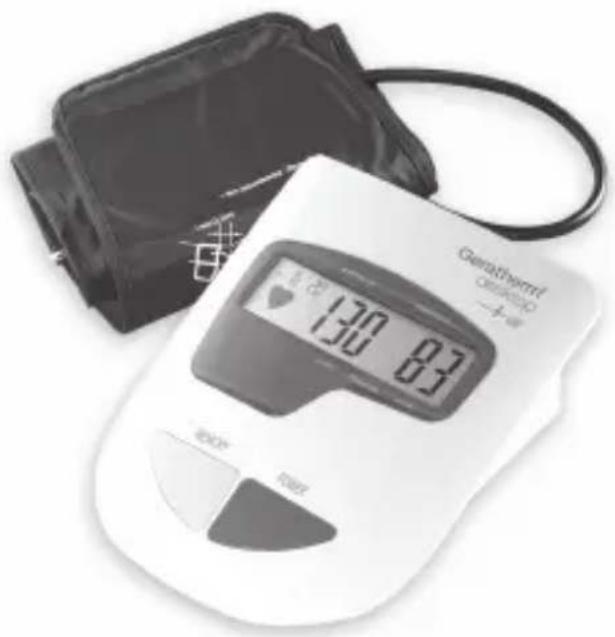
Fully Fuzzy Auto Digital Blood Pressure Monitor
Geratherm®
desktop
natural_image
Digital blood pressure monitor with digital display showing 130-87, accompanied by a black-and-white photo of a hand holding the device (no visible text or symbols on the device body)GB
INSTRUCTION MANUAL
GP-6621
CE0118
Information You Should Know Before Operating the Unit
About the Unit....25
Explanation of Displays 25
Preparation for Use
Installing/Replacing Batteries 26
Attaching the Pressure Cuff 2
Measuring Posture 28
Operations
Setting the Clock 29
Measuring Blood Pressure 30
Recalling Memories 31
Erasing Memories 32
Care and Maintenance 33
Error Message 35
Specifications 36
Caution
- Consult your physician to verify your blood pressure range before obtaining it at home with this unit.
- If the cuff causes any discomfort during measurement, press the start/stop button to turn off the unit immediately.
- Pull off the velcro strap to detach the arm cuff if the pressure is over 300mmHg and the cuff does not deflate automatically.
Blood pressure measurements obtained with this unit are equivalent to those obtained by a trained person using the cuff/ stethoscope auscultation method.
WARRANTY :
Three years from the date of purchase.
Information You Should Know Before Operating the Unit
What is blood pressure?
A force is created by the heart as the ventricle forcibly ejects blood into the blood vessels and through the transport system. Another force is created by the arteries as they resist the blood flow. Blood pressure is the result of these two forces.
What are systolic and diastolic pressures?
Systolic pressure represents the highest pressure at the height of the heart's contraction. Diastolic pressure is the lowest pressure when the heart is resting.
Is my blood pressure normal?
See the following blood pressure classification chart released by the WHO (World Health Organization) for evaluation of your blood pressure level.
GB
Diastolic mmHg

bar
| Hypertension Category | Systolic mmHg | | :--- | :--- | | Severe hypertension (Grade 3) | 110 | | Moderate Hypertension (Grade 2) | 105 | | Mild Hypertension (Grade 1) | 100 | | Boardline | 90 | | Normal | 85 | | Optimal | 80 |Information You Should Know Before Operating the Unit
What about low blood pressure?
In general, a lower blood pressure reading is better unless it causes some uncomfortable symptoms such as fainting and/or lightheadedness.
Fluctuation and variation in blood pressure
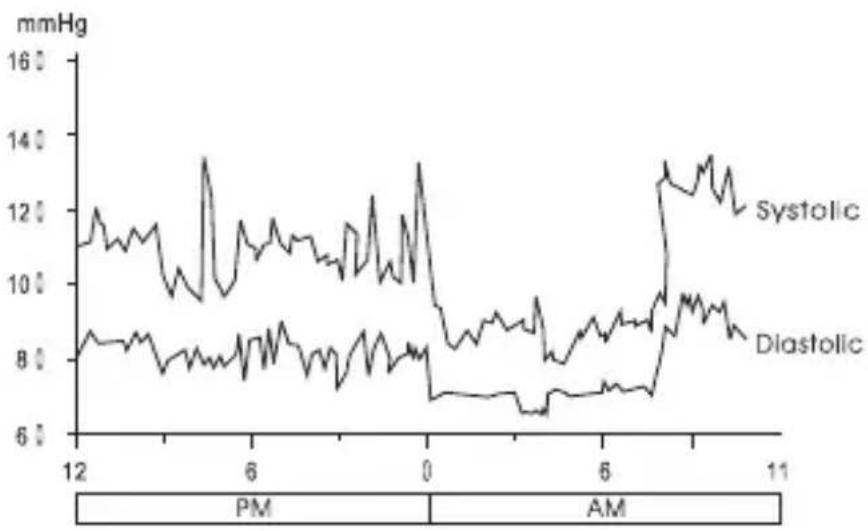
The following chart shows possible blood pressure fluctuations during a 24hr period.
line
| Time | Systolic (mmHg) | Diastolic (mmHg) | |------|------------------|-------------------| | 12 | ~11.5 | ~8.5 | | 6 | ~13.5 | ~8.0 | | 0 | ~13.0 | ~7.0 | | 6 | ~9.0 | ~7.5 | | 11 | ~13.5 | ~8.5 |GB
The following factors will influence blood pressure measurement results and cause variations.
- Bathing • Breathing
- Conversation • Drinking alcohol
- Exercise • Moving
- Mental tension • Meals
• Temperature change • Thoughts - Smoking etc.
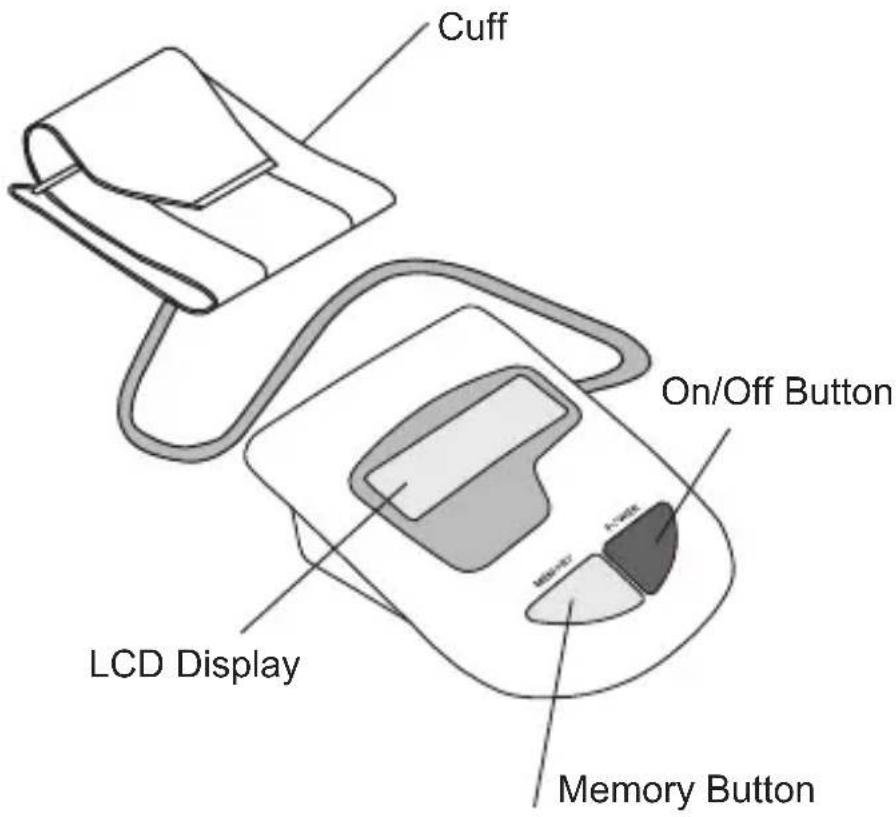
The cuff is designed to fit arm sizes between 22 and 32cm (8.7 to 12.6 inches.)
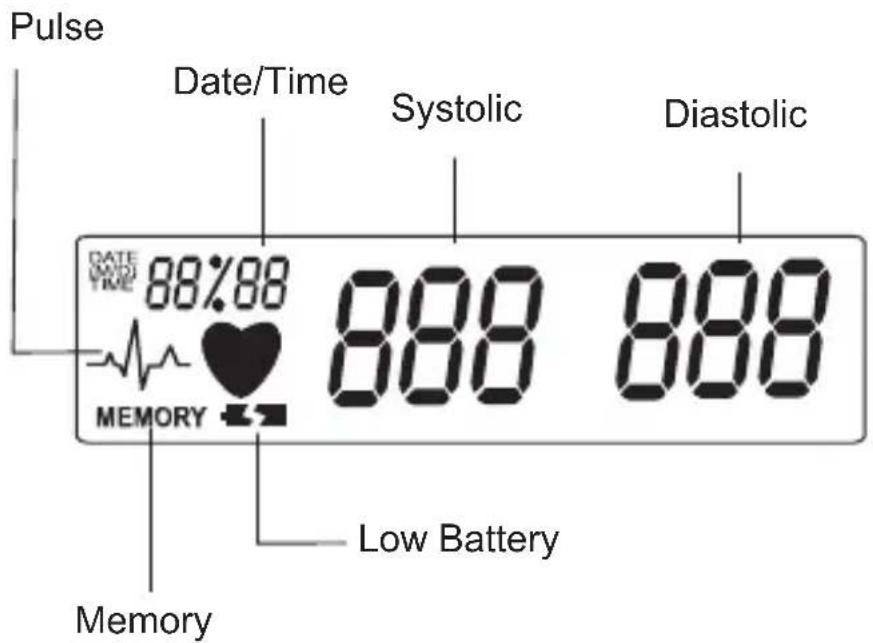
Explanation of Displays
GB
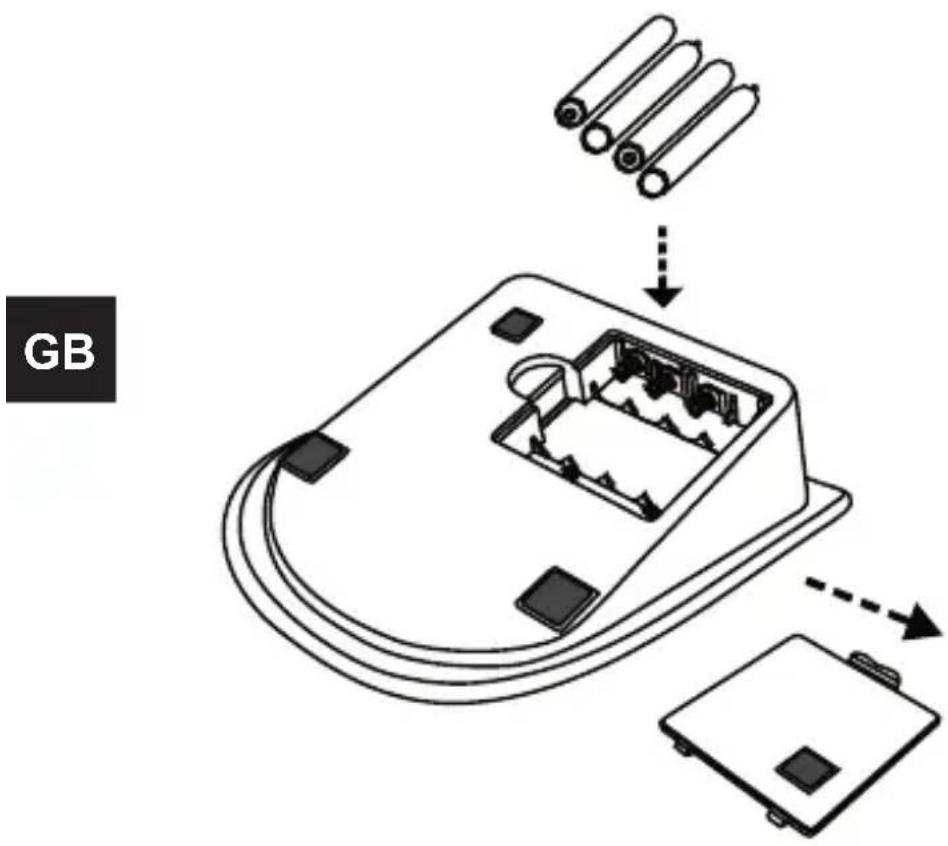
Installing/Replacing Batteries
- Insert the batteries into the battery compartment matching correct polarities „+“ and „-“.
- Replace all batteries if the low battery indicator appears.
- Remove the batteries if the unit will not be used for a long period of time.
- REMOVE all of the BATTERIES when utilizing the optional AC adapter.
Note: It is recommended that the same type of alkaline batteries be used to avoid incompatibility.
Please dispose of defective appliances and used batteries in compliance with statutory regulations (disposal in general household waste is prohibited!).
Attaching the Pressure Cuff
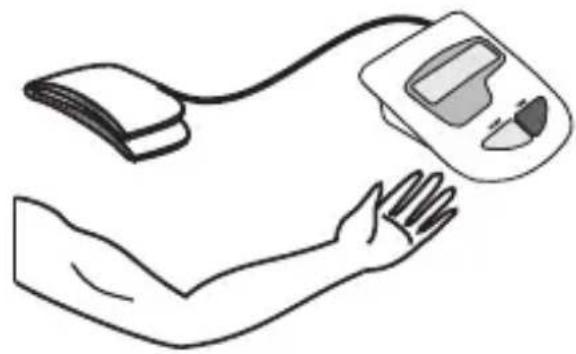
- Wrap the cuff around the left arm. The arm should be bare skin.
natural_image
Line drawing of a human arm holding a blood pressure monitor (no text or symbols)- Fasten the cuff. Don't pull it strongly and make the cuff too tight. The cuff's edge should be approximately 1 inch from crook of the arm.
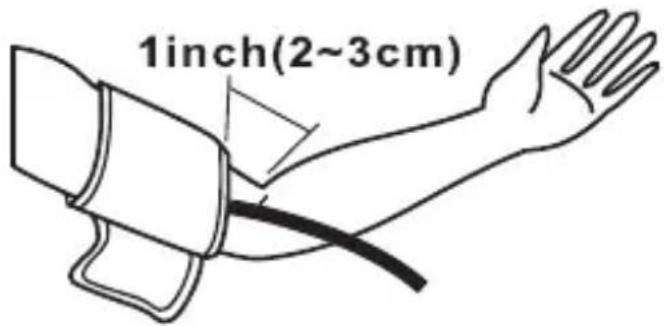
- Attach the cuff on the right hand as shown in the figure if it is not possible to measure on the left hand.

GB
Measuring Positure
- Sit upright and ensure that the measuring site is at heart level. Relax and measure in a natural position.

natural_image
Illustration of a person using a medical or robotic device with a heart symbol above, no text or symbols present.- Measure and record blood pressure at the same time every day to establish your blood pressure pattern.
AC Adapter (optional accessory)
It is possible to use a stabilized AC adapter (output 6 V DC/800 mA) to operate the device.
GB
Note:
- No power is taken from the batteries while the AC is connected to the device.
- If AC adapter power is interrupted during measurement, the device must be reset by disconnecting the AC adapter from the device.
- Please consult appropriate dealer if you have questions relating to the adapter.
Power Source
4 alkaline type "AA" batteries (1.5 V) or stabilized AC/DC Adapter 6 V DC 800 mA
1. Setting the Clock
To enter the setting mode by pressing and holding the memory key for over 3 seconds.
The display will show a blinking year.
Press the power key to adjust the year when it is blinking.
Then press and release the memory key again, the “month” will appear and blink to be adjusted, and then “date”, “hour” and “minute” will follow up as you press and release the memory key again.


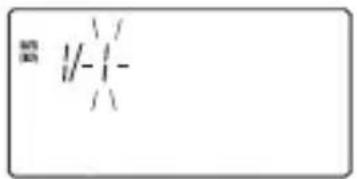
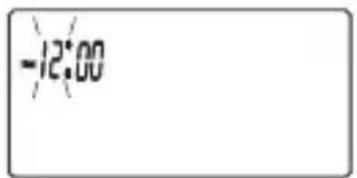


To adjust the clock
Press the memory key to adjust the values of the "month", "date", "hour", and "minute" when they are blinking
2. Measuring Blood pressure
Press and release the POWER key to start measuring automatically

→ Initial display
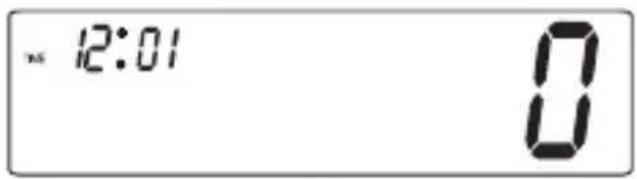
→ Pumping
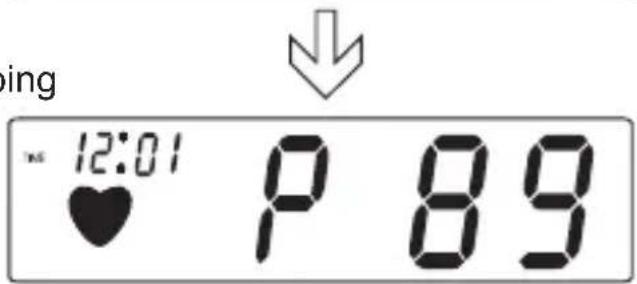

→ Measuring and Buzzer sounds.
GB
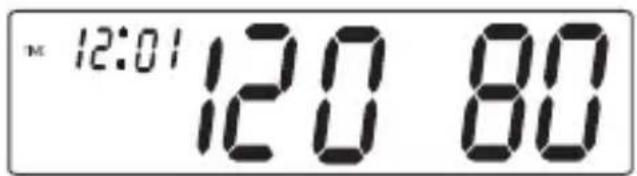

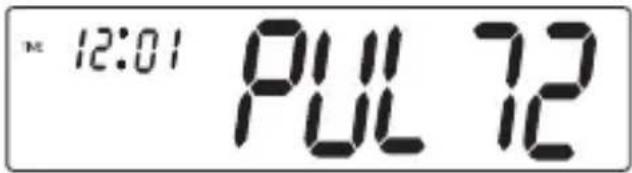
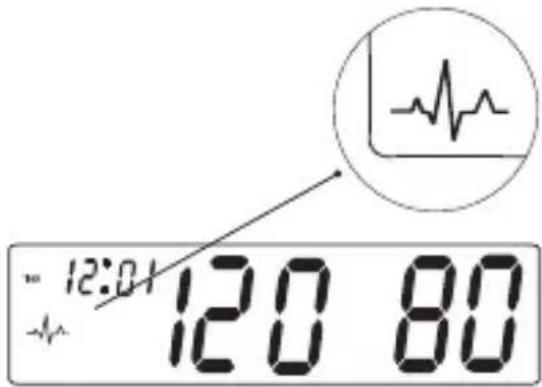
When the measurement is fi nished, the display will show the measured blood pressure and pulse value Press the power key to turn off the unit. Otherwise the unit will turn off automatically 150 seconds later.
Note: If the symbol appears, it means the unit has detected irregular pulse during measurement. If the symbol appears regularly please consult a qualified physician for professional advice.
3. Recalling Memories
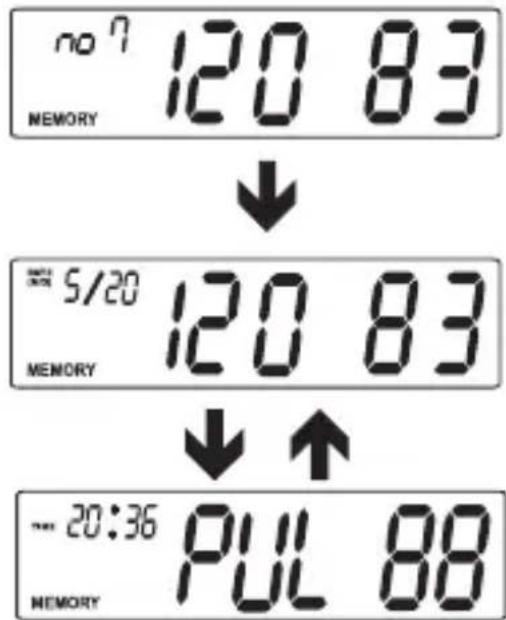
Press and release the MEMORY key to recall the last reading (Example: the no.7 memory). The display will show the memorized pressure and pulse value switching back and forth.

Press and release the MEMORY key again to recall the no.6 memory. Press and release repeatedly to read the no 5, 4, 3, 2, 1 memorized pressures.

4. Erasing Memories
You may erase one or all records in memory.
Delete one Record
- Press and release MEMORY key to choose the record that you wish to delete
- Press and hold the POWER key until the display shows "dEL".
- Press and release the power key again. After 3 beeps are heard, the unit erases the record.
Delete all records
- Press and release MEMORY key to choose the-record that you wish to delete.
- Press and hold the POWER key until the display shows "dEL".
- Press and release the MEMORY key then the display shows "dEL ALL".
- Press and release the POWER key. After 3 beeps are heard, the unit erases all records.
GB
| Do not drop the unit. It is not shock-proof. | 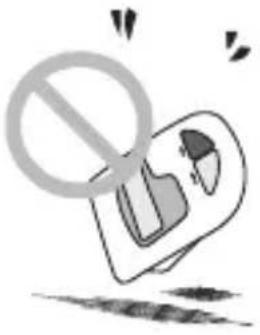 |
| Do not modify or disassemble the unit or the arm cuff. | 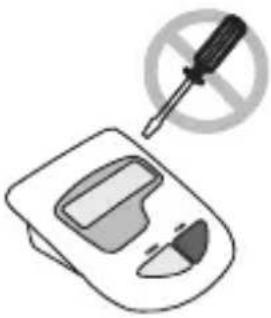 |
| Do not twist the arm cuff. | 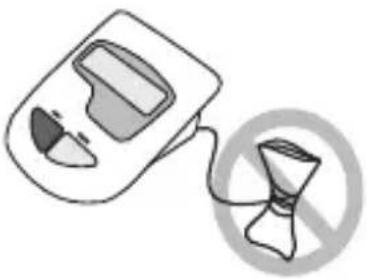 |
| Use a cloth moistened with water or neutral detergent to clean the body of the unit and then wipe it dry. | 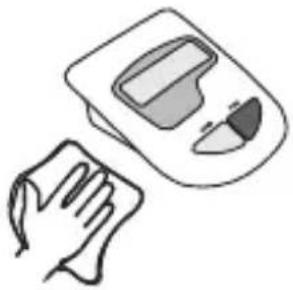 |
GB

| Avoid thinner, benzi-ne, and other harsh cleaners. | 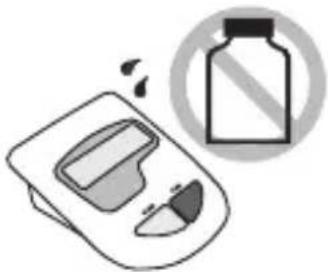 |
| Keep the unit in a suitable place.Avoid high tempera-ture, direct sunlight, high moisture, and dust. |  |
| Remove the batteries if the unit will not be used for a long time. | 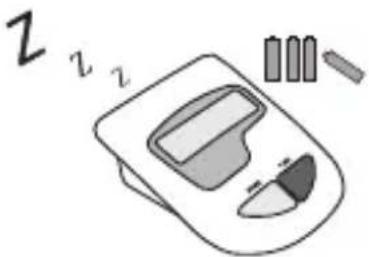 |
| Do not press the POWER button if the cuff has not been properly wrapped around the arm. |  |
| Message Correction | |
| LL Err | The pressure measured was lower than 20mmHg.Please measure again. |
| UU Err | The pressure measured was higher than 300mmHg.Please measure again. |
| PErr | Pumping error.Please check cuff and try again |
| rrErr | The pressure can not be measured due to signal noise.Please measure again. |
| HI | The pumping pressure is higher than 300mmHg.Please measure again. |
| Low battery.Check and replace the 4 batteries if necessary. | |
GB
Specifications
| Display System | Liquid Crystal Display |
| Measuring Method | Oscillometric |
| Power Source | 4 alkaline type „AA“ batteries (1.5V) or AC/DC adapter (optional) |
| Measuring Range | 20~300mmHg |
| Accuracy | 40~200 pulse/minute ±3mmHg |
| Inflation | ±5% pulse rate Micro rolling pump |
| Pressure Exhaust | Electrical Solenoid Valve |
| Memory | 85 sets |
| Display | LCD (year/date/time, pressure and pulse) |
| Low Battery Indicator | Yes |
| Auto Power-Off | 150 secs. w/o any operation |
| Battery Life | Around 250 operations |
| Operating Environment | +10°C~+40°C; RH<85% (+50°F~+104°F) |
| Storage Environment | -10°C~+50°C; RH<85% (-14°F~+122°F) |
| Dimensions Weight | 156(W)x167(D)x54(H)mm Around 550g (including batteries) |
GB
Specifications are subject to change for improvement without notice.
Calibration is recommended every two years.
The device complies with the Council Directive 93/42/EEC of 14th June 1993 concerning medical devices. A Quality management system, certified according to EN ISO 13485 guaranties the high quality standard of the product.
The Blood pressure monitor conforms to EN 1060-1 (Non invasive sphygmomanometers part 1: General requirements) and EN 1060-3 /Non invasive sphygmomanometers part 3: Supplementary requirements for electromechanical blood pressure measuring systems.
GB
- Fully Fuzzy Auto Digital Blood Pressure Monitor
- Geratherm®
- desktop
- Information You Should Know Before Operating the Unit
- Preparation for Use
- Operations
- Caution
- WARRANTY :
- What is blood pressure?
- What are systolic and diastolic pressures?
- Is my blood pressure normal?
- What about low blood pressure?
- Fluctuation and variation in blood pressure
- GB
- Installing/Replacing Batteries
- Attaching the Pressure Cuff
- Measuring Positure
- AC Adapter (optional accessory)
- Note:
- Power Source
- Setting the Clock
- To adjust the clock
- Measuring Blood pressure
- Recalling Memories
- Erasing Memories
- Delete one Record
- Delete all records
- Specifications
Brand : IC Intracom
Model : Desktop
Category : Microphone