
FMC24N-2 - Microwave SMEG - Free user manual and instructions
Find the device manual for free FMC24N-2 SMEG in PDF.


| Product type | Built-in microwave |
| Brand | Smeg |
| Model | FMC24N-2 |
| Capacity | 25 L |
| Microwave power | 900 W |
| Grill power | 1200 W |
| Number of power levels | 6 |
| Control type | Electronic touch controls |
| Display type | LED display |
| Functions | Microwave, grill, combination, defrost, auto cook |
| Turntable diameter | 315 mm |
| Door opening | Drop-down |
| Interior light | Yes |
| Child lock | Yes |
| Timer | Up to 95 minutes |
| Dimensions (W x H x D) | 596 x 382 x 388 mm |
| Built-in dimensions (W x H x D) | 560 x 365 x 375 mm |
| Weight | 19 kg |
| Power supply | 220-240 V, 50 Hz |
| Energy consumption (microwave) | 1.45 kWh |
| Cleaning | Stainless steel interior, anticatalytic enamel |
| Safety | Automatic shut-off, thermal overload protection |
Frequently Asked Questions - FMC24N-2 SMEG
User questions about FMC24N-2 SMEG
0 question about this device. Answer the ones you know or ask your own.
Ask a new question about this device
Download the instructions for your Microwave in PDF format for free! Find your manual FMC24N-2 - SMEG and take your electronic device back in hand. On this page are published all the documents necessary for the use of your device. FMC24N-2 by SMEG.
USER MANUAL FMC24N-2 SMEG
Operating instructions 88
E ESPAÑOL
General description .....92
The control Panel 93
Setting the clock / Microwave power settings .....94
The display 95
The selector knobs/Programming . . . . . . . . . . . . . . . . . .96
Microwave programming .....97
The grilling rack . . . . . . . . . . . . . . . . . . . . . . . . . . . . . . . . . . . . . . . . . . . . . . . . . . . . . . . . . . 98
The grill function / Programming the grill .....99
The microwave + grill function / Programming .....100
The rotisserie function .....101
The fan functions .....102
Programming the fan function .....103
Programming the fan + microwave function .....104
Linked programmes .....104
Security / Recommendations .....105
Care & cleaning 106
Troubleshooting guide .....107
After Sales Service 108
Important safety instructions.
Read carefully and keep for future reference.
Installation
BEFORE CONNECTION
- Check whether your oven has suffered any damage during transport (deformed door or door seal, etc.). If you see any signs of damage, contact your dealer before use. In order to easily locate the reference information for your appliance, we recommend that you notethese data on the "After-Sales ServiceDepartment and Customer Relations" page.
- Verify the power voltage. If there is a PERMANENT undervoltage (200-210 volts), consult your electrical installer.
ELECTRICAL CONNECTION
- Your installation must be protected by a 16 Amp thermal fuse.
- It is mandatory to use a power point with a ground terminal, connected in accordance with current safety regulations.
- Your electrical installation should allow an accessible device to the user, who should be able to disconnect the appliance from the mains, either with the plug, or with a switch ub accordance with the wiring rules.
- Never operate the oven if the supply cord and/ or its plug are damaged. In case of damage, call in a specialised technician trained by the manufacturer.
Ensure that:
-The electrical installation has sufficient voltage.
-The electrical wires are in good condition.-
-The diameter of the wires complies with the installation requirements.
The electrical connections are made before the appliance is installed in its housing.
Warning:
We cannot be held responsible for any accident resulting from an inexistent, defective or incorrect ground lead. If the oven malfunctions in any way, unplug the appliance or remove the relevant fuse at theoven's connection lead-in.
Installation
OPERATING PRINCIPLE
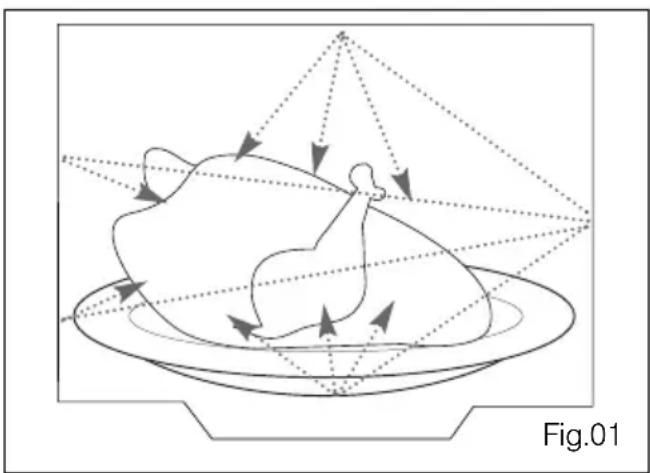
The microwaves used for cooking are electro-magnetic waves. They are commonly found in our environment in the form of radio-electric waves, light or infrared rays.
Their frequency is in the 2450 MHz range. Their behaviour:
■They are reflected by metals.
■They travel through all other materials.
■They are absorbed by water, fat and sugarmolecules.
When food is exposed to microwaves, its molecules begin moving rapidly, which causes heating.
The penetration depth of waves into the food is approximately 2.5 cm; if the food is thicker, the coreof the food will be cooked by conduction, as intraditional cooking. It is valuable to note that the microwaves triggerwithin the food a simple thermal phenomenon andthat they are not harmful to one's health.
natural_image
Diagram of a rooster on a plate with directional arrows indicating movement or force, labeled Fig.01 (no text or symbols on the diagram itself)PROTECTING THE ENVIRONMENT
This appliance's packing materials are recyclable. Recycle them and play a role in protecting the environment by disposing of them in municipal containers provided for this purpose.
Your appliance also contains various recyclable materials. Thus it is stamped with this logo to indicate to you that used appliances should be mixed with other waste. The recycling of appliances organised by your manufacturer will take place under the best conditions, in compliance with European directive 2002/96/CE concerning electrical and electronic equipment waste. Consult your cityhall or your retailer to find the drop-off points forused appliances that is nearest to your home. Wethank you for your help in protecting the environment.
Warning
■ Warning:
Ensure that your appliance has not suffered any damage during transport (deformed seal ordoor, etc...). If you see any kind of damage, before doing anything else, contact your retailer.
Safety recommendations:
- Your appliance is designed for standard household use for cooking, reheating and defrosting foods. Themanufacturer declines any responsibility in the case of inappropriate use.
- Ensure that the cookware is suitable for use in amicrowave oven. To avoid damaging your appliance, never operate it while empty or without the turntable.
- Do not interfere with the openings on the lock onthe front of the appliance; this could cause damageto your appliance that would require a service call.The seal and frame of the door must be regularlyexamined to ensure that they have not deteriorated.If these areas are damaged, discontinue use of theappliance and have a specialised technician checkit.
- When heating food in plastic or paper containers, keep an eye on the oven due to the possibility of ignition.
- It is not advisable to use metal recipients, forks, spoons knives, metal ties or staples for deep-freeze bags.
- The contents of baby bottles and baby food jar should be shaken or stirred and their temperature checked before consumption to avoid burns. Never heat a baby bottle with the nipple on (risk of explosion).
- Make sure children do not play with the appliance. Do not allow children to use the microwave oven without supervision, unless appropriate instructions have been given so that the child can use the ovensafely and understands the dangers of incorrect operation.
- Liquids and other foods should not be heated insealed containers because they may explode. It is recommended that you avoid heating eggs in their shells and whole hard-boiled eggs in themicrowave oven because they run the risk of explosion, even after cooking is complete.
- Microwave heating of beverages can result in delayed eruptive boiling, therefore care must be taken when handling the container.
- In the case of small quantities (a sausage, acroissant, etc.) place a glass of water next to the food. Excessive cooking times may dry out foods and carbonise them. To avoid such incidents, never use the same times recommended for cooking in a traditional oven.
- If smoke is observed, switch off or unplug the appliance and keep the door closed in order to stifle any flames.
- In order to evacuate moisture, your appliance is fitted with a delayed ventilation function. Depending on the applied cooking mode (solo/grill/combination), the oven ventilation will continue to operate after the cooking end.
- The appliance is not intended to be used bypersons (including children) with reduced physical, sensory or mental abilities, or persons lacking experience or awareness, unless using it with the help of a person responsible for their safety, or under supervision and with prior instruction in its use.
- Always use oven mitts to remove dishes from the oven. Some dishes absorb the heat of foods and, therefore, are very hot.
General description

■ THE TURNTABLE :
ensures equal cooking of food throughout with no need to stir or turn the dish.
- It may be used as a cooking platter.
- Rotation is controlled by the drive shaft and the wheel support.
- The turntable revolves in both directions.
- If it does not turn, verify that all components are properly positioned.
- For easy removal, wells are provided on either side.
■ TURNTABLE OFF
stops the turntable from revolving in order to use platters which require the entire oven space.
■ THE WHEEL SUPPORT :
Do not try to rotate the roller ring manually, as you could damage the drive system. If it does not turn smoothly, make sure that there is nothing in the well beneath the turntable.
Control panel
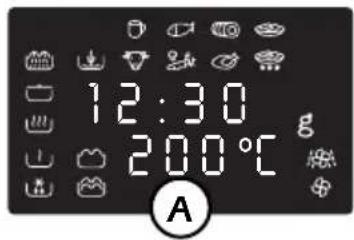
A Display window :
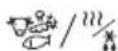
to simplify programming, the display indicates: the time of day, the types of food and functions, the minutes / seconds, weight or temperature programmed.
B The selector knob

to choose the food type or function,
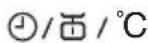
C The selector knob :
to choose the programme time, weight or temperature.
D-E-F The "AUTO" keys

automatically set the appropriate programme time according to the weight and the selected food type.
G The MODE key

to choose the appropriate function, with the selector knob 12 .
H The GRILL key

to directly programme the grill / microwave + grill / rotisserie function.
K FAN key :

to cook as if with a traditional oven or combined with microwave power for speedy results.
J The PAUSE/CANCEL key

to interrupt (press once) or cancel a pro- gramme (press twice).
Also used to set the clock.
K STOP-TURNTABLE key

to stop the turntable from revolving.
L START key : ◊

to start all programmes.
M DOOR OPEN button :
press this button to open the door or stop the appliance.




Setting the clock
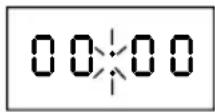
After first plugging in your microwave oven or after a power outage, the clock reads 00:00 and the two dots flash.
To set the clock :
- Press the PAUSE / CANCEL key C for 5 seconds.
"00:00" flashes, and a tone sounds requesting the hour be set.
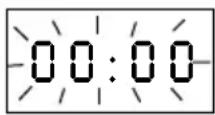
- Turn the selector knob to display the correct time.
- Validate by pressing the PAUSE / CANCEL key CC
Your clock is set.

Microwave power settings
| POWER SETTING APPLICATION | ||
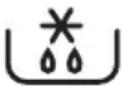 | DEFROST | To defrost all frozen food or to top off cooking of delicate dishes or to cook very slowly. |
 | SIMMER | To cook fish and poultry. To finish programmes begun with the HIGHCOOK power setting, for instance beans, lentils, or dairy products. (This power setting is available when you programme the function using the mode key). |
 | HEAT | To heat up all liquids and all fresh or frozen pre-cooked dishes. |
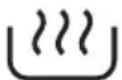 | HIGH COOK | To cook vegetables and soup. |
| Microwave output power: 900 W | ||
When you select the type of food, the appropriate power setting is automatically programmed.
The display

The display and the selector knobs guide you in your choice of :
les aliments

beverages
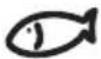
fish
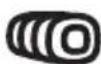
pork, veal turkey
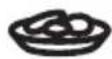
fresh ready- made dishes

beef, lamb
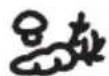
vegetables

poultry
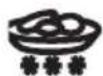
frozen ready- made dishes
the functions

DEFROST SIMMER REHEAT COOK


ROTISSERIE MICROWAVE FAN HEAT FAN HEAT + GRILL + MICROWAVE
the 2 level grill


LOW GRILL HIGH GRILL
the weight for an AUTO programme g
the length of the programme (or time of day) 12:00
the temperature for a fan programme 200°C
The food type or function being selected will flash in the display.
The selector knobs
The 2 selector knobs are used for the various programmes:
The first to select
- the food type
- the function


FOOD TYPE / FUNCTION

natural_image
Simple line drawing of a circle with two small stick figures above it (no text or symbols)the second to programme
- the length of the programme

- the weight of the food

- la temperature

Your microwave oven is now plugged in and the clock is set.
Open the door. Set the dish inside, close the door. If the door is nor properly shut, the appliance will not operate.
■ 3 beeps announce the end of a programme. The beeps are repeated every minute for 10 minutes until you open the door.
- If you think there is insufficient space for the dish to turn freely inside the oven, press the STOP TURNTABLE key before or during the programme.
■ If there is an error in the programming, press the CANCEL key C twice.
Microwave programming
Available programmes :

Express programming
Set the desired programme length (ex. 2 minutes) with the selector knob
Press start. The maximum power setting is programmed directly for quick reheating.


Automatic programming by weight :
with the AUTO keys, the programme length is calculated automatically.
▼ Choose the food type with the selector knob (ex. fish).
▼Press one of the microwaving keys, 🐎, 🐎 or 🌐 (ex. cook)
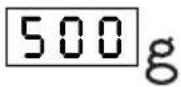
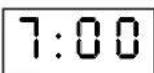
▼50g blinks; programme the weight of your food item using the selector knob ☑ (ex. 500 g).
Press start. The appropriate power level is programmed, the adequate programme length is displayed automatically (ex. 7 min) and the programme begins.

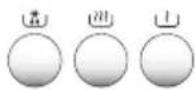


Automatic programming by function
Press the MODE M key, choose the desired function with the selector knob
The SIMMER function is available in this programme.
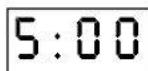
Set the desired programme length (ex. 5 minutes), with the selector knob
Press start

The grilling rack
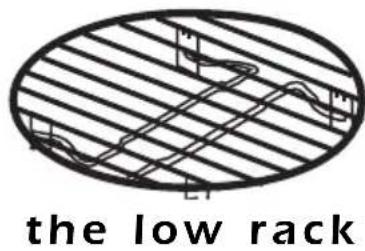
Make sure that the rack is always well centered on the turntable.
Never use any metal dish with the rack with the microwave, grill + microwave or fan + microwave functions.
Nevertheless you may heat up food in an aluminium tray if you place a plate between the tray and the rack.
The folding rack :
To fold down the rack :
push in on the protruding hooks and fold in the stands
with the Grill or Grill + Microwave functions : choose the rack level according to the dish you wish to grill
- high position to brown dishes which are rather flat
- low position as required for other dishes.
The 2 level rack
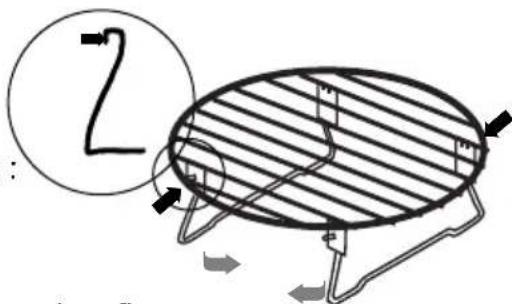
high position
always set your dishes on the rack folded down to the low position.
low position (folded)

natural_image
Pure diagram of an oval-shaped structure with internal grid lines and supports, no text or symbols present.The grill function
This function enables you to brown dishes such as gratins or meat. It may be used before or after cooking, as called for in the recipe.
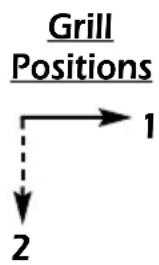
- The model with rotisserie is equipped with a 2-position fold-down grill for easy cleaning :
- Horizontal position : for cooking au gratin, grilling shallow dishes
- Vertical posiiton : for the rotisserie function and for cleaning the oven ceiling. Always allow the grill to cool off 25 minutes before touching it.
flowchart
graph TD
    A["Grill Positions"] --> B["1"]
    A --> C["2"]
■ After grilling make sure to use an oven mitt to handle dishes, and remember to use only ovenproof cookware such as ceramic dishes or heat resistant glass.
- For those models featuring the fan function, 2 grilling levels are available: HIGH GRILL 🎨 and LOW GRILL 🎨. As a rule, use the HIGH GRILL level to grill meat and fish and the LOW GRILL level to brown delicate dishes.
- According to the food item you wish to grill, you may either set the dish on the rack or directly on the turntable.
■ WARNING : certain exposed parts may heat up during use of the grill. Be sure to keep children away.
Programming the grill
Using the 2 level grill


▼Press the 🔊 key, choose the HIGH GRILL 🔊 or LOW GRILL 🔊 with the selector knob 🔊
Set the desired programme length with the selector knob ⏻ and press start ⏱.
The microwave + grill function
This function enables you to use the microwaves and grill simultaneously, for rapid cooking.
Using the microwave + grill function

Press the 🔊 key. Select the microwave + grill function with the selector knob ✕.

An intermediate microwave power level together with the high grill are programmed.
Set the programme length with the selector knob ⏻, ex. 10 min.
10:00
▼Press start ◆
Using the rotisserie
This function is particularly recommended for cooking poultry weighing from 1 - 1.5 kg. To guarantee quality cooking results, the high grill level combined with an intermediate microwave power level are automatically programmed.
Example : to roast a chicken (1 kg) Preparation
■ Set the grill to the vertical position.
■ Tie the legs of the chicken and make sure that the wings and legs are pressed against the body.
■ Salt and pepper the inside of the chicken.
- Do not add shortening or water to the juices or to the chicken, either before or during the process, to avoid splattering of grease.
■ Remove any metal ring or rings on the wings of the chicken.
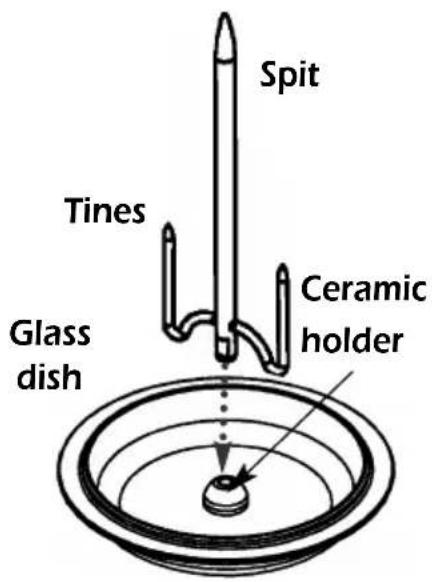
■ Grease the spit and tines before positioning the chicken to ensure easy removal after roasting.
- Insert the spit into the ceramic holder in the center of the glass dish.
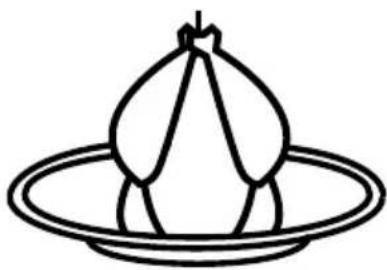
- Place the bound chicken head down on the spit, centering it while pushing the two forks into the breasts, press down firmly over the spit, folding the croup into the body cavity.
■ Set the glass dish on the middle of the turntable.
Programming
▼Press the microwave + grill key
Select the rotisserie function with the selector knob
Set the desired programme time with the selector knob, ex. 25 min for a 1-kilo chicken.
25:00


natural_image
Simple line drawing of a garlic bulb on a circular plate (no text or symbols)▼Press start, the turntable revolves, the oven light comes on.
- Be sure and use an oven mitt to remove the dish at the end of the programme.
■ Be sure to clean the microwave oven after each use.
The hot air functions
2 convection cooking functions are available :
the hot air function

■ to cook and brown food just as in a traditional convection oven
the hot air + microwave function

■ to combine microwave power with hot air cooking, for considerable time savings.
Pointers
■The cooking temperature may be set from 50° - 250° [
■ Cooking time may be set from 0 - 90.
- It is always preferable to set a minimal cooktime and extend if necessary; check the browning of your dishes to avoid overcooking.
- Remember to always place your dishes on the rack in the low position when using the hot air function or hot air + microwave function. This will ensure even heat distribution thereby providing optimal cooking results.
■ Use only heat-resistant ovenware.
■The glass pie dish : it may be used for all pastries, quiches, pizzas, or as a roasting pan. You may also place it under the rack when grilling in order to catch drippings.
- When cooking with the hot air + microwave function, do not use any metallic dishes.
■Always use an oven mitt to remove your dish as it may become quite hot.

natural_image
Simple line drawing of a circular object with radial lines, resembling a pan or lid (no text or symbols)the glass pie dish
Programming the hot air function

with the fan key :

▼Press the fan key ⚙, the fan symbol is displayed.
175° flashes, requesting you enter the programme temperature, ex. 200°, with the selector knob / ☑/☐/°C.
▼Wait until 00:00 flashes, requesting you enter the programme time, ex. 30 minutes, with the selector knob ⏻/☐/°C . 30:00
▼Press START, the programme starts up.
Example : to bake an apple pie
Using your favorite recipe, prepare the pie in the glass pie dish. Set the dish on the rack in the low position and place together on the turntable.
①Press the fan key.

②Programme 220° with the selector knob. ☑/☐/°C
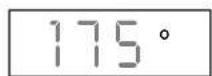
③Programme 440min with the selector knob. ⏱/∅/°C
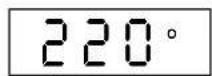
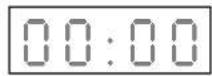
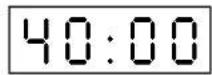
④ Press START, the turntable revolves, the oven light comes on.
▶At the end of the cooktime, remember to use an oven mitt to remove the dish.
Programming the fan + microwave function
Example : to cook a 1 kg roast beef
Set the roast in a non-metallic roasting pan, dress and season to taste. Put the pan on the rack in the low position and place together on the center of the turntable.

with the fan key :
▼Press the fan key twice, is displayed.
175° flashes, requesting you enter the desired cook temperature, ex. 200°, with the selector knob / ℃/°C.
▼Wait until 00:00 flashes, requesting you set the programme length ex. 30 minutes, with the selector knob //°C
▼Press start, the programme begins.
200°
30:00
To guarantee quality cooking results a low microwave power level is programmed.
Linked programmes
You may link 2 different programmes, combining any of the available functions: microwave / grill / microwave + grill / rotisserie / fan / fan+ microwave.
Example : Using linked programming to defrost ten minutes followed by simmer level microwave + grill programme for 20 minutes
①Proceed as if setting only a defrost programme :
- press the key and select the defrost function with the selector knob
- set the programme time (ex. 10 min).


10:00
② Instead of pressing START, programme the next operation :
- press the grill key and select the microwave + grill function with the selector knob
- set the programme length by adding the microwave + grill time (ex. 20 min) to the defrost time.

30:00
③ Press START .
The linked microwave + grill programme will automatically begin at the end of the defrost programme.
Security
If after having entered a programme and closed the door you wait longer than 30 seconds before pressing the START key ⏻, the oven will not operate and the message SECU will appear in the display window, to prevent start-up of an empty oven.
In order for the oven to operate, open and then close the door and press the START key. Otherwise, press the CANCEL key C and reprogramme.
Recommendations
- You may stop or start the turntable revolving during a programme by pressing the TURNTABLE STOP key ∅.
- To change the food type or function selection, press the CANCEL key Ctwice and programme again.
- If you open the door before the end of the programme, shut the door and press the START key to continue the programme.
- When using the defrost function 📁, a beep indicates the mid-point of the programme (the oven continues to operate); to obtain the best results, turn the food at this time, close the door and press the START key to continue the second half of the programme.
- If you remove a dish before the end of the programme, press the CANCEL key Ctwice to erase the programme.
REMARKS :
■ If you wait longer than 3 minutes to press the START key after having entered a programme, it will be cancelled (the clocktime will be displayed).
- If you wish to defrost frozen food after using one of the fan functions, for better results, first let the microwave oven cool down for about ten minutes.
Care & cleaning
- WARNING: It is recommended to clear the oven regularly and to take any food deposit inside and outside the appliance. Use a soapy and wet cloth. If the appliance is not kept clean, its surface could deteriorate and adversely affect its life and possibly result in a hazardous situation. If the door or door seals are damaged, the oven must not be operated until it has been repaired by a competent person.

- A steam cleaner is not to be used.
- Do not use abrasives, alcohol or solvents as they are liable to damage the oven.

natural_image
Two symbolic diagrams: a cross symbol crossed over a circular pattern and a large cylindrical object with a black X mark (no text or symbols present)- In the event of unsavory odors or caked-on dirt, boil water containing lemon juice or vinegar in a cup for 2 minutes and clean the walls with a little dishwashing liquid.
- For those ovens with grill or convection heat functions, the top and rear air vents become very hot. Do not touch these parts after use; wait till the appliance has cooled down in order to clean it. Use a fine steel wool pad on the metal parts.
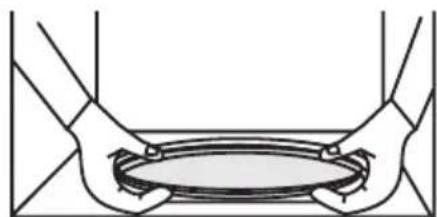
- The turntable can be removed for cleaning. Wells are provided on both sides for easy access. If you remove the drive shaft, do not allow water to enter the motor shaft hole.
natural_image
Diagram of two hands holding a circular object with internal flow arrows (no text or symbols)Be sure to put the turntable, the drive shaft and the wheel support back in their proper place.
Troubleshooting guide
Problem
▼ The message "SECU" is displayed.
▼The time counts down, but the appliance does not function (the turntable does not rotate, the light does not come on and the food is not heated).
▼The microwave oven is noisy when operating.
▼Condensation forms on the door glass.
▼The grill element smokes when heating up.
▼The turntable does not revolve correctly.
▼The microwave programmes do not produce the desired results.
▼The appliance produces sparks.
Suggestion
▲Cancel the security : open then shut the door and press the START key ◆.
▲Press the TURNTABLE OFF key ∅ for 5 seconds.
▲Adjust the front left foot. Clean the wheels and the well area beneath the turntable.
▲Clean the vents under the appliance.
▲Clean all cooking residue from the grill element.
▲Clean the wheels and the well beneath the turntable.
▲Clean the vents under the appliance. Make sure that you use only containers which are suitable for microwave cooking.
▲Check whether the wheel support is correctly positioned. Thoroughly clean the appliance : remove any greasy deposits, cooking residue, etc... Move any metal objects away from the oven walls. Never use metallic containers with a rack.
After-sales service
■ If the equipment has sustained any damage :
- Check that the door is not deformed.
- If the oven does not operate, before calling the repairman :
- Check the electrical supply.
- Check that the door is properly closed.
- Check your programming.
CAUTION : never attempt to repair your oven yourself.

WARNING : it is dangerous for anyone other than qualified personnel to make any repairs requiring removal of the cover providing protection from exposure to microwave energy.
Only a specially trained technician is qualified to repair your microwave oven.


natural_image
Line drawing of a simple kitchen oven with lid, door, and control panel (no text or symbols)

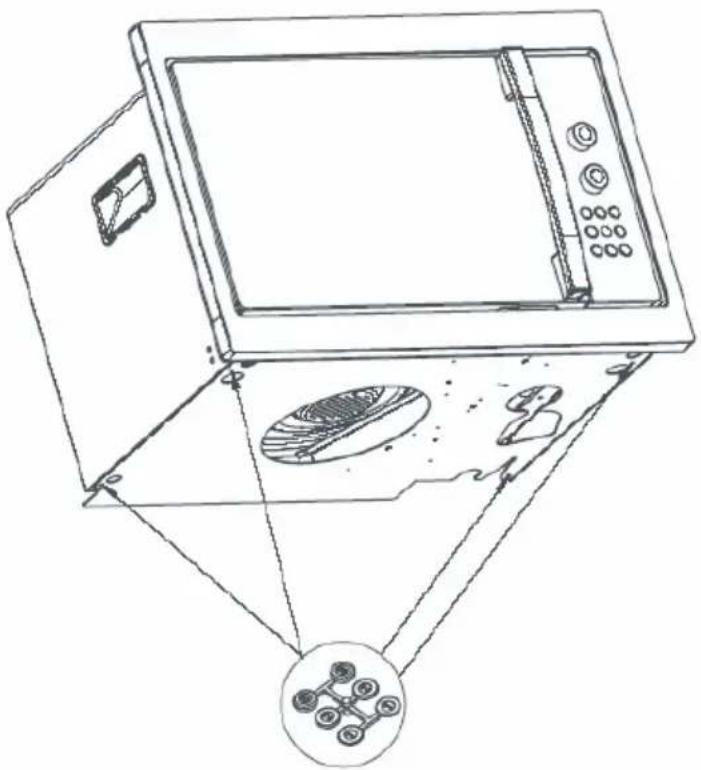
natural_image
Line drawing of a microwave oven with internal components and an inset showing a close-up of the front panel (no text or symbols)


- E ESPAÑOL
- Installation
- BEFORE CONNECTION
- ELECTRICAL CONNECTION
- Ensure that:
- Warning:
- OPERATING PRINCIPLE
- PROTECTING THE ENVIRONMENT
- Warning
- ■ Warning:
- Safety recommendations:
- General description
- ■ THE TURNTABLE :
- ■ TURNTABLE OFF
- ■ THE WHEEL SUPPORT :
- Control panel
- A Display window :
- B The selector knob
- C The selector knob :
- D-E-F The "AUTO" keys
- G The MODE key
- H The GRILL key
- K FAN key :
- J The PAUSE/CANCEL key
- K STOP-TURNTABLE key
- L START key : ◊
- M DOOR OPEN button :
- Setting the clock
- To set the clock :
- The display
- The selector knobs
- Microwave programming
- Available programmes :
- Express programming
- Automatic programming by weight :
- Automatic programming by function
- The grilling rack
- The folding rack :
- The grill function
- Programming the grill
- Using the 2 level grill
- The microwave + grill function
- Using the microwave + grill function
- Using the rotisserie
- Example : to roast a chicken (1 kg) Preparation
- Programming
- The hot air functions
- convection cooking functions are available :
- the hot air function
- the hot air + microwave function
- Pointers
- Programming the hot air function
- with the fan key :
- Example : to bake an apple pie
- Programming the fan + microwave function
- Example : to cook a 1 kg roast beef
- Linked programmes
- Security
- Recommendations
- REMARKS :
- Care & cleaning
- Troubleshooting guide
- Problem
- Suggestion
- After-sales service
Brand : SMEG
Model : FMC24N-2
Category : Microwave