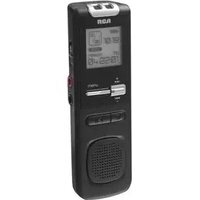
VR5220 - Mp3 player AUDIOVOX - Free user manual and instructions
Find the device manual for free VR5220 AUDIOVOX in PDF.


| Product Type | MP3 Player |
| Brand | Audiovox |
| Model | VR5220 |
| Dimensions (approx) | 3.5 x 2.5 x 0.6 inches |
| Weight (approx) | 2 oz (57 g) |
| Power Source | 1x AAA battery (not included) |
| Battery Life (approx) | Up to 10 hours |
| Display | LCD screen |
| Storage Capacity | 128 MB internal memory |
| Supported Audio Formats | MP3, WMA |
| Connectivity | USB 2.0 |
| Playback Modes | Normal, Repeat, Shuffle |
| Equalizer Presets | 5 modes (Normal, Rock, Pop, Jazz, Classic) |
| Additional Features | Playlist support, ID3 tag display |
| Included Accessories | USB cable, earphones |
| Operating System Compatibility | Windows 98/ME/2000/XP |
| Cleaning Instructions | Wipe with a soft, dry cloth. Do not use liquids. |
| Safety Precautions | Avoid exposure to water, extreme heat, or magnetic fields. |
| Spare Parts Availability | Not available; device is disposable. |
| Repairability | Not user-serviceable. No repair parts offered. |
| Warranty | Limited 1-year warranty |
Frequently Asked Questions - VR5220 AUDIOVOX
User questions about VR5220 AUDIOVOX
0 question about this device. Answer the ones you know or ask your own.
Ask a new question about this device
Download the instructions for your Mp3 player in PDF format for free! Find your manual VR5220 - AUDIOVOX and take your electronic device back in hand. On this page are published all the documents necessary for the use of your device. VR5220 by AUDIOVOX.
USER MANUAL VR5220 AUDIOVOX
EN/E
It is important to read this instruction prior to using your new product for the first time. Es importante (pes este manual antes de usar por vez primera su equino
FCC information
This device complies with Part 15 of the
FCC Rules. Operation is subject to the following two conditions: (1) This device
may not cause harmful interference,
and (2) this device must accept any interference received, including
interference received, including interference that may cause undesired
operation.
This equipment has been tested and
found to comply with the limits for
a Class B digital device, pursuant to Part 15 of FCC Rules. These limits
Part 13 of FCC rules. These limits are designed to provide reasonable
protection against harmful interference
in a residential installation. This equipment generates uses and can
radiate radio frequency energy and, if
not installed and used in accordance with the instructions, may cause harmful
with the instructions, may cause harmful interference to radio communications.
-
-
-
-
-
-
-
-
-
-
-
-
-
-
-
-
-
-
-
-
-
-
-
-
-
-
-
-
-
-
-
-
-
-
-
-
-
-
-
-
-
-
-
-
-
-
-
-
-
-
-
-
-
-
-
-
-
-
-
-
-
-
-
-
-
-
-
-
-
-
-
-
-
-
-
-
-
-
-
-
-
-
-
-
-
-
-
-
-
-
-
-
-
-
-
-
-
- 99.
-
-
-
-
-
-
-
-
-
-
-
-
-
-
-
-
-
-
-
-
-
-
-
-
-
-
-
-
-
-
-
-
-
-
-
-
-
-
-
-
-
-
-
-
-
-
-
-
-
-
-
-
-
-
-
-
-
-
-
-
-
-
-
-
-
-
-
-
-
-
-
-
-
-
-
-
-
-
-
-
-
-
-
-
-
-
-
-
-
-
-
-
-
-
-
-
However, there is no guarantee that interference will not occur in a
that interference will not occur in a particular installation. If this equipment
does cause harmful interference to radio television reception which
radio or television reception, which can be determined by turning the
can be determined by training the equipment off and on, the user is
encouraged to try to correct the interference by one or more of the
interference by one or more of the following measures:
• Reorient or relocate the receiving
• Increase the separation between
the equipment and receiver.
- Connect the equipment into an outlet on a circuit different from
outlet on a circuit different from that to which the receiver is
connected.
- Consult the dealer or an
experienced radio/TV technician for help.
- 2017年1月1日
Changes or modifications not expressly approved by the party responsible
approved by the party responders for compliance could void the user's
authority to operate the equipment.
[Non-Text]
图1-3所示。
This Class B digital apparatus complies with Canadian ICES-003.
Manufacturer/Responsible party
Audiovox Electronics Corp,
150 Marcus Blvd, Hauppauge, NY 11788 1-317-810-4880
(The English version serves as the final
reference on all products and opera-
tional details should any discrepancies arise in other languages.)
A
A
THE LAWSTOCK
THE LIGHTNING FLASH AND
ARROWHEAD WITH THE TRIANGLE IS A
WARNING SIGN ALERTING YOU ARE
ALERTING YOU OF "DANGEROUS
VOLTAGE" INSIDE T PRODUCT
SEE MAR
SEE MRC
WARNIN
SHOCK HAZA
RAIN OR MOI
Service informa
Service Information This product should be
those specially to
servicing technic how to obtain o
ranty included it
•
For your record
In the event that service
required, you may need number and the serial r
space below, rec
of purchase and Model No :
Date of Purchase
Place of Purchas
Serial No.:
[Non-Text]
[Non-Text]
[Non-Text]
[Non-Text]
m = 311
-
The Ground Truth image displays a single, solid horizontal line. According to Rule 2 (UNDERSCORE & LINE RULES), this is a stylistic or background line, not a placeholder underscore. Therefore, the OCR result must ignore it and output nothing or only meaningful text. The provided OCR content is "____", which consists of four underscores. This is an incorrect interpretation of the line as a placeholder, violating the rule that stylistic lines must be ignored. The OCR has hallucinated underscores where none should exist based on the GT's visual context. Hence, the OCR result is inconsistent with the Ground Truth.
Display messages
The messages show at
to the be
m = 311
-
m = 311
- 2017
• Durn reco
light
stan
reco
reco
You file
the exce
Whe
is re
show
• The
may start
start this
on t
a gc
som
won befc
dicta
• To v
time
info
mer
reco
广力云智慧零售收银系统
[Non-Text]
[Non-Text]
[Non-Text]
m = 311
-
m = 311
Appen:
To inser
end of t
- Once
step
mode and 1
is sta
- Press
of th
• Do no
WAN
图1
[Non-Text]
[Non-Text]
[Non-Text]
[Non-Text]
[Non-Text]
[Non-Text]
[Non-Text]
[Non-Text]
[Non-Text]
[Non-Text]
[Non-Text]
[Non-Text]
[Non-Text]
[Non-Text]
[Non-Text]
[Non-Text]
m = 311
nage
mages
m = 311
The Ground Truth image displays a single, solid horizontal line. According to Rule 2 (UNDERSCORE & LINE RULES), this is a stylistic or background line, not a placeholder underscore. Therefore, the OCR result must ignore it and output nothing or only meaningful text. The provided OCR content is "____", which consists of four underscores. This is an incorrect interpretation of the line as a placeholder, violating the rule that stylistic lines must be ignored. The OCR has hallucinated underscores where none should exist based on the GT's visual context. Hence, the OCR result is inconsistent with the Ground Truth.
m = 311
•
Cannot e Make
under
book
Cannot s
ON
• If AVF
HIGH, stopn
stopp settin
7.14
Cannot k • If the
- if the saved
2017年
Cannot a compute
• You n
softw
• To do
- On a
fi le c
direct
Quick
DVM soft
properly
• You me
DVM
Digital
Go to down
2017
[Non-Text]
[Non-Text]
[Non-Text]
[Non-Text]
[Non-Text]
[Non-Text]
[Non-Text]
THE LIGHT FLASH AND ARCHITECTS THE TRIAMIC STAFFLE LTRADING 10 VOLTAGE! VOLTAGE: 2. SEE WARI SHOCK RAIN OR Service This produ- those spec- servicing how to ob- rant inclu. For you in the even program, number of space below of purchase Model No. Do of your Place of Ps. Serial No.: Display The mesa to the be 12 HOUF 24 HOUF ADD BK APPEND BATTLE CUT-E CUT-S DEL 01 DEL AL DEL BK FORMAT FULL INSERT COMPUTE NO BIG NO TONI OFF PAUSE PCLINK SENI MEESI SPEED TONE VOL 15 VOLT WAIT Appen To inser end of t Playbar operat 1. Once the c cut, c to do copy 2. To pl: play left c playback skip backs Cannot e under books Cancet s copy Cancet s copy APPEN a compute you n softw www. On a direct Quick DVM soft Gigraphs Re you n vvm DVM
[Non-Text]
[Non-Text]
[Non-Text]
[Non-Text]
[Non-Text]
—
|
4
THE LIGHTN
FLASH AND APPROVAL
ARROWHEA THE TRIANG
WARNING S ALERTING
"DANGEROI
VOLTAGE PRODUCT,
SEE
WARD
WART
SHOCK F RAIN OR
RAIN OR
Service
This produ
those spec
servicing the how to ob
ranty inclu
[Non-Text]
For you
In the ever required.
required, 1 number ar
space belo
of purchases Model No.
Date of Pu
Place of Pu Facial No. 1
serial No..
[Non-Text]
[Non-Text]
[Non-Text]
[Non-Text]
The Ground Truth image displays a single, solid horizontal line. According to Rule 2 (UNDERSCORE & LINE RULES), this is a stylistic or background line, not a placeholder underscore. Therefore, the OCR result must ignore it and output nothing or only meaningful text. The provided OCR content is "____", which consists of four underscores. This is an incorrect interpretation of the line as a placeholder, violating the rule that stylistic lines must be ignored. The OCR has hallucinated underscores where none should exist based on the GT's visual context. Hence, the OCR result is inconsistent with the Ground Truth.
-
Dial
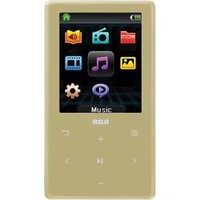
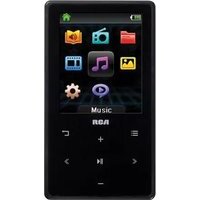
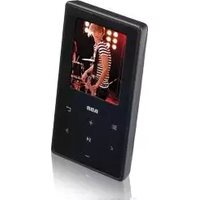
Brand : AUDIOVOX
Model : VR5220
Category : Mp3 player