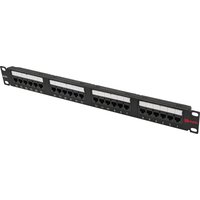
S45-2524 - Network card Simply45 - Free user manual and instructions
Find the device manual for free S45-2524 Simply45 in PDF.


| Product Type | Network Interface Card (NIC) |
| Brand | Simply45 |
| Model | S45-2524 |
| Interface | PCI Express 2.0 x1 |
| Network Standards | IEEE 802.3u, 802.3ab |
| Data Rate | 10/100/1000 Mbps |
| Connector Type | RJ-45 |
| Dimensions (L x W x H) | 12.5 cm x 6.8 cm x 1.8 cm |
| Weight | 50 g |
| Power Consumption | 2 W (typical) |
| Operating Temperature | 0°C to 50°C |
| Operating Humidity | 10% to 90% non-condensing |
| LED Indicators | Link/Activity, Speed (100/1000) |
| Main Functions | Gigabit Ethernet connectivity, auto-negotiation, Wake-on-LAN, IPv4/IPv6 checksum offload, VLAN tagging support |
| Compatible Operating Systems | Windows 10/11, Linux (kernel 3.x+), macOS (limited) |
| Maintenance and Cleaning | Clean with a dry, lint-free cloth. Do not use liquids or solvents. |
| Safety | Handle with ESD precautions. Disconnect power before installation. Avoid contact with circuit board. |
| Spare Parts and Repairability | No user-serviceable parts. Contact Simply45 for replacements or warranty service. |
| General Information | Plug-and-play installation. Driver download available from Simply45 website. |
Frequently Asked Questions - S45-2524 Simply45
User questions about S45-2524 Simply45
0 question about this device. Answer the ones you know or ask your own.
Ask a new question about this device
Download the instructions for your Network card in PDF format for free! Find your manual S45-2524 - Simply45 and take your electronic device back in hand. On this page are published all the documents necessary for the use of your device. S45-2524 by Simply45.
USER MANUAL S45-2524 Simply45
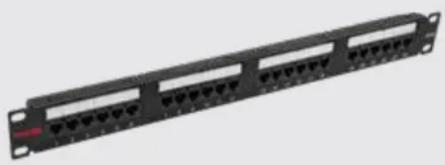
24-Port Loaded Patch Panel - Unshielded Cat5e UTP, Rear 110 IDC Punch Down, Numbered Ports w/Labels, ANSI/TIA 568.2-D, ISO/IEC 11801 Class D, PoE: IEEE 802.3bt, UL - Black - 1 ea/Box
natural_image
Front panel of a network switch with multiple Ethernet ports (no visible text or labels)- Punch down cables to 110/Krone IDC Connector according to TIA568A/B wiring instruction label.
Wiring Label


natural_image
Technical line drawing of a mechanical connector assembly (no text or symbols)-
Punch down solid cable to each port until termination is completed.
-
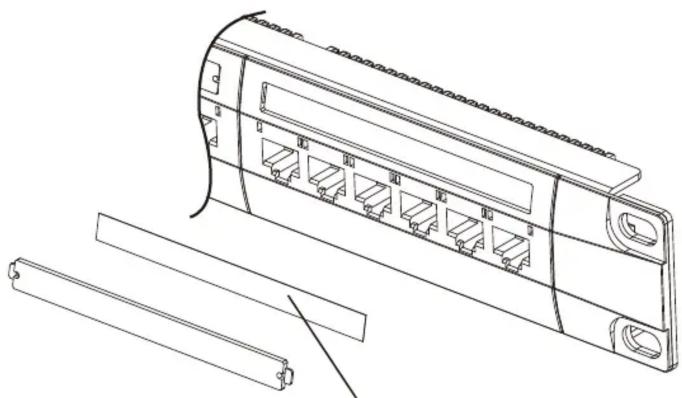
Write port description on label and then put on the plastic cover to finish the installation.

natural_image
Technical line drawing of a server rack with multiple Ethernet ports and connectors (no text or symbols)Write on description label protected by clear plastic cover
Brand : Simply45
Model : S45-2524
Category : Network card