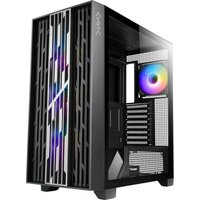
Augment - Computer Case Azza - Free user manual and instructions
Find the device manual for free Augment Azza in PDF.


| Product Type | Mid-Tower Computer Case |
| Brand | Azza |
| Model | Augment |
| Dimensions (H x W x D) | 480 x 210 x 450 mm |
| Weight | 7.8 kg |
| Motherboard Compatibility | ATX, Micro-ATX, Mini-ITX |
| Expansion Slots | 7 |
| Drive Bays - 3.5" | 2 |
| Drive Bays - 2.5" | 2 |
| Maximum GPU Length | 350 mm |
| Maximum CPU Cooler Height | 160 mm |
| Power Supply Support | Standard ATX PSU (up to 200 mm) |
| Front I/O Ports | USB 3.0 x 2, USB 2.0 x 2, HD Audio |
| Cooling - Front | 3 x 120 mm or 2 x 140 mm fan (optional) |
| Cooling - Top | 2 x 120 mm or 2 x 140 mm fan (optional) |
| Cooling - Rear | 1 x 120 mm fan (pre-installed) |
| Radiator Support | Front: 240/280 mm; Top: 240 mm |
| Window Panel | Tempered Glass (left side) |
| Filter Type | Magnetic dust filter (top, front) |
| Material | Steel, Tempered Glass, Plastic |
| Maintenance | Clean with dry cloth; avoid abrasive cleaners |
| Safety | Use only with compatible power supplies; ensure proper grounding |
| Spare Parts & Repairability | Replacement fans and filters available; minor disassembly required |
| General Information | Supports liquid cooling; cable management space behind motherboard tray |
Frequently Asked Questions - Augment Azza
User questions about Augment Azza
0 question about this device. Answer the ones you know or ask your own.
Ask a new question about this device
Download the instructions for your Computer Case in PDF format for free! Find your manual Augment - Azza and take your electronic device back in hand. On this page are published all the documents necessary for the use of your device. Augment by Azza.
USER MANUAL Augment Azza
natural_image
Technical line drawing of a desktop computer tower with visible fan, drive bays, and ventilation slots (no text or symbols)AUGMENT
COMPUTER CASE
USER MANUAL
- Specifications
2.Chassis Parts - Control Panel Functions
4.3.5"/2.5" HDD/SSD Installation - Remove the Front panel
- Remove the left glass side panel
- Cooling System Installation
- Fan Installation
- Power Supply Shroud Fans Installation
- RGB Lighting Switching
- ARGB IC Board Installation
| Model | |
| Model Name: | AUGMENT |
| Model Number: | CSAZ-510 |
| Specifications | |
| Type: | ATX Full Tower |
| Color: | Black/Black(interior) |
| Side Panel Window: | Left side panel: toolless mounting glass panelRight side panel: toolless mounting Flat metal |
| Max CPU Cooler Height: | UP to 180mm |
| Max Video Card Length: | Up to 420mm long video card |
| Power Supply: | Not included |
| Motherboard Compatibility: | EATX(<277mm) / ATX / Micro ATX / ITX |
| Expansion | |
| External 5.25" Drive Bays: | 0 |
| Internal 2.5" Drive Bays: | Up to 4 |
| Internal 3.5" Drive Bays: | Up to 1 |
| Expansion Slots: | 8 |
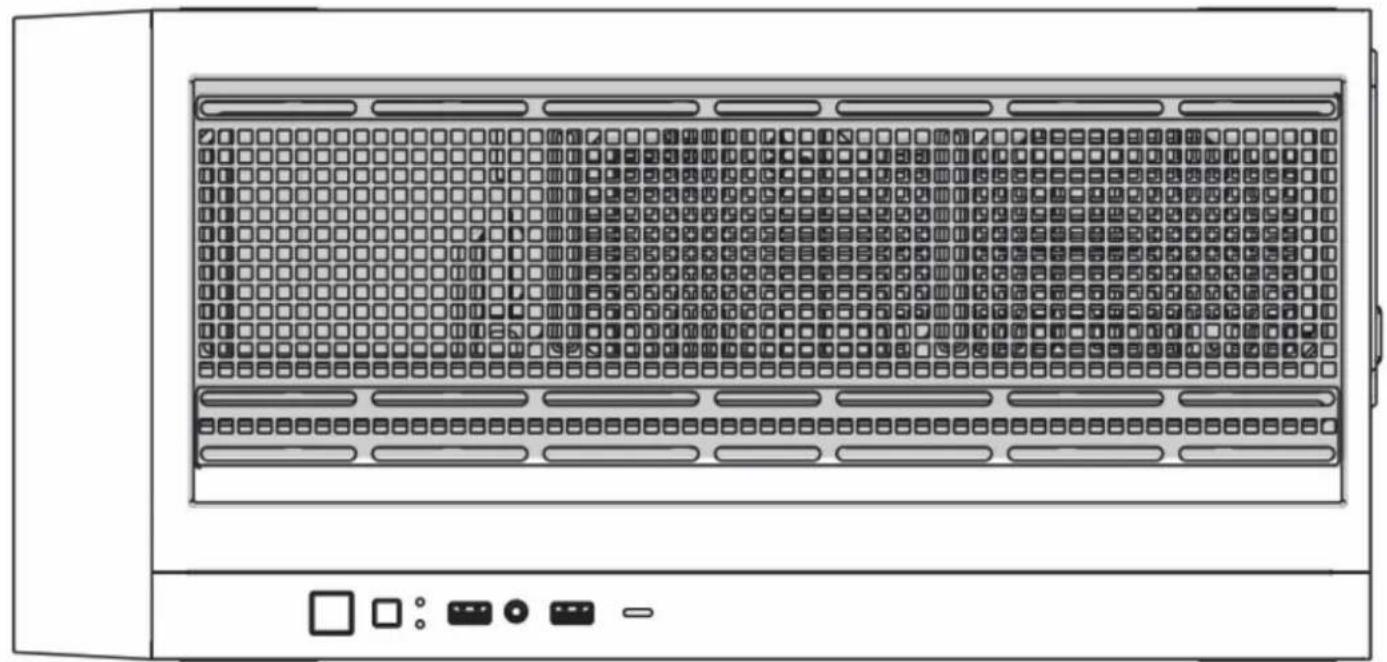
| Top Ports: | Power button, LED button, HD Audio, USB 3.0 x 2, Type-C |
| Physical Specifications | |
| Dimensions (HxWxD) | 610X320X580mm /24X12.6X22.8 inches |
| Weight: | 10.1kg /22.3 lbs |
| Features | |
| Tempered Glass Sides Window: | High-quality tempered glass side window allows for clear visuals to inner components |
| Addressable RGB Light Effects: | Addressable RGB devices connected to the ARGB control board can be controlled with the LED button or motherboard lighting software. |
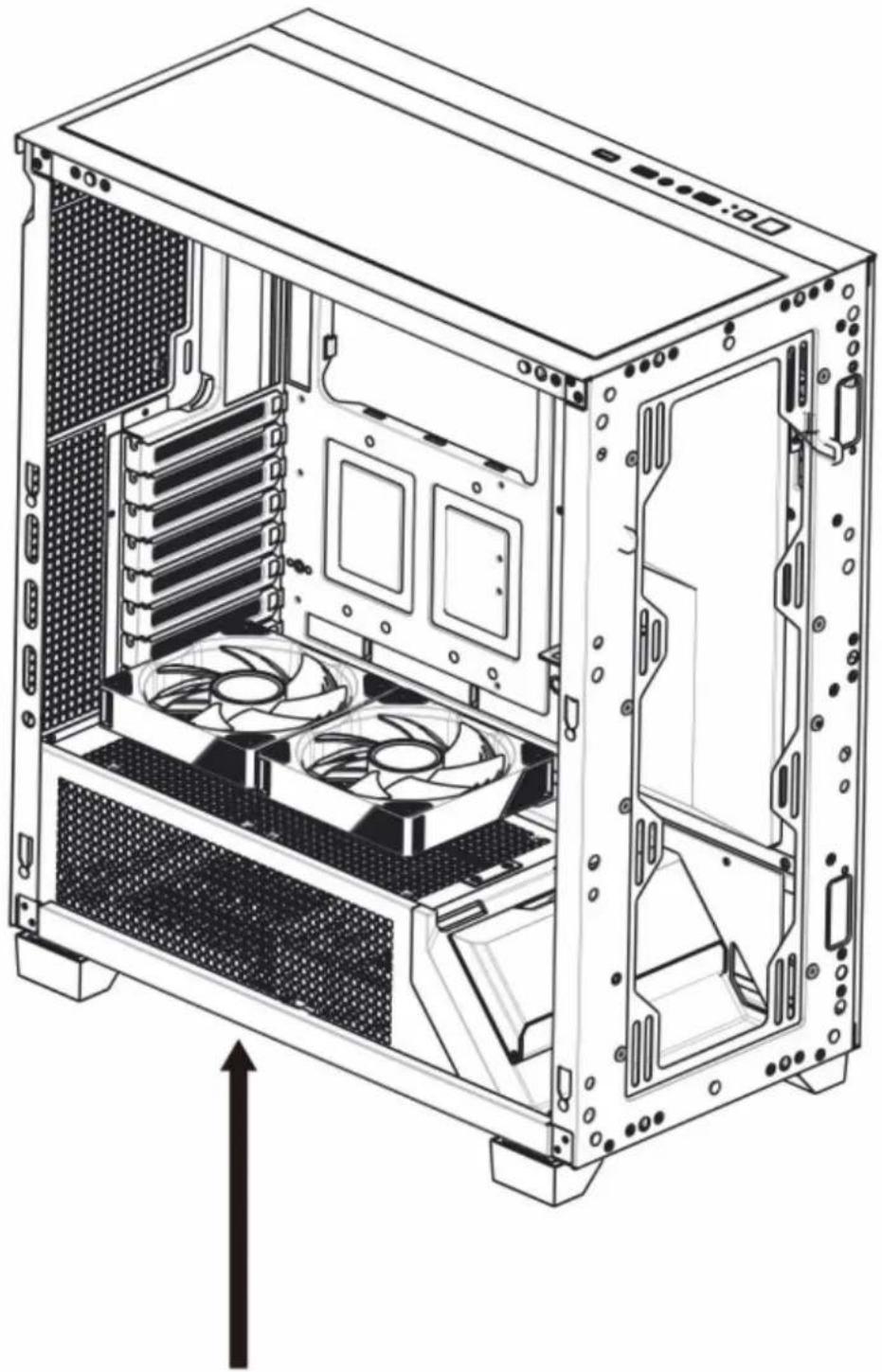
| Available Fan Ports: | 3x120mm or 3x140mm Fan ports in the front(3x120mm LFO-4612D ARGB fan included)3x120mm or 3x140mm Fan ports on the top1x120mm Fan port in the rear (1x120mm LFO-4312D ARGB fan included)2x120mm Fan ports on the Power Supply Shroud |
| Water Cooling: | Supports radiators up to 280/360mm on the topSupports radiators up to 360/420mm in the front |
| Dust Filters: | Removable dustproof net on the top,dust filter on bottom of chassis. |
| Power Supply Support: | Bottom mounted ATX Power Supply |

| 1 | Front panel |
| 2 | Metal side panel |
| 3 | Tempered glass panel |
| 4 | Removable magnetic mesh |
| 5 | Hard disk cage |
| 6 | 3.5” HDD/ 2.5” SSD brackets |
| 7 | 2.5” SSD tray x 2 |
| 8 | Chassis |
| 9 | VGA Holder |
| 10 | Dust filter mesh |

natural_image
Front view of a server rack with indicator lights and a door, no visible text or symbols| POWER | |
| LED | |
| HD Audio |
| USB 3.0 | |
| USB 3.0 | |
| Type-C |

•Supports up to 420mm long video cards.

or

natural_image
Technical line drawing of a computer tower case with labeled components (no text or symbols beyond labels A, B, C)
- Multifunctional hard disk bracket support 3.5" HDD or 2.5" SSD x 1 ( A )
-2.5" SSD metal tray support 2.5" SSD x 2 ( C ) - Multifunctional hard disk cage support 2.5" SSD x 1( B )

natural_image
Technical line drawing of a server rack with internal components and ventilation slots (no text or labels)

natural_image
Technical line drawing of a computer tower case with visible internal partition and ventilation slots (no text or symbols)Front

Rear

natural_image
Top-down schematic of a computer tower showing internal components like CPU socket, drive bays, and motherboard (no text or labels)
natural_image
Line drawing of a fan with six blades, no text or symbols present120mm x1
or

natural_image
Line drawing of a fan with six blades, no text or symbols present140mm x1
Top

natural_image
Line drawing of a fan with six blades, no text or symbols present120mm x3
or

natural_image
Line drawing of a fan with six blades, enclosed in a square frame (no text or symbols)140mm x3
natural_image
Front view of a server rack with indicator lights and a control panel (no text or symbols)
natural_image
Gray left-pointing arrow on white background (no text or symbols)Max Length of Radiator
360mm

natural_image
Gray right-pointing arrow on white background (no text or symbols)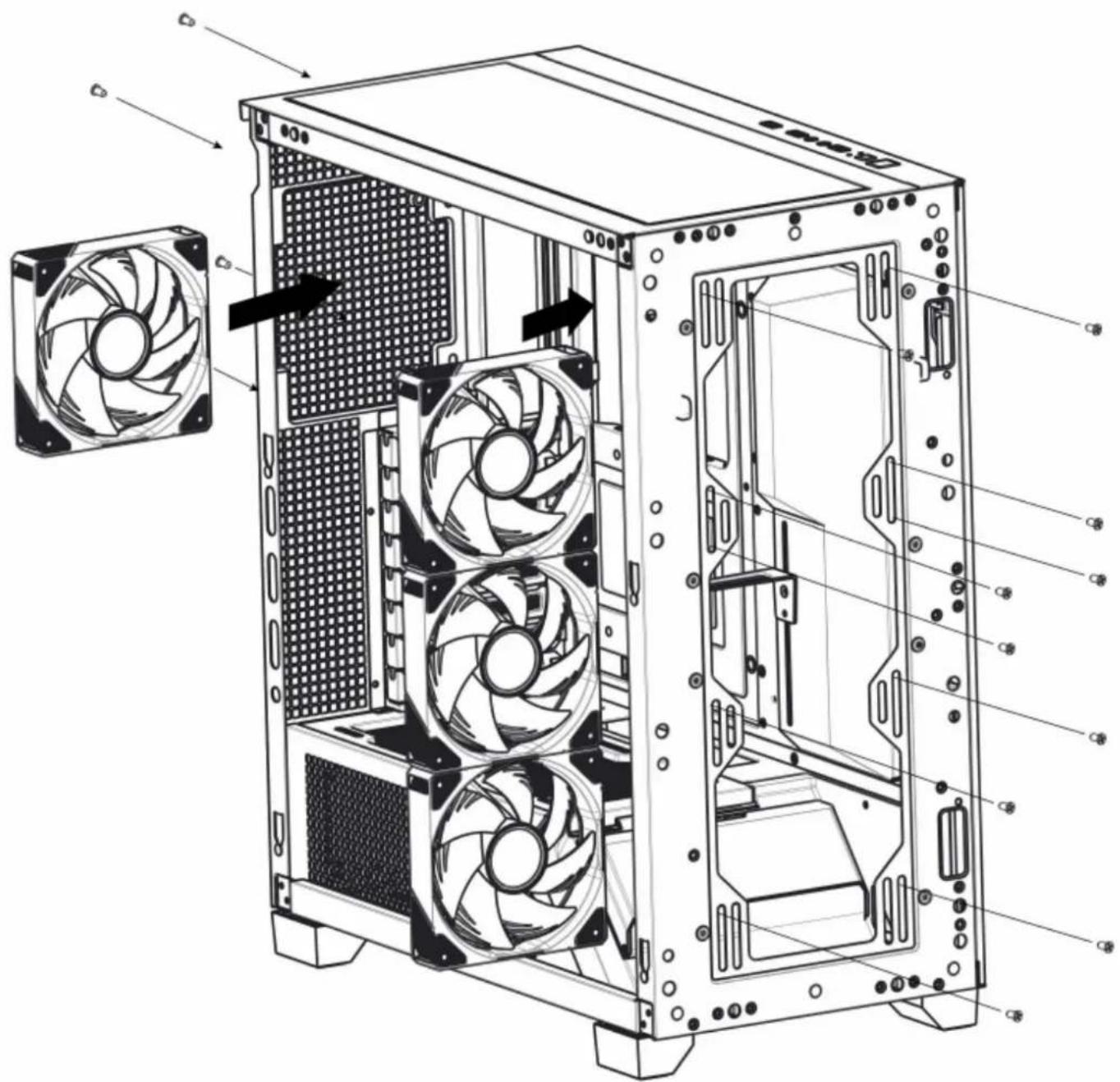
natural_image
Technical line drawing of a computer tower case showing internal fan and drive structure (no text or labels)2x120mm fan ports on the Power Supply Shroud


flowchart
graph TD
    A["SATA"] --> B["Reset SW"]
    B --> C["Add Header"]
    C --> D["At least one PWM fan needs to be connected to the FAN6 position for the computer to detect fan speed data."]
    D --> E["RGB control board control"]
    E --> F["LED: Hold 1 Sec, White light flash 2 times"]
    E --> G["Motherboard control"]
    G --> H["LED: Hold 2 Secs, White light flash 2 times"]
    G --> I["LED: Hold 1 Sec"]
    I --> J["RGB control board and motherboard RGB lighting modes supporting the Power-off memory lighting effect function."]
    J --> K["Connect to power Supply"]
Brand : Azza
Model : Augment
Category : Computer Case