
SR-512S25 - Memory Card SONY - Free user manual and instructions
Find the device manual for free SR-512S25 SONY in PDF.


| Product Type | Memory Card |
| Brand | Sony |
| Model | SR-512S25 |
| Capacity | 512 MB |
| Memory Type | Memory Stick |
| Dimensions (approx.) | 21.5 mm x 50 mm x 2.8 mm |
| Weight (approx.) | 4 g |
| Operating Temperature | 0°C to 60°C |
| Storage Temperature | -20°C to 70°C |
| Interface | Memory Stick slot |
| Compatibility | Sony devices with Memory Stick slot |
| Usage | Store digital photos, music, and data |
| Maintenance | Keep dry, avoid static discharge, store in protective case |
| Safety Precautions | Do not bend, drop, or expose to strong magnets |
| Spare Parts | Not available; card is not repairable |
| Reparability | Non-repairable; replace if faulty |
Frequently Asked Questions - SR-512S25 SONY
User questions about SR-512S25 SONY
0 question about this device. Answer the ones you know or ask your own.
Ask a new question about this device
Download the instructions for your Memory Card in PDF format for free! Find your manual SR-512S25 - SONY and take your electronic device back in hand. On this page are published all the documents necessary for the use of your device. SR-512S25 by SONY.
USER MANUAL SR-512S25 SONY
Japanese/English/Chinese
© 2011 Sony Corporation Printed in Japan
1076170/8
4283613040


For the customers in the U.S.A.
For the customers in the USA: This equipment has been tested and found to comply with the limits for a Class B digital device, pursuant to Part 15 of the FCC Rules. These limits are designed to provide reasonable protection against harmful interference in a residential installation. This equipment generates, uses, and can radiate radio frequency energy and, if not installed and used in accordance with the instructions, may cause harmful interference to radio communications. However, there is no guarantee that interference will not occur in a particular installation. If this equipment does cause harmful interference to radio or television reception, which can be determined by turning the equipment off and on, the user is encouraged to try to correct the interference by one or more of the following measures:
– Reorient or relocate the receiving antenna.
- Increase the separation between the equipment and receiver. - Connect the equipment into an outlet on a circuit different from that to which
Connect the equipment into an outlet of a circuit different from that to which the receiver is connected.
– Consult the dealer or an e
You are cautioned that any changes or modifications not expressly approved in
this manual could void your authority to operate this equipment.
This device complies with Part 15 of the FCC Rules. Operation is subject to the following two conditions: (1) this device may not cause harmful interference, and (2) this device must accept any interference received, including interference that may cause undesired operation.
For the customers in Canada
This Class B digital apparatus complies with Canadian ICES-003.
For the customers in Europe
This product with the CE marking complies with the EMC Directive issued by the
Commission of the European Community. Compliance with this directive implies an
Compliance with this directive implies conformity to the following European standards:
• EN5510
• EN55103-2 : Electromagnetic Susceptibility (Immunity)
This product is intended for use in the following Electromagnetic Environments:
E1 (residential), E2 (commercial and light industrial), E3 (urban outdoors),
E4 (controlled EMC environment, ex. TV studio)
The manufacturer of this product is Sony Corporation, 1-7-1 Konan, Minato-ku,
Tokyo, 108-0075 Japan. The Authorized Representative for EMC and product safety is
Sony Deutschland GmbH, Hedelfinger Strasse 61, 70327 Stuttgart, Germany.
This product is a memory card that supports the SRMemory card standard.
Note
This product can only be used with devices that support SRMemory cards.
SRMemory is a trademark of Sony Corporation.
All other product names and company names that appear in this manual are
trademarks or registered trademarks of their respective companies. In this
manual such names are not indicated by ™ or ® marks.
Notes on Use
- As this product is an electrical device, do not expose it to static electricity.
- Do not bend the product or expose it to excessive shock, vibrations, or water.
- Do not touch the memory card terminals or insert foreign objects into the terminal area.
- The following actions may damage or result in the loss of recorded data: exposing the device to shocks and vibration, or turning off the device during read, write, and formatting operations; using the product in an environment exposed to static electricity or electrical noise.
- Do not operate or store the product in the following environments: locations that do not satisfy the prescribed usage and storage environment conditions; inside a vehicle with closed windows on a hot day; locations exposed to direct daylight; locations in close proximity to heating devices; locations exposed to excessive humidity or corrosive environments.
- Be sure to insert the product in the proper direction during use.
- Keep the product in the supplied card case when storing or carrying it, and make sure the case is locked securely (Fig. A). When inserting the card into the case, insert it horizontally from the side. Pushing the card into the case from above with the case fully opened can damage the tabs on the case (Fig. B).
- In case the data stored on the memory card is damaged or lost for any reason, be sure to keep a backup of the data. Sony Corporation will not be liable for any damage incurred as a result of a loss of data stored on this product.
- When the write-protect switch is set to the "WP" position (Fig. C), data recording, editing, and deletion are disabled. When using the write-protect switch, be sure to slide the switch all the way to one side.
- When labeling the memory card, use only the supplied card label sheet and affix the sheet within the prescribed label affixing area (Fig. D). The card label sheet cannot be reused after it is attached and removed. Affix the card label sheet firmly to make sure it does not peel or fall off while inside a device. When formatting the memory card, be sure to use a device with a format function that supports SRMemory cards.
- When removing or reinserting the card case label, open the card case fully (Fig. F).
- If condensation is present on the product before use, wait for it to disappear. This product does not include any warning lamps that indicate the presence of condensation.
- Wipe the surface with a soft, dry cloth.
- For stubborn stains, clean the surface with a cloth lightly dampened with a mild detergent. Then wipe it with a dry cloth.
- Do not use alcohol, benzene, thinner, or pesticides as they can damage the product. Using excessive force when wiping the surface with a dirty cloth may cause scratches.
- Prolonged contact with rubber or vinyl may degrade the surface and damage the coating.
Notes on condensation
Cleaning the exterior
Specifications
Interface SBMemory card standard
Transfer speed (recording/playback)
SR-512S25/11S25 2.5 Gbps/5.5 Gbps SR-256S55/512S55/1TSS5 5.5 Gbps/5.5 Gbps
Capacity (user capacity) 1)(2)(3)
SR-256555 256 GB (approx. 225 GB)
SR-312S25/312S35 312 GB (approx. 450 GB) SR-1TS25/1TSS5 1 TB (approx. 900 GB)
1) The SRMemory card contains an area of usable space (i.e., user capacity)
and a system file area.
The user capacity may vary depending on the formatting device and conditions.
3) The above user capacities are based on the factory default condition. Recording time 4)
For 59.94i
| SR-Lite SR-SQ | SR-HQ | ||
| SR-256S55 114 60 32 | |||
| SR-512S25/512S55 228 120 64 | |||
| SR-1TS25/1TS55 | 457 241 128 |
Units: Minutes (approx.)
For 50i
| SR-Lite SR-SQ | SR-HQ | ||
| SR-256S55 137 72 38 | |||
| SR-512S25/512S55 274 144 76 | |||
| SR-1TS25/1TS55 | $49 289 153 |
Units: Minutes (approx.)
| SR-Lite SR-SQ | SR-HQ | ||
| SR-256S55 142 77 40 | |||
| SR-512S25/512S55 285 155 80 | |||
| SR-1TS25/1TS55 | 572 311 160 |
4) The maximum recording times may vary depending on the recording input voltage.
| The maximum reselling time may vary depending on the resulting format. In addition, the transfer speed may be limited depending on the device used with the SRMemory card. For details, refer to the Operation Manual of the supported device, or contact your local Sony dealer. |
Power consumption
Max. 10 W
Operating temperature
0 ℃ to 40 ℃ (32 ℉ to 104 ℉)
[Non-Text]
(complies with the operating conditions of the
Operating humidity
supported device)
[Non-Text]
25% to 30% (no condensation) / complies with the operating conditions of the
25% to 30% (no condensation) /complies with the operating conditions of the
Storage temperature
-40°C to +80°C (-40°F to +176°F)
Storage humidity Dimensions
95% or less (no condensation)
2.10.2018.15
60 × 9.4 × 103 mm (2.36 × 0.37 × 4.06 in.) (excluding protrusions)
Mass Approx. 100 g (
Card case
Card label sheet
Design and specifications are subject to change without notice.
Note
Always verify that the unit is operating properly before use. SONY WILL NOT BE LIABLE FOR DAMAGES OF ANY KIND INCLUDING, BUT NOT LIMITED TO, COMPENSATION OR REIMBURSEMENT ON ACCOUNT OF THE LOSS OF PRESENT OR PROSPECTIVE PROFITS DUE TO FAILURE OF THIS UNIT, EITHER DURING THE WARRANTY PERIOD OR AFTER EXPIRATION OF THE WARRANTY, OR FOR ANY OTHER REASON WHATSOEVER.
Chinese
Model name: Memory card
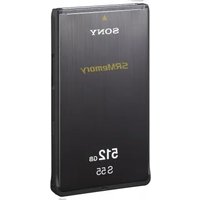

Brand : SONY
Model : SR-512S25
Category : Memory Card