MAX-KT75 - Audio System SAMSUNG - Free user manual and instructions
Find the device manual for free MAX-KT75 SAMSUNG in PDF.


| Product Type | DVD Karaoke Mini Component System |
| Model | MAX-KT75 |
| Dimensions (W x H x D) | 426 x 332 x 270 mm |
| Power Consumption | 220 W |
| Disc Capacity | 3 discs |
| Playback Formats | DVD, VCD, CD, MP3-CD, CD-R/RW, DivX, JPEG, WMA, DVD-R/RW |
| Tuner Bands | FM, AM |
| Preset Stations | 15 FM + 15 AM |
| Tape Deck | Yes, double cassette (Tape 1 & Tape 2) |
| Karaoke Features | Microphone inputs (x2), echo control, key/tempo control, chorus, fanfare, scoring |
| Video Outputs | Composite, S-Video, Component (Y, Pb, Pr) |
| Audio Outputs | Line out, Subwoofer out, Headphone jack |
| Audio Inputs | AUX (analog) |
| Sound Modes | PASS, POP, ROCK, CLASSIC, HALL, LIVE, CINEMA, USER EQ |
| Power Sound/Surround | Yes (P.SOUND / P.SURROUND) |
| Progressive Scan | Yes (via component video) |
| TV Screen Saver | After 3 minutes in stop mode |
| Auto Power Off | After 20 minutes in stop mode |
| Sleep Timer | 15, 30, 45, 60, 90 minutes |
| Timer On/Off | Yes (programmable) |
| Remote Control | Yes (AAA batteries, range ~7 m / 23 ft) |
| Accessories Included | Remote control, video cable, audio cable, AM/FM antennas, microphones, user manual |
| Safety Features | Class 1 laser, auto shutdown, ventilation requirements |
| Weight | Not specified in manual (approx. 5.5 kg estimated) |
Frequently Asked Questions - MAX-KT75 SAMSUNG
User questions about MAX-KT75 SAMSUNG
0 question about this device. Answer the ones you know or ask your own.
Ask a new question about this device
Download the instructions for your Audio System in PDF format for free! Find your manual MAX-KT75 - SAMSUNG and take your electronic device back in hand. On this page are published all the documents necessary for the use of your device. MAX-KT75 by SAMSUNG.
USER MANUAL MAX-KT75 SAMSUNG
THIS APPLIANCE IS MANUFACTURED BY:
SAMSUNG
ELECTRONICS
SAMSUNG
3 DVD KARAOKE MINI COMPONENT SYSTEM
DVD/VCD/CD/MP3-CD/CD-R/RW PLAYBACK
MAX-KT75
MAX-KT85
Instruction Manual
Safety Warnings
CLASS 1 LASER PRODUCT
KLASSE 1 LASER PRODUCT
LUOKAN 1 LASER LAITE
KLASS 1 LASER APPARAT
PRODUCTO LASER CLASE 1
CLASS 1 LASER PRODUCT
This Compact Disc player is classified as a CLASS 1 LASER product.
Use of controls, adjustments or performance of procedures other than those specified herein may result in hazardous radiation exposure.
CAUTION-INVISIBLE LASER RADIATION WHEN OPEN AND INTERLOCKS DEFEATED, AVOID EXPOSURE TO BEAM.

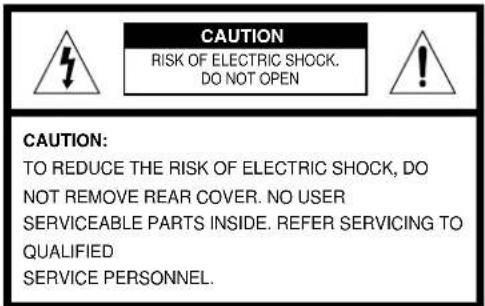
This symbol indicates that dangerous voltage which can cause electric shock is present inside this unit.

This symbol alerts you to important operating and maintenance instructions accompanying the unit.
WARNING: To reduce the risk of fire or electric shock, do not expose this appliance to rain or moisture.
CAUTION: TO PREVENT ELECTRIC SHOCK, MATCH WIDE BLADE OF PLUG TO WIDE SLOT, FULLY INSERT.
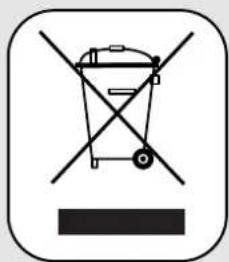
This marking shown on the product or its literature, indicates that it should not be disposed with other household wastes at the end of its working life.
To prevent possible harm to the environment or human health from uncontrolled waste disposal, please separate this from other types of wastes and recycle it responsibly to promote the sustainable reuse of material resources.
Household users should contact either the retailer where they purchased this product, or their local government office, for details of where and how they can take this item for environmentally safe recycling.
Business users should contact their supplier and check the terms and conditions of the purchase contract.
This product should not be mixed with other commercial wastes for disposal.
Precautions
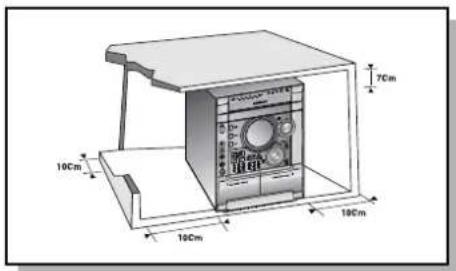
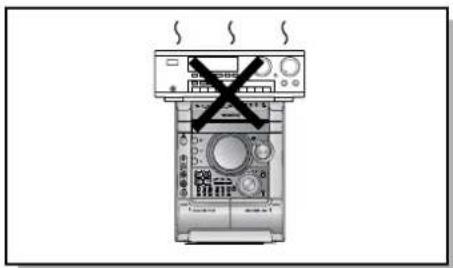
Ensure that the AC power supply in your house complies with the identification sticker located on the back of your player. Install your player horizontally, on a suitable base (furniture), with enough space around it for ventilation (3\~4 inches). Make sure the ventilation slots are not covered. Do not stack anything on top of the player. Do not place the player on amplifiers or other equipment which may become hot. Before moving the player, ensure the disc tray is empty. This player is designed for continuous use. Switching off the DVD player to the stand-by mode does not disconnect the electrical supply. In order to disconnect the player completely from the power supply, remove the main plug from the wall outlet, especially when left unused for a long period of time.
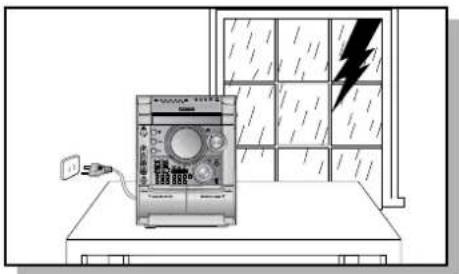
During thunderstorms, disconnect AC main plug from the wall outlet.
Voltage peaks due to lightning could damage the unit.
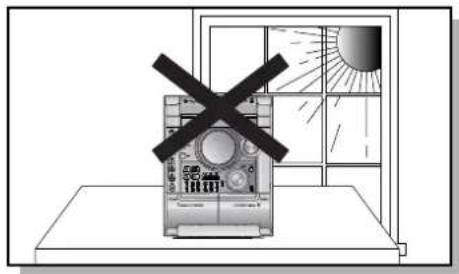
Do not expose the unit to direct sunlight or other heat sources.
This could lead to overheating and malfunction of the unit.
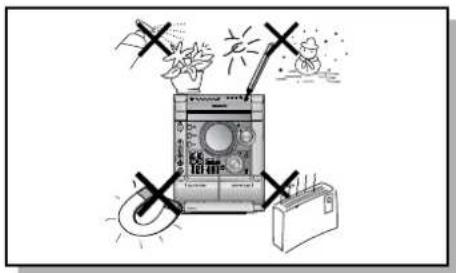
Protect the player from moisture(i.e. vases), and excess heat(e.g.fireplace) or equipment creating strong magnetic or electric fields (i.e.speakers...). Disconnect the power cable from the AC supply if the player malfunctions. Your player is not intended for industrial use. Use of this product is for personal use only.
Condensation may occur if your player or disc have been stored in cold temperatures.
If transporting the player during the winter, wait approximately 2 hours until the unit has reached room temperature before using.
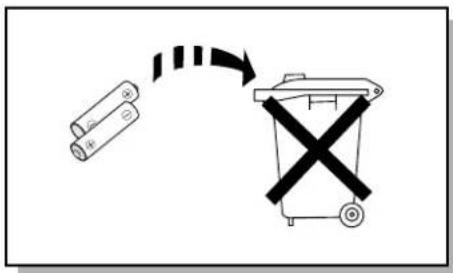
The battery used with this product contain chemicals that are harmful to the environment.
Do not dispose of batteries in the general household trash.
Features
Multi-Disc Playback & AM/FM Tuner, TAPE
The MAX-KT75/MAX-KT85 combines the convenience of multi-disc playback capability, including DVD, CD, MP3-CD, CD-R, CD-RW, VCD, DivX, JPEG, WMA and DVD-R/RW, with a sophisticated AM/FM tuner, TAPE, all in a single player.
TV Screen Saver Function
The MAX-KT75/MAX-KT85 automatically brightens and darkens the brightness of the TV screen after 3 minutes in the stop mode.
Power Saving Function
The MAX-KT75/MAX-KT85 automatically shuts itself off after 20 minutes in the stop mode.
Customized TV Screen Display
The MAX-KT75/MAX-KT85 allows you to select your favorite image during JPEG, DVD playback and set it as your background wallpaper.

DVD (Digital Versatile Disc) offers fantastic audio and video, thanks to Dolby Digital surround sound and MPEG-2 video compression technology. Now you can enjoy these realistic effects in the home, as if you were in a movie theater or concert hall.

DVD players and the discs are coded by region. These regional codes must match in order for the disc to play. If the codes do not match, the disc will not play.
The Region Number for this player is given on the rear panel of the player. (Your DVD player will only play DVDs that are labeled with identical region codes.)
Copy Protection
- Many DVD discs are encoded with copy protection. Because of this, you should only connect your DVD player directly to your TV, not to a VCR. Connecting to a VCR results in a distorted picture from copy-protected DVD discs.
- This product incorporates copyright protection technology that is protected by methods claims of certain U.S. patents and other intellectual property rights owned by Macrovision Corporation and other rights owners. Use of this copyright protection technology must be authorized by Macrovision Corporation, and is intended for home and other limited viewing uses only unless otherwise authorized by Macrovision Corporation. Reverse engineering or disassembly is prohibited.
Contents
PREPARATION
Safety Warnings....1
Precautions....2
Features....3
Description 5
CONNECTIONS
Connecting the Speakers....9
Connecting to a TV 10
P.SCAN (Progressive Scan) Function 12
Connecting External Components 13
Connecting the FM, AM Antennas....14
Setting the Clock....15
OPERATION
Disc Playback 16
DivX Playback....17
Displaying Disc Information 19
Fast/Slow Playback....20
Skipping Scenes/Songs 21
Angle Function 22
Repeat Playback....23
Zoom Function 24
Selecting Audio/Subtitle Language 25
Moving Directly to a Scene/Song....26
JPEG File Playback 27
A-B Repeat Playback....28
Using Disc Menu....29
Using the Title Menu 30
SETUP
Setting the Language....31
Setting TV Screen type 33
Setting Parental Controls (Rating Level)....35
Setting the Password 36
Setting the Wallpaper 37
Setting the DRC (Dynamic Range Compression)....39
AV SYNC Setup....40
Playing DVD-OK Discs 41
Connecting Microphone 42
Reserving Accompaniment Music....43
Priority Playing Accompaniment Music....44
Favorite Song Function....45
Search Song Function 47
Key Control / Tempo Control 52
Male-Female Key Control 53
Setting the Chorus 54
Setting the Fanfare 55
Setting the Average Score 56
Setting the Shadow....57
Setting the Shadow.... RADIO OPERATION
Listening to Radio 58
Presetting Stations....59
TAPE DECK
Listening to a Cassette 60
Selecting the Cassette Playback Mode 61
Tape Counter 61
Coping a Cassette(Dubbing)....62
MISCELLANEOUS
Recording a Compact Disc 63
Recording a Radio Program 65
Timer Function....66
Canceling the Timer....67
P.SOUND/SURROUND / SOUND MODE Function 68
Sleep Timer / Mute Function....69
DEMO / DIMMER Function....70
Bass/Treble Level (USER EQ) Function....71
Connecting Headphones 72
Cautions on Handling and Storing Discs 73
Before Calling for Service 74
Notes on Discs....76
Notes on Terminology....77
Specifications....78
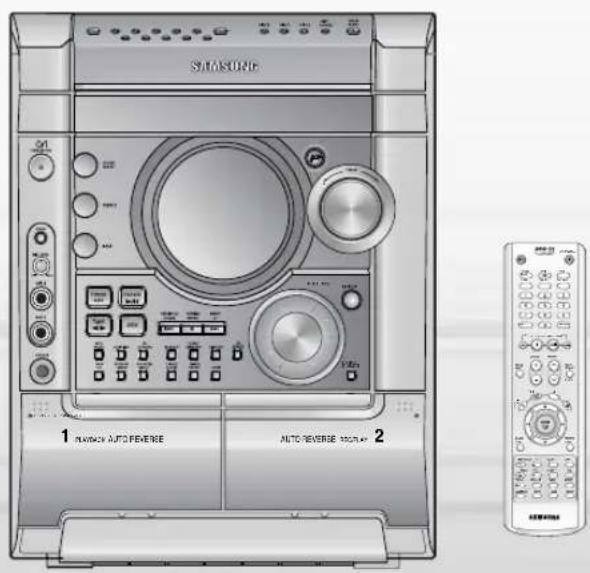
Description
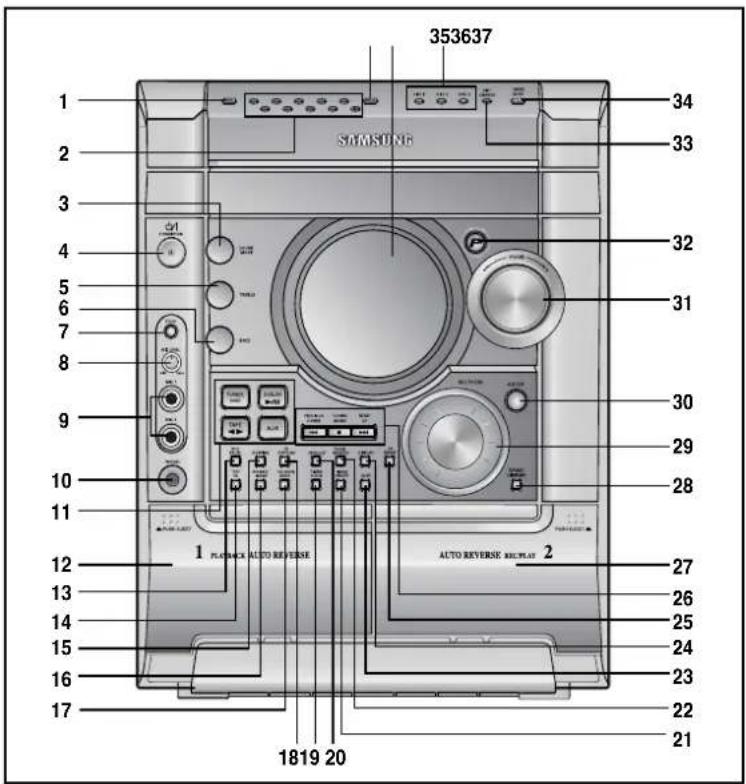
—Front Panel—
—Display Window—
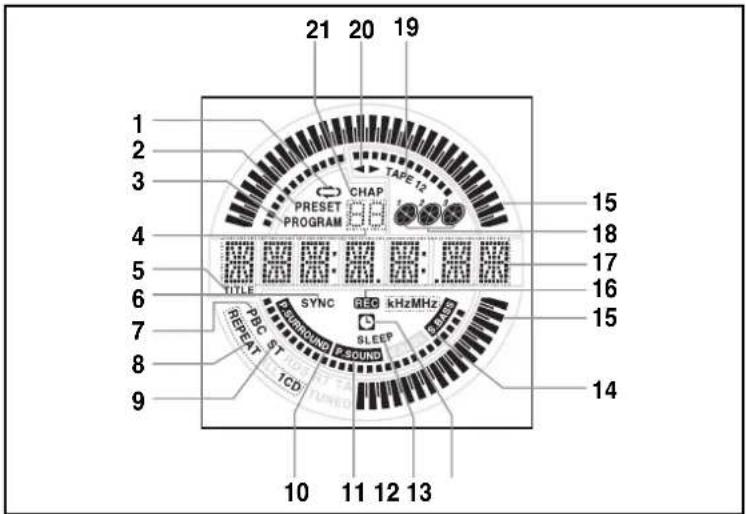
-
CANCEL
-
NUMBER(0\~9) BUTTONS
-
SOUND MODE
-
STANDBY/ON
-
TREBLE LEVEL
-
BASS LEVEL
-
ECHO
-
MIC LEVEL
-
MIC 1, MIC 2
-
PHONES
-
FUNCTIONS SELECT BUTTONS
-
TAPE 1
-
REC/PAUSE
-
TAPE 1/2
-
DUBBING
-
REVERSE MODE
-
COUNTER RESET
-
CD SYNCHRO
-
TIMER/CLOCK
-
FM MONO/ST
-
TIME ON/OFF
-
TUNER MEMORY
-
SLEEP
-
DISPLAY
-
CD REPEAT
-
SEARCH FUNCTION BUTTONS OR STOP
OR TUNING MODE
-
TAPE 2
-
DEMO/DIMMER
-
MULTI JOG
-
ENTER
-
VOLUME +, -
-
POWER SOUND/SURROUND
-
DISC CHANGE
-
CD Open/Close
-
DISC SELECTION BUTTONS
-
WINDOW DISPLAY
-
RESERVE
-
TAPE REVERSE MODE
-
TUNER PRESET
-
TUNER MEMORY TO PROGRAM
-
TUNER PRESET NUMBER
-
TITLE
-
CD SYNCHRO RECORDING
-
PBC
-
CD REPEAT MODE
-
FM MODE (STEREO)
-
POWER SURROUND
-
POWER SOUND
-
SLEEP
-
TIMER
-
S. BASS
-
VOLUME
-
RECORDING
-
MAIN DISPLAY
(FUNCTION, FREQUENCY, TIME etc.)
-
PLAYING DISC NUMBER
-
TAPE 1/2
-
TAPE RUNNING INDICATION
-
CHAPTER
—Rear Panel—
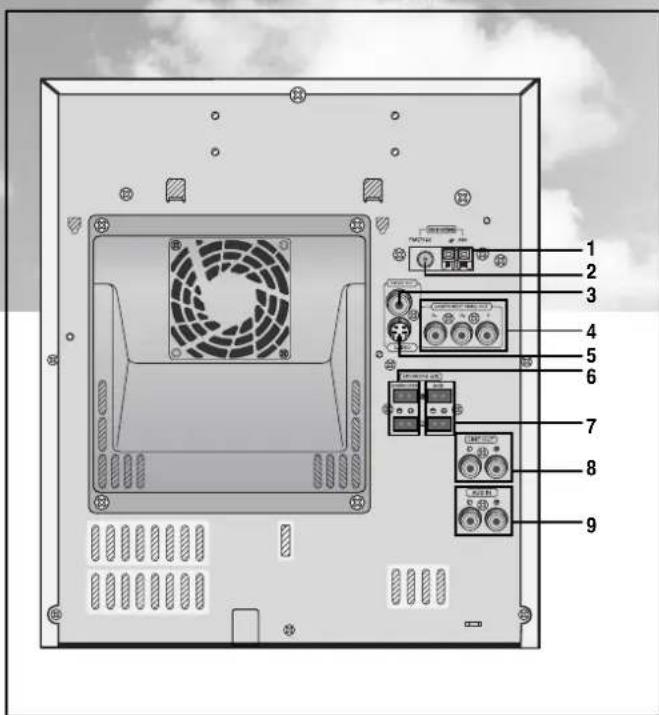
- AM Antenna Connectors
- FM Antenna Connector
- Video Output Connector
Connect the TV's video input jacks (VIDEO IN) to the VIDEO OUT connector. - Component Video Output Connectors
Connect a TV with component vide input jacks to these jacks. - S-Video Output Connector
If the TV is equipped with an S-Video input connector (S-VIDEO IN), connect it to the player's S-Video output jack. - Subwoofer speaker Connector Terminals
- Main speaker Connector Terminals
- LINE OUT
- AUX-Input
Accessories
 Remote Control Video Cable Audio Cable AM Antenna FM Antenna Remote Control Video Cable Audio Cable AM Antenna FM Antenna |  |  | 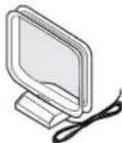 | 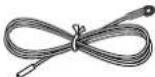 | |
 User's Manual User's Manual |  DVD KARAOKE DISC DVD KARAOKE DISC |  Song list book Song list book | 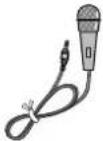 MIC MIC | ||
Description
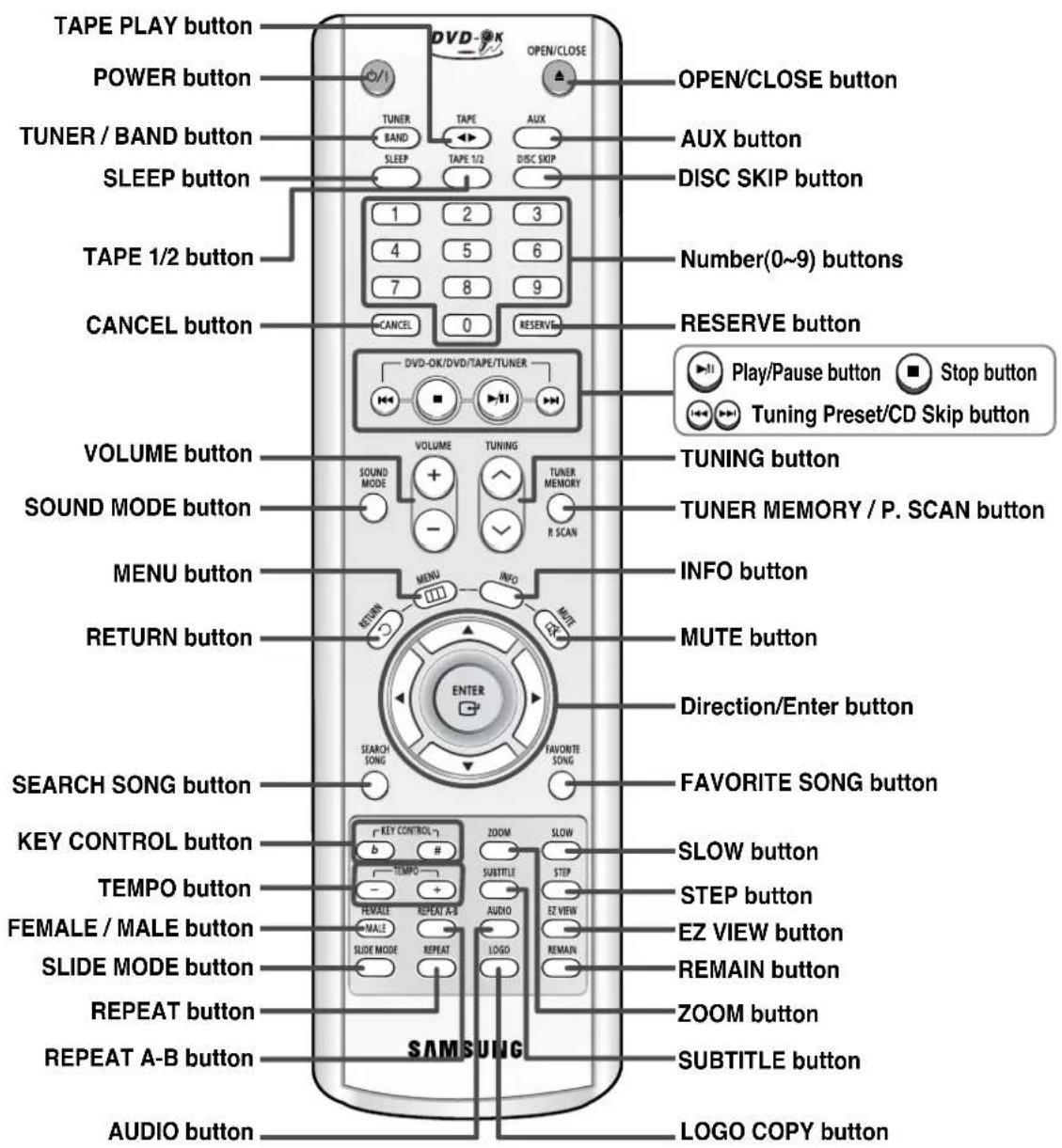
—Remote Control—
Insert Remote Batteries
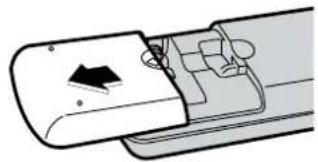
1 Remove the battery cover on the back of the remote by pressing down and sliding the cover in the direction of the arrow.
2 Insert two 1.5V AAA batteries, paying attention to the correct polarities (+ and -).
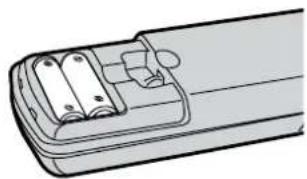
3 Replace the battery cover.
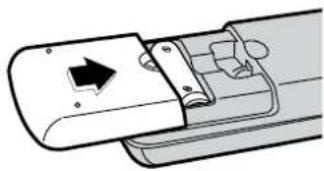
Caution
Follow these precautions to avoid leaking or cracking cells:
- Place batteries in the remote control so they match the polarity:(+) to (+)and (−)to (−).
- Use the correct type of batteries. Batteries that look similar may differ in voltage.
• Always replace both batteries at the same time. - Do not expose batteries to heat or flame.
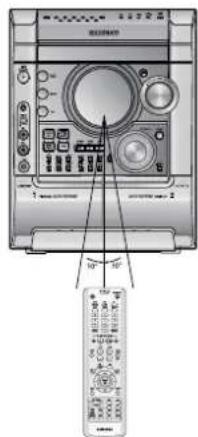
Range of Operation of the Remote Control
The remote control can be used up to approximately 23 feet/7 meters in a straight line. It can also be operated at a horizontal angle of up to 30° from the remote control sensor.
Connecting the Speakers
Before moving or installing the product, be sure to turn off the power and disconnect the power cord.
Connect the connecting jacks (4) to the back of mini-compact system.
Make sure the colors of the speaker terminals match the colors of the connecting jacks. Blue(subwoofer speakers)/Red(Main speakers).
◆ Make sure the polarities (+and —) are correct.
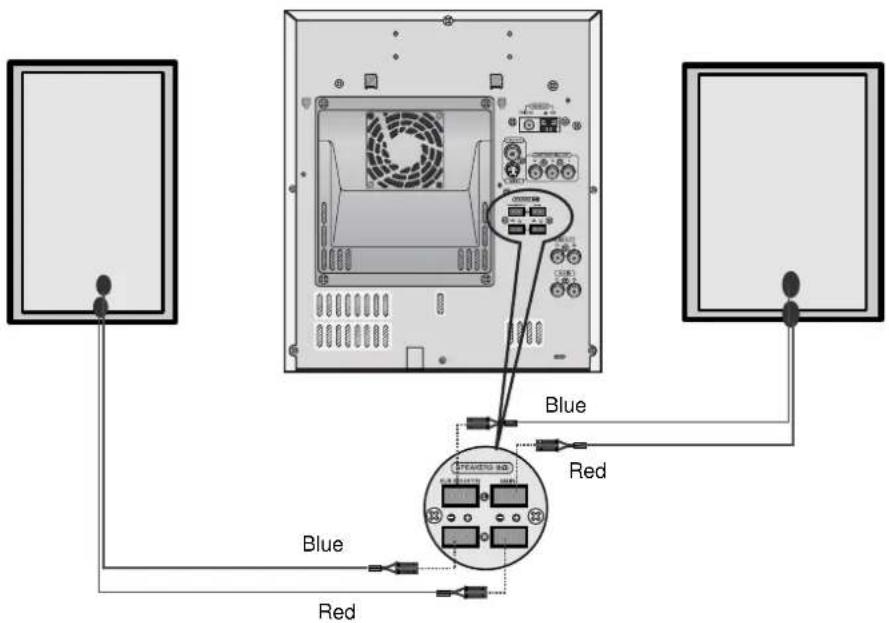
Position of the DVD Player
- Place it on a stand or cabinet shelf, or under the TV stand.
Selecting the Listening Position
The listening position should be located about 2.5 to 3 times the distance of the TV's screen size away from the TV. Example: For 32" TVs 2\~2.4m (6\~8feet) For 55" TVs 3.5\~4m (11\~13feet)
Speakers L R
- Place these speakers in front of your listening position, facing inwards (about 45°) toward you.
- Place the speakers so that their tweeters will be at the same height as your ear.
- Align the front face of the front speakers with the front face of the center speaker or place them slightly in front of the center speakers.
Directions in Installing Speaker
• Installation in a place near heating apparatus, under direct lay of light or with high humidity may cause performance degradation of the speaker.
- Do not install on the wall or on a high place of pole or other unstable place to prevent any safety accident caused by falling of the speaker.
- Do not take the speaker near from TV or computer monitor.
The speaker near the TV or computer monitor may influence the quality of the screen display.
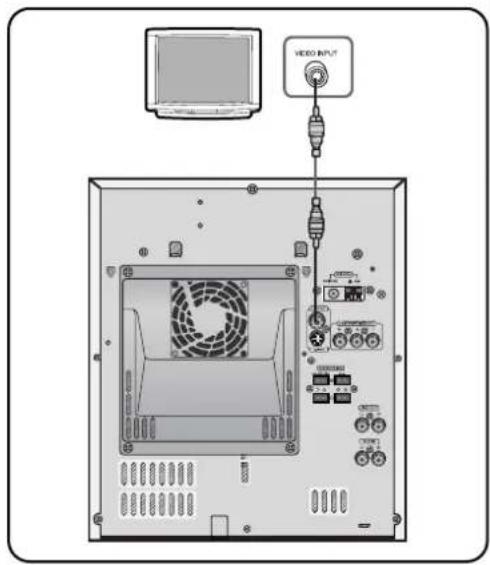
Connecting to a TV
Please be sure to turn off the power and unplug the power cord before moving or installing this unit.
Please choose one of two video connection methods.
Method 1 Using Video Out (Good Quality)
1 Connect Video Out on the player to Video In on your TV.
2 Press the TV/VIDEO button on the remote of TV control to set the TV to "VIDEO".
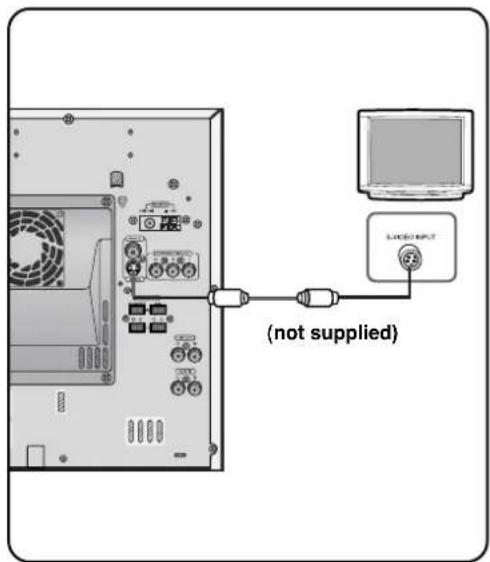
Method 2 Using S-Video Out (Better Quality)
Use this method if your TV has an S-Video In jack.
1 Connect S-Video Out to S-Video In on your TV.
2 Press the TV/VIDEO button on the remote control of TV to set the TV to "S-VIDEO".
Note
- Composite Video: A single video signal that is a composite of the black-and-white information (Y) and the color information (C).
- S-Video: A video transmission standard that provides a sharper, brighter picture than ordinary composite video by separating brightness and color signals.
Connecting to a TV (Con't)
Please be sure to turn off the power and unplug the power cord before moving or installing this unit.
Please choose one of two video connection methods.
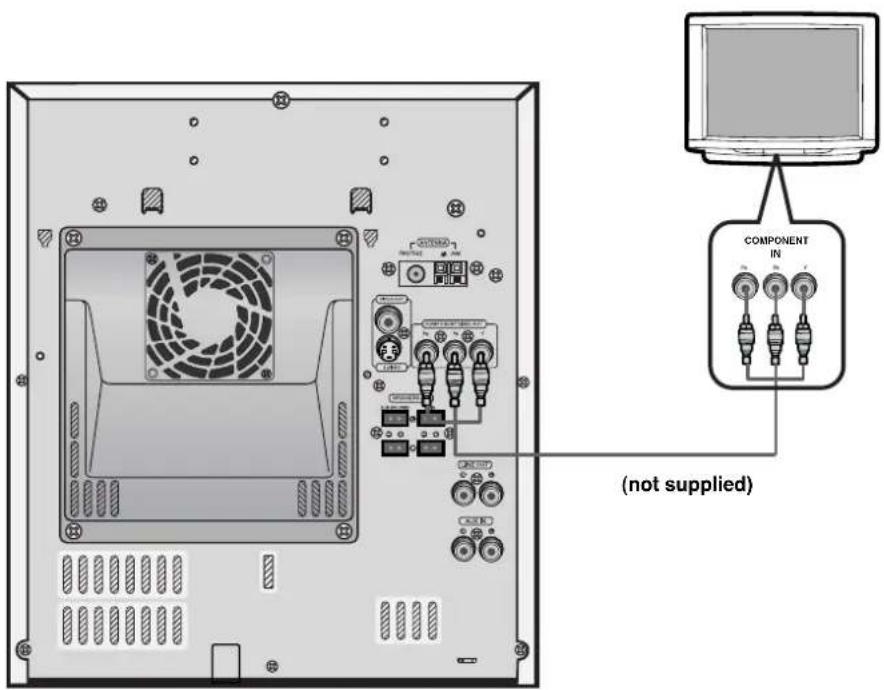
Method 3 Component Video (Best Quality)
Use this method if your TV have Pr, Pb and Y jacks.
If you television is equipped with Component Video inputs, connect a component video cable (not supplied) from the Pr, Pb and Y jacks on the back panel of the system to the corresponding jacks on your television.
P.SCAN (Progressive Scan) Function
Unlike regular Interlace Scan, in which two fields of picture information alternate to create the entire picture (odd scan lines, then even scan lines), Progressive Scan uses one field of information (all lines displayed in one pass) to create a clear and detailed picture without visible scan lines.
Press and hold P.SCAN button on the remote controller for over 5 seconds in stop mode.
- Pressing and holding the button for over 5 seconds will select "Progressive Scan" and "Interlace Scan" repetitively.
What is Progressive (or Non-Interlaced) Scanning?
| Interlaced Scan (1 FRAME = 2 FIELDS) | Progressive Scan (FULL FRAME) |
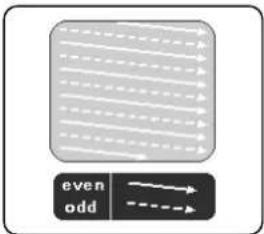 In interlaced-scan video, a frame consists of two interlaced fields (odd and even), where each field contains every other horizontal line in the frame. The odd field of alternating lines is displayed first, and then the even field is displayed to fill in the alternating gaps left by the odd field to form a single frame. One frame, displayed every 1/25th of a second, contains two interfaced fields, thus a total of 50 fields are displayed every 1/50th of a second. The interlaced scanning method is intended for capturing a still object. In interlaced-scan video, a frame consists of two interlaced fields (odd and even), where each field contains every other horizontal line in the frame. The odd field of alternating lines is displayed first, and then the even field is displayed to fill in the alternating gaps left by the odd field to form a single frame. One frame, displayed every 1/25th of a second, contains two interfaced fields, thus a total of 50 fields are displayed every 1/50th of a second. The interlaced scanning method is intended for capturing a still object. | 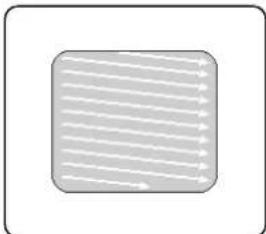 The progressive scanning method scans one full frame of video consecutively down the screen, line by line.An entire image is drawn at one time, as opposed to the interlaced scanning process by which a video image is drawn in a series of passes.The progressive scanning method is desirable for dealing with moving objects. The progressive scanning method scans one full frame of video consecutively down the screen, line by line.An entire image is drawn at one time, as opposed to the interlaced scanning process by which a video image is drawn in a series of passes.The progressive scanning method is desirable for dealing with moving objects. |
Note
- This function works only on TVs equipped with component video inputs (Y, Pr, Pb) that support Progressive Video. (It does not work on TVs with conventional component inputs, i.e., non-progressive scan TVs.)
- Depending on the brand and model of your TV, this function may not work.
Selecting the Video Format
Turn off the power and then press REC/PAUSE on the Main Unit.
- By default, the video format is set to "PAL".
• Each time the button is pressed, the video format switches between "NTSC" and "PAL".
• Each country has a different video format standard. - For normal playback, the video format of the disc must be the same as the video format of your TV.
Connecting External Components
Connecting an External Analog Component
Example: Analog signal components such as a VCR, Camcorder, and TV.
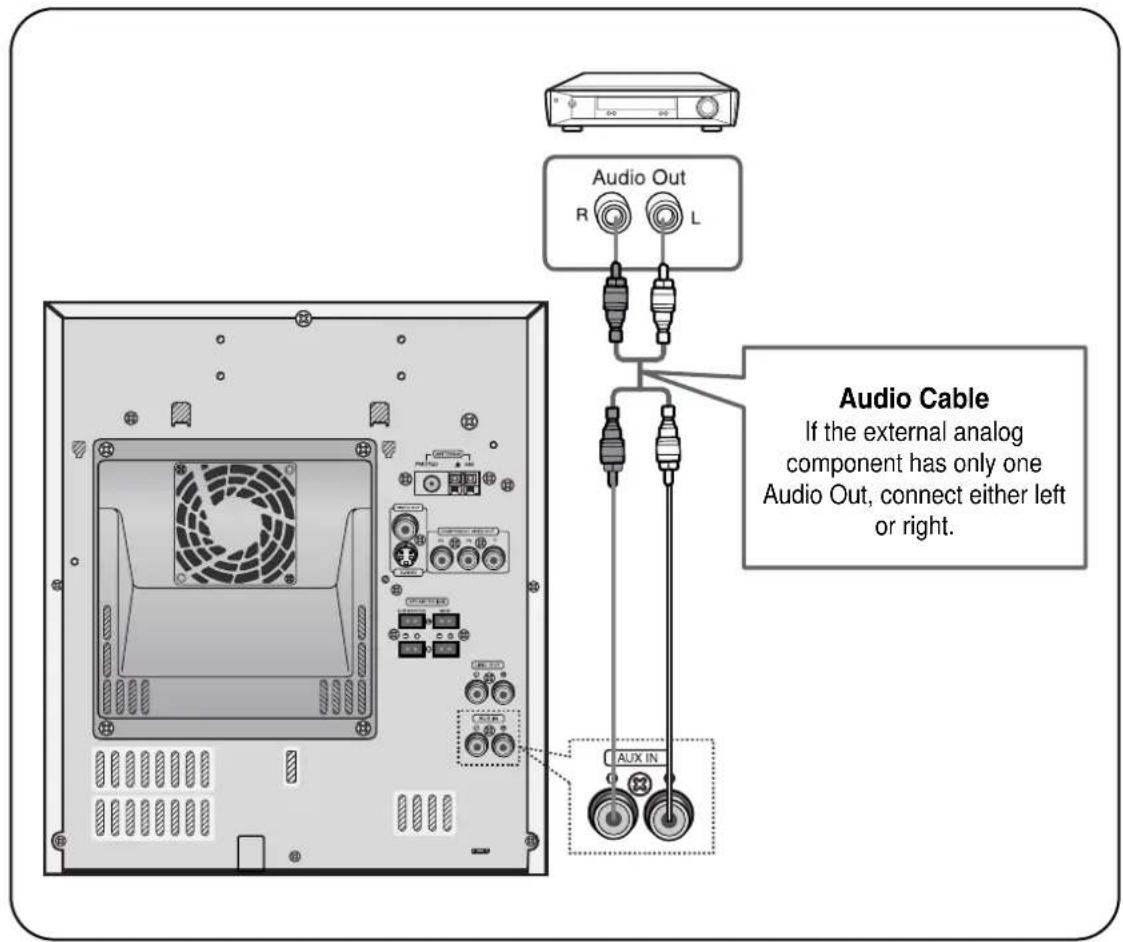
1 Connect Audio In on the DVD player to Audio Out on the external analog component.
- Be sure to match connector colors.
2 Press AUX to select AUX.
- 'AUX' appears in the display.
Connecting the FM, AM Antennas
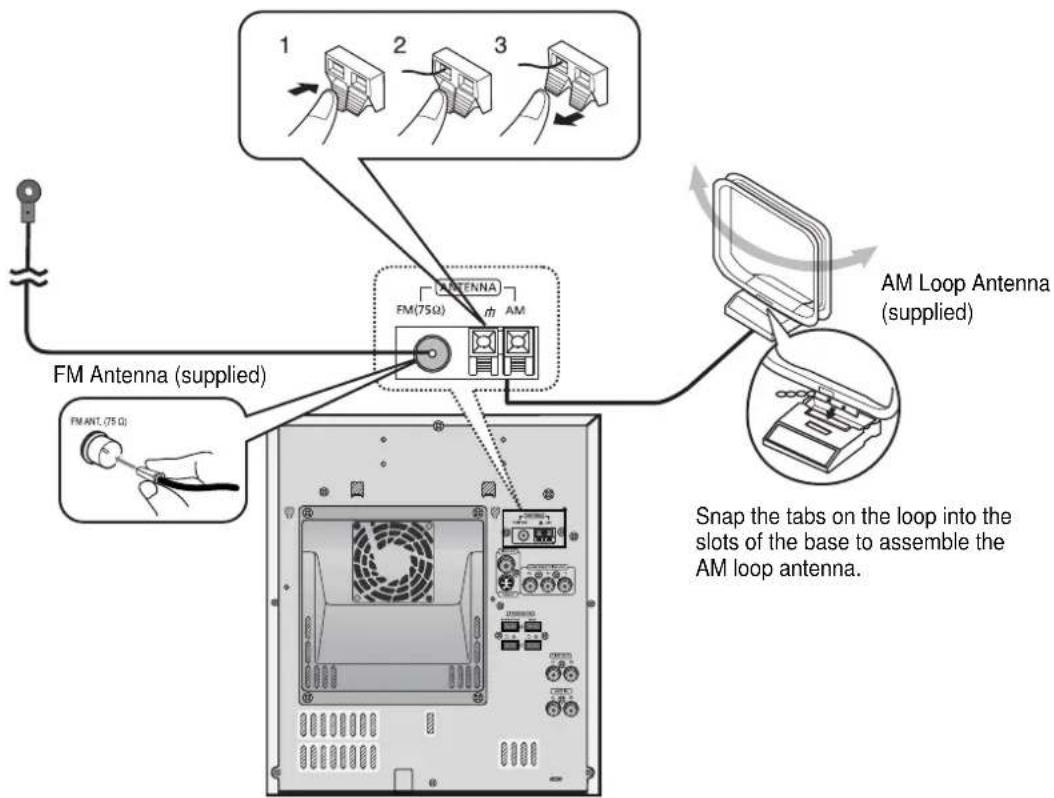
FM antenna connection
- Connect the FM antenna supplied to the FM 75Ω COAXIAL terminal as a temporary measure.
- Slowly move the antenna wire around until you find a location where reception is good, then fasten it to a wall or other rigid surface.
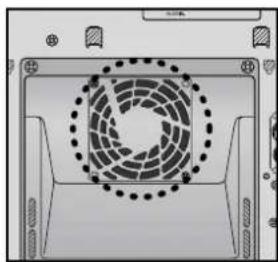
Cooling Fan
AM antenna connection
- Connect the AM loop antenna supplied to the AM and µ terminals.
- If reception is poor, connect an outdoor single vinyl-covered wire to the AM terminal. (Keep the AM loop antenna connected).
The cooling fan dissipates the heat generated inside the unit so that the unit can be operated normally. The cooling fan is activated automatically to supply cool air to the unit.
Please observe the following cautions for your safety.
- Make sure the unit is well-ventilated. If the unit has poor ventilation, the temperature inside the unit could rise and may damage it.
- Do not obstruct the cooling fan or ventilation holes. (If the cooling fan or ventilation holes are covered with a newspaper or cloth, heat may build up inside the unit and fire may result.)
Setting the Clock
For each step, you have a few seconds to set the required options. If you exceed this time, you must start again.
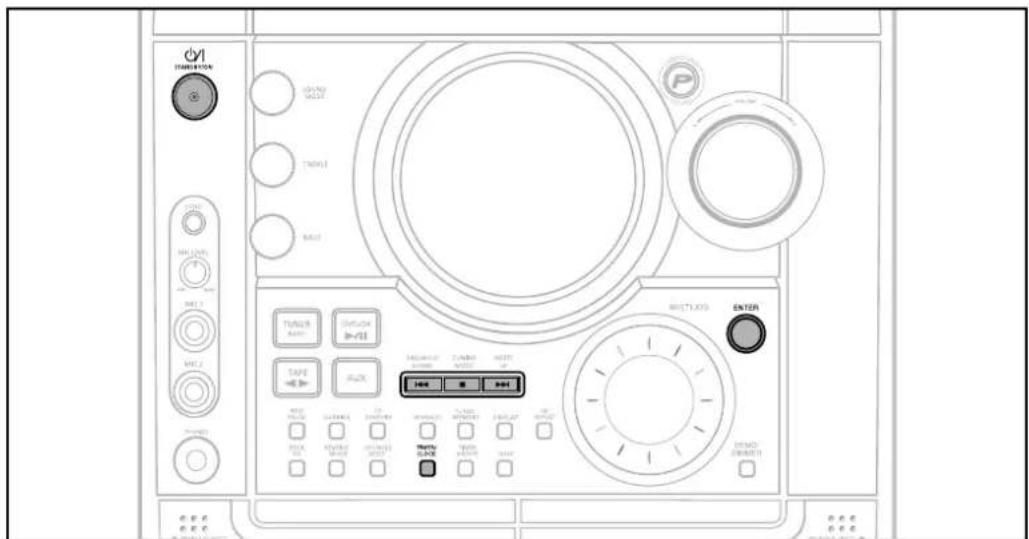
1 Switch the system on by pressing POWER button.
2 Press TIMER/CLOCK twice.
- CLOCK is displayed.
3 Press ENTER. The hour flashes.
- Increase the hours :
- Decrease the hours : ▶▶
4 hour is displayed, press ENTER. The minutes flash.
- Increase the minutes :
- Decrease the minutes : ▶▶▶
5 When the correct time is displayed, press ENTER.
- "TIMER" appears in the display.
• The current time is now set.
Note
- You can display the time, even when you are using another function, by pressing TIMER/CLOCK once.
- You can also use Muti-Jog or button on the Remote control instead of buttons in step 3,4.
Disc Playback
Selecting a DVD-OK in the Disc changer
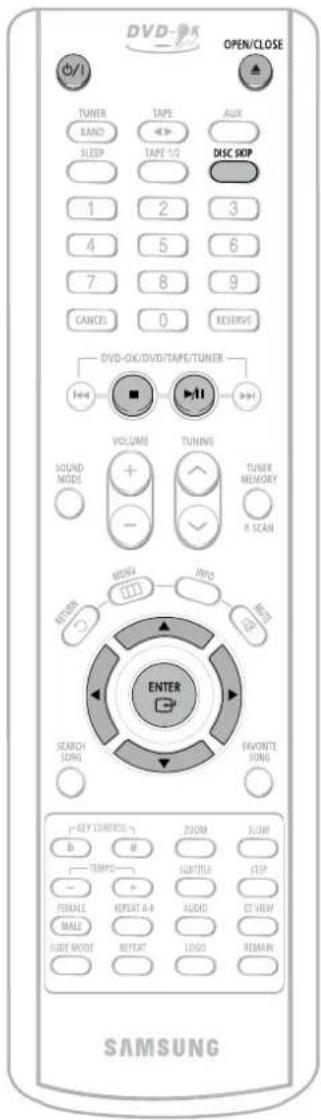
The DVD-OK function is automatically selected when Disc Skip is pushed.
To select a specific disc, press the corresponding DISC (1, 2, 3) button on the front panel or DISC SKIP on the remote control, until the required disc indicator flashes.
Result: All the discs will be played in turn, starting with the one selected.
- If you use the DISC (1, 2, 3) function when listening to the radio or to a tape, the system switches automatically to the DCD-OK mode.
- If the disc selected is not loaded, the next disc is played automatically.
DVD
CD CD

- Playback starts automatically.
MP3
EG
DivX
- Playback starts automatically.
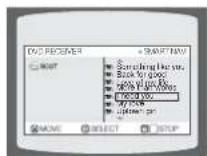
- If the TV is on, a list of MP3s on the CD will appear on the TV screen.
Note
- Depending on the content of the disc, the initial screen may appear different.
- Depending on the recording mode, some MP3-CDs cannot be played.
- Table of contents of a MP3-CD varies depending on the MP3 track format recorded on the disc.
To stop playback, press STOP during playback.
- If pressed once, "PRESS PLAY" is displayed and the stop position will be stored in memory. If PLAY/PAUSE (▶II) button or ENTER button is pressed, playback resumes from the stop position. (This function works only with DVDs.)
- If pressed twice, "STOP" is displayed, and if PLAY/PAUSE (▶II) button is pressed, playback starts from the beginning.
To temporarily pause playback, press PLAY/PAUSE during playback.
- To resume playback, press PLAY/PAUSE button again.
DivX Playback

Skip Forward/Back
During playback, press the ◀◀◀▶▶ button.
- Go to the next file whenever you press ▶▶▶ button, if there are over 2 files in the disk.
- Go to the previous file whenever you press ◀◀◀ button, if there are over 2 files in the disk.

Fast playback
Press and hold ◀◀◀▶▶ button.
• Each time the button is held down during playback, the playback speed changes as follows:
![graph TD A["2X"] --> B["4X"] B --> C["8X"] C --> D["32X"] D --> E["PLAY"]](/content/2026/05/1063274/images/cd25a90dd41a4eac7dc8c8cee1b5536ab1c3e917d598e0d9a9e9e220161f74f5.jpg)
![graph TD A["2X"] --> B["4X"] B --> C["8X"] C --> D["32X"] D --> E["PLAY"]](/content/2026/05/1063274/images/a65a45598f664b1d669e281a784feb10b23efd0b9587510935debdf90e6e74b5.jpg)

Zoom Function
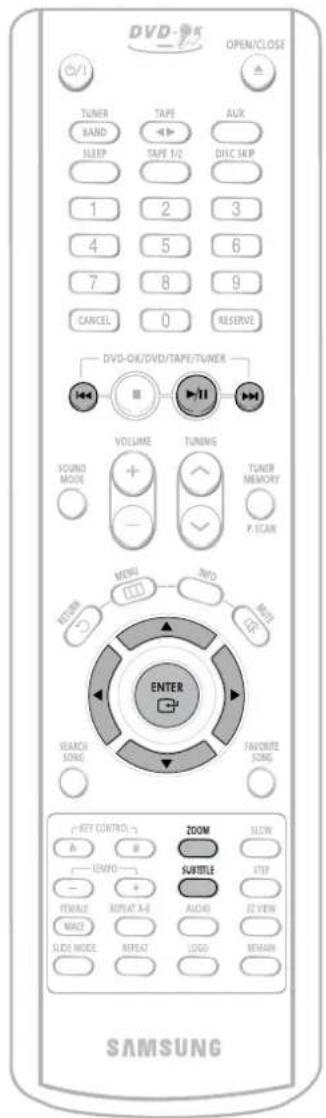
1 Press ZOOM button.
• Each time you press the button, your selection will toggle between "ZOOM X2" and "ZOOM OFF".
2 Press Cursor ▲, ▼, ◀, ▶ buttons to move to the area you want to enlarge.
Note
- DivX files can be played in Zoom X2 mode only.
5 Minute Skip function
During playback, press the ◀, ► button.
- Go to the screen about 5 minutes after whenever you press ▶ button.
- Go to the screen about 5 minutes earlier whenever you press ◀ button.
Subtitle Display
Press the SUBTITLE button.
- Each time you press the button, your selection will toggle between "SUBTITLE ON" and "SUBTITLE OFF".
- If the disc has only one subtitle file, it will be played automatically.
- Up to 8 subtitle languages are supported.
DivX Feature Table
DivX Supported
Avi files are used to contain the audio and video data; these must be stored on CD in the ISO 9660 format.
| SPEC | ||
| VIDEO Compatibility D | DivX3.11 Up to the latest VERSION | |
| WMV WMV V1/V2/V3/V7 | ||
| AUDIO Compatibility M | MP3 CBR : 80kbps~320kbps | |
| AC3 CBR : 128kbps~448kbps | ||
| WMA CBR : 56kbps~160kbps | ||
MPEGs containing DivX can be divided into Video and Audio.
- Video compatibility : All versions of DivX later than 3.11 (including the latest 5.1) are supported. In addition, XviD is supported. For WMV, V1, V2, V3, and V7 formats are possible.
- Audio compatibility : MP3s encoded at bitrates from 80kbps to 320kbps, AC3s from 128kbps to 448kbps, and WMAs from 56kbps to 160kbps are supported.
- In addition, for subtitles, this unit will support Text format (SMI).
Note
- When playing the DivX disk, you can play the file with extension of AVI only.
- Among the available DivX audio formats, DTS Audio is not supported.
- WMV V8 is not supported for WMV files.
- When burning a subtitle file to a CD-ROM with your PC, be sure to burn it as an SMI file.
- Cann't support QPEL, XviD BMC and XviD GMS.
Displaying Disc Information
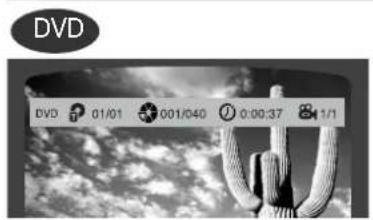
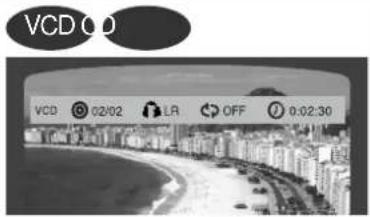
You can view playback information on the disc on the TV screen.
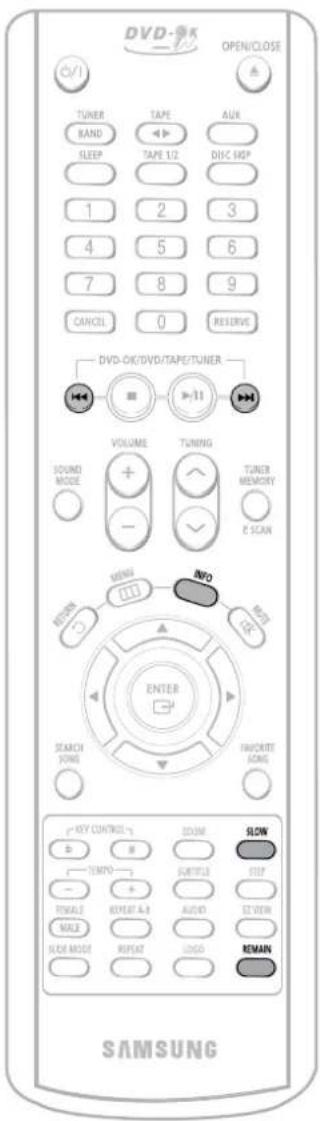
Press INFO button.
• Each time the button is pressed, the display changes as follows:
↓
↓
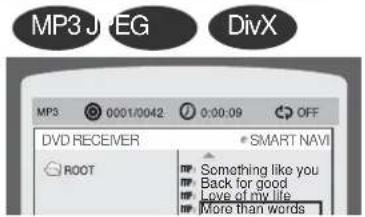
↓
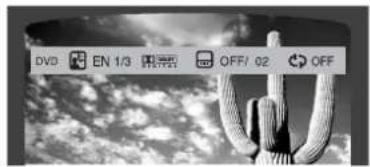
↓
Display disappears
Display disappears Display disappears
Note
- Depending on the disc, the disc information display may appear different.
• appears on the TV screen!
If this symbol appears on the TV screen while buttons are being operated, that operation is not possible with the disc currently being played.
Screen Display
DVD DVD display
MP3 MP3 CD display
TRACK (FILE) display
AUDIO LANGUAGE display DOLBY DIGITAL DIGITAL
VCD VCD display
TITLE display
ELAPSED TIME display
SUBTITLE display
ANGLE display
CD CD display
CHAPTER display
REPEAT PLAYBACK display
LR STEREO (L/R) display DivX DivX display
Checking the Remaining Time
Press the REMAIN button.
- For checking the total and remaining time of a title or chapter being played.
Each time the REMAIN button is pressed
![graph TD A["DVD"] --> B["TITLE ELAPSED"] B --> C["TITLE REMAIN"] C --> D["CHAPTER ELAPSED"] D --> E["CHAPTER REMAIN"] F["VCD"] --> G["TRACK ELAPSED"] G --> H["TRACK REMAIN"] H --> I["TOTAL ELAPSED"] I --> J["TOTAL REMAIN"] K["CD"] --> L["TRACK ELAPSED"] L --> M["TRACK REMAIN"] M --> N["MP3"] N --> O…](/content/2026/05/1063274/images/d83c31410ee1c6baf3d0a96b706ed682b4b2f1ef381b1cd7a757581edd6c1927.jpg)
Fast/Slow Playback
Fast Playback
DVD V CD CD MP3
Press and hold ◀◀◀▶▶.
• Each time the button is held down during playback, the playback speed changes as follows:
![graph TD A["2X"] --> B["4X"] B --> C["8X"] C --> D["32X"] D --> E["PLAY"]](/content/2026/05/1063274/images/bb3c3d4e19e7bffb550d4b8e7203280d794df90fba84f9e2990e449f4d436ec6.jpg)
![graph TD A["2X"] --> B["4X"] B --> C["8X"] C --> D["32X"] D --> E["PLAY"]](/content/2026/05/1063274/images/bbc25897afeb4c9a17edf1967c5be3ea7c3ec20dc97f11f3f4e660553e8968b8.jpg)
Slow Playback
Press SLOW button.
- Each time the button is pressed during playback, the playback speed changes as follows:
![graph TD A["DVD V"] --> B["1/2"] B --> C["1/4"] C --> D["1/8"] D --> E["1/2"] E --> F["1/4"] F --> G["1/8"] G --> H["PLAY"]](/content/2026/05/1063274/images/9c3fb87e733a0465d7e60bf0b8a31ac881e90b0afb6c1687460841750c872127.jpg)
![graph TD A[" "] --> B["1/2"] B --> C["1/4"] C --> D["1/6"] D --> E["PLAY"] F["DivX"] --> G["1/2"] G --> H["1/4"] H --> I["1/8"] I --> J["PLAY"] J --> A](/content/2026/05/1063274/images/a97dff0d7cf34fe3b2a1db043a14afe6069b9fc6125dbf01aa13fa583a71ccb2.jpg)
- Reverse slow playback does not work with VCDs and DivX.
- During fast playback of a CD or MP3-CD, sound is heard only at 2x speed, and not at 4x, 8x, and 32x speeds.
- No sound is heard during slow playback and step motion playback.
Skipping Scenes/Songs
DVD V CD MP3
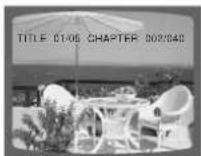
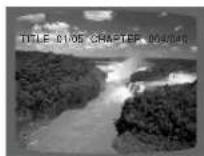
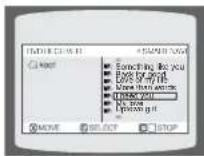
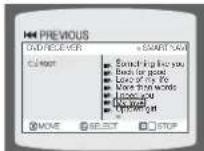
Briefly press ◀◀◀▶▶.
• Each time the button is pressed briefly during playback, the previous or next chapter, track, or directory (file) will be played.
- But, you cannot skip chapters consecutively.
DVD
↑
↓
[Non-Text]
↑
↓
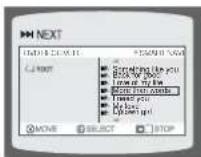
- When watching a VCD with a track longer than 15 minutes, each time
|◀◀▶▶| is pressed, playback will skip back or forward 5 minutes.
[Non-Text]
合
↓
Playing Frame by Frame DVD
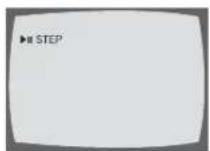
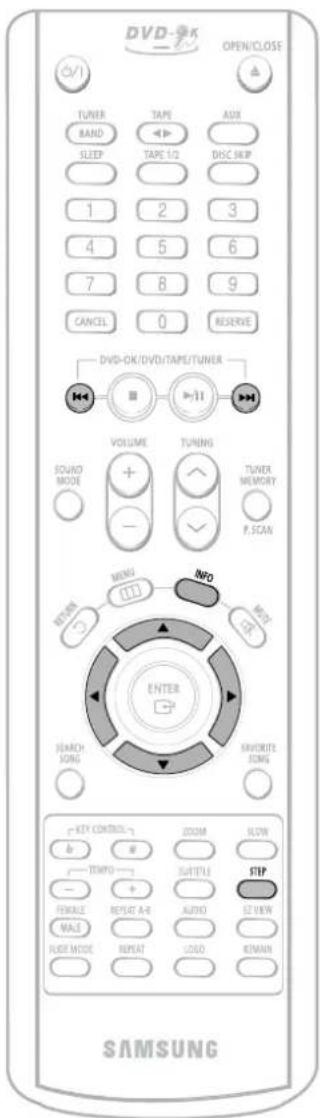
Press STEP button.
- The picture moves forward one frame each time the button is pressed during playback.
Angle Function
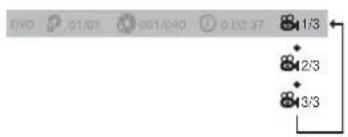
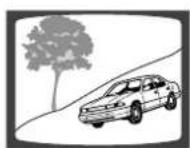
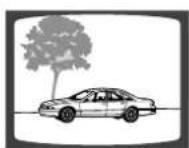
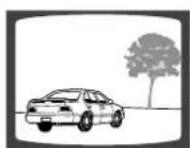
This function allows you to view the same scene in different angles.
DVD
1 Press INFO button.

2 Press Cursor ▶ button to move to ANGLE display.

3 Press Cursor ▲, ▼ buttons or numeric buttons to select the desired angle.
• Each time the button is pressed, the angle changes as follows:
Note
- The Angle function works only with discs on which multiple angles have been recorded.
Repeat Playback
Repeat playback allows you to repeatedly play a chapter, title, track (song), or directory (MP3 file).

Press REPEAT button.
• Each time the button is pressed during playback, the repeat playback mode changes as follows:
![graph TD A["DVD"] --> B["REPEAT : CHAPTER"] B --> C["REPEAT : TITLE"] C --> D["REPEAT : OFF"] D --> E["VCD 0"] E --> F["REPEAT : TRACK"] F --> G["REPEAT : DISC"] G --> H["REPEAT : OFF"] H --> I["MP3 JPEG"] I --> J["REPEAT : RANDOM"] J --> K["REPEAT : TRACK"] K --> L["REPEAT : DIR"] L --> M["REPEAT :…](/content/2026/05/1063274/images/233bda2a47b60413d8f41e2219ad074e4cef097c5068a1f062d81b16201b97a3.jpg)
Repeat Playback Options
CHAPTER
Repeatedly plays the selected chapter.
TITLE
Repeatedly plays the selected title.
RANDOM
Plays tracks in random order.
(A track that has already been played may be played again.)
TRACK
Repeatedly plays the selected track.
DIR
Repeatedly plays all tracks in the selected folder.
DISC
Repeatedly plays the entire disc.
OFF
Cancels Repeat Playback.
Note
- Repeat playback operation is not possible with version 2.0 VCD discs if PBC is turned on. To use Repeat Playback on a VCD with PBC, you should set the PBC to OFF in the disc menu. (See page 29.)
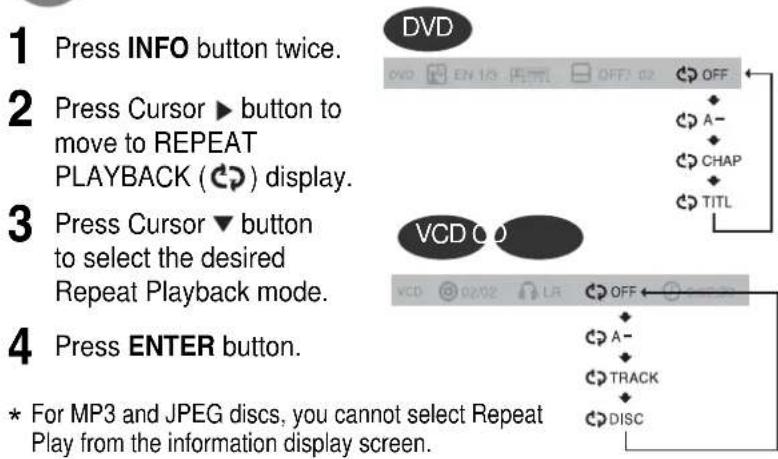
To Select a Repeat Playback Mode in the Disc Information Screen
Zoom Function
This function allows you to enlarge a particular area of the displayed image.

Zoom (Screen Enlarge) Function
DVD V CD
1 Press ZOOM button.
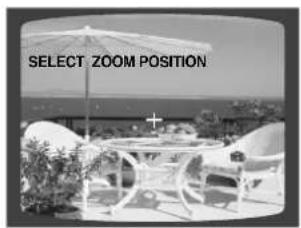
2 Press Cursor ▲,▼,◀,▶ buttons to move to the area you want to enlarge.
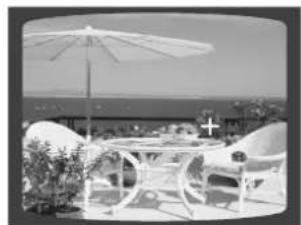
3 Press ENTER button.
• Each time the button is pressed, the zoom level changes as follows:
![graph TD A["ZOOM × 1.5"] --> B["ZOOM × 2"] B --> C["ZOOM × 3"] C --> D["ZOOM OFF"]](/content/2026/05/1063274/images/480e813c0859af4f573f57e37c35f2a56492c1f84480621fc373282f6739d447.jpg)

EZ VIEW Function
DVD
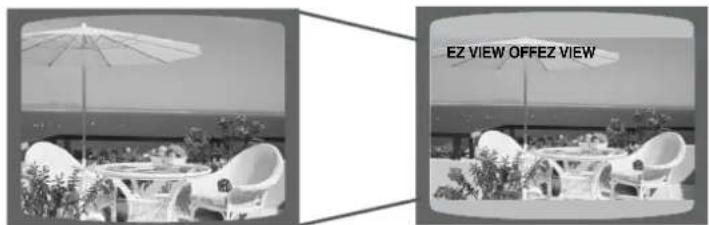
Press EZ VIEW button.
• Each time the button is pressed, the zoom function will switch between On and Off.
- When a movie is played in Wide screen format, black bars at the top and bottom of the TV screen can be removed by pressing the EZ VIEW button.
Note
- This function will not work if the DVD is recorded with multi-camera angle format.
- Black bars may not disappear because some DVD discs have a built-in horizontal to vertical ratio.
Selecting Audio/Subtitle Language

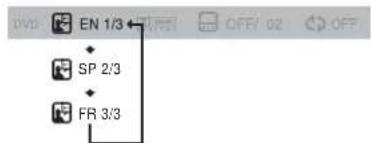
Audio Language Selection Function
DVD
1 Press INFO button twice.

2 Press Cursor ▲, ▼ buttons or numeric buttons to select the desired audio language.
- Depending on the number of languages on a DVD disc, a different audio language (ENGLISH, SPAIN, JAPANESE, etc.) is selected each time the button is pressed.

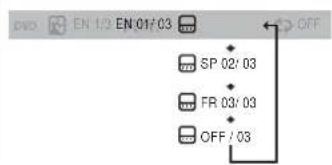
Subtitle Language Selection Function
DVD
1 Press INFO button twice.

2 Press Cursor ▶ button to move to SUBTITLE display.

3 Press Cursor ▼ button or numeric buttons to select the desired subtitle.
Note
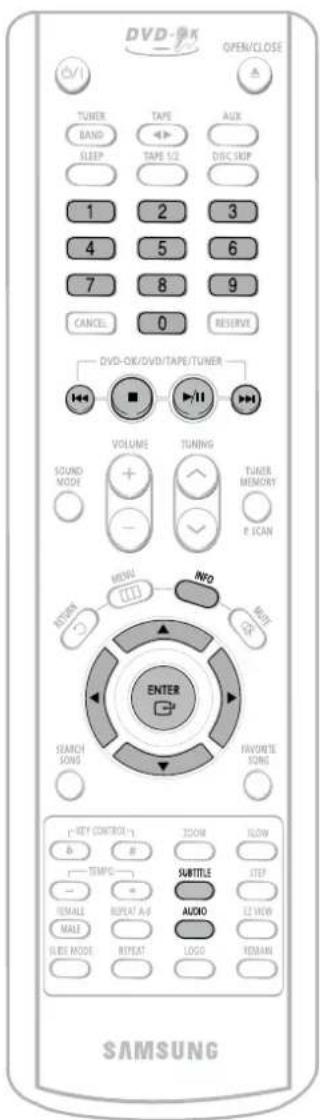
- You can use the SUBTITLE button on the remote control to select a subtitle language.
- Depending on the disc, the Subtitle and Audio Language functions may not work.
Moving Directly to a Scene/Song
DVD V CD CD
1 Press INFO button.

Moving to a Title/Track
2 Press Cursor ▲, ▼ buttons or numeric buttons to select the desired title/track and then press ENTER button.

Moving to a Chapter
3 Press Cursor ◀, ▶ buttons to move to Chapter display.

Moving to a Chapter
4 Press Cursor ▲, ▼ buttons or numeric buttons to select the desired chapter and then press ENTER button.

Moving to a Specific Time
5 Press Cursor◀,▶ buttons to move to time display.

Moving to a Specific Time
6 Press the numeric buttons to select the desired time and then press ENTER button.

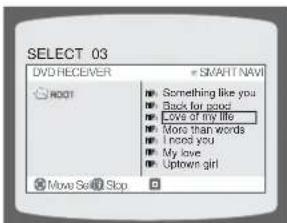
MP3 JPEG
Press the numeric buttons.
• The selected file will be played.
- An MP3 or JPEG disc cannot be moved from the disc information screen.
- When playing an MP3 or JEPG disc, you cannot use ▲ ,▼ to move a folder. To move a folder, press ■ (Stop) and then press ▲ ,▼ .
Note
- You can press ◀◀◀▶▶ on the remote control to move directly to the desired title, chapter, or track.
- Depending on the disc, you may not be able to move to the selected title or time.
JPEG File Playback
JPEG
Images captured with a digital camera or camcorder, or JPEG files on a PC can be stored on a CD and then played back with this DVD player.

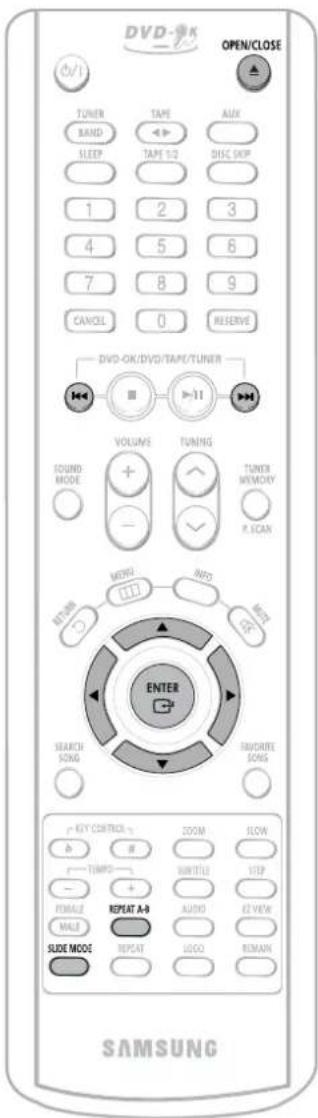
Slide Mode
1 Place the JPEG disc on the disc tray.
2 Press the OPEN/CLOSE button.
3 Press SLIDE MODE button.
- Playback starts automatically.
• Each time the button is pressed, the image makes the transition as follows:
![graph TD A["SLIDE SHOW MODE : 1"] --> B["SLIDE SHOW MODE : 2"] B --> C["..."] C --> D["SLIDE SHOW MODE : 10"] D --> E["SLIDE SHOW MODE : 11"] E --> F["SLIDE SHOW MODE : RANDOM"] F --> G["SLIDE SHOW MODE : NONE"] G --> A](/content/2026/05/1063274/images/fe1d27fc38c062c7006335dbcff7d8beb58b839c56767d6d973a4bc25554669a.jpg)
From top to bottom
From bottom to top
Rectangular shape in the center
Vertical curtain shape
Each time a new image is displayed, slide modes (1\~11) will be randomly and automatically be applied.
Cancels the slide mode.
Press ◀◀◀▶▶I to skip to the next slide.
• Each time the button is pressed, the slide moves backward or forward.

Rotate/Flip Function
Press Cursor ▲, ▼, ◀, ▶ buttons during playback.
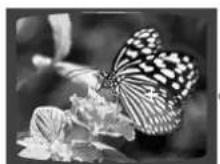
Original Image
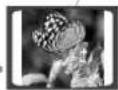
button: Rotate 90° Counterclockwise
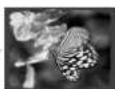
▲ button: Flip Vertically

▼ button: Flip Horizontally
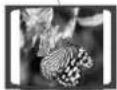
▶ button: Rotate 90° Clockwise

A-B Repeat Playback
DVD V CD CD
1
Press REP. A ↔ B at the beginning of the section you want to repeat.
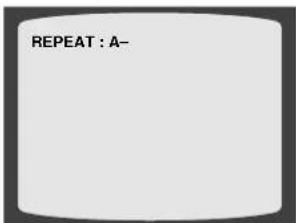
2
Press REP. A ↔ B at the end of the section.
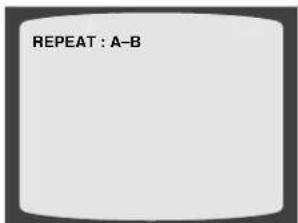
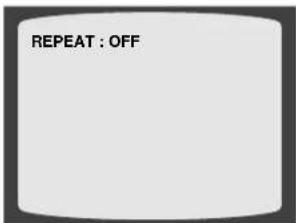
To cancel AB Repeat Playback, press REP. A ↔ B to select "REPEAT PLAYBACK: OFF".
Note
- A-B Repeat Playback does not work on MP3 and JPEG discs.
A-B repeat playback does not work in USB mode, too. - To select AB Repeat Playback from the information display screen or press REP. A→B button.
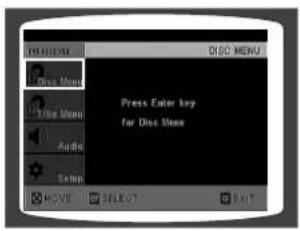
Using Disc Menu
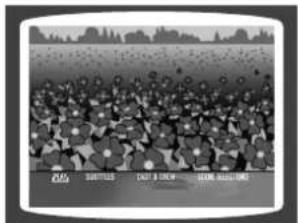
You can use the menus for the audio language, subtitle language, profile, etc. DVD menu contents differ from disc to disc.
DVD
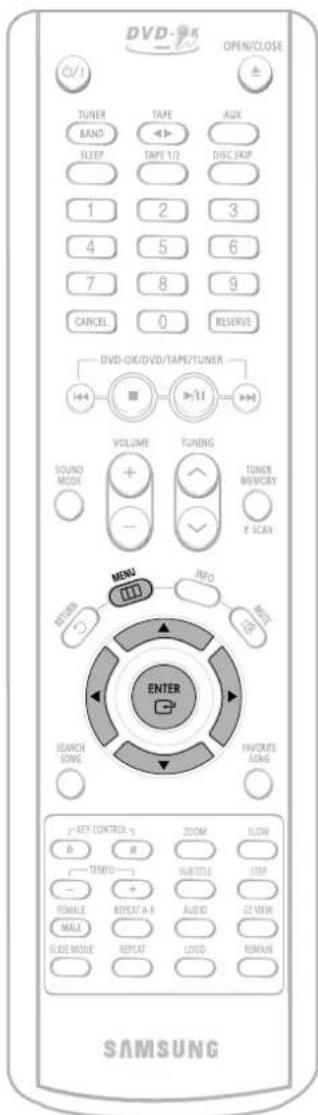
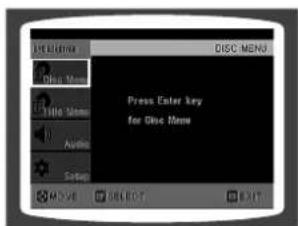
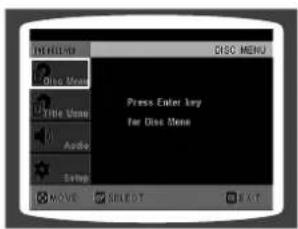
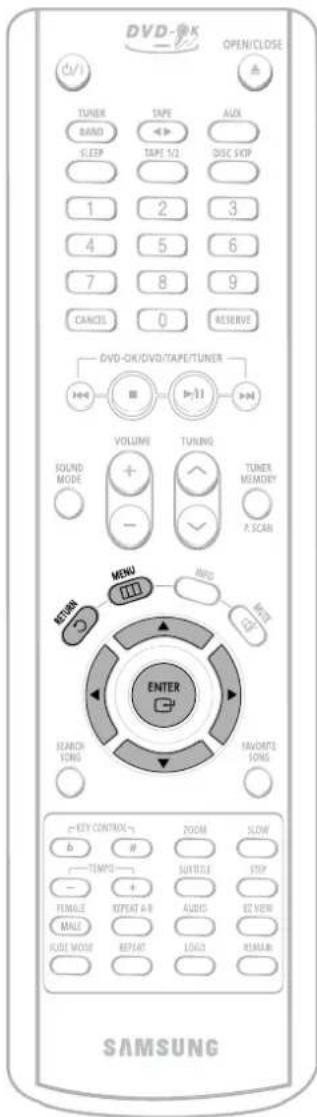
1 Press MENU button.
- When playing a VCD (version 2.0), this toggles between PBC ON and OFF.
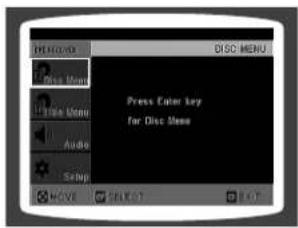
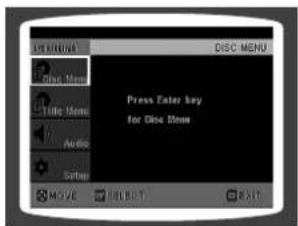
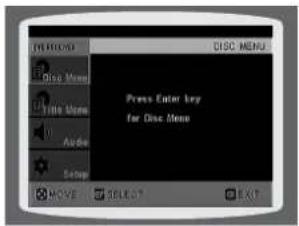
2 buttons to move to 'DISC MENU' and then press ENTER button.
- When you select the disc menu that is not supported by the disc, the "This menu is not supported" message appears on the screen.
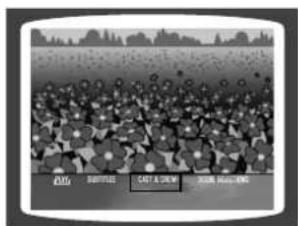
3 Press Cursor ▲,▼,◀,▶ buttons to select the desired item.
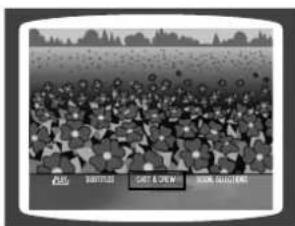
4 Press ENTER button.
Note
PBC (Playback Control) Function
When playing a VCD (version 2.0), you can select and view various scenes according to the menu screen.
PBC ON: This VCD disc is version 2.0. The disc is played back according to the menu screen. Some functions may be disabled. When some functions are disabled, select "PBC OFF" to enable them.
PBC OFF: This VCD disc is version 1.1. The disc is played back in the same way as with a music CD.
Using the Title Menu
For DVDs containing multiple titles, you can view the title of each movie.
Depending on the disc, this function may either not work at all or may work differently.
DVD
1 Press MENU button.
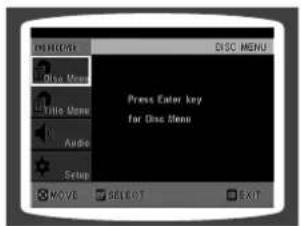
2 Press Cursor▲,▼ button to move to 'Title Menu'.
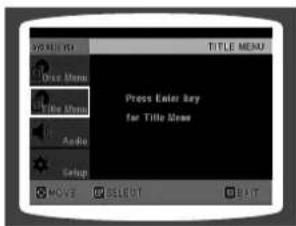
3 Press ENTER button.
- The title menu appears.
Press MENU button to exit the setup screen.
Setting the Language
OSD language is set to English by default.
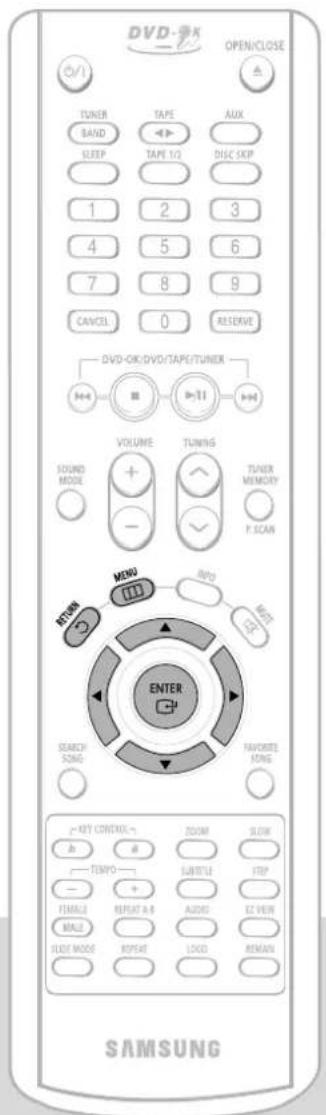
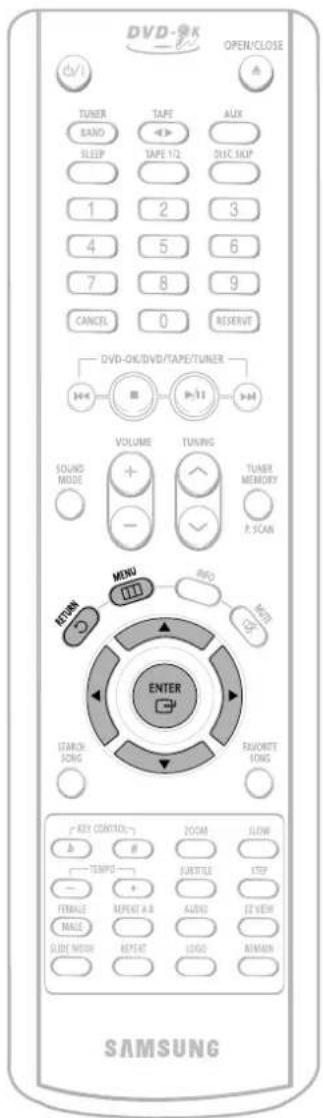
1 Press MENU button.
2 Press Cursor ▼ button to move to 'Setup' and then press ENTER button.
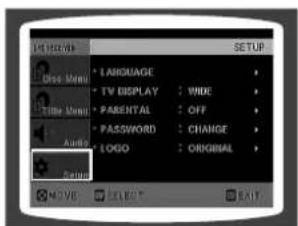
Press RETURN button to return to the previous level.
Press MENU button to exit the setup screen.
3 Press ENTER button.
4 button to select the desired item and then press ENTER button.
5 button to select the desired language and then press ENTER button.
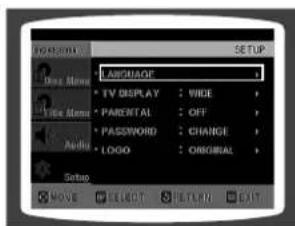
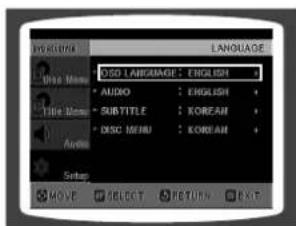
- Once the setup is complete, if the language was set to English, OSD will be displayed in English.
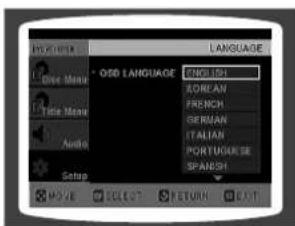
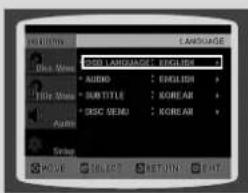
Selecting the OSD Language
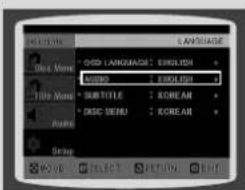
Selecting the Audio Language (recorded on the disc)
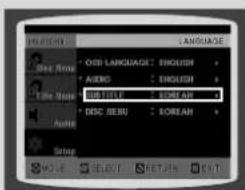
Selecting the Subtitle Language (recorded on the disc)
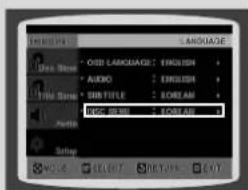
Selecting the Disc Menu Language (recorded on the disc)
* If the language you selected is not recorded on the disc, menu language will not change even if you set it to your desired language.
Setting TV Screen type
1 Press MENU button.
2 press cursor button to move to 'Setup' and then press ENTER button.
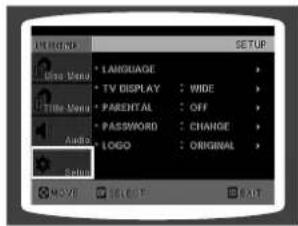
3 Press Cursor ▼ button to move to 'TV DISPLAY' and then press ENTER button.
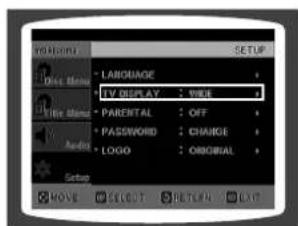
4 Press Cursor ▼,▼ button to select the desired item and then press ENTER button.
- Once the setup is complete, you will be taken to the previous screen.
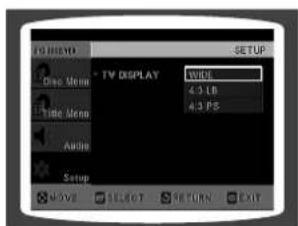
Press RETURN button to return to the previous level.
Press MENU button to exit the setup screen.
Adjusting the TV Aspect Ratio (Screen Size)
The horizontal to vertical screen size ratio of conventional TVs is 4:3, while that of wide screen and high definition TVs is 16:9. This ratio is called the aspect ratio. When playing DVDs recorded in different screen size, you should adjust the aspect ratio to fit your TV or monitor.
* For a standard TV, select either "4:3LB" or "4:3PS" option according to personal preference. Select "16:9" if you have a wide screen TV.
WIDE
: Select this to view a 16:9 picture in the full-screen mode on your wide screen TV.
- You can enjoy the wide screen aspect.
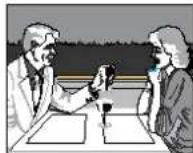
4:3LB (4:3 Letter box)
: Select this to play a 16:9 picture in the letter box mode on a conventional TV.
- Black bars will appear at the top and bottom of the screen.
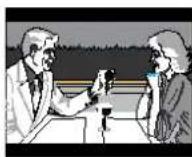
4:3PS (4:3 Pan&Scan)
: Select this to play a 16:9 picture in the pan & scan mode on a conventional TV.
- You can see the central portion of the screen only (with the sides of the 16:9 picture cut off).
Note
- If a DVD is in the 4:3 ratio, you cannot view it in wide screen.
- Since DVD discs are recorded in various image formats, they will look different depending on the software, the type of TV, and the TV aspect ratio setting.
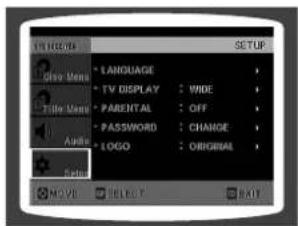
Setting Parental Controls (Rating Level)
Use this to restrict playback of adult or violent DVDs you do not want children to view.
1
Press MENU button.
2
Press Cursor ▼ button to move to 'Setup' and then press ENTER button.
3
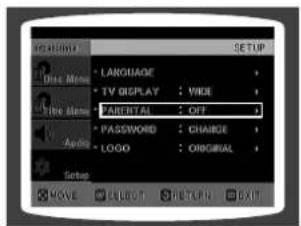
Press Cursor ▼ button to move to 'PARENTAL' and then press ENTER button.
4
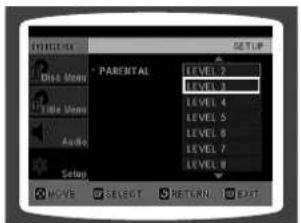
Press Cursor ▲,▼ button to select the desired rating level and then press ENTER button.
- If you have selected Level 6, you cannot view DVDs with Level 7 or higher.
- The higher the level, the closer the content is to violent or adult material.
5
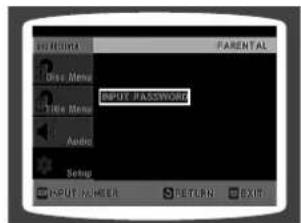
Enter the password and then press ENTER button.
- The password is set to "7890" by default.
- Once the setup is complete, you will be taken to the previous screen.
Note
- This function works only if a DVD disc contains the rating level information.
Press RETURN button to return to the previous level.
Press MENU button to exit the setup screen.
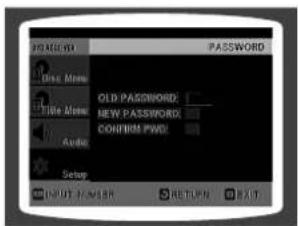
Setting the Password
You can set the password for the Parental (rating level) setting.
1 Press MENU button.
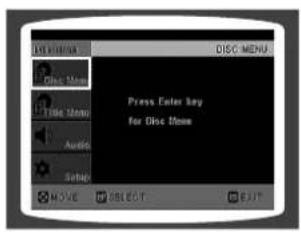
2 Press Cursor ▼ button to move to 'Setup' and then press ENTER button.
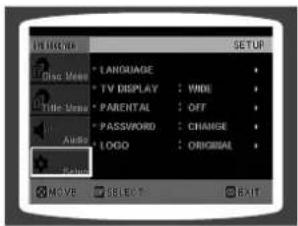
3 move to 'PASSWORD' and then press ENTER button.
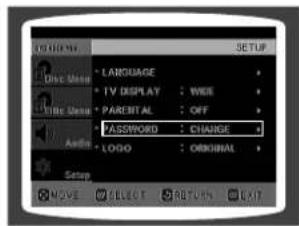
4 Press ENTER button.
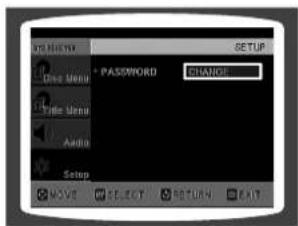
5 Enter the password and then press ENTER button.
- Enter the old password, a new password, and confirm new password.
- The setting is complete.
Press RETURN button to return to the previous level.
Press CANCEL button to cancel the error numeric when you inputting password.
Press MENU button to exit the setup screen.
Setting the Wallpaper

DVDJH
While watching a DVD or JPEG CD, you can set the image you like as a wallpaper.

Setting the Wallpaper
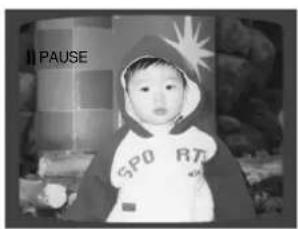
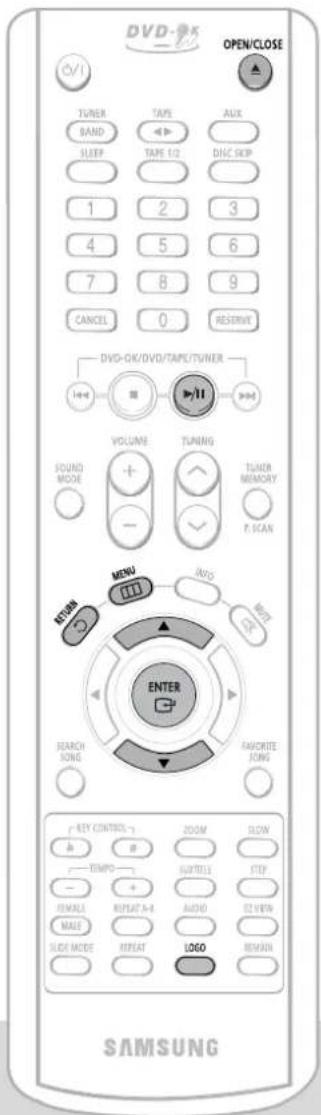
1 During playback, press PLAY/PAUSE button when the image you like comes up.
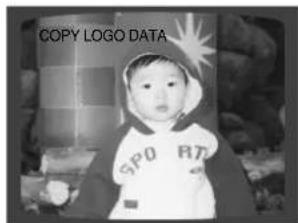
2 Press LOGO button.
- "COPY LOGO DATA" will be displayed on the TV screen.
Note
- The selected wallpaper will be displayed.
- You can repeat Steps 1 and 2 to set up to 3 wallpapers.
- The power will turn off and turn on automatically and back on the display mode.
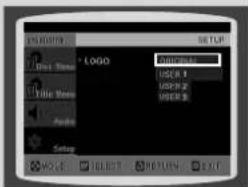
Select this to set the Samsung Logo image as your wallpaper.
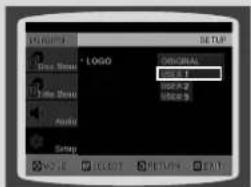
Select this to set the desired image as your wallpaper.

To Change the Wallpaper
1
Press MENU button.
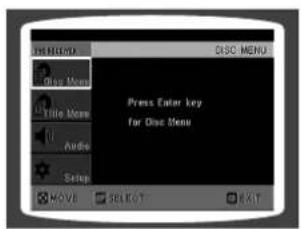
2
Press Cursor ▼ button to move to 'Setup' and then press ENTER button.
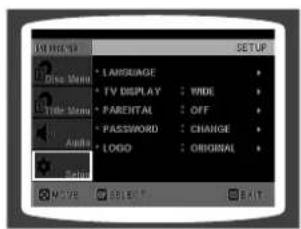
3
Press Cursor ▼ button to move to 'LOGO' and then press ENTER button.
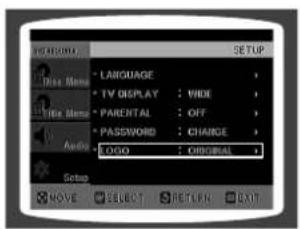
4
Press ▼ to select the desired 'USER', and then press ENTER.
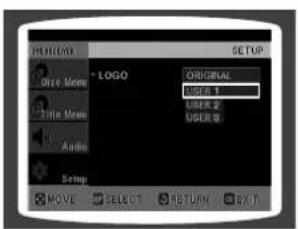
5
Press MENU button to exit the setup screen.
Press RETURN button to return to the previous level.
Press MENU button to exit the setup screen.
Setting the DRC (Dynamic Range Compression)
You can use this function to enjoy Dolby Digital sound when watching movies at low volume at night.
1 Press MENU button.
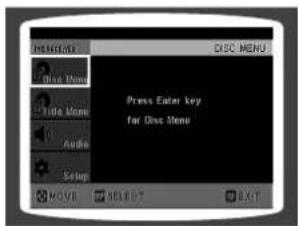
2 Press Cursor ▼ button to move to 'Audio' and then press ENTER button.
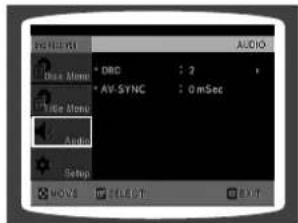
3 If "DRC" is selected, press ENTER.
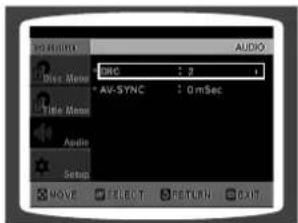
4 Press Curso to adjust the 'DRC'.
- The Cursor ▲ button is pressed, the greater the effect, and the Cursor ▼ button is pressed, the smaller the effect.
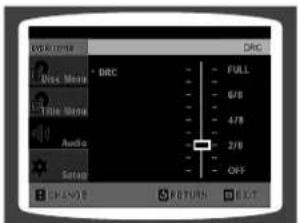
Press RETURN button to return to the previous level.
Press MENU button to exit the setup screen.
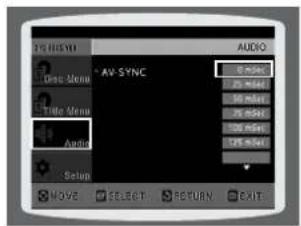
AV SYNC Setup
Video may lag behind the audio if the unit is connected to a digital TV. If this occurs, adjust the audio delay time to sync up with the video.
1 Press the MENU button.
- Setup menu appears.
2 Press Cursor ▲, ▼ buttons to move to 'Audio' and then press ENTER button.
- 'Audio' menu appears.
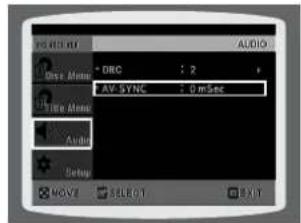
3 Press Cursor ▲, ▼ buttons to move to 'AV-SYNC' and then press ENTER button.
• AV-SYNC screen appears.
4 Press Cursor ▲,▼ buttons to select the Delay Time of AV-SYNC and then press the ENTER button.
- You can set the audio delay time between 0 ms and 300 ms. Set it for the best sync up with audio.
Press RETURN button to return to the previous level.
Press MENU button to exit the setup screen.
Playing DVD-OK Discs
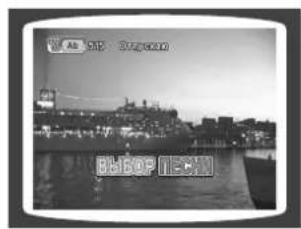
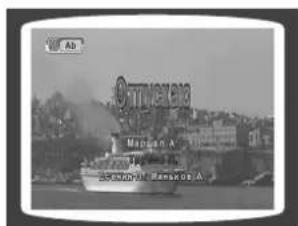
You can enjoy the feeling of a karaoke bar in the comfort of your home. Watch the video and sing along the lyrics displayed on the TV screen against the accompaniment.
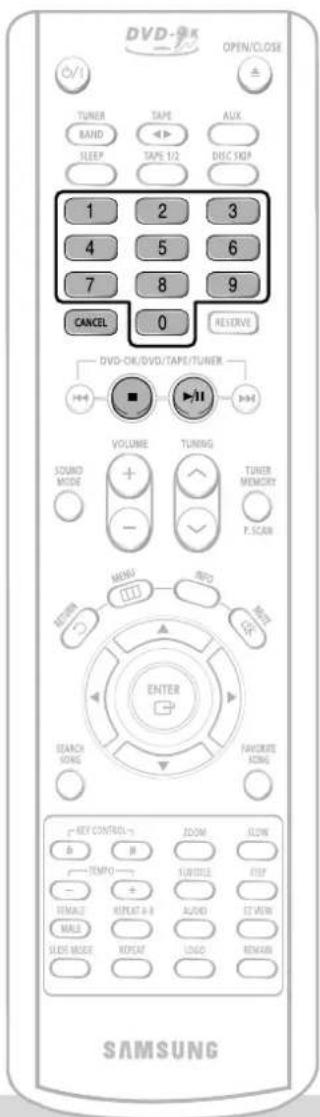
1 Use the NUMERIC (0\~9) buttons to select the song you want to play back.
2 Press the PLAY/PAUSE(▶/Ⅱ) button or the ENTER button.
- The numeric and title of the song will be displayed and the accompaniment starts.
To Clear Incorrectly Entered Song Numeric
- Press the STOP button.
To Stop During Accompaniment
- Press the STOP button.
Note
- When playing DVD-OK Discs, only DVD-Ok verison 6 disk is available
Connecting Microphone
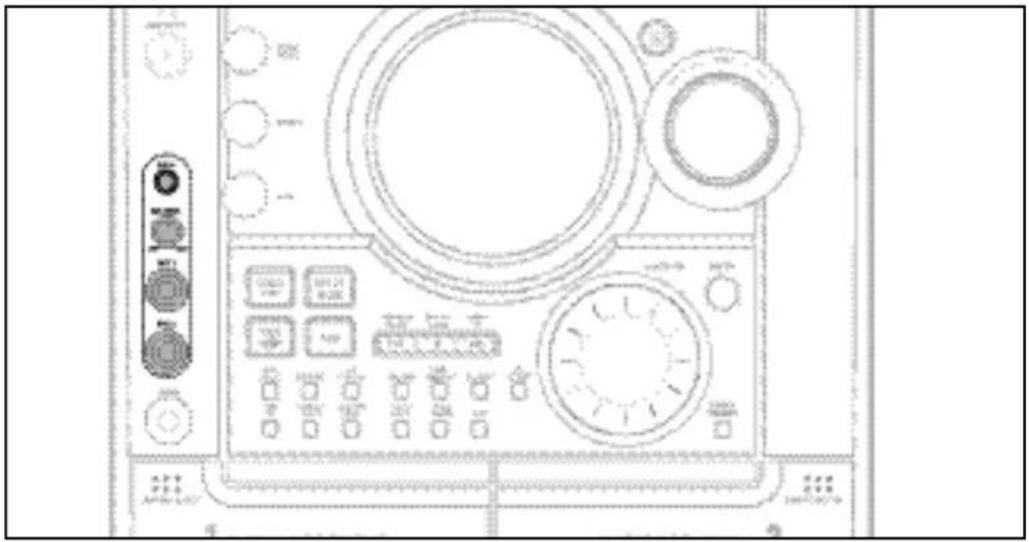
1 Connect the microphone to the MIC jack on the front panel.
- You can connect up to two microphones.
2 Turn the MIC LEVEL to adjust the volume of the micro phone.
3 Press the ECHO button.
• Each time the button is pressed, the selection changes as follows: ECHO 1 → ECHO 2 → ECHO OFF.
Note
• To record your voice with microphone, press the REC/PAUSE button.
- If you hear strange noises (squealing or howling) while using the Karaoke feature, move the microphone away from the speakers. Turning down the microphone volume or the speaker volume is also effective.
Reserving Accompaniment Music
While the accompaniment is playing, you can reserve the next song you want to sing.
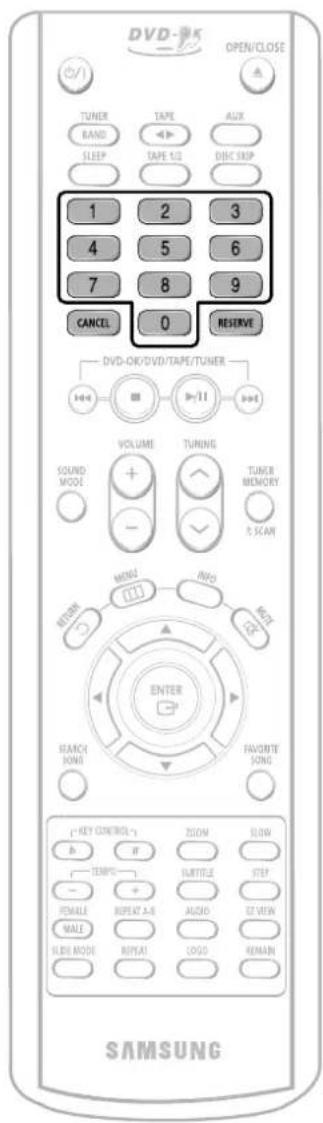
1 Press the NUMERIC (0\~9) buttons to select the song you want to reserve.
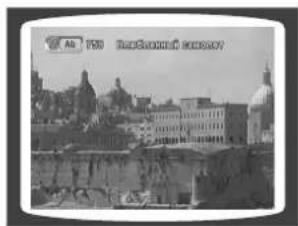
2 Press the RESERVE button.
- The song is reserved.
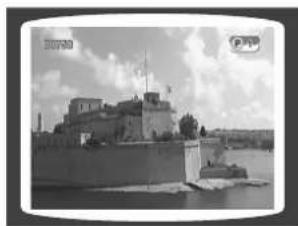
To Cancel the Reservation
1 Enter the numeric of the song you have reserved.
2 Press the CANCEL button.
Note
- RESERVE function will not operate if REPEAT function is set while DVD-OK is played.
Priority Playing Accompaniment Music
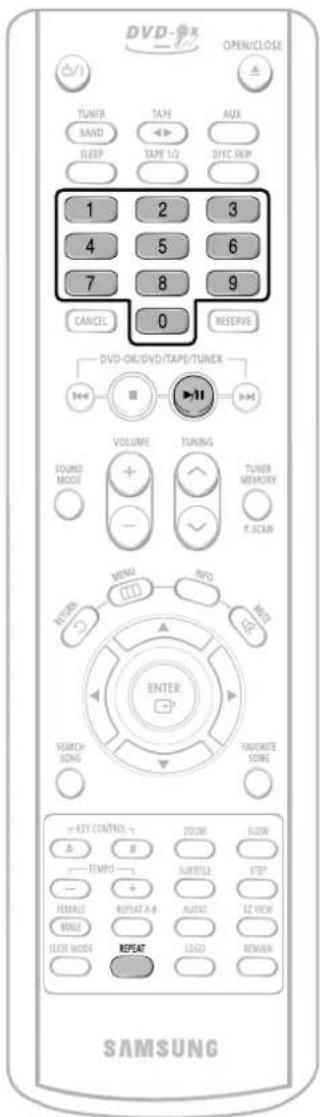
1 In Stop mode, press the NUMERIC (0\~9) buttons to select the song you want to play back.
2 Press the PLAY/PAUSE(▶/Ⅱ) button
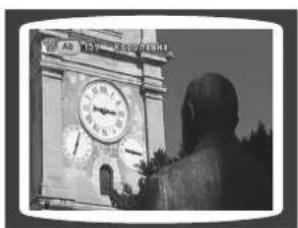
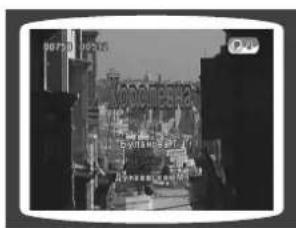

DVD-OK Repeat Play
Press the REPEAT button.
• Each time the button is pressed, the selection changes as follows: REPEAT OFF → REPEAT ONE → REPEAT ALL → RANDOM.
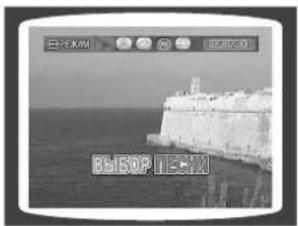
Note
- REPEAT function will not operate if RESERVE function is set while DVD-OK is played.
Favorite Song Function
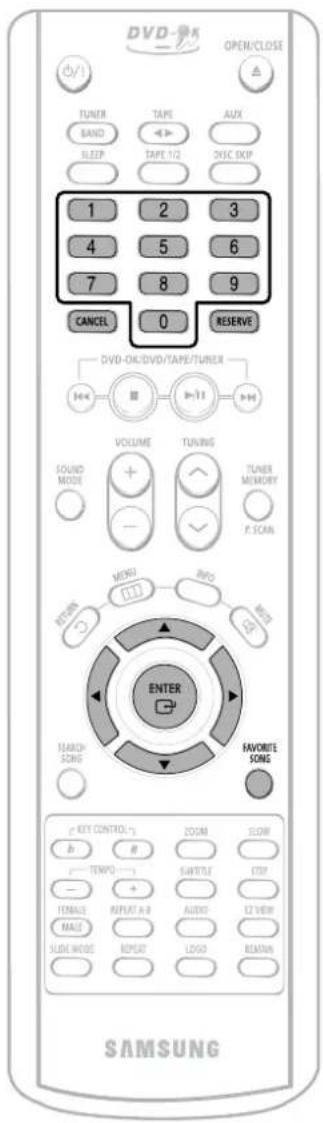
You can save 50 songs you like or sing often each in FAVORITE1, 2, 3, a total of 150 songs to easily find and sing a your favorite song.

Saving FAVORITE SONG
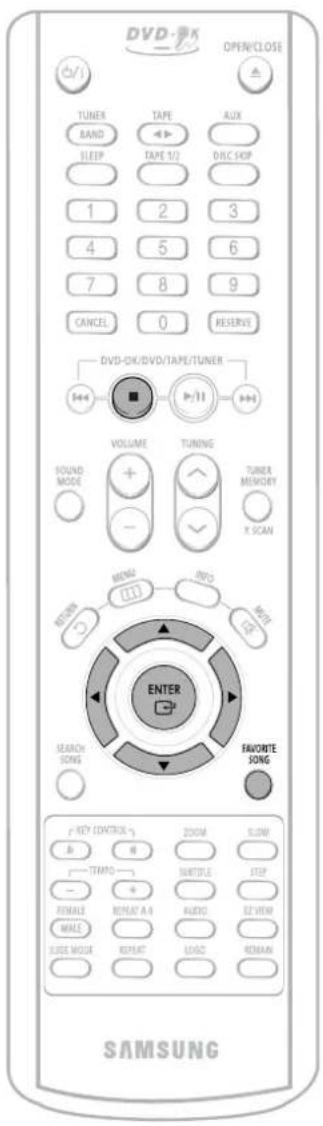
1 During the stop mode, press the FAVORITE SONG button.
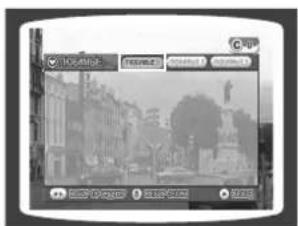
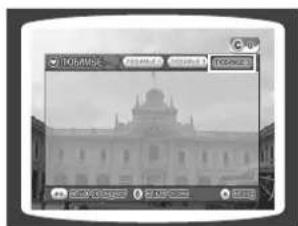
2 Press ◀, ▶ button to select the location to save among FAVORITE1, 2, 3.
3 Press the number (0\~9) button to enter the song you want.
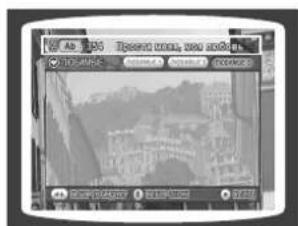
4 Press the RESERVE button to save it.
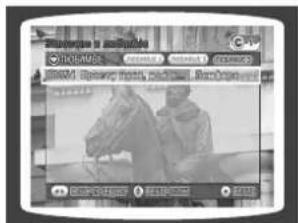
Deleting FAVORITE SONG
- During the stop mode, press the FAVORITE SONG button.
- Press ▲, ▼ button to select the song to delete.
- Press the CANCEL button.

Singing FAVORITE SONG
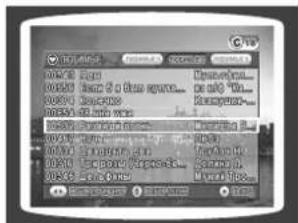
1 During the stop mode, press the FAVORITE SONG button.
2 Press ◀, ▶ button to select the location of song among FAVORITE 1, 2, 3.
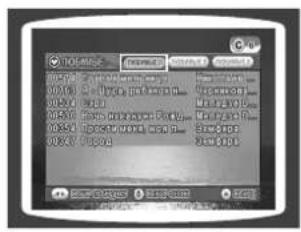
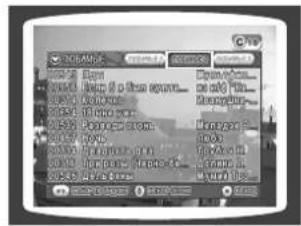
3 Press ▲, ▼ button to select the song you want.
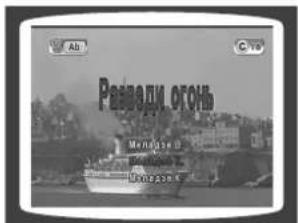
4 Press the ENTER button to play back selected song.
Search Song Function
You can easily do song search on screen without viewing the song list book.
Structure of Song Search
| Items Detailed Items Alphabet | ||
| RUSSIA | NAME/SINGER | A ~ Я |
| ENGLISH | NAME/SINGER | A ~ Z |
| UKRAINE | NAME/SINGER | A ~ Я |
| DUET SONG | - | |
| GENRE | ROCK | |
| CHANSON | ||
| FOLK | ||
| BARD | ||
| ROMANCES | ||
| HITS SONGS | MODERN | |
| 30-60S | ||
| 70S/80S | ||
| CHILDREN | ||
| ARMY | ||

Search by Language
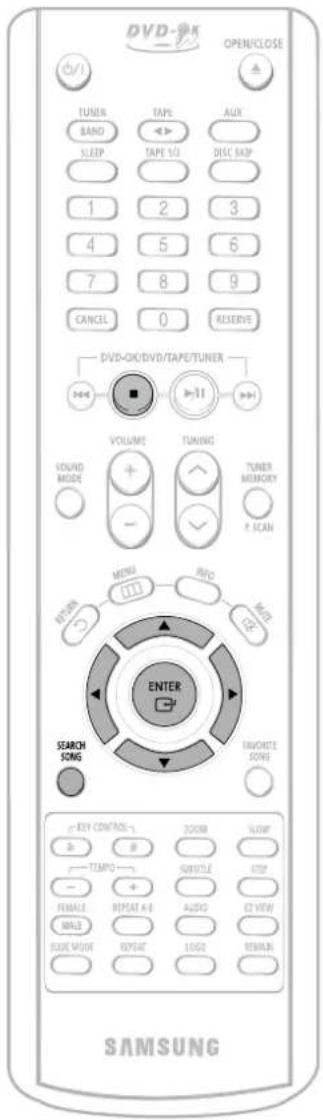
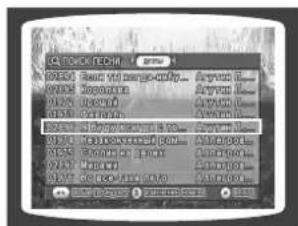
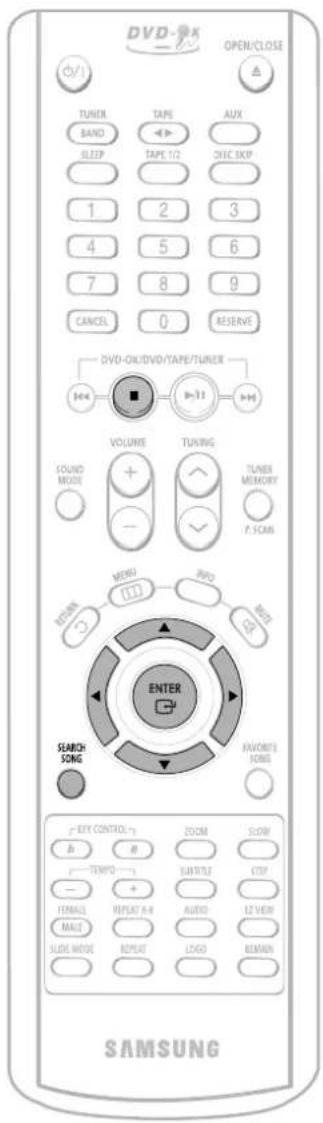
During the stop mode, press the SEARCH SONG button and then press ▲,▼ button to select the language you want.
- You can select the language among RUSSIA → ENGLISH → UKLAINE.
- At this time, press ◀ button to move to the song list on the bottom.
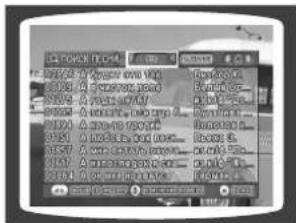
2 Press ▶ button to move to the detailed items and then press ▲,▼ button to select the NAME or SINGER.
- Press ◀ button if you want to move to the previous stage.
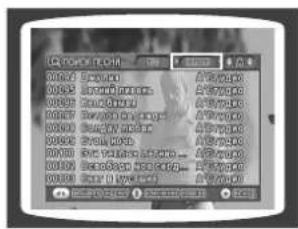
3 move to alphabet and press ▲,▼ button to select it.
- Press ◀ button if you want to move to the previous stage.
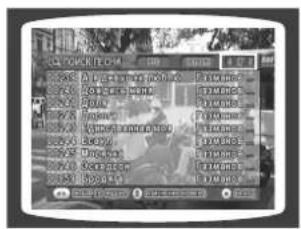
4 Press ▶ button to move to the song list on the bottom and then press ▲, ▼ button to select the song you want.
- Press ◀ button if you want to move to the previous stage.
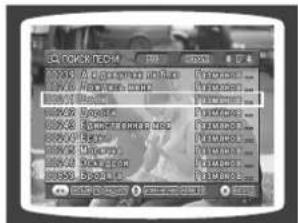
5 button to play back selected song.
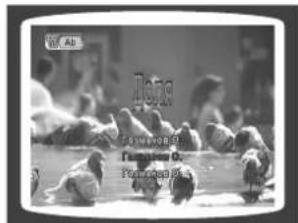
To Exit Search Song Screen
- Press ■ (STOP) button or SEARCH SONG button.
Search Song Function
You can easily do song search on screen without viewing the song list book.

Searching DUET SONG
During the stop mode, press the SEARCH SONG button and then press ▲, ▼ button to select the DUET SONG.
2 Press ◀, ▶ button to move to the song list on the bottom.
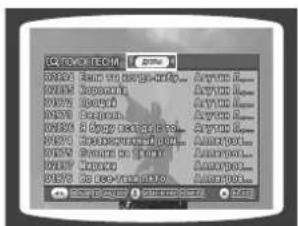
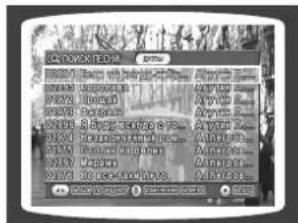
3 Press ▲, ▼ button to select the song you want.
4 Press the ENTER button to play back selected song.
- Press ◀ button if you want to move to the previous stage.
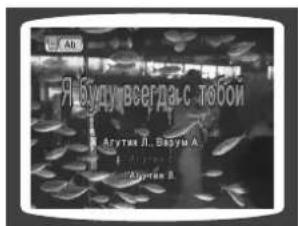
1 During the stop mode, press the SEARCH SONG button and then press ▲,▼ button to select the GENRE.
- At this time, press ◀ button to move to the song list on the bottom.
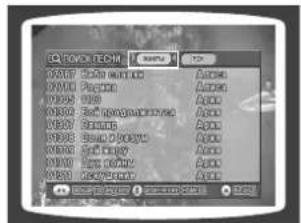
2 Press ▶ button to move to the detailed items and then press ◀, ▶ button to select the genre you want.
- You can select the genre among ROCK → CHANSON → FOLK → BARD → ROMANCES. - Press ◀ button if you want to move to the previous stage.
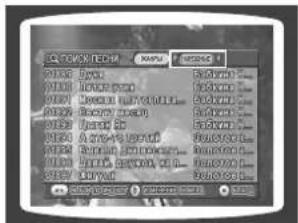
3 to the song list on the bottom and then press ▲, ▼ button to select the song you want.
- Press ◀ button if you want to move to the previous stage.
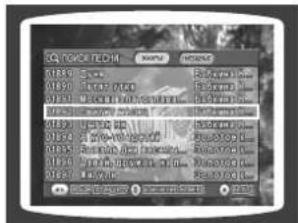
4 Press the ENTER button to play back selected song.
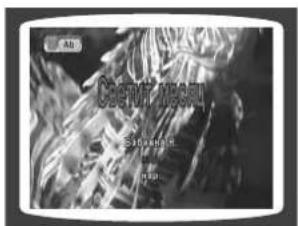
To Exit Search Song Screen
- Press ■ (STOP) button or SEARCH SONG button.
Search Song Function
You can easily do song search on screen without viewing the song list book.

Searching by HITS SONGS
1 During the stop mode, press the SEARCH SONG button and then press ▲,▼ button to select the HITS SONGS.
- At this time, press ◀ button to move to the song list on the bottom.
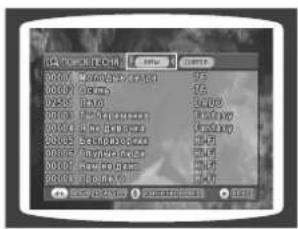
2 Press ▶ button to move to the detailed items and then press ▲,▼ button to select the hits song.
- You can select the song amongg MODERN → 30-60S → 70S/80S → CHILDREN → ARMY.
- Press ◀ button if you want to move to the previous stage.
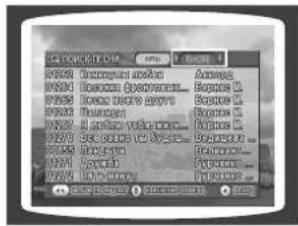
Press ▶ button to move to the song list on the bottom and then press ▲, ▼ button to select the song you want.
- Press ◀ button if you want to move to the previous stage.
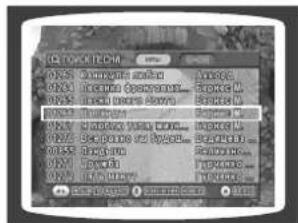
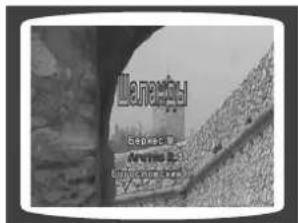
4 Press the ENTER button to play back selected song.
Key Control / Tempo Control
You can easily do song search on screen without viewing the song list book.
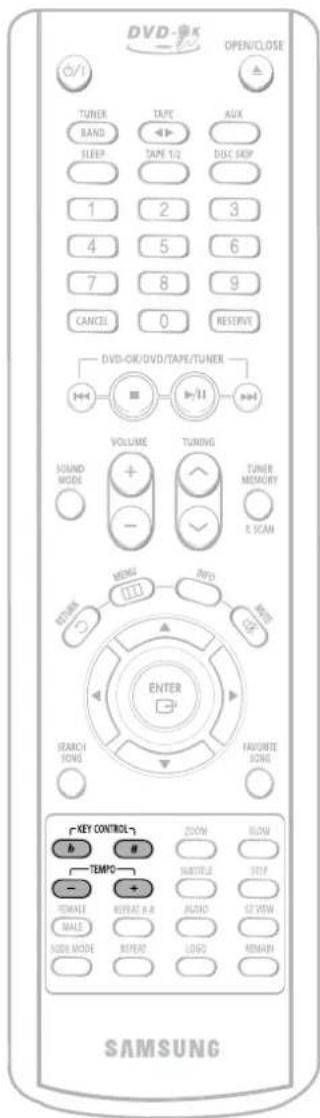

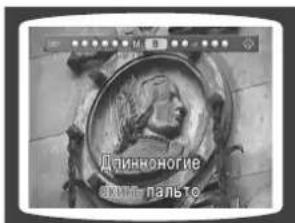
Key Control
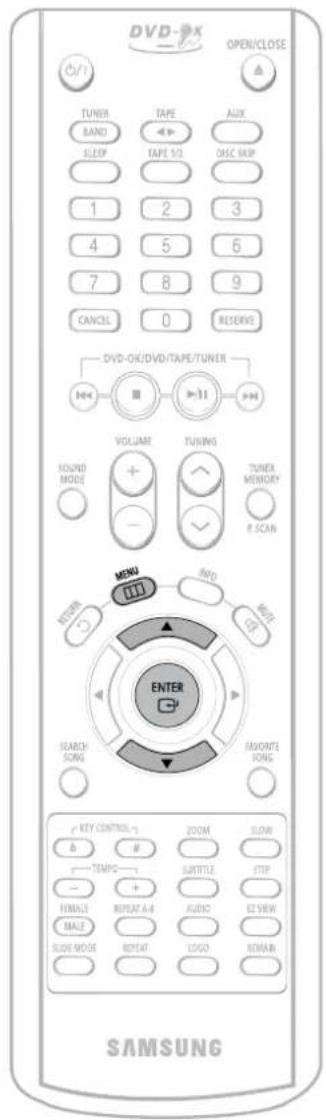
During the playback, press the KEY CONTROL buttons.
• Each time # button is pressed, the key is increased, and each time b button is pressed, the key is decreased.
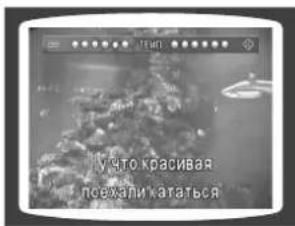
During the playback, press the TEMPO buttons.
• Each time + button is pressed, the tempo gets faster, and each time – button is pressed the tempo gets slower.
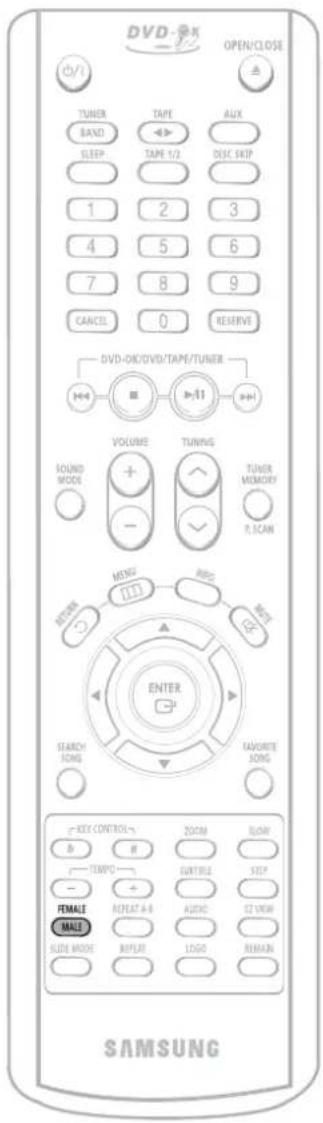
Male-Female Key Control

Male-Female Key Control
During the playback, press the FEMALE(MALE) button.
• Each time the button is pressed, this selection alternates between Male and Female.
- Select Male when singing in male voice and select Female when singing in female voice.
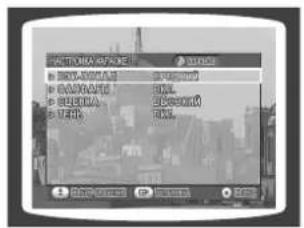
Setting the Chorus
You can set the chorus to ON or OFF.
1 Load a DVD-OK discs.
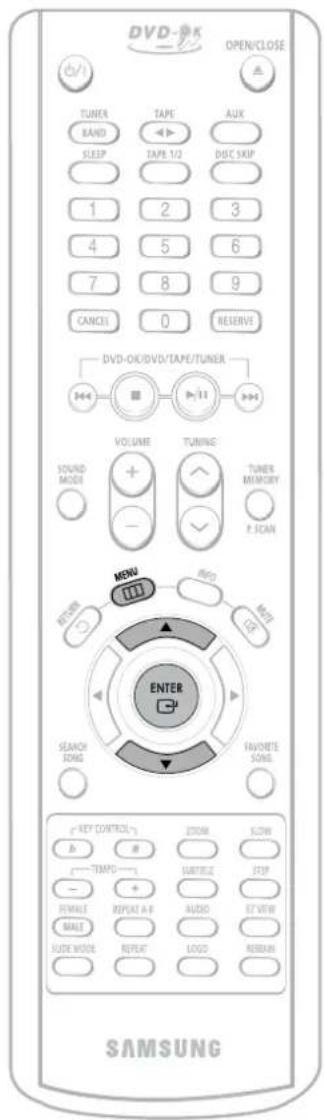
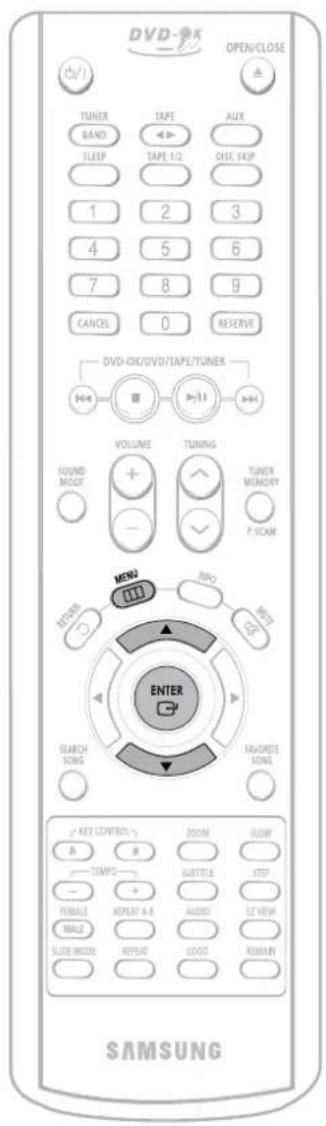
2 Press MENU button.
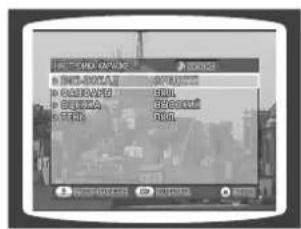
3 Press Cursor ▲,▼ button to move to 'Chorus'.
4 Press ENTER button to select the desired item.
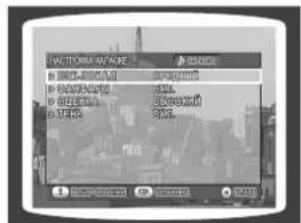
• Each time the button is pressed, the selection changes as follows: ON→OFF.
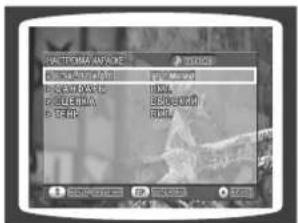
Note
- Chorus function may not work depending on information recorded in the disk.
- If you operate the Tempo function while a song with supporting chorus is playe back, the chorus will be released.
Setting the Fanfare
You can set Fanfare to come out after singing a song.
1 Load a DVD-OK discs.
2 Press MENU button.
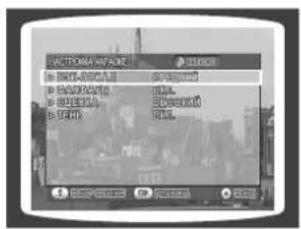
3 Press Cursor▲,▼ button to move to 'Fanfare'.
4 Press ENTER button to select the desired item.
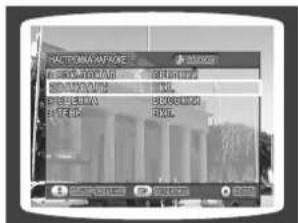
• Each time the button is pressed, the selection changes as follows: ON → OFF.
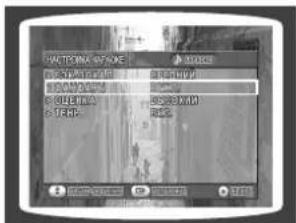
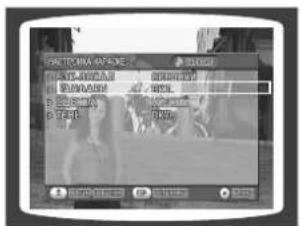
Setting the Average Score
You can set the grade of scores displayed in the screen in advance.
1 Load a DVD-OK discs.
2 Press MENU button.
3 Press Cursor ▲,▼ button to move to 'Average Score'.
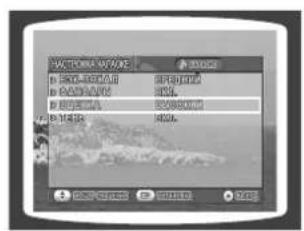
• Each time the button is pressed, the selection changes as follows: LOW → MIDDLE → HIGH → RANDOM → OFF.
Setting the Shadow
You can set the lyrics to be displayed in the black strips.
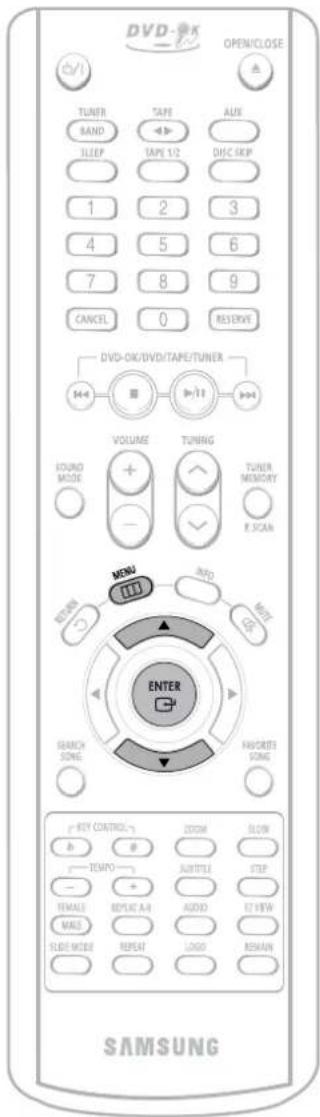
1 Load a DVD-OK discs.
2 Press MENU button.
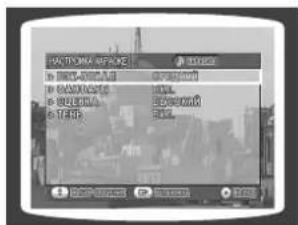
3 Press Cursor ▲,▼ button to move to 'Shadow'.
4 Press ENTER button to select the desired item.
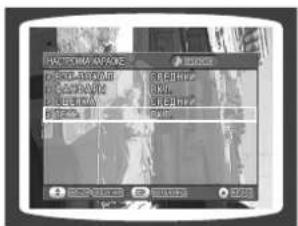
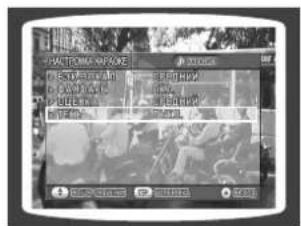
• Each time the button is pressed, the selection changes as follows: ON → OFF.
Listening to Radio
You can listen to the chosen band (FM, AM) by using either the automatic or manual tuning operation.
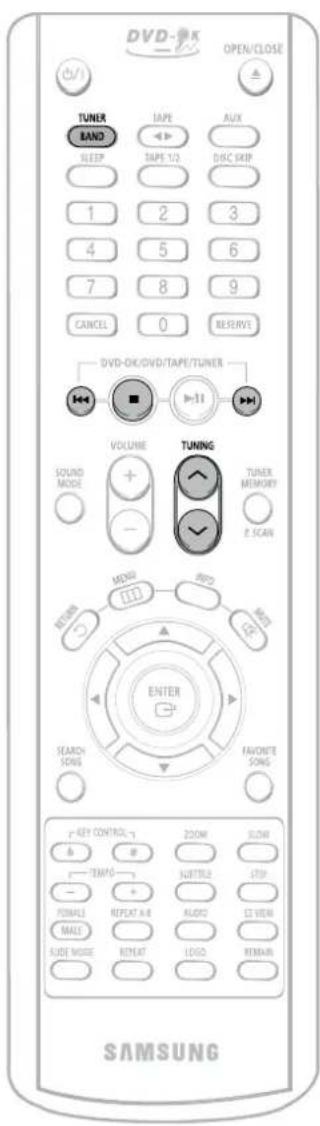
Remote Control Unit
1 Press TUNER/ BAND button.
- The selection toggles back and forth between "FM → AM" each time the TUNER(BAND) button is pressed.
2 Tune in to the desired station.
Automatic Tuning 1 Press ◀◀▶▶ button to select the preset station.
Automatic Tuning 2 Press and hold 🔗 button to automatically search the band.
Manual Tuning Briefly press 🤨 button to increase or decrease the frequency incrementally.
Main Unit
1 Press the TUNER button to select the desired band (FM, AM).
2 Select a broadcast station.
Automatic Tuning 1 Press the STOP (■) button to select PRESET and then press ◀◀▶▶ button or turn Multi Jog Knob to select the preset station.
Automatic Tuning 2 Press the STOP (■) button to select "AUTO" and then press and hold ◀◀▶▶ button or turn Multi-Jog Knob to automatically search the band.
Manual Tuning Press STOP (■) to select MANUAL and then briefly press I◄◄►► or turn Multi Jog Knob to tune in to a lower or higher frequency.
Press MONO/ST button to listen in Mono/Stereo.
(This applies only when listening to an FM station.)
• Each time the button is pressed, the sound switches between "STEREO" and "MONO".
- In a poor reception area, select MONO for a clear, interference-free broadcast.
Presetting Stations
You can store up to 15 stations each for FM and AM.
You can store up to:
◆ 15 FM stations
15 AM stations
• FM Frequency.Modulation
• AM Medium-Wave
1 Press the TUNER(BAND) button and select the FM band.
• Each time the button is pressed, the band switches between "FM → AM".
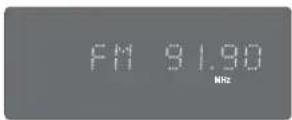
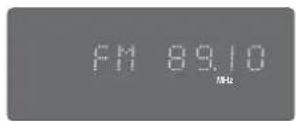
2 Press 🤘 to select "89.10".
• Refer to Step 2 on page 58 to automatically or manually tune in to a station.
3 Press the TUNER MEMORY button.
- "PROGRAM" flashes in the display.
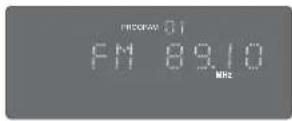
4 Press ◀◀◀▶▶ to select preset number.
- You can select between 1 and 15.
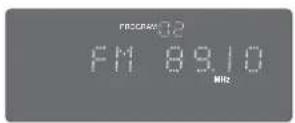
5 Press the TUNER MEMORY button.
- Press the TUNER MEMORY button before 'PROGRAM' disappears from the display.
- 'PROGRAM' disappears from the display and the station is stored in memory.
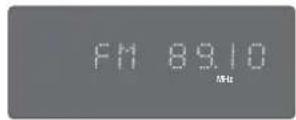
6 To preset another station, repeat steps 2 to 5.
To tune in to a preset station, press ◀◀◀▶▶ on the remote control to select a channel.
Listening to a Cassette
Always treat your cassettes with care; refer, if necessary, to the section entitled "Precautions When Using Audio Cassettes" on page 73.
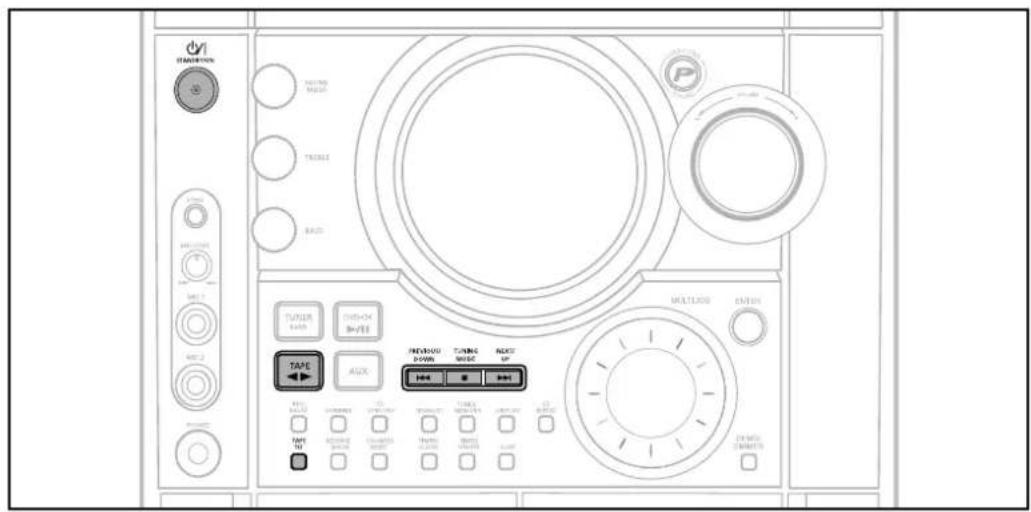
1 Switch the system on by pressing STANDBY ON.
2 Press TAPE on the player to select the Tape function.
3 Press the PUSH EJECT (▲) of the cassette deck to open the cassette door and insert a cassette.
- Insert a cassette with the recording/playback side facing the cassette holder, and then push the cassette door shut.
4 Press the ◀▶ button. The cassette starts playing.
- Side A: Tape (◀▶) button once.
- Side B: Tape (◀▶) button twice
Press TAPE 1/2 button to select the cassette to be played.
5 Press the ◀◀◀,▶▶▶ button if necessary.
- Rewind the cassette ◀◀/ DOWN button.
- Fast-forward the cassette UP / ▶▶▶I button.
6 When you have finished playback, press STOP button.

Selecting the Cassette Playback Mode
Your mini component system has three cassette playback modes which enable you to listen to both sides of a cassette automatically.
Press REVERSE MODE until the appropriate symbol is displayed.
- ⇌ : One side of the selected cassette and then stops.
- ⇒ : One side of the cassette.
The other side of the cassette and then stops.
• ⇌: Both sides of the cassette indefinitely until you press stop.
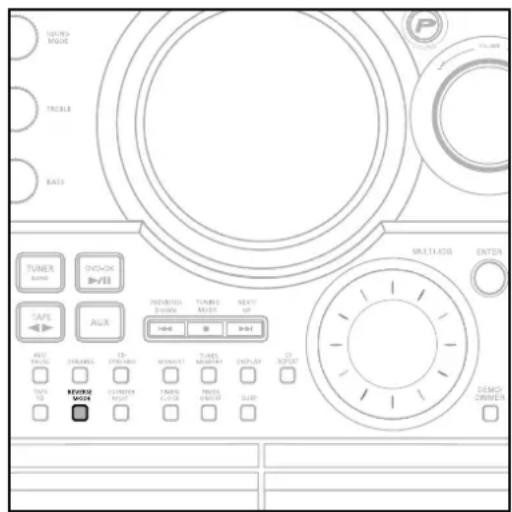
Reverse Mode is available only for deck 2.

Tape Counter
When playing a cassette in one of the cassette decks, a counter is displayed to enable you to take note of the counter value at the start of each track to start playback at the beginning of the track to which you wish to listen.
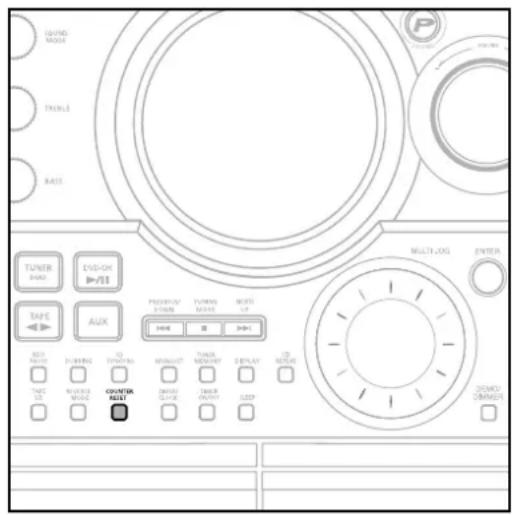
- Before starting to record a cassette for which you wish to take note of the counter values at the beginning of each track, reset the counter by pressing COUNTER RESET.
• Each cassette deck has a separate counter.

Coping a Cassette(Dubbing)
You can copy a cassette from TAPE 1 to TAPE 2.
- Normal speed dubbing in selecting Tape function mode.
- You do not need to adjust the volume, as it has no effect on the recording.
- Take care not to insert the tape to be copied in TAPE 2, as it will be erased when you start recording.
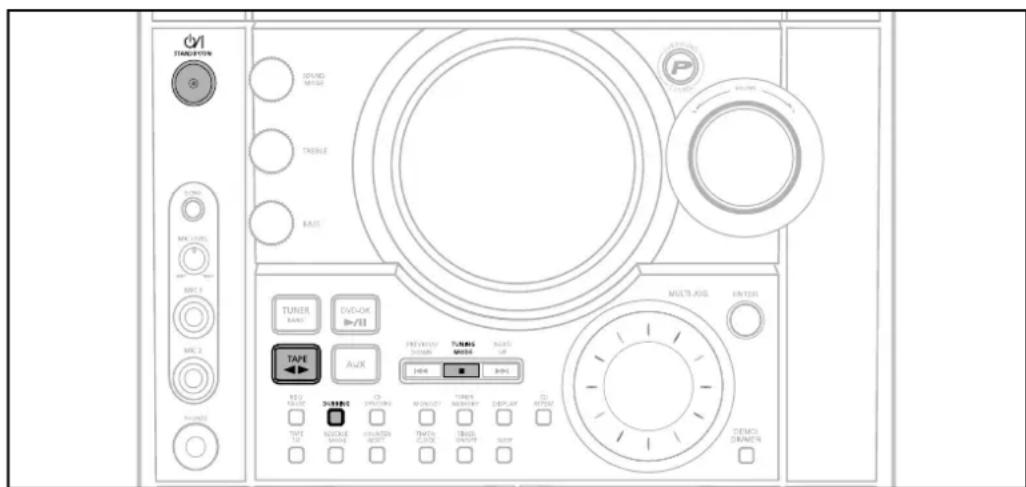
1 Switch the system on by pressing STANDBY/ON.
2 Insert a blank cassette in TAPE 2.
3 Insert the tape to be copied in TAPE 1.
4 Press DUBBING button to copy a cassette.
5 Press STOP button.
- The appropriate indications are displayed and the cassette in TAPE 1 is copied to the cassette in TAPE 2.
Recording a Compact Disc
You can record a compact disc on a cassette in two different ways:
Synchronised recording
This feature enables you to synchronize the start of the recording with the start of the disc or track of your choice.
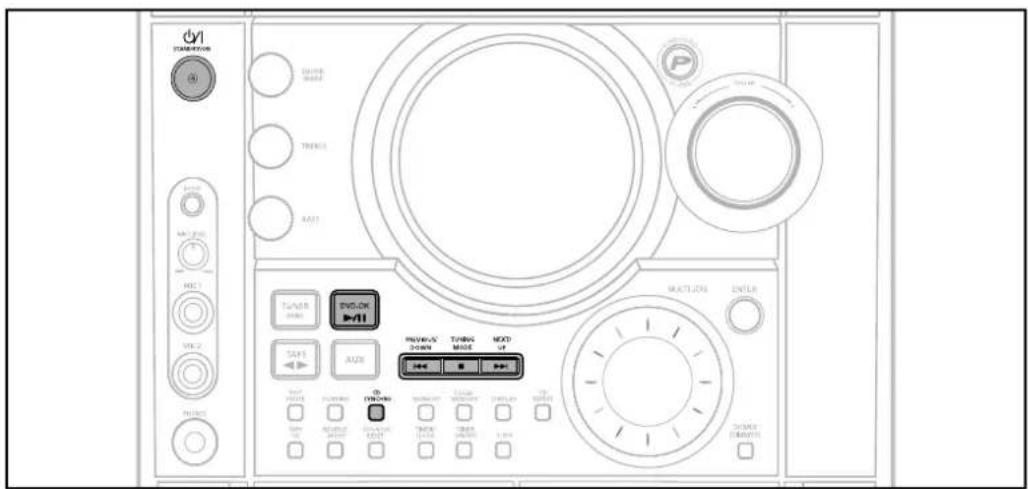
1 Switch the system on by pressing STANDBY/ON.
2 Insert a blank cassette in TAPE 2.
- Press the PUSH/EJECT button (▲) to open the cassette door, insert a cassette, and then close the cassette door.
- Insert the cassette with the safety tabs.
3 Load a compact disc.
- Press the OPEN/CLOSE button (▲) to open the CD door.
- Insert a CD and press the OPEN/CLOSE button (▲) to close the CD door.
4 Press the DVD-OK (▶/II) button.
- Use the CD selection (I◄◄, ►►I) buttons to select the desired song.
5 Press CD SYNCHRO button.
- When stopped, press the button to start the recording from the first piece of music.
- Press CD SYNCHRO button during the playback of CD to start the recording from the first part of the music being played.
6 To stop recording, press ■ button.
Note
- You can use CD/SYNCHRO button only in CD Playback Mode.
Direct recording
The direct recording mode enables you to start recording with any track on the compact disc.
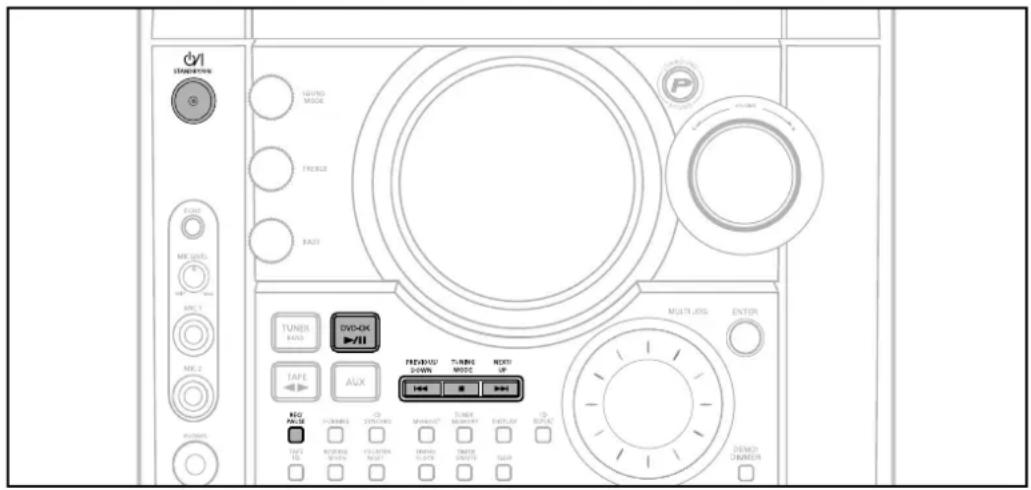
1 Switch the system on by pressing STANDBY/ON.
2 Insert a blank cassette in TAPE 2.
- Press the PUSH/EJECT button ( ▲) to open the cassette door, insert a cassette, and then close the cassette door.
- Insert the cassette with the safety tabs.
3 Load a compact disc.
- Press the OPEN/CLOSE button (▲) to open the CD door.
- Insert a CD and press the OPEN/CLOSE button (▲) to close the CD door.
4 Press the DVD-OK (▶/II) button.
- Use the CD selection (I◄◄, ►►I) buttons to select the desired song.
5 Press REC/ PAUSE button.
- Recording will begin.
- To stop recording, press ■ button.
Note
- The cassette tape you want to record on must have the safety tabs intact.
Recording a Radio Program
You can record a radio program of your choice.
You do not need to adjust the volume, as it has no effect on the recording.
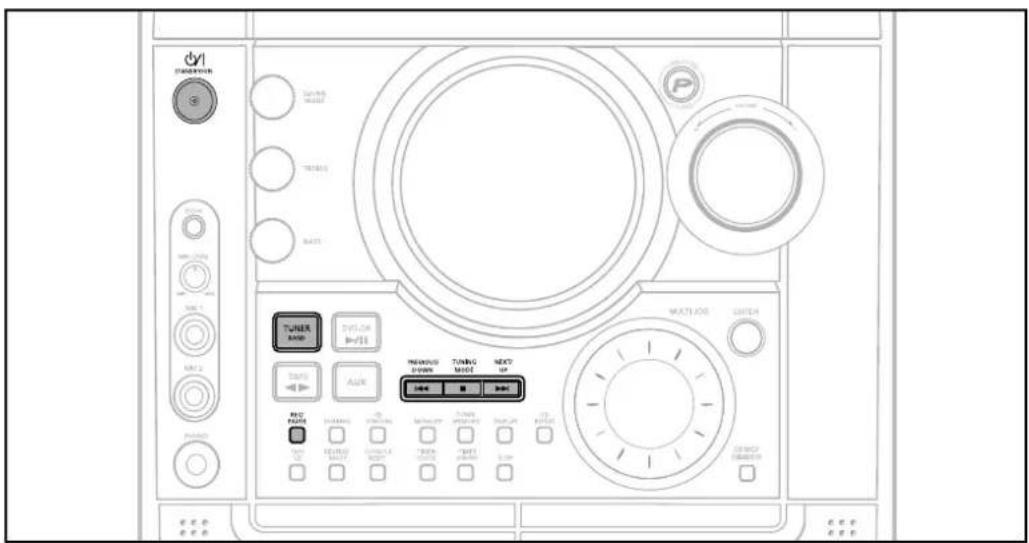
1 Switch the system on by pressing STANDBY/ON.
2 Insert a blank cassette in TAPE 2.
3 Select the TUNER function by pressing TUNER/BAND.
4 Select the radio station that you wish to record by pressing ◀◄◄/DOWN or UP/►►► button.
5 Press(REC/PAUSE) button.
• REC is displayed in red and recording starts.
6 To stop recording, press ■ button.
Timer Function
- The timer enables you to switch the system on or off at specific times.
- If you no longer want the system to be switched on or off automatically, you must cancel the timer.
- Before setting the timer, check that the current time is correct.
- For each step, you have a few seconds to set the required options.
If you exceed this time, you must start again.
Example: You wish to wake up to music every morning.
1 Switch the system on by pressing STANDBY/ON.
2 Press TIMER/ CLOCK until TIMER is displayed.
3 Press the ENTER button.
- ON TIME is displayed (instead of the equalizer symbols) for a few seconds, followed by any switch-on time already set; you can set the timer switch-on time.
4 Set the timer switch-on time.
a. Set the hour by pressing ◀◀◀ or ▶▶◀ button.
b. Press ENTER .
• The minutes flash.
c. Set the minutes by pressing ◀◀◀ or ▶▶▶I button.
d. Press ENTER.
- OFF TIME is displayed (instead of the equalizer symbols) for a few seconds, followed by any switch-off time already set; you can now set the timer switch-off time.
5 Set the timer switch-off time.
a. Set the hour by pressing ◀◀◀ or ▶▶◀ button.
b. Press ENTER.
• The minutes flash.
c. Set the minutes by pressing ◀◀◀ or ▶▶◀ button.
d. Press ENTER.
• VOL 10 is displayed, where 10 corresponds to the volume already set.
6 Press ◀◀◀ or ▶▶◀ button to adjust the volume level and press ENTER.
• The source to be selected is displayed.
7 Press ◀◀◀ or ▶▶▶ button to select the source to be played when the system switches on.
• TAPE (cassette) : Insert a cassette tape.
- TUNER (radio) : a Press ENTER.
b Select a preset station by pressing
- DVD-OK : Load a compact disc.
8 Press ENTER to confirm the timer.
9 Press STANDBY/ON to set the system to standby mode.
- is displayed to the bottom right of the time, indicating that the timer has been set.
- The system will switch on and off automatically at the required times.
Note
- If the timer switch on and off times are identical, the word ERROR is displayed.
- You can also use ◀, ▶ button or Multi Jog on the remote control to instead ◀◀◀▶▶I button in step 4,5,6,7.
Canceling the Timer
After having set the timer, it will start automatically as shown by the TIMER indication on the display. If you no longer wish to use the timer, you must cancel it.
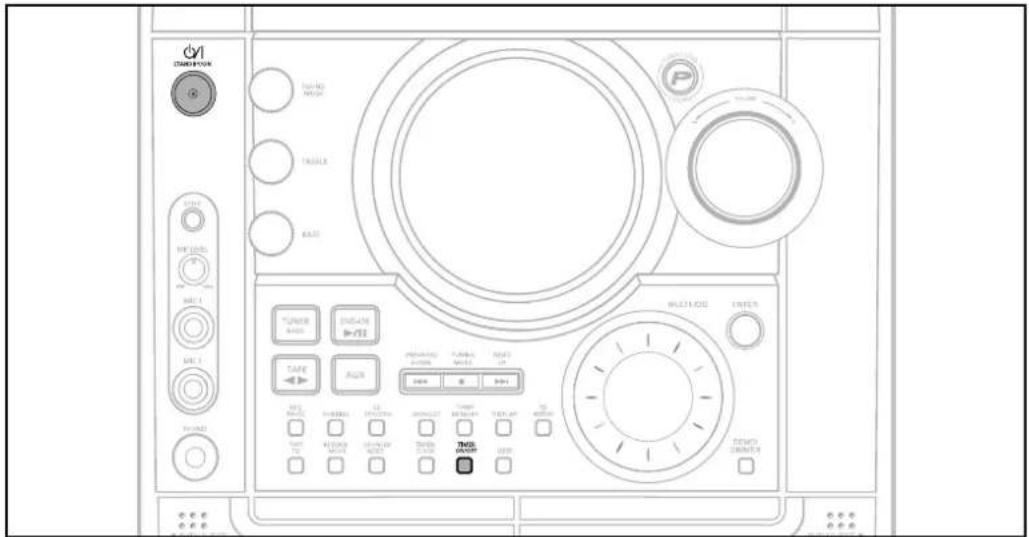
To cancel the timer, press TIMER ON/OFF once.
- is no longer displayed.
To resume the timer, press TIMER ON/OFF again.
- is displayed again.
Note
- You can cancel the timer while the power is on or while the player is in standby.
P.SOUND/SURROUND / SOUND MODE Function
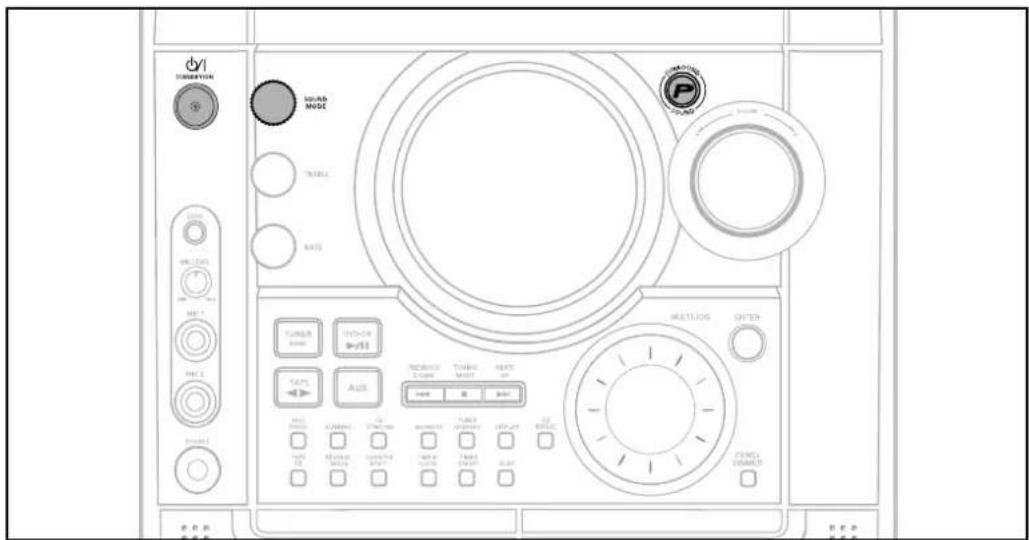

Your mini-compact system is equipped with the function of Power Sound/Power Surround. The function of Power Sound/Power Surround amplifies bass and improves high key or bass twice as much for you to appreciate powerful real sound.
Press the P.SOUND/SURROUND button on the front panel.
Result: Press P.SOUND/P.SURROUND button on the front panel, "P.SOUND,P.SURROUND.OFF" is displayed.
To cancel this function, press P.SOUND/P.SURROUND button again.

Selecting SOUND MODE
Your mini-compact system is equipped with a preset equalizer that allows you to choose the most appropriate balance between treble and bass frequencies, according to the type of music you are listening to.
Turn SOUND MODE on the front panel or Press SOUND MODE on the remote control until the required option is selected.
To obtain a... Select...
Normal balance (linear) PASS
Balance suitable for pop music POP.
Balance suitable for rock music ROCK
Balance suitable for classic music CLASSIC
Balance suitable for hall HALL
Balance suitable for live LIVE
Balance suitable for cinema CINEMA
Balance suitable for voice USE EQ
Note
- USER EQ (TREBLE/BASS) Function please see page 71.
Sleep Timer / Mute Function

Sleep Timer Function
You can set the time that the DVD player will shut itself off.
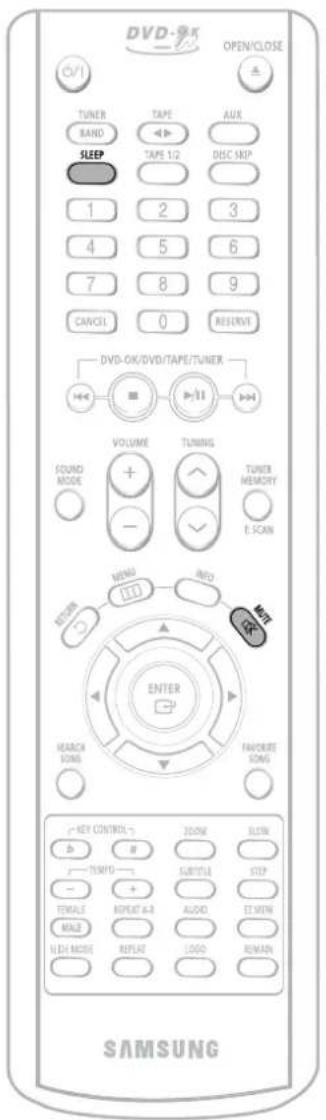
Press SLEEP button.
• Each time the button is pressed, the selection changes as follows: 90 MIN → 60 MIN → 45 MIN → 30 MIN → 15 MIN → OFF.
90 MIN
To confirm the sleep timer setting, press SLEEP button.
- The remaining time before the DVD player will shut itself off is displayed. - Pressing the button again changes the sleep time from what you have set earlier.
To cancel the sleep timer, press SLEEP button until OFF appears on the display.

Mute Function
This is useful when answering a doorbell or telephone call.
Press MUTE button.
- 'MUTE' appears in the display.
• To turn off mute, press the button again.
NOTE
DEMO / DIMMER Function
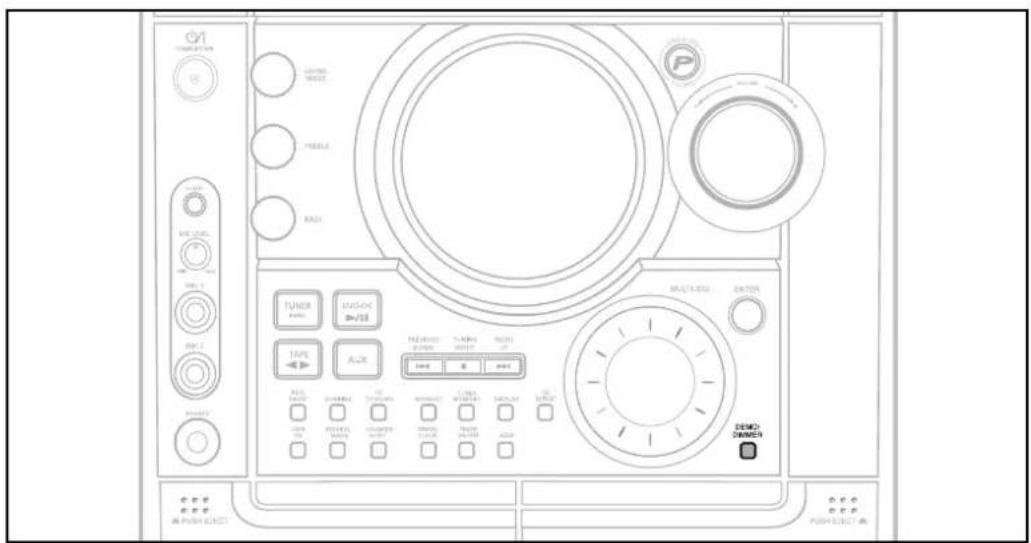
You can view the various functions available on your system.
Press DEMO/DIMMER button.
- The various functions available are listed in turn on the display.
- All these functions are described in detail in this booklet. For instructions on how to use them, refer to the appropriate sections.

DIMMER Function
You can adjust the brightness of the display on the main unit so it won't interfere with your movie viewing.
Press DEMO/DIMMER button.
• Each time the button is press, the brightness changes as follows: DIMMER ON(Dim) → DIMMER OFF(Bright).
To cancel this function, press DEMO/DIMMER again.
Bass/Treble Level (USER EQ) Function
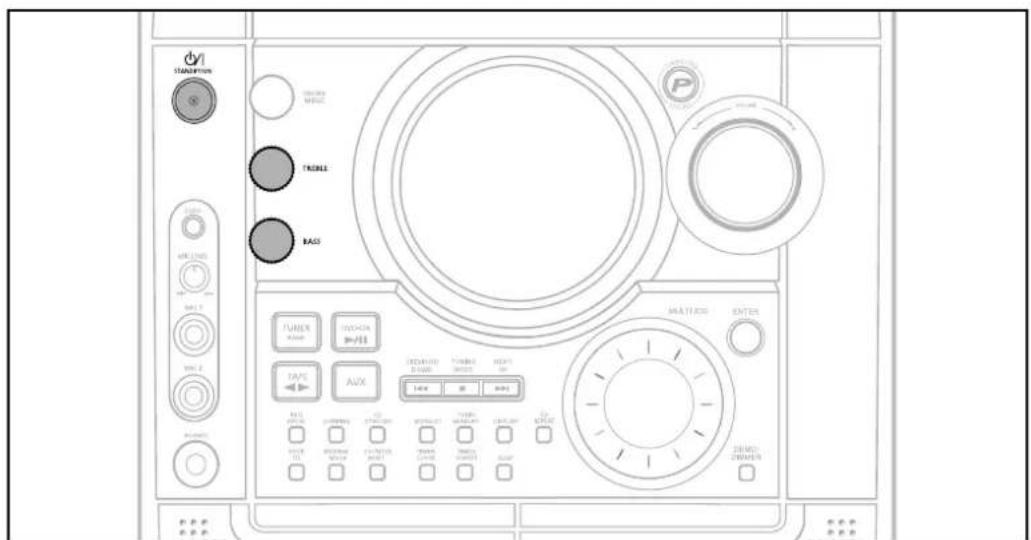

BASS Level
BASS function stresses low tones providing thudding sound effects.
1 Turn BASS knob on the front panel to select from BASS -08 to BASS +08, total 9 steps.
2 You can select the level of low tones you desire.

TREBLE Level
Treble function stresses low tones providing thudding sound effects.
1 Turn Treble knob on the front panel to select from TRE -08 to TRE +08, total 9 steps.
2 You can select the level of high tones you desire.
Connecting Headphones
You can connect a set of headphones to your mini-compact system so that you can listen to music or radio programmers without disturbing other people in the room. The earphones must have a 3.50 jack or an appropriate adapter.
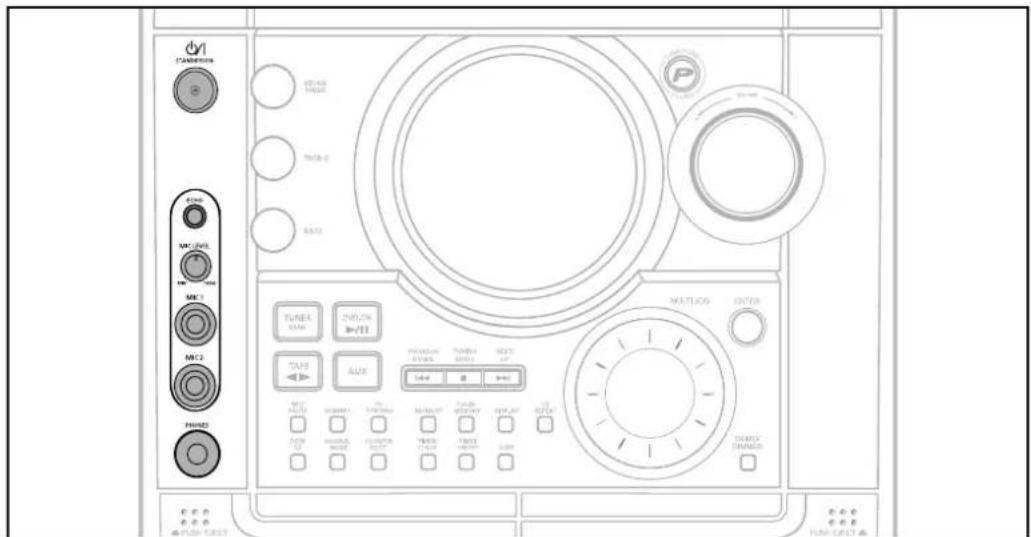
Connect the headphones to the PHONES jack on the front panel.
- The loudspeakers are no longer used to output the sound.
Note
- Prolonged use of headphones at a high volume may damage your hearing.
Cautions on Handling and Storing Discs
Small scratches on the disc may reduce sound and picture quality or cause breaks in playback. Be especially careful not to scratch discs when handling them.
Handling discs
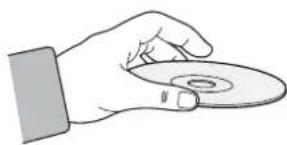
Do not touch the playback side of the disc. Hold the disc by the edges so that fingerprints will not get on the surface.
Do not stick paper or tape on the disc.
Handling and Storing Discs
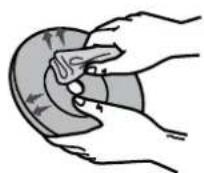
When you get fingerprints or dirt on the disc, clean it with a mild detergent diluted in water and wipe with a soft cloth.
- When cleaning, wipe gently from the inside to the outside of the disc.
- Condensation may form if warm air comes into contact with cold parts inside the player. When condensation forms inside the player, the player may not operate correctly. If this occurs, remove the disc and let the player stand for 1 or 2 hours with the power on.
Precautions When Using Audio Cassettes
- Check that the tape in the cassette is sufficiently taut.
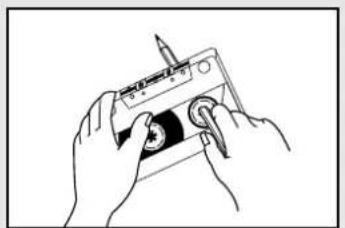
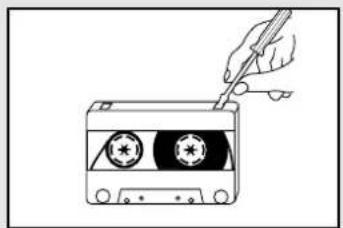
• To prevent erasing a cassette that you wish to keep, remove the safety tab on the upper edge of the cassette. To record a cassette, where the tab has been broken, simply cover the opening with adhesive tape. - When you have finished playing a cassette, always put it back in its case.
- Store your cassettes in a clean place, out of direct sunlight, where they will not be exposed to high temperatures.
- Avoid using 120-minute cassettes as they place unnecessary strain on the tape mechanism.

Before Calling for Service
Refer to the chart below when this unit does not function properly. If the problem you are experiencing is not listed below or if the instruction below does not help, turn off the unit, disconnect the power cord, and contact the nearest authorized dealer or Samsung Electronics Service Center.
Symptom Check/Remedy
| Disc tray does not open. | Is the power cord plugged securely into the outlet?Turn off the power and then turn it back on. |
| Playback does not start. | Check the region number of the DVD.DVD discs purchased from abroad may not be playable.CD-ROMs and DVD-ROMs cannot be played on this DVD player.Make sure that the rating level is correct.Make sure that the rating level is correct. |
| The remote control does not work. | Is the remote control being operated within its operation range of angle and distance?Are the batteries exhausted? |
| Playback does not start immediately when the Play/Pause button is pressed. | Are you using a deformed disc or a disc with scratches on the surface?Wipe the disc clean. |
| Sound is not produced. | No sound is heard during fast playback, slow playback, and step motion playback.Are the speakers connected properly? Is the speaker setup correctly customized?Is the disc severely damaged? |
| Picture does not appear, sound is not produced, or the disc tray opens 2 to 5 seconds later. | Was the DVD player suddenly moved from a cold place to a warm one? When condensation forms inside the player, remove the disc and let the player stand for 1 or 2 hours with the power on. (You can use the player again after condensation disappears.) |
| Disc is rotating but no picture is produced.Picture quality is poor and picture is shaking. | Is the TV power on?Are the video cables connected properly?Is the disc dirty or damaged?A poorly manufactured disc may not be playable. |
Symptom Check/Remedy
| Audio language and subtitles do not work. | ·Audio language and subtitles will not work for DVDs not containing them. And depending on the disc, they may work differently. |
| Menu screen does not appear even when the menu function is selected. | ·Are you using a disc that does not contain menus? |
| Aspect ratio cannot be changed. | ·You can play 16:9 DVDs in 16:9 WIDE mode, 4:3 LETTER BOX mode, or 4:3 PAN SCAN mode, but 4:3 DVDs can be seen in 4:3 ratio only. Refer to the DVD disc jacket and then select the appropriate function. |
| The tape does not start playing | ·The TAPE function has not been selected.·The cassette has not been inserted correctly.·The cassette player has not been closed.·The tape is either slack or broken. |
| The volume falls off The cassette is not erased correctly There is excessive wow and flutter | ·The audio heads are dirty.·The rollers or drive capstans are dirty.·The tape is worn. |
| Can't receive radio broadcast. | ·Is the antenna connected properly?·If the antenna's input signal is weak, install an external FM antenna in an area with good reception. |
| ·The main unit is not working. (Example: The power goes out or strange noise is heard.)·The DVD player is not working normally. | ·Turn off the power and hold the stop button on the main unit for longer than 5 seconds.Using the RESET function will erase all stored settings.Do not use this unless necessary. |
| The password for rating level has been forgotten. | ·While the player is in “NO DISC” mode, hold the main unit's TUNING MODE/■button for longer than 5 seconds. “INITIAL” appears on the display and all settings will return to the default values.·Press the POWER button.Using the RESET function will erase all stored settings.Do not use this unless necessary. |
Notes on Discs
Disc Recording Format
CD-R Discs
- Depending on the disc recording device (CD-Recorder or PC) and the condition of the disc, some CD-R discs may not be playable.
- Use a 650MB/74 minute CD-R. Avoid CD-R media, as they may not be playable.
- If possible, do not use CD-RW (Rewritable) media, as they may not be playable.
- Only the CD-Rs that are properly "closed" can be fully played. If the session is closed but the disc is left open, you may not be able to fully play the disc.
CD-R MP3 Discs
- Only CD-R discs with MP3 files in ISO 9660 or Joliet format can be played.
- MP3 file names should be 8 characters or less in length and contain no blank spaces or special characters (. / = +).
- If the name of a file is in Korean, the name will be displayed on the TV screen in Korean and * will be shown in the display of the main unit.
- Use discs recorded with a compression/decompression data rate greater than 128Kbps.
- Only files with the ".mp3" and ".MP3" extensions can be played.
- Only a consecutively written Multisession disc can be played. If there is a blank segment in the Multisession disc, the disc can be played only up to the blank segment.
- If the disc is not closed, it will take longer to begin playback and not all of the recorded files may be played.
- For files encoded in Variable Bit Rate (VBR) format, i.e. files encoded in both low bit rate and high bit rate (e.g., 32Kbps \~ 320Kbps), the sound may skip during playback.
- If more than 500 tracks are recorded on a single CD, a maximum of 500 tracks can be played.
- If more than 300 folders are recorded on a single CD, a maximum of 300 folders can be played.
What is MP3?
MP3 is short for MPEG-1 Audio Layer 3 and MPEG is an acronym for Moving Pictures Experts Group. MP3 is a file format with compression ratio of 1:12 (128 Kbps*) That is, you can use MP3 format to record about 12 times the usual amount of data on a regular CD.
CD-R JPEG Discs
- Only files with the ".jpeg" and ".JPEG" extensions can be played.
- If the disc is not closed, it will take longer to start playing and not all of the recorded files may be played.
- Only CD-R discs with JPEG files in ISO 9660 or Joliet format can be played.
- JPEG file names should be 8 characters or less in length and contain no blank spaces or special characters (. / = +).
- Only a consecutively written multisession disc can be played. If there is a blank segment in the multisession disc, the disc can be played only up to the blank segment.
- A maximum of 9,999 images can be stored on a single CD.
- When playing a Kodak/Fuji Picture CD, only the JPEG files in the picture folder can be played.
• Picture discs other than Kodak/Fuji Picture CDs may take longer to start playing or may not play at all.
Notes on Terminology
| ANGLE | Recorded onto some DVD discs are scenes which have been simultaneously shot from a number of different angles (the same scene is shot from the front, from the left, from the right, etc.). With such discs, the Angle button can be used to change the angle of view for specific scenes. |
| CHAPTER NUMBER | These numbers are recorded on DVD discs. A Title is subdivided into many sections, each of which is numbered, and specific parts of the video can be searched quickly using these numbers. |
| DVD | A high-density optical disc on which high-quality pictures and sound have been recorded by means of digital signals. Incorporating a new video compression technology (MPEG-2) and high-density recording technology, a DVD disc comprises two 0.6 mm thick discs bonded together. |
| PCM | An acronym for Pulse Code Modulation - another name for digital audio. |
| PBC(PLAYBACKCONTROL) | This is recorded on a video CD (version 2.0). Selected scenes or information can be chosen from the menu displayed on the TV monitor. |
| REGION NUMBER | Both the DVD player and DVD discs are encoded with a region number. If the region number on the DVD disc does not correspond to the region number of the DVD player, the player cannot play the disc. |
| SUBTITLES | Translated appearing at the bottom of the screen. A DVD disc can contain up to 32 subtitle languages. |
| TITLE NUMBER | These numbers are recorded on DVD discs. When a disc contains two or more movies, these movies are numbered as Title 1, Title 2, etc. |
| TRACK NUMBER | These numbers are assigned to the tracks which are recorded on video and audio CDs. They enable specific tracks to be located quickly. |
| VIDEO CD | Contains recordings of pictures and sound whose quality is roughly comparable to that of video tape.This player also supports video CDs with playback control (version 2.0). |
| DOLBY DIGITAL | 5.1 (or 6) Channel Digital Surround sound reproduced from DVDs and LDs recorded as a digital signals (with DIGITAL disc marking). With better sound quality, dynamic range, and directionality than traditional Dolby surround technology, you can enjoy dynamic, realistic sound. |
Specifications
RADIO
AM
Signal/noise ratio 40 dB
Usable sensitivity 56 dB
Total harmonic distortion 2%
FM
Signal/noise ratio 55 dB
Usable sensitivity 10 dB
Total harmonic distortion 0.6%
COMPACT DISC PLAYER
Capacity
3
discs
Frequency range 20 Hz - 20 KHz (± 1 dB)
Signal/noise ratio 85 dB (at 1 KHz) with filter
Distortion 0.05 % (at 1 KHz)
Channel separation 75 dB
Disc sizes Diameter: 120 or 80 mm. Thickness: 1.2 mm
TAPE DECK
Frequency range 125 Hz \~ 10 KHz
Signal/noise ratio 40 dB
Channel separation 30 dB
Erasing effect 50 dB(without filter)
AMPLIFIER
Output power
Main Speaker(6 Ω)
50 Watts/CH RMS,IEC (total harmonic distortion: 10 %)
Subwoofer(6 Ω)
100 Watts/CH RMS, IEC (total harmonic distortion: 10 %)
Channel separation 40 dB
Signal/noise ratio 75 dB
360 Surround Speaker System
Only for MAX-KT85
GENERAL
Power consumption
220W
Dimensions 270 (D) x 332 (H) x 426 (W) mm
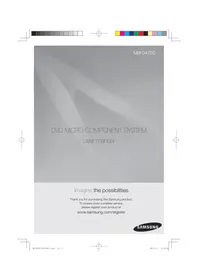

- 3 DVD KARAOKE MINI COMPONENT SYSTEM
- SAFETY WARNINGS
- CLASS 1 LASER PRODUCT
- CAUTION-INVISIBLE LASER RADIATION WHEN OPEN AND INTERLOCKS DEFEATED, AVOID EXPOSURE TO BEAM
- PRECAUTIONS
- FEATURES
- MULTI-DISC PLAYBACK & AM/FM TUNER, TAPE
- TV SCREEN SAVER FUNCTION
- POWER SAVING FUNCTION
- CUSTOMIZED TV SCREEN DISPLAY
- COPY PROTECTION
- CONTENTS
- PREPARATION
- CONNECTIONS
- OPERATION
- SETUP
- SETTING THE SHADOW.... RADIO OPERATION
- TAPE DECK
- MISCELLANEOUS
- DESCRIPTION
- REAR PANEL
- ACCESSORIES
- INSERT REMOTE BATTERIES
- CAUTION
- RANGE OF OPERATION OF THE REMOTE CONTROL
- CONNECTING THE SPEAKERS
- POSITION OF THE DVD PLAYER
- SELECTING THE LISTENING POSITION
- SPEAKERS L R
- DIRECTIONS IN INSTALLING SPEAKER
- CONNECTING TO A TV
- METHOD 1 USING VIDEO OUT (GOOD QUALITY)
- METHOD 2 USING S-VIDEO OUT (BETTER QUALITY)
- NOTE
- CONNECTING TO A TV (CON'T)
- METHOD 3 COMPONENT VIDEO (BEST QUALITY)
- P.SCAN (PROGRESSIVE SCAN) FUNCTION
- PRESS AND HOLD P.SCAN BUTTON ON THE REMOTE CONTROLLER FOR OVER 5 SECONDS IN STOP MODE
- WHAT IS PROGRESSIVE (OR NON-INTERLACED) SCANNING
- SELECTING THE VIDEO FORMAT
- CONNECTING EXTERNAL COMPONENTS
- CONNECTING AN EXTERNAL ANALOG COMPONENT
- CONNECTING THE FM, AM ANTENNAS
- FM ANTENNA CONNECTION
- AM ANTENNA CONNECTION
- SETTING THE CLOCK
- DISC PLAYBACK
- SELECTING A DVD-OK IN THE DISC CHANGER
- DVD
- CD CD
- MP3
- EG
- DIVX
- TO STOP PLAYBACK, PRESS STOP DURING PLAYBACK
- DIVX PLAYBACK
- SKIP FORWARD/BACK
- FAST PLAYBACK
- ZOOM FUNCTION
- 5 MINUTE SKIP FUNCTION
- SUBTITLE DISPLAY
- DIVX FEATURE TABLE
- MPEGS CONTAINING DIVX CAN BE DIVIDED INTO VIDEO AND AUDIO
- DISPLAYING DISC INFORMATION
- PRESS INFO BUTTON
- SCREEN DISPLAY
- CHECKING THE REMAINING TIME
- PRESS THE REMAIN BUTTON
- FAST/SLOW PLAYBACK
- PRESS AND HOLD ◀◀◀
- SLOW PLAYBACK
- PRESS SLOW BUTTON
- SKIPPING SCENES/SONGS
- DVD V CD MP3
- BRIEFLY PRESS ◀◀◀
- PLAYING FRAME BY FRAME DVD
- PRESS STEP BUTTON
- ANGLE FUNCTION
- REPEAT PLAYBACK
- PRESS REPEAT BUTTON
- REPEAT PLAYBACK OPTIONS
- CHAPTER
- TITLE
- RANDOM
- TRACK
- DIR
- DISC
- OFF
- TO SELECT A REPEAT PLAYBACK MODE IN THE DISC INFORMATION SCREEN
- ZOOM (SCREEN ENLARGE) FUNCTION
- DVD V CD
- EZ VIEW FUNCTION
- PRESS EZ VIEW BUTTON
- SELECTING AUDIO/SUBTITLE LANGUAGE
- AUDIO LANGUAGE SELECTION FUNCTION
- SUBTITLE LANGUAGE SELECTION FUNCTION
- MOVING DIRECTLY TO A SCENE/SONG
- DVD V CD CD
- MOVING TO A TITLE/TRACK
- MOVING TO A CHAPTER
- MOVING TO A SPECIFIC TIME
- MP3 JPEG
- PRESS THE NUMERIC BUTTONS
- JPEG FILE PLAYBACK
- SLIDE MODE
- ROTATE/FLIP FUNCTION
- A-B REPEAT PLAYBACK
- 1
- 2
- USING DISC MENU
- 1 PRESS MENU BUTTON
- 2 BUTTONS TO MOVE TO 'DISC MENU' AND THEN PRESS ENTER BUTTON
- 3 PRESS CURSOR ▲,▼,◀,▶ BUTTONS TO SELECT THE DESIRED ITEM
- 4 PRESS ENTER BUTTON
- KEY CONTROL ↑
- PBC (PLAYBACK CONTROL) FUNCTION
- USING THE TITLE MENU
- SETTING THE LANGUAGE
- 3 PRESS ENTER BUTTON
- 4 BUTTON TO SELECT THE DESIRED ITEM AND THEN PRESS ENTER BUTTON
- 5 BUTTON TO SELECT THE DESIRED LANGUAGE AND THEN PRESS ENTER BUTTON
- SETTING TV SCREEN TYPE
- B
- ADJUSTING THE TV ASPECT RATIO (SCREEN SIZE)
- WIDE
- 4:3LB (4:3 LETTER BOX)
- 4:3PS (4:3 PAN&SCAN)
- SETTING PARENTAL CONTROLS (RATING LEVEL)
- 3
- 4
- 5
- SETTING THE PASSWORD
- 2 PRESS CURSOR ▼ BUTTON TO MOVE TO 'SETUP' AND THEN PRESS ENTER BUTTON
- 3 MOVE TO 'PASSWORD' AND THEN PRESS ENTER BUTTON
- 5 ENTER THE PASSWORD AND THEN PRESS ENTER BUTTON
- SETTING THE WALLPAPER
- TO CHANGE THE WALLPAPER
- SETTING THE DRC (DYNAMIC RANGE COMPRESSION)
- AV SYNC SETUP
- 1 PRESS THE MENU BUTTON
- 2 PRESS CURSOR ▲, ▼ BUTTONS TO MOVE TO 'AUDIO' AND THEN PRESS ENTER BUTTON
- 3 PRESS CURSOR ▲, ▼ BUTTONS TO MOVE TO 'AV-SYNC' AND THEN PRESS ENTER BUTTON
- 4 PRESS CURSOR ▲,▼ BUTTONS TO SELECT THE DELAY TIME OF AV-SYNC AND THEN PRESS THE ENTER BUTTON
- PLAYING DVD-OK DISCS
- CONNECTING MICROPHONE
- RESERVING ACCOMPANIMENT MUSIC
- TO CANCEL THE RESERVATION
- PRIORITY PLAYING ACCOMPANIMENT MUSIC
- DVD-OK REPEAT PLAY
- FAVORITE SONG FUNCTION
- KEY CONTROL
- ROOM
- SAVING FAVORITE SONG
- DELETING FAVORITE SONG
- KEY CONTROL # ZOOM SLOW
- SINGING FAVORITE SONG
- SEARCH SONG FUNCTION
- SEARCH BY LANGUAGE
- SEARCHING DUET SONG
- TO EXIT SEARCH SONG SCREEN
- SEARCHING BY HITS SONGS
- KEY CONTROL / TEMPO CONTROL
- MALE-FEMALE KEY CONTROL
- SETTING THE CHORUS
- SETTING THE FANFARE
- SETTING THE AVERAGE SCORE
- SETTING THE SHADOW
- DROOM
- LISTENING TO RADIO
- REMOTE CONTROL UNIT
- 1 PRESS TUNER/ BAND BUTTON
- 2 TUNE IN TO THE DESIRED STATION
- MAIN UNIT
- PRESS MONO/ST BUTTON TO LISTEN IN MONO/STEREO
- PRESETTING STATIONS
- YOU CAN STORE UP TO
- 1 PRESS THE TUNER(BAND) BUTTON AND SELECT THE FM BAND
- 2 PRESS 🤘 TO SELECT "89.10
- 3 PRESS THE TUNER MEMORY BUTTON
- 4 PRESS ◀◀◀▶▶ TO SELECT PRESET NUMBER
- 5 PRESS THE TUNER MEMORY BUTTON
- 6 TO PRESET ANOTHER STATION, REPEAT STEPS 2 TO 5
- LISTENING TO A CASSETTE
- SELECTING THE CASSETTE PLAYBACK MODE
- TAPE COUNTER
- COPING A CASSETTE(DUBBING)
- YOU CAN COPY A CASSETTE FROM TAPE 1 TO TAPE 2
- RECORDING A COMPACT DISC
- SYNCHRONISED RECORDING
- DIRECT RECORDING
- 1 SWITCH THE SYSTEM ON BY PRESSING STANDBY/ON
- 2 INSERT A BLANK CASSETTE IN TAPE 2
- 3 LOAD A COMPACT DISC
- 4 PRESS THE DVD-OK (▶/II) BUTTON
- 5 PRESS REC/ PAUSE BUTTON
- RECORDING A RADIO PROGRAM
- TIMER FUNCTION
- CANCELING THE TIMER
- P.SOUND/SURROUND / SOUND MODE FUNCTION
- PRESS THE P.SOUND/SURROUND BUTTON ON THE FRONT PANEL
- SELECTING SOUND MODE
- TURN SOUND MODE ON THE FRONT PANEL OR PRESS SOUND MODE ON THE REMOTE CONTROL UNTIL THE REQUIRED OPTION IS SELECTED
- SLEEP TIMER / MUTE FUNCTION
- SLEEP TIMER FUNCTION
- PRESS SLEEP BUTTON
- TO CONFIRM THE SLEEP TIMER SETTING, PRESS SLEEP BUTTON
- MUTE FUNCTION
- PRESS MUTE BUTTON
- DEMO / DIMMER FUNCTION
- PRESS DEMO/DIMMER BUTTON
- DIMMER FUNCTION
- BASS/TREBLE LEVEL (USER EQ) FUNCTION
- BASS LEVEL
- TREBLE LEVEL
- CONNECTING HEADPHONES
- CAUTIONS ON HANDLING AND STORING DISCS
- HANDLING DISCS
- HANDLING AND STORING DISCS
- PRECAUTIONS WHEN USING AUDIO CASSETTES
- BEFORE CALLING FOR SERVICE
- NOTES ON DISCS
- DISC RECORDING FORMAT
- CD-R DISCS
- CD-R MP3 DISCS
- WHAT IS MP3
- CD-R JPEG DISCS
- NOTES ON TERMINOLOGY
- SPECIFICATIONS
- RADIO
- AM
- FM
- COMPACT DISC PLAYER
- AMPLIFIER
- GENERAL
Brand : SAMSUNG
Model : MAX-KT75
Category : Audio System