
IAB13 - Bluetooth Receiver iLive - Free user manual and instructions
Find the device manual for free IAB13 iLive in PDF.


| Product Type | Bluetooth Receiver |
| Brand | iLive |
| Model | IAB13 |
| Bluetooth Version | 5.0 |
| Wireless Range | Up to 33 feet (10 meters) |
| Audio Codecs | A2DP, AVRCP |
| Dimensions (Approx.) | 2.5 x 2.5 x 0.5 inches |
| Weight | 1 oz (28 g) |
| Power Source | USB 5V or built-in rechargeable battery (200 mAh) |
| Battery Life | Up to 8 hours |
| Charging Time | 1-2 hours |
| Audio Output | 3.5mm auxiliary jack |
| Indicators | LED power/pairing indicator |
| Controls | Power button, play/pause, volume up/down |
| Compatibility | Smartphones, tablets, computers with Bluetooth |
| Microphone | Built-in (for hands-free calling) |
| Care Instructions | Wipe clean with dry cloth; avoid moisture |
| Safety Warnings | Do not disassemble or expose to liquid |
| Spare Parts Availability | Replacement cables and adapters available online |
| Repairability | Non-repairable; consider recycling |
| General Information | Use only with certified USB chargers |
Frequently Asked Questions - IAB13 iLive
User questions about IAB13 iLive
0 question about this device. Answer the ones you know or ask your own.
Ask a new question about this device
Download the instructions for your Bluetooth Receiver in PDF format for free! Find your manual IAB13 - iLive and take your electronic device back in hand. On this page are published all the documents necessary for the use of your device. IAB13 by iLive.
USER MANUAL IAB13 iLive

Power Indicator
When connected to a PC
| Status Indicator | |
| Power Off No light | |
| Charging Red light | |
| Fully Charged | Green light(when powered on) |
When not connected to a PC
| Status Indicator |
| Power Off No light |
| Power On Green light |
| Low Power Green flashing light |
Pair Indicator
| Status Indicator | |
| Searching Slowly flashing light | |
| Pairing Mode Quickly flashing light | |
| Paired Solid light |
Charging
- Connect the included Micro USB to USB charging cable to the Micro USB Charging Port port on the unit and the USB port on a computer. or other charging device.
The device will now charge.
Note: Initial charging time 2.5 hours.
Please charge fully before use.
Connecting
-
Connect the included 3.5 mm cable to the Line Out port on the unit and the Line In port on your device.
-
Press the Power Button to power the unit on.
Note: Make sure the unit is fully charged before use.
Pairing
- Press the Power Button.
- The Pair Indicator will flash slowly when searching, then quickly to enter pairing mode. If this does not occur, press the Pair button.
- Using the native controls on your Bluetooth device, select the "IAB13" to pair.
If your device requests a password, enter the default password "0 0 0 0".
Refer to the user's manual for your specific device for instructions on pairing and connecting Bluetooth devices.
- Press the Power Button to turn off and disconnect the IAB13.
Company Information
International Support
To download this User's Guide in English, Spanish, or French, or to get answers to frequently asked questions, visit the support section at www.iLiveElectronics.com.
Copyright © 2013 Digital Products International (DPI, Inc.) | All other trademarks appearing herein are the property of their respective owners. Specifications are subject to change without notice The Bluetooth word mark and logos are owned by the Bluetooth SIG.
Contact Information
Email Support: prodinfo@dpiinc.com
Email Parts: partsinfo@dpiinc.com
Phone Support: 1-888-999-4215
Website: www.iLiveElectronics.com
Warranty
For Warranty Information and the most up-to-date version of this User's Guide, go to www.iLiveElectronics.com.

Warnings
WARNING: Changes or modifications to this unit not expressly approved by the party responsible for compliance could void the user's authority to operate the equipment.
NOTE: This equipment has been tested and found to comply with the limits for a Class B digital device, pursuant to Part 15 of the FCC Rules. These limits are designed to provide reasonable protection against harmful interference in a residential installation. This equipment generates, uses, and can radiate radio frequency energy and, if not installed and used in accordance with the instructions, may cause harmful interference to radio communications. However, there is no guarantee that interference will not occur in a particular installation. If this equipment does cause harmful interference to radio or television reception, which can be determined by turning the equipment off and on, the user is encouraged to try to correct the interference by one or more of the following measures:
- Reorient or relocate the receiving antenna.
- Increase the separation between the equipment and receiver.
- Connect the equipment into an outlet on a circuit different from that to which the receiver is connected.
- Consult the dealer or an experienced radio/TV technician for help.
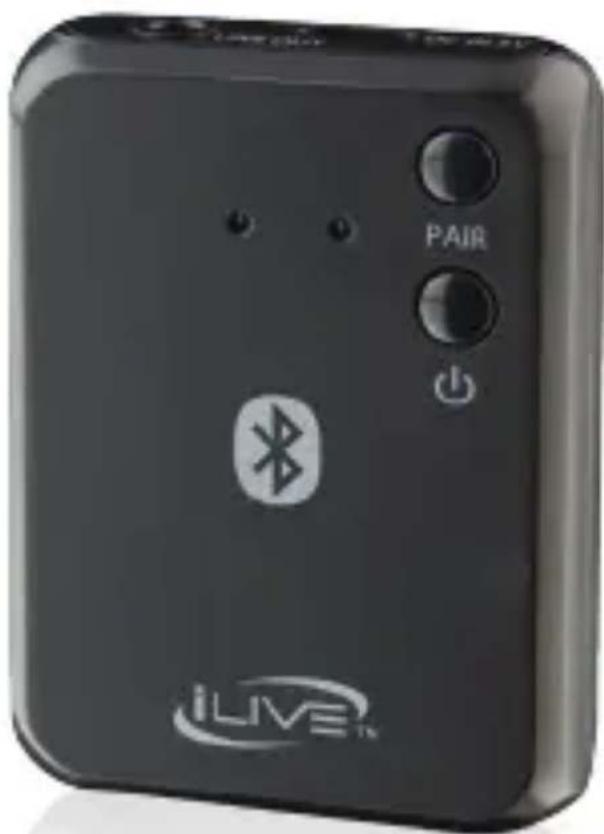
IAB13
Bluetooth Receiver and Adapter
For the most up-to-date version of this User's Guide, go to www.iLiveElectronics.com
Brand : iLive
Model : IAB13
Category : Bluetooth Receiver