
HPN5500 - Electric Blanket / Heating Pad SUNBEAM - Free user manual and instructions
Find the device manual for free HPN5500 SUNBEAM in PDF.


| Product Type | Electric Blanket / Heating Pad |
| Brand | Sunbeam |
| Model | HPN5500 |
| Available Sizes | Twin, Full, Queen, King |
| Dimensions (Twin) | 62 x 84 inches (157 x 213 cm) |
| Weight | Approx. 3 lbs (1.4 kg) for Twin size |
| Power Supply | 120 V, 60 Hz |
| Wattage | Approx. 130 W |
| Heat Settings | 10 adjustable heat levels |
| Auto Shut-Off | Yes, 10-hour automatic shut-off timer |
| Preheat Function | Yes, fast preheat setting |
| Control Type | Digital controller with LED display |
| Safety Features | Overheat protection, UL/ETL safety certified |
| Wash Care | Machine washable on gentle cycle (detach controller) |
| Drying Instructions | Tumble dry on low heat, do not iron or dry clean |
| Cord Length | 6 ft (1.8 m) from controller to wall plug |
| Material | Polyester fleece with soft microplush |
| Color | Available in multiple colors (varies by retailer) |
| Spare Parts Availability | Replacement controllers and cords available from Sunbeam |
| Warranty | 5-year limited warranty |
Frequently Asked Questions - HPN5500 SUNBEAM
User questions about HPN5500 SUNBEAM
0 question about this device. Answer the ones you know or ask your own.
Ask a new question about this device
Download the instructions for your Electric Blanket / Heating Pad in PDF format for free! Find your manual HPN5500 - SUNBEAM and take your electronic device back in hand. On this page are published all the documents necessary for the use of your device. HPN5500 by SUNBEAM.
USER MANUAL HPN5500 SUNBEAM
natural_image
Close-up of a textured rectangular panel with a black band and a white cable attached (no text or symbols visible)HPM5100 HPB5400
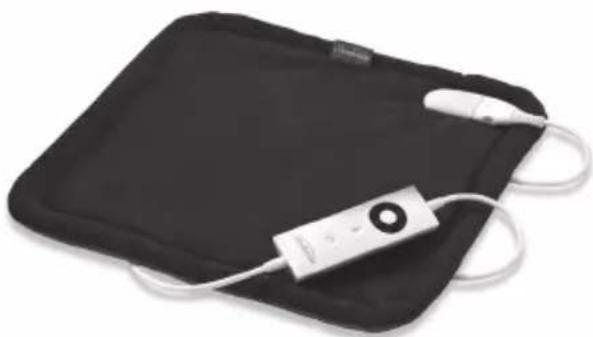
natural_image
Black rectangular device with white earband and USB cable, no visible text or symbols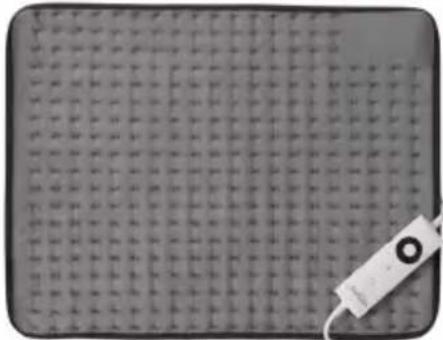
natural_image
Close-up of a textured surface with grid pattern and a small white object on the right (no visible text or symbols)HPN5300
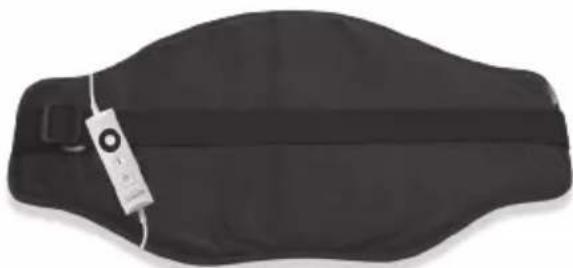
natural_image
Black athletic belt with a strap and tag, no visible text or symbolsHPN5500
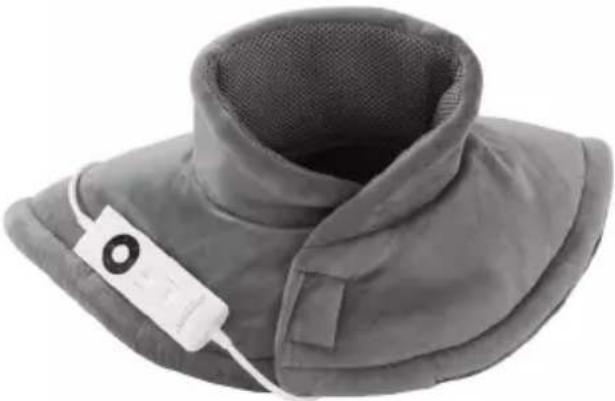
natural_image
Close-up of a gray medical or cosmetic device with a white cable attached, showing a mesh neck and curved top (no text or symbols visible)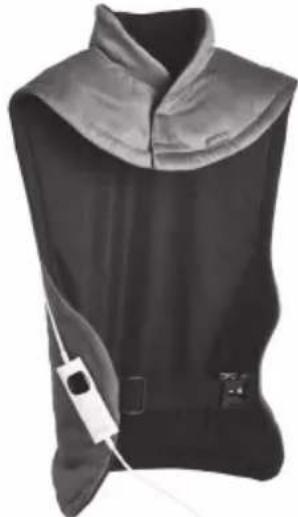
natural_image
Black sleeveless medical device with attached medical device (no visible text or symbols)| Sunbeam's | Safety | Precautions | |
| Get to know your Heating Pad | 4 | ||
| Using | your | Heating | Pad |
| Care | and | Cleaning | |
| Storage | |||
| Troubleshooting | |||
| Warranty | Information | ||
Important instructions - retain for future use.
Sunbeam is very safety conscious when designing and manufacturing consumer products, but it is essential that the product user also exercise care when using an electrical appliance. Listed below are precautions which are essential for the safe use of an electrical appliance:
- Read carefully and save all the instructions provided with an appliance.
- Always turn the power off at the power outlet before you insert or remove a plug. Remove by grasping the plug - do not pull on the cord.
- Turn the power off and remove the plug when the appliance is not in use and before cleaning.
- Do not use your appliance with an extension cord unless this cord has been checked and tested by a qualified technician or service person.
- Always use your appliance from a power outlet of the voltage (A.C. only) marked on the appliance.
- Close supervision is necessary when your appliance is being used by children or infirm persons.
- Young children should be supervised to ensure that they do not play with the appliance.
-
Never leave an appliance unattended while in use.
-
Do not use an appliance for any purpose other than its intended use.
- Do not place an appliance on or near a hot gas flame, electric element or on a heated oven. Do not place on top of any other appliance.
- Do not let the power cord of an appliance hang over the edge of a table or bench top or touch any hot surface.
- Do not operate any electrical appliance with a damaged cord or after the appliance has been damaged in any manner. If damage is suspected, return the appliance to the nearest Sunbeam Appointed Service Centre for examination, repair or adjustment.
- For additional protection, Sunbeam recommend the use of a residual current device (RCD) with a tripping current not exceeding 30mA in the electrical circuit supplying power to your appliances.
- Do not immerse the appliance in water or any other liquid unless recommended.
- Appliances are not intended to be operated by means of an external timer or separate remote control system.
- This appliance is not intended for use by persons (including children) with reduced physical, sensory or mental capabilities, or lack of experience and knowledge, unless they have been given supervision or instruction concerning use of the appliance by a person responsible for their safety.
If you have any concerns regarding the performance and use of your appliance, please visit www.sunbeam.com.au or contact the Sunbeam Consumer Service Line. Ensure the above safety precautions are understood.
Safety Precautions for your Heating Pad
- Do not switch the heating pad on if moist or wet.
- Do not use pins, needles, safety pins or other sharp items on your heating pad.
- Examine regularly for signs of wear or damage on the heating pad or on the cord and controller. If there are such signs, or the heating pad has been misused, contact Sunbeam customer service line.
- Only use your heating pad with the controller supplied or marked equivalent.
- Not to be used by very young children (0-3 years), infirm persons, or persons insensitive to heat.
- Children under the age of three are not to use this appliance due their inability to react to overheating.
- The appliance is not to be used by young children over the age of three unless the controls have been pre-set by a parent or guardian, or unless the child has been adequately instructed on how to operate the controls safely.
- Ensure that the heating pad is switched off and unplugged after use.
- Do not use on varicose veins.
- Do not use if you have skin disorders or open wounds.
- Do not use on sensitive skin or areas insensitive to heat.
-
The use of creams or ointments combined with the heat of the appliance may increase the risk of skin burns.
-
If you are pregnant or suffer from diabetes consult your health care practitioner before using.
- Do not use if you have tuberculosis, tumours, phlebitis, haemorrhages or thrombosis.
- Do not use if you have a pace maker fitted.
- Do not use outdoors.
- Do not use when intending to sleep.
- Keep out of the reach of children.
- This heating pad is not intended for use in hospitals.
- If appliance is used on an adjustable bed, check that the heating pad and cord do not become trapped or rucked, for example in hinges.
- When storing the appliance allow it to cool down before folding.
- Do not crease the appliance by placing items on top of it during storage.
- Should your appliance suffer a thermal or fuse link rupture (normally identified when the heating pad stops heating) please return it to the manufacturer or agent for repair or replacement.
- This appliance must not be used by persons insensitive to heat and other very vulnerable persons who are unable to react to overheating.
- Do not use if folded or crumpled.
- Use only with the cover supplied.
- Do not use the heating pad to heat animals.

When operating the appliance over a prolonged period of time DO NOT exceed the temperature levels stated for continuous usage.
If the appliance is set and used at a temperature higher than those indicated for continuous usage over an extended period of time, the user may suffer from skin burns or heat-related injuries.
Important instructions - retain for future use.
If you have any concerns regarding the performance and use of your appliance, please visit www.sunbeam.com.au or contact the Sunbeam Consumer Service Line. Ensure the above safety precautions are understood.
Care Label Symbols

Attention

Instruction Booklet - Please read the instructions thoroughly before use
Get to know your Heating Pad
(HPM5000, HPM5100, HPN5300, HPM5200 and HPB5400 ONLY)
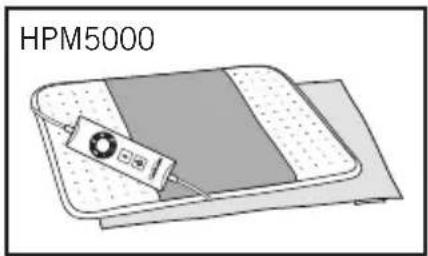
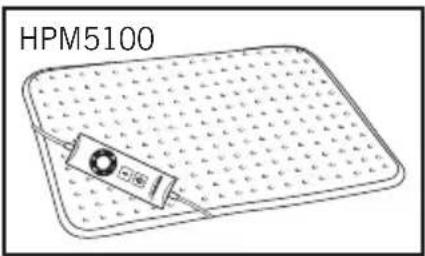
natural_image
Diagram of a device labeled HPM5100 on a grid-patterned surface (no text or symbols on the device itself)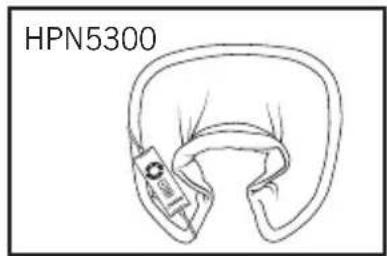
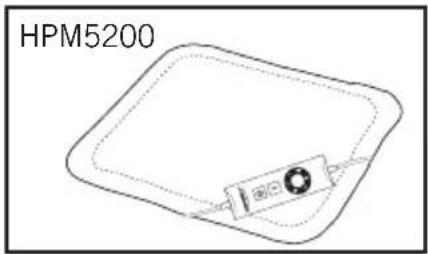
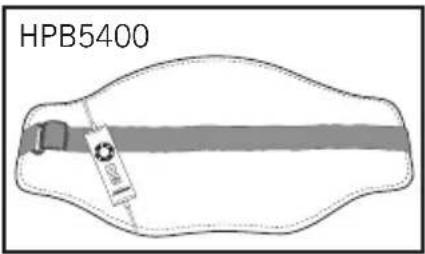
NOTE: for HPM5000, HPM5100, HPN5300, HPM5200 and HPB5400, use ONLY with Controller R67A3.
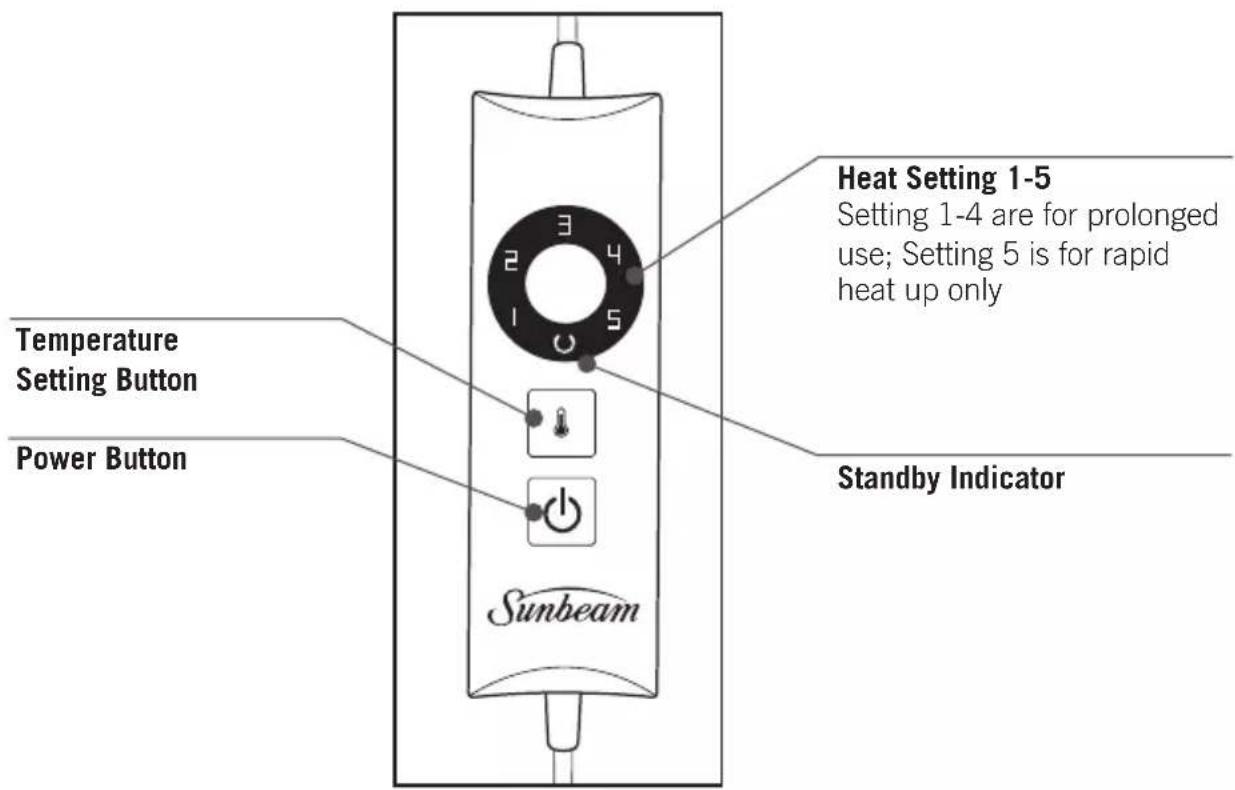
Controller R67A3
natural_image
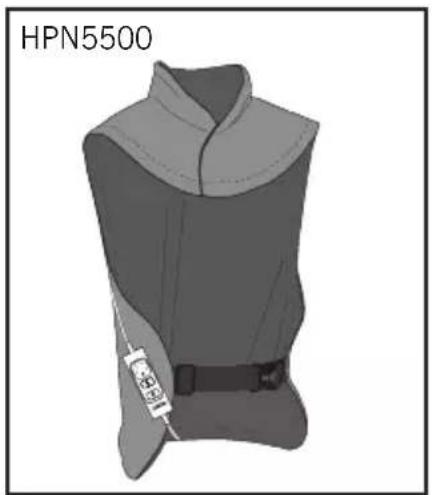
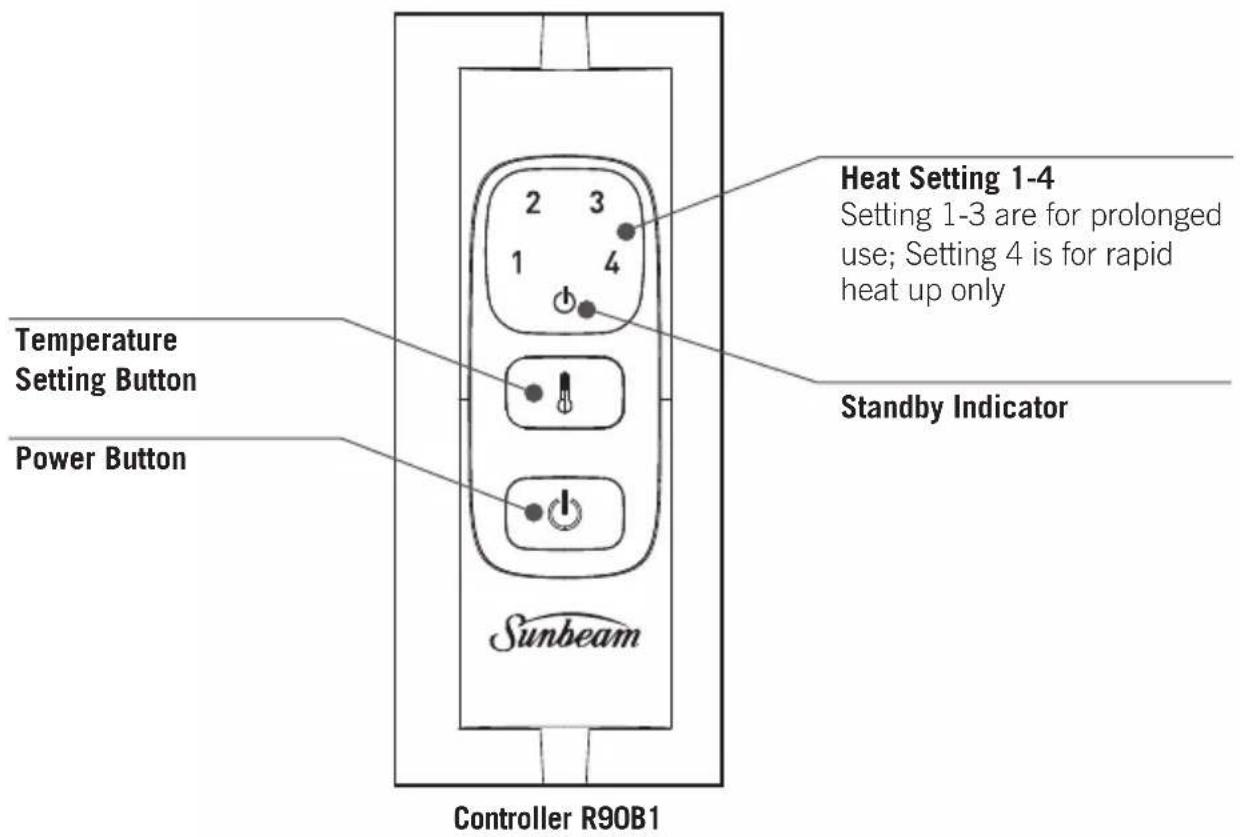
Illustration of a sleeveless vest with belt and zipper, labeled HPN5500 (no other text or symbols)NOTE: for HPN5500, use ONLY with Controller R90B1.
Using your Heating Pad
- Remove all packaging.
- Ensure the power button on the controller is in the off position.
- Connect the controller to the heating pad by inserting into the socket.
- Insert the plug into the power outlet and switch on.
- The heating pad will automatically default to setting 5 (on Controller R67A3) or setting 4 (on Controller R90B1) for rapid heating, and begin to heat up.
- Setting 5 (on Controller R67A3) or Setting 4 (on Controller R90B1) is for heat up only. Do not use this setting for continuous or prolonged use (or if you are likely to fall asleep with it powered on).
- Place the heating pad (HPM5000, HPM5100, HPM5200) on your shoulder, arm, leg, behind your back or neck whilst sitting or lying on a couch, chair or bed. The versatile heating pad is a cozy and comfortable addition to any lounge or bedroom.
-
(HPM5000 ONLY) You can use the sleeve to secure the heating pad to a chair back or around your arm or leg.
-
To reduce the warmth, switch to a lower heat setting. For continuous or prolonged use (or if you are likely to fall asleep with it powered on), select from settings 1-4 (on Controller R67A3) or settings 1-3 (on Controller R90B1) only.
- Use HPM5000, HPM5100, HPN5300, HPM5200 and HPB5400 ONLY with Controller R67A3.
- Use HPN5500 ONLY with Controller R90B1.
Note: If the blue standby indicator light on the controller begins to flash, turn the controller off and check that the controller is properly connected to the heating pad. If the blue standby indicator continues to flash after turning the controller back on, contact Sunbeam customer service line.
Auto off function
- The heating pad features an auto shut off. After 90 minutes (on Controller R90B1) or 3 hours (on Controller R67A3) operation, the blue standby indicator light will show to indicate the heating pad has switched itself off.
Care and Cleaning
This heating pad features waterproof heating elements, making them fully immersible and safe to wash by hand or machine. Before cleaning your heating pad, ensure that the controller is unplugged from the heating pad.
Spot cleaning
Sponge the affected area using a neutral wool detergent or mild soap flakes mixed with lukewarm water. Sponge twice with clean water to remove detergent. Remove excess water by compressing the wet area between two towels.
Hand washing
Wash the heating pad in lukewarm water with a neutral wool detergent or mild soap flakes. Soak for five minutes, then gently squeeze the soapy water through the fabric. Rinse thoroughly in clean, lukewarm water then drain excess water from the heating pad. Do not wring.
Machine washing
Wash on WOOL or DELICATES cycle with a neutral wool detergent or mild soap flakes, below 40°C. Do not use high speed or extra spin cycles.
Line drying
Drape the heating pad across several lines of your clothesline. Do not use pegs on the wired areas. Do not dry with a hairdryer or heater. Ensure that the heating pad and controller socket is completely dry before using again.
Machine drying
Tumble dry your heating pad on LOW setting for 15 minutes MAXIMUM. Smooth the heating pad by gently pulling any creases out of the fabric. Line dry to ensure the heating pad and controller socket is completely dry before use. Do not dry with a hairdryer or heater.
Storing your heating pad
Roll or fold your heating pad loosely and store it in a dry place. Avoid pressing sharp creases into the heating pad. Do not place heavy items on top of your heating pad when storing.
Checking your heating pad
Examine the heating pad frequently for signs of wear or damage. If there are any such signs or if the heating pad has been misused, contact customer service line prior to any further use.
Storage
Store this heating pad as follows when not in use:
- Wait for the heating pad to be completely dry if previously washed.
- When storing the heating pad, allow it to cool down before folding.
- Store the heating pad in a dry place.
Examine the heating pad and its supply cord frequently for signs of wear or damage. If there are such signs or in the case of malfunction, contact our customer service line.
Troubleshooting
The table below describes the most common problems that can arise using the appliance. If the problems cannot be solved with the information below, please contact the customer service line.
| Problem Solution | |
| The LEDs on the controller do not light up. Check that the controller plug is fully inserted in the socket. If the LEDs remain off, remove the controller plug from the socket and contact the customer service line. | |
| The blue warning light is flashing. Turn the controller off and remove the plug from the socket. Check that the controller connector is fully inserted in the heating pad and reinsert the plug in the socket. If the standby LED continues to flash, contact customer service line. | |
| Temperature LED on the controller is flashing. | Contact our customer service line. |
| The product has been used incorrectly or is damaged. | |
| The power cable or another internal wire is damaged. | |
| The controller is damaged. | |
| There are holes or tears in the fabric or stubborn creases that do not spread out. | |
This Sunbeam product is covered by a 2 year replacement or repair warranty, which is in addition to your rights under the Australian Consumer Law (if your product was purchased in Australia) or New Zealand Consumer Guarantees Act (if your product was purchased in New Zealand).
Should you experience any difficulties with your product during the warranty period, please contact our customer service line for advice on 1300 881 861 in Australia, or 0800 786 232 in New Zealand.
Australia
www.sunbeam.com.au 1300 881 861
New Zealand
www.sunbeam.co.nz 0800 786 232
Upon receipt of your claim, Sunbeam will seek to resolve your difficulties or, if the product is defective, advise you on how to obtain a replacement or refund.
To assist us in managing warranty claims, we recommend you register your product as soon as practicable after purchase by creating a MySunbeam account on our website and uploading a copy of your original receipt.
In order to make a claim under our warranty, you must have the original proof of purchase documentation for the product and present it when requested (if not already uploaded to our website).
Should your product develop any defect within 2 years of purchase because of faulty materials or workmanship, we will replace or repair it, at our discretion, free of charge. A product presented for repair may be replaced by a refurbished product of the same type rather than being repaired. Refurbished parts may be used to repair the product.
Our replacement or repair warranty only applies where a defect arises as a result of faulty material or workmanship during the warranty period. Your warranty does not cover misuse or negligent handling (including damage caused by failing to use the product in accordance with this instruction booklet), accidental damage, or normal wear and tear.
Your warranty does not:
• cover freight or any other costs incurred in making a claim, consumable items, accessories that by their nature and limited lifespan require periodic renewal (such as filters and seals) or any consequential loss or damage; or
• cover damage caused by:
- power surges, power dips, voltage supply problems, or use of the product on incorrect voltage;
- servicing or modification of the product other than by Sunbeam or an authorised Sunbeam service centre;
- use of the product with other accessories, attachments, product supplies, parts or devices that do not conform to Sunbeam specifications; or
- exposure of the product to abnormally corrosive conditions; or
- extend beyond 3 months if the product is used in commercial, industrial, educational or rental applications.
The benefits given to you by our warranty are in addition to other rights and remedies under law in relation to the product.
In Australia our goods come with guarantees that cannot be excluded under the Australian Consumer Law. You are entitled to a replacement or refund for a major failure and for compensation for any other foreseeable loss or damage. You are also entitled to have the goods repaired or replaced if the goods fail to be of acceptable quality and the failure does not amount to a major failure.
Our goods also come with guarantees that cannot be excluded under the New Zealand Consumer Guarantees Act.
If your warranty claim is not accepted, we will inform you and if requested to do so by you, repair the product provided you pay the usual charges for such repair. You will also be responsible for all freight and other costs.
Should your product require repair or service after the warranty period, contact your nearest Sunbeam service centre. For a complete list of Sunbeam's service centres, visit our website or call our customer service line for advice on 1300 881 861 in Australia, or 0800 786 232 in New Zealand.
Need help with your appliance?
Contact our customer service team or visit our website for information and tips on getting the most from your appliance.
Australia | visit www.sunbeam.com.au
phone 1300 881 861
New Zealand | visit www.sunbeam.co.nz
phone 0800 786 232
Newell Australia Pty Ltd. ABN 68 075 071 233
Sunbeam is a registered trade mark.
Made in China to Sunbeam's specification.
Due to minor changes in design or otherwise,
the product you buy may differ slightly from the one shown here.
Approved by the appropriate electrical regulatory authorities.
©Copyright Sunbeam 2023.
05/23
SAP 2166995 SAP 2182217
SAP 2166996 SAP 2182215
SAP 2167009 SAP 2182216
- Important instructions - retain for future use.
- Safety Precautions for your Heating Pad
- Care Label Symbols
- Using your Heating Pad
- Auto off function
- Care and Cleaning
- Spot cleaning
- Hand washing
- Machine washing
- Line drying
- Machine drying
- Storing your heating pad
- Checking your heating pad
- Storage
- Troubleshooting
- Australia
- New Zealand
- Your warranty does not:
- • cover damage caused by:
- The benefits given to you by our warranty are in addition to other rights and remedies under law in relation to the product.
- Our goods also come with guarantees that cannot be excluded under the New Zealand Consumer Guarantees Act.
- Need help with your appliance?
Brand : SUNBEAM
Model : HPN5500
Category : Electric Blanket / Heating Pad