
50UBC6000D - Television BLAUPUNKT - Free user manual and instructions
Find the device manual for free 50UBC6000D BLAUPUNKT in PDF.


| Product Type | Television |
| Brand | Blaupunkt |
| Model | 50UBC6000D |
| Screen Size | 50 inches (diagonal) |
| Display Resolution | 3840 x 2160 (4K Ultra HD) |
| Brightness | 250 cd/m² |
| Contrast Ratio | 5000:1 |
| Aspect Ratio | 16:9 |
| Viewing Angle (H/V) | 170°/170° |
| Power Supply | 100-240V, 50/60Hz |
| Dimensions (without stand) | 1116.8 x 88.7 x 645 mm |
| Dimensions (with stand) | 1116.8 x 703 x 273.6 mm |
| Gross Weight | 12.7 kg |
| Operating Temperature | 5°C to 45°C |
| Storage Temperature | -15°C to 45°C |
| Operating Humidity | ≤80% |
| Storage Humidity | ≤90% |
| Connectivity Ports | HDMI, USB 2.0, LAN, AV, Digital Audio Out, Headphone Out |
| Smart TV Platform | Android TV |
| Voice Control | Yes (via remote) |
| Audio Support | Dolby Atmos |
| Video Support | Dolby Vision |
| Remote Control | Included with batteries |
| Stand | Included |
| Wall Mountable | Yes (follow manufacturer instructions) |
Frequently Asked Questions - 50UBC6000D BLAUPUNKT
User questions about 50UBC6000D BLAUPUNKT
0 question about this device. Answer the ones you know or ask your own.
Ask a new question about this device
Download the instructions for your Television in PDF format for free! Find your manual 50UBC6000D - BLAUPUNKT and take your electronic device back in hand. On this page are published all the documents necessary for the use of your device. 50UBC6000D by BLAUPUNKT.
USER MANUAL 50UBC6000D BLAUPUNKT
natural_image
Line drawing of a flat-screen computer monitor with a blank screen (no text or symbols)Enjoy it.
UD DISTRIBUTION FZE UAE
Model name and seerial number are indicated on the back cover of TV
© All rights reserved
EAC

CE
Please read this manual carefully for proper usage before installation.
It is recommended to keep this manual properly for future check. The pictures provided in this manual are only for your reference.
Table of contents
Help....1
warning 2
Safety instructions....6
Getting started 8
Controls and connections 9
Connecting antenna, Internet and external devices....11
Getting started 12
After use 13

Figures and illustrations in this Operation Manual are provided for reference only and may differ from actual product appearance. Product design and specifications may be changed without notice.
Help
The Help feature offers a lot of information about your TV operation. To use the Help feature, press the Home button, and then use the arrow and OK buttons to access to the Help menu. You can find how to troubleshoot from the list or keyword search.
If you update APK, the Help feature and information will be updated.
Warning
DEAR CUSTOMER:
Before operating, please read all these safety and operating instructions com then retain this manual for future reference.
Always comply with the following precautions to avoid dangerous situations a performance of your product.

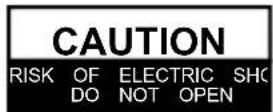

WARNING:
TO REDUCE THE RISK OF ELECTRIC SHOCK DO NOT REMO' (OR BACK). NO USER SERVICEABLE PARTS INSIDE. REFER TO QUALIFIED SERVICE PERSONNEL.

The lightning flash with arrowhead symbol, within an equilateral tri intended to alert the user to the presence of uninsulated “dangerous voltage” within the products enclosure that may be of sufficient magnitude a riskofelectricshock.

The exclamation point within an equilateral triangle is intended to the presence of important operating and maintenance (servicing instructions in the literature accompanying the appliance.
REGULATORY INFORMATION
This equipment generates uses and can radiate radio frequency energy and, and used in accordance with the instructions, may cause harmful interference communication. However, there is no guarantee that interference will not occur particular installation. If this equipment does cause harmful interference to rad reception, which can be determined by turning the equipment off and on, the encouraged to try to correct the interference by one or more of the followi
a. Relocate the receiving antenna.
b. Increase the separation between the equipment and receiver.
c. Connect the equipment into an outlet on a circuit different from that to receiver is connected.
d. Consult the dealer or experienced radio/TV technician for help.
CAUTION
※ Do not attempt to modify this product in any way without written from supplier. Unauthorized modification could void the user's authority to this product.
※ Figures and illustrations in this User Manual are provided for referem may differ from actual product appearance. Product design and specific changed without notice.
IMPORTANT WARNINGS AND CAUTIONS!
Electrical energy can perform many useful functions, but it can also cause personal injuries and property damage if improperly handled. This product has been engineered and manufactured with the highest priority on safety. BUT IMPROPER USE CAN RESULT IN POTENTIAL ELECTRICAL SHOCK OR FHAZARD. In order to prevent potential danger, please observe the following instructions when installing, operating and cleaning the product.
- Attachments---Only use attachments/accessories specified by the manufacturer. Do not use attachments not recommended by the manufacturer. Use of improper attachments can result in accidents.
- Water--- To reduce the risk of fire or electric shock, do not expose this apparatus to rain or moisture. The apparatus shall not be exposed to dripping or splashing and objects filled with liquids, such as vases, shall not be placed on apparatus.
- Fire or explosion---Do not use or store flammable or combustible materials near unit. Doing so may result in fire or explosion. Do not place any naked flame such as lit candles, cigarettes or incense sticks on top of the TV set. Warning: To prevent the spread of fire, keep candles or other open flames away from this product at all times.
- Ventilation---When you install your TV, maintain a distance of at least 4 inches between the TV and other objects (walls, cabinet sides, etc.) to ensure proper ventilation. Failing to maintain proper ventilation may result in a fire or a prob the product caused by an increase in its internal temperature.
- This equipment is a Class II or double insulated electrical appliance. It has been designed in such a way that it does not require a safety connection to electr
- Power source---This product is intended to be supplied by a listed power supp indicated on the marking label. If you are not sure of the type of power su home, consult your product dealer or local power company.
- Overloading---Do not overload wall outlets, extension cables, or convenience receptacles on other equipment as this can result in a risk of fire or electric
- Voltage---Before installing this TV set, make sure your outlet voltage corresponds the voltage stated on the appliance rating label.
- Power plug --- Do not defeat the safety purpose of the polarized or grounding plug. Most appliances recommend they be placed upon a dedicated circuit; that single outlet circuit which powers only that appliance and has no additional or branch circuits.
- The MAINS plug of the apparatus is used as the disconnect device, the disc device shall remain readily open. Your AC power socket close to your TV fo easy plugging and unplugging.
- Wall mounting---When mounting the product on a wall, be sure to install the according to the method recommended by the manufacturer. This is a safety fee
Warning
- Stand--- Do not place the product on an unstable trolley, stand, tripod or table. Placing the product on an unstable base can cause the product to fall, resulting in personal injuries as well as damage to the product.
Always place the TV on furniture that can safely support the TV. Make sure the TV do not overhang the edge of the supporting furniture. - Entering of objects and liquids---Never insert an object into the product through vents or openings. High voltage flows in the product, and inserting an object ca electric shock and/or short internal parts. For the same reason, do not spill w liquid on the product.
- Damage requiring service--- This unit should only be serviced by an authorize properly trained technician. Opening the cover or other attempts by the user to this unit may result in serious injury or death from electrical shock, and may the risk of fire.
- Replacement parts---In case the product needs replacement parts, make sure the service person uses replacement parts specified by the manufacturer, or those same characteristics and performance as the original parts. Use of unauthorized can result in fire, electric shock and/or other danger.
- Safety checks---Upon completion of service or repair work, request the service technician to perform safety checks to ensure that the product is in proper o condition.
- Children ---Do not allow young children to play with the plastic bag that came television when you unpacked it. Failure to do so can result in suffocation, can injury.
- Batteries---The batteries (battery pack or batteries installed) shall not be excessive heat such as sunshine, fire or the like. Do not dispose of any batteries in with the domes tic waste. Ret urn them to a collecti on point for ol d batteries.
- Antenna ---Install the antenna away from high-voltage power lines and communic cables and make sure it is installed securely. If the antenna touches a power contact with the antenna could result in fire, electric shock or serious injury.
- Panel protection--- The panel used in this product is made of glass. Therefore break when the product is dropped or impacted upon by other objects. Be car be injured by broken glass pieces in case the panel breaks.
- It is recommended not to use the product in places where there is oil smoke or steam that may damage the material of this product.
- The product is in standby mode under the network function, and it takes 30 minutes to enter the stable state.
- Operating Temperature: 5°C to 45°C Operating Humidity: ≤80%
Storage Temperature: 150 45℃ Storage Humidity: ≤90% - \~: It Indicates alternating current.
=: It Indicates direct current.
Stability Hazard
The television set may fall, causing serious personal injury or death.
Never place a television set in an unstable location. A television set may fall, causing serious personal injury or death. Many injuries, particularly to children, can be avoided by taking simple precautions such as:
- Using cabinets or stands recommended by the manufacturer of the television set.
- Only using furniture that can safely support the television set.
- Ensuring the television set is not overhanging the edge of the supporting furniture.
- Not placing the television set on tall furniture (for example, cupboards or bookcases) without anchoring both the furniture and the television set to a suitable support.
- Not placing the television set on cloth or other materials that may be located between the television set and supporting furniture.
- Educating children about the dangers of climbing on furniture or reach the television set or its controls.
If your existing television set is being retained and relocated, the same considerations as above should be applied.
To prevent injury, this television set must be securely attached to the floor/wall in accordance with the installation instructions.
No matter in what circumstances, please keep the TV panel vertically placed, if any tilt, the tilt angle between panel and vertical plane must not exceed 15^ (the rule applies to frameless series product).
Intended use of the product
This is a consumer electronics device. It is used to receive TV via an antenna or cable TV network and to play back multimedia files from the Internet and USB mass storage devices. It may only be used for private purposes and not for industrial or commercial applications. It is not intended for medical, life saving or life preserving applications.
Only use connecting cables and external devices which are compatible with the product in terms of safety, electromagnetic compatibility and shielding.
Only use accessories recommended by the manufacturer. Do not use this device for purposes other than those indicated and do not modify it in any way. Always comply with the regulations and laws of the country in which you are operating the device.
NOTE:
The range of power input for the TV is 100-240V\~50/60Hz; do not connect the TV power input port with the power cable out of the above range.
◆ Please hold the insulated part of the plug when you are unplugging the power cable, do not touch directly the metallic part of the cable.
Before connecting to an external device, please firstly make sure that the TV set and the external device have been turned off. When connecting, please make reference to the interface name and the interface color to connect the signal cable.
Explanation of other symbols
Dolby
VISION·ATMOS
Dolby, Dolby Vision, Dolby Atmos, and the double-D symbol are registered trademarks of Dolby Laboratories Licensing Corporation. Manufactured under license from Dolby Laboratories. Confidential unpublished works. Copyright © 2012–2021 Dolby Laboratories. All rights reserved.
Safety instructions
IMPORTANT SAFETY INSTRUCTIONS
- Read these instructions.
- Keep these instructions.
- Heed all warnings.
- Follow all instructions.

natural_image
Cartoon illustration of a smiling computer monitor holding an open book (no text or symbols present)- Do not block any of the ventilation openings. Install in accordance with the manufacturer's instructions.

natural_image
Cartoon illustration of a computer monitor with a sad face and raised fists, symbolizing stress or urgency (no text or symbols present)- Do not use this apparatus near water.

natural_image
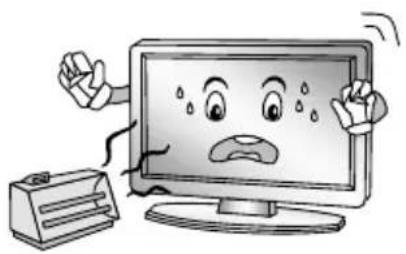
Cartoon illustration of a computer monitor with hands holding a document, surrounded by flying documents and a megaphone (no text or symbols)- Do not install near any heat source such as radiators, heat registers, stoves, or other apparatus (including amplifiers) that produce heat.
natural_image
Cartoon illustration of a computer monitor with a sad face and two fists, accompanied by a printer (no text or symbols present)- Clean only with a dry cloth.

natural_image
Illustration of a smiling computer monitor with a hand holding an electrical plug, next to a person standing beside it (no text or symbols present)- Do not defeat the safety purpose of the polarized or grounding type plug. A polarized plug has two blades with one wider than other. A grounding type plug has two blades and a third grounding prong. The wide blade or the third prong is provided for your safety. When the provided plug does not fit into your outlet, consult an electrician for replacement of the obsolete outlet.
Safety instructions
- Protect the power cord from being walked on or pinched particularly at plugs, convenience receptacles, and the point where they exit from the apparatus.

natural_image
Cartoon illustration of a computer monitor with an angry face and power plug, showing electrical connections (no text or symbols)-
Only use the attachments/accessories specified by the manufacturer.
-
Use only with a cart, stand, tripod, bracket, or table specified by the manufacturer, or sold with the apparatus. When a cart is used, use caution when moving the cart/ apparatus combination to avoid injury from tip-over.

natural_image
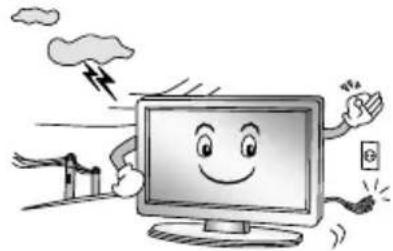
Symbolic icon of a person climbing a ladder inside a circle with no text or symbols- Unplug this apparatus during lightning storms or when unused for long periods of time.
natural_image
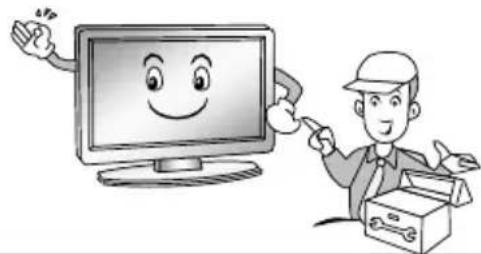
Cartoon illustration of a smiling computer monitor with hands and lightning, emitting smoke (no text or symbols)- Refer all servicing to qualified service personnel. Servicing is required when the apparatus has been damaged in any way, such as power supply cord or plug is damaged, liquid has been spilled or objects have fallen into the apparatus, the apparatus has been exposed to rain or moisture, does not operate normally, or has been dropped.
natural_image
Illustration of a smiling computer monitor and a worker with a toolbox, no text or symbols present.NOTE:
- Disposal of this product must be carried out in accordance to the regulations of your local authority. Do not dispose of this product with general household waste disposal.
- Occasionally, a few non-active pixels may appear on the screen as a fixed point of blue, green or red. Please note that this does not affect the performance of your product.
- Avoid touching the screen or holding your finger(s) against it for long periods of time. Doing so may produce some temporary distortion effect on the screen.
It is not recommended to keep a certain still image displayed on the screen for a long time as well as displaying extremely bright images on screen, reduce the 'brightness' and 'contrast' when displaying still images.
Getting started
Fitting the stand
Before you can install your TV set, you need to fit the stand. Alternatively, you can mount it on the wall. A Phillips screwdriver is needed to perform the installation.
Setting up the TV set
Place your TV set on a flat, stable surface (e.g. a table or a specially designed TV stand). Make sure that all cables are laid simply and safely and do not represent a trip hazard. The device must be connected to a mains socket using the mains cable. This mains socket must be easily accessible so that the mains plug can be removed immediately in the event of an emergency.
Fitting the batteries into the remote control
- Turn the remote control over with its underside facing upwards, insert a finger into the recess, and push the battery compartment cover in the direction of the arrow. Remove the battery compartment cover.

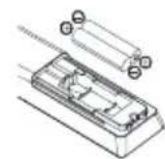

- Insert the bat teries supplied into the remote control. Make sure that you insert the batteries correctly with the polarity as shown inside the battery compartment.
- Replace the battery compartment cover and push in the opposite direction to the arrow until it clicks into place.
Notes on Using Batteries:
The use of the wrong type of batteries may cause chemical leakage and/or explosion.
Please note the following:
◆ Always ensure that the batteries are inserted with the + and - terminals in the correct direction as shown in the battery compartment.
- Different types of batteries have different characteristics. Do not mix different types.
Do not mix old and new batteries. Mixing old and new batteries will shorten battery life and/or cause chemical leakage.
◆ Replace batteries as soon as they do not work.
◆ Chemicals which leak from batteries may cause skin irritation. If any chemical matter seeps out of the batteries, wipe it up immediately with a dry cloth.
- The batteries may have a shorter life expectancy due to storage conditions. Remove the batteries whenever you anticipate that the remote control will not be used for an extended period.
◆ The batteries (battery pack or batteries installed) shall not be exposed to excessive heat such as sunshine, fire or the like.
CAUTION:
It may result in an explosion if batteries are replaced incorrectly.
- Only replace batteries with the same or equivalent type.
Controls and connections

Caution: Before connecting or disconnecting any cables, switch off all related devices (also the TV). Otherwise you could damage the devices.
Back

natural_image
Technical line drawing of a flat-screen TV unit with internal components and mounting feet (no text or symbols)
- LAN: Network port
- HDMI ports
- Antenna socket
- AV
- Digital audio out
- Headphone out
- USB 2.0 port
Remote control
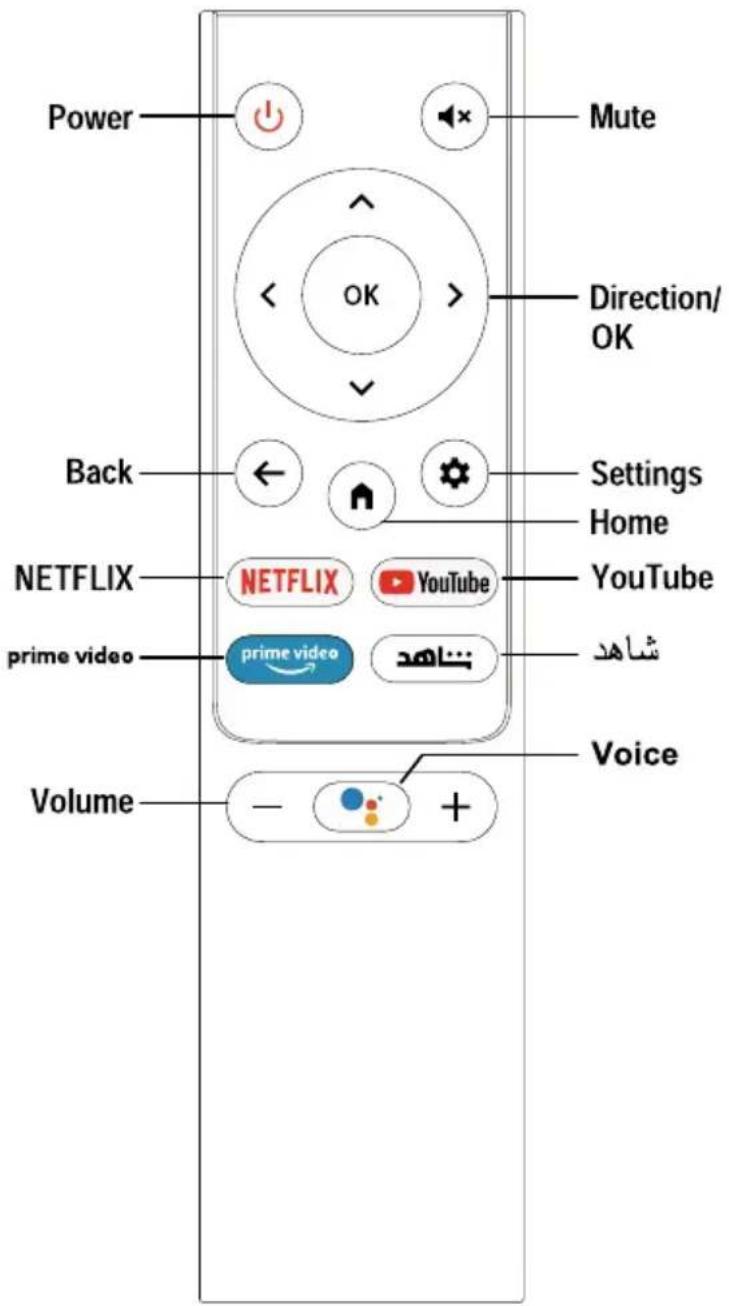
Definition of the buttons on remote control:
| Buttons | Description |
| Power | Turn on/off TV |
| Mute | Mute or restore sound |
| Direction/OK | Press the direction buttons to select menu options or settings. Press OK to select or confirm menu item. |
| Back | Return to previous menu or setting |
| Settings | Display System Settings Menu / RQJ□SUHVV□WR□DSSHDU□VRIW□NH\ ERDUG |
| Home | Open Android TV Homepage |
| NETFLIX | Open to NETFLIX |
| YouTube | Open YouTube App |
| prime video | Open to prime video homepage |
| شاهد | Go to shahid |
| Voice | Activate Voice command function |
| Volume | Adjust the volume |
Connecting antenna, Internet and external devices
Connecting the TV antenna or cable TV
You can connect the cable from your indoor or outdoor antenna or cable TV to the antenna socket.

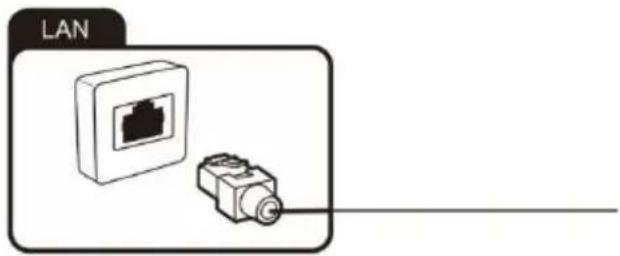
Connecting the network cable (LAN connection)

You can also establish an internet connection via WiFi.
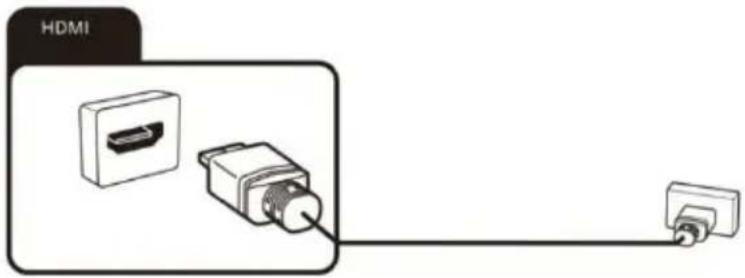
Connecting external equipment with HDMI interface
HDMI is the abbreviation for “High Definition Multimedia Interface” and allows the digital transmission of both audio and video signals over the same cable.
In order to play the audio and video signal fed in from the external device on the TV, select the signal source as appropriate.
Connecting headphones
You can connect headphones to the socket marked with a headphones symbol.
Connecting USB device
The TV has USB 2.0 ports for connection with appropriate mass storage devices.

Connecting an external device with AV output
Connect external devices via the AV jack directly to TV by using a AV cable.
In order to play the audio and video signal fed in from the external device on the TV, select the signal source "AV".

natural_image
Diagram showing connections between an electronic device and a device labeled 'AV', with no visible text or symbols.Connecting a digital audio system
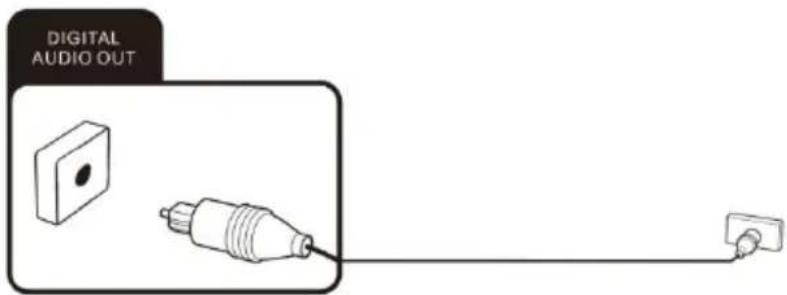
You can connect your TV set to a digital audio system.
Sending the TV'S digital audio signa to external audio equipment via the Digital Audio Output port.
Getting started
Powering the TV set on and off
Powering on
Check that the TV is in standby mode. This means the mains cable must be connected to a working mains socket. The n press the power button on the device or the ⏻ button on the remote control to turn on the TV.
Powering off
To power the TV off, either press the Power button on the device or press the ⏻ button on the remote control.
After use
Cleaning

Warning: Make sure the device is unplugged from the mains power before cleaning. Otherwise, there is a risk of electrocution!
Never spill or spray any type of liquid into the unit. Only use a clean, dry cloth for cleaning the casing. Never use aggressive liquids. When very dirty, use a slightly dampened cloth.
Clean the screen with a special cleaning cloth for screens.

Caution: when you clean the screen, hold the device steady with one hand and c arefully c lean t he screen w ith the other. O therwise, t he d evice could t ip over and get damaged or cause injuries.
Storage when not in use
If you do not plan to use the device for an extended period of time, unplug the power cord from the socket and remove the bat teries from the remote control. Make sure that the storage temperature is between -15 °C and 45 °C and the relative humidity does not exceed 90%.
Transport
If you wish to move the device a short distance, proceed as follows to transport the device:
- Disconnect the device from the mains.
- Remove all cables connected to the device.
- If you wish to move the device outside your building, demount the base and the optional side supports or the mounted wall bracket by reversing the procedure.
- Pack the TV set up carefully. Take special care to ensure the corners of the casing and the screen are well protected.
- Take the TV set and its accessories to its new location and recommission it.
Disposal of old electrical appliances

The European directive 2012/19/EU on Waste Electrical and Electronic Equipment (WEEE), requires that old household electrical appliances must not be disposed of in the normal unsorted municipal waste stream. Old appliances must be collected separately in order to optimize the recovery and recycling of the materials they contain, and reduce the impact on human health and the environment.
The crossed out “wheeled bin” symbol on the product reminds you of your obligation, that when you dispose of the appliance, it must be separately collected.
Consumers should contact their local authority or retailer for information concerning the correct disposal of their old appliance.
Specification
| Model 50UBC6000D | |
| Screen Size 50" | |
| Resolution 3840 x 2160 | |
| Brightness (cd/m2) 250 | |
| Contrast ratio 5000:1 | |
| Aspect Ratio 16:9 | |
| Viewing angle 170/170 | |
| Power Input ~100-240V 50/60Hz | |
| Dimentions without stand 1116.8 x 88.7 x 645 | |
| Dimentions with stand 1116.8 x 703 x 273.6 | |
| Gross weight(kg) 12.7 | |
Note: The technical data and design may be changed without prior notice.
All the pictures in this user manual are for illustrative purposes only and may be used for reference.
Depending on the model, the actual product shall prevail.
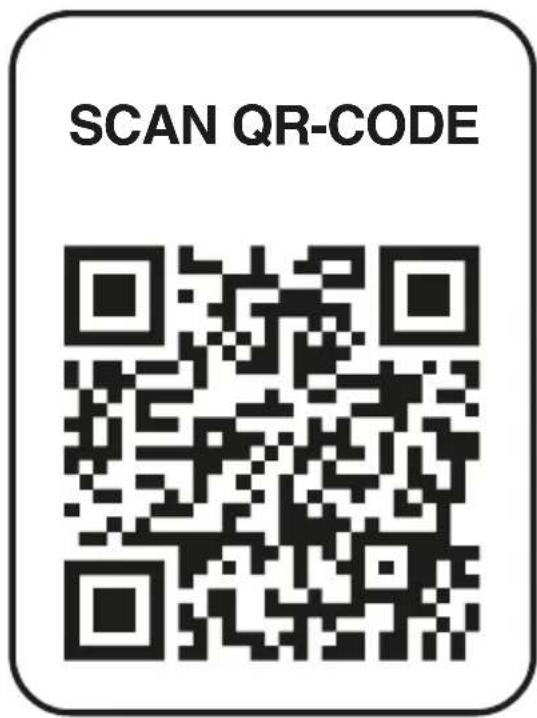
REGISTER YOUR PRODUCT AND GET SUPPORT AND WARRANTY
AM-9pwugtp âtn wupwupn u unwugtp wysulgniρητιu l upw2juh; AZ-Mehsulunuzu qeydiyyatdan keçirin ve destek ve zemanet elde edin; BY-Зарэгіструйце свой прадукт і атрымайце падтрымку і гарантию; CZ-Zaregistrujte svúj produkt a získejte podporu a záruku; DE-Registrieren Sie Ihr Produkt und erhalten sie support und garantie; EL-Kataxwpríste to προϊόν σας και λάβετε υποστήριξη και εγγύηση; ES-Registre su producto y obtenga soporte y garantía; HU-Regisztrálja termékét, és kérjen támogatást és garanciát; IT-Registra il tuo prodotto e ottieni supporto e garanzia; KZ-Өнімінізді тіркен, колдау мен кепіндік алыңыз; LT-Užregistruokite savo gaminj ir gaukite palaikymą bei garantija; LV-Registrējiet savu produktu un saņemiet atbalstu un garantiju; NI-Registreer uw product en krijg ondersteuning en garantie; PL-Zarejestruj swój produkt i uzyskaj wsparcie i gwarancję; PT-Registre seu produto e obtenha suporte e garantia; SK-Zaregistrujte svoj produkt a získajte podporu a záruku; RU-Зарегистрируйте свой продукт и получите поддержку и гарантию; RO-Înregistrati-vă produsul și obțineți asistență și garanție; UA-Зареєструйте свій продукт та отримайте підтримку та гарантію; UAE- نامضلَاو مeditلا ت lig ل_areaю кجتنم لјес

| 50UBC6000D | |
| 50” | |
| 3840 x 2160 | |
| 250 | |
| 5000:1 | |
| 16:9 | |
| 170/170 | |
| ~100-240V 50/60Hz | |
| 1116.8 x 88.7 x 645 | |
| 1116.8 x 703 x 273.6 | |
| 12.7 |
natural_image
Diagram showing a device connected to a cable via a cable connector (no text or symbols present)الاستعداد
تشغيل وإيقاف الجهاز
تشغيل الجهاز
natural_image
Technical line drawing of a flat-screen TV unit with internal components and mounting feet (no text or symbols)
natural_image
Cartoon illustration of a smiling computer monitor with hands and a phone, surrounded by clouds and a small building (no text or symbols).13
natural_image
Cartoon illustration of a computer monitor with an angry face and power plug, showing electrical connections (no text or symbols)natural_image
Illustration of a smiling computer monitor and a worker pointing at a box (no text or symbols).14
natural_image
Symbolic icon of a person climbing a ladder inside a circle (no text or symbols)ملحوظة:
natural_image
Cartoon illustration of a computer monitor with a sad face and raised arms, surrounded by a brain (no text or symbols)
natural_image
Cartoon illustration of a smiling computer monitor holding an open book (no text or symbols present)natural_image
Cartoon illustration of a computer monitor with a sad face and two hands, accompanied by a printer (no text or symbols present)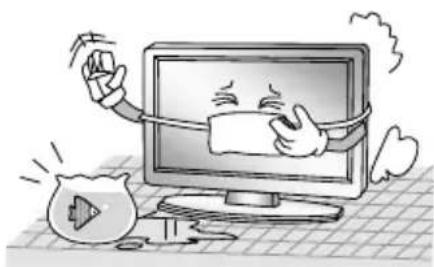
natural_image
Cartoon illustration of a computer monitor with a smiling face and a money bag, symbolizing online shopping or digital consumption (no text present)natural_image
Illustration of a smiling man presenting to a computer monitor with a power plug (no text or symbols)- Enjoy it.
- Table of contents
- Help
- Warning
- DEAR CUSTOMER:
- WARNING:
- REGULATORY INFORMATION
- CAUTION
- IMPORTANT WARNINGS AND CAUTIONS!
- Stability Hazard
- Intended use of the product
- NOTE:
- Explanation of other symbols
- Dolby
- Safety instructions
- IMPORTANT SAFETY INSTRUCTIONS
- Getting started
- Fitting the stand
- Setting up the TV set
- Fitting the batteries into the remote control
- Notes on Using Batteries:
- CAUTION:
- Controls and connections
- Back
- Remote control
- Connecting antenna, Internet and external devices
- Connecting the TV antenna or cable TV
- Connecting the network cable (LAN connection)
- Connecting external equipment with HDMI interface
- Connecting headphones
- Connecting USB device
- Connecting an external device with AV output
- Connecting a digital audio system
- Powering the TV set on and off
- Powering on
- Powering off
- After use
- Cleaning
- Storage when not in use
- Transport
- Disposal of old electrical appliances
- REGISTER YOUR PRODUCT AND GET SUPPORT AND WARRANTY
Brand : BLAUPUNKT
Model : 50UBC6000D
Category : Television