TTVLK-8 - Lighting Oben - Free user manual and instructions
Find the device manual for free TTVLK-8 Oben in PDF.


| Product Type | Tripod Vlogging Kit with 8-inch Ring Light |
| Brand | Oben |
| Model | TTVLK-8 |
| Ring Light Diameter | 8 in. (20.3 cm) |
| Ring Light Depth | 1 in. (2.5 cm) |
| Tripod Height Range | 3.9 in. (9.9 cm) to 6.9 in. (17.5 cm) |
| Accessory Arm Length | 10.5 in. (26.7 cm) |
| Ballhead Height | 2.1 in. (5.3 cm) |
| Maximum Load Capacity | 2.2 lb (1 kg) |
| Power Input | 5 V via USB Standard-A |
| Cable Length | 6.3 ft (2 m) |
| Color Temperature Settings | 3-step: cool, warm, neutral |
| Brightness Levels | 10-step adjustable |
| Smartphone Compatibility | 2.4 to 3.5 in. (6.1 to 8.9 cm) wide |
| Mounting Socket | 1/4-20 standard |
| Included Components | Ring light, tabletop tripod, accessory arm, ballhead, smartphone adapter, USB cable |
| Orientation Adjustment | 90° notch for vertical/horizontal |
| Cleaning Instructions | Use a soft, dry cloth |
| Safety Warnings | Keep away from water and flammable gases; avoid direct eye exposure; keep out of reach of children |
| Warranty | Not specified in manual |
Frequently Asked Questions - TTVLK-8 Oben
User questions about TTVLK-8 Oben
0 question about this device. Answer the ones you know or ask your own.
Ask a new question about this device
Download the instructions for your Lighting in PDF format for free! Find your manual TTVLK-8 - Oben and take your electronic device back in hand. On this page are published all the documents necessary for the use of your device. TTVLK-8 by Oben.
USER MANUAL TTVLK-8 Oben
Tripod Vlogging Kit with 8 in. Ring Light
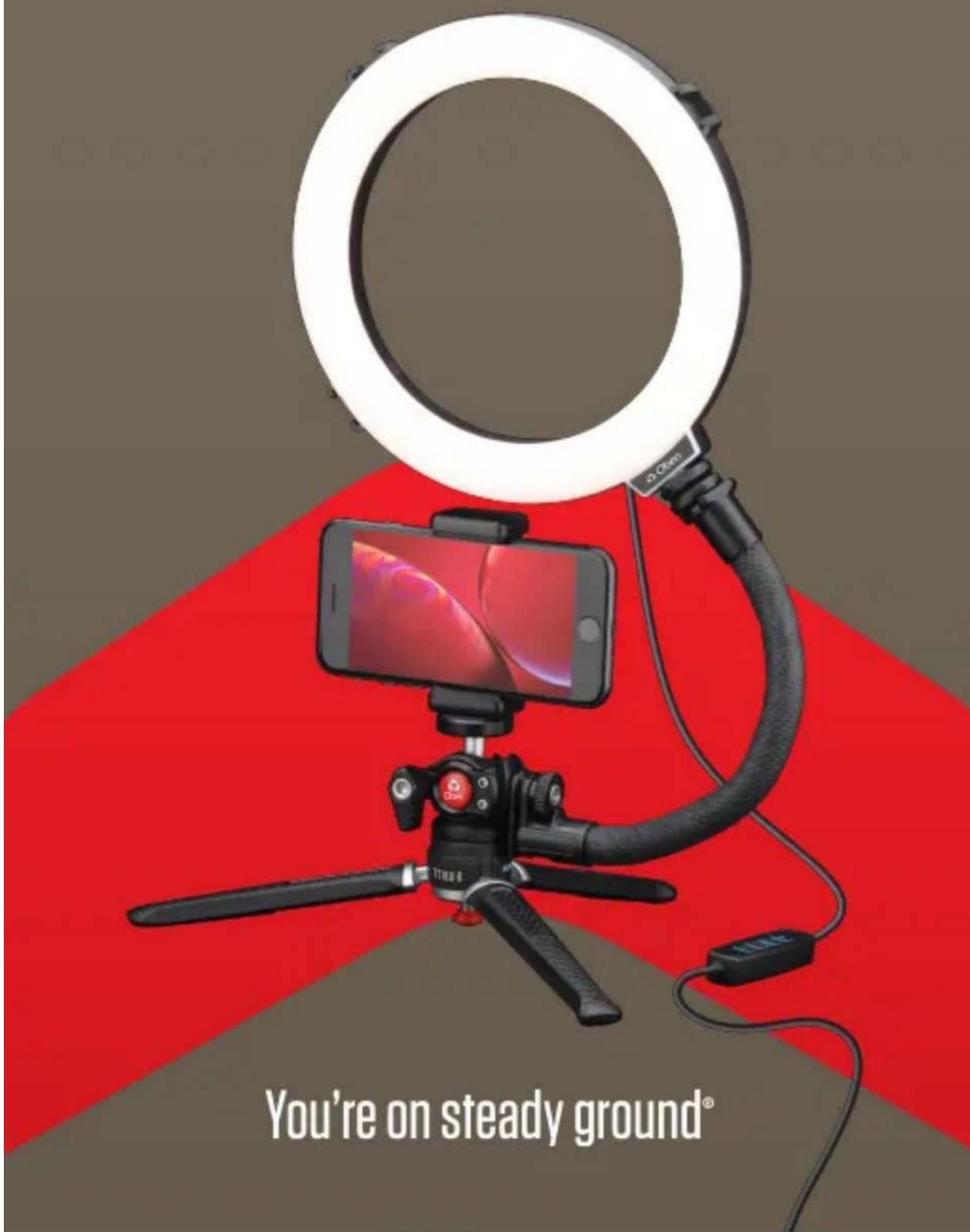
You're on steady ground®
Thank you for choosing Oben.
The Oben TTVLK Tripod Vlogging Kit features a desktop tripod, accessory arm, USB-powered LED ring light, and a smartphone clamp. It puts the tools you need to set up a vlog or video meeting anywhere.
Warnings

Warnings:
- Please read and follow these instructions, and keep this manual in a safe place.
- Keep this unit away from water and any flammable gases or liquids.
- Do not stare directly at the lights when they are powered on.
- Clean the unit with a soft, dry cloth.
- Keep this unit away from children.
- Make sure the item is intact and that there are no missing parts.
- All images are for illustrative purposes only.
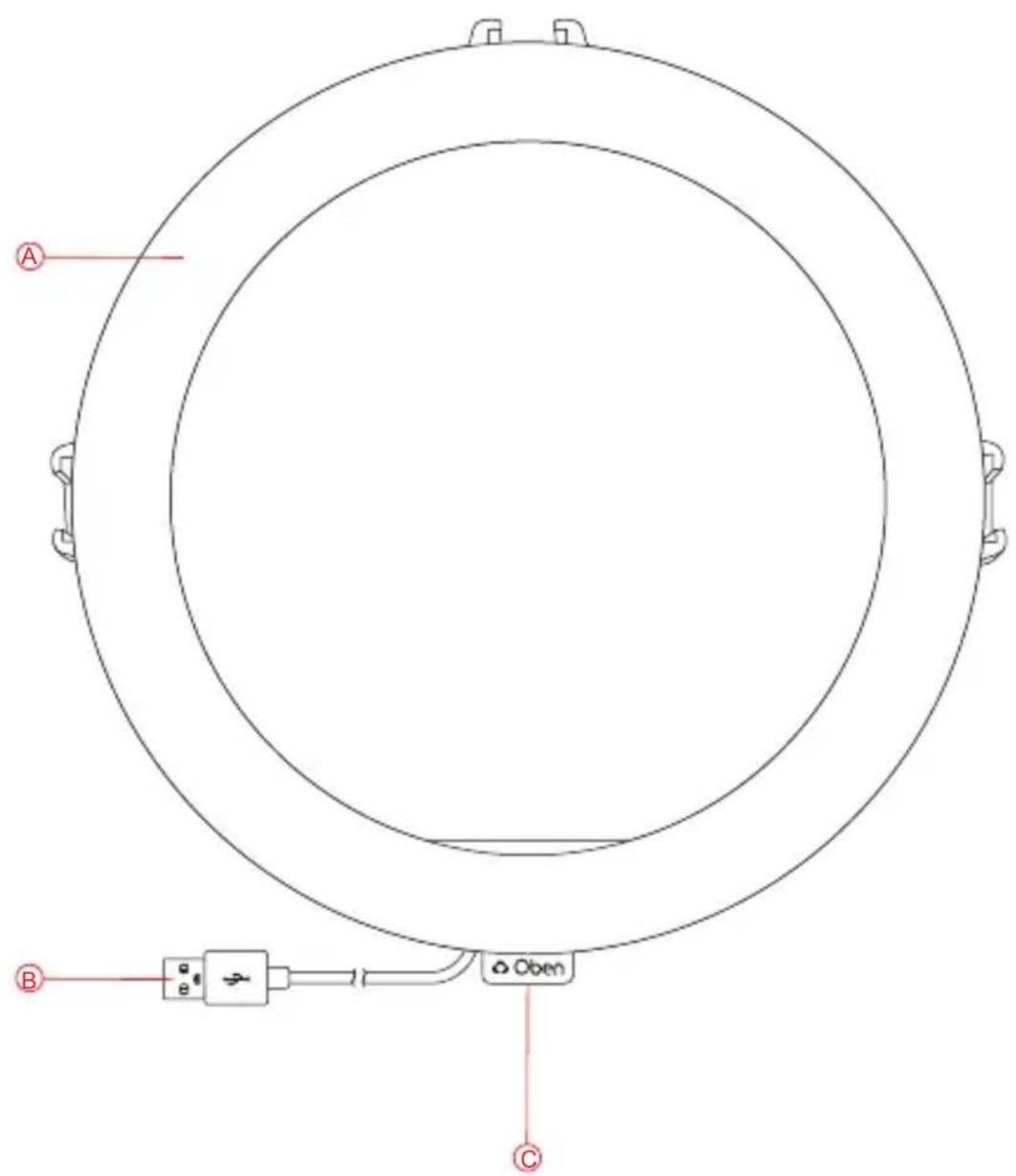
Ring Light
A LED array
© 1/4-20 mounting socket
(B) USB cable
Connect to a computer or USB plug adapter.

natural_image
Solid red semicircular shape on white background (no text or symbols)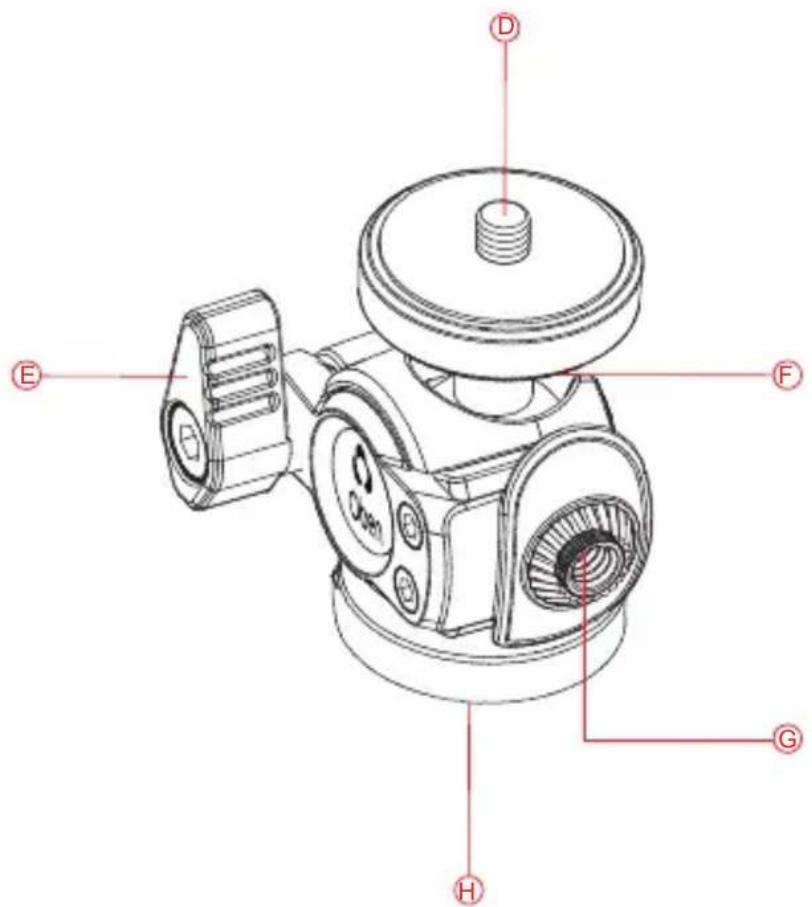
Ballhead
D 1/4-20 screw
Attach to smartphone adapter.
G 1/4-20 accessory socket
Attach the accessory arm.
Locking knob
Loosen to adjust the angle. Tighten to secure.
① 1/4-20 socket
Screw onto the tabletop tripod.
⑤ 90° notch
Switch from horizontal to vertical camera orientation.

natural_image
Solid red semicircular shape on white background (no text or symbols)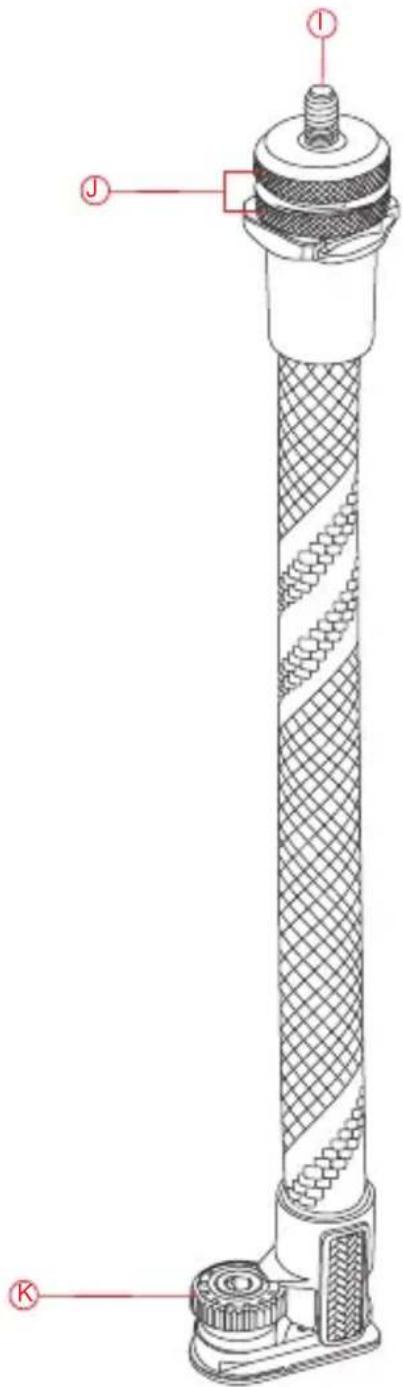
Accessory Arm
① 1/4-20 screw
Thumbscrews
1/4-20 locking nut
Attach to the tripod accessory socket.
Important! For secure support of the ring light, make sure the accessory arm is positioned directly over one of the legs.
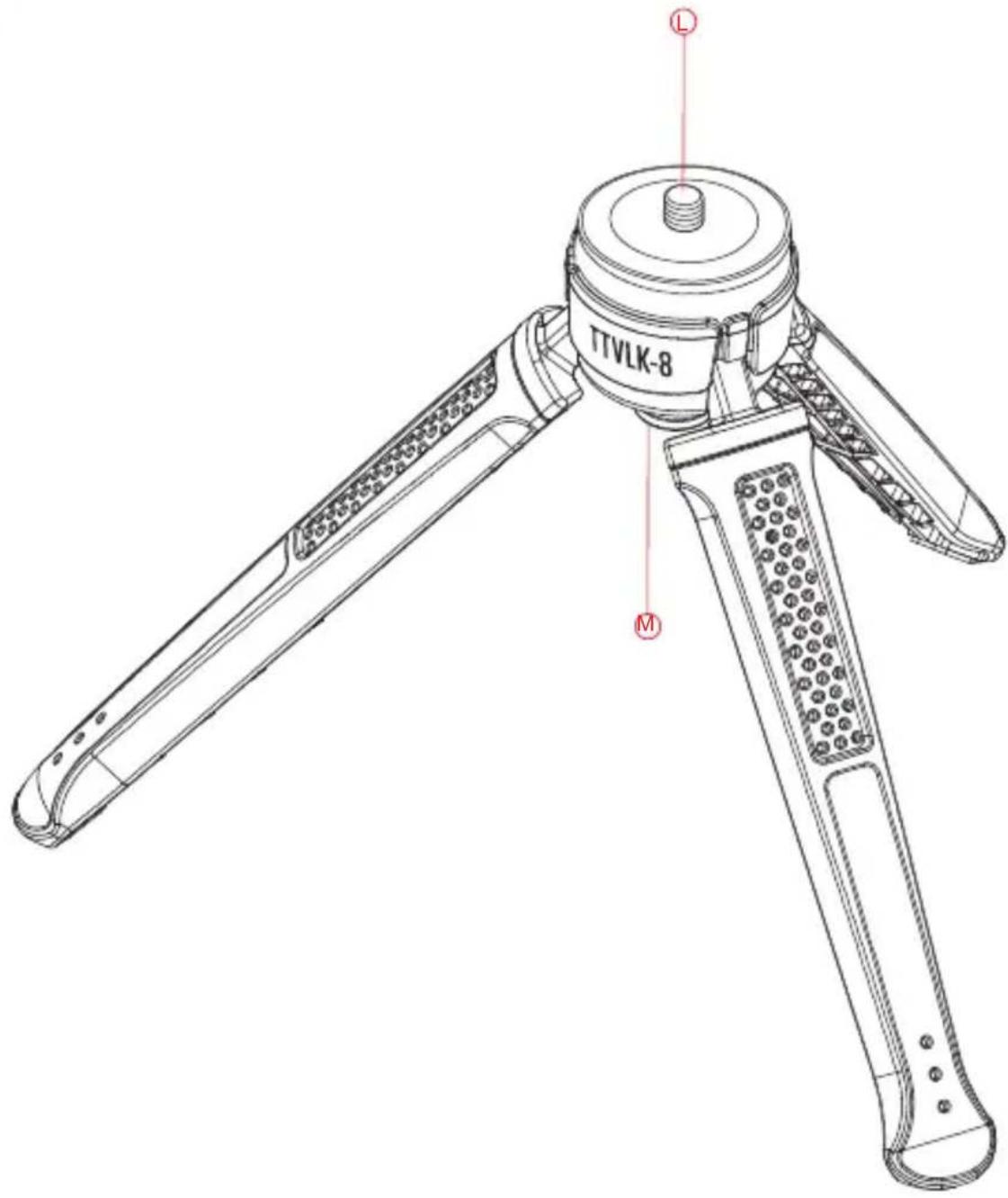
Tripod
1/4-20 screw
Attach the ballhead.
M Leg release button
Press to spread the legs to the maximum base. Close the legs to use the tripod as a handheld grip.
Important! Set the tripod to its widest base when the ring light is attached.

natural_image
Solid red semicircular shape on white background (no text or symbols)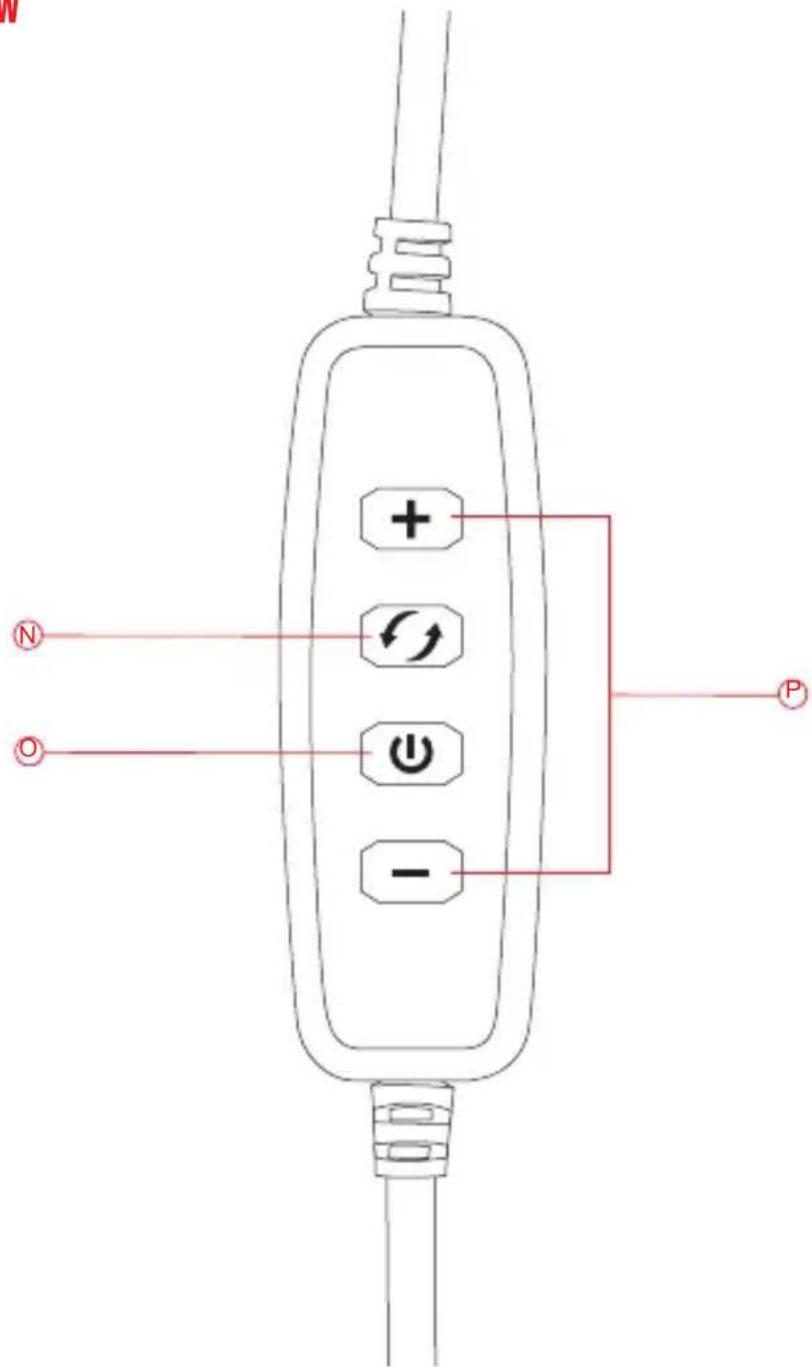
Controller

Color temperature
Select cool, warm, or neutral color temperature settings.

Brightness
Press repeatedly to increase or decrease the 10-step brightness.

Power button
Press to turn the light on or off.

natural_image
Solid red semicircular shape on white background (no text or symbols)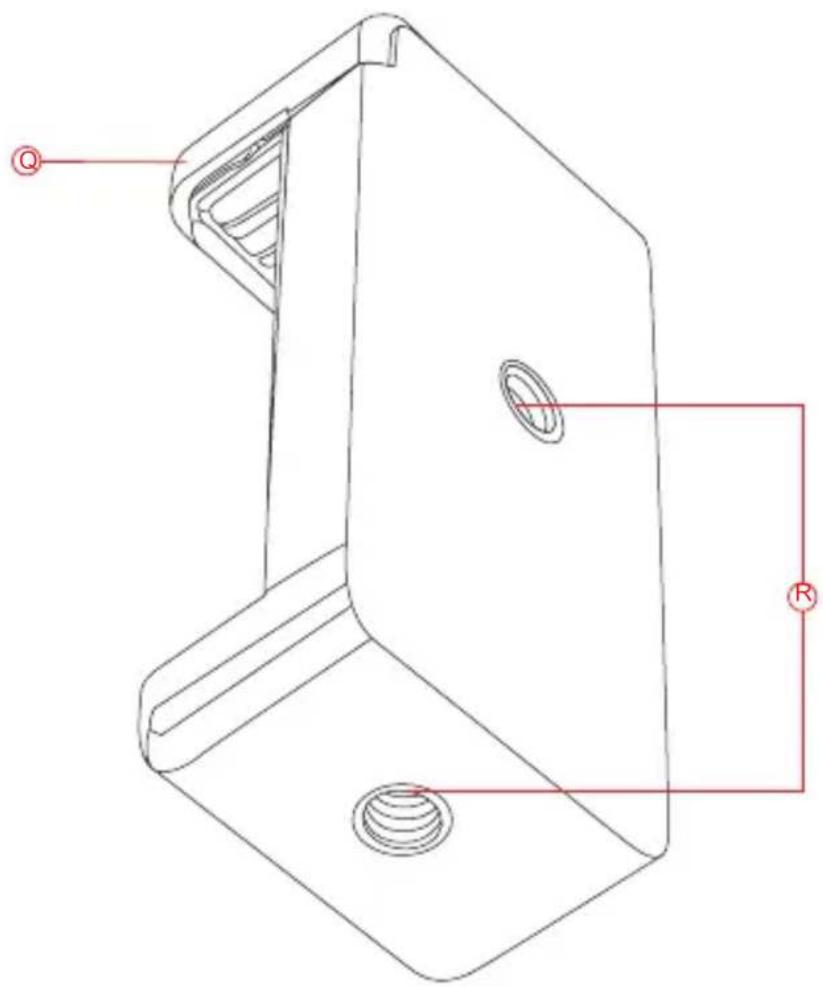
natural_image
Technical line drawing of a mechanical bracket with mounting holes and a radius indicator (no text or symbols)Smartphone Adapter

Smartphone clamp
Fits phones 2.4 to 3.5 inches wide.

1/4-20 sockets
Attach to the ballhead.

natural_image
Solid red semicircular shape on white background (no text or symbols)Specifications
| Input 5 V | |
| Power Connector USB Standard-A | |
| Color Temperature 3 step (cool, warm, neutral) | |
| Brightness 10 step | |
| Smartphone Compatibility | 2.4 to 3.5 in. (6.1 to 8.9 cm) |
| Cable Length 6.3 ft. (2 m) | |
| Dimensions | Height: 3.9 in. (9.9 cm) min6.9 in. (17.5 cm) maxRing Light Diameter: 8 in. (20.3 cm)Depth: 1 in. (2.5 cm)Accessory Arm Length: 10.5 in. (26.7 cm)Ballhead Height: 2.1 in. (5.3 cm) |
| Load Capacity 2.2 lb. (1 kg) | |
Oben is a registered trademark of the Gradus Group.
© 2021 Gradus Group LLC. All Rights Reserved.
Brand : Oben
Model : TTVLK-8
Category : Lighting