VTC-HOCRBD4F - Video recorder Vitek - Free user manual and instructions
Find the device manual for free VTC-HOCRBD4F Vitek in PDF.


| Product Type | Video Recorder (DVR/NVR) |
| Brand | Vitek |
| Model | VTC-HOCRBD4F |
| Video Input | 4 BNC channels |
| Video Compression | H.265+/H.264 |
| Maximum Recording Resolution | 1920x1080 (1080p) per channel |
| Storage Capacity | 1x SATA HDD, up to 2TB (not included) |
| Network Interface | 1x RJ45 10/100 Mbps |
| Audio Input/Output | 1x RCA input, 1x RCA output |
| Video Output | 1x HDMI, 1x VGA |
| Remote Viewing | Via PC or mobile app (P2P) |
| Playback | Search by time, event, and smart detection |
| Power Supply | DC 12V, 1.5A |
| Power Consumption | < 10W (without HDD) |
| Dimensions (W x D x H) | 260 x 200 x 45 mm |
| Weight | 0.8 kg (without HDD) |
| Operating Temperature | -10°C to 55°C |
| Compatibility | Analog and AHD cameras |
| Included Accessories | Power adapter, remote control, mouse, user manual |
| Warranty | 1 year limited |
Frequently Asked Questions - VTC-HOCRBD4F Vitek
User questions about VTC-HOCRBD4F Vitek
0 question about this device. Answer the ones you know or ask your own.
Ask a new question about this device
Download the instructions for your Video recorder in PDF format for free! Find your manual VTC-HOCRBD4F - Vitek and take your electronic device back in hand. On this page are published all the documents necessary for the use of your device. VTC-HOCRBD4F by Vitek.
USER MANUAL VTC-HOCRBD4F Vitek
natural_image
Close-up of a white surveillance camera with a circular lens and multiple camera heads (no visible text or symbols)FEATURES:
• 1/2.9" Sony Progressive Scan CMOS
• 25 IR LEDs with 70' Range
• Built in fixed 3.7mm Megapixel lens
• Heavy Duty Vandal & IP67 Weather Resistance rating
• 16:9 Video Format
• 100% Pure Digital Transmission of video data
- Up to 700' HD Transmission Range (depending on cable characteristics and integrity)
• 12VDC Operation
• 2.1 MegaPixel with Full 1080p/720p HD-SDI Output (SMPTE292M)
Detailed Specifications
| Sensor | 1/2.9" Sony CMOS |
| Resolution | 2.1 MegaPixel (1080p / 720p) |
| S/N | More than 52 dB (AGC Off) |
| Video Output | 1x HD-SDI (BNC) |
| IR Illuminators | 25 IR LEDs |
| IR Color Temp. | 850nm |
| IR Range | 70' |
| Dynamic Intensity IR LEDs | YES |
| Lens | 3.7mm Fixed |
| Minimum Illumination | 1 Lux at F1.2 / 0.1 Lux (B/W) / 0 Lux at IR On |
| Day/Night | Auto |
| Electronic shutter speed | Auto |
| White Balance | Auto |
| Brightness | Auto |
| DNR | 3D-DNR |
| WDR | YES |
| HD Transmission Range | Up to 700' (Depending on cable characteristics and integrity) |
| Weather Resistance Rating | IP-67 |
| Operating Conditions | 14°-122°F (-10°-50°C) < 80% RH |
| Input Voltage | 12VDC |
| Power Consumption (12VDC) | 190mA / 360mA (IR OFF/ON) |
| Dimensions | 3.06" x 3.67" (H x Dia.) |
Sony® and PELCO® are the registered trademarks of their independently owned and operated companies. These products have not been licensed or endorsed by the manufacturers of Sony® and PELCO® products.
DIMENSION
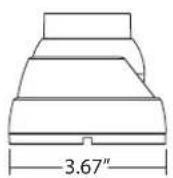
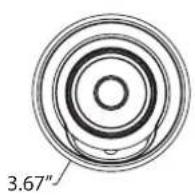
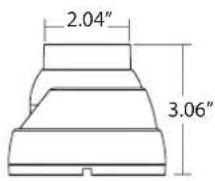
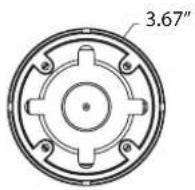
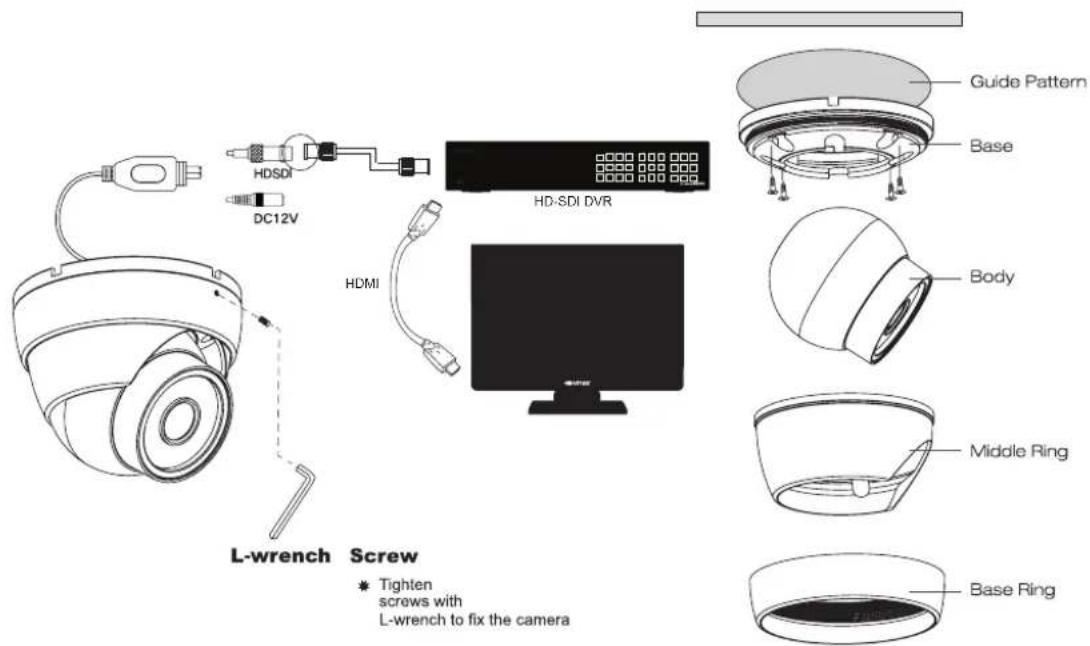
INSTALLATION
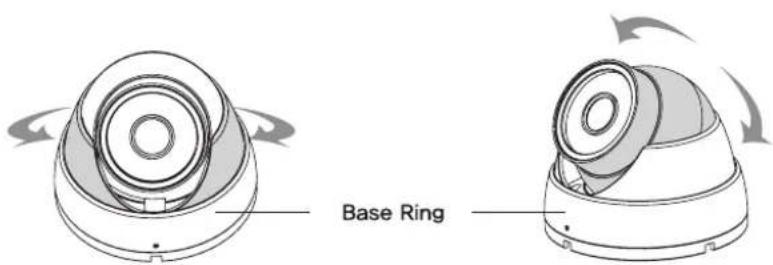
PAN & TILT CONTROL

OTHER PRODUCTS FROM VITEK
On Cue HD-SDI Video Recorders
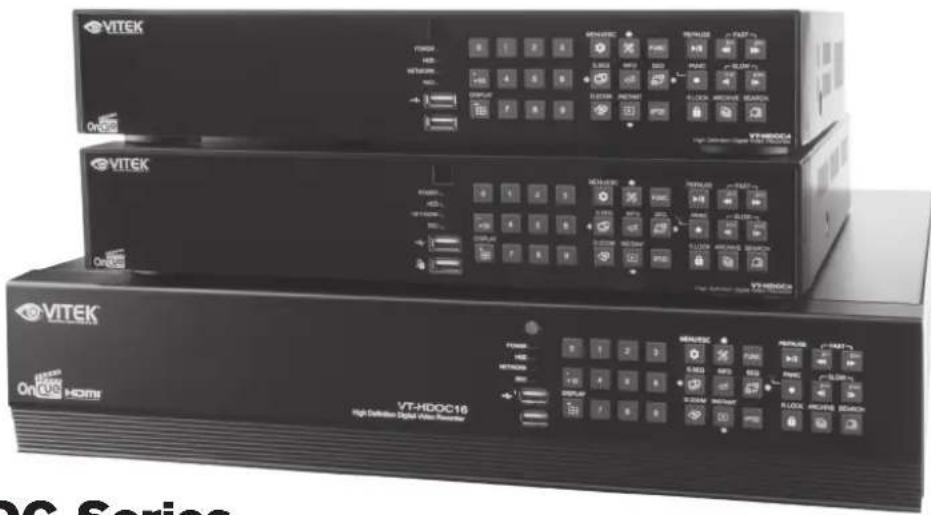
VT-HDOC Series
On Cue Series 4, 8, & 16 Channel HD-SDI Video Recorders
• 4, 8, or 16 Channel HD-SDI Inputs (Universal) with Full1080p, 720P, 960H & D1 Camera Support
- Simple plug and play, point-to-point connection from camera to DVR
- Pentaplex Operation (Multi-Channel Live-View, Playback, Recording, Backup, Network)
• VT-HDOC16: 480fps Live Display, Recording & Playback at 720p/1080p
• VT-HDOC8: 240fps Live Display, Recording & Playback at 720p/1080p
• VT-HDOC4: 120fps Live Display, Recording & Playback at 720p/1080p
• HDMI, VGA, and BNC Spot Output / Alarm In & Out / 4 Channel Audio In
- VT-HDOC 4 & 8 offer 2 Internal SATA2/SATA3 HDD Slots supporting up to 8TB (2 x 4TB HDD) using Advanced HDD Format (VT-HDOC16 Offers 5x SATA Slots for up to 20TB Internal Storage)
- External SATA Port (eSATA) supporting up to 5x External HDDs
- Remote Viewing via CVS Software, Web Browser, and Mobile Phones (iOS/Android)
- Viewing multiple Recorders with included CVS Software
- Adjustable Motion Detection Grid
• Thumbnail / Panorama Search
LIMITED LIABILITY WARRANTY
VITEK products carry a three (3) year limited warranty. VITEK warrants to the purchaser that products manufactured by VITEK are free of any rightful claim of infringement or the like, and when used in the manner intended, will be free of defects in materials and workmanship for a period of three (3) years, or as otherwise stated above, from the date of purchase by the end user. This warranty is nontransferable and extends only to the original buyer or end user customer of a VITEK Authorized Reseller.
The product must have been used only for its intended purpose, and not been subjected to damage by misuse, willful or accidental damage, caused by excessive voltage or lightning.
The product must not have been tampered with in any way or the guarantee will be considered null and void.
This guarantee does not affect your statutory rights.
Contact your local VITEK Reseller should servicing become necessary.
VITEK makes no warranty or guarantee whatsoever with respect to products sold or purchased through unauthorized sales channels. Warranty support is available only if product is purchased through a VITEK Authorized Reseller.
Version 1.4 (3700-8537F)
June 2014
Brand : Vitek
Model : VTC-HOCRBD4F
Category : Video recorder