
VCS-300LJ - Remote control PIONEER - Free user manual and instructions
Find the device manual for free VCS-300LJ PIONEER in PDF.


| Product Type | Remote Control |
| Brand | Pioneer |
| Model | VCS-300LJ |
| Dimensions (approx) | 15 x 5 x 2 cm |
| Weight (approx) | 100 g (with battery) |
| Power Source | 2 x AAA batteries (not included) |
| Battery Type | AAA Alkaline recommended |
| Operating Range | Up to 8 meters (direct line-of-sight) |
| Compatibility | Pioneer VCS series devices |
| Key Functions | Power, Volume +/-, Channel +/-, Mute, Input Select, Menu, Navigation, OK, Back, Numeric Keypad |
| Material | ABS Plastic |
| Color | Black |
| Design | Ergonomic, slim profile |
| Cleaning | Wipe with a soft, dry cloth. Do not use liquids or cleaners. |
| Safety | Do not expose to moisture, extreme temperatures, or direct sunlight. Keep batteries away from children. |
| Spare Parts | Batteries are replaceable. Contact Pioneer service for other parts. |
| Repairability | No user-serviceable parts inside. Do not disassemble. |
| Manual Availability | Free PDF download at notice-facile.com |
| Language | English (and others via translation request) |
| Warranty | Standard Pioneer warranty applies |
Frequently Asked Questions - VCS-300LJ PIONEER
User questions about VCS-300LJ PIONEER
0 question about this device. Answer the ones you know or ask your own.
Ask a new question about this device
Download the instructions for your Remote control in PDF format for free! Find your manual VCS-300LJ - PIONEER and take your electronic device back in hand. On this page are published all the documents necessary for the use of your device. VCS-300LJ by PIONEER.
USER MANUAL VCS-300LJ PIONEER
VCS-300LJ
Pioneer rDrive OBD-II Vehicle Connectivity Device with wireless network connectivity


Stolen Vehicle Location Assist

Tripwire™ Early Warning for vehicle movement detection

CrashBoxx™ Instant Crash Alerts

Virtual Boundaries for arrival and departure alerts
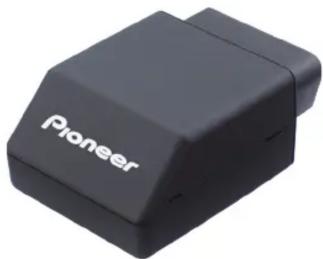
natural_image
Black Pioneer 3D printer with white branding (no additional text or symbols visible)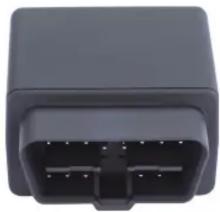
natural_image
Close-up of a black plastic electronic component with four pins (no visible text or symbols)- Compatible with the majority of passenger vehicles in use today ^1
Built-in GPS - Built-in 3-axis accelerometer sensor for accurate vehicle movement and collision detection
♦ 4G LTE wireless network connectivity ^2
Download now: Pioneer rDrive

Download on the App Store

GET IT ON
Google Play
RDRIVE
Pioneer rDrive is a connected services solution designed to elevate your vehicle ownership experience by keeping you informed and up to date about your vehicle's location and status. Combining a cloud-based services platform, an intuitive and informative
smartphone application and the vehicle-installed 4G LTE connected VCS-300LJ, rDrive provides a way to upgrade the car you already own to include many of the connectivity features normally obtained by buying a new vehicle.
Powered by
Lo/Jack
The LoJack Advantage
- Integration of LoJack services with law enforcement - a LoJack exclusive
- 24/7 LoJack live agent support
RDRIVE SOLUTIONS
Tripwire™ Early Warning and Stolen Vehicle Location Assist
Set a virtual geo-fence around your vehicle at any time within the Pioneer rDrive app. If your vehicle moves from that location, for example it has been towed or stolen, you'll receive a notification ^3 and status alert. If your vehicle has been stolen, LoJack live agents can quickly locate and track your vehicle.
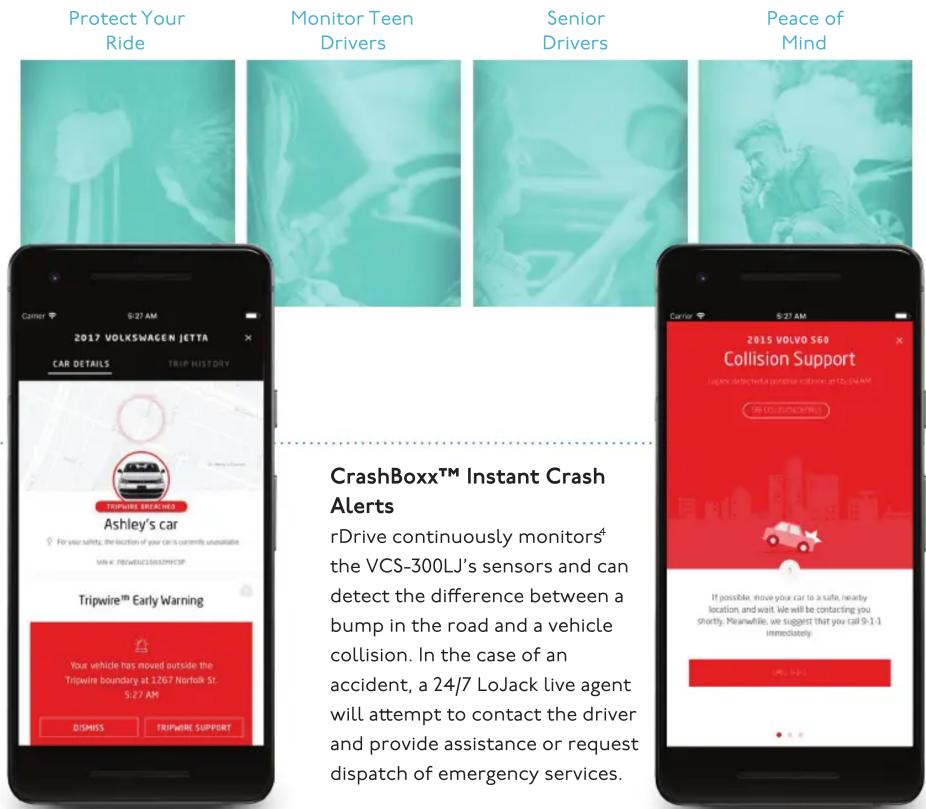
CrashBoxx™ Instant Crash Alerts
rDrive continuously monitors ^4 the VCS-300LJ's sensors and can detect the difference between a bump in the road and a vehicle collision. In the case of an accident, a 24/7 LoJack live agent will attempt to contact the driver and provide assistance or request dispatch of emergency services.
'To check vehicle compatibility, visit www.rdrivebypioneer.com/support
^2 Visit www.rdrivebypioneer.com/support to access a wireless coverage map displaying approximate outdoor coverage. Actual coverage may vary. Coverage is not guaranteed and is subject to change without notice.
^3 Do not approach the vehicle in response to a theft notification unless you are certain the situation is safe.
^4 The vehicle's ignition must be on to detect an incident.
RDRIVE SOLUTIONS (continued)
Virtual Boundaries for arrival and departure alerts
Set virtual boundaries ^5 around your favorite locations, such as home, work, school or the doctor's office so you can be notified when one of your vehicles has departed or arrived at a stored location ^6 .
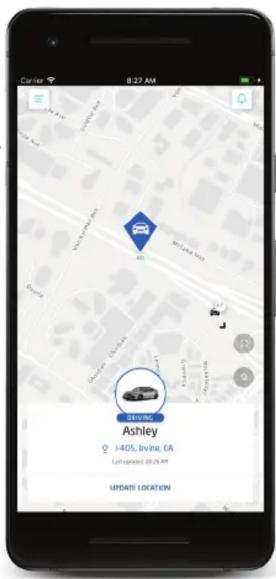
Driver monitoring / vehicle tracking
The rDrive app can monitor multiple vehicles with VCS-300LJ devices installed, allowing you to keep up to date with all your family's vehicles and drivers. You can monitor vehicle location, configure selectable speed alert notifications, receive Car Health alerts, view trip history including mileage driven and mapped routes, and even indicate, catalog and export business driving reporting.

Device installation and setup
The VCS-300LJ connects to the OBD-II (On Board Diagnostics) port of compatible vehicles.
To improve data accuracy and provide the most stable and secure connection, Pioneer recommends professional installation by an Authorized Pioneer rDrive Dealer using a Y-cable combined with a hard installation that secures the body of the Pioneer device to the vehicle's under dash structure. At the time of installation, your Authorized Pioneer rDrive Dealer will assist to setup your rDrive account and complete the VCS-300LJ activation process.
SPECIFICATIONS
| Cellular 4G LTE | |
| GPS GPS, GLONASS | |
| LED status indicators OBD, GPS, cellular | |
| Sensors 3-axis accelerometer | |
| Back-up battery I80 mAh Li-Ion | |
| OBD CAN interface JI850 PW/M, JI850 VPW, ISO-9I4I-2, ISO-I4230 KWP 2000, ISO-I5765 CAN, SW-CAN | |
| Operating voltage I2/24 VDC vehicle systems | |
| Idle current consumption (cellular enabled) | 83 mA |
| Deep sleep current consumption | 5 mA |
| Dimensions 1.8" x 2.6" x 1.1" (46mm x 67mm x 28mm) | |
| Weight 1.75 oz. (50g) | |
rDrive subscription and renewal
As a part of the VCS-300LJ device purchase, a 1 year subscription to the Pioneer rDrive services and wireless connectivity is included, beginning when the VCS-300LJ is activated by your Authorized Pioneer rDrive Dealer. At the end of the first year, you can renew in 12-month, 24-month or 36-month subscription packages.
\$200*
12-month
subscription package
\$360*
24-month
subscription package
\$480*
36-month
subscription package
* Plus applicable taxes.
^5 Up to ten (10) Virtual Boundaries may be set at one time.
^6 Locations services must be turned on in the rDrive app.
Services available only in the United States. Availability of Pioneer rDrive services depends on cellular and GPS coverage, and certain functionality may depend on vehicle's year, make and model. Use is subject to the rDrive Terms of Use and the rDrive Privacy Policy.
Pioneer rDrive Customer Service: 1-800-421-1603
PIONEER, RDRIVE and the Pioneer and rDrive logos are trademarks of Pioneer Corporation.
LoJack, Tripwire, and the CrashBoxx Logo are among the trademarks of CalAmp and its subsidiaries in the United States and certain other countries and/or the EU.
Apple and the Apple logo are trademarks of Apple Inc., registered in the U.S. and other countries and regions. App Store is a service mark of Apple Inc.
Google Play and the Google Play logo are trademarks of Google LLC.
Pioneer Electronics (USA) Inc. proudly supports and encourages you to support the Consumer Technology Association (CTA), Mobile Electronics Certification Program (MECP) for installers and the Specialty Equipment Market Association (SEMA).

computer association


Protect your investment. Purchase from an
Authorized Pioneer Dealer. Only products
purchased from an Authorized Pioneer Dealer (or Authorized Pioneer Internet Dealer) qualify for the manufacturer's warranty and manufacturer's rebates.
Pioneer Electronics (USA) Inc., P.O. Box 1720, Long Beach, California 90801
Note: Specifications, designs, and user interfaces are subject to modification without notice. Product colors and illumination may differ in photographs from actual appearance due to effects of printing and photography.
2019 VCS-300LJ - 6/19
©2019 Pioneer Electronics (USA) Inc.
CHECK OUT MORE AT
RDRIVEBYPIONEER.COM
Brand : PIONEER
Model : VCS-300LJ
Category : Remote control