
ACC-BATT-4S2P - Battery charger Zotac - Free user manual and instructions
Find the device manual for free ACC-BATT-4S2P Zotac in PDF.


| Product Type | Battery Charger |
| Model | ACC-BATT-4S2P |
| Brand | Zotac |
| Compatible Battery Chemistry | Lithium-ion (Li-ion) |
| Supported Battery Configuration | 4S (4 cells in series), 2P (2 parallel) |
| Input Voltage | 100-240V AC, 50/60Hz |
| Output Voltage | 16.8V DC (for 4S Li-ion) |
| Output Current | 2A (typical) |
| Charging Method | CC/CV (Constant Current / Constant Voltage) |
| LED Indicators | Red (charging), Green (fully charged) |
| Protection Features | Overcharge protection, short circuit protection, reverse polarity protection |
| Dimensions (L x W x H) | 110 x 70 x 30 mm |
| Weight | 150 g |
| Operating Temperature | 0°C to 40°C |
| Storage Temperature | -20°C to 60°C |
| Housing Material | ABS plastic |
| Cable Length | 1.2 m |
| Certifications | CE, RoHS |
| Usage | Indoor use only |
| Maintenance | Disconnect from mains before cleaning; wipe with dry cloth |
| Repairability | No user-serviceable parts; contact Zotac support |
| Package Contents | Charger, power cable, user manual |
Frequently Asked Questions - ACC-BATT-4S2P Zotac
User questions about ACC-BATT-4S2P Zotac
0 question about this device. Answer the ones you know or ask your own.
Ask a new question about this device
Download the instructions for your Battery charger in PDF format for free! Find your manual ACC-BATT-4S2P - Zotac and take your electronic device back in hand. On this page are published all the documents necessary for the use of your device. ACC-BATT-4S2P by Zotac.
USER MANUAL ACC-BATT-4S2P Zotac
ZOTAC Li-ion Rechargeable Battery ACC-BATT-4S2P User's Manual
Specifications
□ Capacity
◆14.4V 6Ah /86.4Wh
Dimension
◆95mm x 75.5mm x 49.8mm
□ Environment Temperature
◆0\~45°C
Battery Charging
Please follow the instructions below to charge the batteries.
- Insert the batteries into the battery charging dock.

- Connect the AC adapter to the battery charging dock.

- All battery LEDs will be OFF when fully charged.

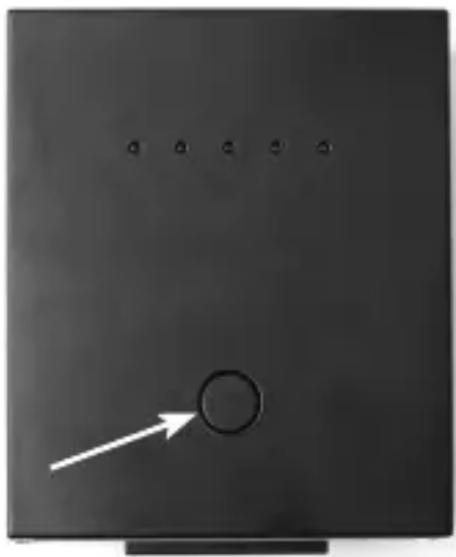
- Press the battery status button to check battery status.
Brand : Zotac
Model : ACC-BATT-4S2P
Category : Battery charger