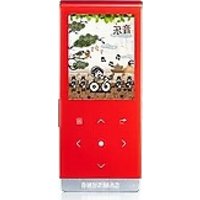
YP-T08 - Portable audio player SAMSUNG - Free user manual and instructions
Find the device manual for free YP-T08 SAMSUNG in PDF.
Pick your language and provide your email: we'll send you a specifically translated version.
| Product Type | MP3 Player |
| Brand | Samsung |
| Model | YP-T08 |
| Storage Capacity | 2 GB |
| Display | 1.8-inch TFT LCD |
| Audio Formats | MP3, WMA, OGG |
| Battery Type | Rechargeable Lithium Polymer |
| Battery Life (Audio) | Up to 30 hours |
| Dimensions (H x W x D) | 0.4 x 1.5 x 3.2 inches |
| Weight | 1.1 oz |
| Interface | USB 2.0 |
| FM Radio | Yes |
| Voice Recording | Yes |
| Equalizer Presets | Yes, multiple presets |
| Playlist Support | Yes |
| Color Options | Black, White |
| Included Accessories | Earphones, USB cable, Quick start guide |
| Power Source | Built-in rechargeable battery |
| Charging Time | Approximately 2 hours |
Frequently Asked Questions - YP-T08 SAMSUNG
How do I transfer music to the Samsung YP-T08?
Connect the player to your computer via USB. It will be recognized as a removable drive. Drag and drop music files (MP3, WMA, OGG) into the music folder. Alternatively, use Samsung Media Studio software.
Can I use the YP-T08 as a voice recorder?
Yes, the YP-T08 has a built-in microphone for voice recording. Press the Record button to start recording. Files are saved in MP3 or WAV format depending on settings.
How to reset the Samsung YP-T08 if it freezes?
If the device freezes, press and hold the Power button for 10 seconds to force a restart. If that doesn't work, use a small pin to press the reset hole located on the bottom edge.
What is the battery life of the YP-T08?
The built-in lithium polymer battery provides up to 30 hours of audio playback on a full charge. Charging takes about 2 hours via USB.
Does the YP-T08 support FM radio?
Yes, it has an FM tuner with presets. You can scan for stations and save favorites. Note that the earphones act as the antenna, so they must be connected for radio use.
How do I update the firmware on my YP-T08?
Download the latest firmware from Samsung's support site. Connect the player, place the firmware file in the root directory, and disconnect. The player will automatically detect and install the update.
Can I use the YP-T08 while charging?
Yes, you can use the player while it is connected to a USB power source. However, for faster charging, it is recommended to turn off the device.
What should I do if the screen is unresponsive?
Clean the screen with a soft, dry cloth. If still unresponsive, perform a reset as described above. Avoid applying excessive pressure.
How to create playlists on the YP-T08?
You can create playlists on the device by navigating to the playlist menu and adding songs. Alternatively, create M3U playlist files on your computer and copy them to the player.
Is the Samsung YP-T08 compatible with Windows 10?
Yes, the YP-T08 is recognized as a mass storage device (MSC) and works with Windows 10 without special drivers. You can drag and drop files using Windows Explorer.
User questions about YP-T08 SAMSUNG
0 question about this device. Answer the ones you know or ask your own.
Ask a new question about this device
No questions yet. Be the first to ask one.
Download the instructions for your Portable audio player in PDF format for free! Find your manual YP-T08 - SAMSUNG and take your electronic device back in hand. On this page are published all the documents necessary for the use of your device. YP-T08 by SAMSUNG.
USER MANUAL YP-T08 SAMSUNG
耳机

USB 连接线 安装 CD


参考
音量控制
轻触 [↑键。
锁定功能


注意
播放上一个视频文件
播放下一个视频文件
- 轻触 [ ] 键。
- 将播放下一个视频。

调整屏幕亮度
您可以调整显示屏幕亮度。
- 在视频播放过程中,轻触 [中键。]
- 视频菜单显示。
度
- 在手动模式下轻触 [<, ] 键。
聆听 FM 广播_67
设置预置模式
使用 FM 广播菜单 (继续)
在预置内存下存储电台
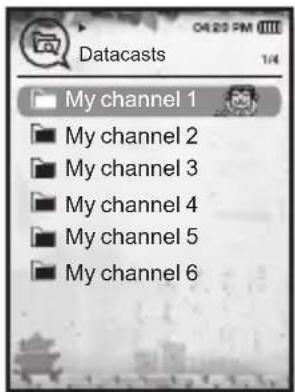
使用功能包
例如) <文件传输> 显示屏幕
