MB8 - Lighting Ikan - Free user manual and instructions
Find the device manual for free MB8 Ikan in PDF.


| Product Type | LED Light Fixture (Bi-Color) |
| Model | MB8 Mylo Bi-Color Half x 1 |
| Brand | Ikan |
| Color Temperature Range | 3200K - 5600K (adjustable) |
| Power Rating | 24W (7.4-14.8 VDC) |
| Light Source | 800 x 0.06 Watt LEDs |
| Beam Angle | 50° |
| Lens Angle | 45° |
| Power Supply Input | 100-240V AC, 50/60Hz |
| Power Supply Output | 12V DC @ 5.0A |
| Battery Compatibility | Sony NP-F970 (or compatible L-series) |
| Battery Charging Time (NP-F970) | Normal: ~375 min, Full: ~450 min |
| Dimensions (Fixture) | 14 x 7 x 2 inches (35.6 x 17.8 x 5.1 cm) |
| Weight (Fixture) | 6 lbs (2.72 kg) |
| Mount | Yoke with 5/8" and 1^1/8" combo pin |
| Included Items | Light fixture, yoke mount, neutral density filter, power supply with cable, power supply for dual charger, DV dual battery charger, 2x DV battery |
| Optional Accessories | Heavy Duty Light Stand, 2-Stage Roller Stand, Compact Light Stand, Safety Wire, Stage Clamp |
| Cleaning Instructions | Use a soft dry cloth; avoid water and flammable gases/liquids |
| Safety Precautions | Do not disassemble without contacting support; use only recommended batteries and parts |
| Warranty | Free service for one year from purchase for manufacturing errors; conditions apply |
| Support Contact | support@ikancorp.com | 713.272.8822 |
Frequently Asked Questions - MB8 Ikan
User questions about MB8 Ikan
0 question about this device. Answer the ones you know or ask your own.
Ask a new question about this device
Download the instructions for your Lighting in PDF format for free! Find your manual MB8 - Ikan and take your electronic device back in hand. On this page are published all the documents necessary for the use of your device. MB8 by Ikan.
USER MANUAL MB8 Ikan
MW8 Mylo Daylight Half x 1 LED Light
MB8 Mylo Bi-Color Half x 1 LED Light
What's Included
□ 1 x Light Fixture
□ 1 x Yoke Mount
□ 1 x Neutral Density Filter
☐ 1 x Power Supply w/ Cable
☐ 1 x Power Supply for Dual Charger
☐ 1 x DV Dual Battery Charger
□ 2 x DV Battery
Getting to know your MYLO lights
PRECAUTIONS:
- Keep the fixture away from water and all flammable gases or liquids.
- Use only the recommended batteries.
- Handle the unit with care.
- DO NOT attempt to disassemble or repair the unit without first contacting the service department at ikancorp.com.
- Keep the unit clean and free of dust. The unit can be cleaned with a soft dry cloth.
- Use only parts provided by the manufacturer.
• Always use caution when plugging in the fixture.
Mounting the Mylo to a Stand:
The Mylo LED Light comes with a pre-installed yoke and combo mount. This allows the fixture to easily sit and adjust on any stand. The yoke allows the light to move freely, without obstruction. The Baby 5/8" and Junior 1 ^1/8 " Combo Pin give the user a wide range of stands. The light can be mounted either horizontally or vertically on a ^5/8 " baby pin.
Power the LEDs:
The Mylo light comes with an included AC power supply and 6 foot cable. This allows the user to plug into any standard 120-240v electrical outlet. The Mylo LED light can be powered from one of two Sony "L" Style DV batteries that are supplied with the unit.
Adjusting the Color & Brightness of the Light:
The Mylo LED light is controlled by the large yellow knob on the rear of the fixture. The knob was designed with the idea that it could be reached and adjusted when the light is up on a stand. The knob has two push settings.
- The default setting is the brightness from 10%-100% brightness.
- By pressing in on the knob the color temperature can be adjusted. (Bi-Color Lights)
Mylo Battery Operation
You can charge your Sony style NP-F970 6600mah DV batteries at the same time.
Connect the power cable to the AC Charger and plug it into the wall.
1.) Place one or both battery packs onto the charger and slide it towards the indicator lights.
2.) The indicator lights will illuminate with how much charge is left on the battery.
3.) The charger will begin charging when the battery is fully inserted into the charger.
(Note: The battery is fully charged when all lights are a solid red).
Attaching the battery pack to the back of the Mylo light fixture can be done by placing the battery against the back of the Mylo battery port and sliding it forward.
Properly store the NP-F970 battery when not in use. If the NP-F970 battery will not be used for a while, run down the battery and store it with Mylo light fixture.
Charging Times
Normal Charge Time Fully Charge Time NP-F970 \~375 min \~450 min
Be sure to charge the battery pack before you start using your Mylo light.
We recommend charging the battery pack in an ambient temperature of between 10^ C\~ 30^ C ( 50^ F\~ 86^ F) until the charge lamps are all fully lit. If you charge the battery pack outside of this temperature range, you may not be able to charge it efficiently. Battery pack performance decreases when the ambient temperature is 10^ C ( 50^ F) or below, and the length of time you can use the battery pack becomes shorter. In that case, do the following to use the battery pack for a longer time. Put the battery pack in a pocket to warm it up, & insert your Mylo light right before you turn it on.
About Battery Life
Battery capacity decreases over time and through repeated use. If you notice problems with the battery keeping charge, it is probably time to replace it with a new one. Each battery's life is governed by storage, operating and environmental conditions
Optional Accessories
Some other products that work well with the Mylo lights include:
| HD-STND | Heavy Duty Light Stand |
| ROLLR-STND10 | 2 Stage Roller Stand 10 ft 6 in |
| CP-STND-V3 | Compact Light Stand Version 3 |
| SW-04 | Safety Wire |
| KCP-703 | Stage Clamp w/ 16mm Stud |
natural_image
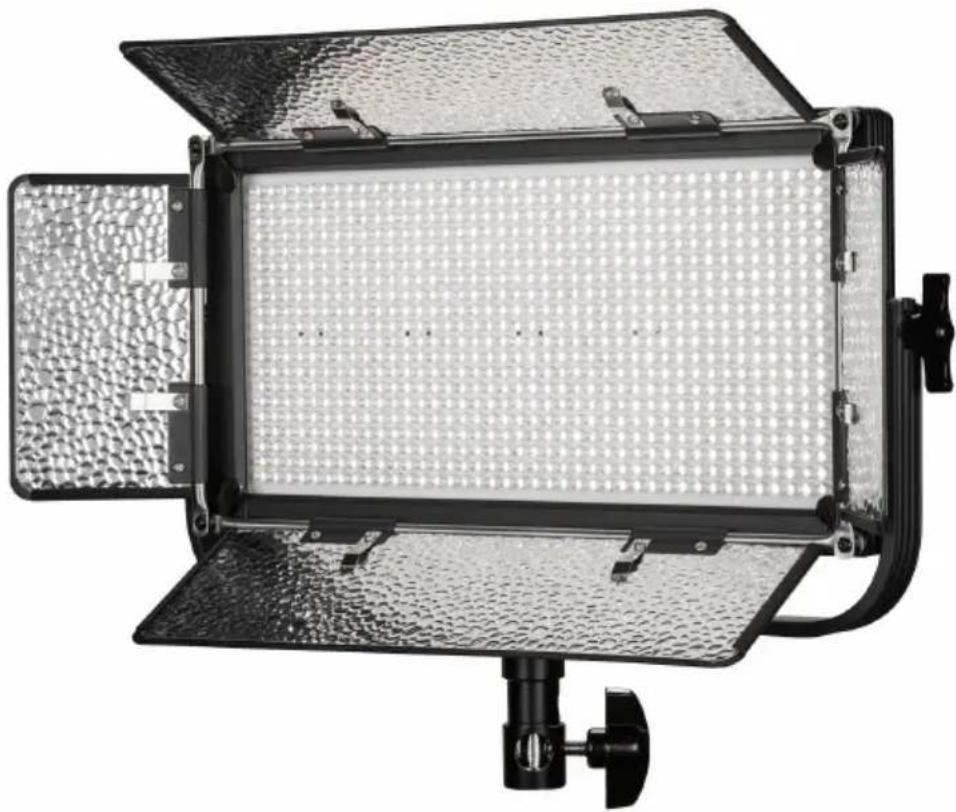
Exterior view of a black-and-white photoelectric light fixture with grid-patterned central panel and side-mounted base (no text or symbols visible)Specifications
| Specs | |
| Head Type Daylight 5600K | |
| Rating | 48W; 7.4-14.8 VDC |
| Light Source | 800 0.06 Watt LEDs |
| Power Supply | Input:100-240VAC; Output:12 VDC@5.0A |
| Lens | 45° |
| Beam Angle | 50° |
| Yoke & Pin Yoke w/ Baby | 58" & 118" Combo Pin |
| Fixture Size | 14 x 7 x 2 In. |
| Fixture Weight | 6 lbs |
natural_image
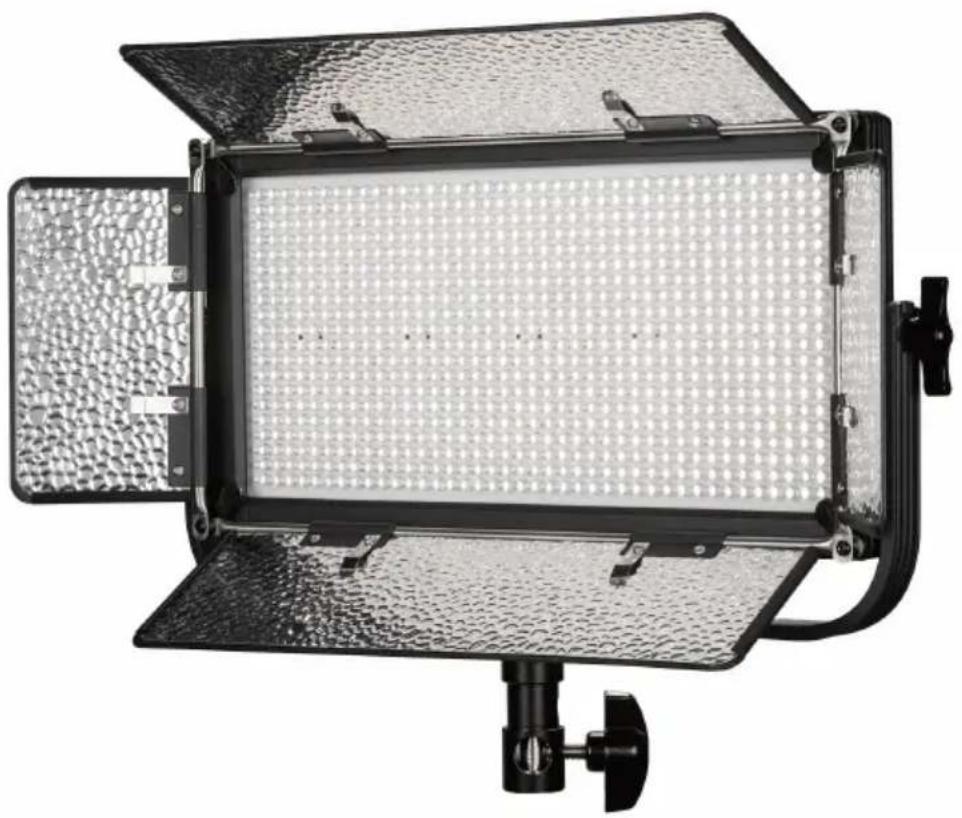
Exterior view of a black-and-white photoelectric light fixture with grid-patterned panel and adjustable arm (no text or symbols visible)| Specs | |
| Head Type | Bi-Color 3200K-5600K |
| Rating | 24W; 7.4-14.8 VDC |
| Light Source | 800 0.06 Watt LEDs |
| Power Supply | Input:100-240VAC; Output:12 VDC@5.0A |
| Lens | 45° |
| Beam Angle | 50° |
| Yoke & Pin Yoke w/ Baby | ^5/_8" & 1^1/_8" Combo Pin |
| Fixture Size | 14 x 7 x 2 In. |
| Fixture Weight | 6 lbs |
Learn More
More dynamic information at official website: www.ikancorp.com
Support
Contact: support@ikancorp.com | 713.272.8822
ikan
CONDITIONS OF WARRANTY SERVICE
• Free service for one year from the day of purchase if the problem is caused by manufacturing errors.
- The components and maintenance service fee will be charged if the warranty period is expired.
Free Service will not be Provided in the Following Situations:(*Even if the product is still within the warranty period.)
• Damage caused by abuse or misuse, dismantling, or changes to the product not made by the company.
• Damage caused by natural disaster, abnormal voltage, and environmental factors, etc.
Brand : Ikan
Model : MB8
Category : Lighting