
BW1P32ASS - Car charger BLAUPUNKT - Free user manual and instructions
Find the device manual for free BW1P32ASS BLAUPUNKT in PDF.


| Product Type | Car Charger |
| Brand | Blaupunkt |
| Model | BW1P32ASS |
| Input Voltage | 12 – 24 V DC |
| Output (per port) | 5 V / 2.4 A |
| Number of USB Ports | 2 |
| Charging Technology | Smart IC with automatic device detection |
| Dimensions (approx.) | 3.5 x 2.5 x 1.5 cm |
| Weight | 30 g |
| Housing Material | ABS plastic |
| LED Indicator | Blue LED power indicator |
| Safety Features | Overcurrent, overvoltage, short-circuit, and overheat protection |
| Compatibility | All USB-powered devices (smartphones, tablets, GPS, etc.) |
| Operating Temperature | -10°C to 50°C |
| Certifications | CE, RoHS |
| Package Contents | Car charger, user manual |
Frequently Asked Questions - BW1P32ASS BLAUPUNKT
User questions about BW1P32ASS BLAUPUNKT
0 question about this device. Answer the ones you know or ask your own.
Ask a new question about this device
Download the instructions for your Car charger in PDF format for free! Find your manual BW1P32ASS - BLAUPUNKT and take your electronic device back in hand. On this page are published all the documents necessary for the use of your device. BW1P32ASS by BLAUPUNKT.
USER MANUAL BW1P32ASS BLAUPUNKT
EV Charging Station User Manual
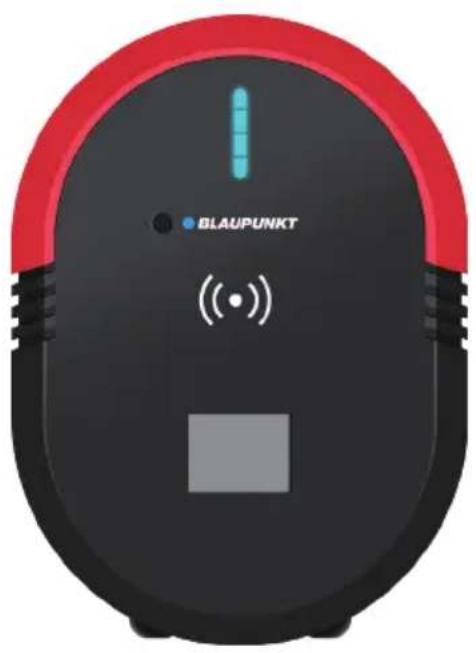

natural_image
Close-up of a black and red robotic device with a white circular button and indicator lights, labeled 'BLAUPUNKT' (no readable text beyond labels)Enjoy it.
Please read this instruction carefully before using the product.
Content
- Packing List 02
- Installation Tools 02
• Installation Steps - Wall Mounting 03 - Precautions 09
-
Charging Your Car 11
-
Start Charging 12
-Stop Charging 13 - Current Setting 13
- Delayed Charging 14
- Display Light Status 15
-Operation 15
-Trouble Shooting 15
- Product Specification 16
- Charging Station - Cable Type 16
- Charging Station - Socket Type 19
Packing List
| Material View | Material Name | Material Qty |
 | Charging Station - Cable Type | 1 |
 | Charging Station - Socket Type | 1 |
 | Back Metal Bracket 1 | 1 |
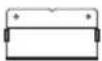 | Back Metal Bracket 2 | 1 |
 | User Manual | 1 |
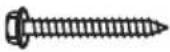 | Phillips hexagonal self-tapping screw M6*50 | 6 |
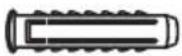 | Plastic Expansion Plug φ10*50 | 6 |
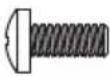 | Torx Screw M4*10 | 1 |
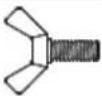 | Butterfly Screw M5*12 | 2 |
 | RFID Card for Activation of the Charger | 2 |
Installation Tools
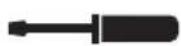

Torx screwdriver
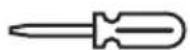

Phillips screwdriver
Hammer
Level
Electric drill
Diagonal pliers
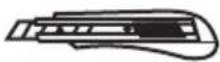
Utility knife

Tape measure

Pencil
Installation Steps - Wall Mounting
1. Disassemble the back part and take out the wall mounting plate.
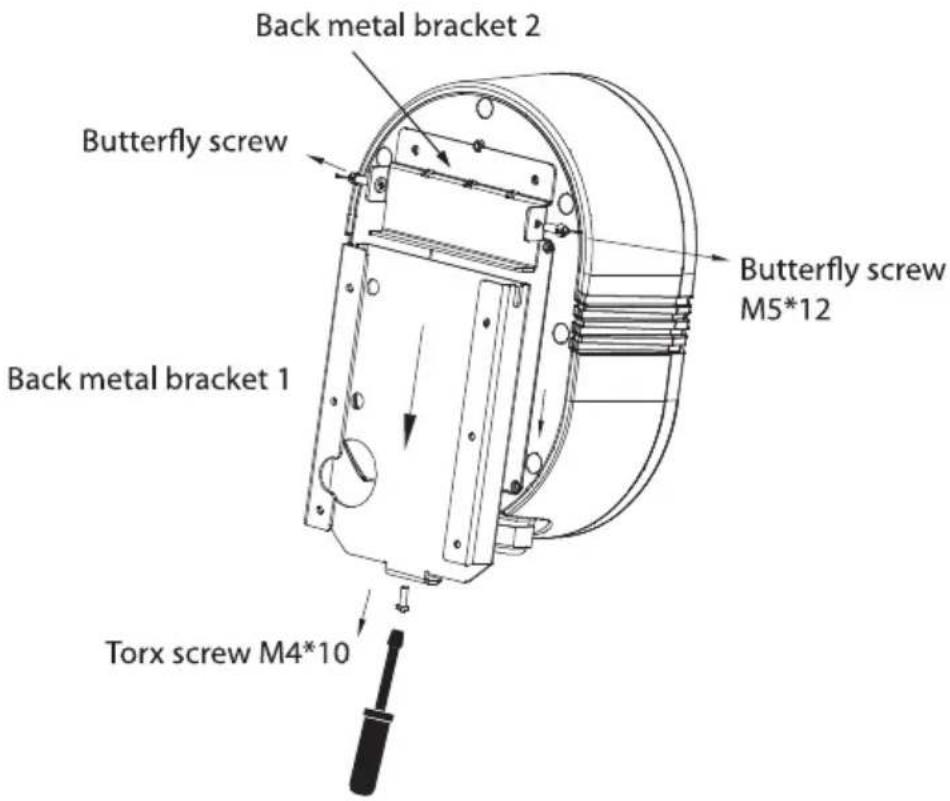
2. Drilling holes
Note: Please reserve enough space for the installation of the Charging Station.
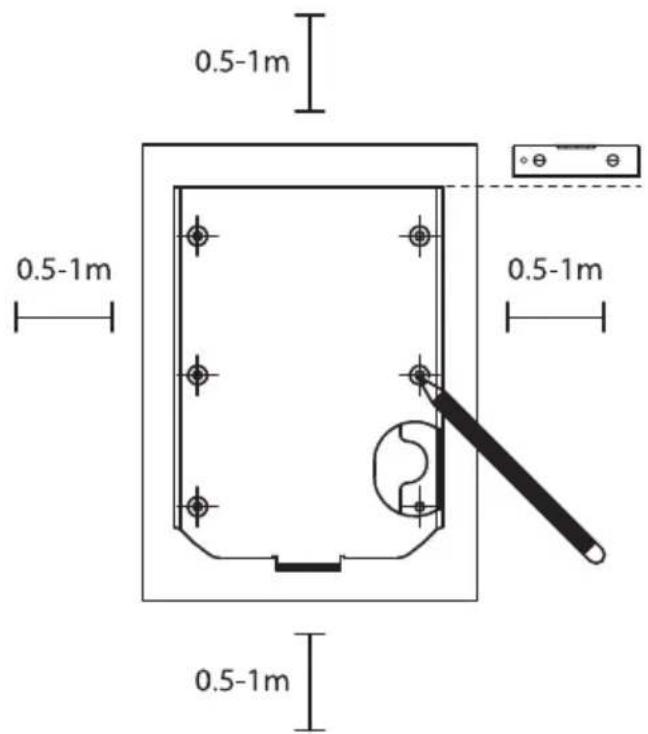
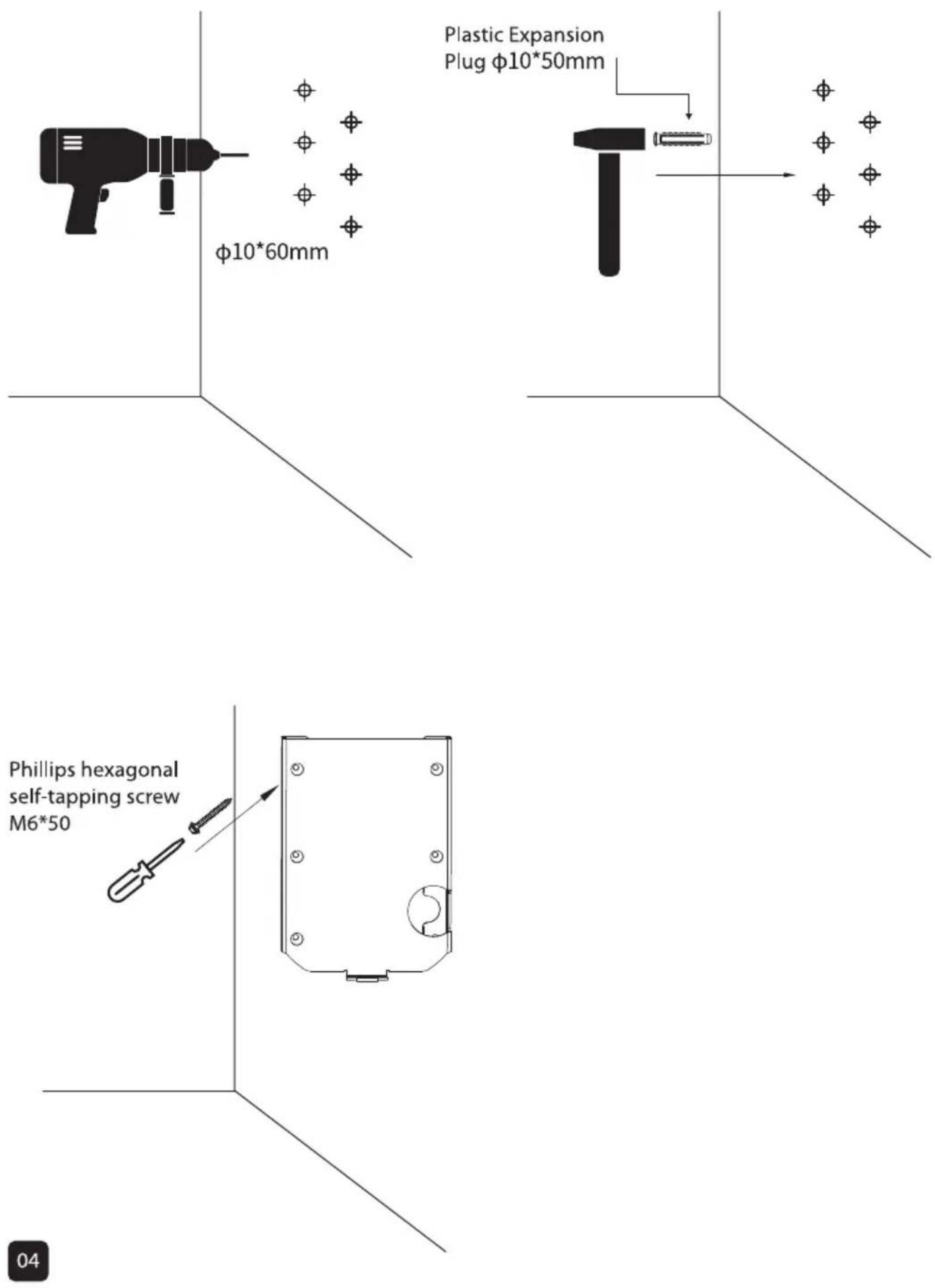
3. Remove the access cover and connect the power cord
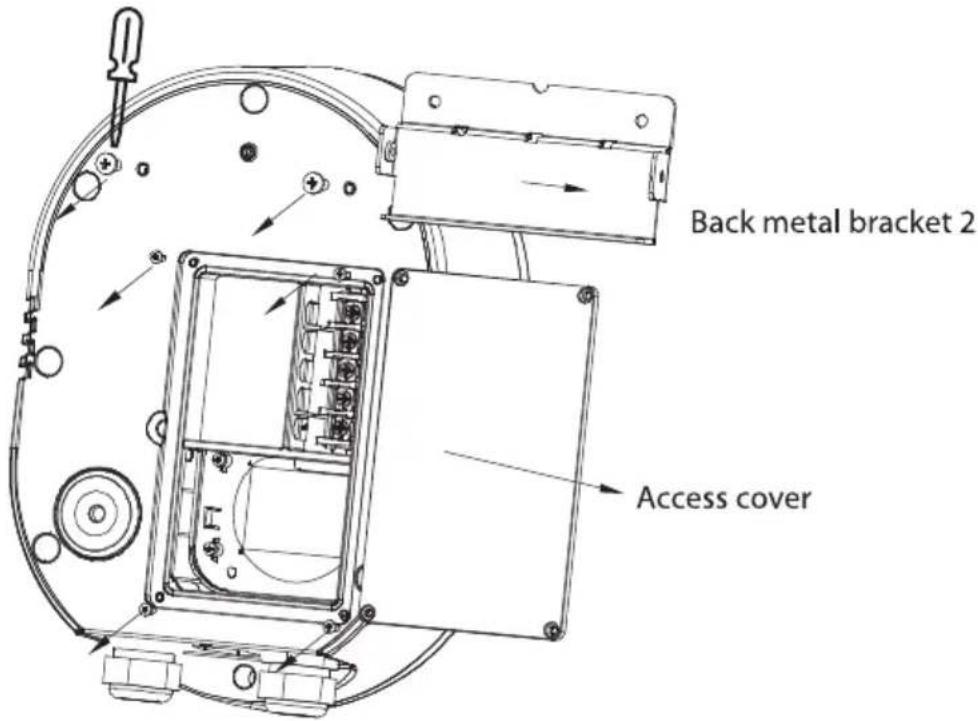
IMPORTANT: The connection point of the Charging Station shall be protected by an RCD having a rated residual current not exceeding 30mA.
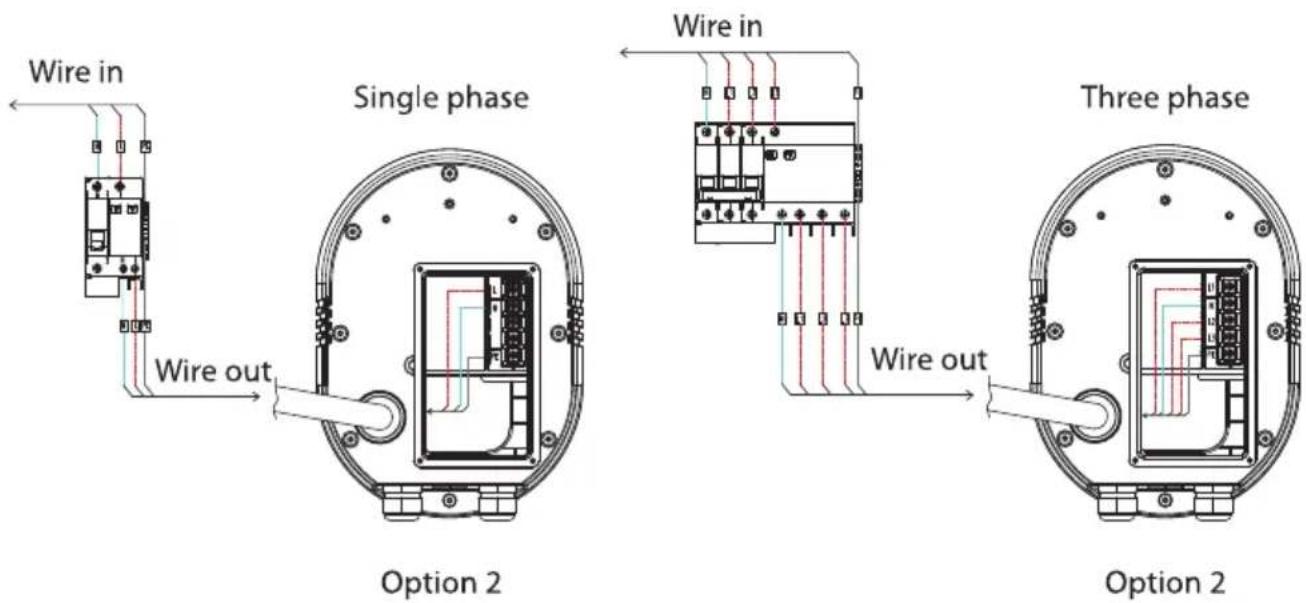
4. Electrical Wiring Diagram
Option 1 External cable access from the bottom
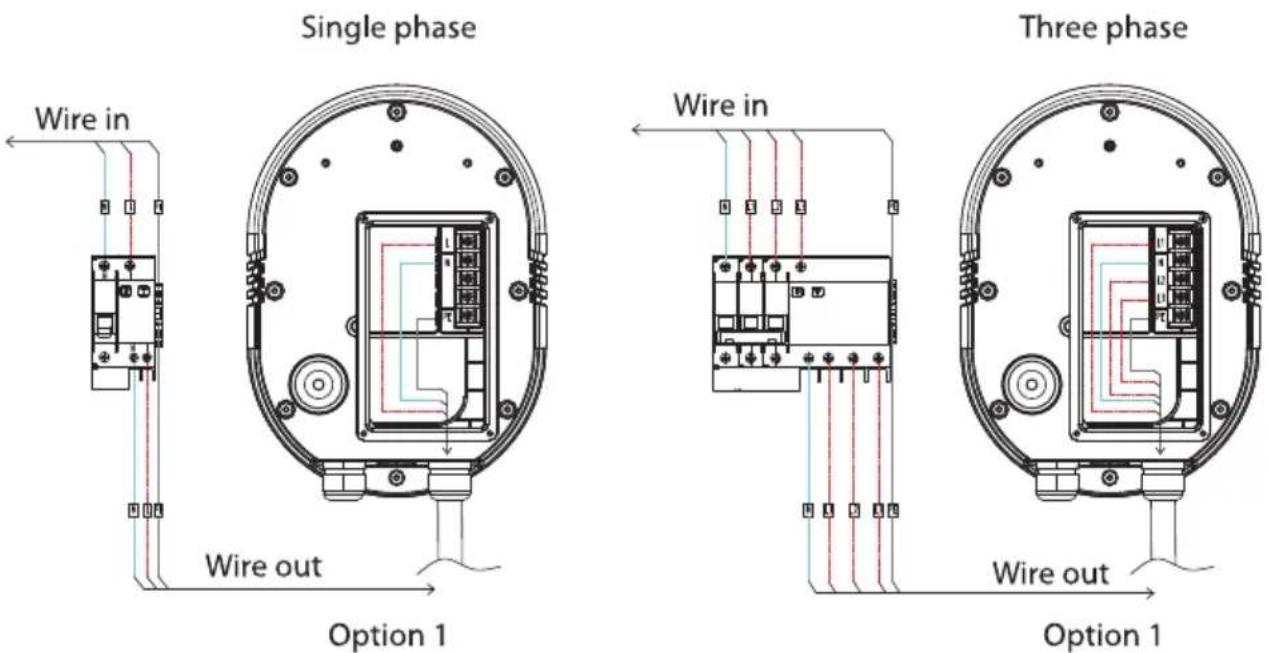
Option 2 External cable access from the back
Note: The illustration below shows the Wiring Diagram in case the Charging Station is provided with a hard wired installation cable.
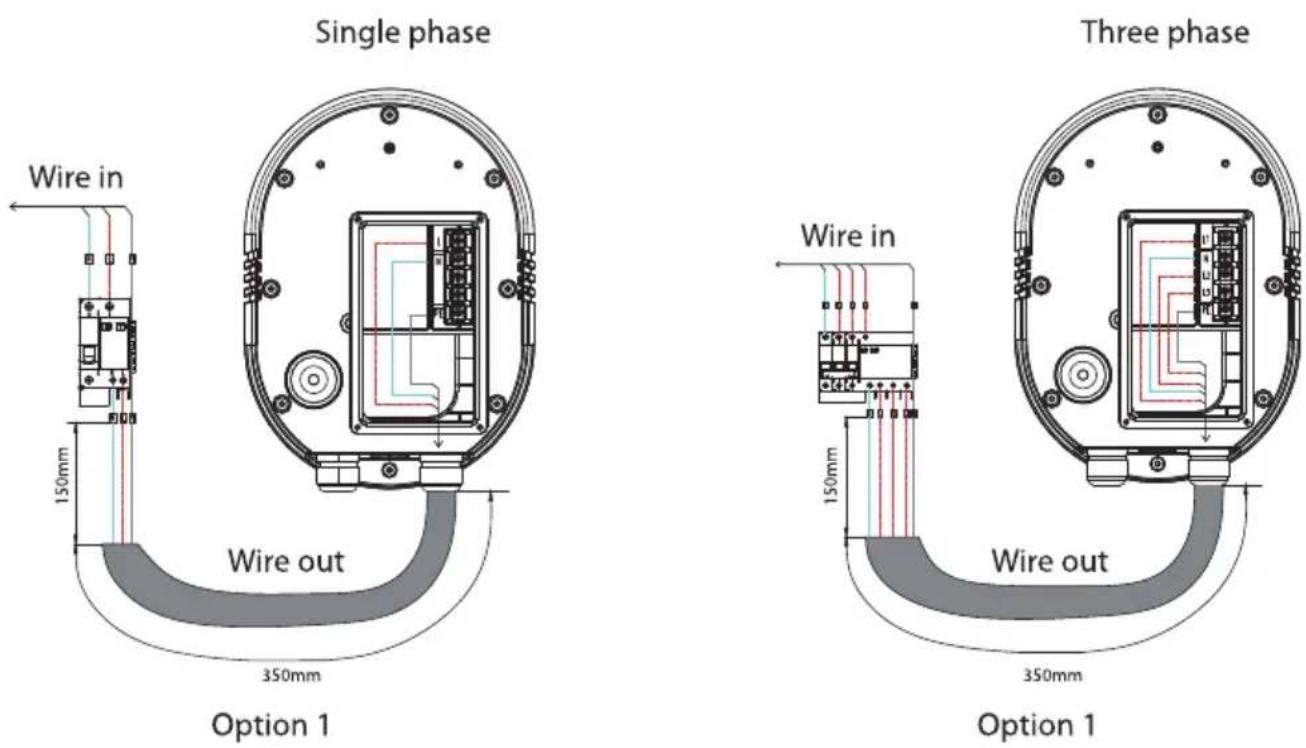
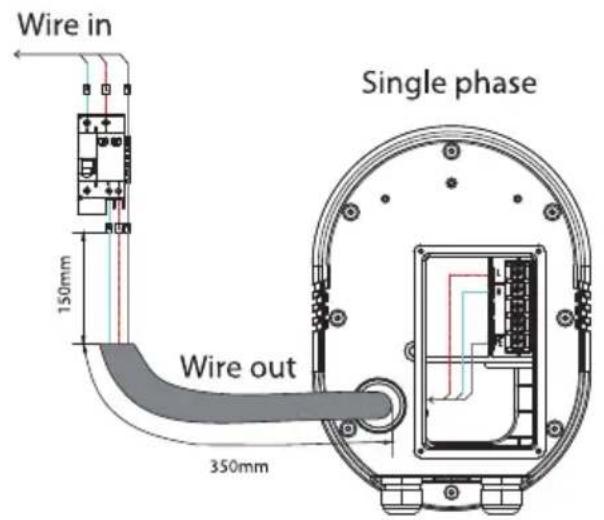
Option 2
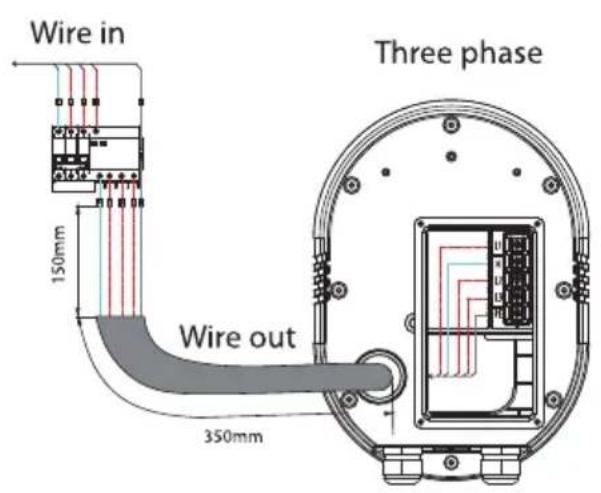
Option 2
| Recommended Cable SectionThe authorized installer must always choose cables that comply with the installation laws of the country. | ||
| Cable Description | Number of Phases and Conductors | Current Ampere normally up to |
| 3G6 | 1-phase, (2+PE), 6mm^2 | 32A |
| 5G2.5 | 3-phase, (4+PE), 2.5mm^2 | 16A |
| 5G6 | 3-phase, (4+PE), 6mm^2 | 32A |
5. Install the Charging Station
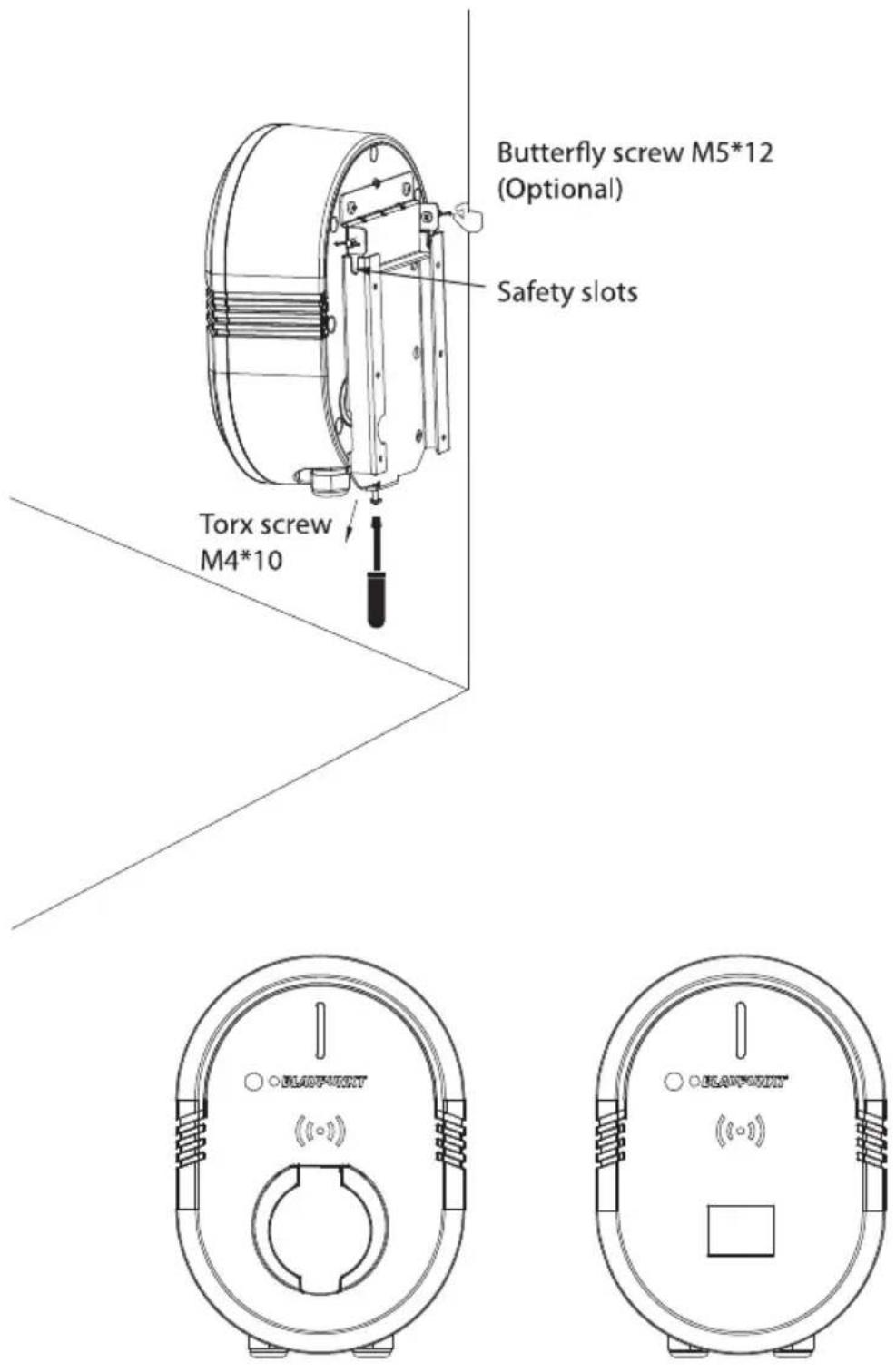
Installation Complete
Precautions
Note: The electric vehicle charging station must always be installed in accordance with the legal requirements and regulations of the country where it is installed. When using electrical products, basic precautions and instructions for safe use must always be followed, including the following. This manual contains important instructions that must be followed during installation, operation, and maintenance of the unit. Please read it carefully before use to avoid electric shock or other accidents.

Danger: Risk of electric shock!
-
The charging station must be installed by a licensed electrician in compliance with all local electrical codes, regulations, and any authorities having jurisdiction.
-
This product must be grounded. In the event of malfunction or breakdown, grounding provides a path of least resistance for electric current to reduce the risk of electric shock. Improper installation of the charging station may result in personal injury or product damage.
-
The charging station must be supplied by a power source with an upstream disconnect device. Turn off the disconnect device at the service or distribution panel before performing electrical work or repairs.
-
Do not attempt to disassemble, repair, or modify the electric vehicle charging station. The charging station contains no user-serviceable parts. Do not attempt to repair or service the station yourself. If repair or modification is needed, please contact customer service. Improper operation may cause damage to the unit, water leakage, current leakage, or other situations that can lead to personal injury, product failure, or significant environmental damage.
-
Unauthorized modification of the unit is not permitted, and any attempt to do so will void the manufacturer's warranty.
-
Improper installation of the electric vehicle charging station may result in damage to the vehicle's battery and the charging station itself. Such damage will invalidate the vehicle and charging station warranties.
-
Please install the charging station in a dry, ventilated, and safe environment. Avoid spraying water directly on the charging station or any part of it.
-
Do not use the charging station in temperatures outside its operating range of -30°C\~+50°C.
-
Use this charging station within the specified operating parameters. Failure to do so may result in personal injury or death.
-
This product can cause serious injury if contact is made with its internal parts during operation. Additionally, disconnect the power supply after use.
-
Keep the charging plug and socket head clean and dry. In case of dirt, wipe it off with a clean, dry cloth; do not use chemicals. It is strictly prohibited to touch the core of the charging plug and socket with your hands while it is charging.
- Do not place flammable, explosive, or combustible materials (solids, liquids, gases, vapors), chemicals, or other hazardous objects near the charging station.
- It is strictly prohibited to use the electric vehicle charging station if there are visible damages, loose parts, cracks, wear, broken insulation, or exposed metal in the plug, charging cable, charging station, or any other signs of damage. In case of such situations, please contact customer service.
- If an alarm message appears on the charging station's display or LED indicator, charging or use must be immediately discontinued. In these cases, please contact customer service.
- Exercise caution during rain and thunderstorms when charging.
- Do not attempt to charge the vehicle while it is in motion. The vehicle must remain stationary throughout the entire charging process.
- Install, use, or operate the charging station in a well-lit area and away from heavy pedestrian traffic to avoid accidental hazards, and ensure that the charging cable is not stepped on, tripped over, or subjected to damage or strain.
- Children and pets should not be left unattended near the charging station during charging. Avoid contact between the charging station and children or pets during charging.
- Do not hit, press firmly, scratch, or damage the housing and associated parts of the charging station.
- Improper moving, transporting, or storing of the unit may result in product damage.

WARNING: This installation and user manual for the electric vehicle charging station is not a substitute for electrical safety precautions!
Charging Your Car
Note: The following operating steps apply to the socket-type charging station.
Tips:
- The electric vehicle should be parked at an appropriate distance from the charging station. Pulling hard on the charging cable can result in cable connection faults, damage to the cable, or electrical leakage.
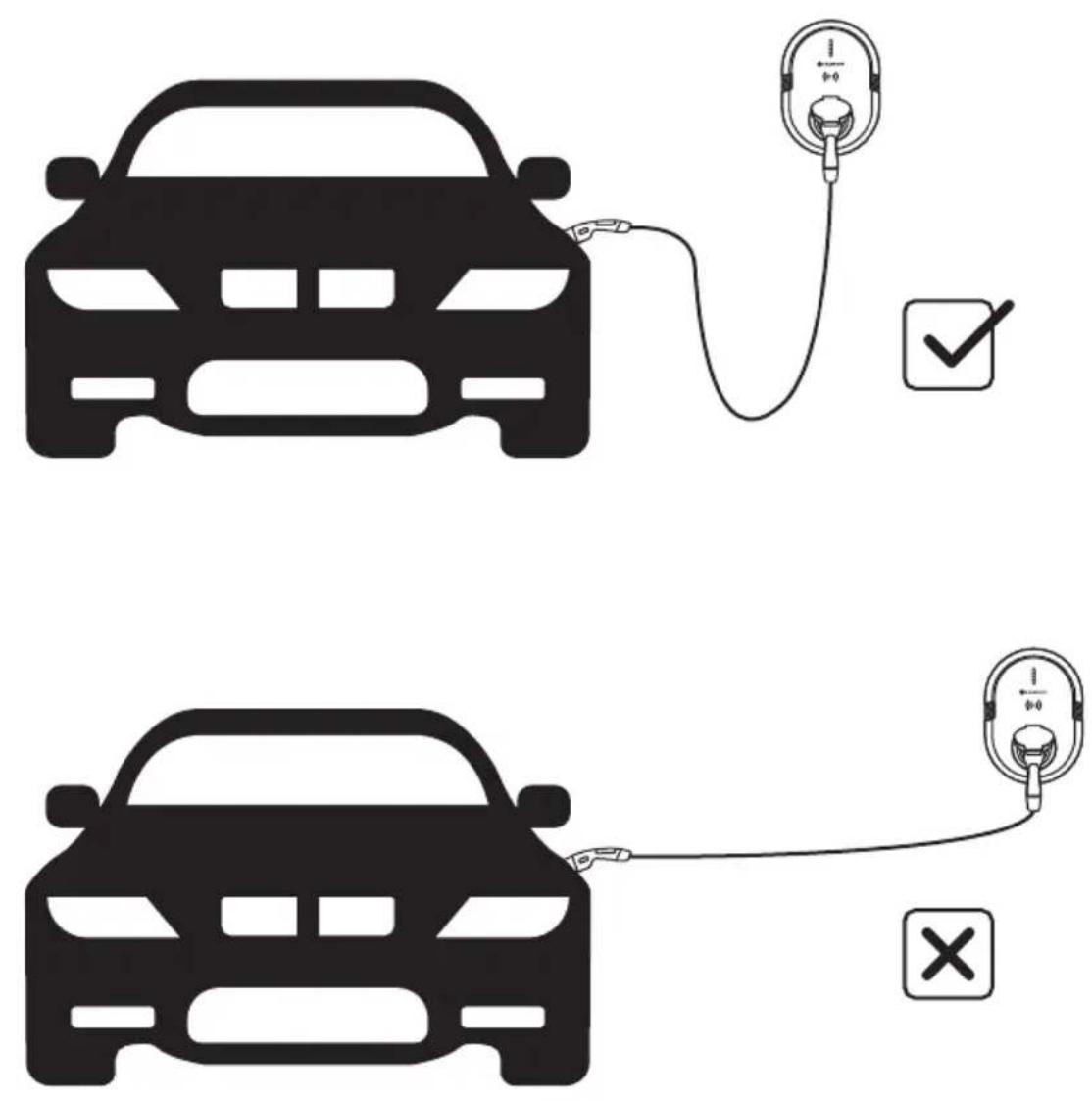
- It is not permitted to use adapters or conversion adapters.
- It is not permitted to use extension cords.
Start Charging
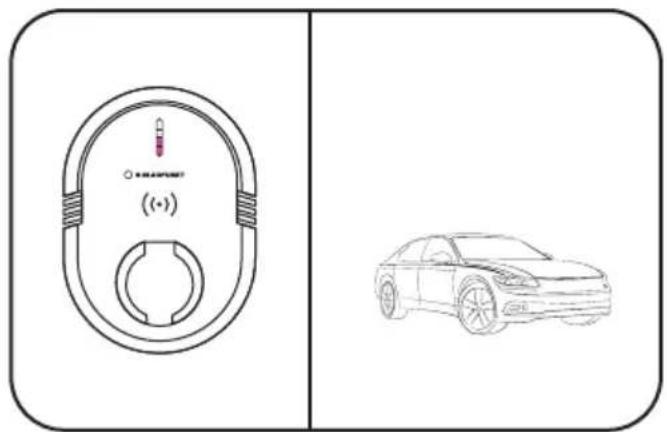
- When powered on, if installed correctly, the LED lights will "run" from top to bottom in a pink color for 5 seconds before turning blue.
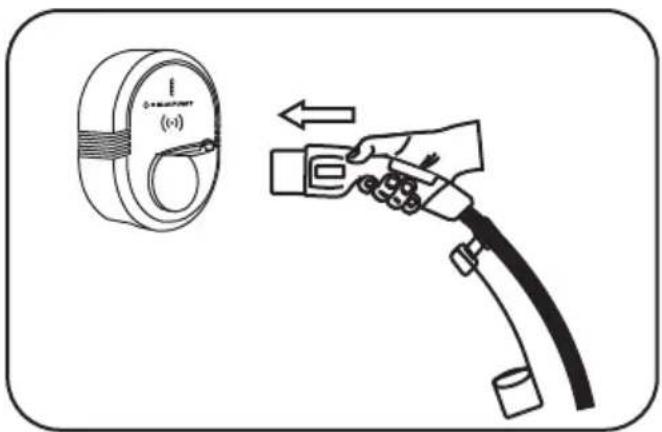
- Insert the plug into the charging station.
natural_image
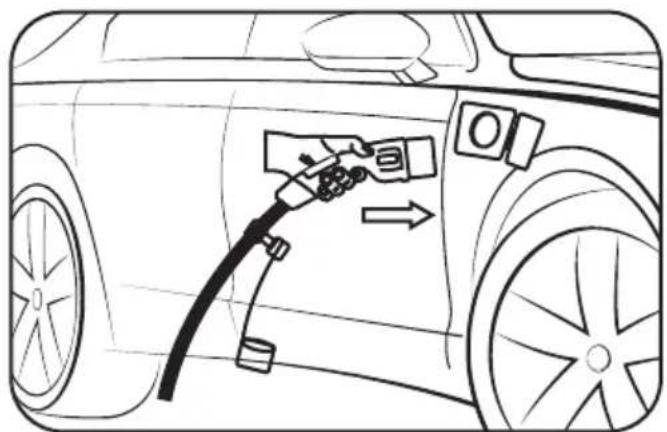
Line drawing of a car's fuel injection being applied, showing hand placement and valve (no text or symbols)- Insert the vehicle connector.
natural_image
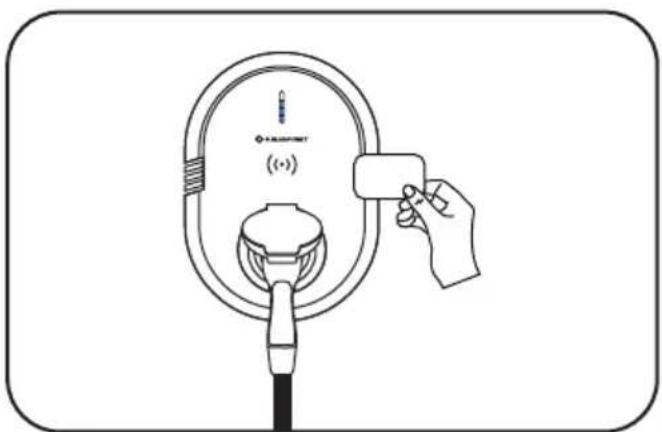
Line drawing of a hand holding a small object above a circular device with a label (no text or symbols on the device itself)- Swipe the RFID card over the wireless symbol.1 x Buzzing sound means that charging will start.
natural_image
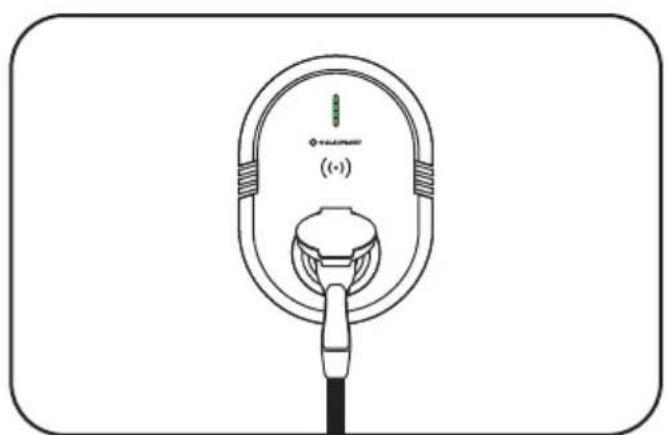
Line drawing of an electric vehicle charging plug with a terminal connector (no text or symbols)- Start charging.
natural_image
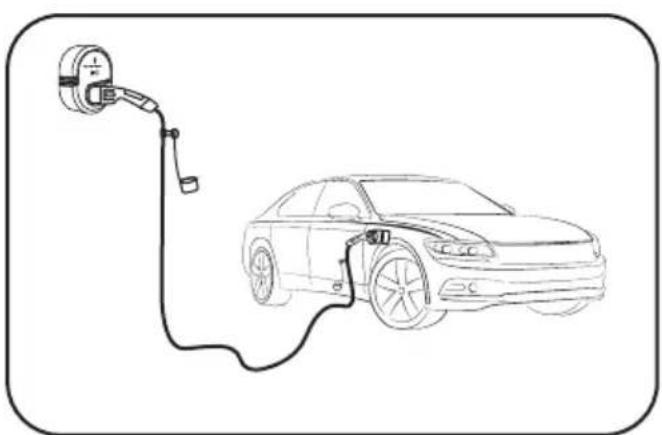
Line drawing of an electric vehicle charging at a station, showing the battery connected to a car (no text or symbols)- Charging.
Stop Charging
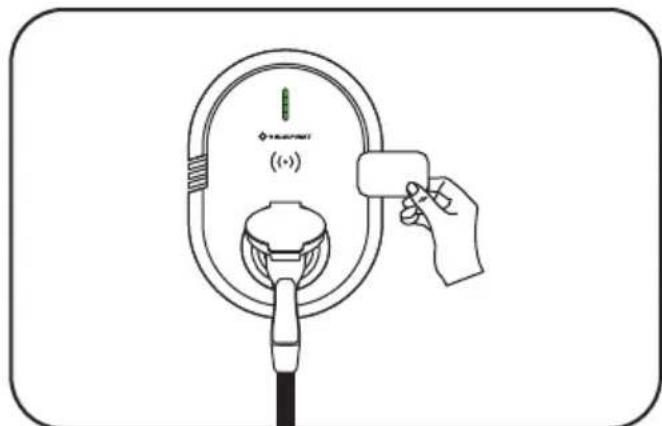
- Swipe the RFID card over the wireless symbol.1 x Buzzing sound means that charging will stop.
natural_image
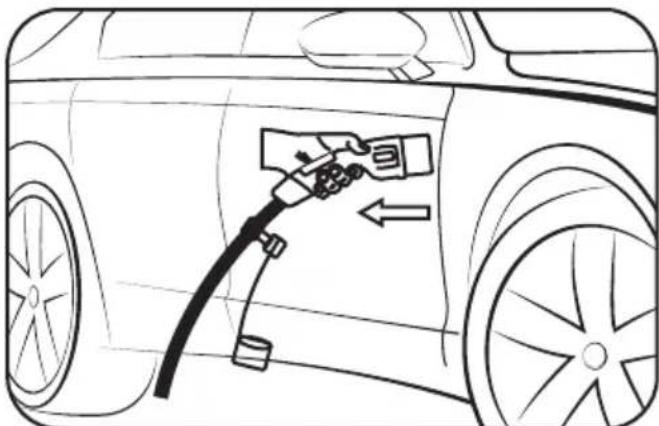
Line drawing of a car being charged with a fuel nozzle, showing engine and wheel (no text or symbols)- Remove the vehicle connector from car side.
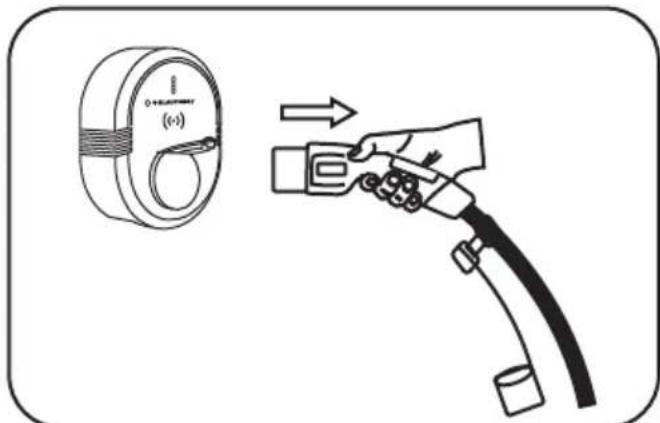
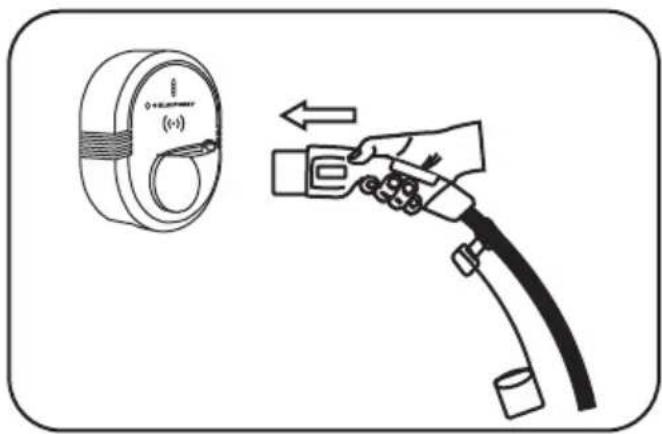
- Remove the power source plug from Charging Station side.
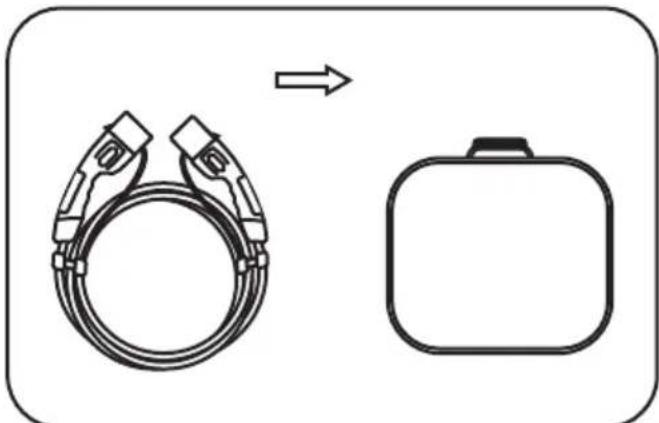
natural_image
Diagram showing a cable being replaced by an electric shock absorber (no text or symbols present)- Put the charging cable back to the bag.
Current Setting

CAUTION
In order to switch charging current, please make sure the charging station is power on and the connector for the EV is disconnected.
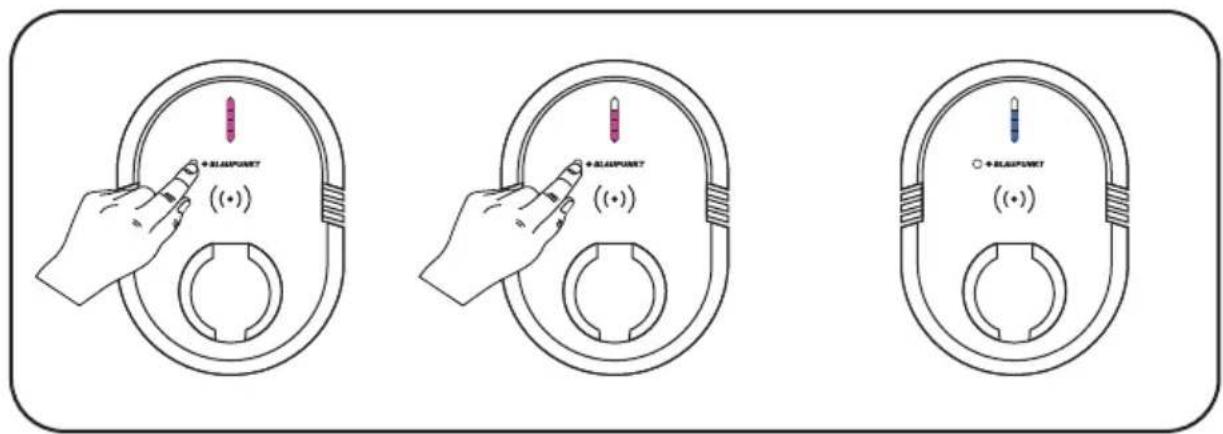
Each time you press the black button, a different power setting will be selected. Each of the 4 lights in the bar represents 25% charging power.
Waiting for 4 seconds, the Charging Station will exit and set the rated current.
Delayed Charging

CAUTION
The delayed charging function can only be activated via the APP.
Please ensure that the Charging Station is powered on and has been connected to the APP.
- Insert the plug into the charging station.
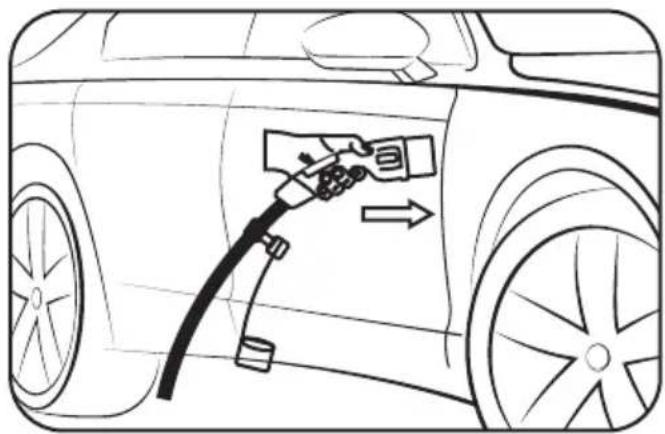
natural_image
Line drawing of a car's front wheel with a fuel nozzle inserted, showing airflow direction (no text or symbols)- Insert the vehicle connector.
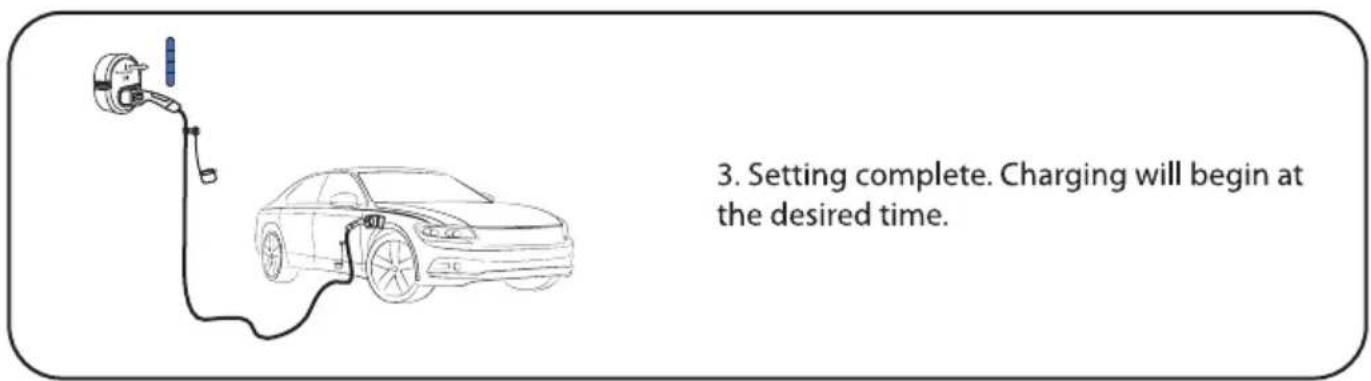
Display Light Status
Operation
| Timeline | Action/Status | Light Color | Light Status (On / Off) | Result |
| 1 | Power Off | Remains Off | Power Off | |
| 2 | Check | During the self check, the light is running from top to bottom, blinking every quarter of a second | Self check | |
| 3 | Standby | Remains On | The device is idle | |
| 4 | Connected | Flashing, 2 Seconds On / 2 Seconds Off | The Plug is inserted to the Charging Station, Connector is inserted to the Electric Vehicle. | |
| 5 | Charging | When charging, the light is running from bottom to top, blinking every quarter of a second | Charging | |
| 6 | Charging Stopped/Paused/Completed | 3 quick flashing and 1 slow flashing | Charging Stopped or Paused by the Car | |
| 7 | Charging Stopped/ Paused/Completed | Flashing, 1 Seconds On / 1 Seconds Off | Charging stopped by the user |
Trouble Shooting
| Fault Status | No. | Action/Status | Light Color | Light Status (On / Off) | Result |
| 1 | Leakage Protection | 1 quick flash and 1 slow flash | no charging | ||
| 2 | Over-current Protection | 2 quick flashes and 1 slow flash | no charging | ||
| 3 | Over-temperature Protection | 3 quick flashes and 1 slow flash | no charging | ||
| 4 | Over-voltage / Under-voltage | 4 quick flashes and 1 slow flash | no charging | ||
| 5 | Self-test Failed | 5 quick flashes and 1 slow flash | no charging | ||
| 6 | Ground Fault | 1 quick flash and 2 slow flashes | no charging | ||
| 7 | Relay Fault | 1 quick flash and 3 slow flashes | no charging | ||
| 8 | CP Error | 1 quick flash and 4 slow flashes | no charging | ||
| 9 | Other Faults | 1 quick flash and 5 slow flashes | no charging | ||
| Remarks: | |||||
| Quick Flashing: 0.5s On / 0.5s Off | |||||
| Slow Flashing: 2s On / 0.5s Off | |||||
| If the charging has been interrupted due to an error. The light will continue flashing until the plug has been removed.At the right side of the Charging Station, a Nameplate is pasted there, one can also find the Serial Number(S/N) and Manufacture Date, contact the Seller and provide these information to obtain After-sales service that within the Warranty Scope. | |||||
Product Specification
Charging Station - Cable Type
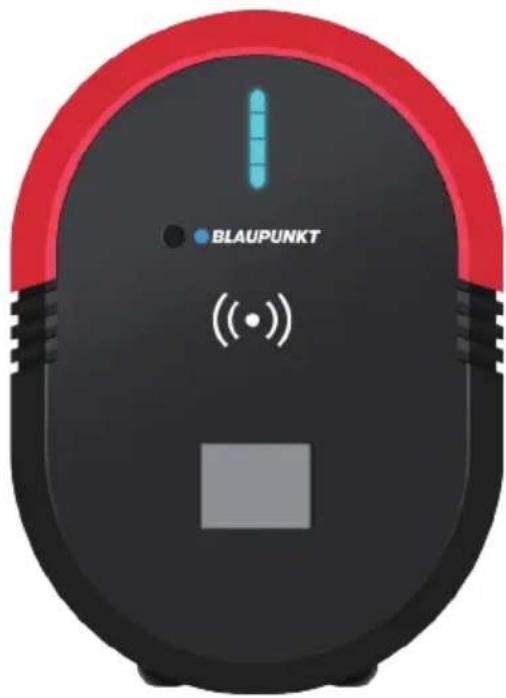
- SPECIFICATIONS(Basic)
| Model | BW1P32ACB | BW3P16ACB | BW3P32ACB |
| Charging Power | 7KW | 11KW | 22KW |
| Rated Current | 32A / 1 Phase | 16A / 3 Phase | 32A / 3 Phase |
| Rated Frequency | 50Hz | 50Hz | 50Hz |
| Input/Output Voltage | AC 230V±15% / 1P+N+PE | AC 400V±15% / 3P+N+PE | AC 400V±15% / 3P+N+PE |
| Network Type | TT/TN | ||
| RCD | AC 30mA + DC 6mA | ||
| RCBO | External Type A RCBO if specially required. Specification: IEC 60898-1, Rated voltage of 230V AC, Rated current of 40A, Short-circuit current can be limited to 6kA or below. | ||
| Protection | Overcurrent / Overvoltage / Undervoltage / Short-circuit / PE-ungrounded / Over-temperature | ||
| Status Indication | LED / LCD | ||
| Connectivity | RS485 | ||
| User Authentication | RFID card | ||
| Load Balance | Home edition offline | ||
- SPECIFICATIONS(Smart)
| Model | BW1P32ACS | BW3P16ACS | BW3P32ACS |
| Charging Power | 7KW | 11KW | 22KW |
| Rated Current | 32A / 1 Phase | 16A / 3 Phase | 32A / 3 Phase |
| Rated Frequency | 50Hz | 50Hz | 50Hz |
| Input/Output Voltage | AC 230V±15% / 1P+N+PE | AC 400V±15% / 3P+N+PE | AC 400V±15% / 3P+N+PE |
| Network Type | TT /TN | ||
| RCD | AC 30mA + DC 6mA | ||
| RCBO | External Type A RCBO if specially required. Specification: IEC 60898-1, Rated voltage of 230V AC, Rated current of 40A, Short-circuit current can be limited to 6kA or below. | ||
| Protection | Overcurrent / Overvoltage / Undervoltage / Short-circuit / PE-ungrounded / Over-temperature | ||
| Status Indication | LED / APP / LCD | ||
| User Interface | Charger APP, Charge Service Software | ||
| Connectivity | Bluetooth, Wi-Fi, Ethernet, RS485 | ||
| Communication Protocols | OCPP 1.6 / OCPP 2.0 | ||
| User Authentication | RFID card, APP | ||
| Software Update | OTA updates via web portal | ||
| Load Balance | Home edition offline, Remote control online | ||
- SPECIFICATIONS(Full Function)
| Model | BW1P32ACF | BW3P16ACF | BW3P32ACF |
| Charging Power | 7KW | 11KW | 22KW |
| Rated Current | 32A / 1 Phase | 16A / 3 Phase | 32A / 3 Phase |
| Rated Frequency | 50Hz | 50Hz | 50Hz |
| Input/Output Voltage | AC 230V±15% / 1P+N+PE | AC 400V±15% / 3P+N+PE | AC 400V±15% / 3P+N+PE |
| Network Type | TT/TN | ||
| RCD | AC 30mA + DC 6mA | ||
| RCBO | External Type A RCBO if specially required. Specification: IEC 60898-1, Rated voltage of 230V AC, Rated current of 40A, Short-circuit current can be limited to 6kA or below. | ||
| Protection | Overcurrent / Overvoltage / Undervoltage / Short-circuit / PE-ungrounded / Over-temperature | ||
| Status Indication | LED / APP / LCD | ||
| User Interface | Charger APP, Charge Service Software | ||
| Connectivity | Bluetooth, Wi-Fi, Ethernet, RS485, 4G | ||
| Communication Protocols | OCPP 1.6 / OCPP 2.0 | ||
| User Authentication | RFID card, APP, QR code | ||
| Software Update | OTA updates via web portal | ||
| Load Balance | Home edition offline, Remote control online | ||
General Characteristics
| IP And IK Rating | Body IP54, IK10 |
| Cable length | 5m (Customizable) |
| Output interface | IEC 62196-2 Type 2 Connector |
| Operating altitude | 2000m |
| Operating temperature range | -30°C~+50°C |
| Storage temperature range | -40°C~+85°C |
| Mounting | Wall mounted or Pole mounted |
| Dimensions (HxWxD) | 290x210x110mm |
| Safety standards | EN IEC 61851-1:2019 / IEC 61439-7 / IEC 62368-1 / IEC 62955:2018 |
| Certification | CE-LVD, CE-EMC, CE-RED, CB, UKCA |
Product Specification
Charging Station - Socket Type
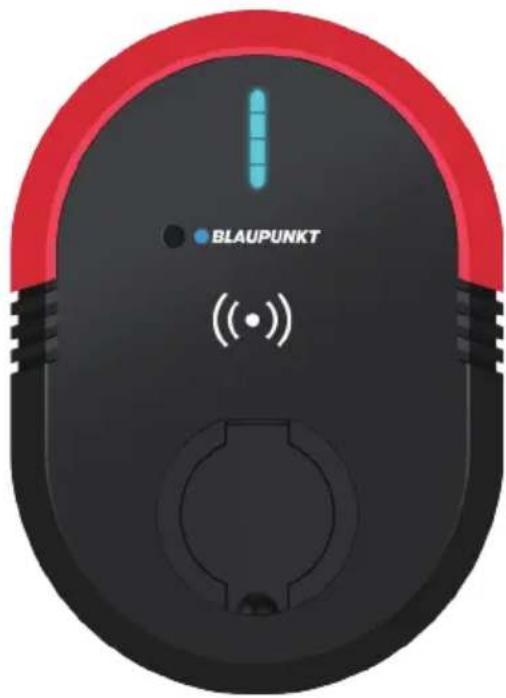
- SPECIFICATIONS(Basic)
| Model | BW1P32ASB | BW3P16ASB | BW3P32ASB |
| Charging Power | 7KW | 11KW | 22KW |
| Rated Current | 32A / 1 Phase | 16A / 3 Phase | 32A / 3 Phase |
| Rated Frequency | 50Hz | 50Hz | 50Hz |
| Input/Output Voltage | AC 230V±15% / 1P+N+PE | AC 400V±15% / 3P+N+PE | AC 400V±15% / 3P+N+PE |
| Network Type | TT/TN | ||
| RCD | AC 30mA + DC 6mA | ||
| RCBO | External Type A RCBO if specially required. Specification: IEC 60898-1, Rated voltage of 230V AC, Rated current of 40A, Short-circuit current can be limited to 6kA or below. | ||
| Protection | Overcurrent / Overvoltage / Undervoltage / Short-circuit / PE-ungrounded / Over-temperature | ||
| Status Indication | LED | ||
| Connectivity | RS485 | ||
| User Authentication | RFID card | ||
| Load Balance | Home edition offline | ||
- SPECIFICATIONS(Smart)
| Model | BW1P32ASS | BW3P16ASS | BW3P32ASS |
| Charging Power | 7KW | 11KW | 22KW |
| Rated Current | 32A / 1 Phase | 16A / 3 Phase | 32A / 3 Phase |
| Rated Frequency | 50Hz | 50Hz | 50Hz |
| Input/Output Voltage | AC 230V±15% / 1P+N+PE | AC 400V±15% / 3P+N+PE | AC 400V±15% / 3P+N+PE |
| Network Type | TT /TN | ||
| RCD | AC 30mA + DC 6mA | ||
| RCBO | External Type A RCBO if specially required. Specification: IEC 60898-1, Rated voltage of 230V AC, Rated current of 40A, Short-circuit current can be limited to 6kA or below. | ||
| Protection | Overcurrent / Overvoltage / Undervoltage / Short-circuit / PE-ungrounded / Over-temperature | ||
| Status Indication | LED / APP | ||
| User Interface | Charger APP, Charge Service Software | ||
| Connectivity | Bluetooth, Wi-Fi, Ethernet, RS485 | ||
| Communication Protocols | OCPP 1.6 / OCPP 2.0 | ||
| User Authentication | RFID card, APP | ||
| Software Update | OTA updates via web portal | ||
| Load Balance | Home edition offline, Remote control online | ||
- SPECIFICATIONS(Full Function)
| Model | BW1P32ASF | BW3P16ASF | BW3P32ASF |
| Charging Power | 7KW | 11KW | 22KW |
| Rated Current | 32A / 1 Phase | 16A / 3 Phase | 32A / 3 Phase |
| Rated Frequency | 50Hz | 50Hz | 50Hz |
| Input/Output Voltage | AC 230V±15% / 1P+N+PE | AC 400V±15% / 3P+N+PE | AC 400V±15% / 3P+N+PE |
| Network Type | TT /TN | ||
| RCD | AC 30mA + DC 6mA | ||
| RCBO | External Type A RCBO if specially required. Specification: IEC 60898-1, Rated voltage of 230V AC, Rated current of 40A, Short-circuit current can be limited to 6kA or below. | ||
| Protection | Overcurrent / Overvoltage / Undervoltage / Short-circuit / PE-ungrounded / Over-temperature | ||
| Status Indication | LED / APP | ||
| User Interface | Charger APP, Charge Service Software | ||
| Connectivity | Bluetooth, Wi-Fi, Ethernet, RS485, 4G | ||
| Communication Protocols | OCPP 1.6 / OCPP 2.0 | ||
| User Authentication | RFID card, APP, QR code | ||
| Software Update | OTA updates via web portal | ||
| Load Balance | Home edition offline, Remote control online | ||
General Characteristics
| IP And IK Rating | Body IP54, Socket IP54, IK10 |
| Output interface | IEC 62196-2 Socket or Socket with shutter (optional) |
| Operating altitude | 2000m |
| Operating temperature range | -30°C~+50°C |
| Storage temperature range | -40°C~+85°C |
| Mounting | Wall mounted or Pole mounted |
| Dimensions (HxWxD) | 290x210x130mm |
| Safety standards | EN IEC 61851-1:2019 / IEC 61439-7 / IEC 62368-1 / IEC 62955:2018 |
| Certification | CE-LVD, CE-EMC, CE-RED, CB, UKCA |
EVSE
Info@blaupunkt-ev.com
BLP EV Systems ApS
Ediths Allé 8
5250 Odense SV
Denmark
- EV Charging Station User Manual
- Content
- Packing List
- Installation Tools
- Installation Steps - Wall Mounting
- Disassemble the back part and take out the wall mounting plate.
- Drilling holes
- Remove the access cover and connect the power cord
- IMPORTANT: The connection point of the Charging Station shall be protected by an RCD having a rated residual current not exceeding 30mA.
- Electrical Wiring Diagram
- Install the Charging Station
- Precautions
- Danger: Risk of electric shock!
- Charging Your Car
- Tips:
- Start Charging
- Stop Charging
- Current Setting
- CAUTION
- Delayed Charging
- Display Light Status
- Product Specification
- Charging Station - Cable Type
- EVSE
Brand : BLAUPUNKT
Model : BW1P32ASS
Category : Car charger